Assetto Corsa Content Manager: Race Cancelled Fix Guide
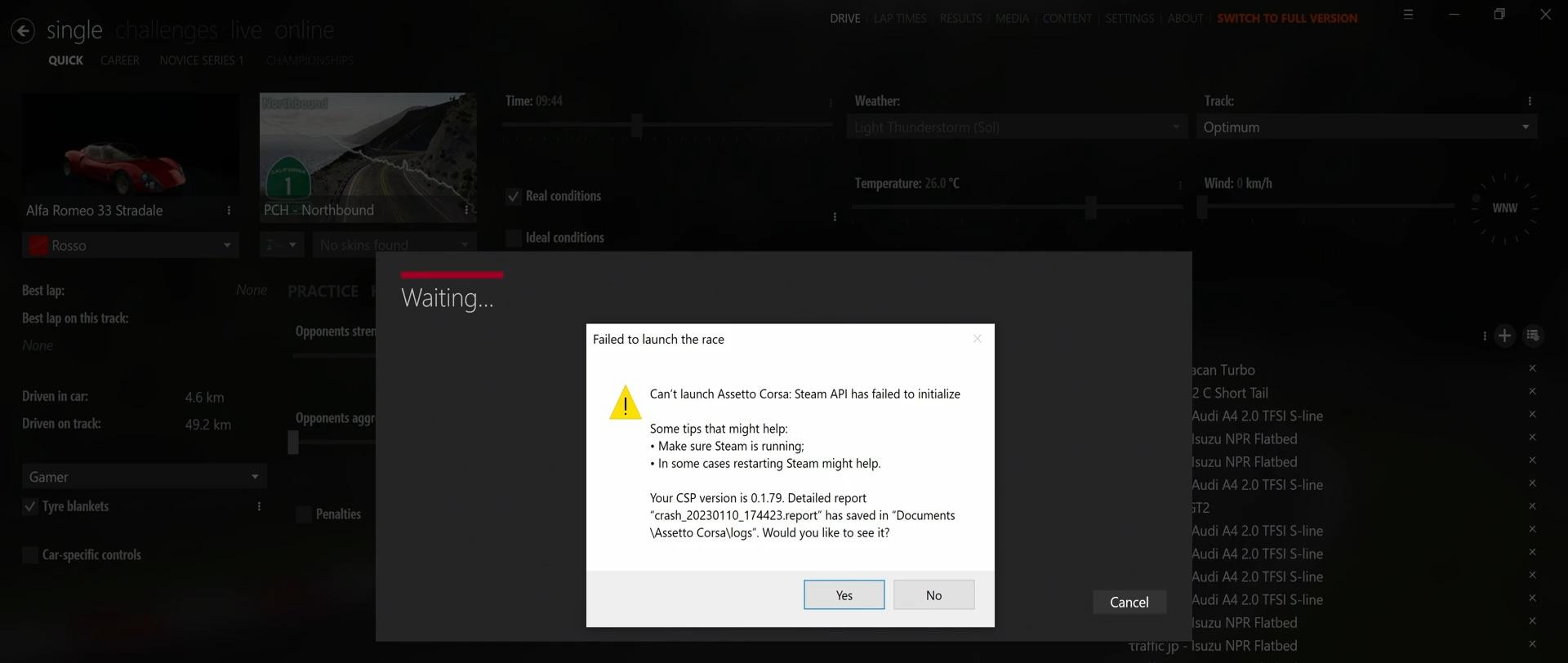
Quite a few people get the error “Failed to launch the race” when trying to load a track in Assetto Corsa via Content Manager. Today we will try to figure out how to fix it.
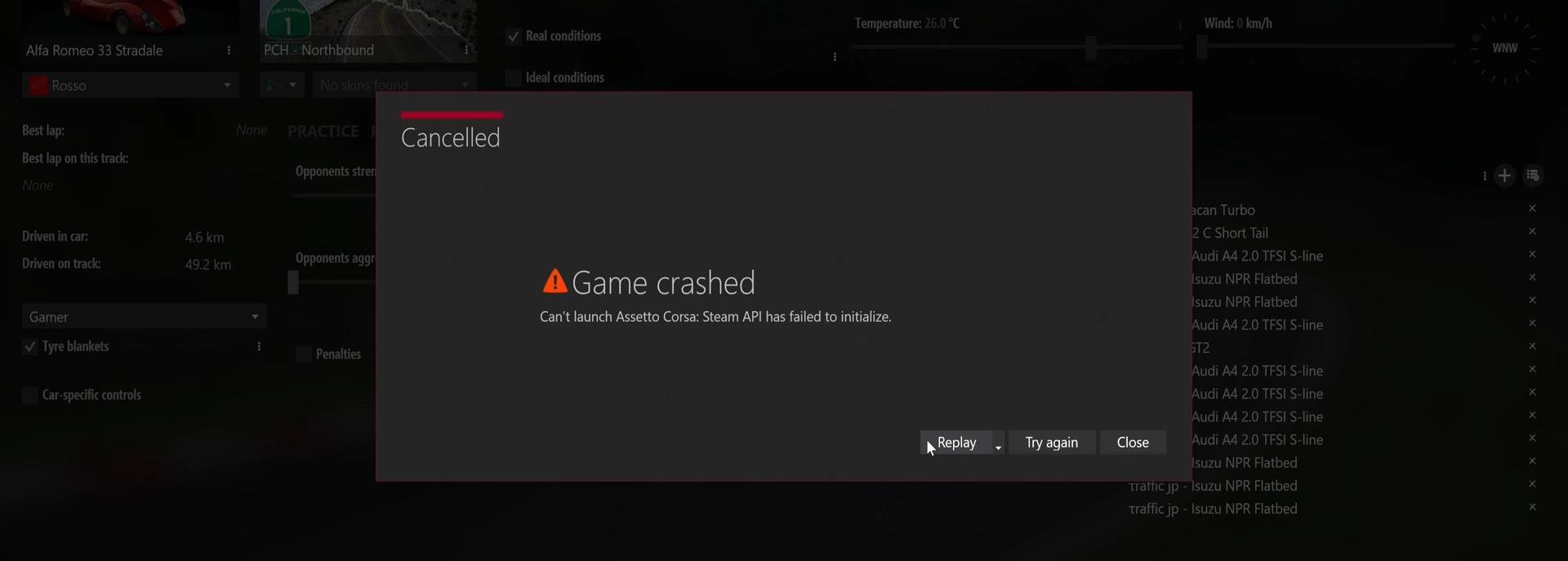
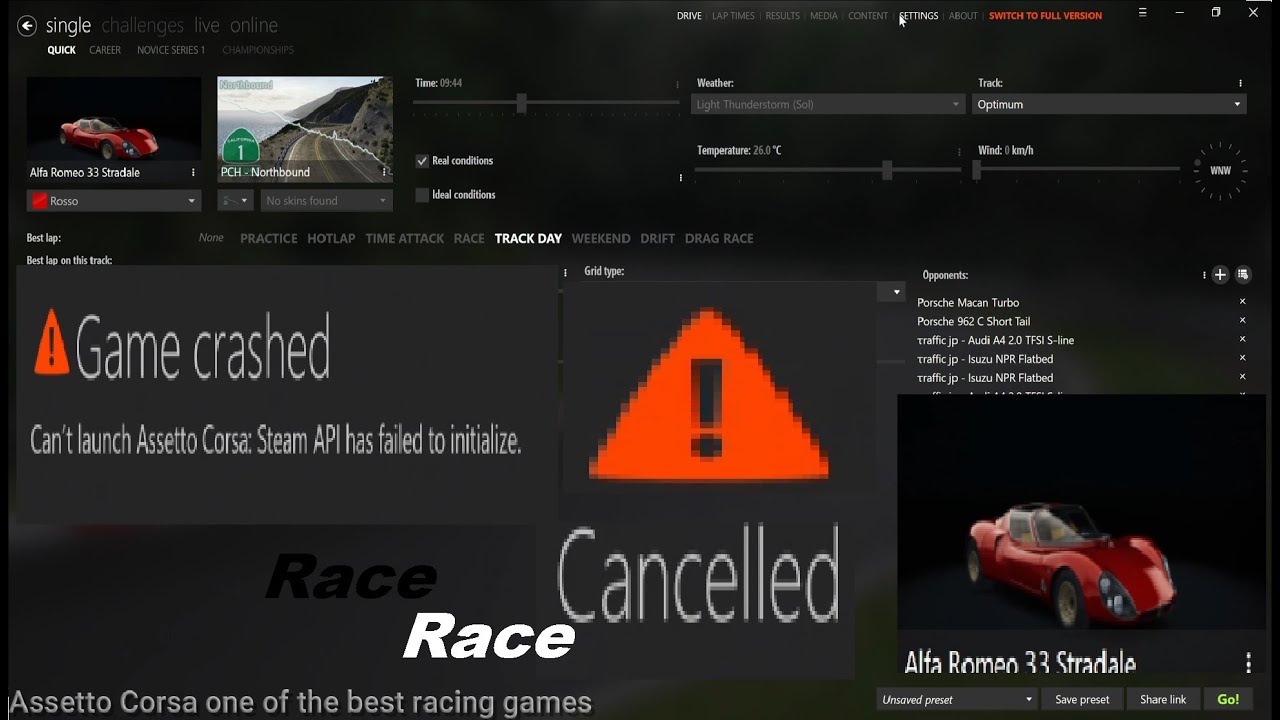
If you see such a window (screenshot below) when launching the race, then most likely closing it will not allow you to launch the game.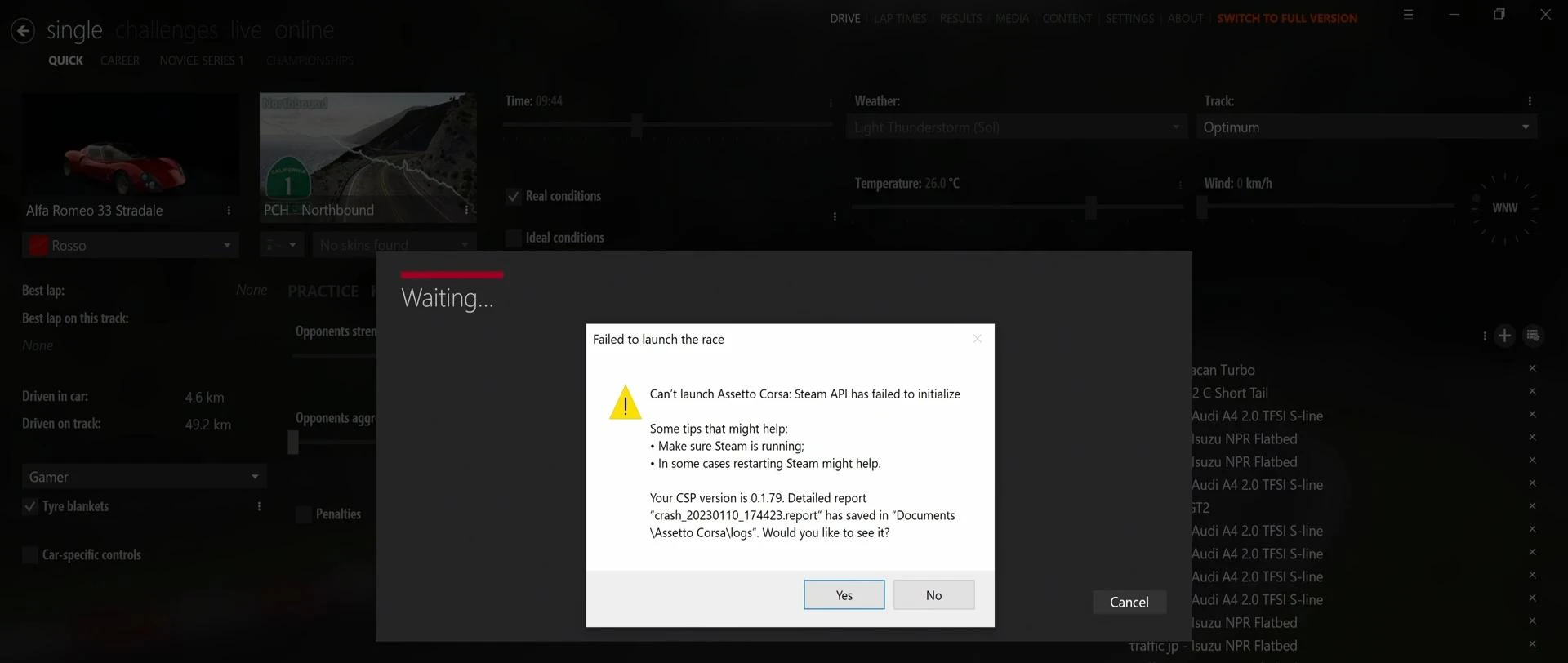
After launching, you will get a notification like this: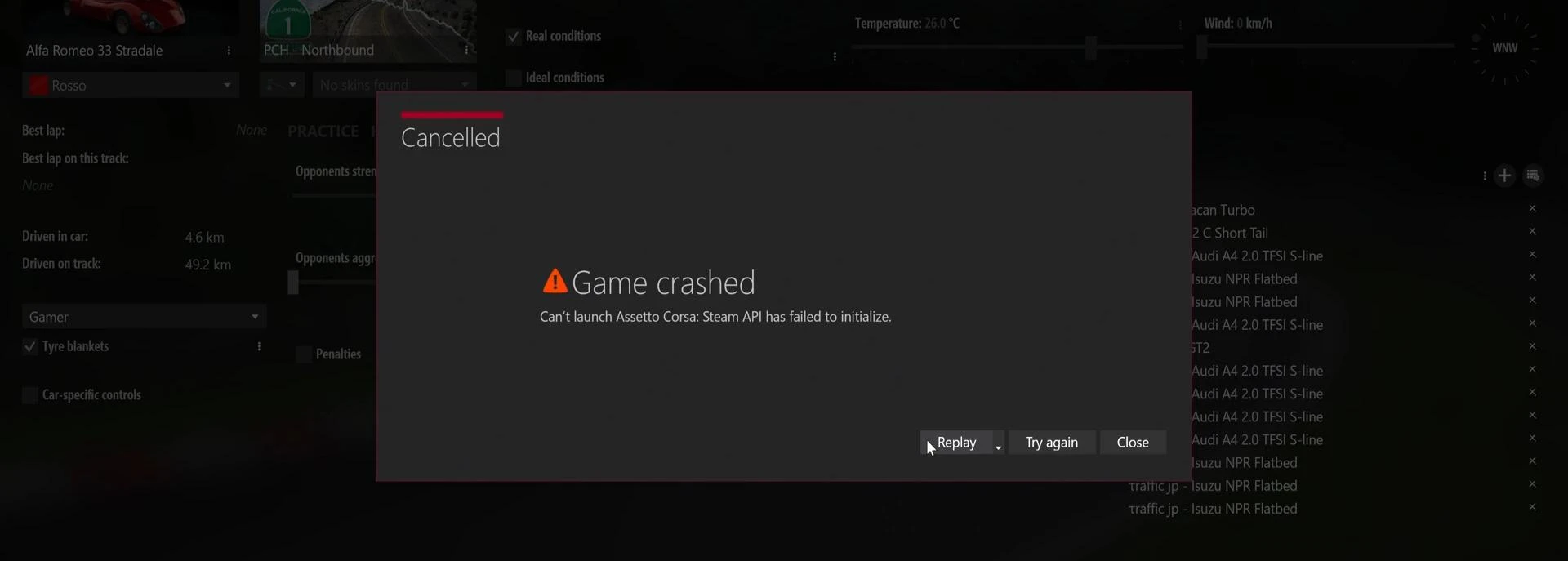
It is quite difficult to understand why this happens, because there may be many reasons. But in most cases, changing the “Game Starter” setting can help. Let's look at the problem in more detail.
The way to solve the problem
-
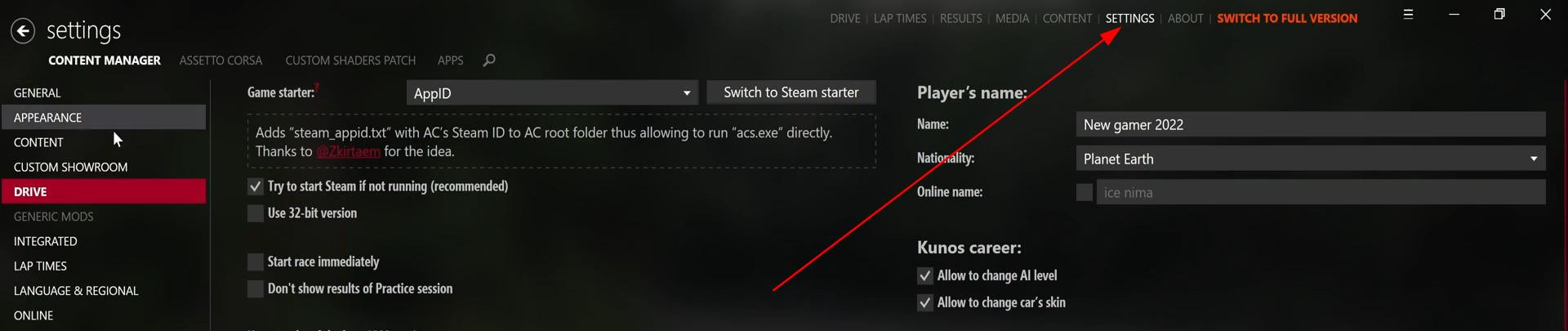
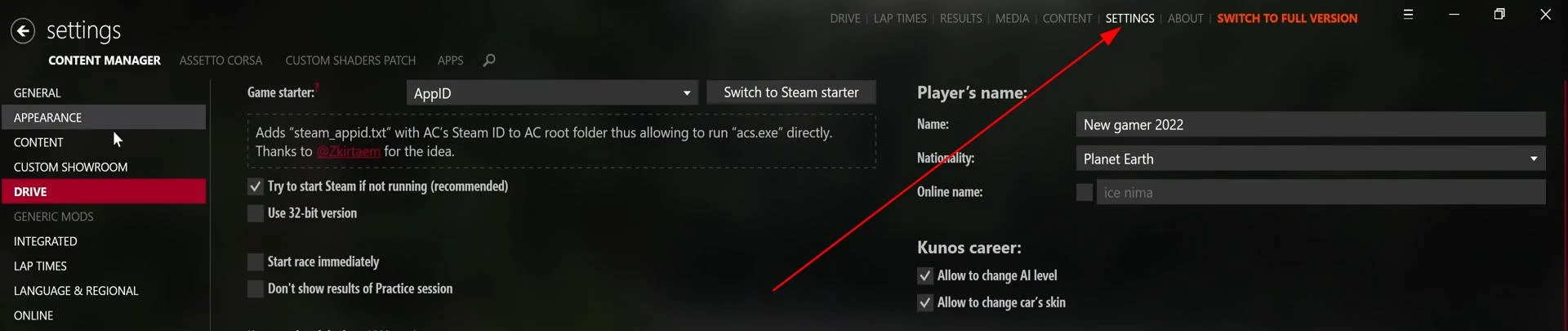
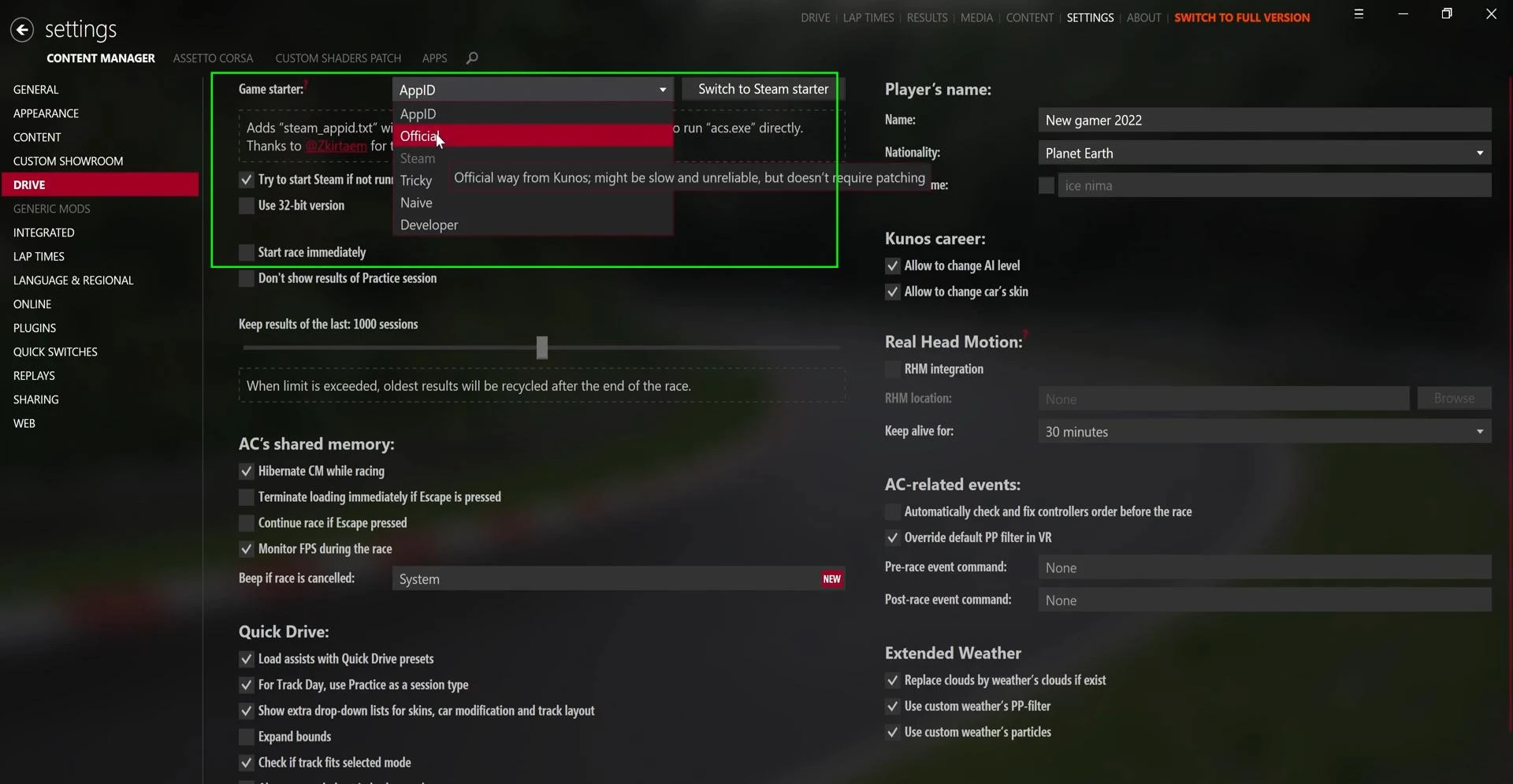
So, the first thing we do is to open the “Settings” tab in the upper right corner of the program.
-
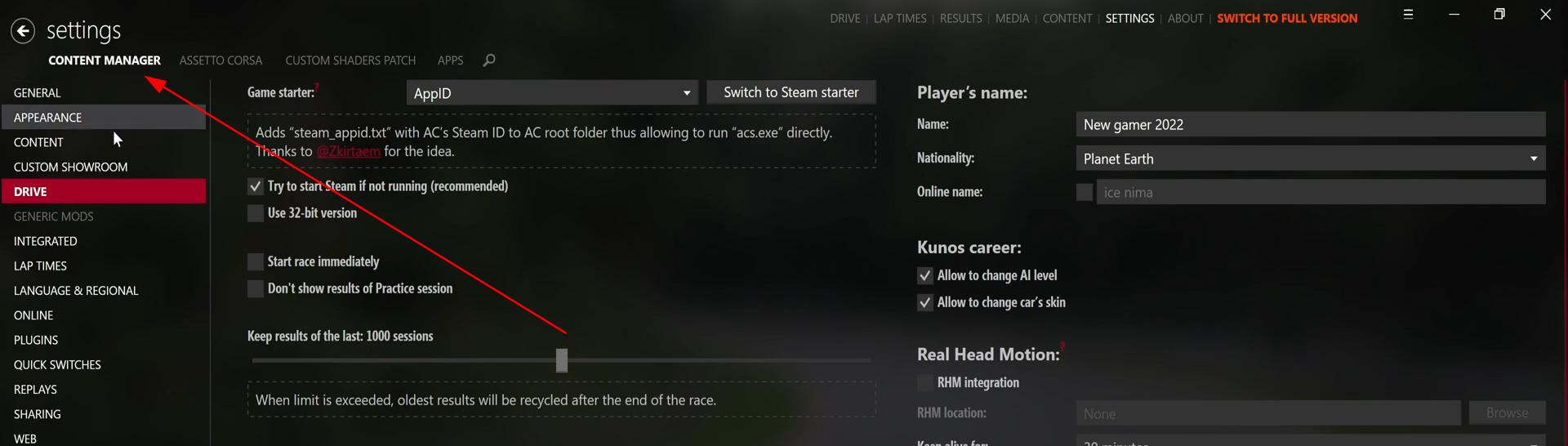
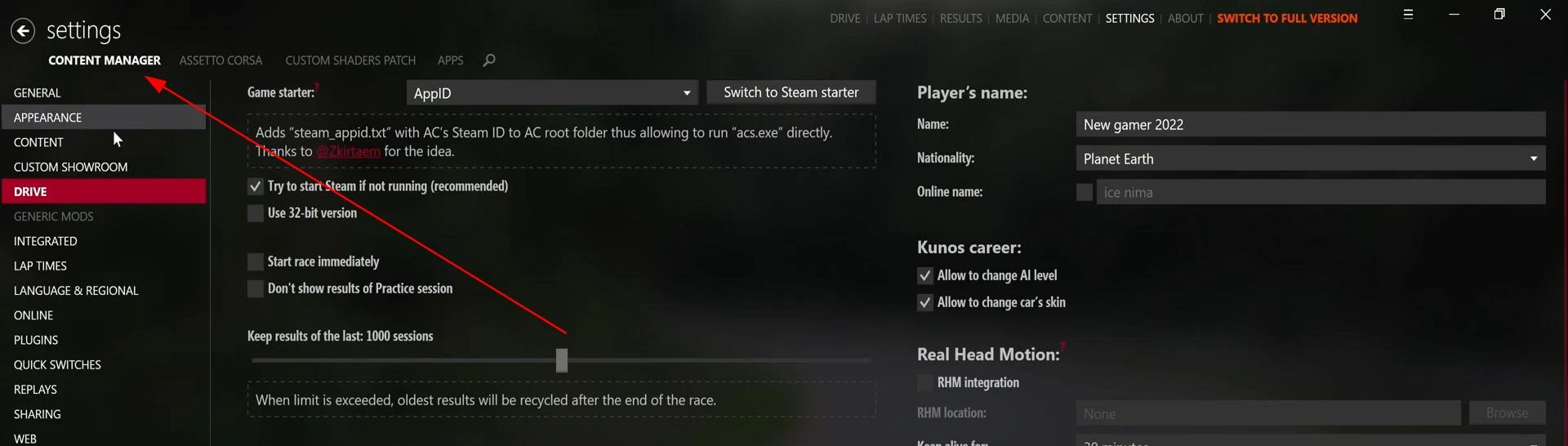
Then open the “Content Manager” subcategory, as in the screenshot below.
-
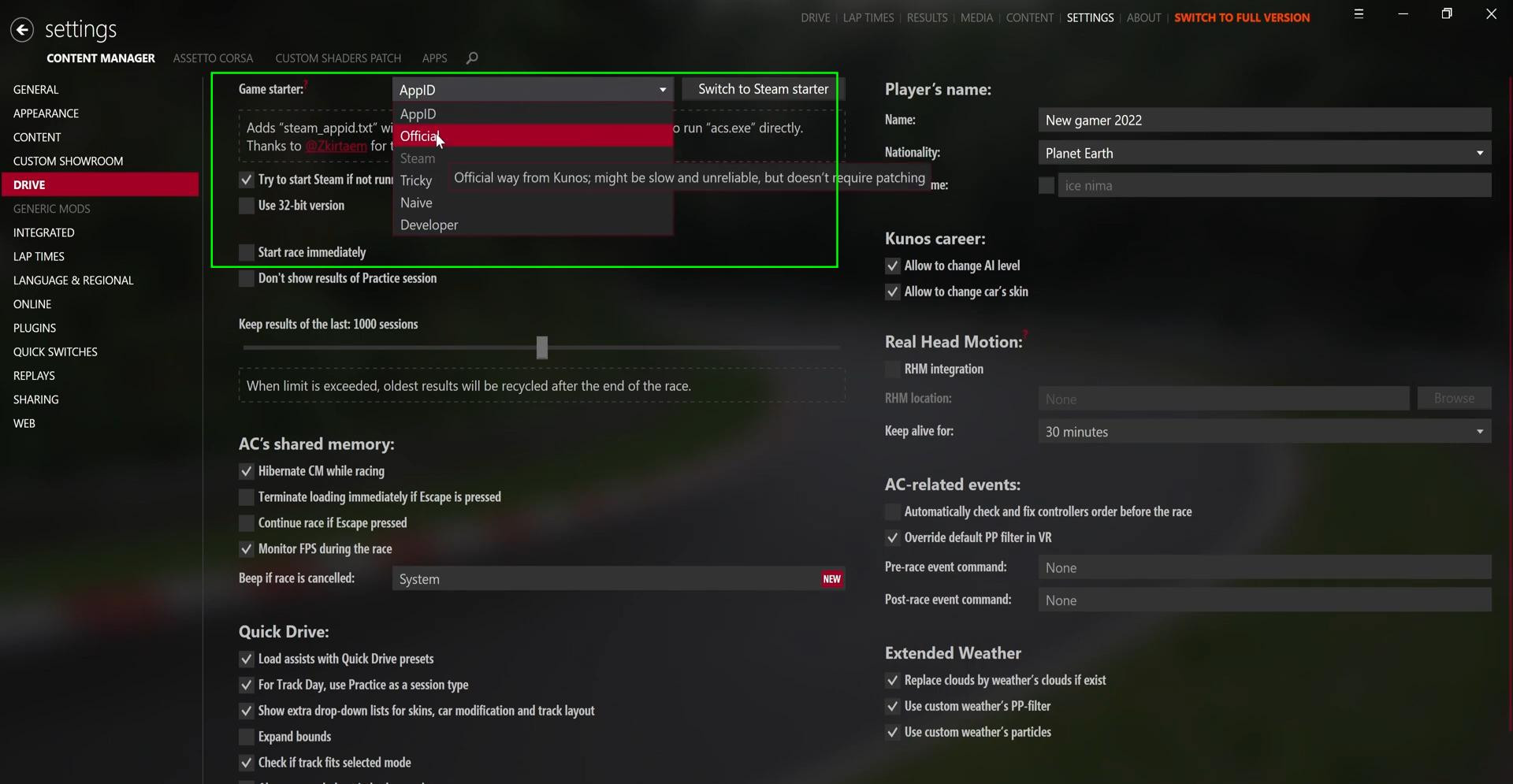
On the left side in the column of sections we find the item “Drive”. Open it and in the very first item “Game Starter” change the value to “Official”.
-
Done. Go back to the “Drive” tab and try to launch the game again with the desired track.
Damaged Content Manager files
Perhaps the cause of the problem lies in corrupted files of the application itself. In this case, it is recommended to completely uninstall Content Manager and reinstall it.
If you have installed many different mods, this can also cause the error described in this article. Try to remove all mods and restart. But before that, be sure to copy all mod files to another place if you don't want to lose them.
If Assetto Corsa is purchased on Steam, you must log in to your account, otherwise you may also get the “Race Cancelled” error.
Hopefully this information will help you solve the problem. Below you can watch a video tutorial that shows all the steps more clearly.
Videos
Added by



_modland.webp)