Assetto Corsa: How to Lower CPU Usage Easily?
-lg_modland.jpg)
Perhaps you have encountered high CPU load when launching Assetto Corsa and don't know how to fix this problem? In this short guide, we will try to help you fix this nuisance so that you can enjoy your favorite game without lags and brakes.
However, before we start, we need to make a clarification: In this guide, we will look at only 1 way to solve this problem via Task Manager. It is likely that this may not work for you if the reason for the high load generated by the Assetto Corsa game lies elsewhere.
How to fixed 99% CPU Occupancy for Assetto Corsa?
First of all, open the task manager. This can be done through the start menu, or by pressing the key combination Ctrl + Shift + Esc or Ctrl + Alt + Del.
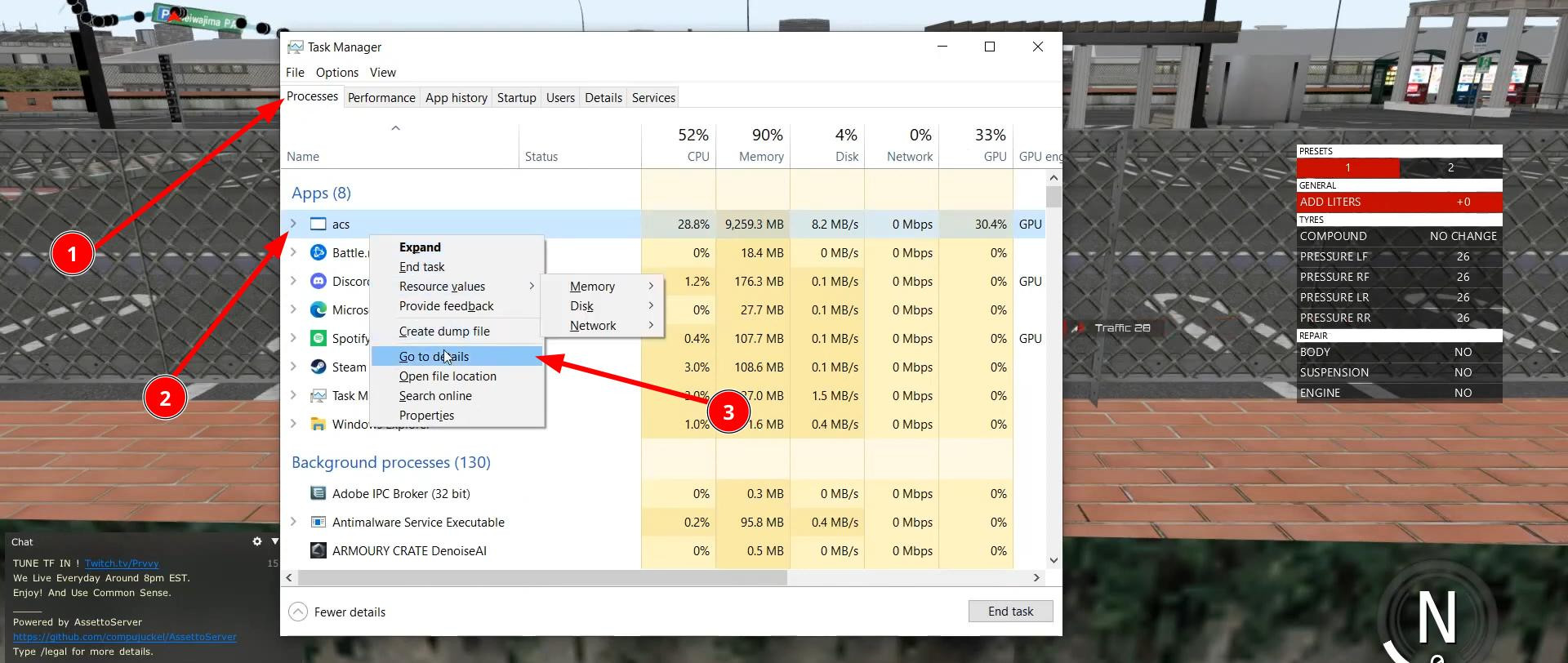
Now open the Processes tab and find the process called “acs”. Left-click on it and select “Go to Details” from the drop-down menu.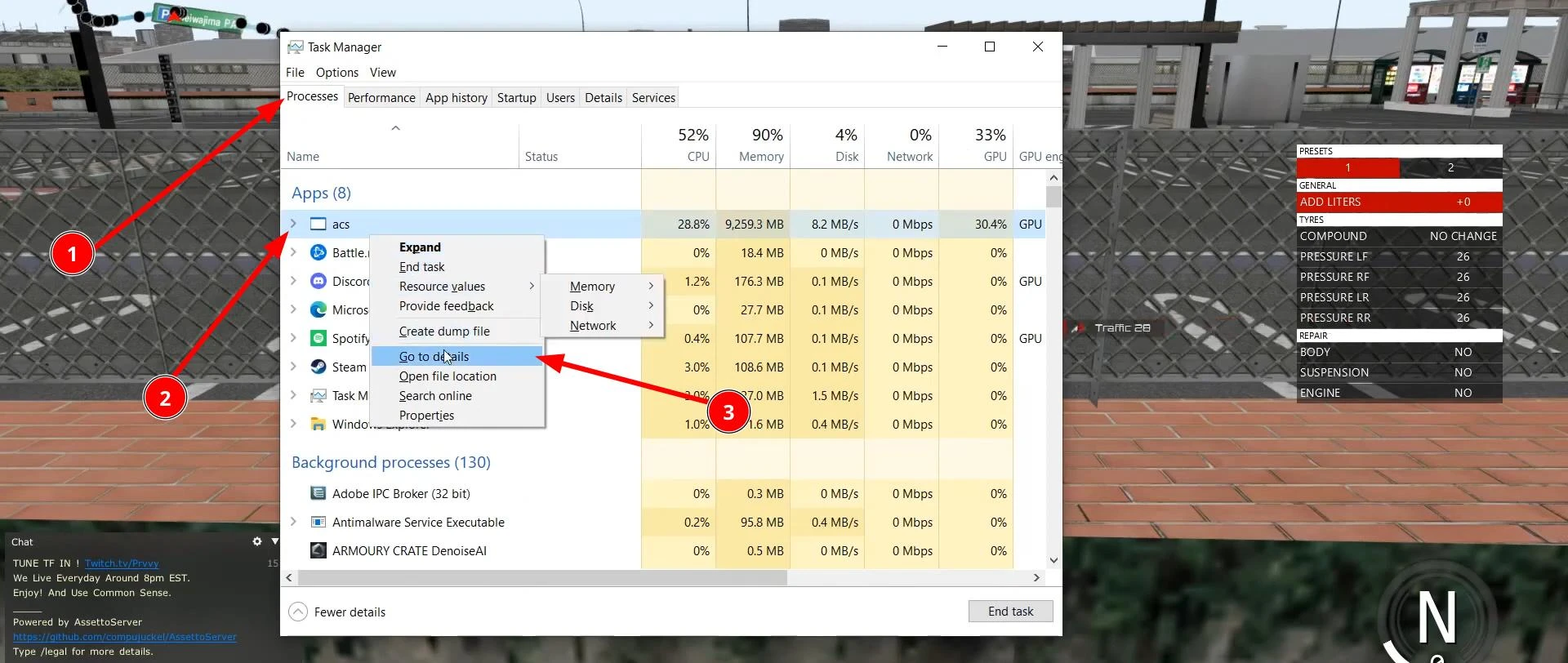
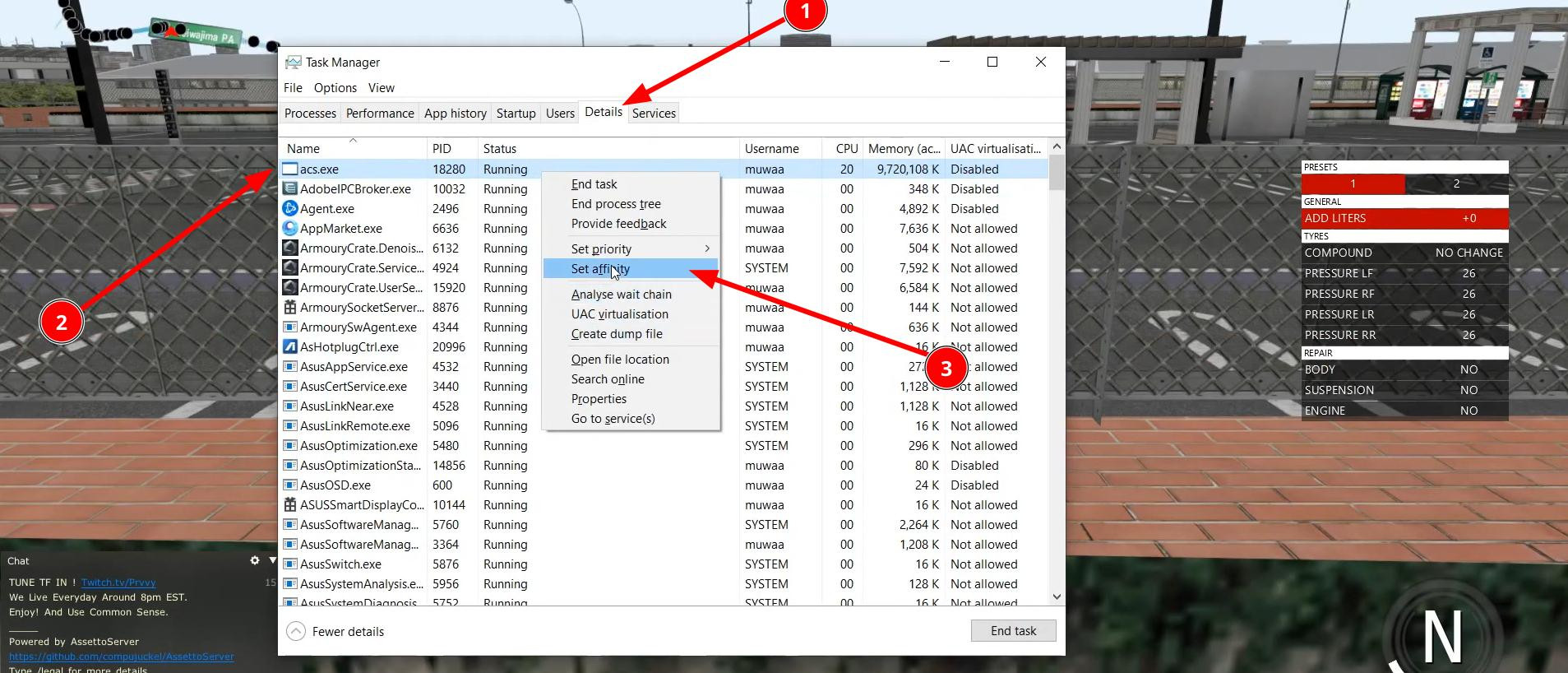
This will open the details tab. Find the same process again and open the context menu.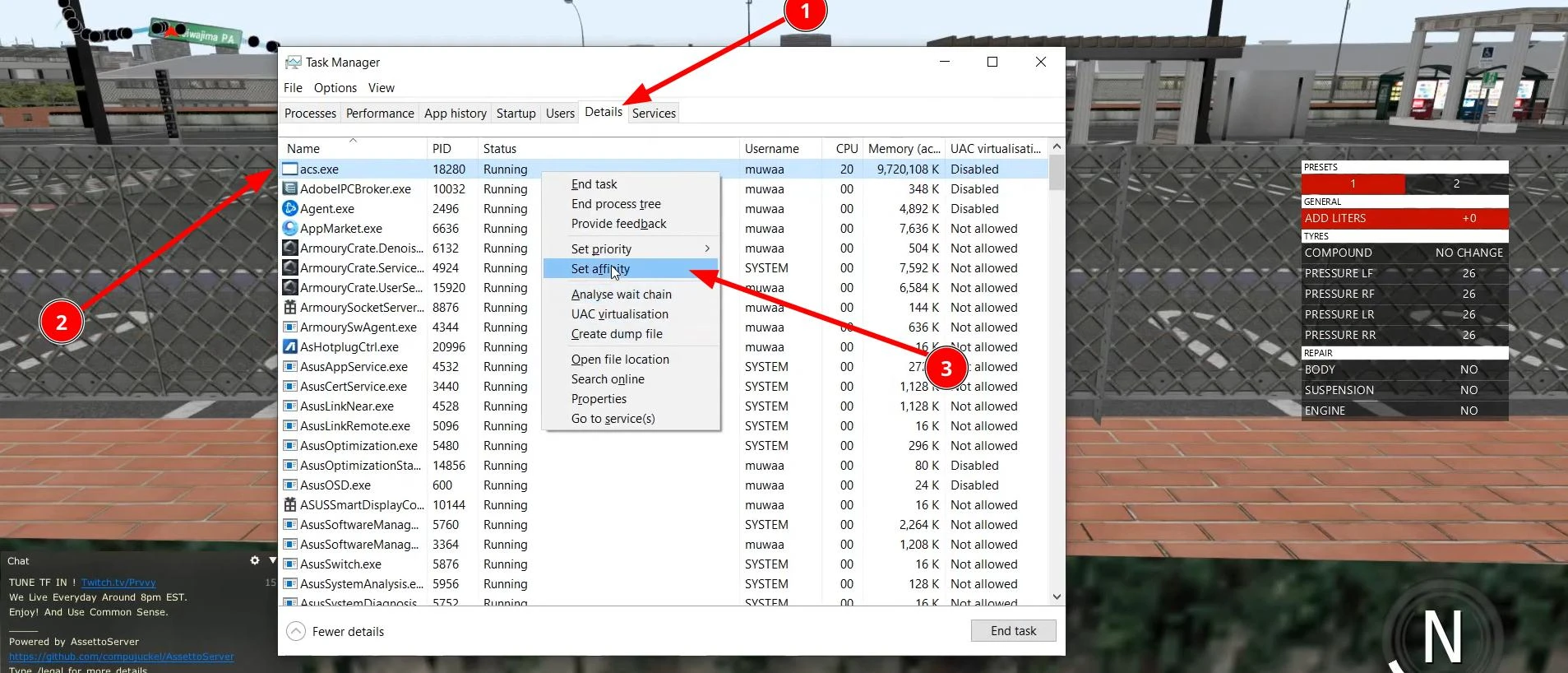
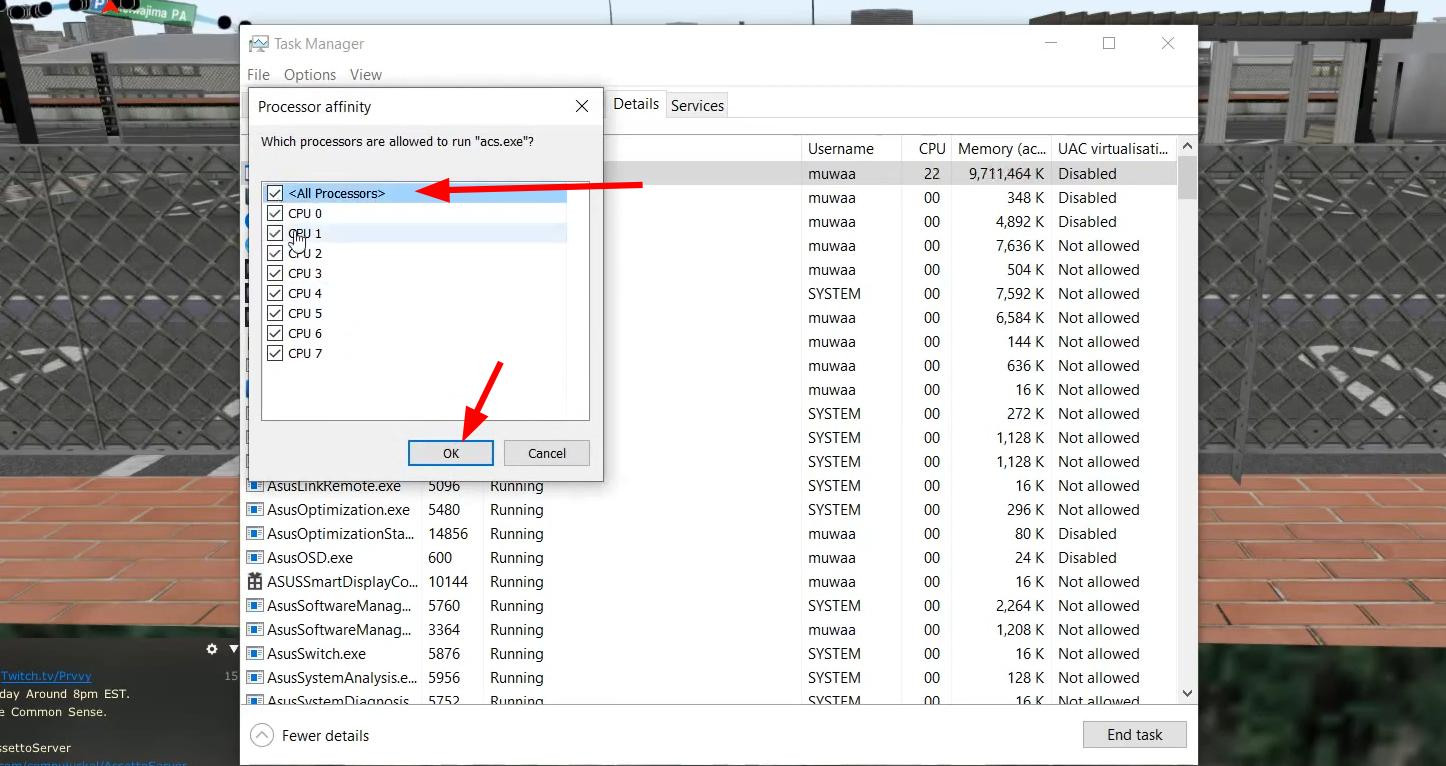
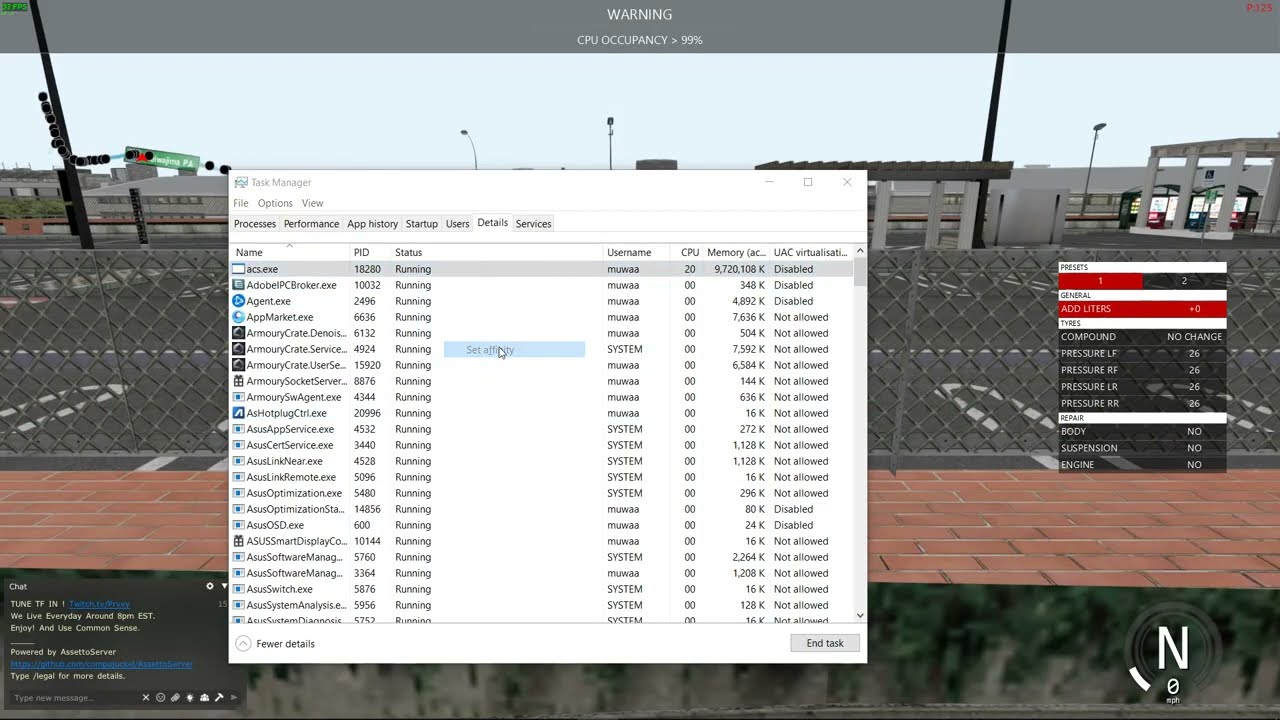
In the window that opens, select the “All Processors” option and click OK.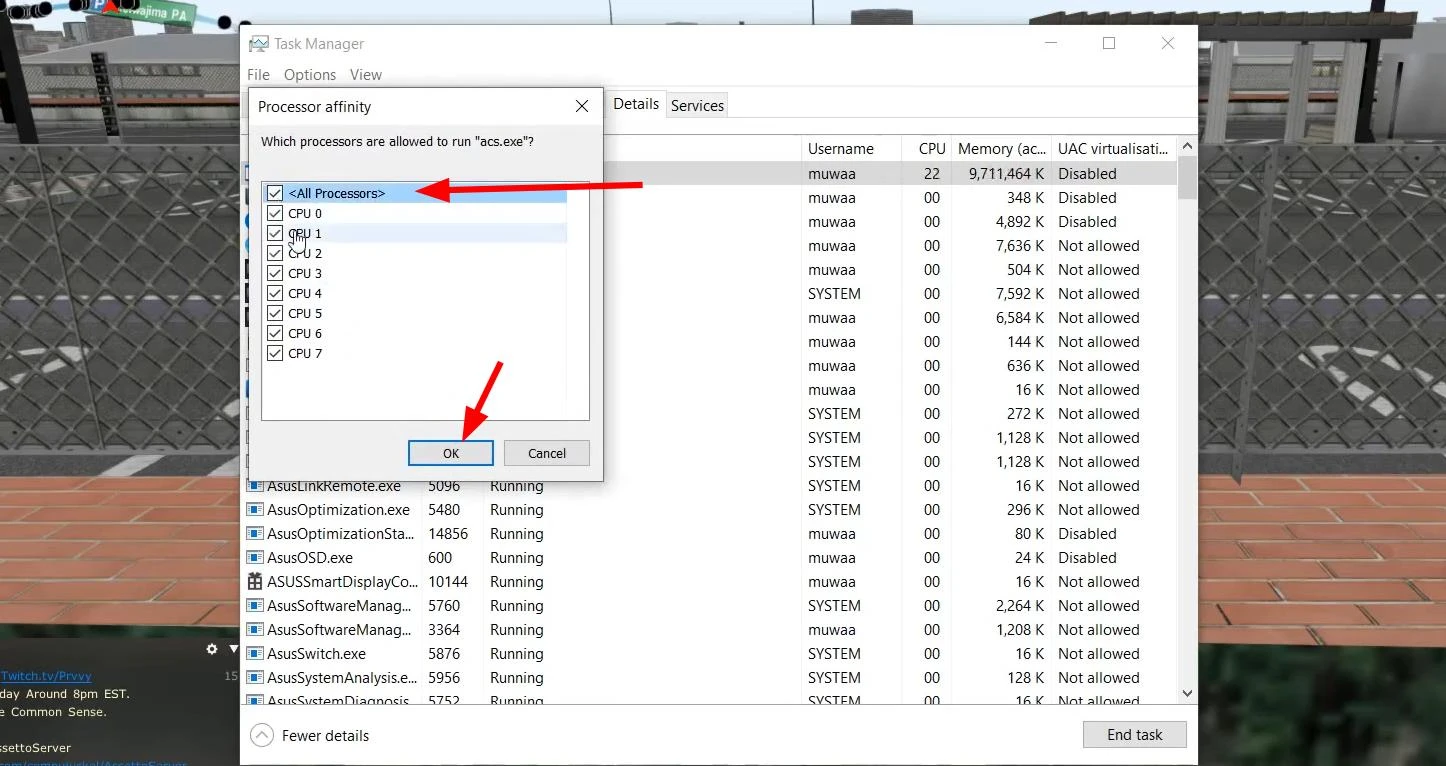
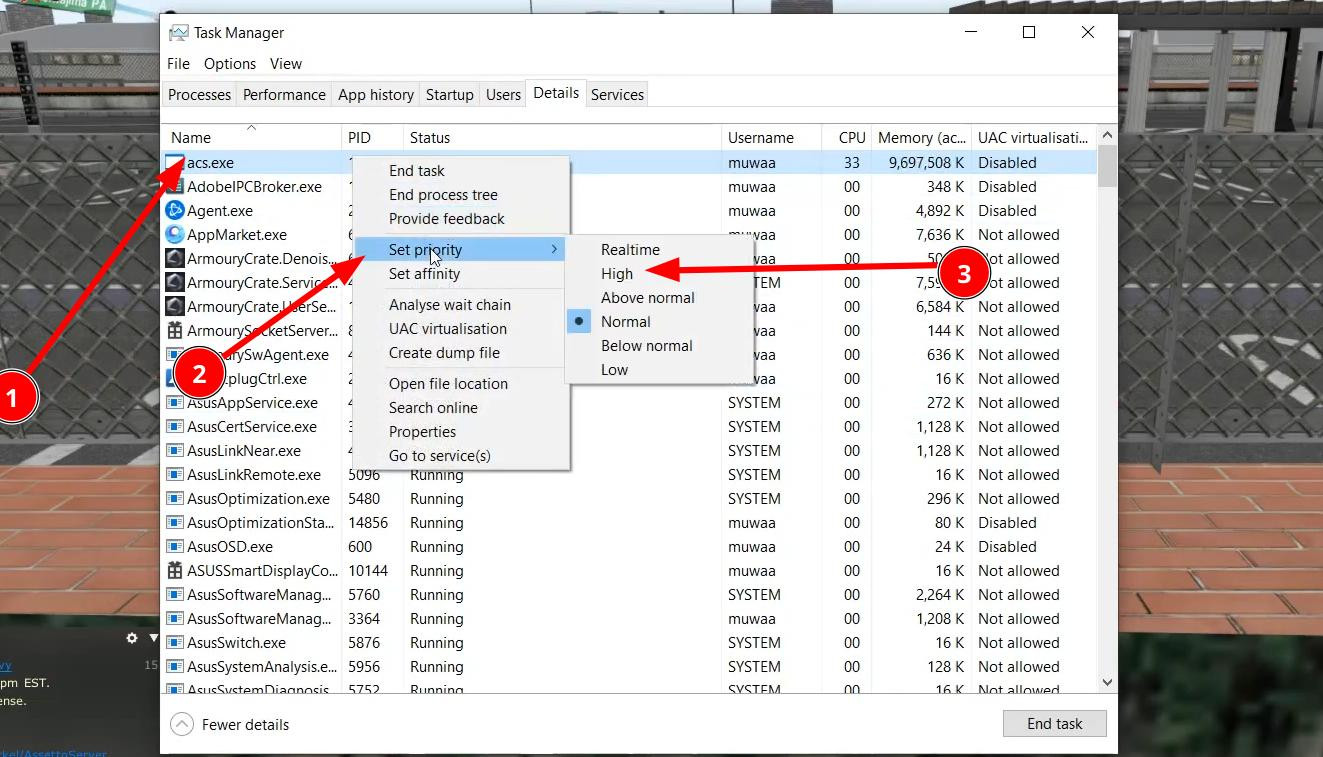
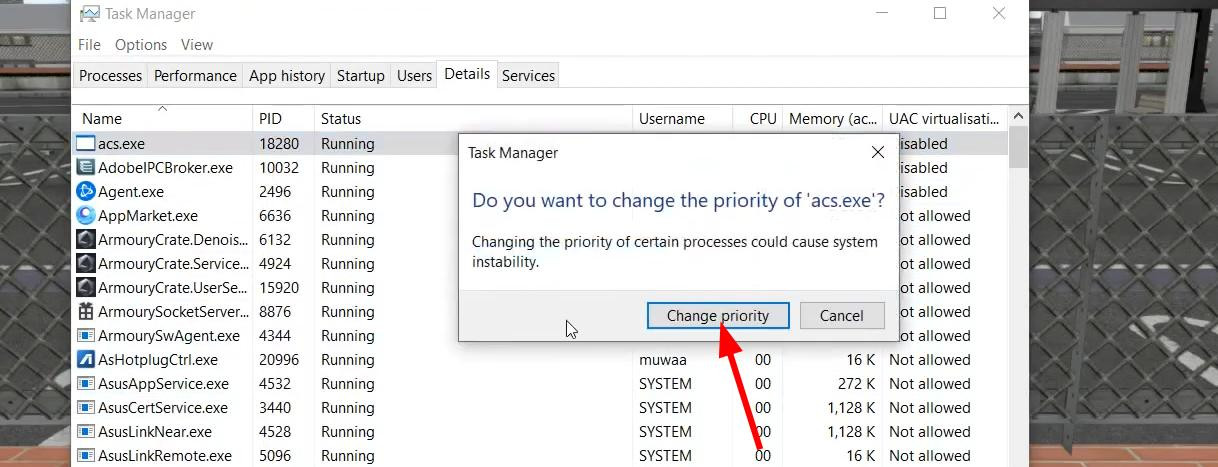
Now you need to bring up the context menu for acs again by left-clicking on it and set the value “High” to “Set Priority”.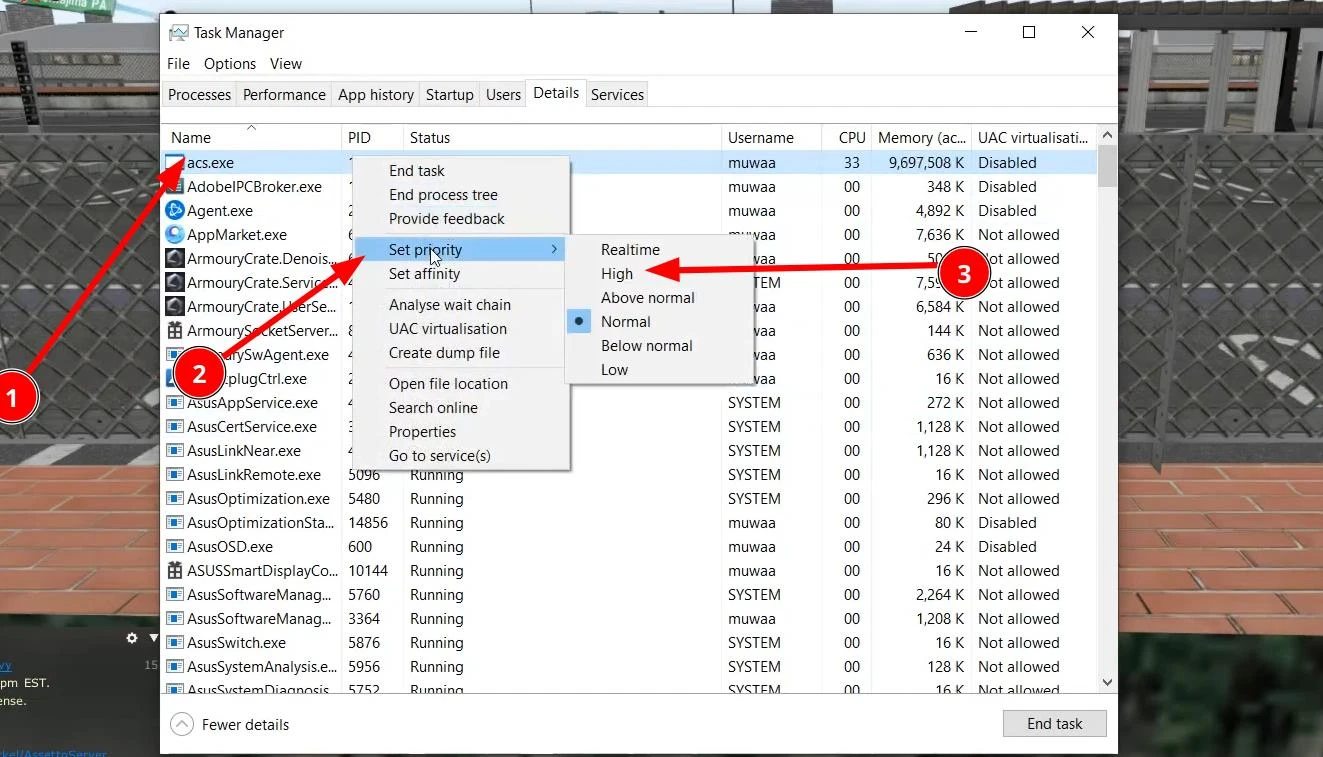
Confirm the change by clicking “Change Priority”.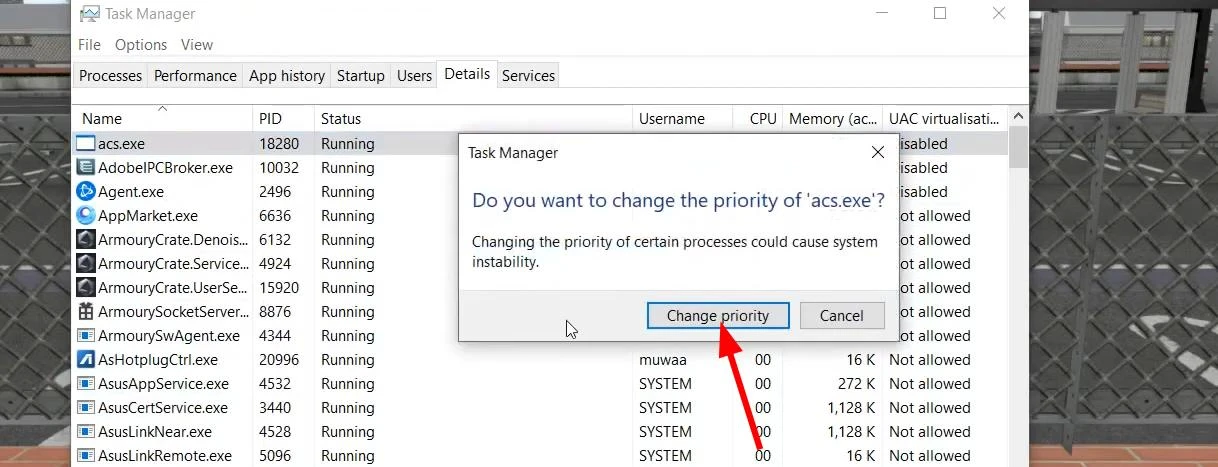
Done.
Now the load will be evenly distributed among all CPU cores, which should solve the high load problem.
If this guide didn't help you, you may have other reasons for the CPU load. In the future we will look at other reasons why Assetto Corsa may cause high CPU load.
Also in conclusion I would like to say that this article was written on the basis of a Youtube video (screenshots are taken from there). You can find this video on the page below. It clearly shows you what to do and how to do it. Be sure to watch it if you find the text guide too complicated.
Videos
Added by






_modland.webp)