How to Install Content Manager for Assetto Corsa? - Detailed guide



Content Manager is an unofficial launcher for the game Assetto Corsa, which allows you to launch the game and configure various graphics and other features within the game.
Content Manager is highly flexible and offers extensive functionality, enabling you to customize the game to your liking. With it, you can easily and effortlessly configure graphics, physics, controls, sound, tracks, objects, cars, and enable or disable various effects in the game. Importantly, it also makes installing mods for Assetto Corsa easy and hassle-free. When manually installing mods, conflicts can arise between them. However, when installing mods through Content Manager, such problems almost never occur as it prevents any conflict between mods and plugins for the game. Not bad, right? And this is just a small part of what this powerful application can do!
In this article, we will explain how to install the aforementioned launcher for Assetto Corsa. In fact, the process is very simple and does not require any complex manipulations. However, there are some small nuances, so we decided that such material might be useful to many users.
Step 1. Downloading Content Manager
First of all, you need to download the archive with the application. You can do this by going to the Content Manager page on Modland, or download it from the official website (the link is also on the application's page).
Step 2. Extracting the Archive
Now, with the necessary archive downloaded, you should extract it. In the .zip archive, there will be 2 files: Content Manager.exe and Manifest.json. We are interested in the first file. Extract it to the root folder of the game (you can extract it to any other location, but this will make it easier to find).
Note that you can rename the standard game launch file "AssettoCorsa.exe" by adding something like "old_" before the name. And rename the new launcher file to AssettoCorsa.exe. This way, you will always launch the game using Content Manager, but you will still have the old launch file.
Important! Do not delete the old AssettoCorsa.exe file, as it is very important.
Step 3. Launching the Shortcut and Installation
After we have successfully copied the necessary file to the game directory (or any other location, but it's better to place it in the root directory), double-click the file we extracted from the archive.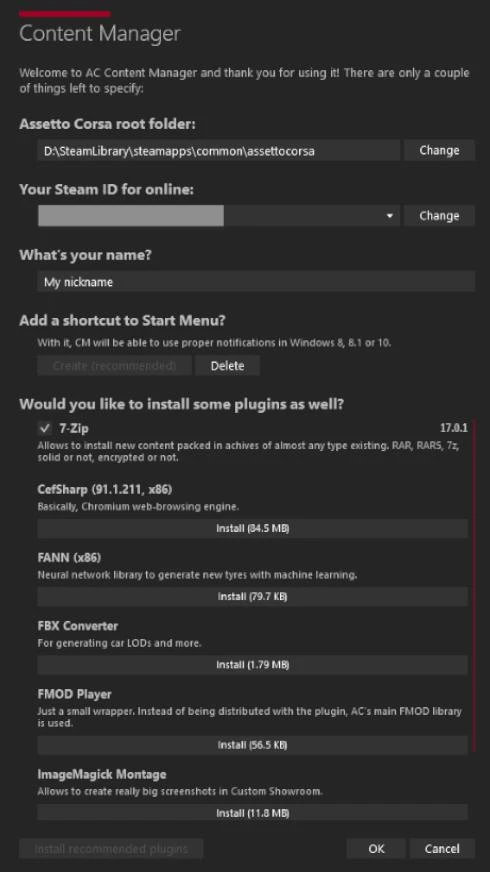
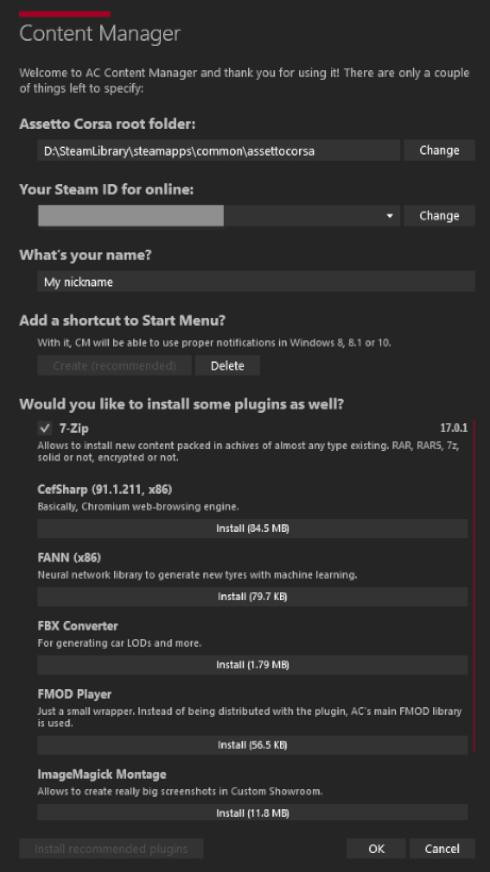
The following window will appear: In the "Assetto Corsa root folder" field, click the "Change" button and specify the path to the folder where the game is installed (the root directory of the game).
In "Your Steam ID for Online" the program will automatically pull your key. But if this does not happen for some reason, specify it manually.
Next, you can enter your nickname in the "What's your Name?" field. This is optional.
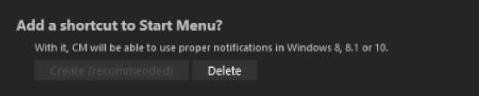
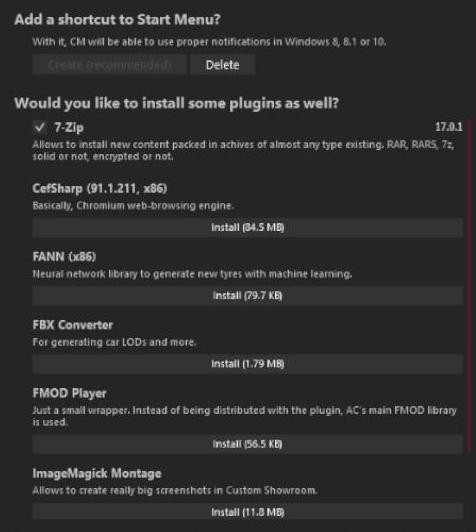
Additionally, you can add a shortcut to the start menu if you wish. This is also not a mandatory step!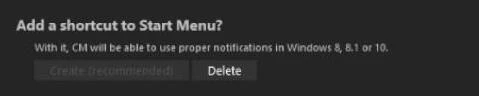
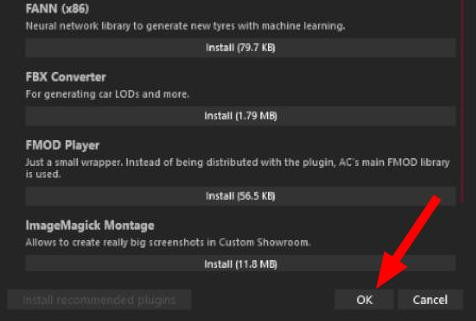
Below, using the Install button next to the respective items, you can install the desired plugin. You can also install the 7-Zip archiver (uncheck the corresponding box if you don't need it). All plugins are optional and can be installed later if you wish.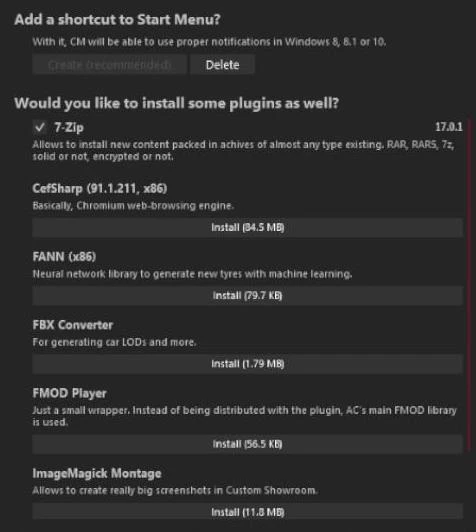
When all the data is correctly specified (the most important being the game location and Steam ID), click the "OK" button at the bottom.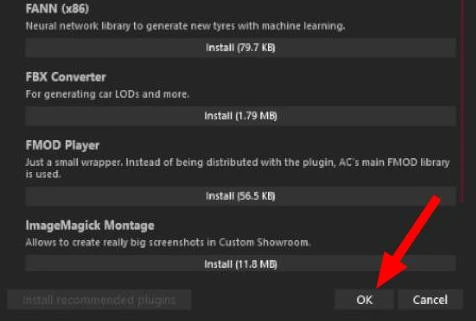
That's it! Content Manager is successfully installed!
Free and Full Version
Note that this is the free version of the program. It has everything a player needs. However, there is also an extended full version of CM for Assetto Corsa.
It includes many additional useful features and the ability to obtain interesting content and new updates that will not be available in the free version. The author offers the full version of the program for a minimal amount that you are willing to donate (there is no fixed price).
Therefore, if you want to get the full version of Content Manager, you can do so by making a donation on the official website of the program — assettocorsa.club/content-manager.html
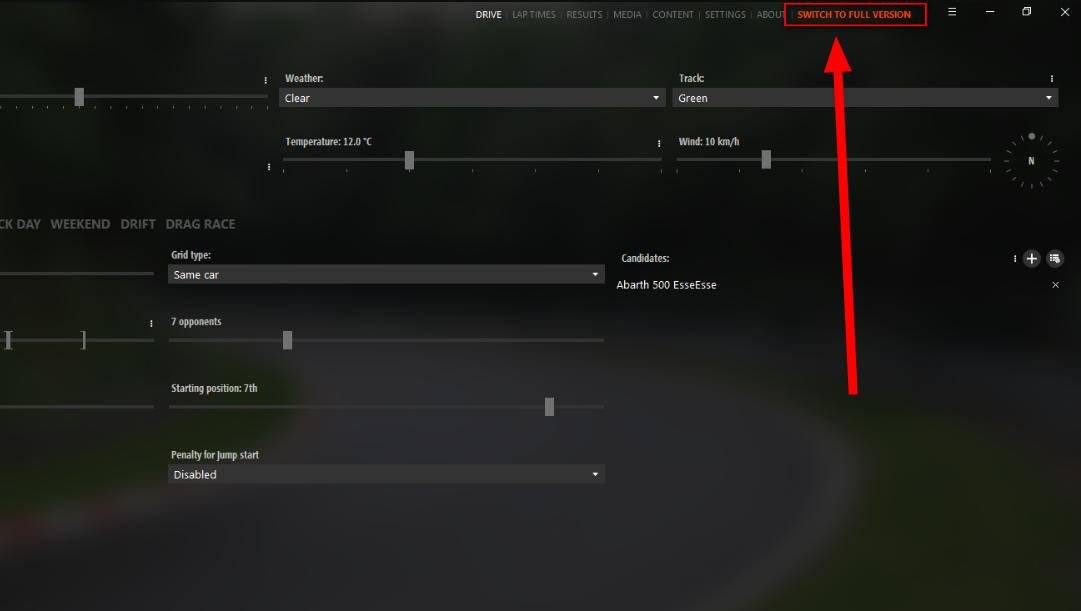
After a successful donation, you will be issued a key (it will be sent to the specified E-Mail). Open the program and click on the red inscription "SWITCH TO FULL VERSION" in the upper right corner.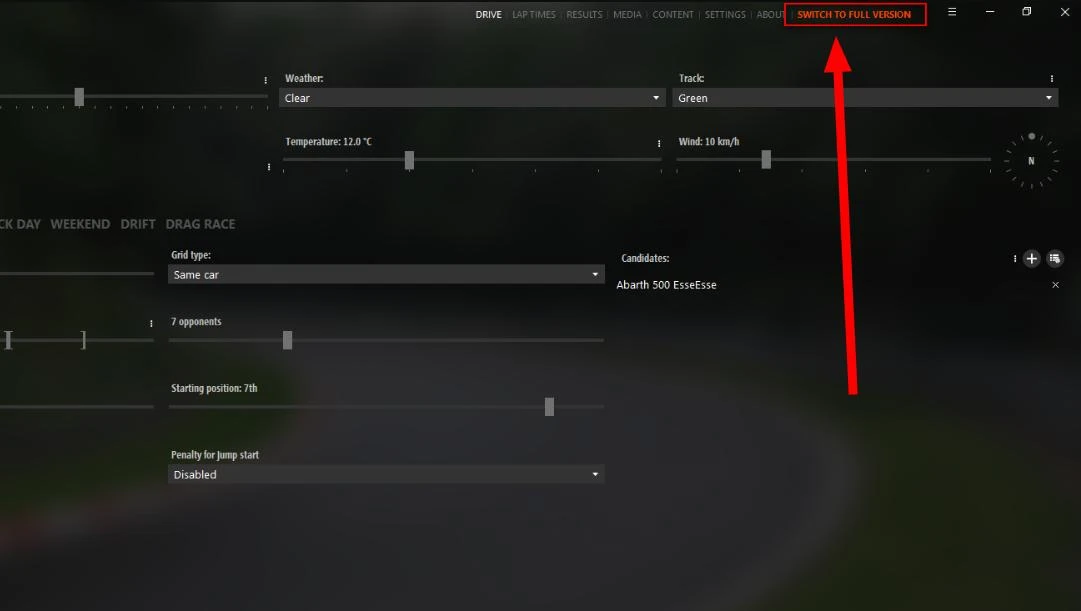
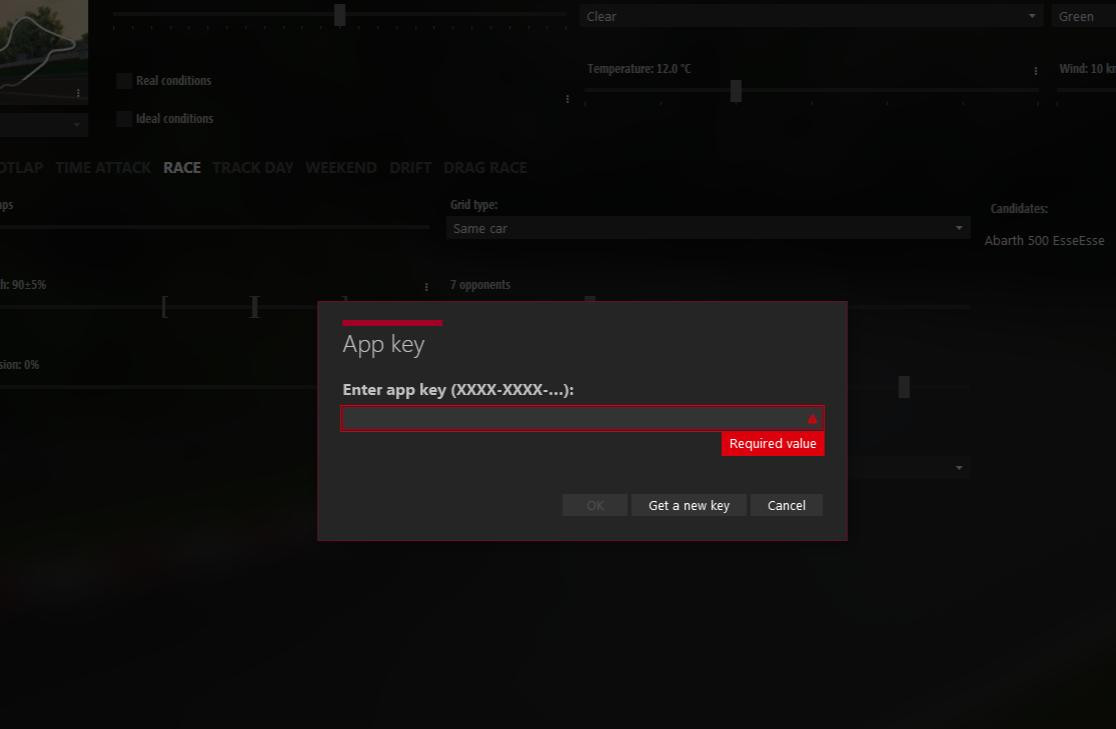
A pop-up window with a field for the activation code will appear. Paste the key received via email into this field. Done, the full version is successfully activated!
In conclusion, we want to say that Content Manager is a very powerful launcher that provides many additional settings and capabilities that are not and probably will not be in the game Assetto Corsa. Therefore, its installation, although not mandatory, will save you from many errors and bugs related to mod installation and game settings. Additionally, you will be able to fine-tune the graphics and other important gameplay elements.
Thank you for your attention!
Added by





_modland.webp)