Top Assetto Corsa Gamepad Settings for Drifting and Traffic Run
-lg_modland.jpg)
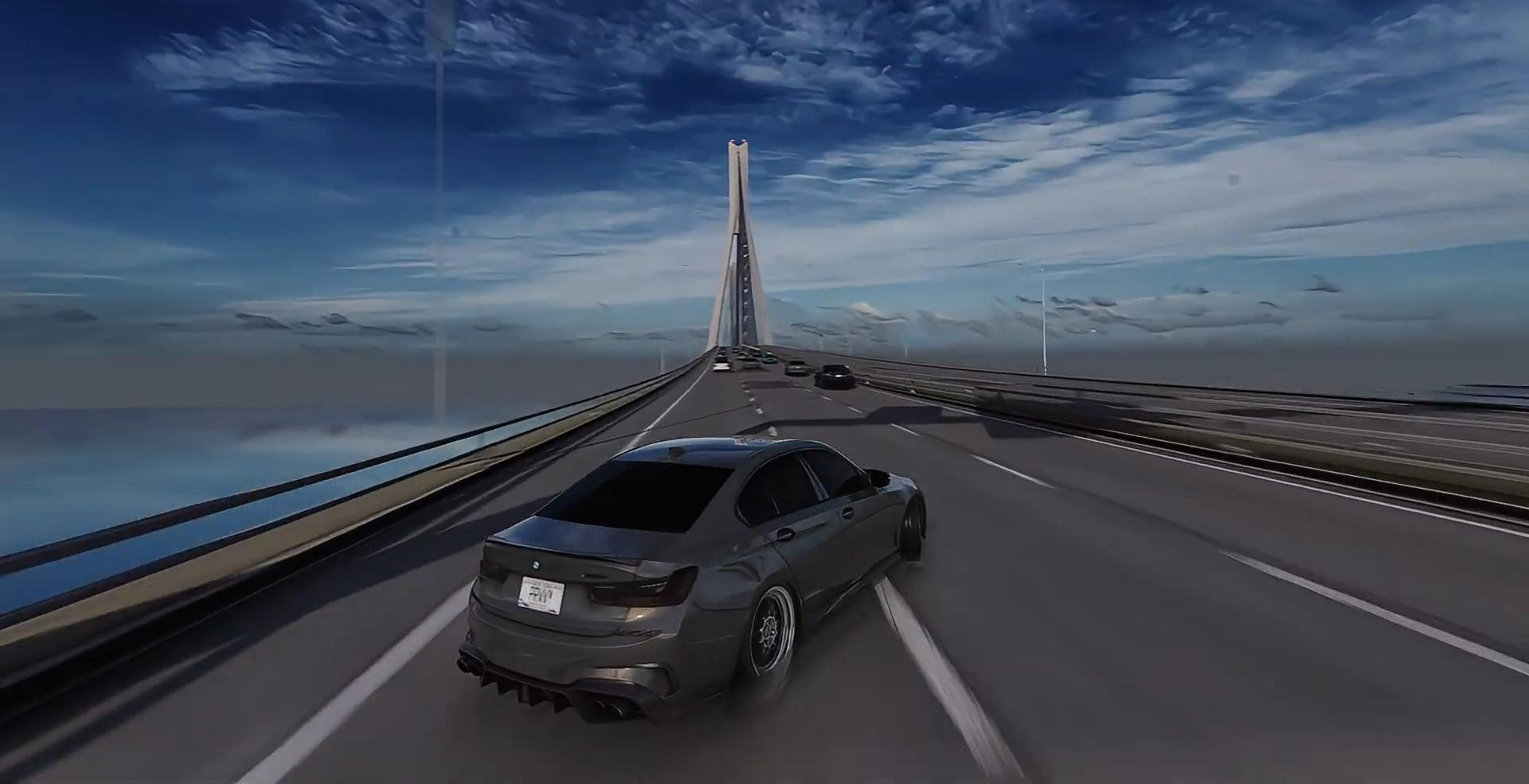
If you are using a gamepad to play Assetto Corsa and want to achieve maximum smoothness and good controllability when drifting and driving through traffic, then this article may be useful to you.
You will need to install a special script called A7 Assist. This script is designed to customize the steering. Below we will describe the detailed process of installation and customization of control on the gamepad through this script.
Downloading the A7 Assist script
The first step is to download the A7 Assist archive. The script can be downloaded here: https://drive.google.com/file/d/13Tq9ww8D4Ro2ZxIE-cQ14i98KeZzLSZe/view
After the download is complete, you need to unpack the contents of the archive and prepare an expansion folder for further moving to the root directory of the game.
Installing A7 Assist
Now you need to install the script.
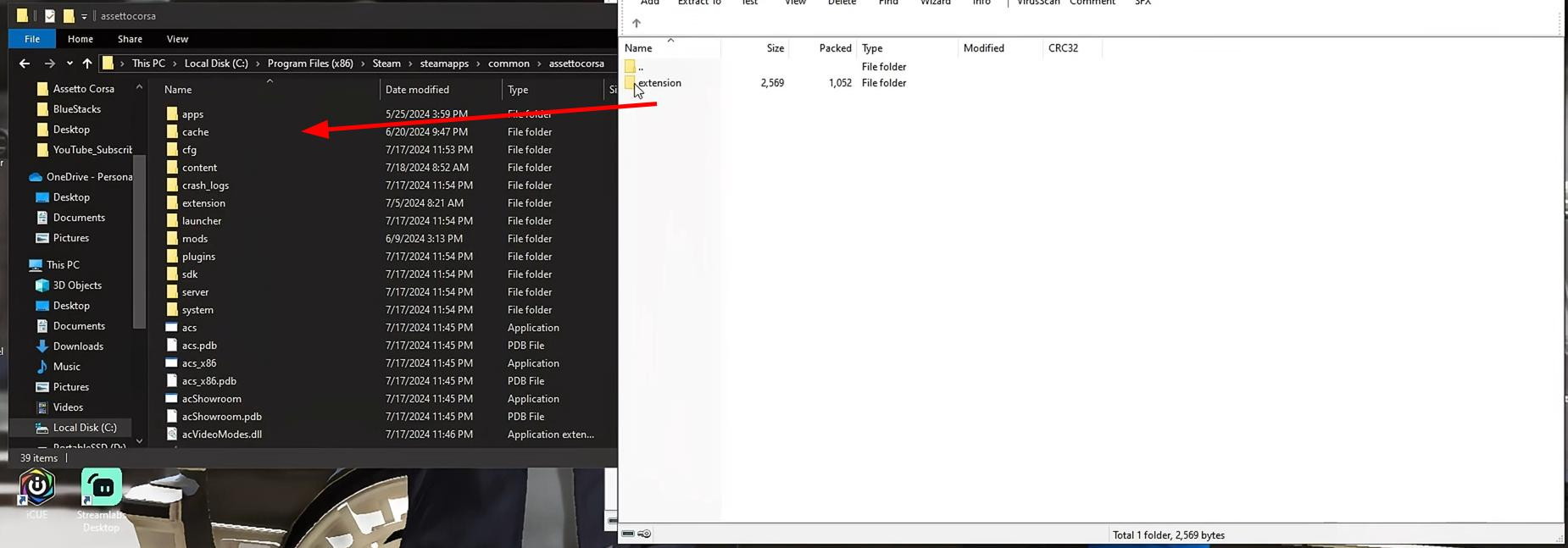
The archive contains a folder with the files. To move the folder with the extension to the desired location, you need to perform a few consecutive actions.
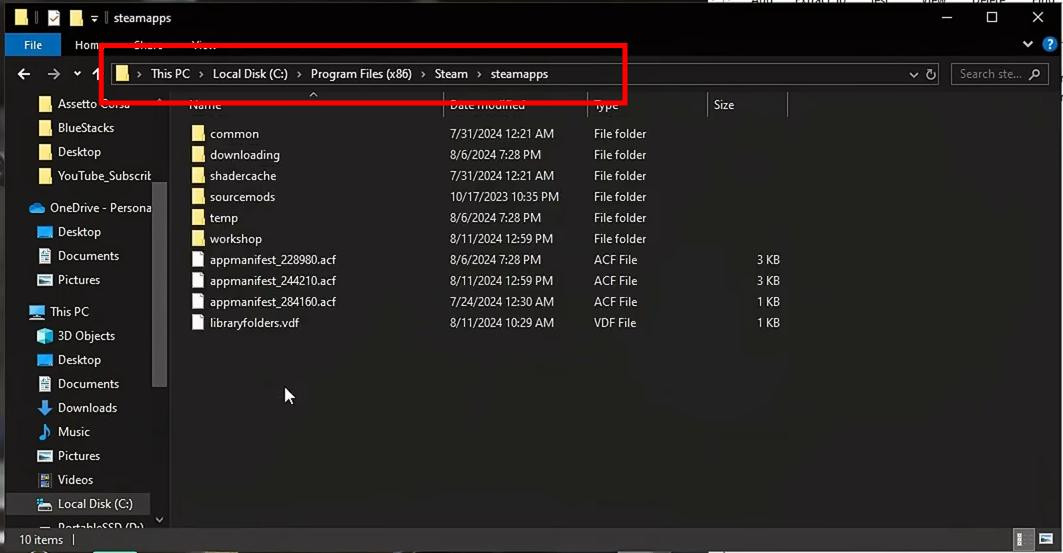
First, you should press the Windows key and open “Explorer”. In the window that opens, go to the “This Computer” section and open the disk on which the game is installed. As a rule, this is the local disk C.
Now go to Program Files (x86), Steam and open steamapps.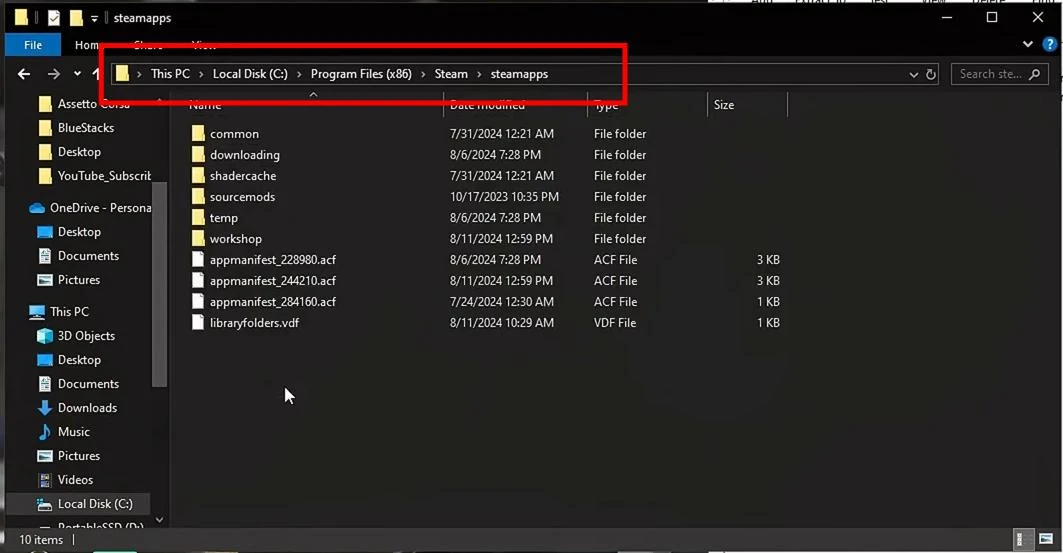
Then you need to go to the common folder and find the Assetto Corsa directory. Inside it is a folder called extension. Move here the contents of the archive A7 Assist.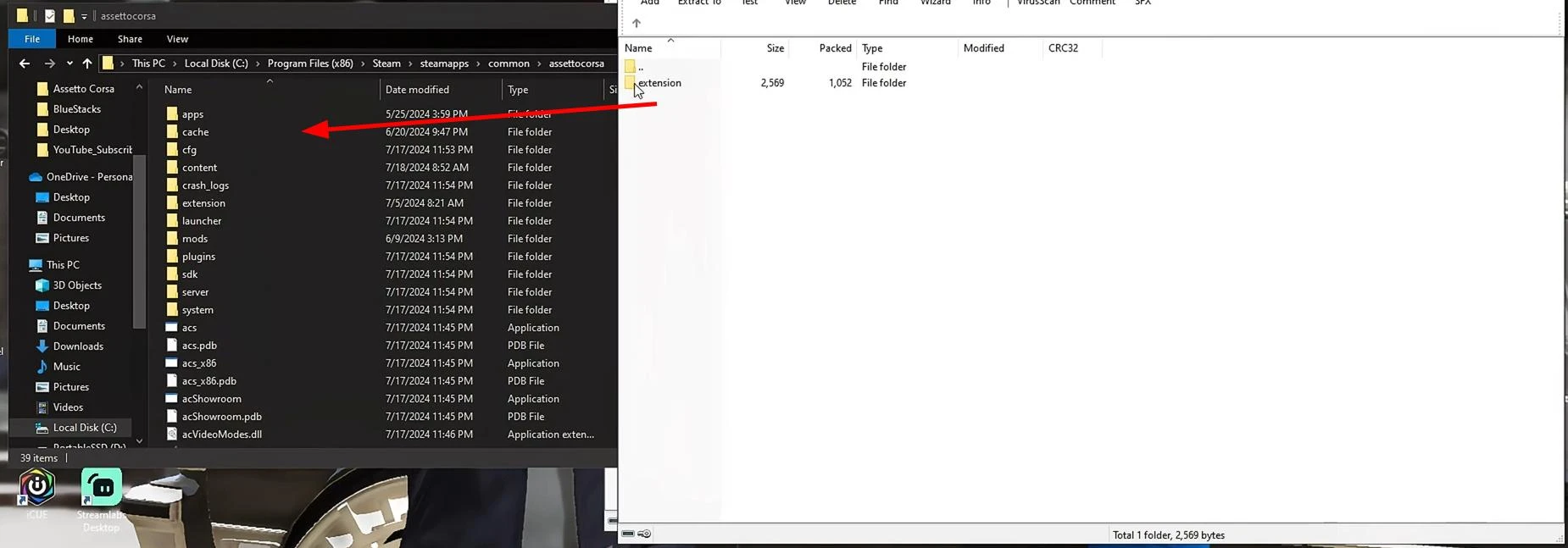
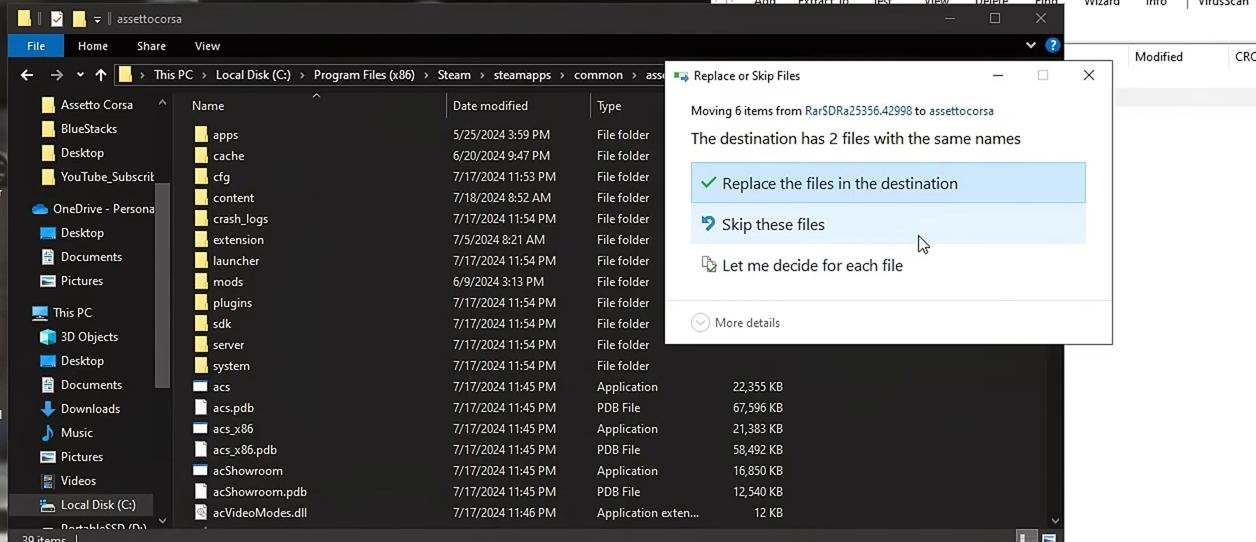
If the folder already contains similar files, the system will offer to replace them.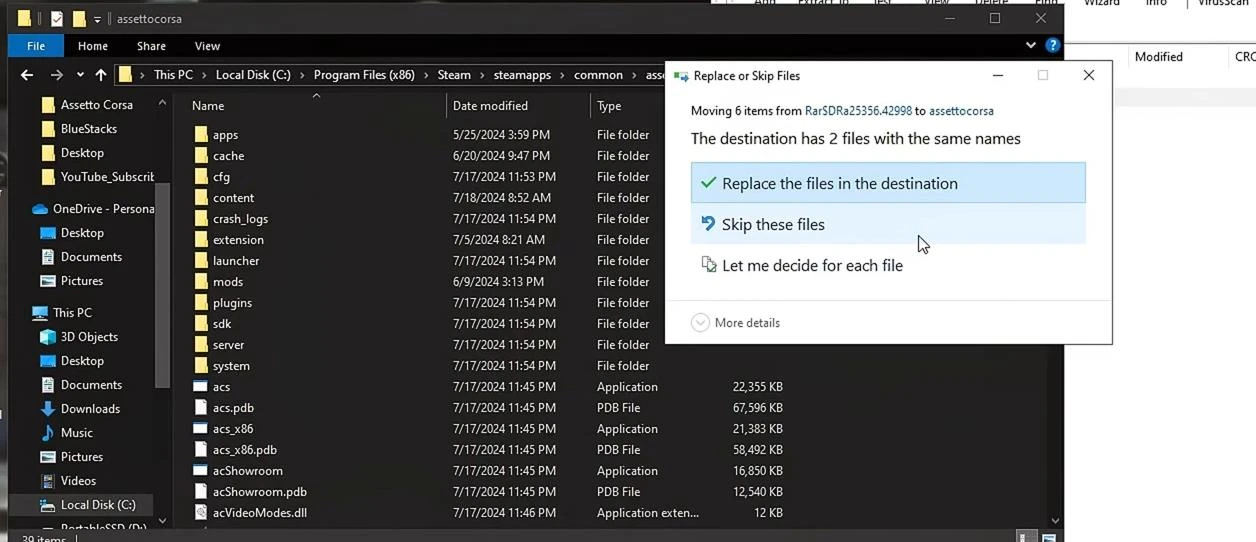
You can refuse to replace them if the script has been installed before and does not require updating.
This completes the installation.
Customizing the controller and activating the script in Assetto Corsa
After successfully moving the A7 Assist folder to the "extension" directory, you can proceed to its customization. This is what determines whether the script will work correctly and give the desired effect in the control.
The first step is to open the Assetto Corsa game.
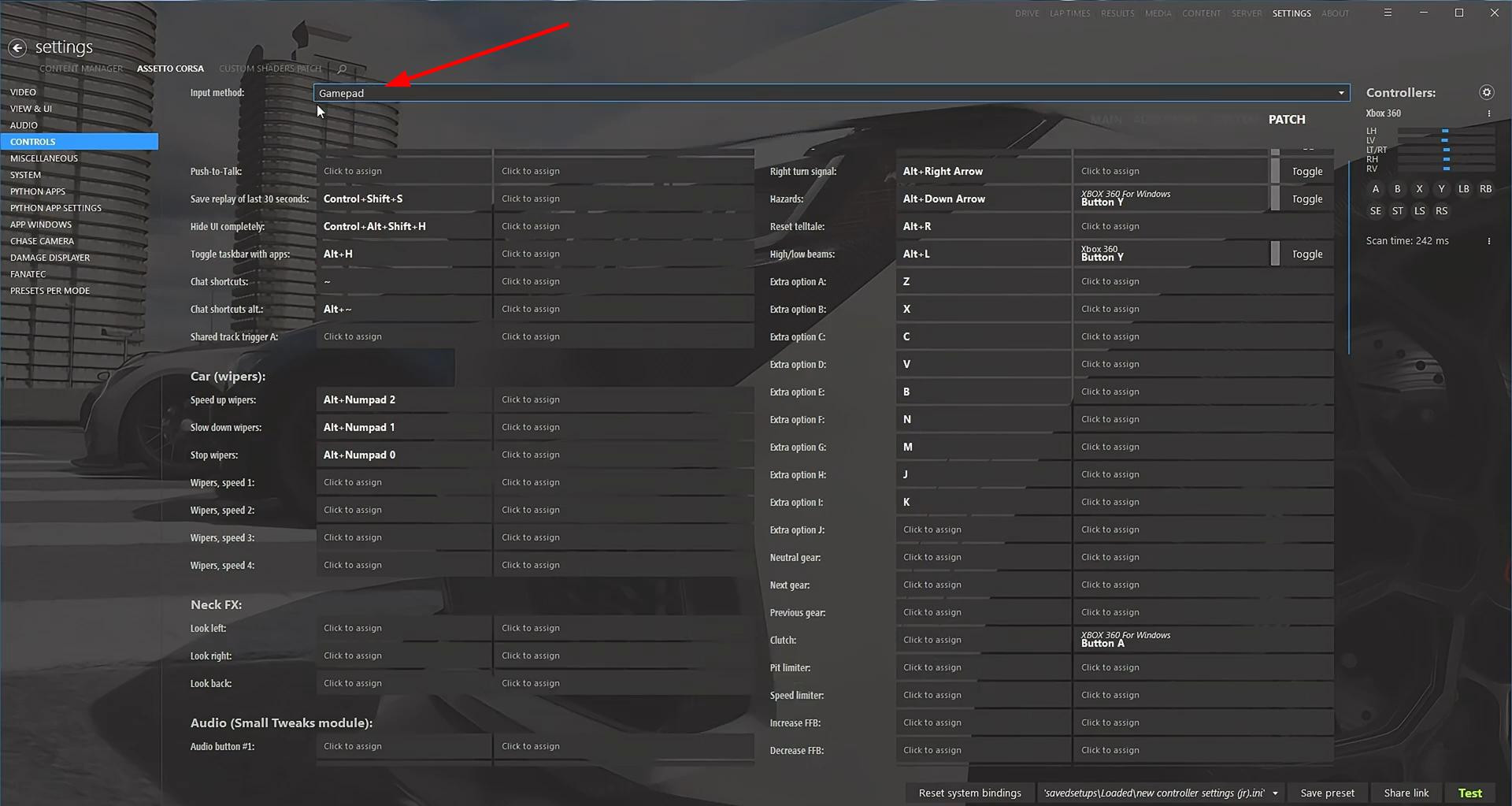
In the main menu you should go to the "Settings" section, and then select the "Controls" subsection.
In the menu that opens, you need to make sure that the "Input Method" item specifies exactly "Gamepad" and not the steering wheel or keyboard.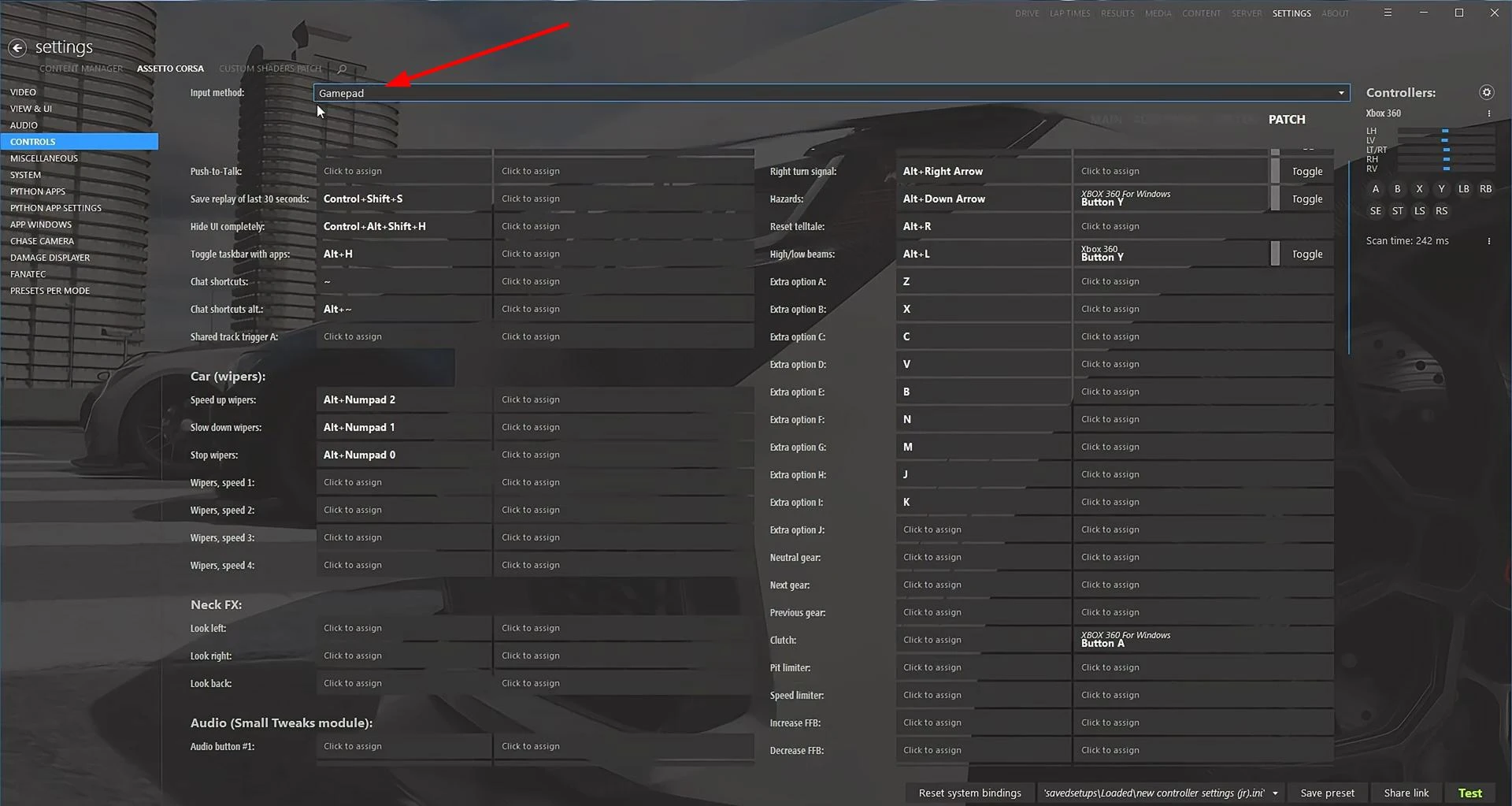
The A7 Assist script is focused exclusively on gamepads. Therefore, in order to customize it, you must select gamepad as a control method in the game.
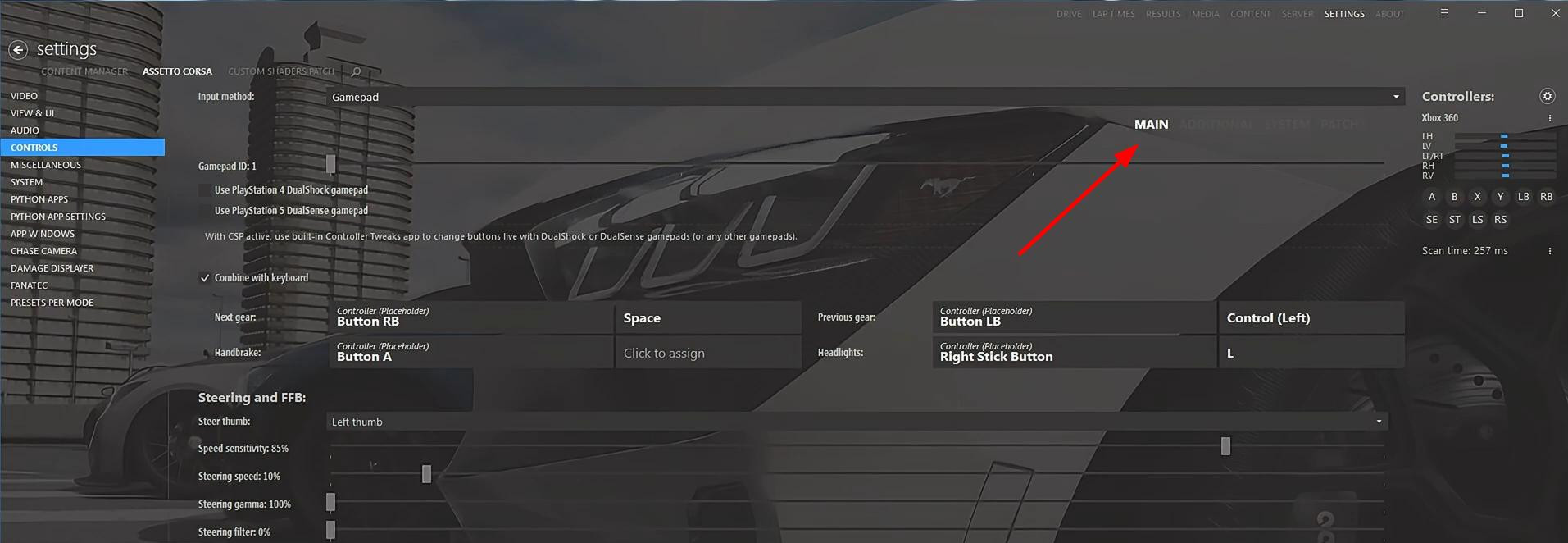
Next, you need to go to the "Main" tab. Here you will find the sensitivity parameters and the main control keys.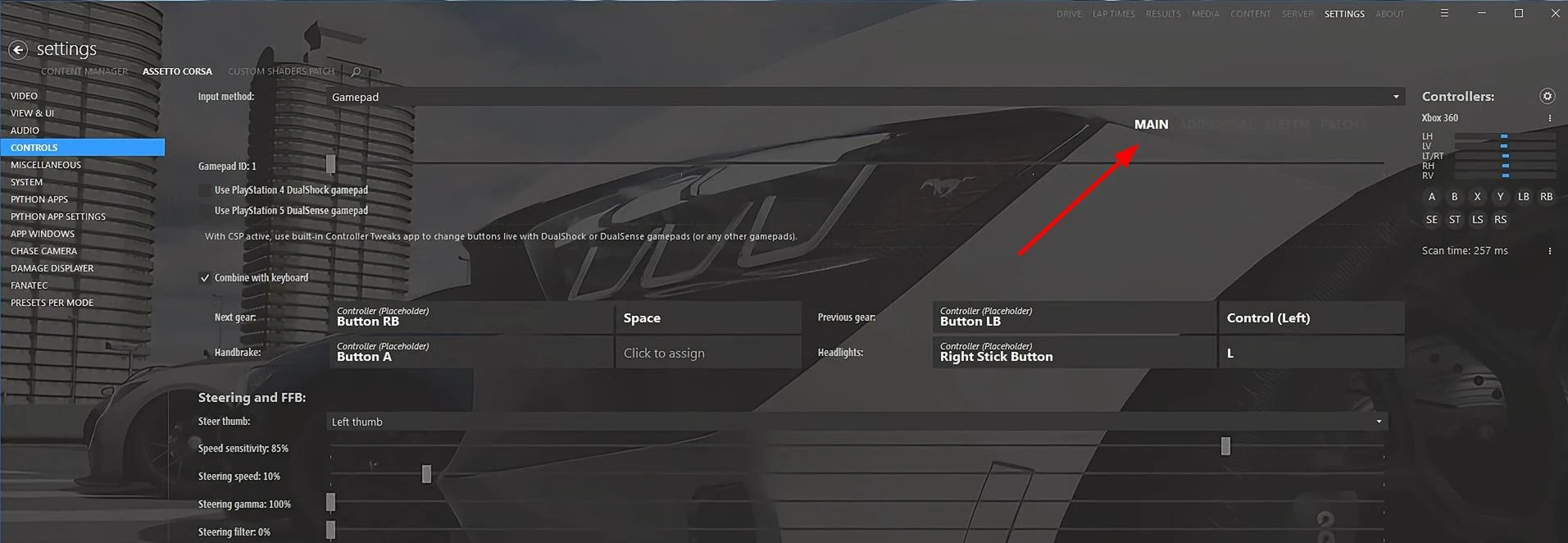
Final setup and activation of A7 Assist in Assetto Corsa
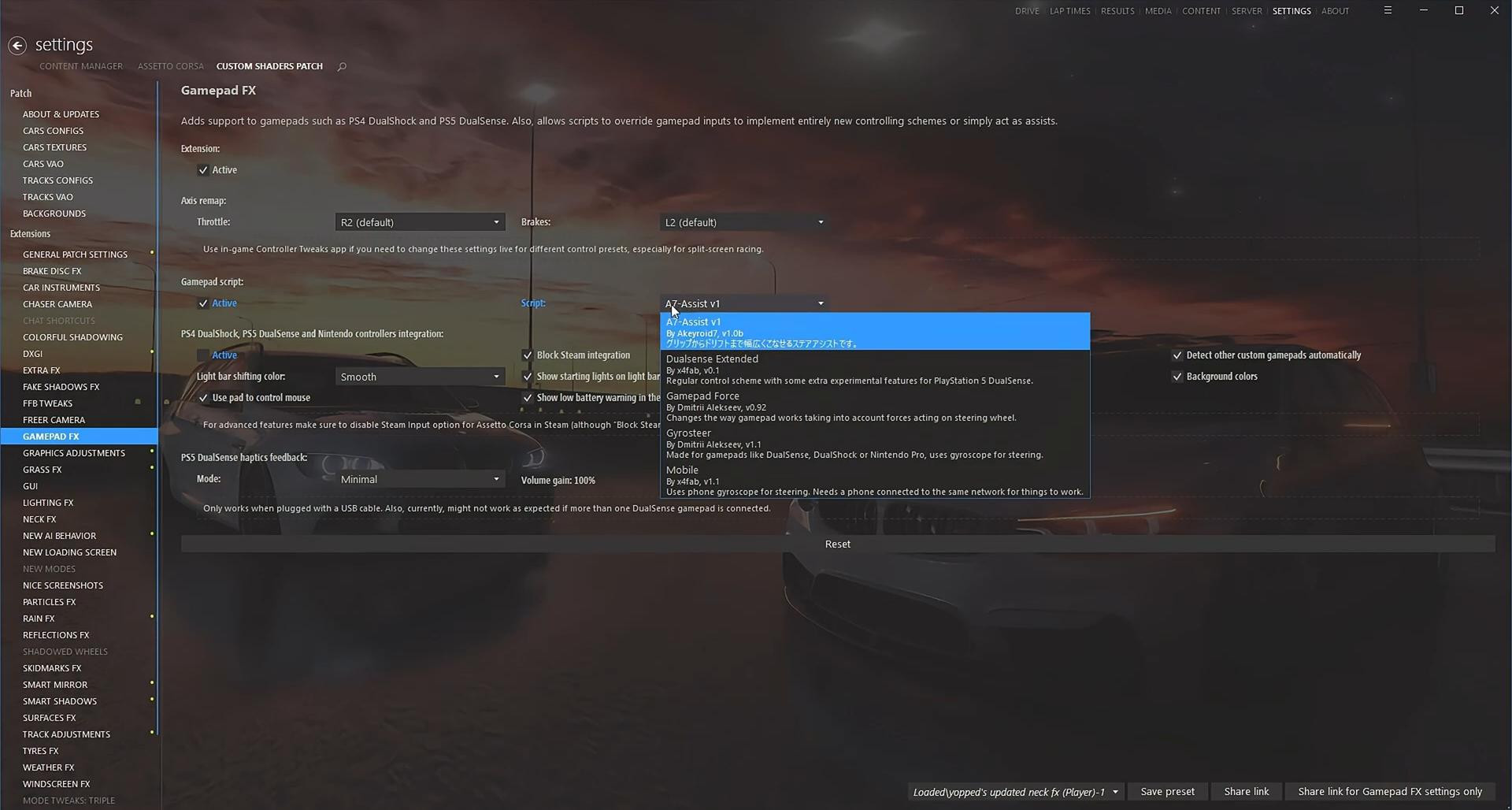
After the A7 Assist script is installed and gamepad settings are set, you need to activate it inside Custom Shaders Patch. To do this, in the main menu of the game opens the section with modifications, where among other components you need to find the Gamepad FX parameter.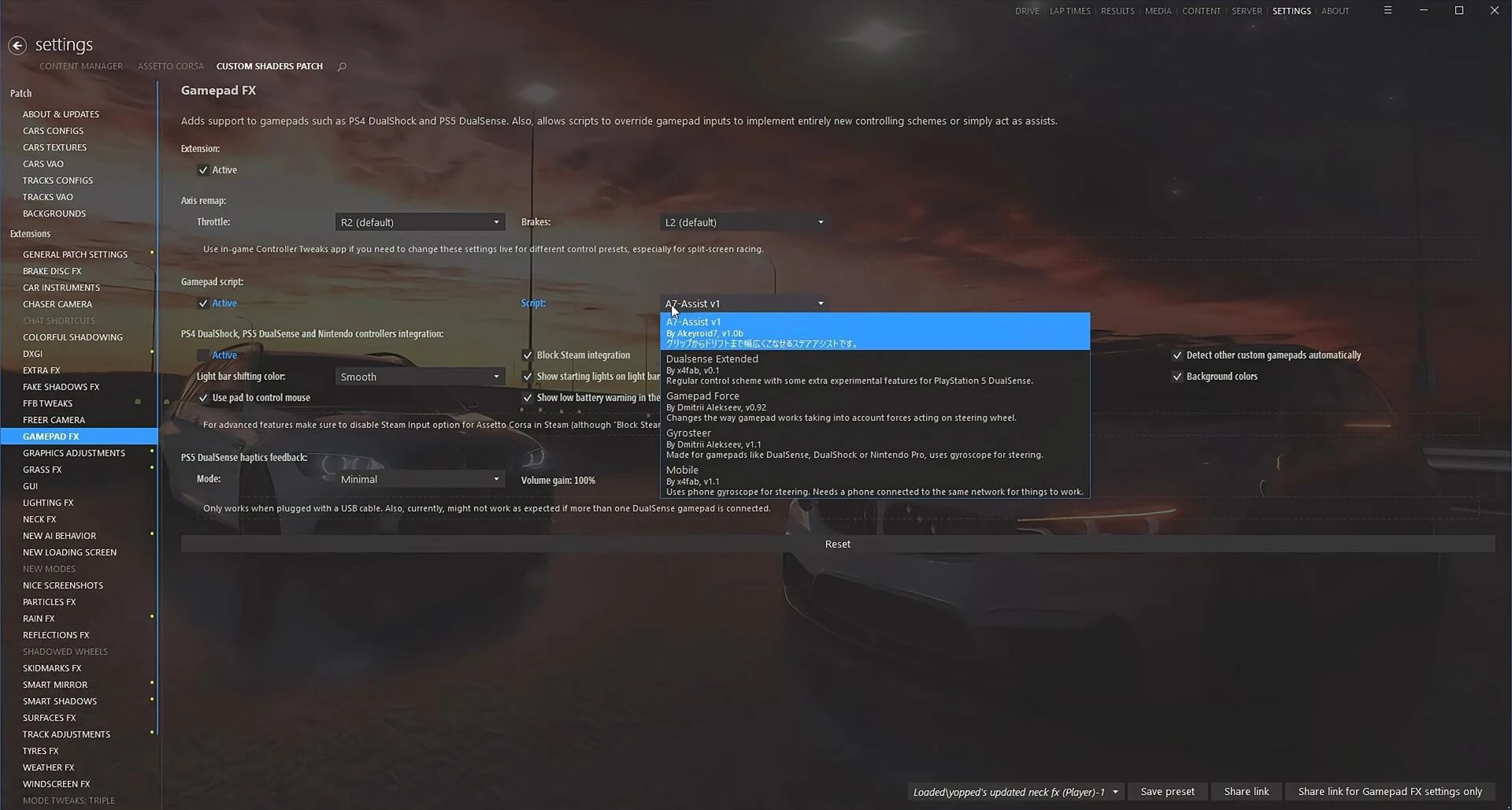
Inside this category, a list of available scripts is displayed. Find A7 Assist and make sure that the activation checkbox is checked against it. This is a key step, without which the script cannot work in the game.
Choosing tires and assistance systems: how to adjust the car for drifting or "cut up"
After completing all the technical settings and activation of the A7 Assist script, the key moment comes - the correct preparation of the car before going out on the track. This determines whether you are going to use a drift or a dynamic drive through traffic, known as "cut up".
The approach to tuning in these two styles of driving is fundamentally different.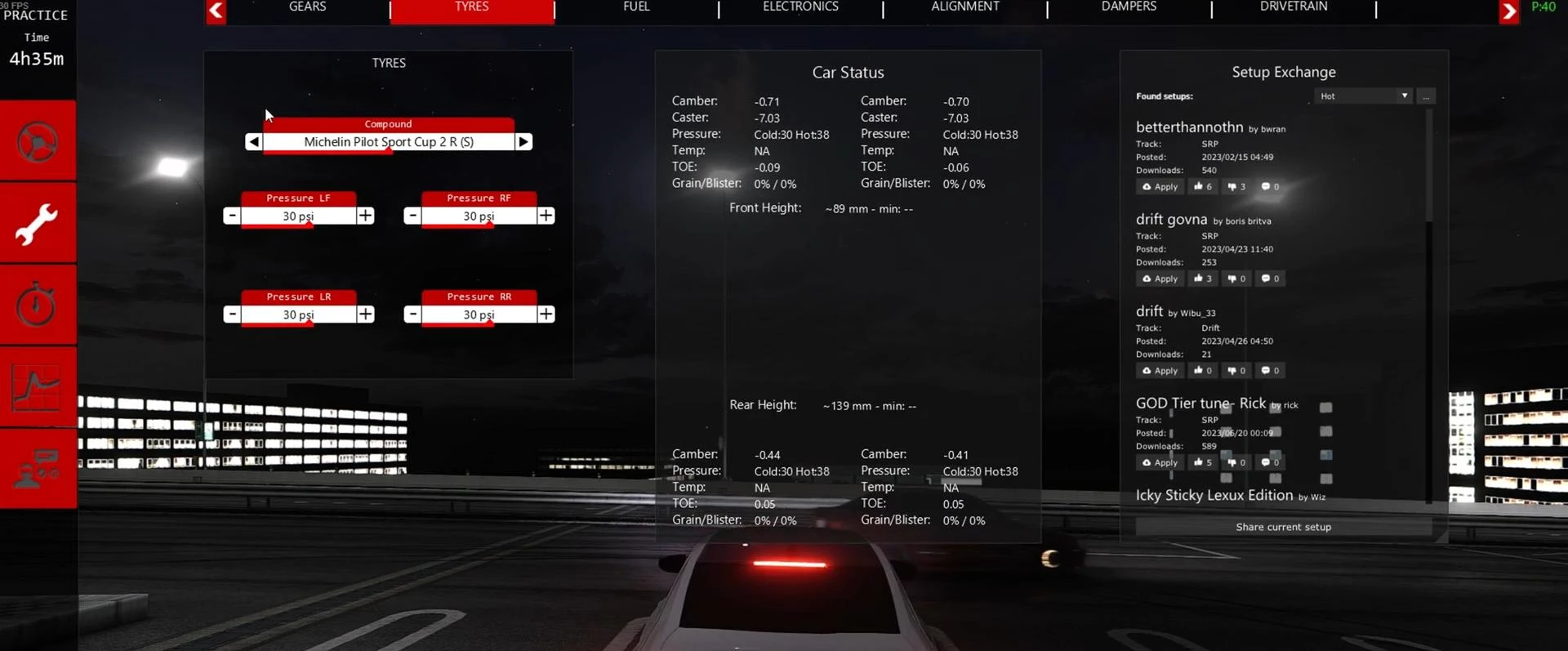
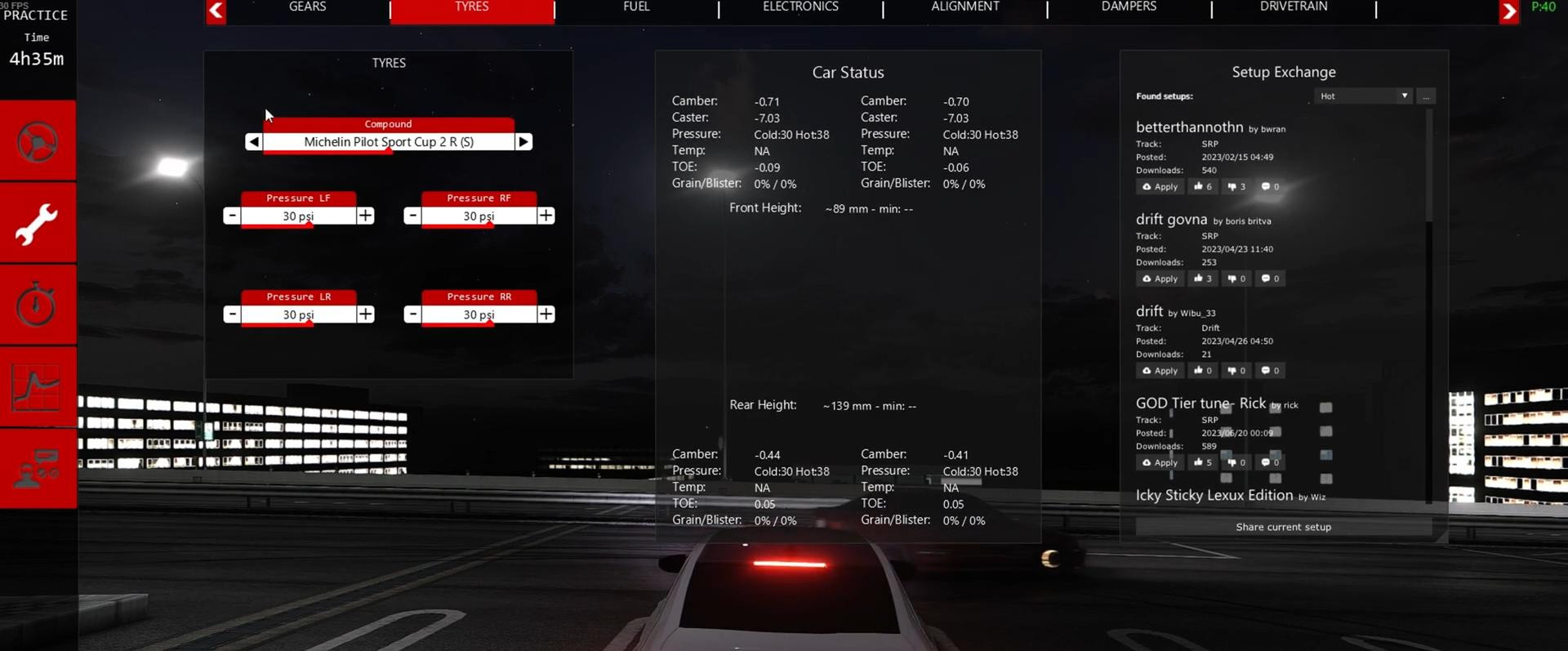
For drifting, the first thing to do is to choose the right set of tires. The best results are achieved with Michelin Pilot Sport Cup 2 R (S) tires. These tires have a good grip on the track. Due to this, the car easily enters a controlled skid and holds it throughout the arc.
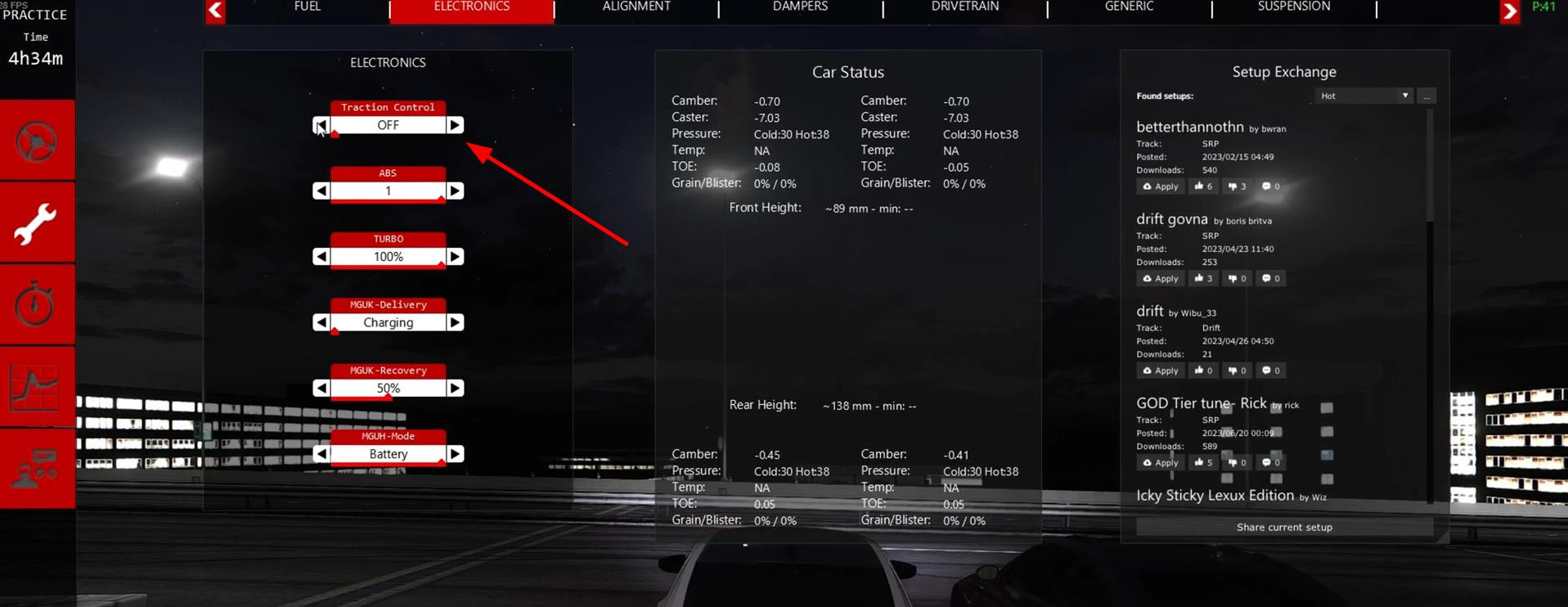
In addition to the tires, it is absolutely necessary to disable the traction control system.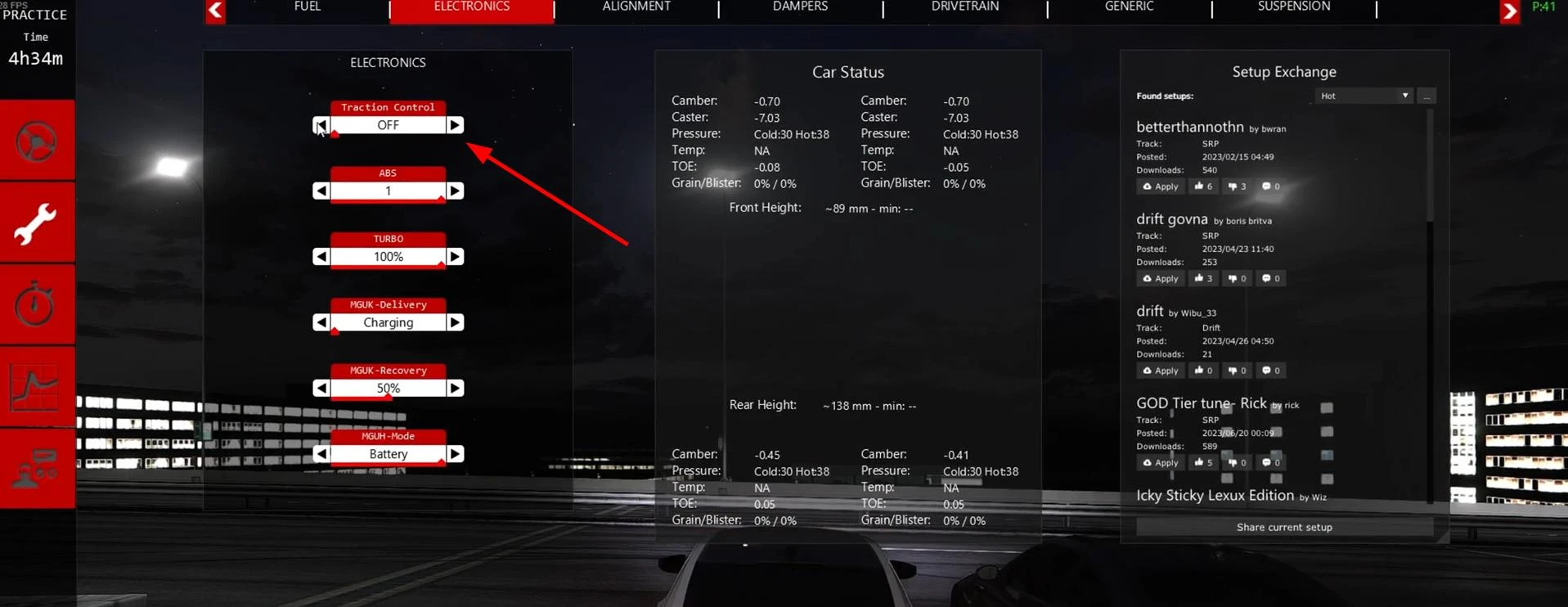
This is done just before leaving the boxes. Disabling TCS allows the car to freely tear off the rear axle and perform a classic drift.
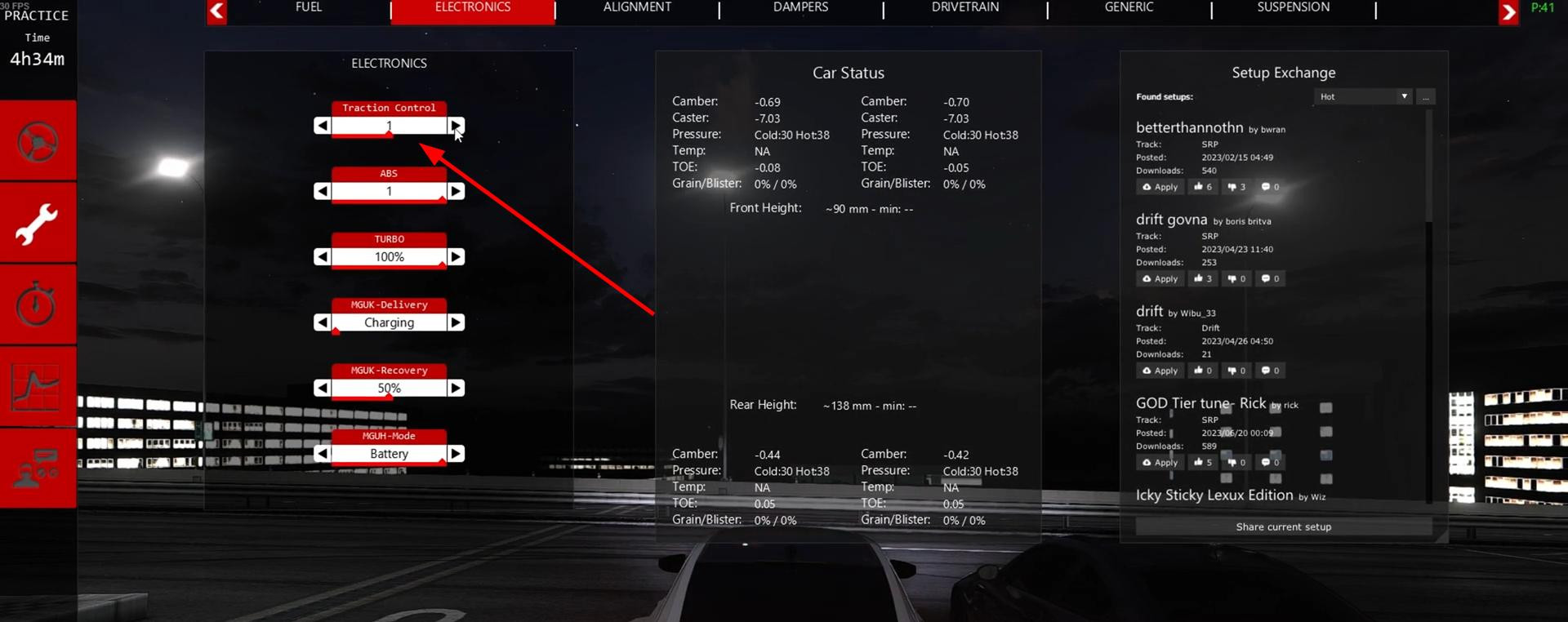
If the user prefers the style of "cut up" - fast and aggressive driving between cars, with an emphasis on maneuverability and control - then the configuration will be different. Here, on the contrary, it is necessary to turn on traction control.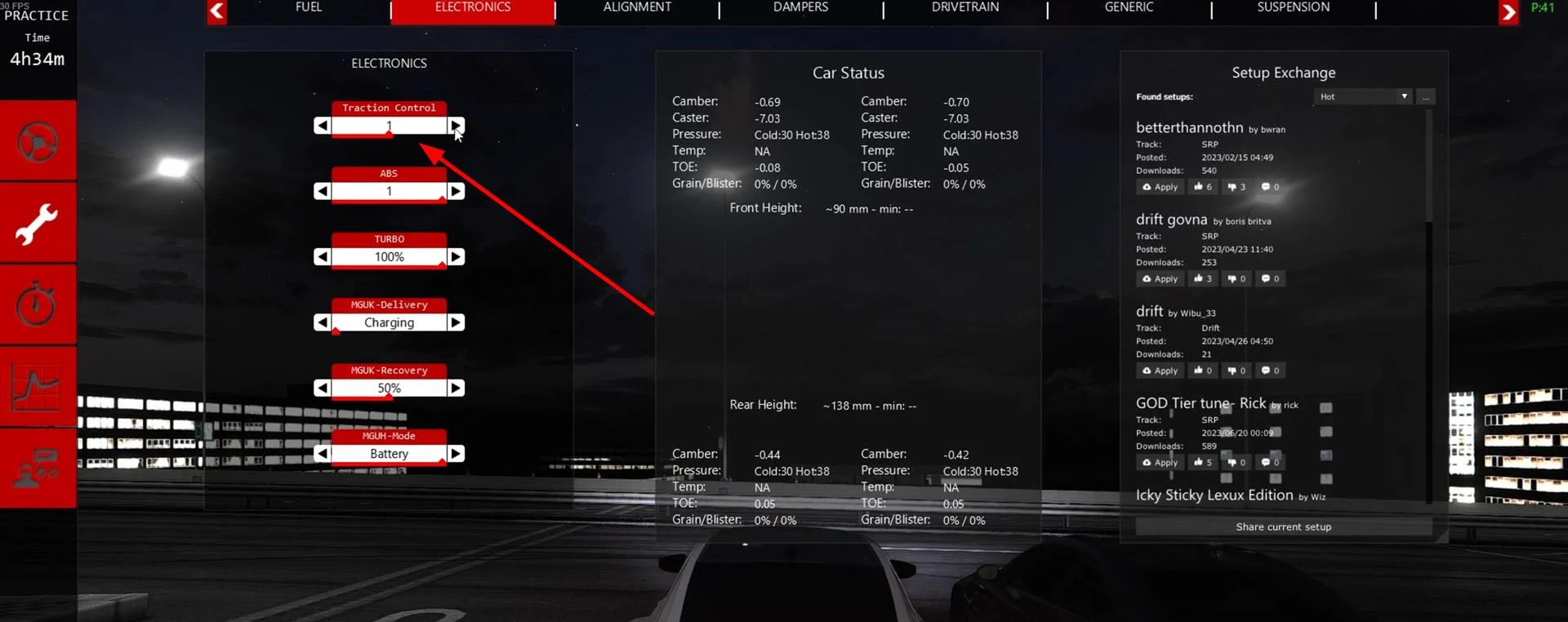
This will avoid unnecessary slippage and make the car's reactions more predictable at high speeds. Toyo R888R are recommended as tires in this case.
These tires provide increased grip and stability during frequent sudden changes and braking.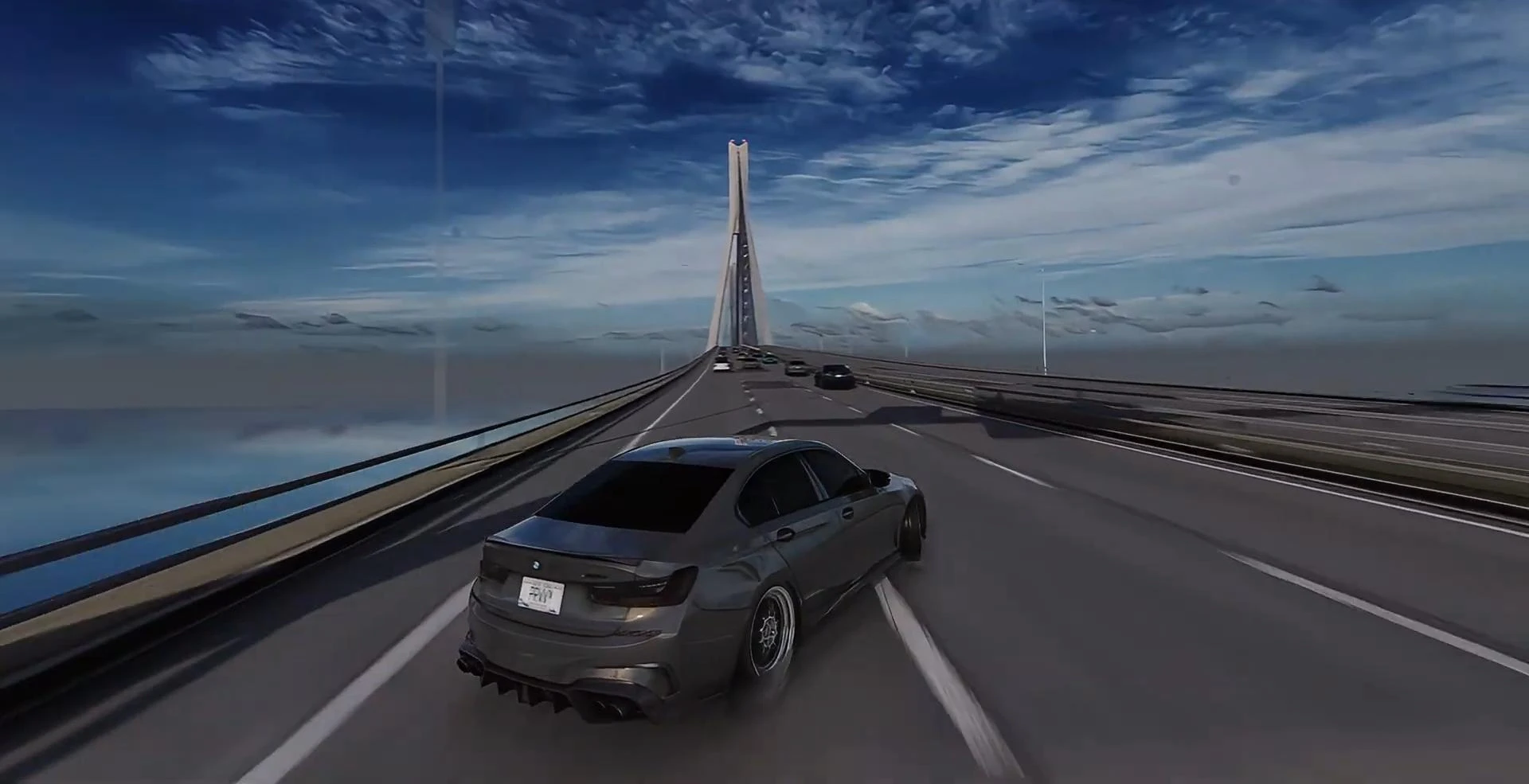
Don't forget to save working configurations for different driving styles. Assetto Corsa allows you to create multiple driving presets, making it easy to switch between drifting and cut up without having to manually change settings before each race.
Videos
Added by



_modland.jpg)