AeroBench - Aerodynamics Test 1.11

![Ford Bronco [PACK]](https://temp2.modland.net/i/6abb8bc6ce51c/0_modland.webp)

5/5,
1
votes
Turn BeamNG into a virtual wind tunnel. AeroBench is an advanced in-game aerodynamics testing tool for BeamNG.drive 0.39+, built to measure, analyze and compare how vehicles behave under controlled airflow.
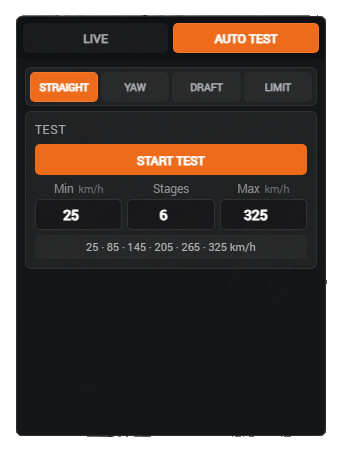
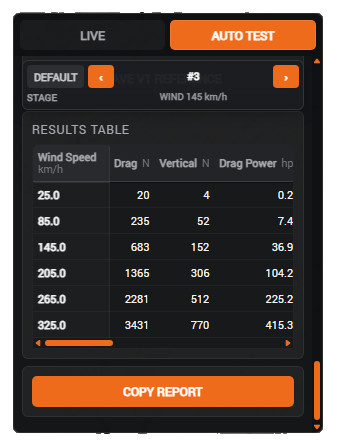
Instead of relying only on driving tests, AeroBench can keep the vehicle stationary and apply controlled airflow at configurable speeds and yaw angles. It then uses BeamNG's native aerodynamic forces, moments, tire loads and wheel-contact data to automatically calculate and record the results.
Features
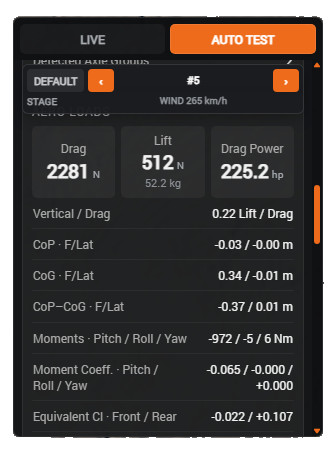
- Measurement of drag, downforce, aerodynamic balance, crosswind behavior, center of pressure, and active aero
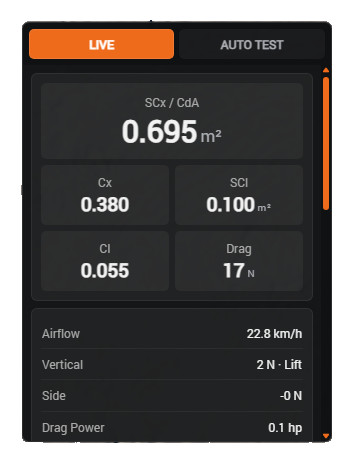
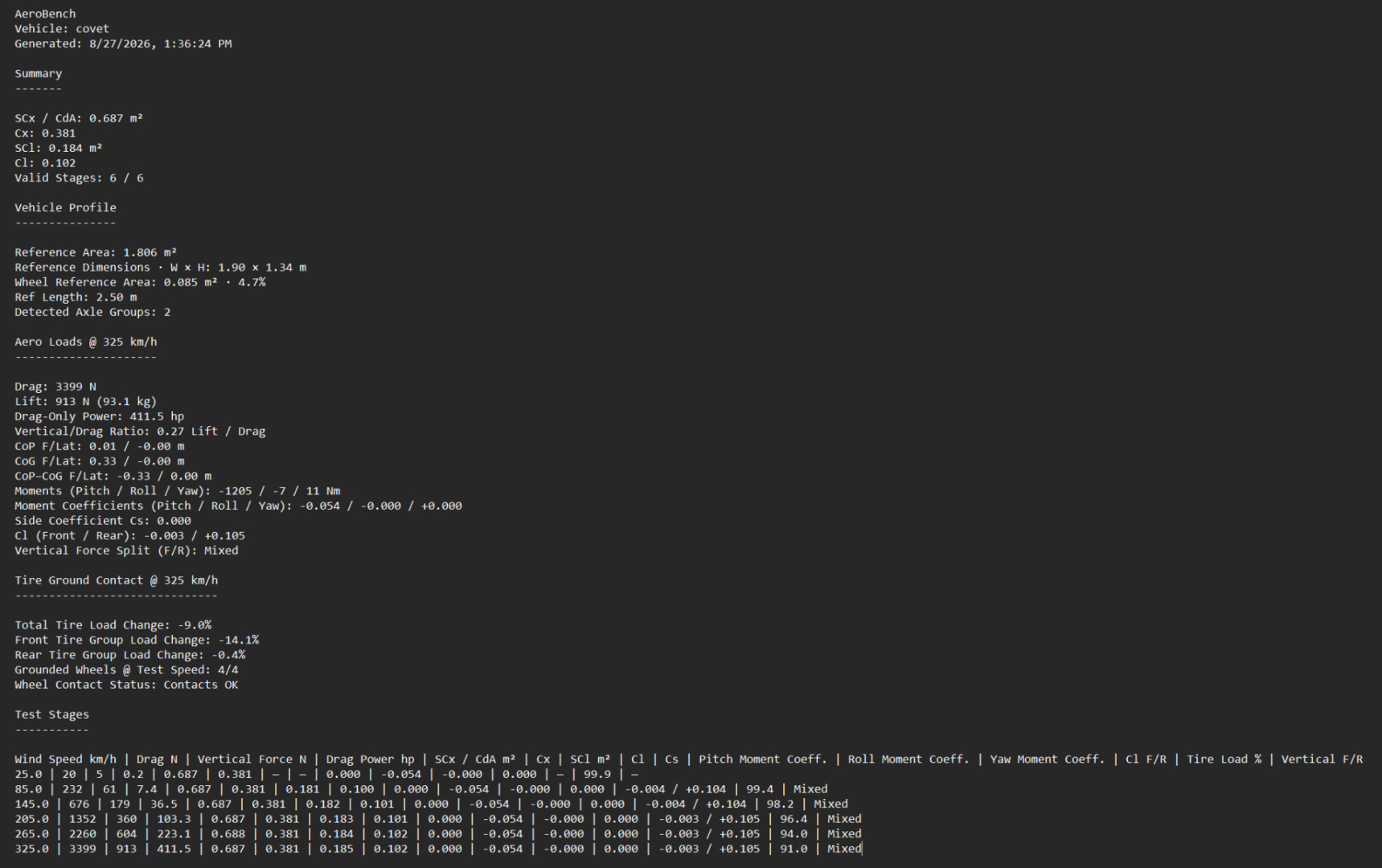
- Live SCx / CdA, Cx, SCl and Cl measurements
- Pitch, roll and yaw aerodynamic moments
- Front/rear aerodynamic balance and tire load analysis
- Automated STRAIGHT, YAW, DRAFT and LIMIT tests
- Inter-Vehicle Aero support with SLIP, BUMP and SIDE interactions
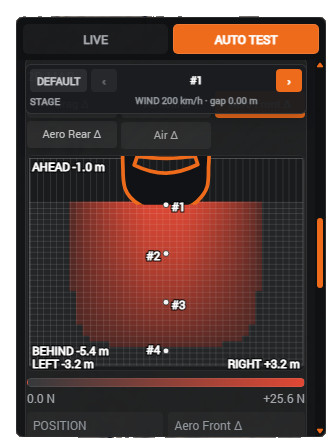
- 2D DRAFT interaction maps
- Slide, Wheel Lift and wheel-contact monitoring
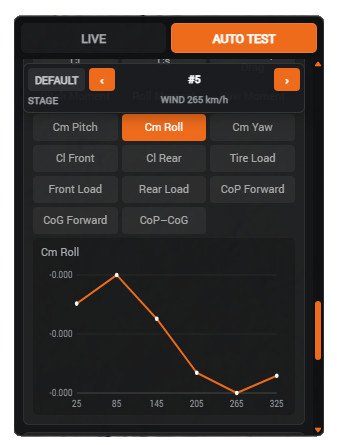
- Detailed graphs, tables, and copyable reports in metric and imperial units
- Automatic detection of wheel positions and axle groups, including multi-axle and 3-wheel vehicles
Test Modes
Live Mode: Monitor aerodynamic behavior in real time while driving.
Auto Test Mode: Apply controlled wind conditions while stationary for repeatable measurements.
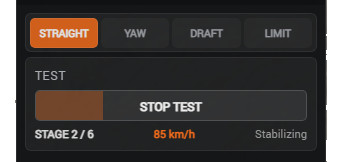
- Straight Test: Measures behavior across a configurable range of wind speeds.
- Yaw / Crosswind Test: Measures reactions to various wind speeds and yaw angles.
- Draft / Inter-Vehicle Aero Test: Measures how nearby vehicles affect the target via SLIP (vehicle ahead), BUMP (vehicle behind), or SIDE (lateral proximity).
- Wind Limit Test: Increases wind speed until the vehicle slides or loses wheel contact.
Installation Instructions
1. Press Esc to open the game menu.
2. Open System menu.
3. Select HUD Apps.
4. On your current HUD layout, click Edit Layout.
5. Click Add App.
6. Search for AeroBench and add it to your layout.
7. Move and resize the app as needed, then exit the layout editor.
Credits
ragnarok179
Instead of relying only on driving tests, AeroBench can keep the vehicle stationary and apply controlled airflow at configurable speeds and yaw angles. It then uses BeamNG's native aerodynamic forces, moments, tire loads and wheel-contact data to automatically calculate and record the results.
Features
- Measurement of drag, downforce, aerodynamic balance, crosswind behavior, center of pressure, and active aero
- Live SCx / CdA, Cx, SCl and Cl measurements
- Pitch, roll and yaw aerodynamic moments
- Front/rear aerodynamic balance and tire load analysis
- Automated STRAIGHT, YAW, DRAFT and LIMIT tests
- Inter-Vehicle Aero support with SLIP, BUMP and SIDE interactions
- 2D DRAFT interaction maps
- Slide, Wheel Lift and wheel-contact monitoring
- Detailed graphs, tables, and copyable reports in metric and imperial units
- Automatic detection of wheel positions and axle groups, including multi-axle and 3-wheel vehicles
Test Modes
Live Mode: Monitor aerodynamic behavior in real time while driving.
Auto Test Mode: Apply controlled wind conditions while stationary for repeatable measurements.
- Straight Test: Measures behavior across a configurable range of wind speeds.
- Yaw / Crosswind Test: Measures reactions to various wind speeds and yaw angles.
- Draft / Inter-Vehicle Aero Test: Measures how nearby vehicles affect the target via SLIP (vehicle ahead), BUMP (vehicle behind), or SIDE (lateral proximity).
- Wind Limit Test: Increases wind speed until the vehicle slides or loses wheel contact.
Installation Instructions
1. Press Esc to open the game menu.
2. Open System menu.
3. Select HUD Apps.
4. On your current HUD layout, click Edit Layout.
5. Click Add App.
6. Search for AeroBench and add it to your layout.
7. Move and resize the app as needed, then exit the layout editor.
Credits
ragnarok179
Direct Download Links
About Mod
| Latest Version | 1.11 |
| Game | BeamNG.drive |
| Category | Other |
| Game Version | 0.39.x |
| Downloads | 163 |
| Created | 1 month ago |
You Might Also Like »
![Ford Bronco [PACK]](https://temp2.modland.net/i/6abb8bc6ce51c/0_modland.jpg)



0 Comments
There are no comments. Be first to comment!