
![Ford Bronco [PACK]](https://temp2.modland.net/i/6abb8bc6ce51c/0_modland.webp)
5/5,
1
votes
Simple context-aware music player for BeamNG.drive, configured only with JSON. This mod allows you to place music in a folder and have it play in different game contexts. Note: This mod does NOT come with music preloaded.
Features
- Watches game context and plays one clip at a time.
- Supported contexts: mainMenu, missionStart, and freeroam.
- Random selection of clips if multiple are assigned to a context, avoiding immediate repeats.
- Automatic transition where the next clip starts immediately after the previous one ends.
- Fade-out effect when switching between contexts.
- Support for .ogg, .wav, .flac, and .mp3 extensions.
- Auto-scan functionality for files in the music folder based on filename prefixes.
Optional Config Format```json
{
"enabled": true,
"autoScanMusicFolder": true,
"supportedExts": [".ogg", ".wav", ".flac", ".mp3"],
"inGameGain": 3.2,
"assignments": {
"mainMenu": {
"clips": ["art/music_player/thisTrack1.ogg", "art/music_player/thisTrack2.ogg"]
},
"missionStart": {
"clips": ["art/music_player/thatTrack1.ogg", "art/music_player/thatTrack2.ogg"]
},
"freeroam": {
"clips": ["art/music_player/moreTracks1.ogg", "art/music_player/moreTracks2.ogg"]
}
}
}
```Config Fields:
- enabled: Enables/disables all playback.
- supportedExts: Allowed file extensions for discovery.
- autoScanMusicFolder: When true, scans art/music_player and auto-adds clips containing mainMenu, missionStart, freeroam, or any (global pool).
- inGameGain: Gain multiplier for freeroam and missionStart (Range: 0.1 to 4.0).
- assignments.<context>.clips: List of audio file paths for that context.
Installation Instructions
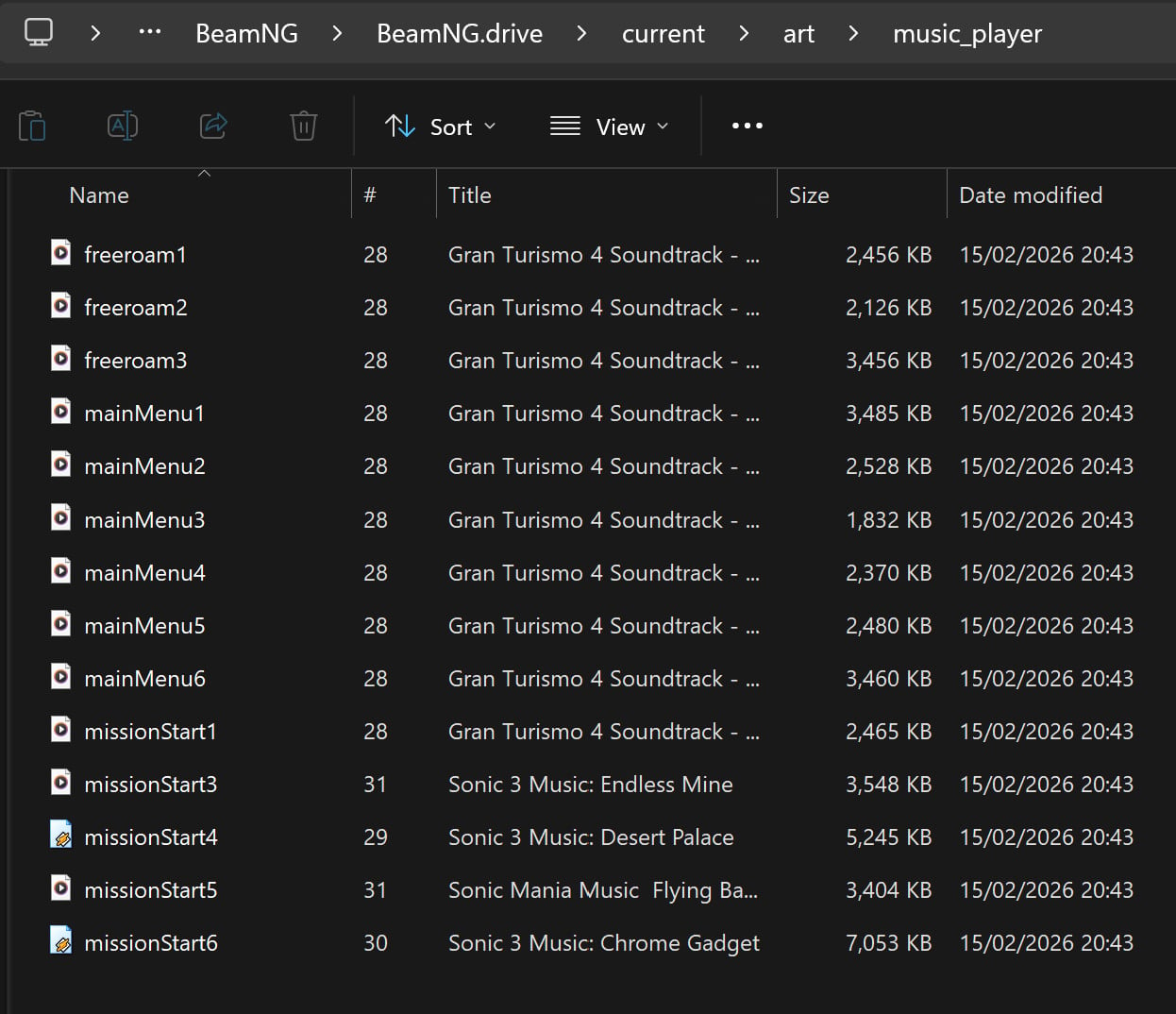
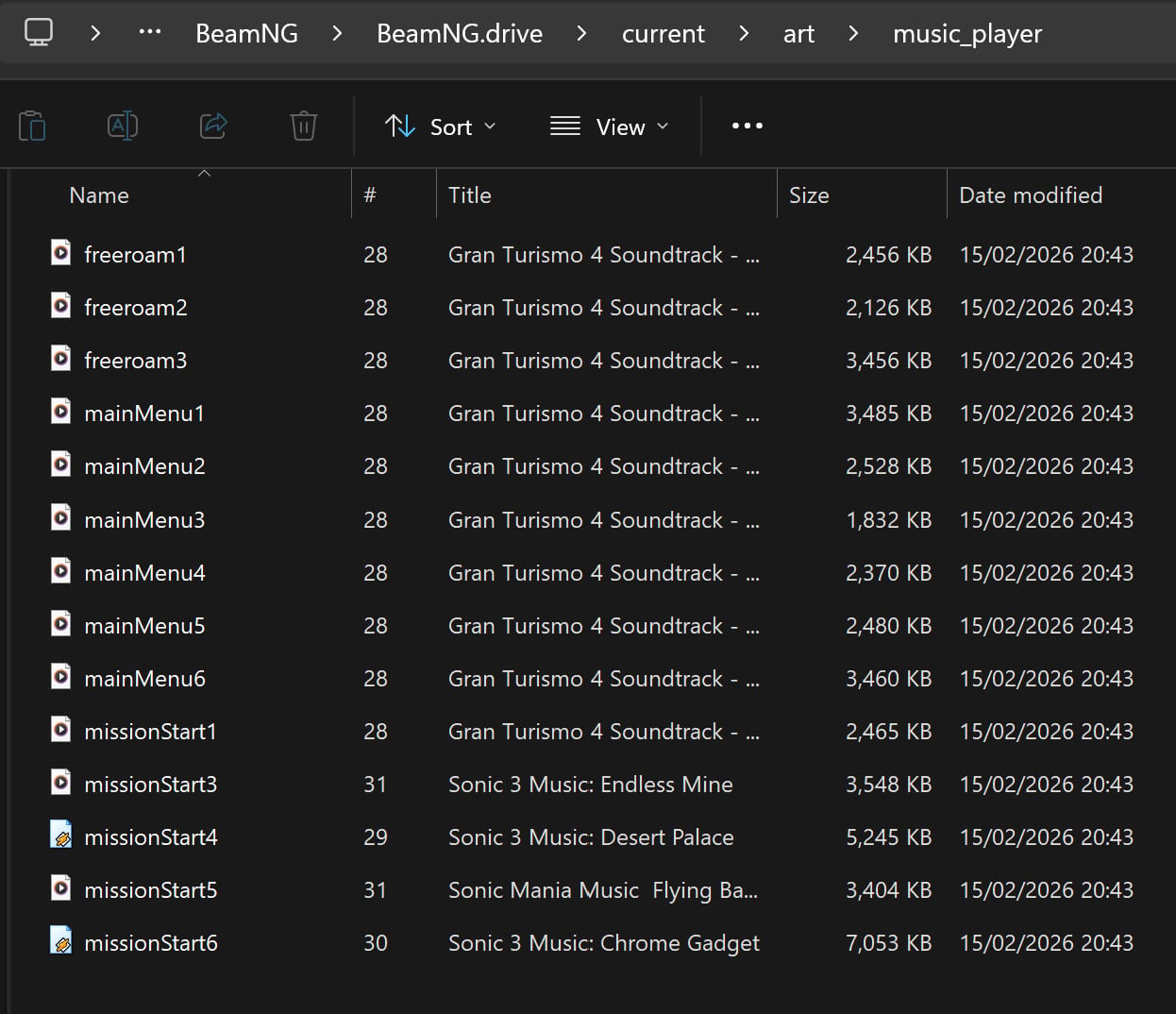
- Make a folder in your 'current' folder called 'art' then another folder in that folder called 'music_player'.
- Place copies of the audio files you would like to use into this folder (art/music_player).
- Rename the clips adding 'freeroam', 'mainMenu', 'missionStart' or 'any' to the start of the name.
- Change the audio level via the master and music sliders in the audio options menu.
- You can offset the main menu music from the freeroam and mission music in the config file (inGameGain).
- Optional: Assign specific named files in the config file musicPlayer.assignments.json located in the settings folder of your current folder.
- After changing the JSON config, reload Lua (Ctrl+L) or restart the game.
Credits
HighDef
Features
- Watches game context and plays one clip at a time.
- Supported contexts: mainMenu, missionStart, and freeroam.
- Random selection of clips if multiple are assigned to a context, avoiding immediate repeats.
- Automatic transition where the next clip starts immediately after the previous one ends.
- Fade-out effect when switching between contexts.
- Support for .ogg, .wav, .flac, and .mp3 extensions.
- Auto-scan functionality for files in the music folder based on filename prefixes.
Optional Config Format```json
{
"enabled": true,
"autoScanMusicFolder": true,
"supportedExts": [".ogg", ".wav", ".flac", ".mp3"],
"inGameGain": 3.2,
"assignments": {
"mainMenu": {
"clips": ["art/music_player/thisTrack1.ogg", "art/music_player/thisTrack2.ogg"]
},
"missionStart": {
"clips": ["art/music_player/thatTrack1.ogg", "art/music_player/thatTrack2.ogg"]
},
"freeroam": {
"clips": ["art/music_player/moreTracks1.ogg", "art/music_player/moreTracks2.ogg"]
}
}
}
```Config Fields:
- enabled: Enables/disables all playback.
- supportedExts: Allowed file extensions for discovery.
- autoScanMusicFolder: When true, scans art/music_player and auto-adds clips containing mainMenu, missionStart, freeroam, or any (global pool).
- inGameGain: Gain multiplier for freeroam and missionStart (Range: 0.1 to 4.0).
- assignments.<context>.clips: List of audio file paths for that context.
Installation Instructions
- Make a folder in your 'current' folder called 'art' then another folder in that folder called 'music_player'.
- Place copies of the audio files you would like to use into this folder (art/music_player).
- Rename the clips adding 'freeroam', 'mainMenu', 'missionStart' or 'any' to the start of the name.
- Change the audio level via the master and music sliders in the audio options menu.
- You can offset the main menu music from the freeroam and mission music in the config file (inGameGain).
- Optional: Assign specific named files in the config file musicPlayer.assignments.json located in the settings folder of your current folder.
- After changing the JSON config, reload Lua (Ctrl+L) or restart the game.
Credits
HighDef
Videos
Direct Download Links
About Mod
| Latest Version | 1.1 |
| Game | BeamNG.drive |
| Category | Other |
| Game Version | 0.39.x |
| Downloads | 78 |
| Created | 1 month ago |
You Might Also Like »
![Ford Bronco [PACK]](https://temp2.modland.net/i/6abb8bc6ce51c/0_modland.jpg)

0 Comments
There are no comments. Be first to comment!