





0/5,
0
votes
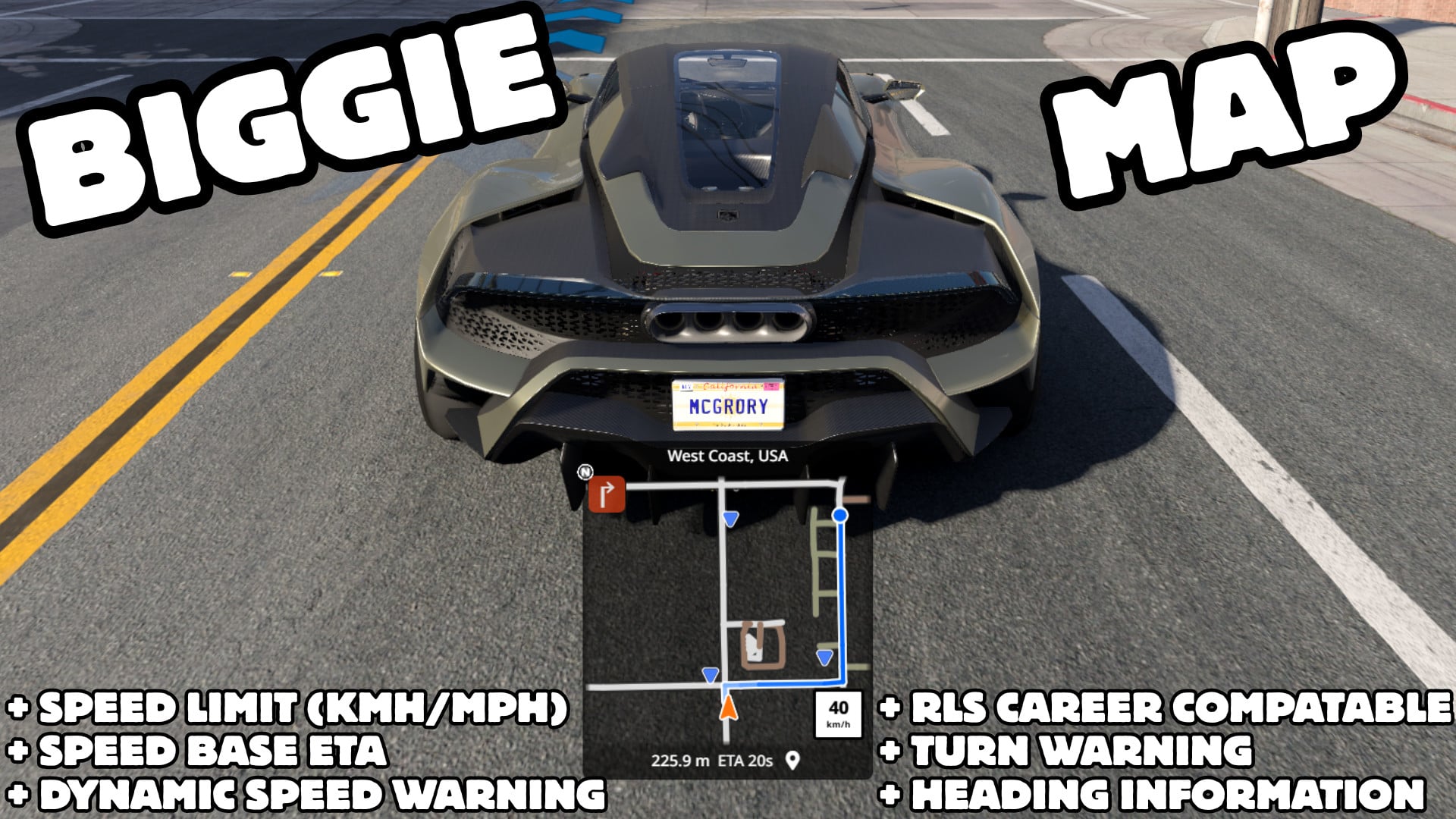
Biggie Map provides an enhanced navigation experience with various layout options.
Features
- All map shapes
- Live speed limit badge (posted limit for the road you’re on)
- Click the badge to toggle MPH / km/h
- Overspeed colour warning
- ETA based on speed limits along your active route
- Circular minimap
- Clean V2-style layout: speed limit + ETA
- Square minimap
- Heading (cardinal + degrees)
- Upcoming turn / corner warning
- Yellow breadcrumb trail of where you’ve been
- Speed-limit change pulse
- Full overlay set kept readable above the road layer
Installation Instructions
- Enable Biggie Map in the Mod Manager
- Add Biggie Map from the UI Apps menu (it replaces the stock Navigation app)
- Use circular for a simple HUD, or square for the full feature set
- Set a destination to see route distance + limit-based ETA
Credits
McGrory
Features
- All map shapes
- Live speed limit badge (posted limit for the road you’re on)
- Click the badge to toggle MPH / km/h
- Overspeed colour warning
- ETA based on speed limits along your active route
- Circular minimap
- Clean V2-style layout: speed limit + ETA
- Square minimap
- Heading (cardinal + degrees)
- Upcoming turn / corner warning
- Yellow breadcrumb trail of where you’ve been
- Speed-limit change pulse
- Full overlay set kept readable above the road layer
Installation Instructions
- Enable Biggie Map in the Mod Manager
- Add Biggie Map from the UI Apps menu (it replaces the stock Navigation app)
- Use circular for a simple HUD, or square for the full feature set
- Set a destination to see route distance + limit-based ETA
Credits
McGrory
Direct Download Links
About Mod
| Latest Version | v0.4.0 |
| Game | BeamNG.drive |
| Category | Maps |
| Game Version | 0.40.x |
| Downloads | 205 |
| Created | 3 days ago |
You Might Also Like »










0 Comments
There are no comments. Be first to comment!