
![Ford Bronco [PACK]](https://temp2.modland.net/i/6abb8bc6ce51c/0_modland.jpg)


0/5,
0
votes
Description
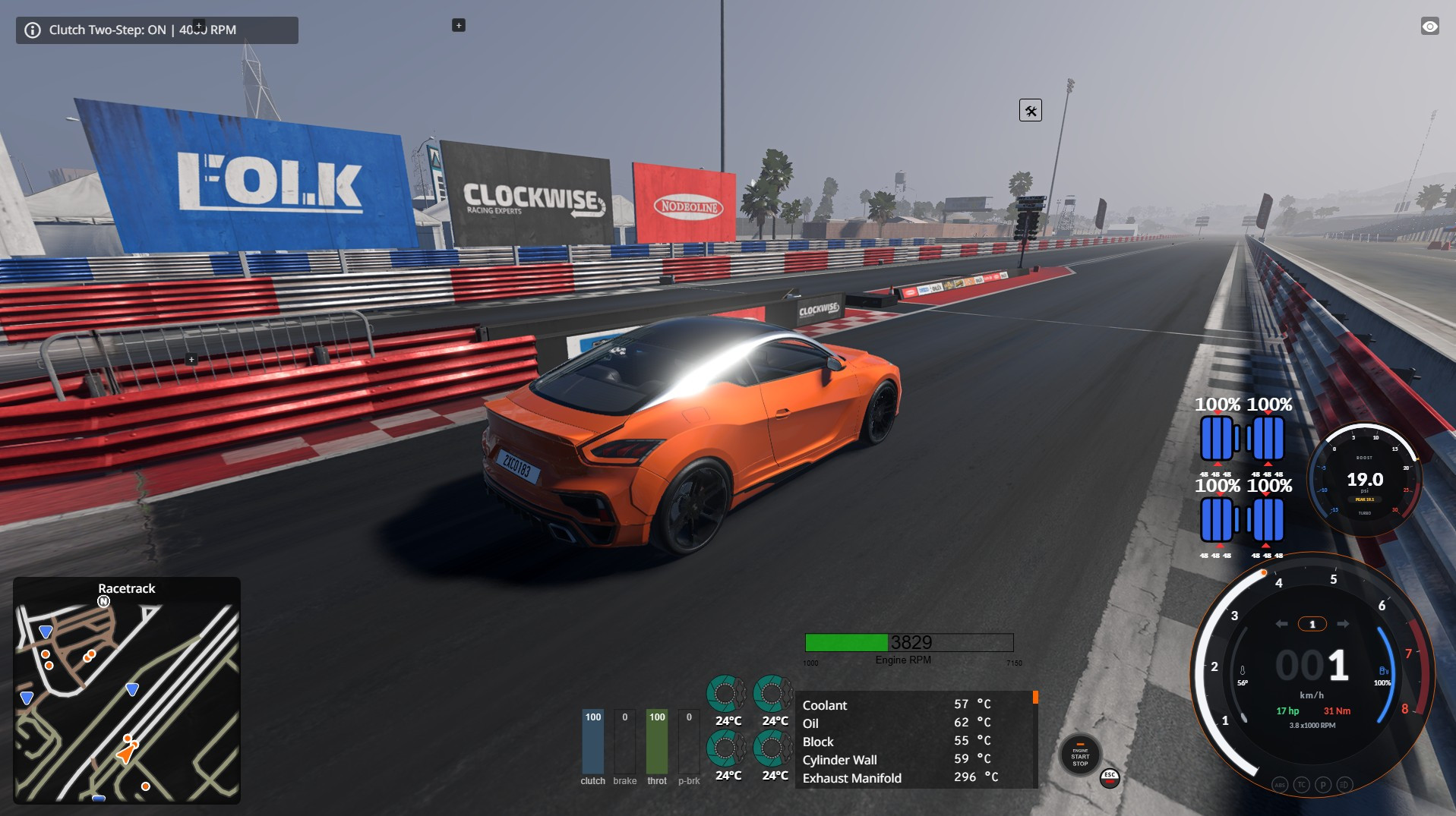
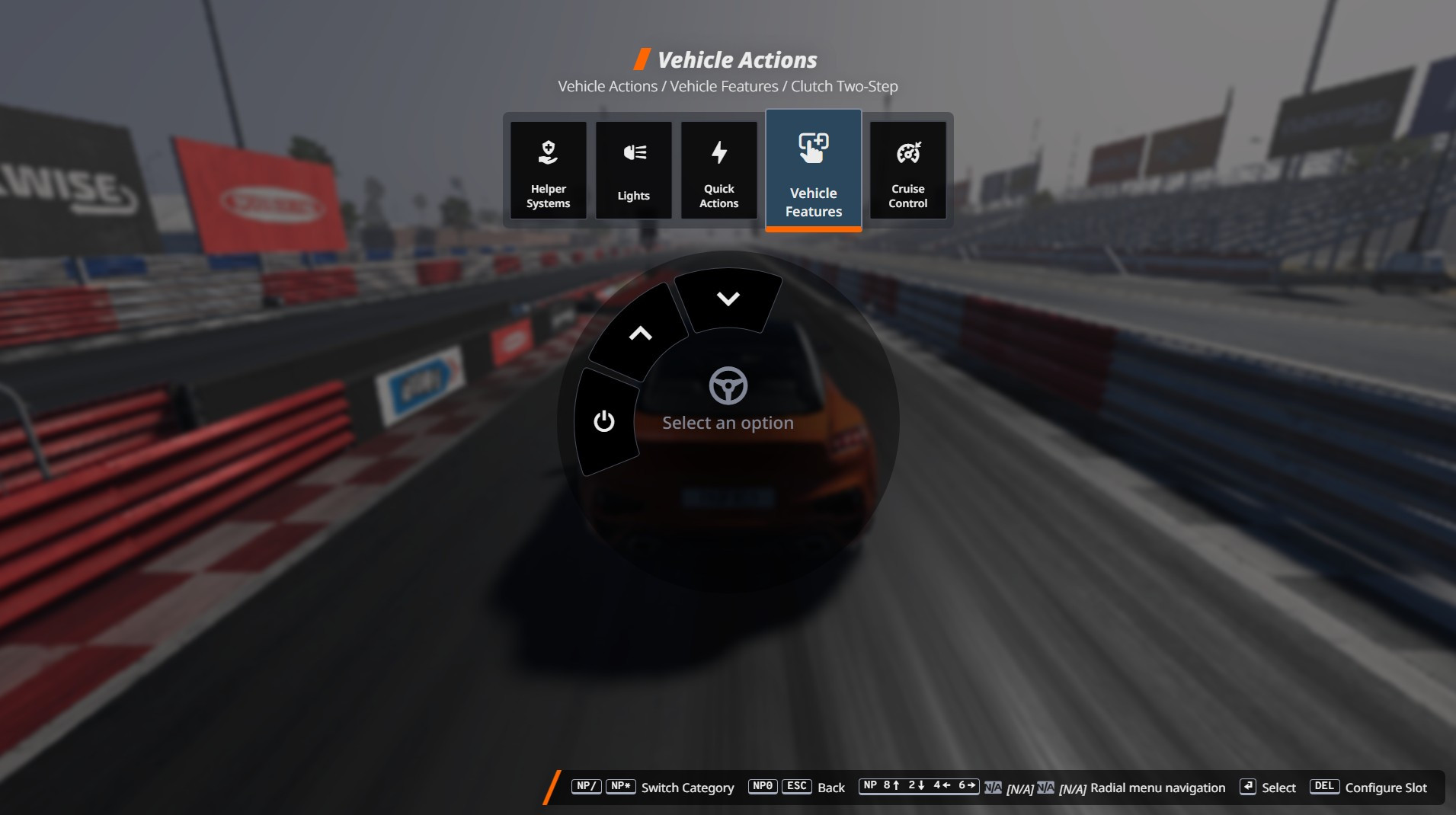
Clutch Two-Step adds a standalone clutch-activated Two-Step launch limiter to BeamNG.drive. It is designed to complement BeamNG's built-in brake-activated Two-Step rather than replace it. The mod adds its own Quick Access menu and custom control bindings, keeps its launch RPM separate from the stock system, and prevents both systems from remaining enabled at the same time.
Features
- Clutch-activated Two-Step launch limiter
- Adjustable launch RPM in 100 RPM steps
- Works in neutral or in gear while the vehicle is stationary or nearly stationary
- Launch-only speed gate prevents activation during normal driving
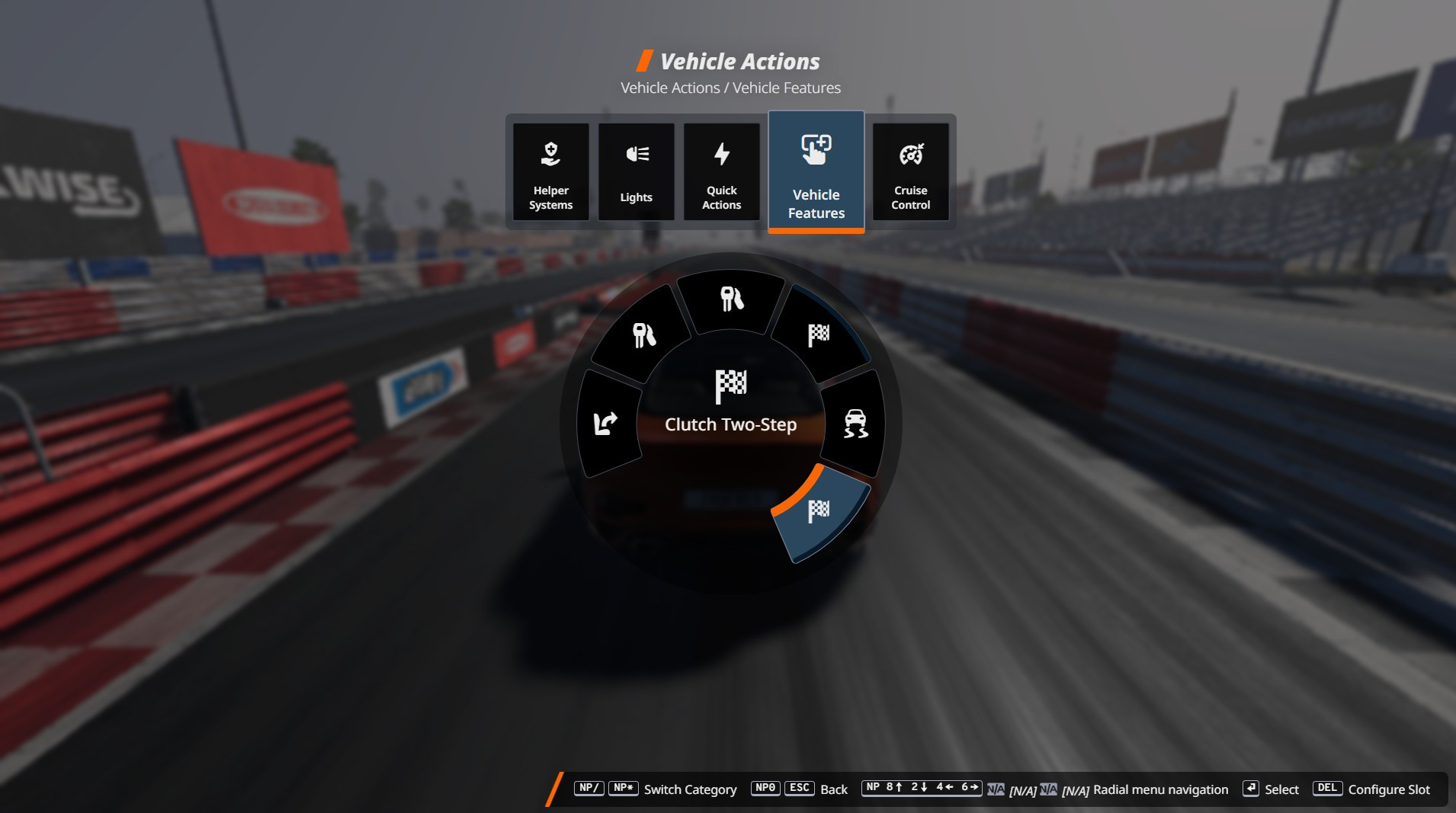
- Quick Access > Vehicle Features > Clutch Two-Step
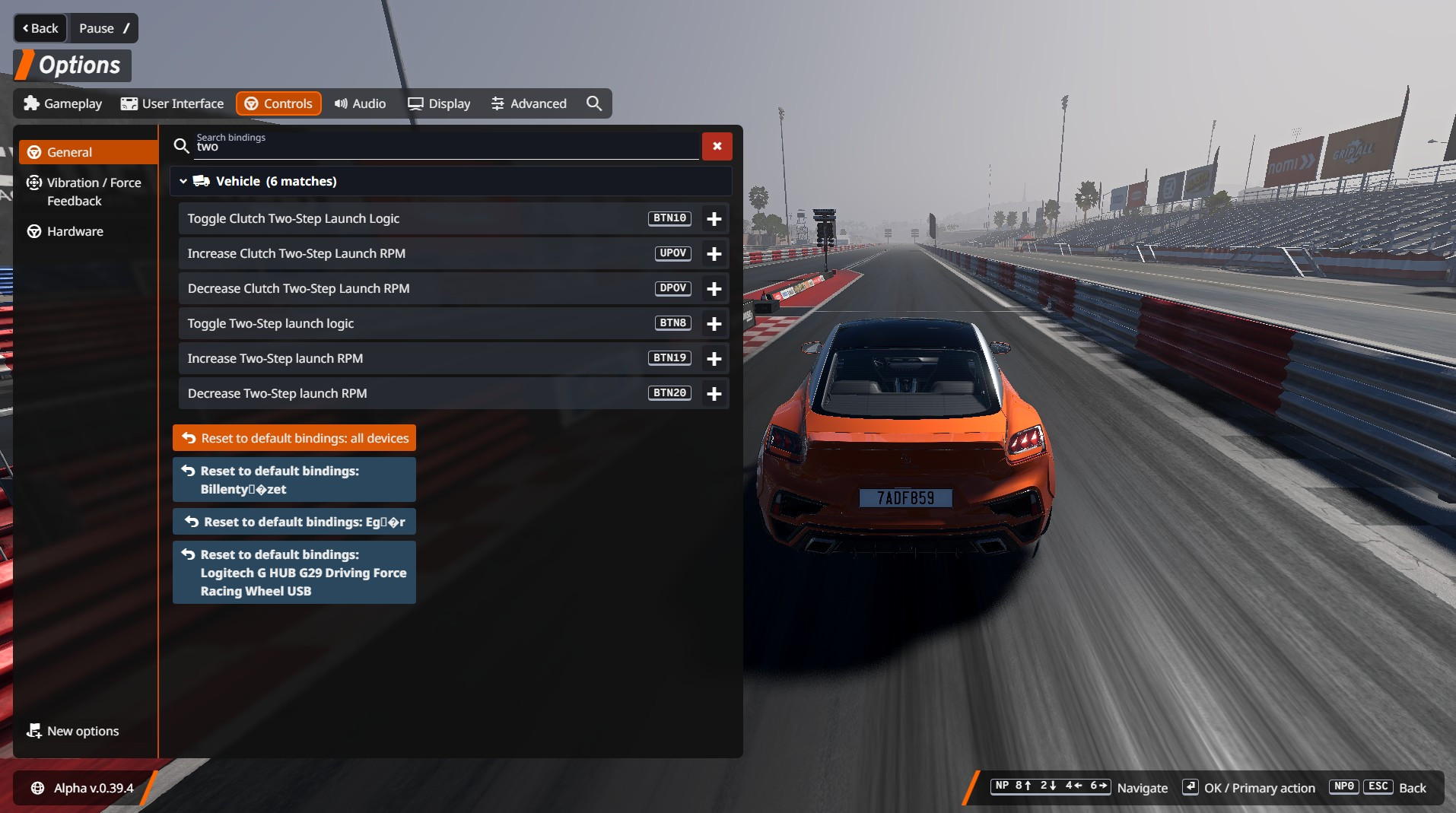
- Custom control bindings for toggling logic and adjusting RPM
- Separate RPM setting from BeamNG's stock Two-Step
- Enabling Clutch Two-Step disables the stock Two-Step (and vice versa)
- State serialization and safe rev-limiter cleanup
- Does not overwrite any default BeamNG files
Stock Two-Step Interaction
Clutch Two-Step and BeamNG's stock Two-Step are mutually exclusive. Turning one system on automatically turns the other system off. Their RPM settings remain independent.
Compatibility
Designed as a generic vehicle extension for vehicles using BeamNG's standard mainEngine and clutch/electrics signals. Vehicles with heavily customized powertrain or controller implementations may require adaptation.
Installation Instructions
1. Install the mod normally through the BeamNG.drive Mod Manager.
2. Spawn a compatible vehicle with a standard mainEngine and clutch input.
3. Open Quick Access > Vehicle Features > Clutch Two-Step, or assign the custom actions under Options > Controls.
4. Enable Clutch Two-Step and set the desired launch RPM.
5. While stationary or nearly stationary, hold the clutch and apply throttle.
6. The engine will be limited to the configured launch RPM.
7. Release the clutch to launch.
Credits
Author: Dóra István
Development assistance: ChatGPT by OpenAI
plck93
Clutch Two-Step adds a standalone clutch-activated Two-Step launch limiter to BeamNG.drive. It is designed to complement BeamNG's built-in brake-activated Two-Step rather than replace it. The mod adds its own Quick Access menu and custom control bindings, keeps its launch RPM separate from the stock system, and prevents both systems from remaining enabled at the same time.
Features
- Clutch-activated Two-Step launch limiter
- Adjustable launch RPM in 100 RPM steps
- Works in neutral or in gear while the vehicle is stationary or nearly stationary
- Launch-only speed gate prevents activation during normal driving
- Quick Access > Vehicle Features > Clutch Two-Step
- Custom control bindings for toggling logic and adjusting RPM
- Separate RPM setting from BeamNG's stock Two-Step
- Enabling Clutch Two-Step disables the stock Two-Step (and vice versa)
- State serialization and safe rev-limiter cleanup
- Does not overwrite any default BeamNG files
Stock Two-Step Interaction
Clutch Two-Step and BeamNG's stock Two-Step are mutually exclusive. Turning one system on automatically turns the other system off. Their RPM settings remain independent.
Compatibility
Designed as a generic vehicle extension for vehicles using BeamNG's standard mainEngine and clutch/electrics signals. Vehicles with heavily customized powertrain or controller implementations may require adaptation.
Installation Instructions
1. Install the mod normally through the BeamNG.drive Mod Manager.
2. Spawn a compatible vehicle with a standard mainEngine and clutch input.
3. Open Quick Access > Vehicle Features > Clutch Two-Step, or assign the custom actions under Options > Controls.
4. Enable Clutch Two-Step and set the desired launch RPM.
5. While stationary or nearly stationary, hold the clutch and apply throttle.
6. The engine will be limited to the configured launch RPM.
7. Release the clutch to launch.
Credits
Author: Dóra István
Development assistance: ChatGPT by OpenAI
plck93
Direct Download Links
About Mod
| Latest Version | 1.0 |
| Game | BeamNG.drive |
| Category | Other |
| Game Version | 0.39.x |
| Downloads | 264 |
| Created | 1 week ago |
You Might Also Like »


![Mack Anthem / Pinnacle [PACK]](https://temp2.modland.net/i/6aa50a7184eaa/6ab9344368d3b/0_modland.jpg)

0 Comments
There are no comments. Be first to comment!