CMods Dyno | Live Engine & Wheel HP 0.1.3






0/5,
0
votes
Updates
latest
Version
0.1.3
· CMods Dyno | Update Notes
· BeamNG.drive
0.40.x
45 minutes ago
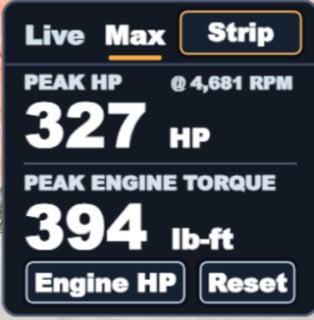
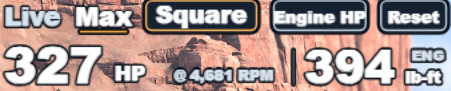
- Added Peak Wheel HP to the Max tab.
- Added the engine RPM at which each horsepower peak was recorded.
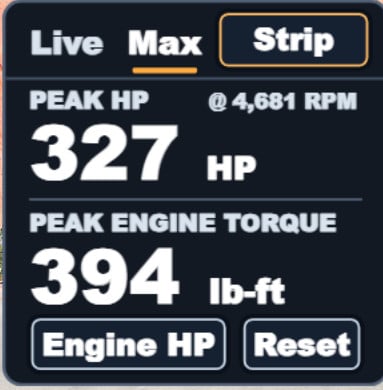
- The Engine / Wheel toggle now works in Max. Both peaks are tracked separately, so switching views keeps your readings.
- Improved HUD resizing. Drag the corner to scale the entire Square or Strip layout up or down without cutting off text or controls.
- Added the engine RPM at which each horsepower peak was recorded.
- The Engine / Wheel toggle now works in Max. Both peaks are tracked separately, so switching views keeps your readings.
- Improved HUD resizing. Drag the corner to scale the entire Square or Strip layout up or down without cutting off text or controls.
Description
Floor it. See what it actually puts down.
CMods Dyno puts the numbers you care about right on your HUD. Tap once to switch between Engine HP and Wheel HP, with engine torque in lb-ft always in view. No graph to squint at. Just the numbers.
Features
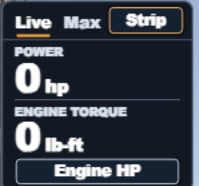
- Live: Readouts update twice a second so you can read them mid-pull.
- Max: Holds your highest engine HP and torque, even if the peak happens between display updates.
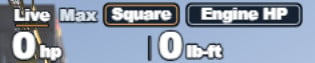
- Two layouts: Choose between a clean transparent strip or a bold square panel. Swap anytime without losing your peaks.
Installation Instructions
In Freeroam, go to Esc → System → HUD Apps, edit your layout, and choose Add App → CMods Dyno.
Manual install: With BeamNG closed, drop cmods_dyno.zip into your BeamNG user folder’s mods folder. Leave it zipped.
Credits
CMods
Floor it. See what it actually puts down.
CMods Dyno puts the numbers you care about right on your HUD. Tap once to switch between Engine HP and Wheel HP, with engine torque in lb-ft always in view. No graph to squint at. Just the numbers.
Features
- Live: Readouts update twice a second so you can read them mid-pull.
- Max: Holds your highest engine HP and torque, even if the peak happens between display updates.
- Two layouts: Choose between a clean transparent strip or a bold square panel. Swap anytime without losing your peaks.
Installation Instructions
In Freeroam, go to Esc → System → HUD Apps, edit your layout, and choose Add App → CMods Dyno.
Manual install: With BeamNG closed, drop cmods_dyno.zip into your BeamNG user folder’s mods folder. Leave it zipped.
Credits
CMods
Direct Download Links
latest
Version
0.1.3
· BeamNG.drive
0.40.x
45 minutes ago
Game Versions:
0.40.x
About Mod
| Latest Version | 0.1.3 |
| Game | BeamNG.drive |
| Category | Other |
| Game Version | 0.40.x |
| Tags | UI |
| Downloads | 68 |
| Created | 18 hours ago |
| Last Updated | 45 minutes ago |
Download Latest Version
Version: 0.1.3Updated: 45 minutes ago
Total Size: 250.84 KB cmods_dyno_aa422f62_modland.zip direct download · 250.84 KB · added 45 minutes ago









ill pay .