
![Ford Bronco [PACK]](https://temp2.modland.net/i/6abb8bc6ce51c/0_modland.webp)
5/5,
1
votes
Changelog
Big Update - New features and plenty of fixes:
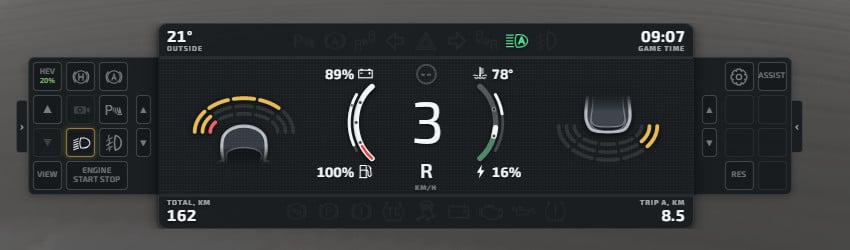
- Digital Mode for Analog Dashboard: Digital replaces the mechanical needles with smooth, antialiased color bands with dedicated power-on/off animations. You can customize bands with custom colors, brightness, saturation, and an optional "Smart Inversion" feature for better readability.
- More customization.
Description
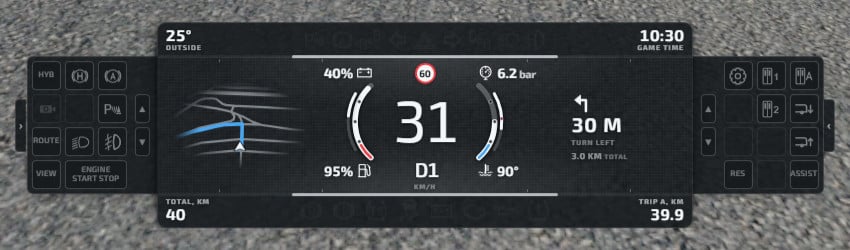
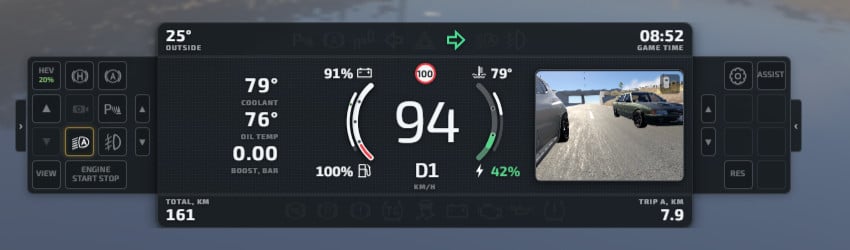
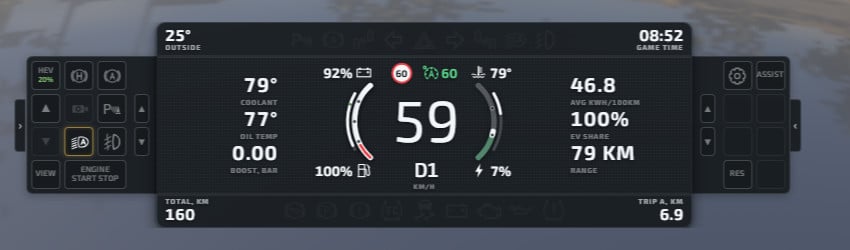
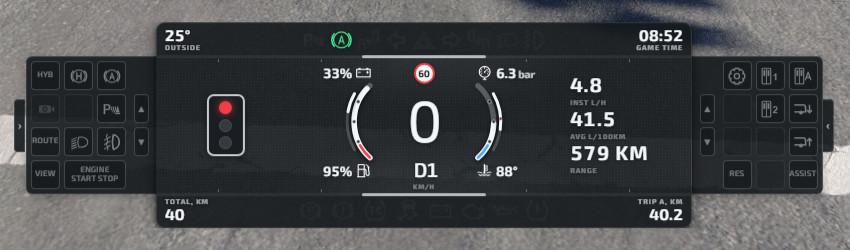
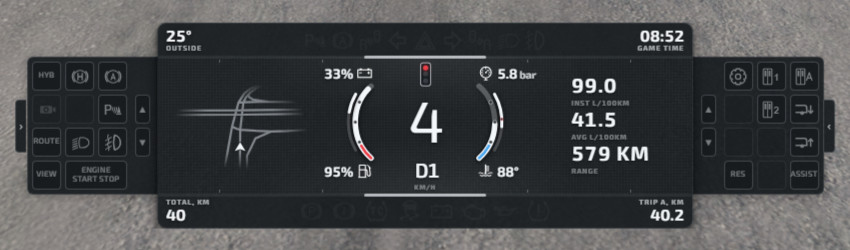
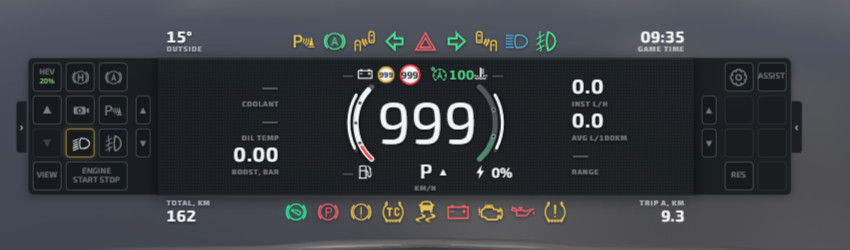
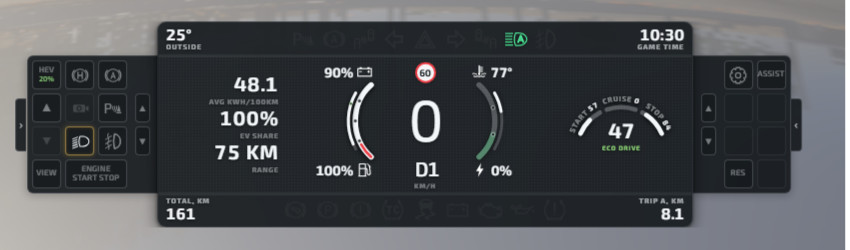
Enhanced Dashboard is a dashboard-like HUD app that aims to provide you with all the info and features you may need when playing BeamNG.drive, particularly if you are into realistic driving. This mod works best with the Hood camera, but feel free to use it with any other camera.
Features:
- Cruise Control and Speed Limiter: Three speed limit modes (auto, assisted, and manual) and three driving profiles (Eco, Standard, and Dynamic). Includes a speed limiter that smoothly cuts power and overspeed warnings. (Note: Requires properly mapped speed limits and traffic lights on the map).
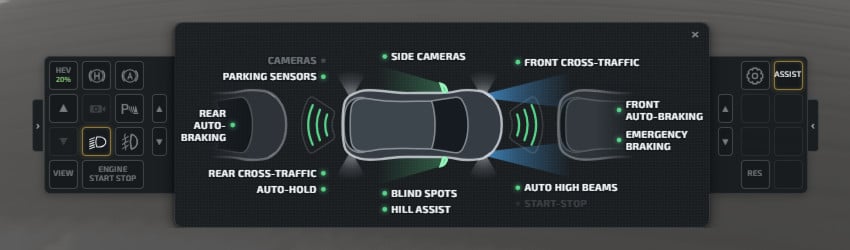
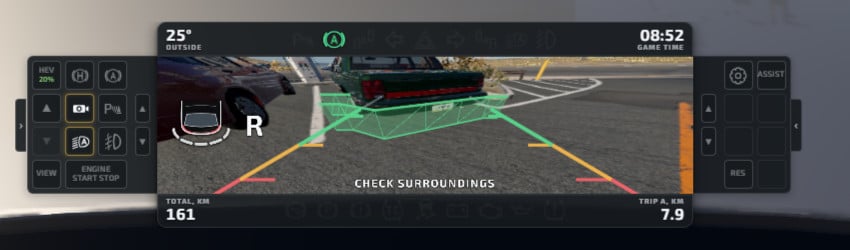
- Automatic Emergency Braking: Warns about potential collisions and automatically applies brakes for front collisions and during parking. Includes front and rear cross traffic alerts.
- Driving Assistants: Auto Hold, Hill Start Assist, and Auto Start-Stop (ICE-only, arms above 40C).
- Automatic Headlights: Simulates light sensors to enable headlights in dark conditions and automatically turns off high beams for oncoming traffic.
- Shifting Indicators: Gear indicator displays shift arrows at optimal RPMs and shifting dots for maximum RPMs.
- Blind Spot Monitor: Audio and visual cues when changing lanes with a car in the blind spot.
- Parking Sensors: Front and rear 360-degree sensors with five zones and distinct sounds. Works in first-person mode.
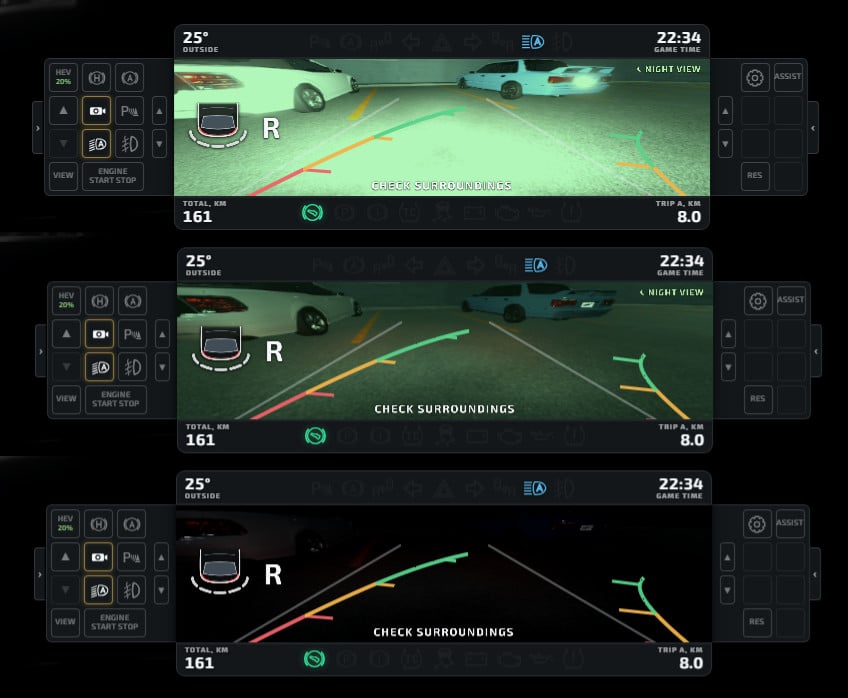
- Camera Systems: Front, rear, and side-view cameras with guidelines and steering lines. Includes Obstacle Highlight (transparent boxes), Night View (infrared/bright mode), and Blind Spot Cameras.
- Alternative Camera Mode: Shifting to R triggers the Look Back command when using the Hood camera to simulate a full-screen rear-view camera.
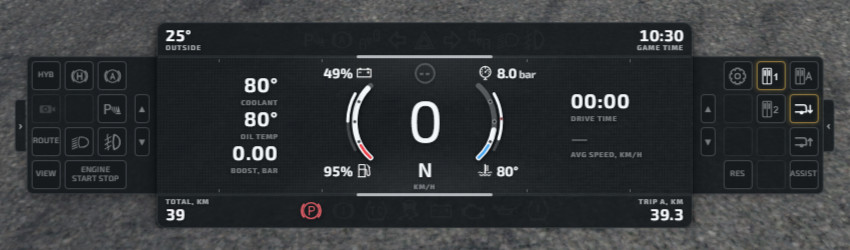
- Trip Computer: Detailed fuel/energy consumption, range calculation, and fuel cost tracking. Includes Odometer (Trip A/B) and total mileage tracking per-configuration.
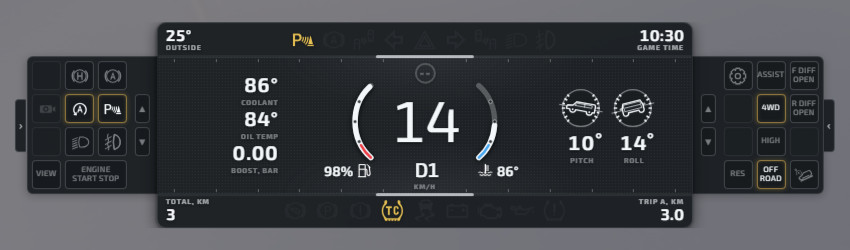
- Off-road Mode: Dedicated controls for H/L gears, 2WD/4WD, Hill Descent Control, and roll/pitch indicators. One-click mode disables parking sensors, auto start-stop, and overspeed alerts.
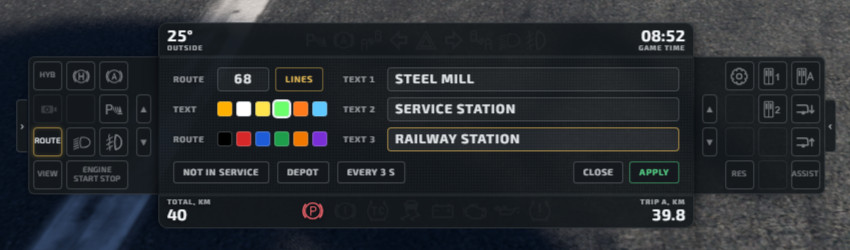
- Bus Mode: Built-in bus display controller with line selector, kneel, ride height, amber lights, speed interlocks, and door warnings.
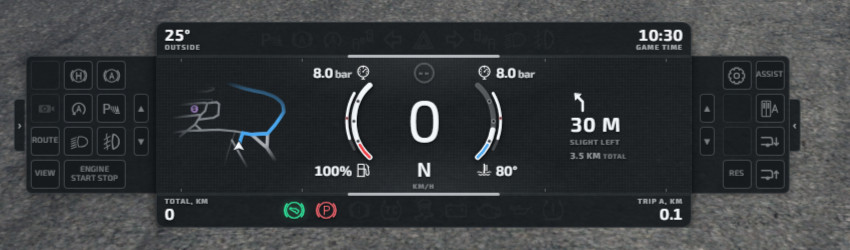
- Map and Navigation: 3D/2D Map View with route support and POI markers. Full GPS navigation with ETA and automatic route planning to refueling stations.
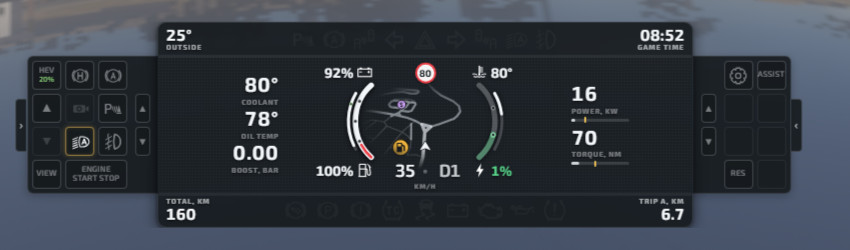
- Third-party Mod Support: Integration for ArkFz Hybrid (SOC adjustments, dual gauges), Capsule (drivetrain modes, door control), Hirochi Aero, and Daewoon.
- Additional Realism: Traffic Light detection, TPMS warning lights, ignition bulb check, and Eco Score calculation.
- Transmission Locks: Requires brake/clutch to start or shift; includes rev limiter and parking brake guard.
- General Conveniences: Trailer support (disables rear sensors), outside temperature with icing warnings, built-in clock, and headlight-on notifications.
- Interface: Two customizable, context-aware side panels for quick access and a rich set of user-defined shortcuts.
- Language Support: English, German, and Ukrainian.
Credits
1-TRS
Big Update - New features and plenty of fixes:
- Digital Mode for Analog Dashboard: Digital replaces the mechanical needles with smooth, antialiased color bands with dedicated power-on/off animations. You can customize bands with custom colors, brightness, saturation, and an optional "Smart Inversion" feature for better readability.
- More customization.
Description
Enhanced Dashboard is a dashboard-like HUD app that aims to provide you with all the info and features you may need when playing BeamNG.drive, particularly if you are into realistic driving. This mod works best with the Hood camera, but feel free to use it with any other camera.
Features:
- Cruise Control and Speed Limiter: Three speed limit modes (auto, assisted, and manual) and three driving profiles (Eco, Standard, and Dynamic). Includes a speed limiter that smoothly cuts power and overspeed warnings. (Note: Requires properly mapped speed limits and traffic lights on the map).
- Automatic Emergency Braking: Warns about potential collisions and automatically applies brakes for front collisions and during parking. Includes front and rear cross traffic alerts.
- Driving Assistants: Auto Hold, Hill Start Assist, and Auto Start-Stop (ICE-only, arms above 40C).
- Automatic Headlights: Simulates light sensors to enable headlights in dark conditions and automatically turns off high beams for oncoming traffic.
- Shifting Indicators: Gear indicator displays shift arrows at optimal RPMs and shifting dots for maximum RPMs.
- Blind Spot Monitor: Audio and visual cues when changing lanes with a car in the blind spot.
- Parking Sensors: Front and rear 360-degree sensors with five zones and distinct sounds. Works in first-person mode.
- Camera Systems: Front, rear, and side-view cameras with guidelines and steering lines. Includes Obstacle Highlight (transparent boxes), Night View (infrared/bright mode), and Blind Spot Cameras.
- Alternative Camera Mode: Shifting to R triggers the Look Back command when using the Hood camera to simulate a full-screen rear-view camera.
- Trip Computer: Detailed fuel/energy consumption, range calculation, and fuel cost tracking. Includes Odometer (Trip A/B) and total mileage tracking per-configuration.
- Off-road Mode: Dedicated controls for H/L gears, 2WD/4WD, Hill Descent Control, and roll/pitch indicators. One-click mode disables parking sensors, auto start-stop, and overspeed alerts.
- Bus Mode: Built-in bus display controller with line selector, kneel, ride height, amber lights, speed interlocks, and door warnings.
- Map and Navigation: 3D/2D Map View with route support and POI markers. Full GPS navigation with ETA and automatic route planning to refueling stations.
- Third-party Mod Support: Integration for ArkFz Hybrid (SOC adjustments, dual gauges), Capsule (drivetrain modes, door control), Hirochi Aero, and Daewoon.
- Additional Realism: Traffic Light detection, TPMS warning lights, ignition bulb check, and Eco Score calculation.
- Transmission Locks: Requires brake/clutch to start or shift; includes rev limiter and parking brake guard.
- General Conveniences: Trailer support (disables rear sensors), outside temperature with icing warnings, built-in clock, and headlight-on notifications.
- Interface: Two customizable, context-aware side panels for quick access and a rich set of user-defined shortcuts.
- Language Support: English, German, and Ukrainian.
Credits
1-TRS
Direct Download Links
latest
initial
Version
1.2.1
· BeamNG.drive
0.40.x
1 day ago
Game Versions:
0.40.x
Enhanced_Dashboard_v1_2_modland.zip
direct download
· 3.1 MB
· added 1 day ago
This File is Scanned by Antivirus and is Safe.
More Details
About Mod
| Latest Version | 1.2.1 |
| Game | BeamNG.drive |
| Category | Other |
| Game Version | 0.40.x |
| Tags | UI |
| Downloads | 663 |
| Created | 1 day ago |
| Last Virus Scan |
0/93
More Details |
![Ford Bronco [PACK]](https://temp2.modland.net/i/6abb8bc6ce51c/0_modland.jpg)

Hi, I'm using Enchanted Dashboard version 1.2.1 on BeamNG.drive and I think I found a bug.
With the mod enabled, I can't use the mouse to interact with the physical parts of the vehicle, such as the door handles. It happens with every vehicle, for example the truck: the cursor is visible, but clicking does nothing.
The problem goes away if I remove the element at the bottom of the screen from my layout, so it looks like the interface captures clicks even in transparent areas.
Thanks for your work, and I hope a fix is coming!
peak