
![Ford Bronco [PACK]](https://temp2.modland.net/i/6abb8bc6ce51c/0_modland.jpg)

5/5,
2
votes
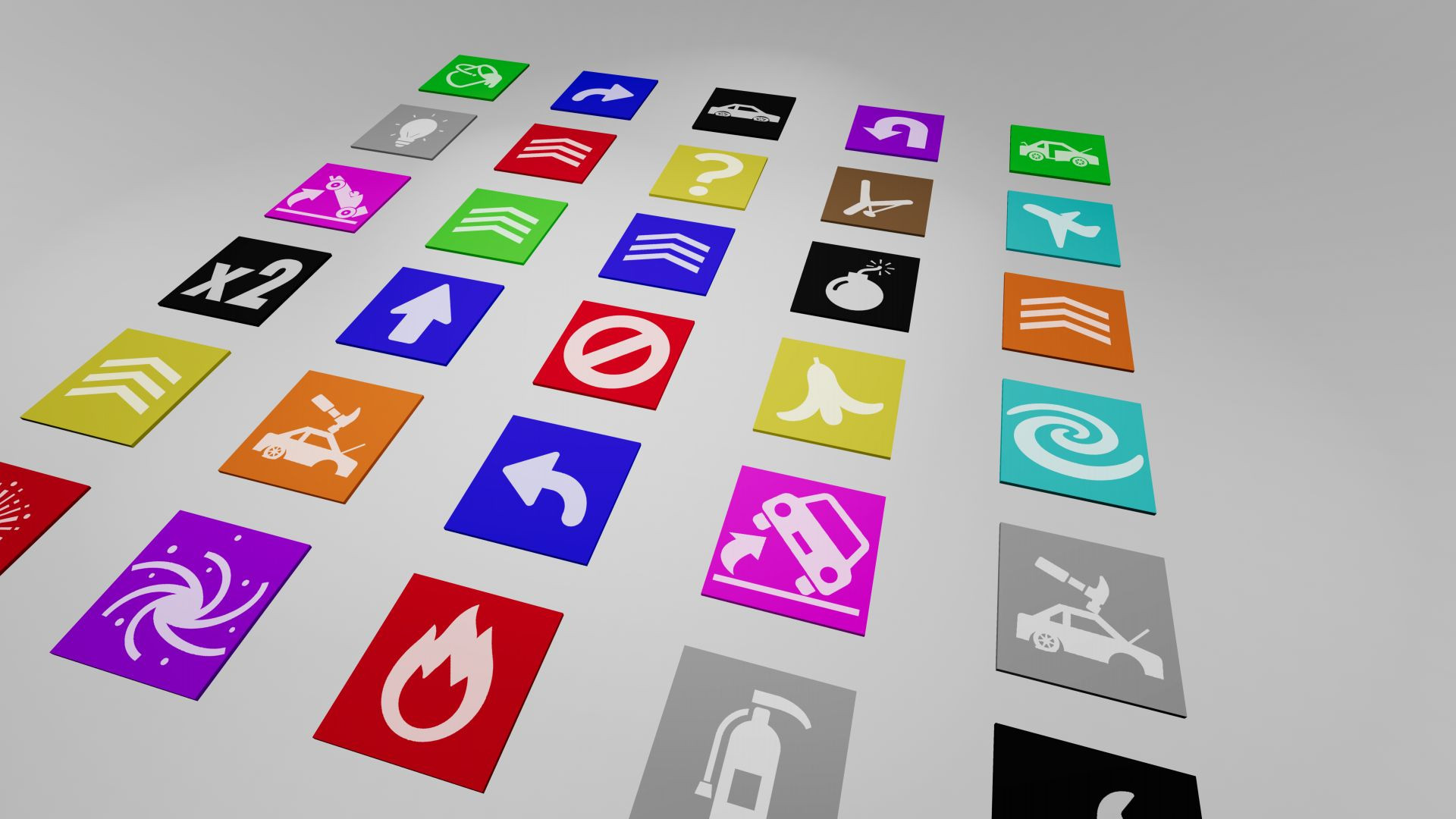
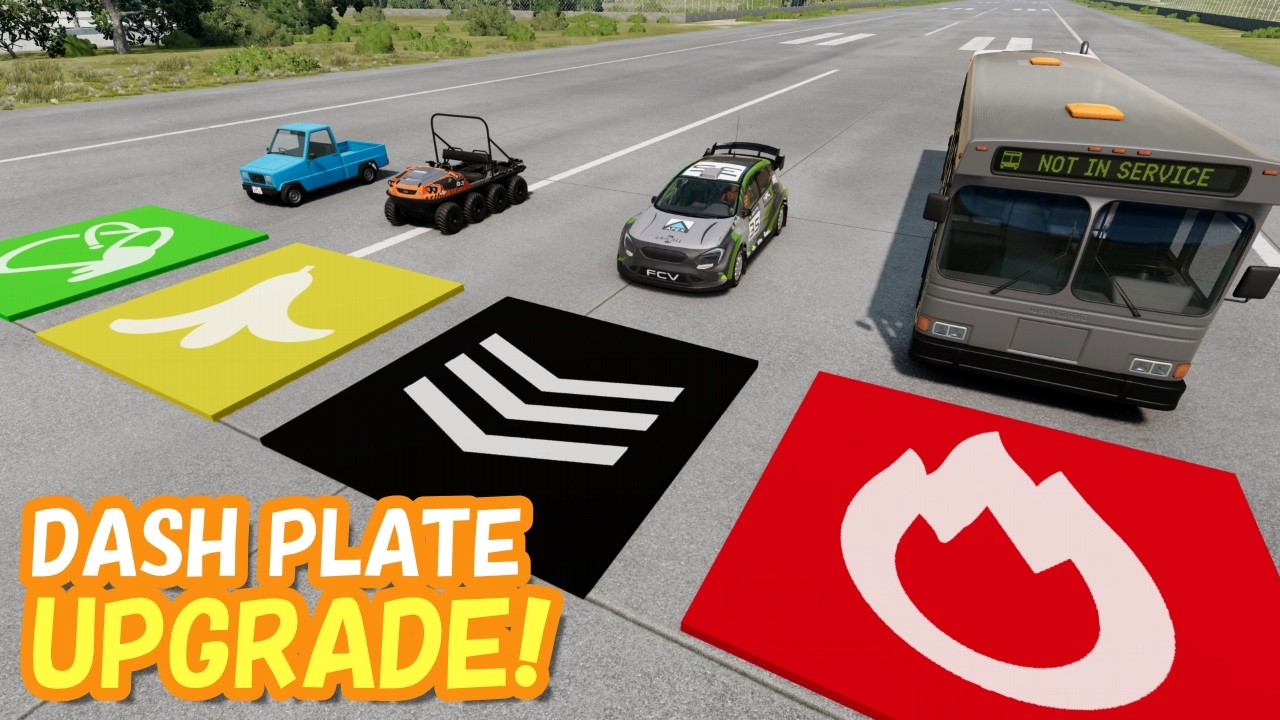
Gimmick Pad is a mod that adds a special pad object to BeamNG.drive. Any vehicle that drives over the pad triggers a gimmick — a wide variety of effects ranging from speed boosts and flips to explosions and teleportation. This mod is the official successor to the original Dash Plate mod, evolving far beyond its speed-only roots with over 30 different configurations.
Features:
- Over 30 different configurations including movement, damage, physics, and utility effects.
- Customizable parameters such as power, direction, and speed via the Tuning menu.
- Customizable appearance including pad body color and surface markings.
- Two scan modes (dashplate or vehicle) to optimize performance when using many pads.
- Dedicated HUD app that displays the triggered effect when using a Random pad.
- Teleportation system using gate numbers to move vehicles between pads.
Configurations:
- Speed & Movement: Boost (100km/h to 999km/h), Jump, One Way, Reverse, Stop, Turn Left/Right, Sling Shot, Speed x2.
- Damage & Chaos: Break Hinges, Break Random Parts, Deflate Tires, Engine Stall, Explode, Ignite.
- Physics Effects: Flip (Front/Side), Spin Out, Tornado, Fireworks.
- Utility: Repair, Extinguish, Open, Toggle Lights, Horn, Random Paint, Teleport.
- Special: Random (triggers a random effect), (Debug) All Functions.
- Base Types: Flat, (Invisible) Flat, Slope, (Invisible) Slope.
⚠ Note: Performance may degrade when many traffic vehicles are spawned simultaneously. If you experience frame rate drops, try reducing the number of spawned vehicles.
Installation Instructions
1. Open the vehicle selector.
2. Select a Gimmick Pad (Props section).
3. Select a preset configuration that matches the gimmick you want.
To customize the gimmick and appearance, open Vehicle Configuration:
- Parts — Skin: Changes the marking displayed on the pad surface.
- Parts — Gimmick: Switches the active gimmick effect.
- Tuning: Adjusts parameters such as power, direction, and speed.
- Color — Paint 1: Changes the pad body color.
Advanced Usage:
To set parameters beyond the tuning slider limits, use the vehicle Lua console:
controller.getController('executeFunction').setParam('dashplateSpeedKMH', 9999)
To switch scan modes from the GE Lua console:
- Vehicle-side scanning: extensions.mathkuro_dashplate.setScanMode('vehicle')
- Pad-side scanning (default): extensions.mathkuro_dashplate.setScanMode('dashplate')
HUD App:
Open the Apps menu (default: Home key), find Gimmick Pad in the app list, and drag it onto the HUD.
Credits
ますくろ
Features:
- Over 30 different configurations including movement, damage, physics, and utility effects.
- Customizable parameters such as power, direction, and speed via the Tuning menu.
- Customizable appearance including pad body color and surface markings.
- Two scan modes (dashplate or vehicle) to optimize performance when using many pads.
- Dedicated HUD app that displays the triggered effect when using a Random pad.
- Teleportation system using gate numbers to move vehicles between pads.
Configurations:
- Speed & Movement: Boost (100km/h to 999km/h), Jump, One Way, Reverse, Stop, Turn Left/Right, Sling Shot, Speed x2.
- Damage & Chaos: Break Hinges, Break Random Parts, Deflate Tires, Engine Stall, Explode, Ignite.
- Physics Effects: Flip (Front/Side), Spin Out, Tornado, Fireworks.
- Utility: Repair, Extinguish, Open, Toggle Lights, Horn, Random Paint, Teleport.
- Special: Random (triggers a random effect), (Debug) All Functions.
- Base Types: Flat, (Invisible) Flat, Slope, (Invisible) Slope.
⚠ Note: Performance may degrade when many traffic vehicles are spawned simultaneously. If you experience frame rate drops, try reducing the number of spawned vehicles.
Installation Instructions
1. Open the vehicle selector.
2. Select a Gimmick Pad (Props section).
3. Select a preset configuration that matches the gimmick you want.
To customize the gimmick and appearance, open Vehicle Configuration:
- Parts — Skin: Changes the marking displayed on the pad surface.
- Parts — Gimmick: Switches the active gimmick effect.
- Tuning: Adjusts parameters such as power, direction, and speed.
- Color — Paint 1: Changes the pad body color.
Advanced Usage:
To set parameters beyond the tuning slider limits, use the vehicle Lua console:
controller.getController('executeFunction').setParam('dashplateSpeedKMH', 9999)
To switch scan modes from the GE Lua console:
- Vehicle-side scanning: extensions.mathkuro_dashplate.setScanMode('vehicle')
- Pad-side scanning (default): extensions.mathkuro_dashplate.setScanMode('dashplate')
HUD App:
Open the Apps menu (default: Home key), find Gimmick Pad in the app list, and drag it onto the HUD.
Credits
ますくろ
Videos

Direct Download Links
latest
initial
Version
0.3.4
· BeamNG.drive
0.39.x
1 month ago
Game Versions:
0.39.x
dashplate_mathkuro_modland.zip
direct download
· 2.04 MB
· added 1 month ago
This File is Scanned by Antivirus and is Safe.
More Details
About Mod
| Latest Version | 0.3.4 |
| Game | BeamNG.drive |
| Category | Other |
| Game Version | 0.39.x |
| Tags | Props |
| Downloads | 919 |
| Created | 1 month ago |
| Last Virus Scan |
0/93
More Details |


![Mack Anthem / Pinnacle [PACK]](https://temp2.modland.net/i/6aa50a7184eaa/6ab9344368d3b/0_modland.jpg)
its a really good mod, every pad works.But it glitches under the ground.8/10