Kagoni’s Tyre Simulation 1.4.1


![Ford Bronco [PACK]](https://temp2.modland.net/i/6abb8bc6ce51c/0_modland.webp)




5/5,
1
votes
Changelog
V1.4 is the first major expansion of Kagoni's Tire Simulator into dedicated rally tire behavior. Unlike V1.3, which concentrated primarily on the existing road and race tire grip, thermal and wear architecture, V1.4 introduces a separate physical model for rally surface physics, directional tread-block wear, and thermal overhaul.
Description
Kagoni’s Tyre Simulation builds an additional dynamic tyre-state simulation around the foundation of BeamNG. It is a dynamic tyre simulation layer focused on realistic road driving, limit behaviour, temperature, pressure, construction and physical wear.
Features
- Temperature-dependent grip and structural stiffness
- Per-wheel dynamically calculated saturation slip angle (B100)
- Combined longitudinal/lateral slip behaviour
- Contact-patch brush/sliding estimation
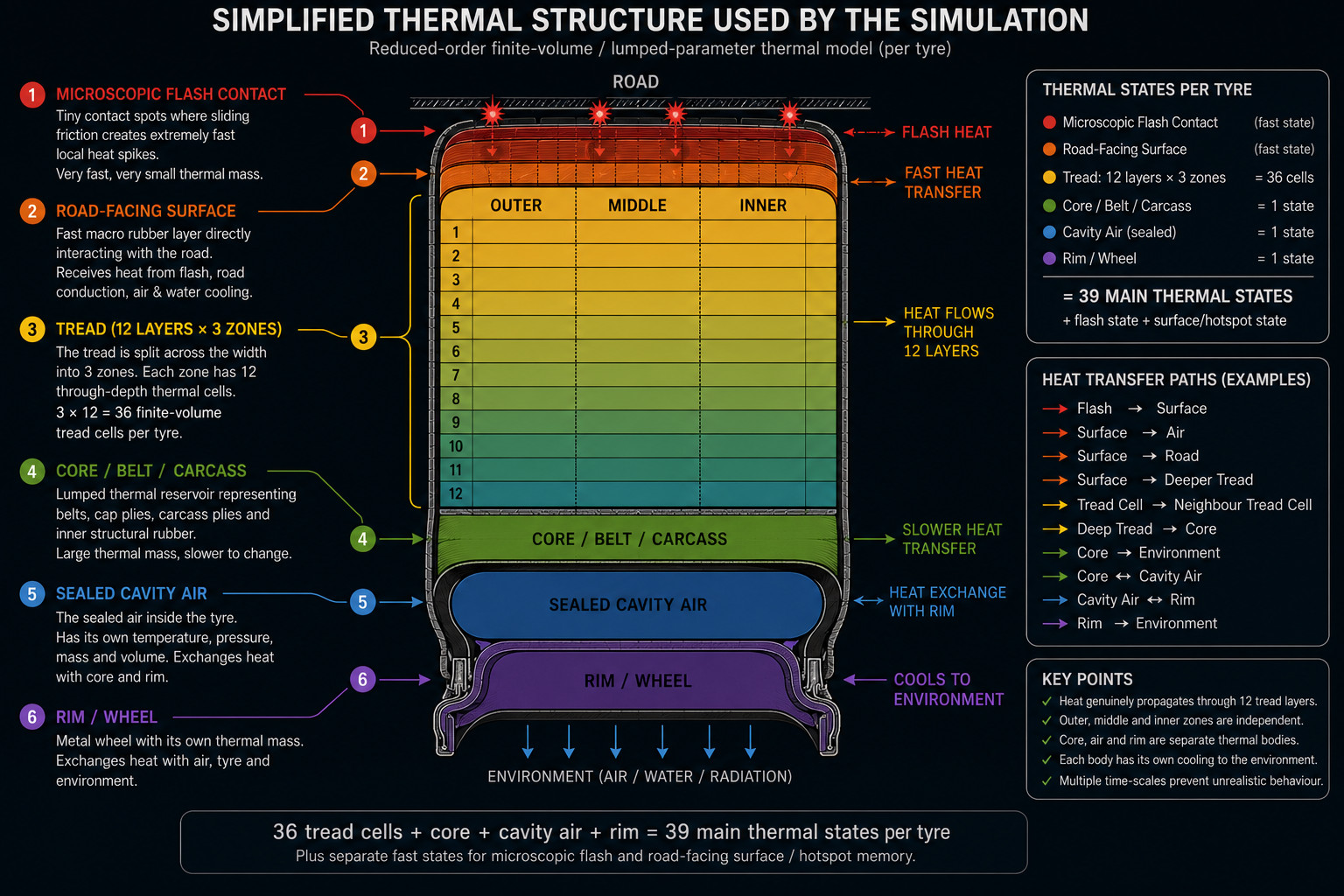
- Microscopic flash temperature and fast road-facing surface temperature
- Rotating surface hotspot memory
- Three independent transverse tread zones with 12 thermal cells through the tread depth
- Core, belt, and carcass thermal state simulation
- Sealed cavity-air temperature and live pressure simulation
- Separate rim/wheel thermal mass with independent cooling
- Pressure-dependent tread loading and camber-dependent contact distribution
- Physical tread-depth wear (outer, middle, and inner independent wear)
- Wear-induced tread geometry and wear-dependent cornering stiffness
- Friction/sliding-based rubber abrasion
- Support for Standard, Sport, and Race tyre behaviours
- Research-guided abrasion model based on sliding velocity and contact pressure
- Realistic and Arcade modes for different driving preferences
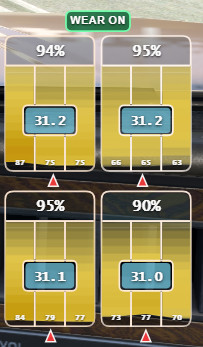
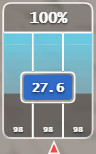
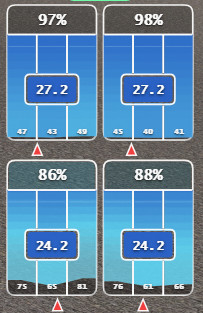
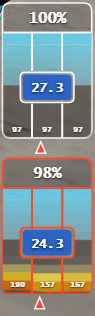
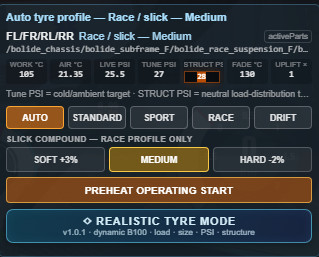
- Comprehensive tyre HUD displaying PSI, tread state, and thermal fields
Installation Instructions
1. Download the ZIP.
2. Place it in your BeamNG user mods folder.
3. Enable the mod.
4. Add the included tyre HUD from the UI Apps menu.
5. Spawn or reload the vehicle with Ctrl-R.
6. Single clicking Wear on/off will switch between realistic wearing and infinite rubber regeneration.
7. Double clicking Wear button will disable the mod temporarily until car reloads or changes.
8. Clicking on the HUD graphics layer will open up a customize menu.
9. Choose Realistic or Arcade mode based on your mood.
10. Some light weighted or special cars will have a lower working pressure than usual; calibrate by changing the highlighted “Struct PSI” box in the debug textbox.
IMPORTANT: ONLY ENABLE ONE VERSION OF TYRE MOD AT A TIME. Older experimental versions or mods based on Luuk's Tyre Thermals and Wear Mod will conflict.
Credits
- Kagoni
- Luuk (Original project groundwork)
- BeamNG.drive (Underlying vehicle and physics foundation)
- Research Authors (For the tyre and rubber friction data used for calibration)
V1.4 is the first major expansion of Kagoni's Tire Simulator into dedicated rally tire behavior. Unlike V1.3, which concentrated primarily on the existing road and race tire grip, thermal and wear architecture, V1.4 introduces a separate physical model for rally surface physics, directional tread-block wear, and thermal overhaul.
Description
Kagoni’s Tyre Simulation builds an additional dynamic tyre-state simulation around the foundation of BeamNG. It is a dynamic tyre simulation layer focused on realistic road driving, limit behaviour, temperature, pressure, construction and physical wear.
Features
- Temperature-dependent grip and structural stiffness
- Per-wheel dynamically calculated saturation slip angle (B100)
- Combined longitudinal/lateral slip behaviour
- Contact-patch brush/sliding estimation
- Microscopic flash temperature and fast road-facing surface temperature
- Rotating surface hotspot memory
- Three independent transverse tread zones with 12 thermal cells through the tread depth
- Core, belt, and carcass thermal state simulation
- Sealed cavity-air temperature and live pressure simulation
- Separate rim/wheel thermal mass with independent cooling
- Pressure-dependent tread loading and camber-dependent contact distribution
- Physical tread-depth wear (outer, middle, and inner independent wear)
- Wear-induced tread geometry and wear-dependent cornering stiffness
- Friction/sliding-based rubber abrasion
- Support for Standard, Sport, and Race tyre behaviours
- Research-guided abrasion model based on sliding velocity and contact pressure
- Realistic and Arcade modes for different driving preferences
- Comprehensive tyre HUD displaying PSI, tread state, and thermal fields
Installation Instructions
1. Download the ZIP.
2. Place it in your BeamNG user mods folder.
3. Enable the mod.
4. Add the included tyre HUD from the UI Apps menu.
5. Spawn or reload the vehicle with Ctrl-R.
6. Single clicking Wear on/off will switch between realistic wearing and infinite rubber regeneration.
7. Double clicking Wear button will disable the mod temporarily until car reloads or changes.
8. Clicking on the HUD graphics layer will open up a customize menu.
9. Choose Realistic or Arcade mode based on your mood.
10. Some light weighted or special cars will have a lower working pressure than usual; calibrate by changing the highlighted “Struct PSI” box in the debug textbox.
IMPORTANT: ONLY ENABLE ONE VERSION OF TYRE MOD AT A TIME. Older experimental versions or mods based on Luuk's Tyre Thermals and Wear Mod will conflict.
Credits
- Kagoni
- Luuk (Original project groundwork)
- BeamNG.drive (Underlying vehicle and physics foundation)
- Research Authors (For the tyre and rubber friction data used for calibration)
Direct Download Links
latest
initial
Version
1.4.1
· BeamNG.drive
0.39.x
2 months ago
Game Versions:
0.39.x
Kagoni_Tyre_Simulation_modland.zip
direct download
· 2.15 MB
· added 2 months ago
This File is Scanned by Antivirus and is Safe.
More Details
About Mod
| Latest Version | 1.4.1 |
| Game | BeamNG.drive |
| Category | Other |
| Game Version | 0.39.x |
| Downloads | 950 |
| Created | 2 months ago |
| Last Virus Scan |
0/93
More Details |
You Might Also Like »

![Ford Bronco [PACK]](https://temp2.modland.net/i/6abb8bc6ce51c/0_modland.jpg)



0 Comments
There are no comments. Be first to comment!