MK's Dynamic Weather 4.2 Fixed

![Ford Bronco [PACK]](https://temp2.modland.net/i/6abb8bc6ce51c/0_modland.jpg)



4/5,
7
votes
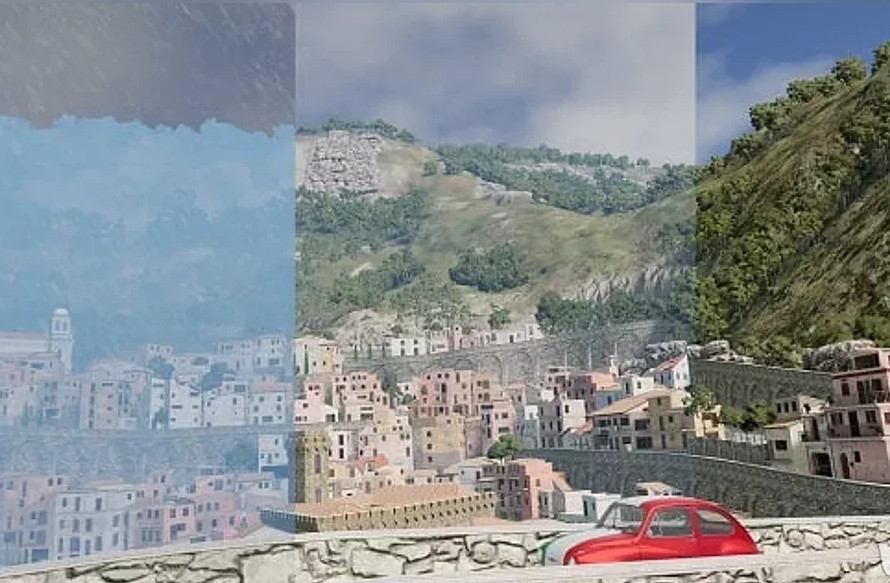
This Lua script adds dynamic weather to the game. While it's not the prettiest considering the capabilities of the game engine (rain, fog, clouds), it still looks pretty good. The script is still in beta testing and not fully completed, but the basic features are already working.
Current features:
Version 4.2:
Author: MegaKnight
Current features:
- Weather events: sunny, cloudy, light rain, heavy rain, storm, fog, fog with rain;
- Dynamic wind that affects vehicles and objects (if objects support it);
- Wind gusts that occur randomly, their frequency and strength depending on the current weather;
- Tornadoes, which slowly chase the player and interact with physical objects (vehicles, walls, mattresses, etc.). Only one tornado can be active at a time;
- Slippery roads during rain or snow (only works for roads created from terrain, does not work for meshes such as bridges);
- Dynamic rain, clouds, fog, temperature and brightness;
- User interface to control weather, wind, tornado and road conditions;
- Compatible with career mode and missions/scenarios.
- To activate dynamic weather on the map, press Alt + W;
- To hide wind gust and event messages, press Ctrl + Alt + W (these keyboard shortcuts can be changed in the settings);
- Once activated, a message will appear in the upper right corner of the screen;
- When you change the map, the script will automatically unload to avoid problems. It will need to be manually enabled again.
Version 4.2:
- Fixed compatibility with various mods;
- Reduced fog density during tornadoes.
Author: MegaKnight
External Download Links:
Direct Download Links
latest
initial
Version
4.2 Fixed
· BeamNG.drive
0.34.x
1 year ago
Game Versions:
0.34.x
mks-dynamic-weather-v1-0-1-release-0-34_1741898645_941638_modland.zip
direct download
· 27.7 MB
· added 1 year ago
This File is Scanned by Antivirus and is Safe.
More Details
About Mod
| Latest Version | 4.2 Fixed |
| Game | BeamNG.drive |
| Category | Maps |
| Game Version | 0.34.x |
| Downloads | 5979 |
| Created | 1 year ago |
| Last Virus Scan |
0/96
More Details |



![Mack Anthem / Pinnacle [PACK]](https://temp2.modland.net/i/6aa50a7184eaa/6ab9344368d3b/0_modland.jpg)

what file do i put this in @Admin
how do I pull up or find the user interface control
@Logan step 1: go into beamng, press any map you'd like
step 2:press escape, then press options at the top of the beamng tab
step 3: press controls
step 4:press dynamic weather
step 5: customise the key bindings to whatever you'd like and enjoy