MBB Vehicle Customization v 1.3.1 v1.3.1

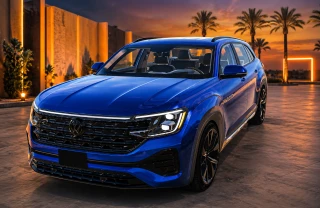
![Ford Bronco [PACK]](https://temp2.modland.net/i/6abb8bc6ce51c/0_modland.webp)



1/5,
1
votes
MBB Vehicle Customization is a faster, cleaner way to browse and preview wheels in BeamNG.drive. It adds a dedicated in-game wheel selection menu that makes finding the right rims way easier than digging through the normal parts list.
Features:
- Dedicated Wheel Browser menu
- Automatically detects compatible front and rear wheel slots
- Supports large wheel libraries, including modded wheels
- Search wheel names and sizes
- Separate Front Wheels and Rear Wheels browsing
- Optional Link F/R mode to apply matching wheels to both axles
- Click a wheel to preview it directly on the vehicle
- Full vehicle preview mode to see how the wheel looks on the car
- Back to Browser without losing your place
- Cancel Preview to restore your original wheel setup
- Keep Wheel to keep the selected setup
- Change wheel diameter and width after selecting the wheel
- Only shows valid size/width combinations supported by that wheel
- Supports many wheels that use nested size options
- Works with both vanilla and compatible modded wheels
How It Works
Open the pause menu and go to: Mods → MBB Wheel Browser
Choose Front or Rear Wheels, browse or search for a rim, and click it. The wheel is applied as a temporary preview and the menu automatically switches to a clean vehicle-view screen.
Compatibility
Designed for: BeamNG.drive 0.39
The browser uses BeamNG's current parts-tree system. Most wheels that BeamNG considers compatible with the vehicle's wheel slot should appear automatically, including compatible wheel mods.
Important Notes
Changing wheels or wheel dimensions requires BeamNG to respawn the vehicle. This mod does not include any wheels; it only provides an improved interface for selecting wheels that are already installed in your game.
Installation Instructions
Open the pause menu and go to: Mods → MBB Wheel Browser
Credits
Special thanks to fyllntq7779 for the original wheel preview work. Inspired by an older community wheel-browser project whose creator gave permission for others to continue and improve the concept.
Credits:
MikeHuntB.Stinky
Features:
- Dedicated Wheel Browser menu
- Automatically detects compatible front and rear wheel slots
- Supports large wheel libraries, including modded wheels
- Search wheel names and sizes
- Separate Front Wheels and Rear Wheels browsing
- Optional Link F/R mode to apply matching wheels to both axles
- Click a wheel to preview it directly on the vehicle
- Full vehicle preview mode to see how the wheel looks on the car
- Back to Browser without losing your place
- Cancel Preview to restore your original wheel setup
- Keep Wheel to keep the selected setup
- Change wheel diameter and width after selecting the wheel
- Only shows valid size/width combinations supported by that wheel
- Supports many wheels that use nested size options
- Works with both vanilla and compatible modded wheels
How It Works
Open the pause menu and go to: Mods → MBB Wheel Browser
Choose Front or Rear Wheels, browse or search for a rim, and click it. The wheel is applied as a temporary preview and the menu automatically switches to a clean vehicle-view screen.
Compatibility
Designed for: BeamNG.drive 0.39
The browser uses BeamNG's current parts-tree system. Most wheels that BeamNG considers compatible with the vehicle's wheel slot should appear automatically, including compatible wheel mods.
Important Notes
Changing wheels or wheel dimensions requires BeamNG to respawn the vehicle. This mod does not include any wheels; it only provides an improved interface for selecting wheels that are already installed in your game.
Installation Instructions
Open the pause menu and go to: Mods → MBB Wheel Browser
Credits
Special thanks to fyllntq7779 for the original wheel preview work. Inspired by an older community wheel-browser project whose creator gave permission for others to continue and improve the concept.
Credits:
MikeHuntB.Stinky
Direct Download Links
About Mod
| Latest Version | v1.3.1 |
| Game | BeamNG.drive |
| Category | Other |
| Game Version | 0.39.x |
| Downloads | 123 |
| Created | 1 month ago |
You Might Also Like »
![Ford Bronco [PACK]](https://temp2.modland.net/i/6abb8bc6ce51c/0_modland.jpg)



0 Comments
There are no comments. Be first to comment!