DLSS/FSR BeamNG Mod 1.0

![Ford Mustang Mach-E [PACK]](https://temp2.modland.net/i/6aa50a7184eaa/0_modland.webp)
![BMW X6 G06/F96 [PACK]](https://temp2.modland.net/i/6a8ff76445a04/0_modland.webp)

3/5,
19
votes
Description
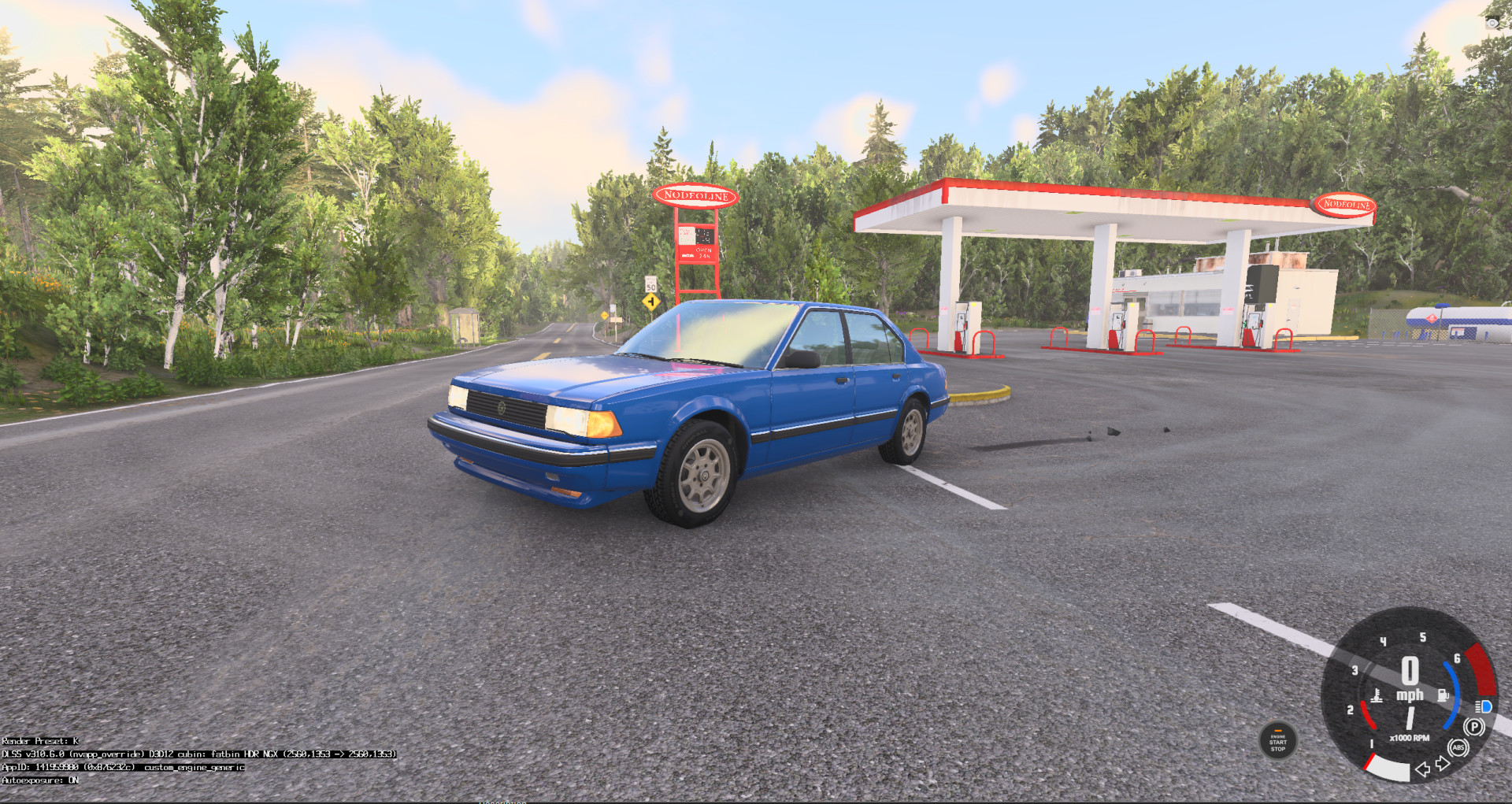
Experimental DirectX 12 anti-aliasing upgrade for BeamNG.drive. Adds NVIDIA DLAA and AMD FSR 3.1 Native AA directly to BeamNG’s official Anti-Aliasing Mode menu.
Features
- Genuine NVIDIA NGX DLAA
- AMD FSR 3.1 Native AA
- Integrated into the normal graphics settings
- Automatic installer and uninstaller
- Creates backups before replacing files
- Works with normal Steam launches
Requirements
- BeamNG.drive 0.39.4.0.20972
- DirectX 12 renderer
- Windows 10 or 11
- Matching patched ReShade 6.8.0 D3D12 host
- NVIDIA RTX GPU for DLAA
- Modern D3D12 GPU for FSR 3.1 Native AA
Important
This release only contains native-resolution DLAA and FSR Native AA. DLSS/FSR Quality, Balanced, and Performance upscaling modes are not included. The mod is locked to the listed BeamNG version. Game updates may temporarily break compatibility.
Installation Instructions
This is not a normal drag-and-drop mods-folder ZIP.
- Completely close BeamNG.drive.
- Extract the downloaded ZIP. Do not run it from inside the archive.
- Install the required patched ReShade D3D12 host.
- Run Install-BeamNG-Temporal-AA.cmd.
- Accept the administrator prompt.
- Start BeamNG through Steam using DirectX 12.
- Open Options → Graphics → Anti-Aliasing Mode.
- Select DLAA (NVIDIA DLSS) or FSR 3.1 Native AA.
Uninstallation
Close BeamNG and run Uninstall-BeamNG-Temporal-AA.cmd. Restart the game afterward.
Experimental DirectX 12 anti-aliasing upgrade for BeamNG.drive. Adds NVIDIA DLAA and AMD FSR 3.1 Native AA directly to BeamNG’s official Anti-Aliasing Mode menu.
Features
- Genuine NVIDIA NGX DLAA
- AMD FSR 3.1 Native AA
- Integrated into the normal graphics settings
- Automatic installer and uninstaller
- Creates backups before replacing files
- Works with normal Steam launches
Requirements
- BeamNG.drive 0.39.4.0.20972
- DirectX 12 renderer
- Windows 10 or 11
- Matching patched ReShade 6.8.0 D3D12 host
- NVIDIA RTX GPU for DLAA
- Modern D3D12 GPU for FSR 3.1 Native AA
Important
This release only contains native-resolution DLAA and FSR Native AA. DLSS/FSR Quality, Balanced, and Performance upscaling modes are not included. The mod is locked to the listed BeamNG version. Game updates may temporarily break compatibility.
Installation Instructions
This is not a normal drag-and-drop mods-folder ZIP.
- Completely close BeamNG.drive.
- Extract the downloaded ZIP. Do not run it from inside the archive.
- Install the required patched ReShade D3D12 host.
- Run Install-BeamNG-Temporal-AA.cmd.
- Accept the administrator prompt.
- Start BeamNG through Steam using DirectX 12.
- Open Options → Graphics → Anti-Aliasing Mode.
- Select DLAA (NVIDIA DLSS) or FSR 3.1 Native AA.
Uninstallation
Close BeamNG and run Uninstall-BeamNG-Temporal-AA.cmd. Restart the game afterward.
Direct Download Links
latest
initial
Version
1.0
1 month ago
BeamNG-Temporal-AA-0.39.4.0.20972-public_modland.zip
direct download
· 385.52 KB
· added 1 month ago
This File is Scanned by Antivirus and is Safe.
More Details
About Mod
| Latest Version | 1.0 |
| Game | BeamNG.drive |
| Category | Other |
| Downloads | 1590 |
| Created | 1 month ago |
| Last Virus Scan |
0/92
More Details |
![Mack Anthem / Pinnacle [PACK]](https://temp2.modland.net/i/6aa50a7184eaa/6ab9344368d3b/0_modland.webp)
It doesn't work.
At first the DLSS option didn't even show up. This was because the install script copied the mod folder into the wrong BeamNG User folder. After fixing this, the option showed up.However it's still kinda useless because the mod requires the function "BngReShadeD3D12StateBridgeGetInterface" inside the d3d12.dll. And none of the ReShade dxgi.dlls deliver this function (seems to be custom coded?).
@Author: Please provide correct d3d12.dll host file
yeah this guide is useless
yeah i couldnt get the mod to work.
give us tutorial on youtube then i would love that mod
well damn no vulkan support where it would be useful for VR lol
@BRO DLSS works in vulkan
Are you dumb? DLSS is only supported with DirectX