
![Ford Bronco [PACK]](https://temp2.modland.net/i/6abb8bc6ce51c/0_modland.jpg)


4/5,
4
votes
Description
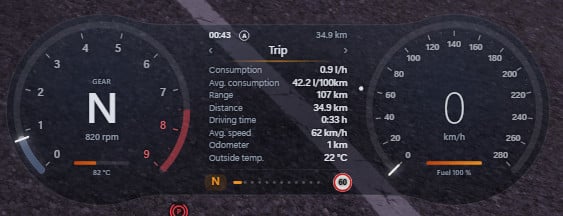
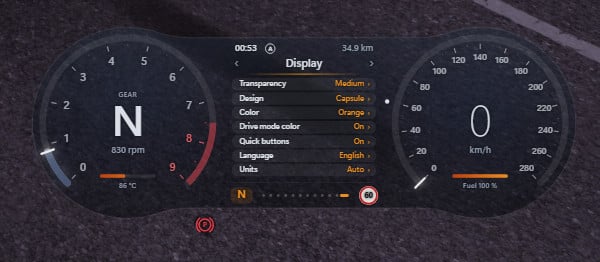
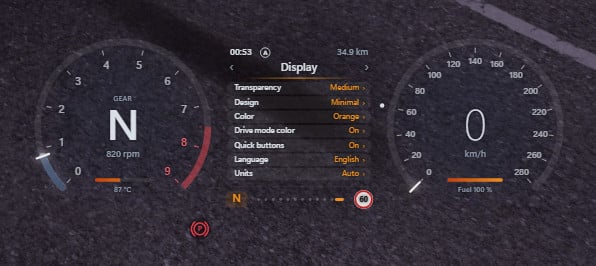
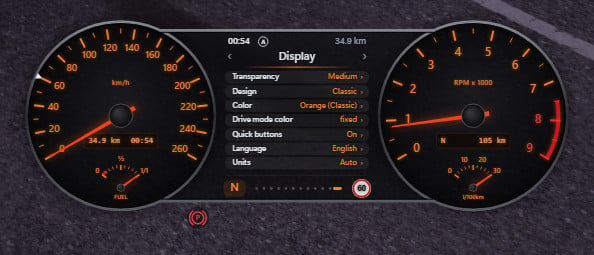
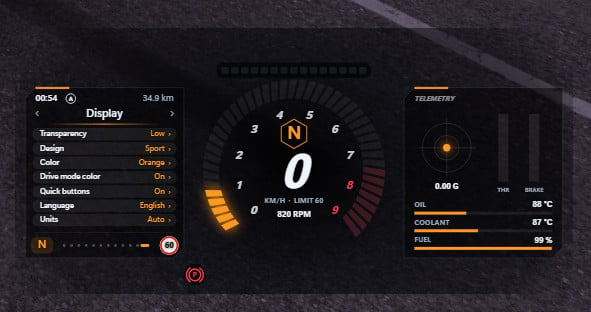
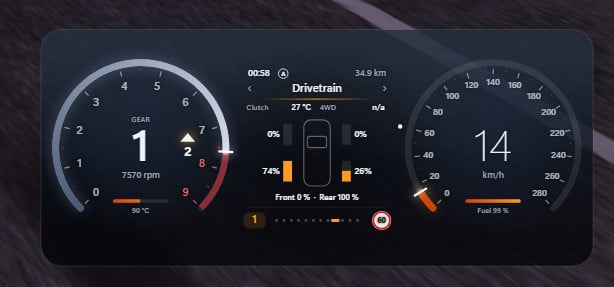
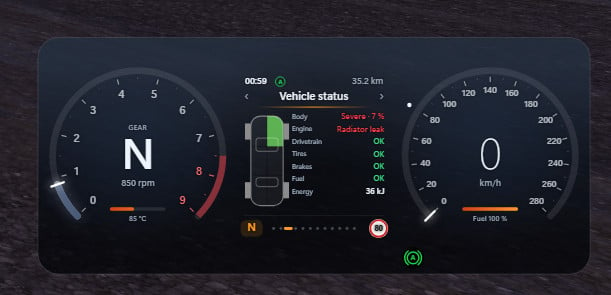
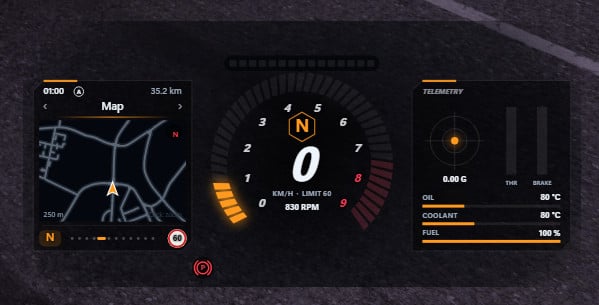
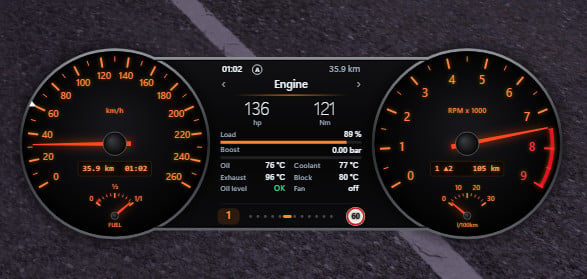
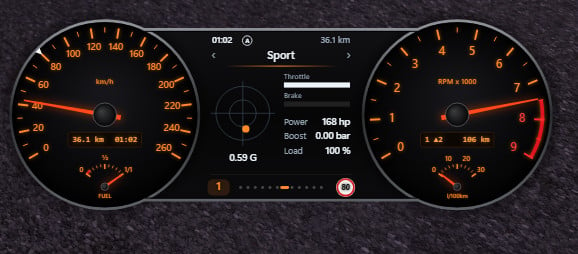
Multi Gauge HUD v2.0 – a complete digital cockpit for BeamNG.drive. Replace the stock dashboard apps with one cluster that does it all: six designs, twelve info pages, shift advice, one-click mode buttons and a working Auto Hold.
Features
- 6 switchable designs – Classic (analog dials with orange illumination and an analog fuel-consumption gauge), Sport (race layout with a huge LED tachometer and shift lights), Hyper (neon), Capsule, Screen and Minimal.
- 12 display pages – trip computer, speed-limit sign, detailed damage report, 0-100 km/h timer, live map, engine data (power, torque, boost, temperatures, oil level), G-force, tire & brake temperatures, clutch temperature, torque split, vehicle modes and settings.
- Engine-adaptive tachometer – scale, red zone, shift lights and shift flash adapt automatically to every engine, from diesel to EV.
- Shift advice – throttle-dependent up/down arrows for manual gearboxes and M/S mode.
- Quick buttons – change drive mode, ESC, differential locks, range and 4WD with a single click. Only shows what your vehicle actually has. Hide them with one click.
- Auto Hold – stop, release the brake, the car stays put. Press the throttle and it releases smoothly, without rolling back on hills. (Requires gearbox mode "Realistic").
- Colors that follow your drive mode – Comfort blue, Sport red, Eco turquoise … or pick a fixed color. Three transparency levels keep the HUD out of your way.
- Smart warning lights – only appear when active.
- English & German, metric & imperial – mph, mi, °F, psi, mpg, hp, lb-ft … or let it follow the game's own language and unit settings automatically.
Notes
- Tested against BeamNG.drive 0.39.4.
- Values a vehicle doesn't simulate are shown as "--".
Installation Instructions
1. Download multi_gauge_hud.zip and put it into
%LOCALAPPDATA%\BeamNG\BeamNG.drive\current\mods
2. Enable the mod in the Mod Manager.
3. Pause menu → System → HUD apps → add "Multi Gauge HUD".
4. Optional: bind a key for Auto Hold under Options → Controls.
Credits
Gunpreacher
Multi Gauge HUD v2.0 – a complete digital cockpit for BeamNG.drive. Replace the stock dashboard apps with one cluster that does it all: six designs, twelve info pages, shift advice, one-click mode buttons and a working Auto Hold.
Features
- 6 switchable designs – Classic (analog dials with orange illumination and an analog fuel-consumption gauge), Sport (race layout with a huge LED tachometer and shift lights), Hyper (neon), Capsule, Screen and Minimal.
- 12 display pages – trip computer, speed-limit sign, detailed damage report, 0-100 km/h timer, live map, engine data (power, torque, boost, temperatures, oil level), G-force, tire & brake temperatures, clutch temperature, torque split, vehicle modes and settings.
- Engine-adaptive tachometer – scale, red zone, shift lights and shift flash adapt automatically to every engine, from diesel to EV.
- Shift advice – throttle-dependent up/down arrows for manual gearboxes and M/S mode.
- Quick buttons – change drive mode, ESC, differential locks, range and 4WD with a single click. Only shows what your vehicle actually has. Hide them with one click.
- Auto Hold – stop, release the brake, the car stays put. Press the throttle and it releases smoothly, without rolling back on hills. (Requires gearbox mode "Realistic").
- Colors that follow your drive mode – Comfort blue, Sport red, Eco turquoise … or pick a fixed color. Three transparency levels keep the HUD out of your way.
- Smart warning lights – only appear when active.
- English & German, metric & imperial – mph, mi, °F, psi, mpg, hp, lb-ft … or let it follow the game's own language and unit settings automatically.
Notes
- Tested against BeamNG.drive 0.39.4.
- Values a vehicle doesn't simulate are shown as "--".
Installation Instructions
1. Download multi_gauge_hud.zip and put it into
%LOCALAPPDATA%\BeamNG\BeamNG.drive\current\mods
2. Enable the mod in the Mod Manager.
3. Pause menu → System → HUD apps → add "Multi Gauge HUD".
4. Optional: bind a key for Auto Hold under Options → Controls.
Credits
Gunpreacher
Direct Download Links
latest
initial
Version
1.0
· BeamNG.drive
0.39.x
1 week ago
Game Versions:
0.39.x
multi_gauge_hud_modland.zip
direct download
· 895.64 KB
· added 1 week ago
This File is Scanned by Antivirus and is Safe.
More Details
About Mod
| Latest Version | 1.0 |
| Game | BeamNG.drive |
| Category | Other |
| Game Version | 0.39.x |
| Tags | UI |
| Downloads | 1282 |
| Created | 1 week ago |
| Last Virus Scan |
0/93
More Details |

![Mack Anthem / Pinnacle [PACK]](https://temp2.modland.net/i/6aa50a7184eaa/6ab9344368d3b/0_modland.jpg)
hpw do you change the hud to like hyper
thank's adding this amazing mod, i was searching for some mods that adds ****ogic speed and rpm. good job! i love it
Slop slop slop
@Geezr bum ✌️😂