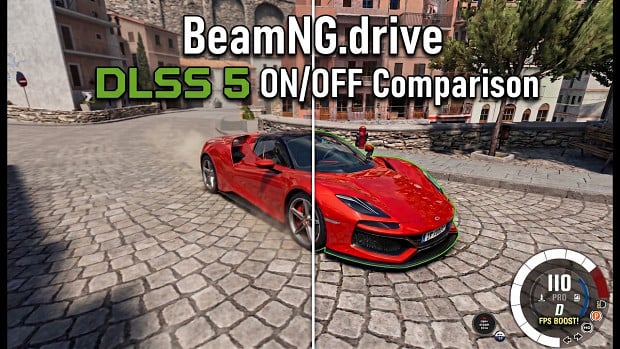
BeamNG Drive Zip's Native DLSS 5 and FrameGen Latest



2/5,
10
votes
Installation:
- Close BeamNG and extract the downloaded archive.
- Open Game_files. Copy everything INSIDE it into your BeamNG game folder, merging the Bin64 folders.
- Open User_files/mods. Copy the ZIP INSIDE it into your BeamNG user folder’s mods folder. Keep this inner ZIP zipped. So, instead of an archive, there will be an Unpacked folder inside—please use that.
- Launch BeamNG in DirectX 12 mode. Open Options > Display > Graphics, select DLSS, and configure the ZipNativeDLSS group.
Find the game folder through Steam: Manage > Browse local files.
Open your user folder through the BeamNG launcher.
No separate patcher needs to be run after installation.
Controls
- F6 — toggle Neural Rendering.
- Shift + F6 — switch the NR library.
- Ctrl + F6 — switch the NR model preset.
- Ctrl + F — cycle the game’s FPS display.
Stock DLSS anti-aliasing and Neural Rendering are controlled separately.
Direct Download Links
latest
initial
Version
Latest
· BeamNG.drive
0.40.x
1 day ago
Game Versions:
0.40.x
ZipNativDLSS_1.0_Rtx5000_modland.zip
direct download
· 35.53 MB
· added 1 day ago
This File is Scanned by Antivirus and is Safe.
More Details
About Mod
| Latest Version | Latest |
| Game | BeamNG.drive |
| Category | Other |
| Game Version | 0.40.x |
| Downloads | 854 |
| Created | 1 day ago |
| Last Virus Scan |
0/93
More Details |


It hides and decodes Windows functions used for process injection. Its code creates suspended notepad.exe, writes an embedded executable into that process, changes its execution context, and resumes it. I recovered that executable as data. It identifies itself as an unrelated “Software installer.” The loader also checks for debuggers and low system resources, consistent with avoiding ****ysis. Eight NVIDIA DLLs have valid signatures, but that doesn’t make the accompanying loader safe.
its trojan, dont download it
thanks
Dont dowload, its really a virus!
Trojan