CinematicBeatCam 1.0

![Ford Bronco [PACK]](https://temp2.modland.net/i/6abb8bc6ce51c/0_modland.webp)

0/5,
0
votes
Description
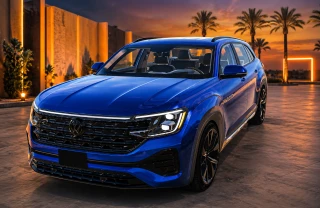
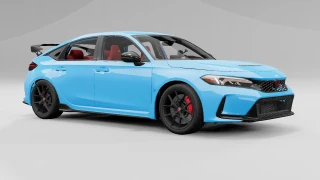
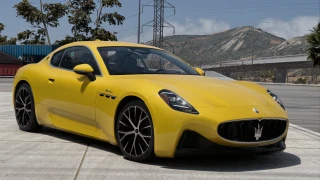
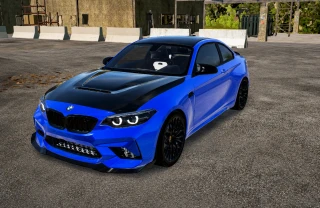
Turns any moment into a beat-synced cinematic shot (GREAT for showcasing vehicles). Load a song, set the BPM, hit go — BeamNG's built-in External camera starts cutting to a new cinematic angle on every beat instead of its own internal timer, synced tight to your track.
Features
- Beat-synced camera cuts — takes over BeamNG's own cinematic External camera and forces a fresh angle on every single beat of your song.
- One-key toggle — start and stop the whole show anytime with a rebindable hotkey (default F9).
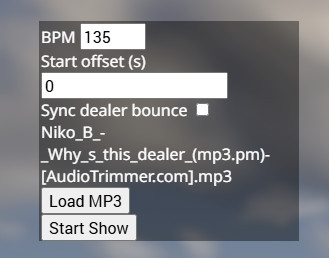
- Load any song — pick an MP3 straight from your PC through the app, no need to install music separately. Set the BPM and an optional start offset to line the beat up with the track's intro.
- Dealer bounce sync (optional) — syncs BeamNG's built-in "dealer bounce" to the same BPM as the camera cuts, for extra flair.
- Slow motion while the show runs.
Installation Instructions
- Subscribe/install, then launch BeamNG and load into a level.
- Open the Esc menu → UI Apps → Add App → search "Cinematic Beat Cam" and place it on screen.
- Click Load MP3 and pick a song from your computer.
- Set BPM to match the track. Use Start offset if there's a count-in or intro before the beat actually kicks in.
- Optionally flip on Sync dealer bounce for the bounce effect too.
- Hit Start Show in the app, or press F9 anytime. Press F9 or Stop Show to end it.

Turns any moment into a beat-synced cinematic shot (GREAT for showcasing vehicles). Load a song, set the BPM, hit go — BeamNG's built-in External camera starts cutting to a new cinematic angle on every beat instead of its own internal timer, synced tight to your track.
Features
- Beat-synced camera cuts — takes over BeamNG's own cinematic External camera and forces a fresh angle on every single beat of your song.
- One-key toggle — start and stop the whole show anytime with a rebindable hotkey (default F9).
- Load any song — pick an MP3 straight from your PC through the app, no need to install music separately. Set the BPM and an optional start offset to line the beat up with the track's intro.
- Dealer bounce sync (optional) — syncs BeamNG's built-in "dealer bounce" to the same BPM as the camera cuts, for extra flair.
- Slow motion while the show runs.
Installation Instructions
- Subscribe/install, then launch BeamNG and load into a level.
- Open the Esc menu → UI Apps → Add App → search "Cinematic Beat Cam" and place it on screen.
- Click Load MP3 and pick a song from your computer.
- Set BPM to match the track. Use Start offset if there's a count-in or intro before the beat actually kicks in.
- Optionally flip on Sync dealer bounce for the bounce effect too.
- Hit Start Show in the app, or press F9 anytime. Press F9 or Stop Show to end it.
Direct Download Links
About Mod
| Latest Version | 1.0 |
| Game | BeamNG.drive |
| Category | Other |
| Game Version | 0.39.x |
| Tags | Gameplay |
| Downloads | 121 |
| Created | 2 months ago |

what does that do