
![Ford Mustang Mach-E [PACK]](https://temp2.modland.net/i/6aa50a7184eaa/0_modland.webp)
![BMW X6 G06/F96 [PACK]](https://temp2.modland.net/i/6a8ff76445a04/0_modland.webp)


5/5,
1
votes
Updates
latest
Version
3.0
· BeamNG.drive
0.39.x
1 month ago

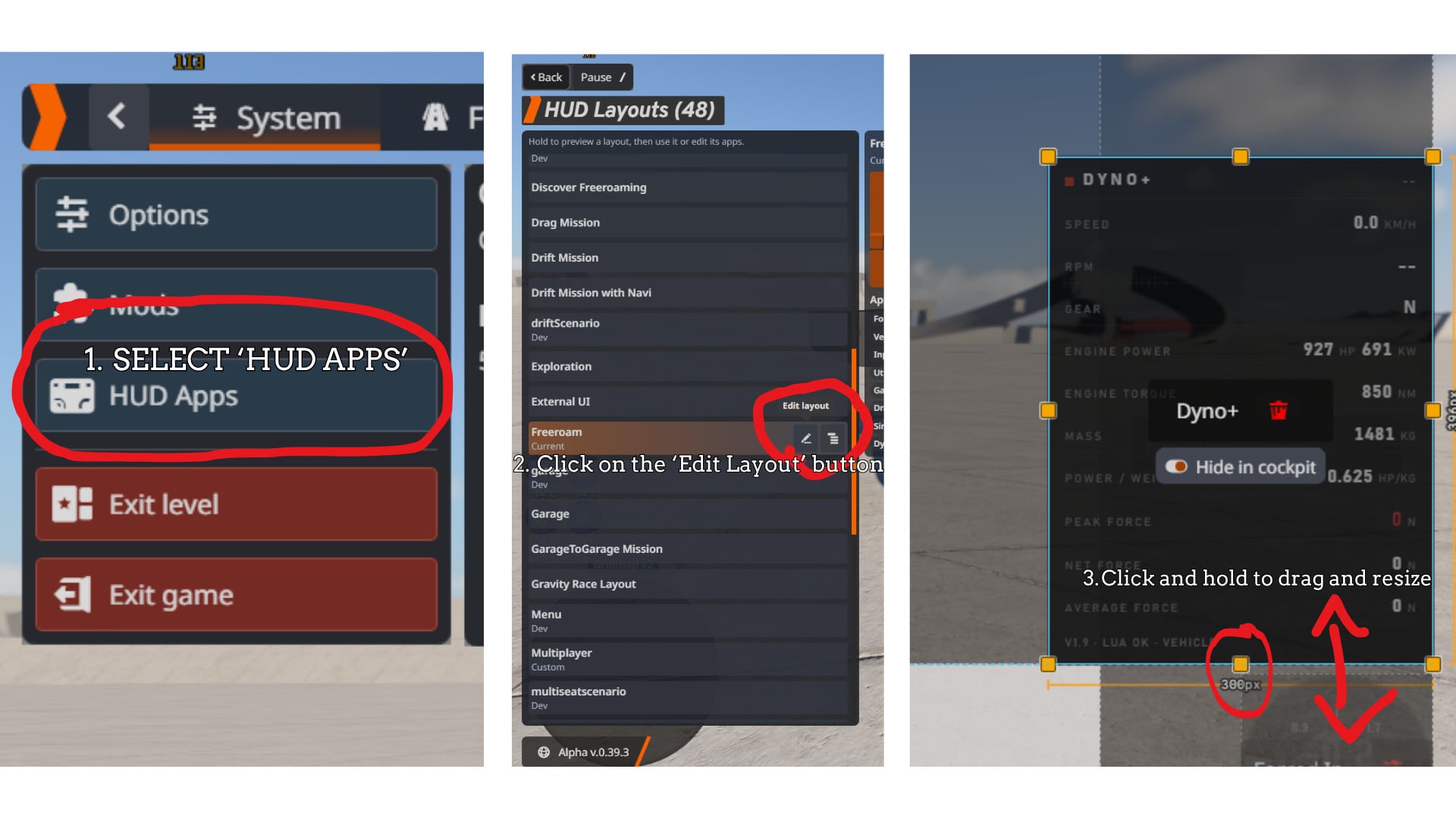
A lightweight HUD app that turns any vehicle into a rolling dyno and configurable vehicle diagnostics dashboard.
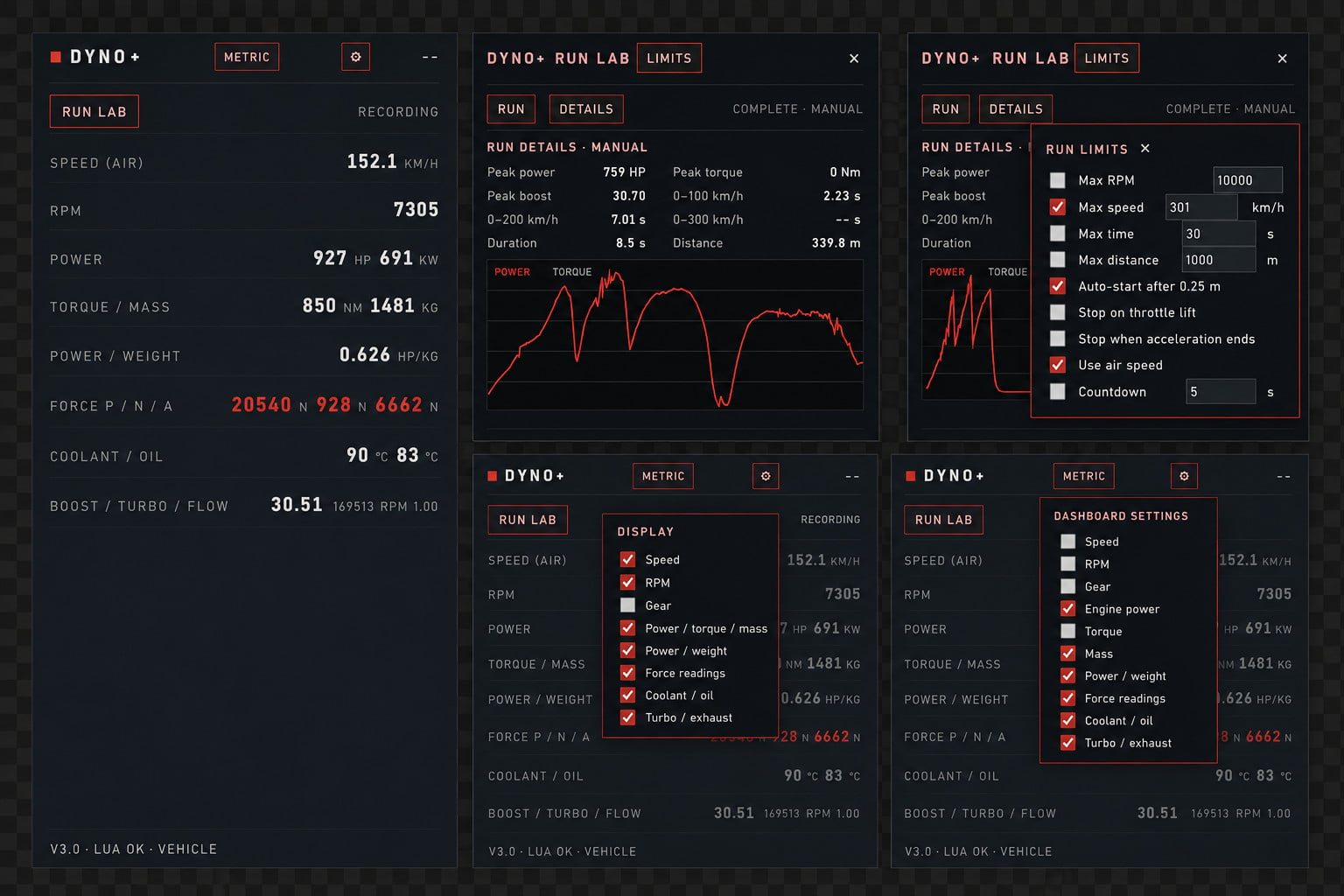
Dyno+ displays live horsepower, torque, mass, power-to-weight, force readings, speed, RPM, gear, coolant/oil temperatures, turbo data, exhaust flow and acceleration-run results.
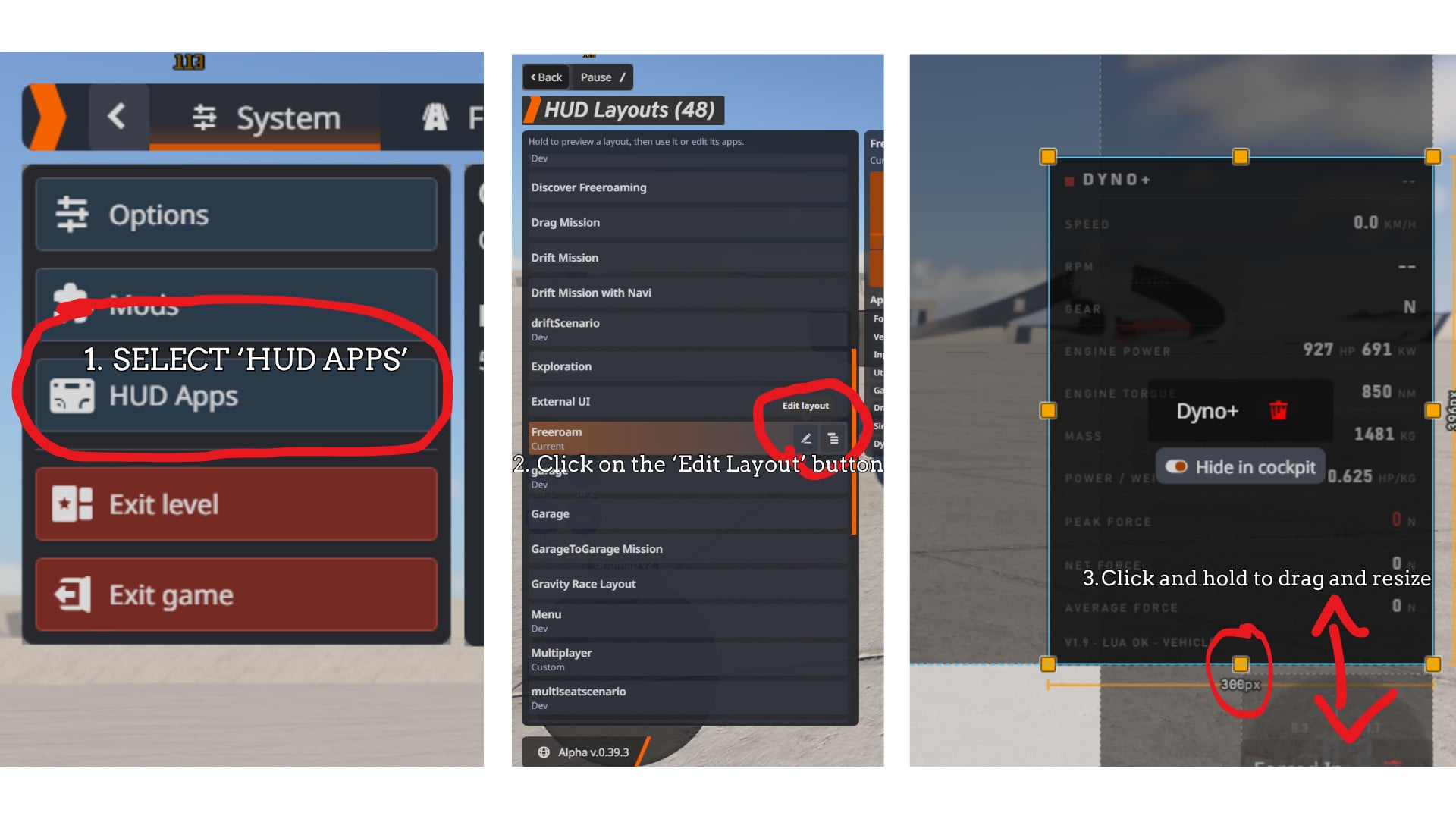
If the HUD cuts out at the bottom, follow the layout guide below:

Features
Run Lab
Dyno+ v3.0 adds a dedicated Run Lab popup so the main dashboard remains compact.
The Run Lab includes:
Acceleration targets use fixed unit-specific milestones:
Metric: 0–100 km/h 0–200 km/h 0–300 km/h
Imperial: 0–60 mph 0–120 mph 0–200 mph
Dashboard customization
Unit Systems
km/h or mph Nm or lb-ft kg or lb HP/kg or HP/lb N or lbf °C or °F
Installation
Download the ZIP file and place it in the game’s mod folder:
%localappdata%\BeamNG.drive\mods
When launching BeamNG.drive through Steam, you can also open the user folder through:
Manage User Folder → Open User Folder
This option appears after clicking the Play button in Steam.
Usage
Notes & limitations
CHANGELOG
v3.0 (Current)
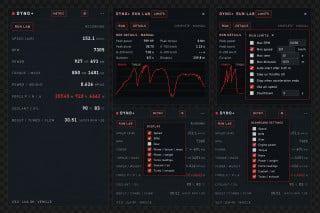
A lightweight HUD app that turns any vehicle into a rolling dyno and configurable vehicle diagnostics dashboard.
Dyno+ displays live horsepower, torque, mass, power-to-weight, force readings, speed, RPM, gear, coolant/oil temperatures, turbo data, exhaust flow and acceleration-run results.
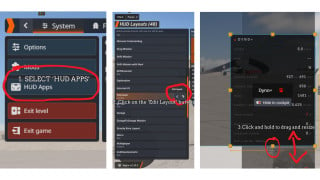
If the HUD cuts out at the bottom, follow the layout guide below:
- Open HUD Apps.
- Select Edit Layout, the button looks like a pen.
- Click on the Dyno+ app.
- Click and hold the bottom orange resize handle.
- Drag the handle downward until the full app is visible.
Features
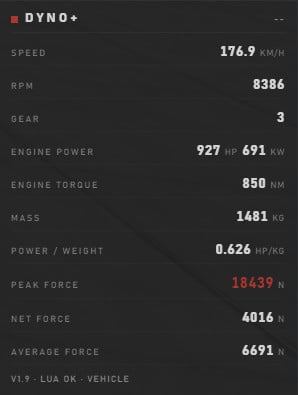
- Power — engine output in horsepower and kilowatts.
- Torque — live engine torque in Nm or lb-ft.
- Mass — current vehicle weight in kg or lb.
- Power-to-Weight — live HP per kg or HP per lb.
- Peak Force — highest force produced during the current session.
- Net Force — live chassis force calculated using F = m × a.
- Average Force — rolling 10-second average of net force.
- Speed / RPM / Gear — live drivetrain readouts.
- Coolant Temperature — displayed in °C or °F when a valid running-engine reading is available.
- Oil Temperature — displayed in °C or °F when available.
- Turbo Boost — live turbo boost telemetry when exposed by the vehicle.
- Turbo RPM — live turbocharger RPM when available.
- Exhaust Flow — live exhaust-flow telemetry when available.
Run Lab
Dyno+ v3.0 adds a dedicated Run Lab popup so the main dashboard remains compact.
The Run Lab includes:
- Run start and stop controls.
- Optional configurable countdown:
- Disabled
- Custom countdown duration
- Live acceleration milestone progress.
- Run limits for:
- Maximum RPM
- Maximum speed
- Maximum time
- Maximum distance
- Stop on throttle lift.
- Stop when acceleration ends.
- Wheel speed or air speed selection.
- Completed run details.
- Power and torque graph.
- Peak power and torque results.
- Peak boost.
- Acceleration milestone times.
Acceleration targets use fixed unit-specific milestones:
Metric: 0–100 km/h 0–200 km/h 0–300 km/h
Imperial: 0–60 mph 0–120 mph 0–200 mph
Dashboard customization
- Metric / Imperial Units — persistent unit-system toggle.
- Configurable Dashboard — show or hide dashboard sections through the in-app settings menu.
- Persistent Settings — unit preferences and visible dashboard sections are saved automatically.
- Temperature Warnings — elevated and critical coolant/oil readings receive amber or red warning accents.
- Red Tertiary Theme — muted red accents are used for peak values, buttons, settings, warnings and critical readings.
- Transparent UI Background — designed to remain visible while keeping the game world readable behind the app.
Unit Systems
km/h or mph Nm or lb-ft kg or lb HP/kg or HP/lb N or lbf °C or °F
Installation
Download the ZIP file and place it in the game’s mod folder:
%localappdata%\BeamNG.drive\mods
When launching BeamNG.drive through Steam, you can also open the user folder through:
Manage User Folder → Open User Folder
This option appears after clicking the Play button in Steam.
Usage
- Launch BeamNG.drive.
- Open the HUD Apps menu.
- Add the Dyno+ app.
- Click the Metric/Imperial button to change unit systems.
- Click the ⚙ settings button to show or hide dashboard sections.
- Click RUN LAB to open the run-testing window.
- Open LIMITS inside Run Lab to configure run behavior.
- Use Edit Layout to resize the app if necessary.
Notes & limitations
- Dyno+ is read-only. It only displays vehicle data and does not modify vehicle behavior.
- Data availability depends on the vehicle. BeamNG vehicles do not all expose the same sensors.
- Coolant and oil temperatures remain unavailable while the engine is off or while BeamNG only reports startup values.
- Intake-air temperature and battery voltage are not displayed unless the vehicle exposes reliable corresponding signals.
- Dyno+ does not substitute unrelated values such as airflow or electrical load for missing temperature or voltage readings.
- EGT, turbo temperature and transmission temperature are not displayed as generic values because BeamNG does not expose them consistently across all vehicles.
- Average Force requires approximately 10 seconds of driving to fill its rolling window.
- Peak Force resets when changing vehicles, resetting or respawning.
- Run results depend on the telemetry exposed by the selected vehicle.
- Turbo and exhaust readings may remain unavailable on naturally aspirated vehicles or vehicles without exposed turbo telemetry.
- The app is still in beta and may require layout adjustment depending on the selected dashboard size.
- Run Lab is designed to be used through its popup window so the main dashboard remains compact.
CHANGELOG
v3.0 (Current)
- Added the dedicated Run Lab popup window.
- Added configurable run countdown support.
- Added READY → countdown → GO run staging.
- Added live acceleration milestone progress.
- Added Metric acceleration targets:
- 0–100 km/h
- 0–200 km/h
- 0–300 km/h
- Added Imperial acceleration targets:
- 0–60 mph
- 0–120 mph
- 0–200 mph
- Added configurable maximum RPM limit.
- Added configurable maximum speed limit.
- Added configurable maximum time limit.
- Added configurable maximum distance limit.
- Added stop-on-throttle-lift behavior.
- Added stop-when-acceleration-ends behavior.
- Added wheel-speed or air-speed selection.
- Added completed-run details.
- Added power and torque graphing.
- Added peak power and torque results.
- Added peak boost results.
- Added live Run Lab milestone display.
- Added Run Lab settings popup.
- Added separate Run Limits close control.
- Removed the Save/run-history feature.
- Removed CSV/export functionality.
- Removed subjective Run Score and performance-rating classifications.
- Kept Run Lab results based on measured telemetry and timing data only.
- Kept the main dashboard compact by moving Run Lab content into a popup.
- Added persistent Metric/Imperial unit switching.
- Added km/h ↔ mph conversion.
- Added Nm ↔ lb-ft conversion.
- Added kg ↔ lb conversion.
- Added HP/kg ↔ HP/lb conversion.
- Added N ↔ lbf conversion.
- Added °C ↔ °F conversion.
- Added an in-app settings button.
- Added show/hide controls for individual dashboard sections.
- Added persistent dashboard visibility settings.
- Added coolant temperature monitoring.
- Added oil temperature monitoring.
- Added coolant and oil warning states with amber and red accents.
- Added engine-running validation so startup 0°C values are not treated as real temperatures.
- Added Turbo Boost monitoring.
- Added Turbo RPM monitoring.
- Added Exhaust Flow monitoring.
- Removed unsupported Intake Air and Battery rows where reliable vehicle signals were unavailable.
- Added direct Lua fallback support for vehicle-dependent telemetry.
- Added diagnostic logging for available vehicle electrics signals.
- Added graceful handling for unsupported sensors.
- Expanded the muted-red tertiary theme across controls, peak values and warnings.
- Increased the default HUD height to accommodate the expanded dashboard.
- Updated the app version and status display to v2.0.
- Peak Force now resets automatically every time you reset or respawn the vehicle.
- Net Force now displays the peak force from the last 1.5 seconds and refreshes every 1.5 seconds.
- Net Force and Average Force buffers clear when starting a new vehicle session.
- Added a full UI redesign using a clean black, white and muted-red visual language.
- Added off-white values, grey labels, hairline separators and a clean aligned grid.
- Increased the HUD window size so every row fits more reliably.
- Replaced Tractive Force with Peak Force.
- Replaced Drivetrain Loss with Average Force.
- Added a 10-second rolling Average Force calculation.
- Clamped Net Force to zero so braking and coasting cannot produce negative readings.
- Wired Tractive Force and Drivetrain Loss to BeamNG telemetry streams with a Lua fallback.
- Rewrote the app using the proven Lua data path used by TestMod.
- Improved reliability of power, torque, mass and power-to-weight readings.
- Added larger, cleaner fonts.
- Made the app fully self-contained; app.html and app.css are no longer required.
Changelog
v1.9 (current)
- Peak Force now resets automatically every time you reset or respawn the vehicle. also clears the net force window and average buffer so each run starts fresh.
- Net Force reworked: now shows the peak force of the last 1.5 seconds, refreshing every 1.5 s. No more jumpy readings.
- Full UI redesign: clean black / white / muted-red language. Off-white values, lighter grey labels, hairline separators, left-aligned labels with right-aligned values in a clean grid.
- Taller HUD window (300×420) so every row fits.
Description
A lightweight HUD app that turns any vehicle into a rolling dyno. BETA, MIGHT HAVE BUGS (Non Game Breaking)!
Features
- Power — engine output in horsepower (hp) and kilowatts (kW)
- Torque — engine torque in Nm
- Mass — current vehicle weight in kg (live from the beam/part stats)
- Power-to-Weight — hp per tonne, computed live
- Peak Force — the highest net force the vehicle has produced this session (resets when you switch vehicles)
- Net Force — live chassis force (F = m·a), clamped so it never dips negative while braking or coasting
- Average Force — 10-second rolling average of net force, updated every 10 seconds
- Speed / RPM / Gear — live drivetrain readout
Why the numbers are real
Dyno+ reads specs through the game's own Lua API (engine.maxPower, engine.maxTorque, calcBeamStats().total_weight) the same data path the stock telemetry uses. Nothing is guessed or hand-entered: what you see is what the game's powertrain model actually reports. Force values are computed live from wheel speed and mass, so they reflect real chassis behavior on the road, not brochure numbers.
Usage
Add the app via the HUD Apps setting. If the HUD cuts out at the bottom:
1. Go to 'HUD Apps'
2. Select the 'Edit Layout' button (it looks like a pen)
3. Click on the Dyno+ UI app and then click + hold on the bottom orange square to drag and resize the app
Notes & limitations
- The app is read only: it only displays data and changes nothing about your vehicle.
- Average Force needs ~10 seconds of driving to fill in, it shows `—` right after spawning until the first window completes.
Installation Instructions
Download the zip file and put it in the game's mod folder, (default: %localappdata%\BeamNG.drive\mods).
When you launch the game from Steam, you can also select 'Manage User Folder' -> 'Open User Folder'. This menu shows up as soon as you click the play button on Steam.
Credits
Tracer
v1.9 (current)
- Peak Force now resets automatically every time you reset or respawn the vehicle. also clears the net force window and average buffer so each run starts fresh.
- Net Force reworked: now shows the peak force of the last 1.5 seconds, refreshing every 1.5 s. No more jumpy readings.
- Full UI redesign: clean black / white / muted-red language. Off-white values, lighter grey labels, hairline separators, left-aligned labels with right-aligned values in a clean grid.
- Taller HUD window (300×420) so every row fits.
Description
A lightweight HUD app that turns any vehicle into a rolling dyno. BETA, MIGHT HAVE BUGS (Non Game Breaking)!
Features
- Power — engine output in horsepower (hp) and kilowatts (kW)
- Torque — engine torque in Nm
- Mass — current vehicle weight in kg (live from the beam/part stats)
- Power-to-Weight — hp per tonne, computed live
- Peak Force — the highest net force the vehicle has produced this session (resets when you switch vehicles)
- Net Force — live chassis force (F = m·a), clamped so it never dips negative while braking or coasting
- Average Force — 10-second rolling average of net force, updated every 10 seconds
- Speed / RPM / Gear — live drivetrain readout
Why the numbers are real
Dyno+ reads specs through the game's own Lua API (engine.maxPower, engine.maxTorque, calcBeamStats().total_weight) the same data path the stock telemetry uses. Nothing is guessed or hand-entered: what you see is what the game's powertrain model actually reports. Force values are computed live from wheel speed and mass, so they reflect real chassis behavior on the road, not brochure numbers.
Usage
Add the app via the HUD Apps setting. If the HUD cuts out at the bottom:
1. Go to 'HUD Apps'
2. Select the 'Edit Layout' button (it looks like a pen)
3. Click on the Dyno+ UI app and then click + hold on the bottom orange square to drag and resize the app
Notes & limitations
- The app is read only: it only displays data and changes nothing about your vehicle.
- Average Force needs ~10 seconds of driving to fill in, it shows `—` right after spawning until the first window completes.
Installation Instructions
Download the zip file and put it in the game's mod folder, (default: %localappdata%\BeamNG.drive\mods).
When you launch the game from Steam, you can also select 'Manage User Folder' -> 'Open User Folder'. This menu shows up as soon as you click the play button on Steam.
Credits
Tracer
Direct Download Links
About Mod
| Latest Version | 3.0 |
| Game | BeamNG.drive |
| Category | Other |
| Game Version | 0.39.x |
| Tags | UI |
| Downloads | 1173 |
| Created | 1 month ago |
| Last Updated | 1 month ago |
Download Latest Version
Version: 3.0Updated: 1 month ago
Total Size: 1.33 MB Dyno+_modland.zip direct download · 1.33 MB · added 1 month ago
You Might Also Like »



0 Comments
There are no comments. Be first to comment!