Torqz Dash - Clean Dashboard HUD (Speed, RPM, Fuel, Trip Meter) 1.0.2

![Ford Bronco [PACK]](https://temp2.modland.net/i/6abb8bc6ce51c/0_modland.webp)

0/5,
0
votes
Description
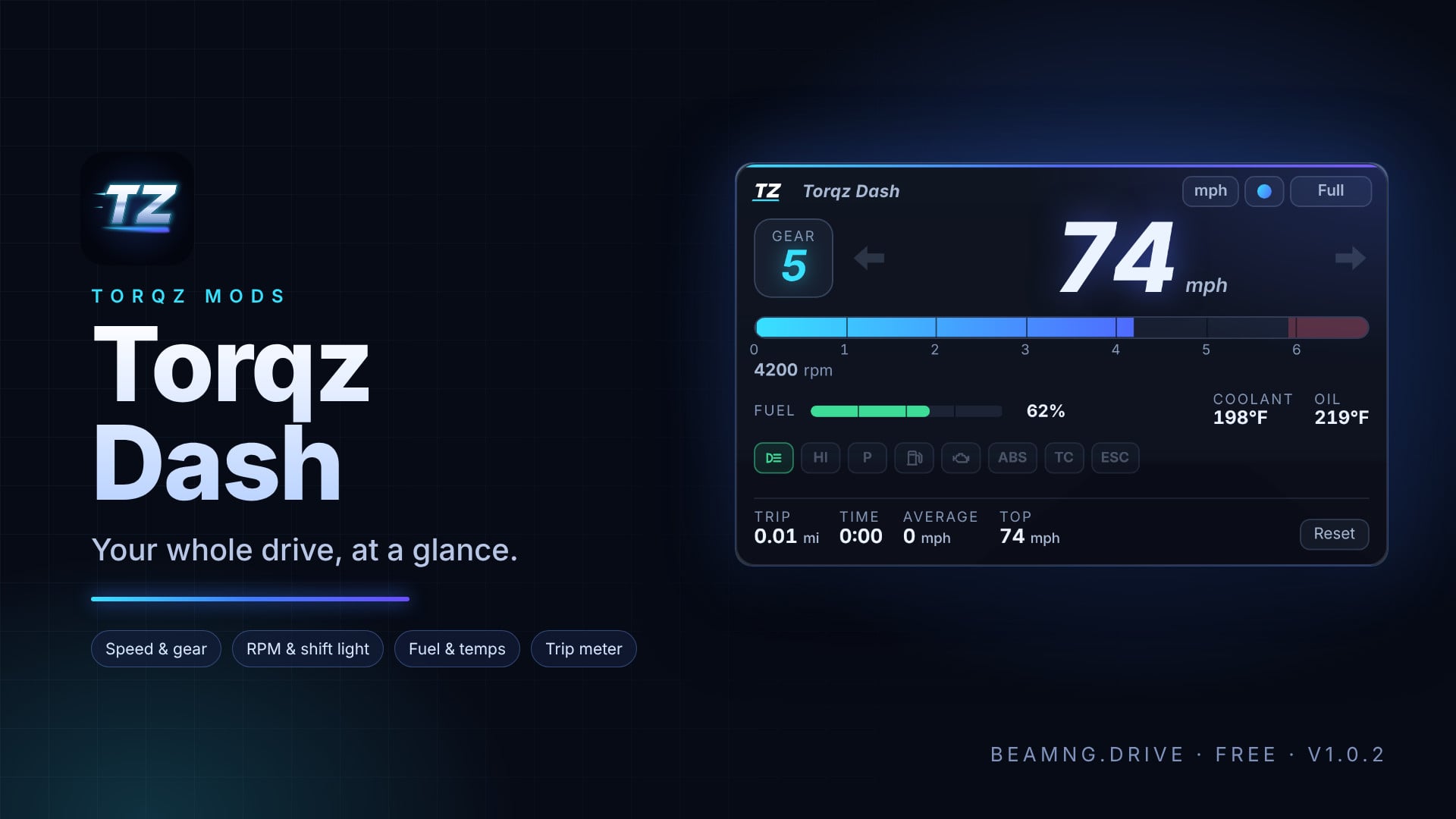
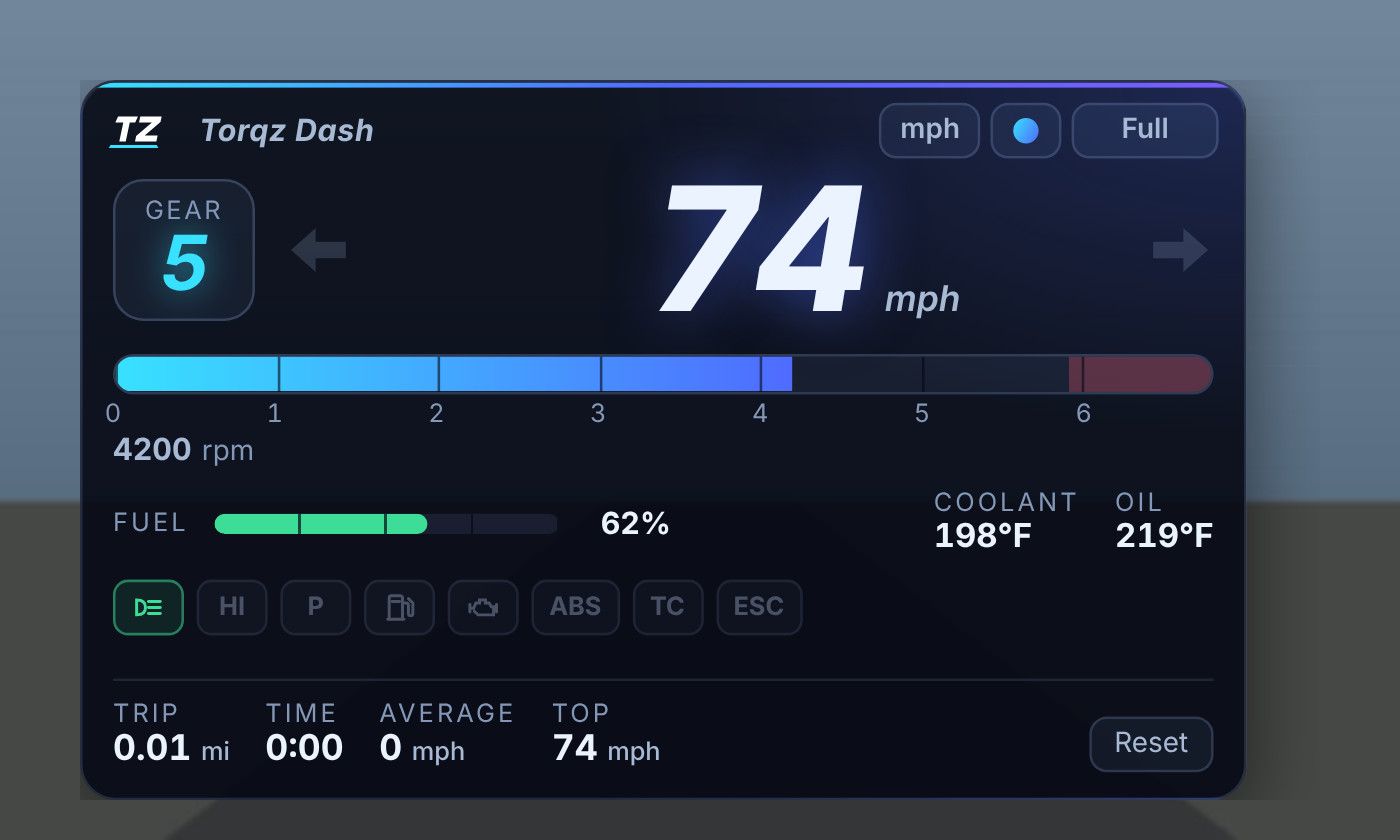
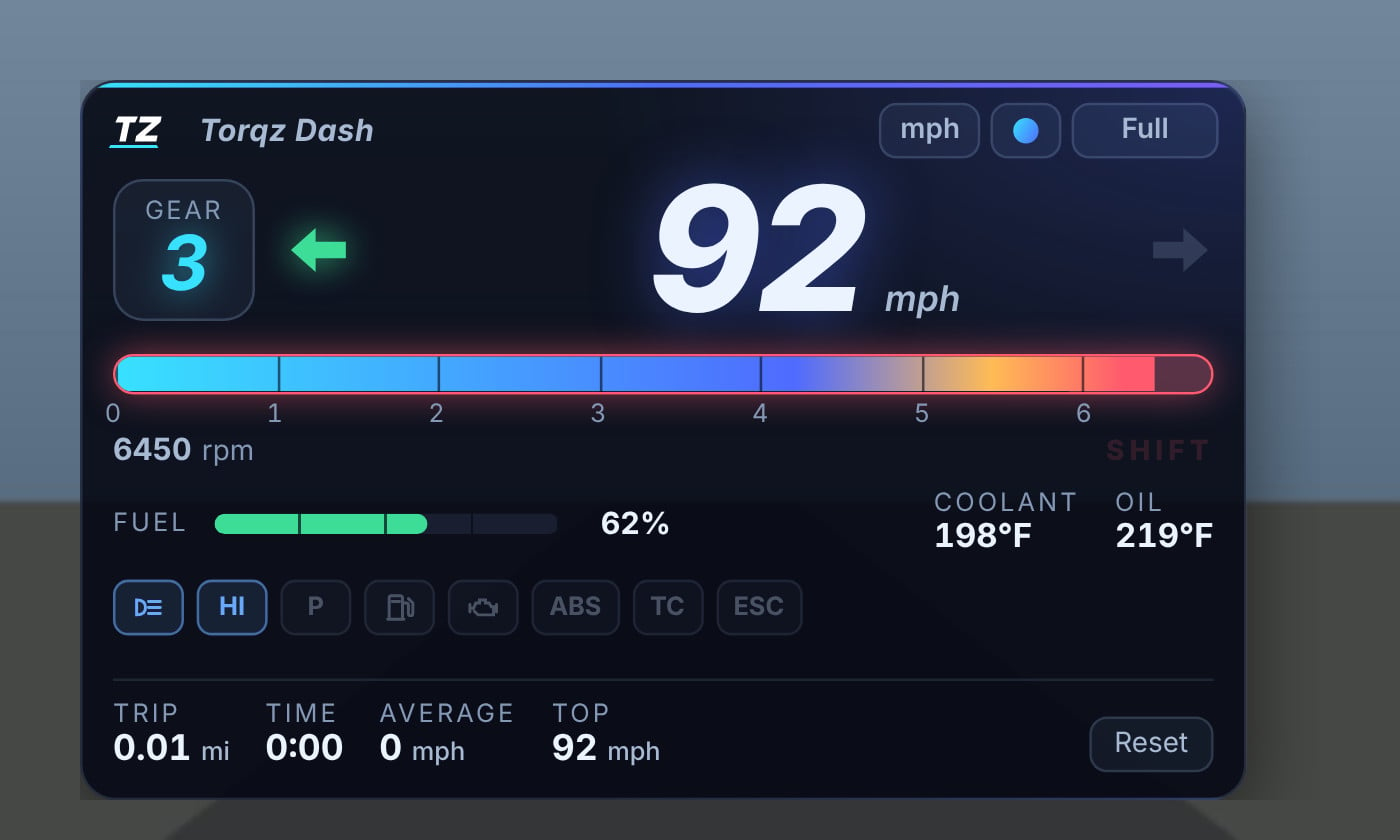
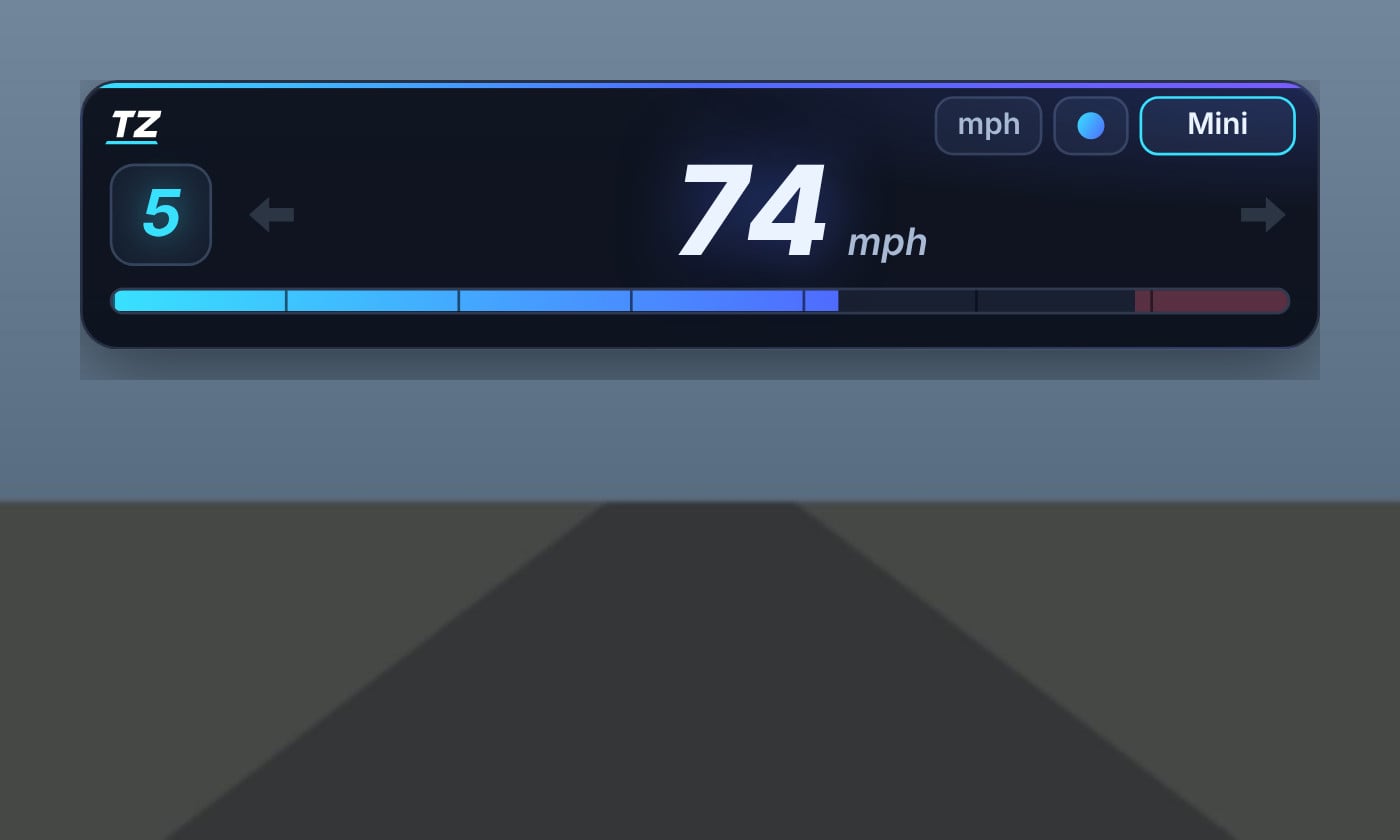
A clean neon dashboard for BeamNG.drive. Speed, gear, RPM, fuel, temperatures and warning lights in one small app. Works with any car, on any map. It only reads the car's live data, so it doesn't change anything in your game.
Features
- Big speed readout in mph or km/h
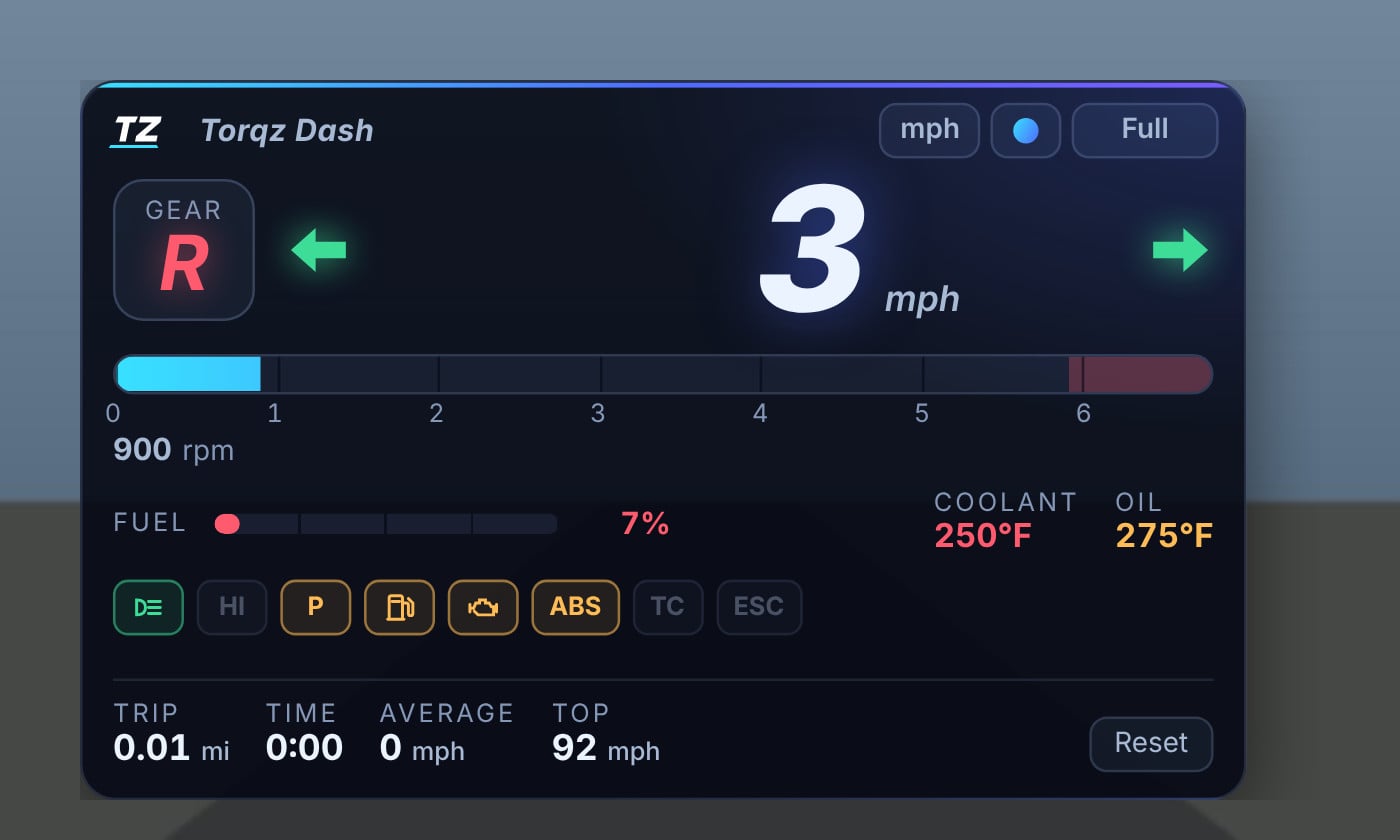
- Gear (turns red in reverse)
- RPM bar with a real scale, a marked redline and a flashing SHIFT warning
- Fuel level, plus coolant and oil temperature that warn when they run hot
- Lights for signals, hazards, headlights, high beams, parking brake, low fuel, check engine, ABS, traction control and stability control
- Trip meter with distance, time, average speed and top speed, saved between sessions
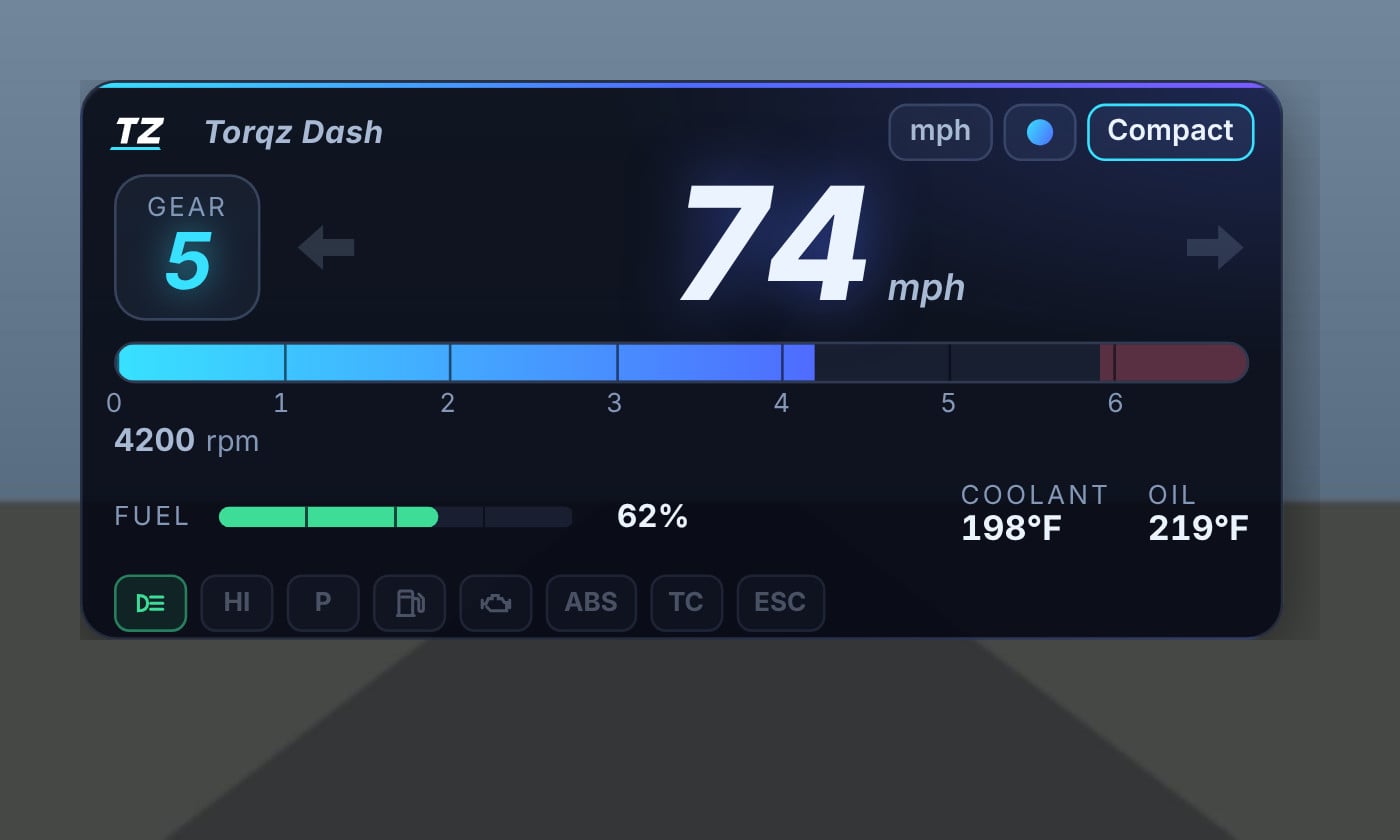
- Buttons on the dash switch units, cycle four colors (cyan, magenta, amber, green) and change the size between full, compact and mini
- Drag and resize it anywhere on screen. The whole dash scales to fit
- Your choices are remembered
Installation Instructions
Put the .zip in your BeamNG mods folder. In Freeroam, open the UI Apps menu and add Torqz Dash.
Credits
Made by Torqz Mods.
A clean neon dashboard for BeamNG.drive. Speed, gear, RPM, fuel, temperatures and warning lights in one small app. Works with any car, on any map. It only reads the car's live data, so it doesn't change anything in your game.
Features
- Big speed readout in mph or km/h
- Gear (turns red in reverse)
- RPM bar with a real scale, a marked redline and a flashing SHIFT warning
- Fuel level, plus coolant and oil temperature that warn when they run hot
- Lights for signals, hazards, headlights, high beams, parking brake, low fuel, check engine, ABS, traction control and stability control
- Trip meter with distance, time, average speed and top speed, saved between sessions
- Buttons on the dash switch units, cycle four colors (cyan, magenta, amber, green) and change the size between full, compact and mini
- Drag and resize it anywhere on screen. The whole dash scales to fit
- Your choices are remembered
Installation Instructions
Put the .zip in your BeamNG mods folder. In Freeroam, open the UI Apps menu and add Torqz Dash.
Credits
Made by Torqz Mods.
External Download Links:
Direct Download Links
About Mod
| Latest Version | 1.0.2 |
| Game | BeamNG.drive |
| Category | Other |
| Game Version | 0.39.x |
| Tags | UI |
| Downloads | 293 |
| Created | 1 day ago |
![Ford Bronco [PACK]](https://temp2.modland.net/i/6abb8bc6ce51c/0_modland.jpg)



its good
i cant get it to work in 0.40?
@audii I'm not the only one ^^
@audii Je ne suis pas le seul ^^