Text to speech 1.1.0

![BMW M5 E60 V 2 [1.5.9]](https://li1.modland.net/city-car-driving-mods/cars/thumbnail/bmw-m5-e60-v-2-[1.5.9]_ModLandNet-4.jpg)
![Mercedes W210 E270 CDI [1.5.9]](https://li1.modland.net/city-car-driving-mods/cars/thumbnail/mercedes-w210-e270-cdi-[1.5.9]_ModLandNet-3.jpg)


0/5,
0
votes
DESCRIPTION
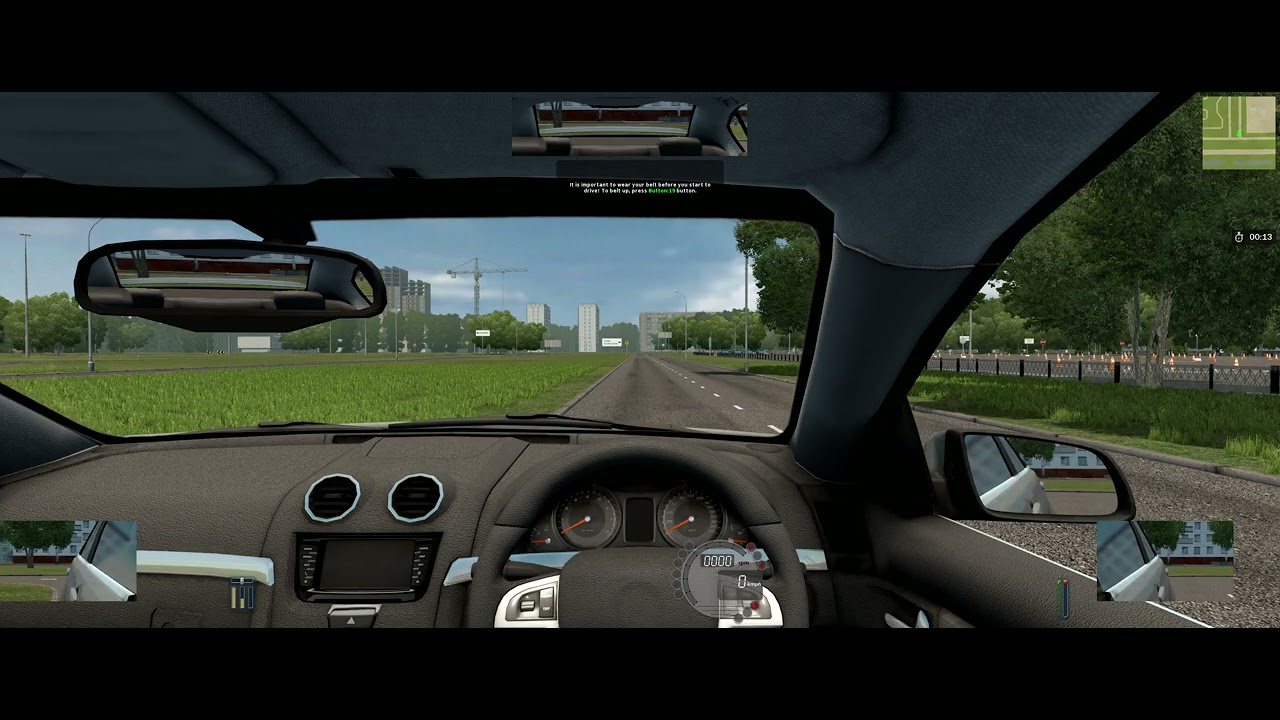
Adds text-to-speech (TTS) support to City Car Driving, allowing in-game driving instructions, navigation prompts, and warnings to be spoken aloud.
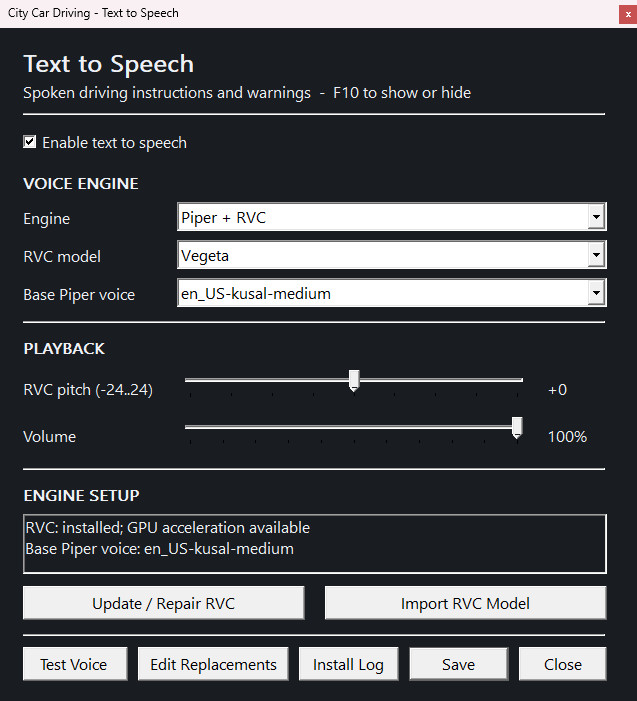
Choose from multiple TTS engines and voices, with adjustable speech speed and volume. The mod also supports RVC voice conversion for custom character voices.
All settings can be managed in-game by pressing F10.
SUPPORTED TTS ENGINES
• Windows SAPI – Uses Windows' built-in voices. No additional downloads required.
• Supertonic 3 – Neural text-to-speech with support for custom voices.
• Piper – Lightweight, offline neural text-to-speech.
• Piper + RVC – Combines Piper speech generation with RVC voice conversion for custom voices.
Optional TTS engines can be downloaded and installed directly through the mod's settings menu. Only the engines you choose need to be installed.
Speech generation runs locally without requiring an external TTS service.
FEATURES
• Automatically reads driving instructions and warnings aloud.
• Multiple TTS engines and voice options.
• Support for importing compatible custom voices.
• Adjustable speech speed, pitch (where supported), and volume.
• Automatic speech formatting for numbers, measurements, and control bindings.
• User-configurable speech replacements.
• In-game configuration menu (F10).
• Optional engine installation and management.
• Automatic startup when launching City Car Driving through Steam.
INSTALLATION INSTRUCTIONS
1. Download the mod ZIP file.
2. Extract the ZIP into your City Car Driving installation folder, preserving the included folder structure.
Default Steam installation path:
C:\Program Files (x86)\Steam\steamapps\common\City Car Driving
3. Launch City Car Driving normally through Steam.
4. Press F10 in-game to open the TTS settings.
5. Select your preferred TTS engine and install any optional components as needed.
ADDITIONAL INFORMATION
Windows SAPI works without additional downloads. Supertonic, Piper, and RVC require separate installation through the mod's settings.
RVC requires a larger download and benefits from a compatible NVIDIA GPU, although CPU operation is supported.
The mod stores its settings, downloaded engines, and voice data within the City Car Driving installation directory.
See the included TTS_README.txt for additional information.
Adds text-to-speech (TTS) support to City Car Driving, allowing in-game driving instructions, navigation prompts, and warnings to be spoken aloud.
Choose from multiple TTS engines and voices, with adjustable speech speed and volume. The mod also supports RVC voice conversion for custom character voices.
All settings can be managed in-game by pressing F10.
SUPPORTED TTS ENGINES
• Windows SAPI – Uses Windows' built-in voices. No additional downloads required.
• Supertonic 3 – Neural text-to-speech with support for custom voices.
• Piper – Lightweight, offline neural text-to-speech.
• Piper + RVC – Combines Piper speech generation with RVC voice conversion for custom voices.
Optional TTS engines can be downloaded and installed directly through the mod's settings menu. Only the engines you choose need to be installed.
Speech generation runs locally without requiring an external TTS service.
FEATURES
• Automatically reads driving instructions and warnings aloud.
• Multiple TTS engines and voice options.
• Support for importing compatible custom voices.
• Adjustable speech speed, pitch (where supported), and volume.
• Automatic speech formatting for numbers, measurements, and control bindings.
• User-configurable speech replacements.
• In-game configuration menu (F10).
• Optional engine installation and management.
• Automatic startup when launching City Car Driving through Steam.
INSTALLATION INSTRUCTIONS
1. Download the mod ZIP file.
2. Extract the ZIP into your City Car Driving installation folder, preserving the included folder structure.
Default Steam installation path:
C:\Program Files (x86)\Steam\steamapps\common\City Car Driving
3. Launch City Car Driving normally through Steam.
4. Press F10 in-game to open the TTS settings.
5. Select your preferred TTS engine and install any optional components as needed.
ADDITIONAL INFORMATION
Windows SAPI works without additional downloads. Supertonic, Piper, and RVC require separate installation through the mod's settings.
RVC requires a larger download and benefits from a compatible NVIDIA GPU, although CPU operation is supported.
The mod stores its settings, downloaded engines, and voice data within the City Car Driving installation directory.
See the included TTS_README.txt for additional information.
Videos
Direct Download Links
You Might Also Like »








0 Comments
There are no comments. Be first to comment!