How to Add Alfalfa Crop to FS25 map!
-lg_modland.jpg)
-lg_modland.jpg)
Adding an alfalfa crop to a Farming Simulator 25 custom map requires the fine-tuning of several configuration elements and correct integration into the game system. Below is a detailed description of all the steps required to successfully integrate alfalfa into the map.
Important: At the very bottom of the article there is a video from the author of this crop. Be sure to watch it, it tells you in detail how to install it on your map in the game.
What is included in the kit for adding alfalfa
Before you start, you need to download an archive with files for culture implementation. This archive should contain the following elements:
- placeables.xml
- Folder foliage
- Folder textures
- map.xml
- fruitTypes.xml
File terrainDetailHeight_density.gdm (optional if the map already contains all the layers you need)
📥 Download "Alfalfa Crop FS25" 📥
Installing the files on the map
First, you need to copy fruitTypes.xml and map.xml to the root folder of the custom map. If there are files with this name in the map folder, copy them with replacement. Be sure to make sure that the path to the cultures file is correctly specified in the map.xml file. Open map.xml in any text editor and find and add the following line:
<fruitTypes filename="maps/fruitTypes.xml" />
If the archive contains a placeables.xml file, it should be placed in the maps/placeables folder. After that, the path to it is written in map.xml. If the corresponding line is missing, you should add it manually. For example:
<placeables filename="maps/placeables/alfalfa/placeables.xml"/>
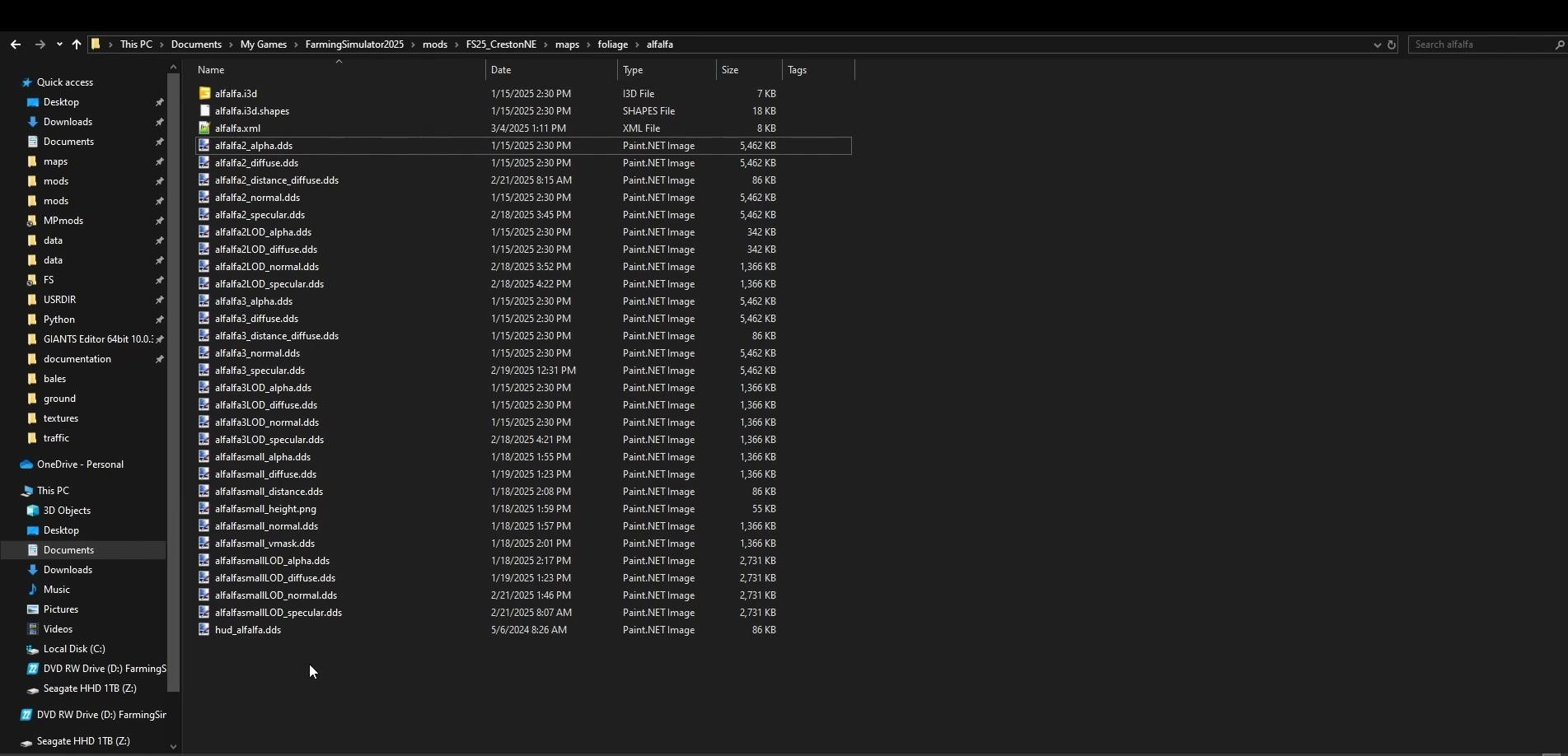
Next, copy the foliage folder into the maps/foliage directory of your map. This folder contains all visual elements of the crop, including growth stages, masks and layer files. The textures folder, which contains the HUD icons and textures for displaying the crop on the map and in the interface, is also copied to the root folder of the map or where all other visual resources are located.
Editing the culture file fruitTypes.xml
The main configuration file responsible for the behavior of cultures in the game is fruitTypes.xml.
Here you need to add a new block <fruitType> with alfalfa parameters. All key attributes are written inside it: crop name (name=“alfalfa”), displayed name (title=“Alfalfa”), visual masks, growth phases, harvestable and swath generation parameters.
The parameters harvestable="true", mowing="true", windrow="true" and straw="true" - they determine how the crop will behave when interacting with machinery.
Textures, visual effects, fertilization levels and compatibility with gameplay are also set. If windrow is used, windrowType="windrow_alfalfa" must be specified. This parameter indicates the type of material produced after windrowing.
Customizing the interface via modDesc.xml
To make the new culture correctly displayed in the game menu you need to change the modDesc.xml file. In the <l10n> section you add a description of the culture that will be visible to the user. This is done as follows:
<l10n>
<text name="fillType_alfalfa">
<en>Alfalfa</en>
</text>
<text name="fruitType_alfalfa">
<en>Alfalfa</en>
</text>
</l10n>
This block allows the system to correctly recognize the name of the culture both in the HUD and in the PDA interface. If you have your own icons as part of the archive, you can also specify the path to them in modDesc.xml to replace the standard icons or to add new interface elements.
Functionality check via GIANTS Editor
After all changes have been made, the map must be opened in GIANTS Editor. At this stage, the presence of the crop layer in the editor, the visual component and the correct loading of foliage are checked.
If everything is done correctly, alfalfa will be displayed among the available crops and can be placed manually or by seeding. In the editor, check that there are no errors in loading the foliage and that the crop is displayed in the correct phases.
Final testing in the game
After the map has been successfully loaded in the editor, you should test the functionality of the crop in the game itself. You can check the ability to sow alfalfa, its growth by phase, the correctness of the stages, the presence of swaths after mowing, as well as the correctness of icons and names in the interface.
Test how the crop interacts with the machine. This way you can make sure that it is harvested and mowed with the right implements and displayed in bunkers and storages.
Once all steps have been completed, the crop will be integrated into the game. It is useful if you are a livestock farmer.
Videos

Hinzugefügt von