How to fix the Farming Simulator 25 error “Can't Read Profile Path”
-lg_modland.jpg)
Encountered «Can’t Read Profile Path» error in FS25? This is a fairly common problem that brings trouble to many who play the game. But fortunately, there is a solution that helps in most cases. The complex relationship between the game and the Windows defender, as well as the firewall and antivirus programs are the cause of the malfunction.
Below are ways to solve this error.
Windows Security Settings (Windows Defender)
Perhaps the reason lies in the built-in protection of Windows. It is necessary to see if Farming Simulator 25 has full access in Windows defender.
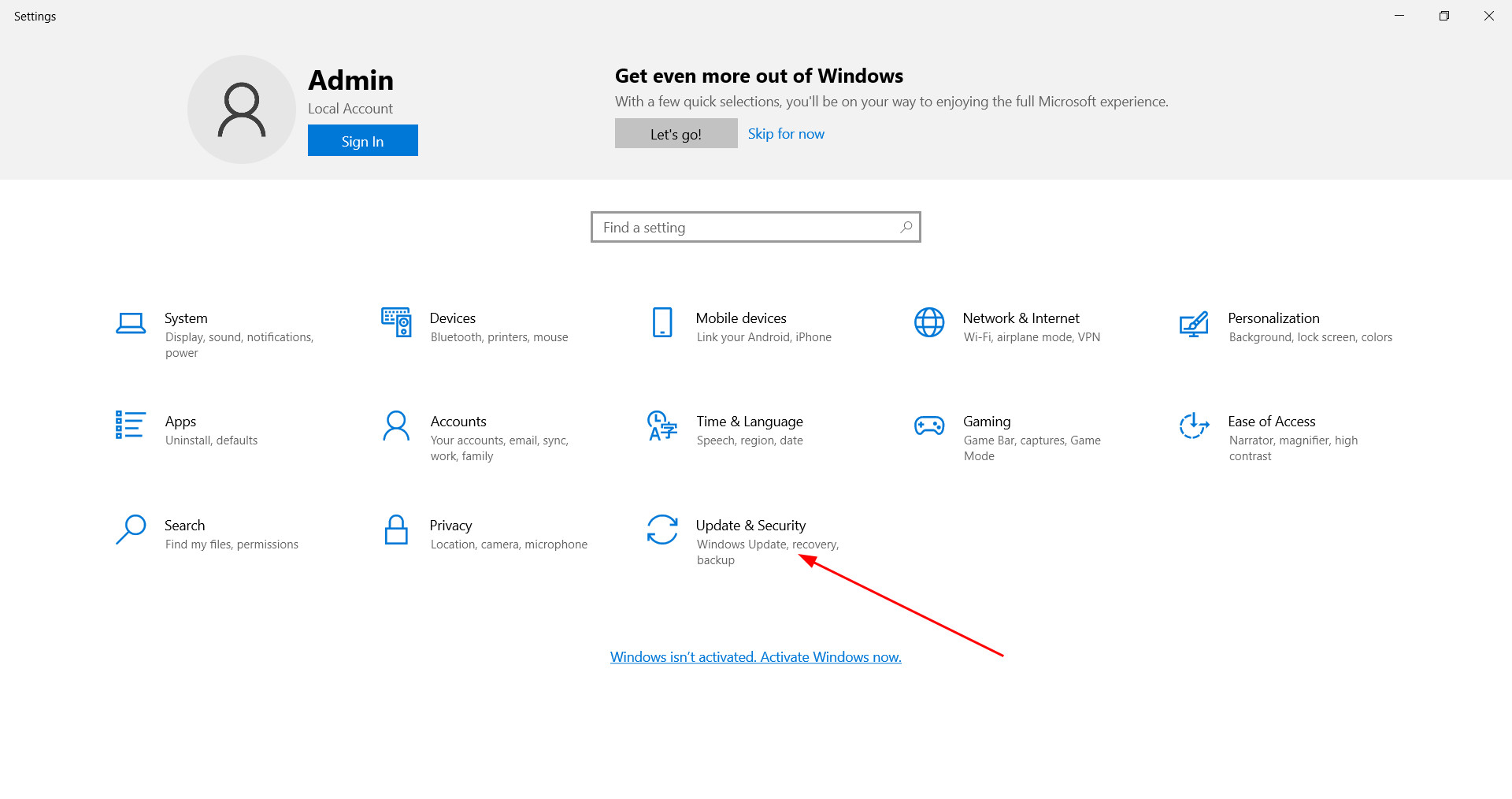
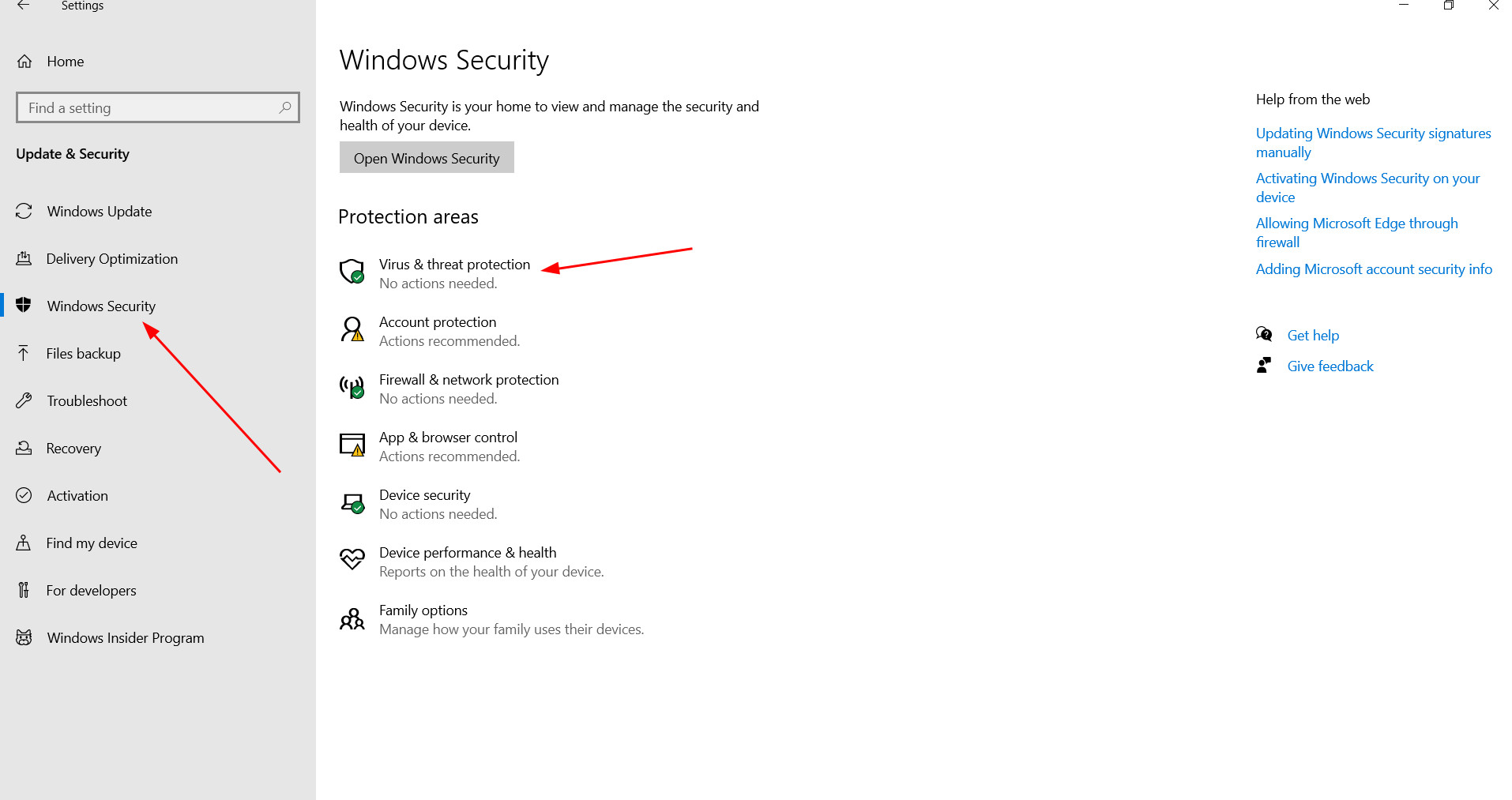
To do this, open «Settings» with the combination of keys Windows + I. If you have Windows 11, go to the section «Privacy and security», and if Windows 10 - in «Update and security».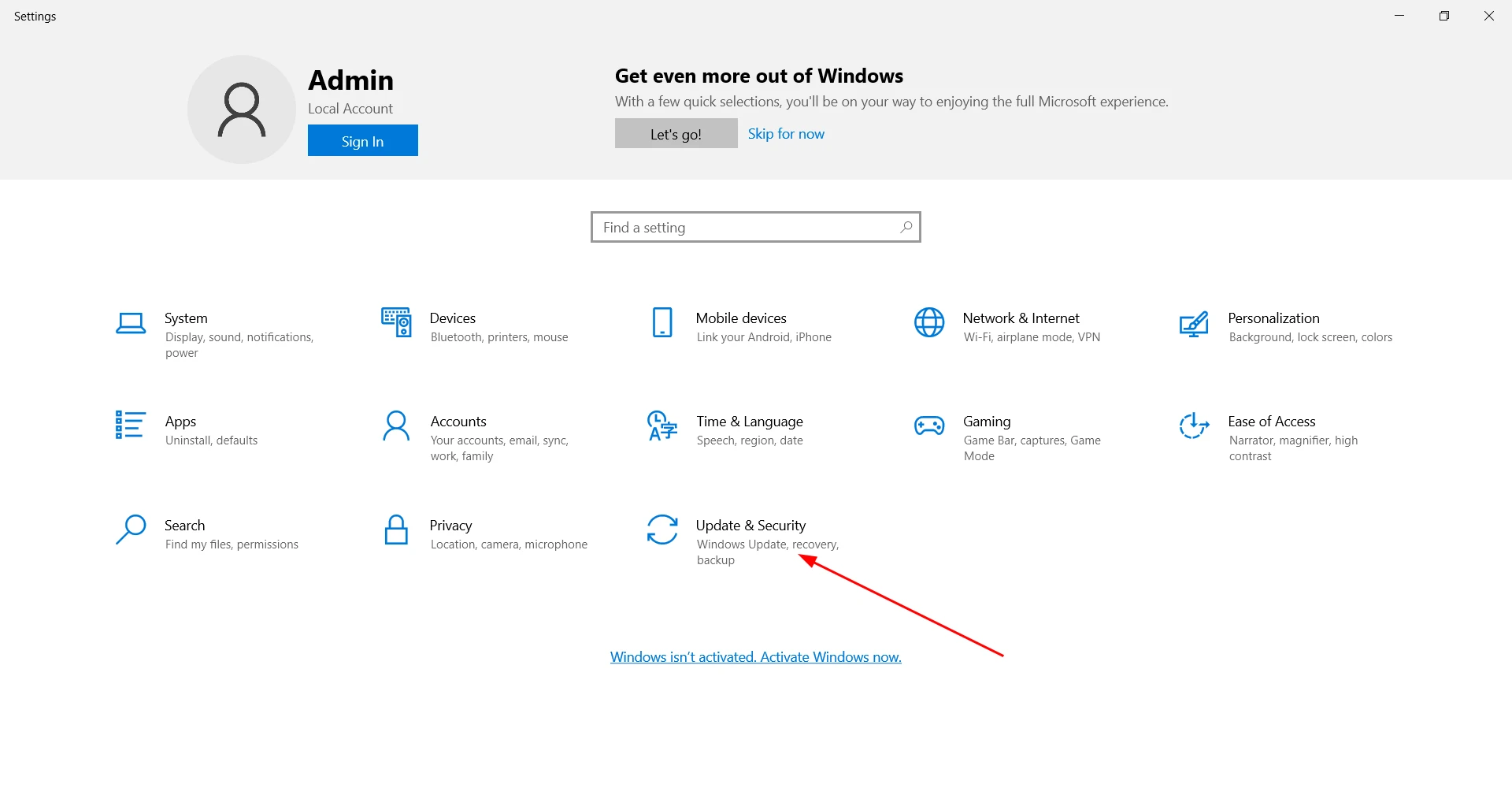
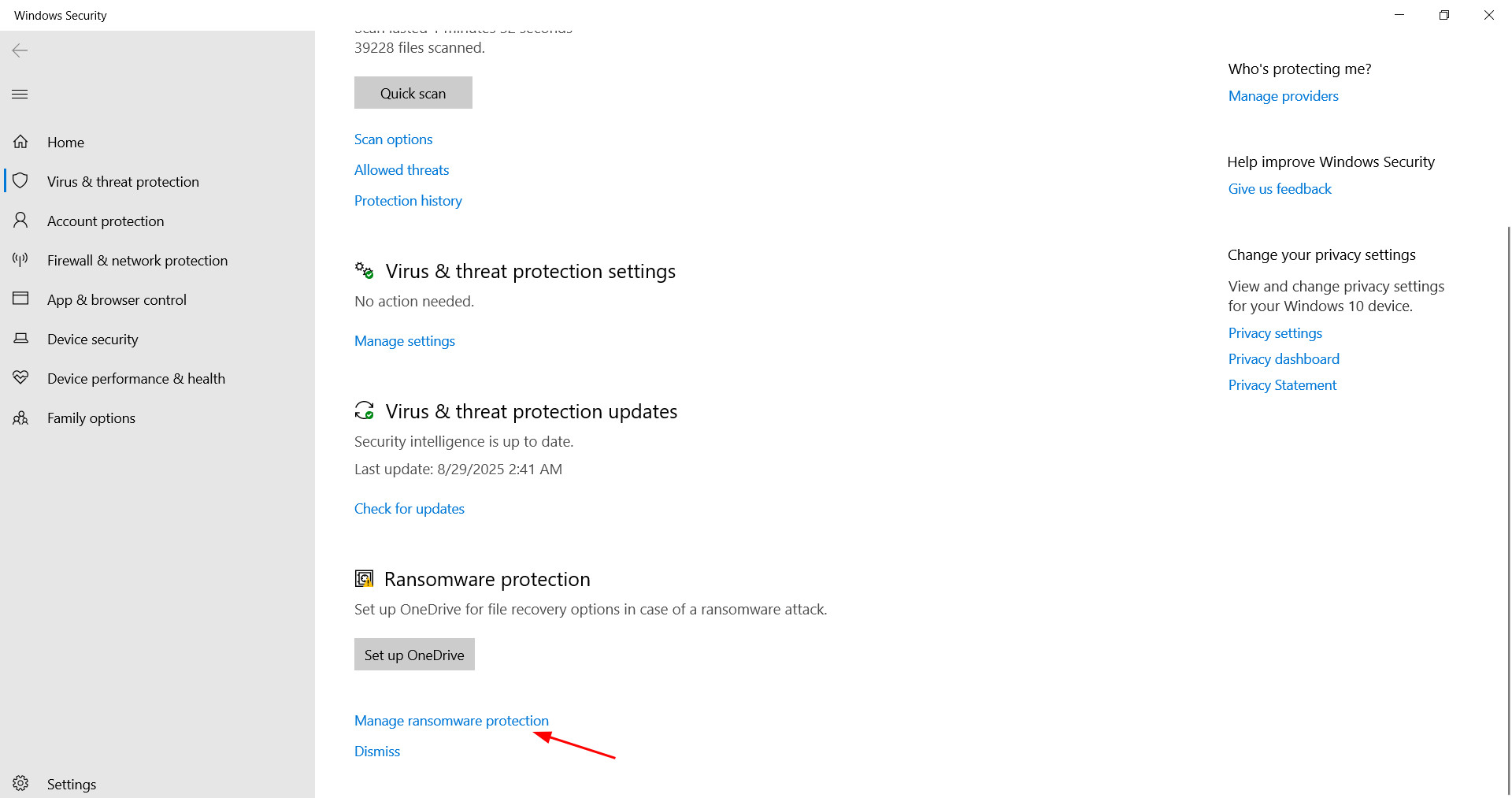
Next, go to «Windows Security», select «Virus & threat protection» and scroll down to the parameter «Manage ransomware protection».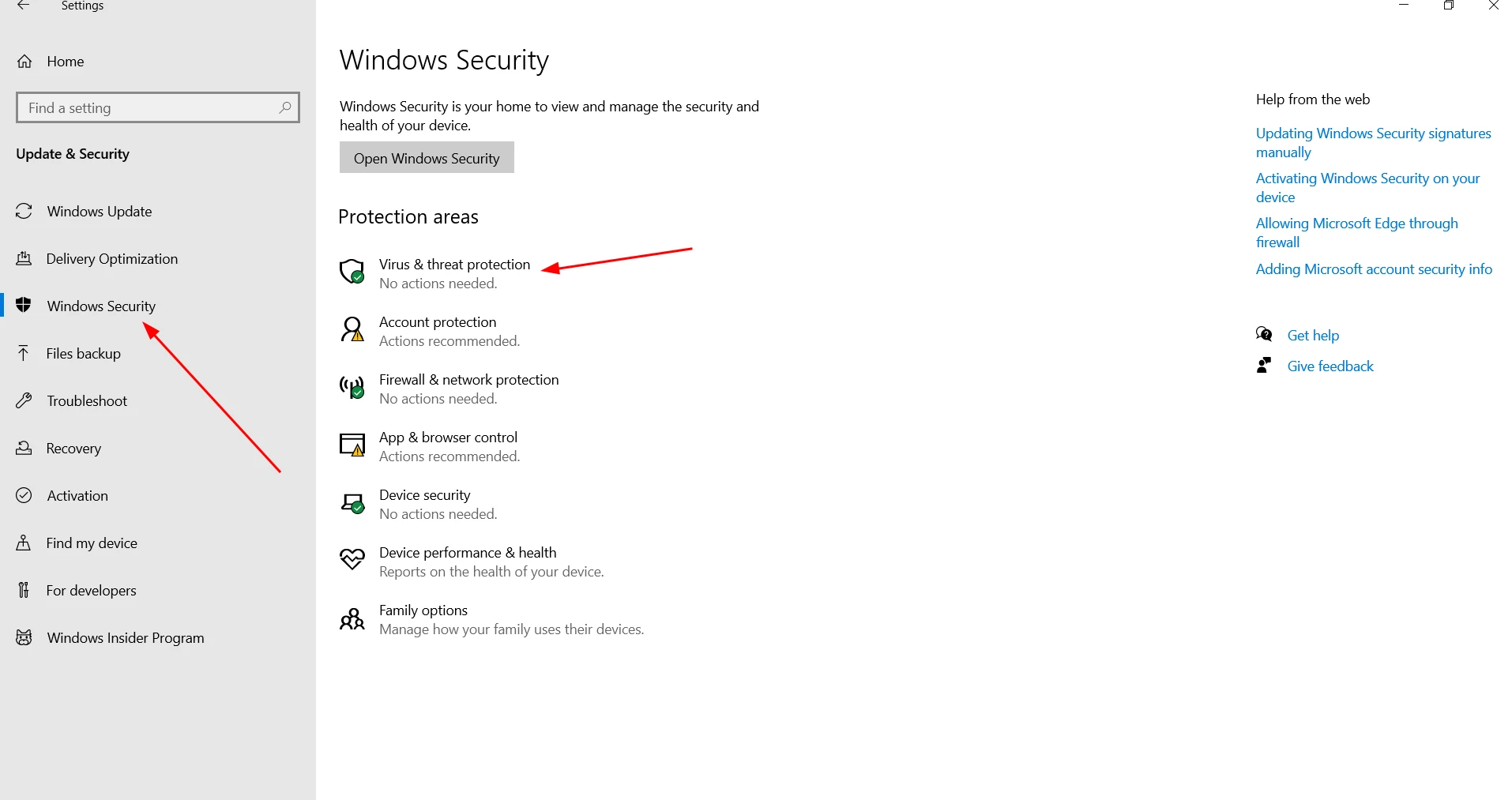
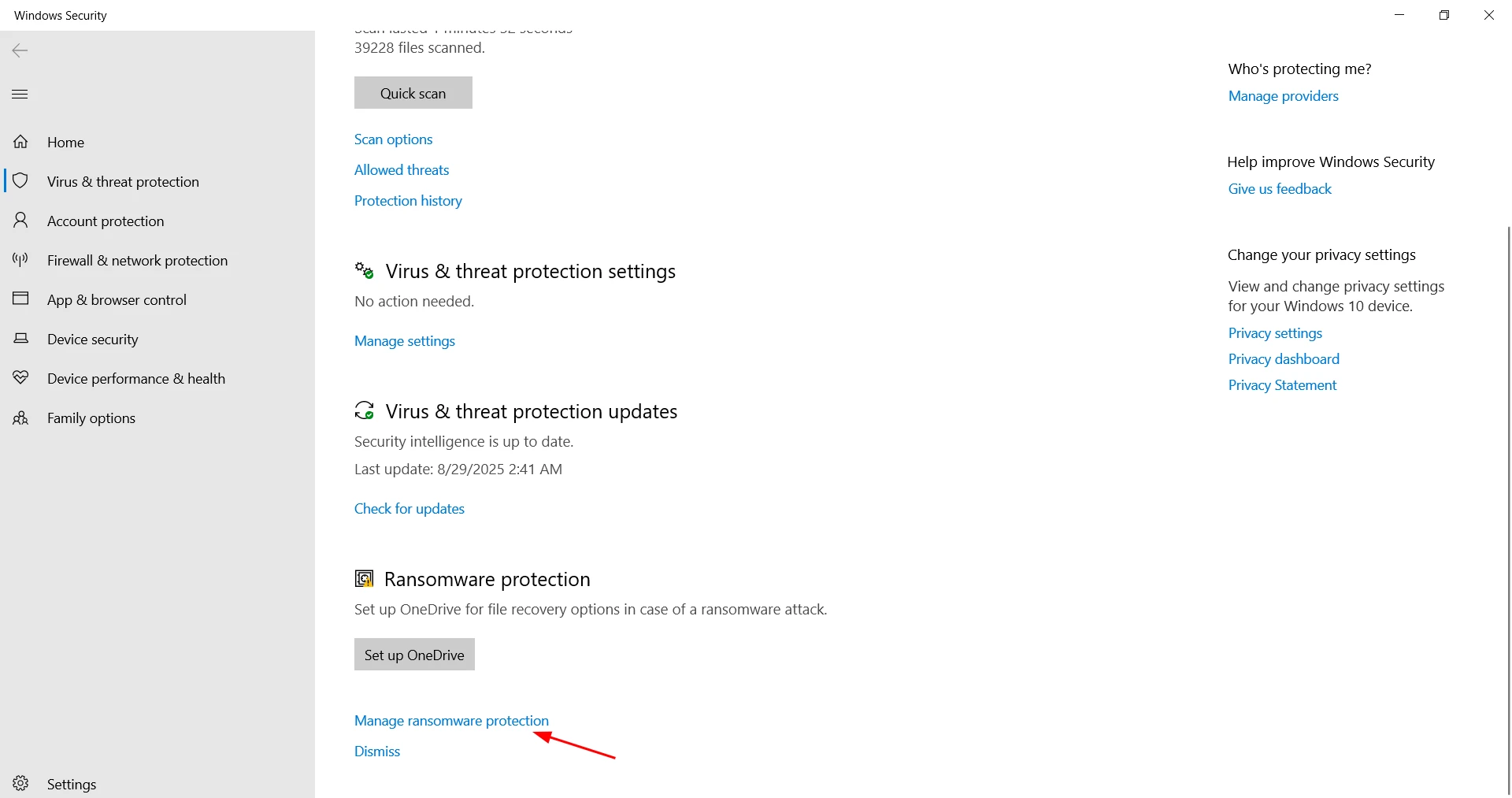
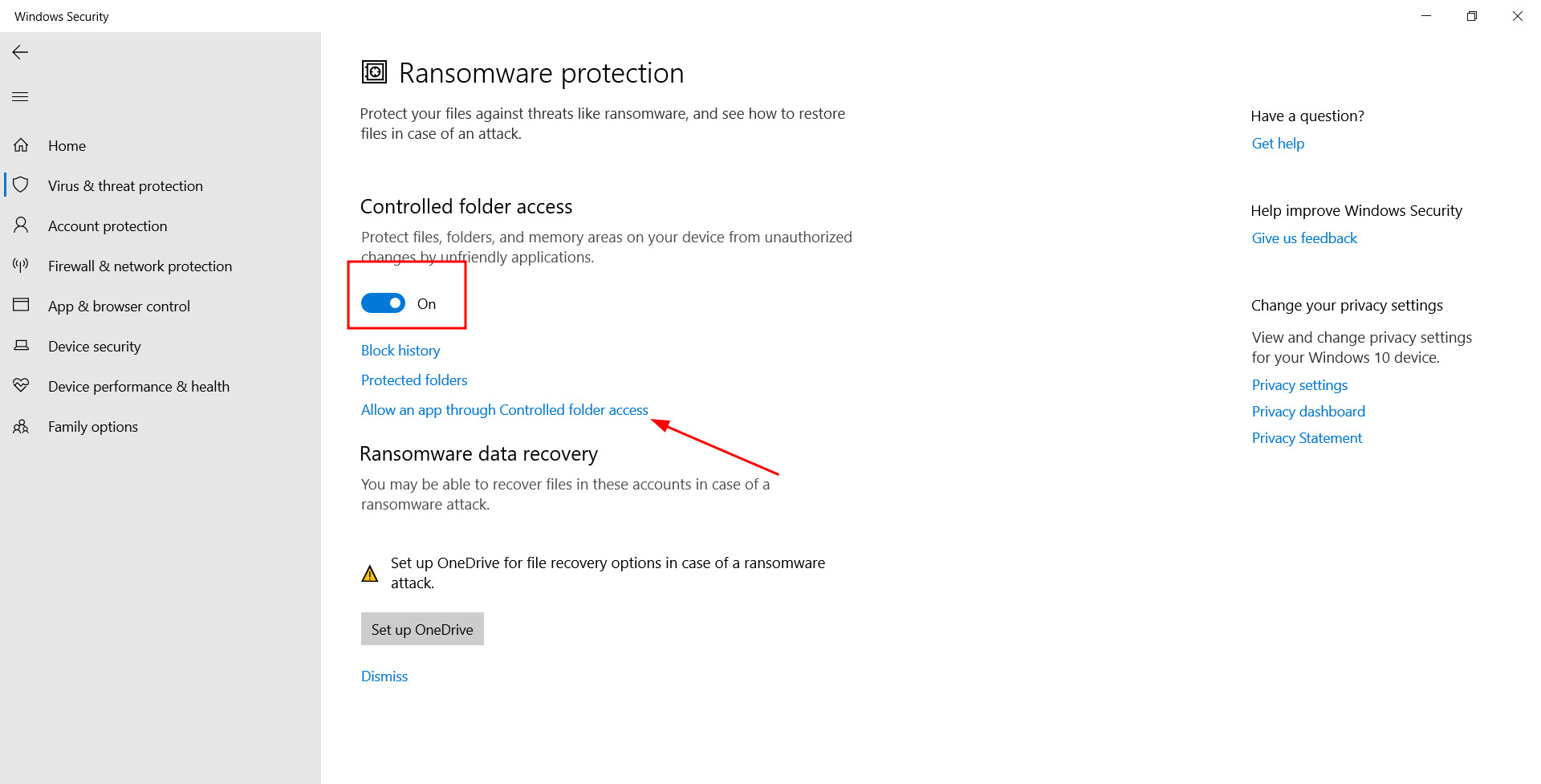
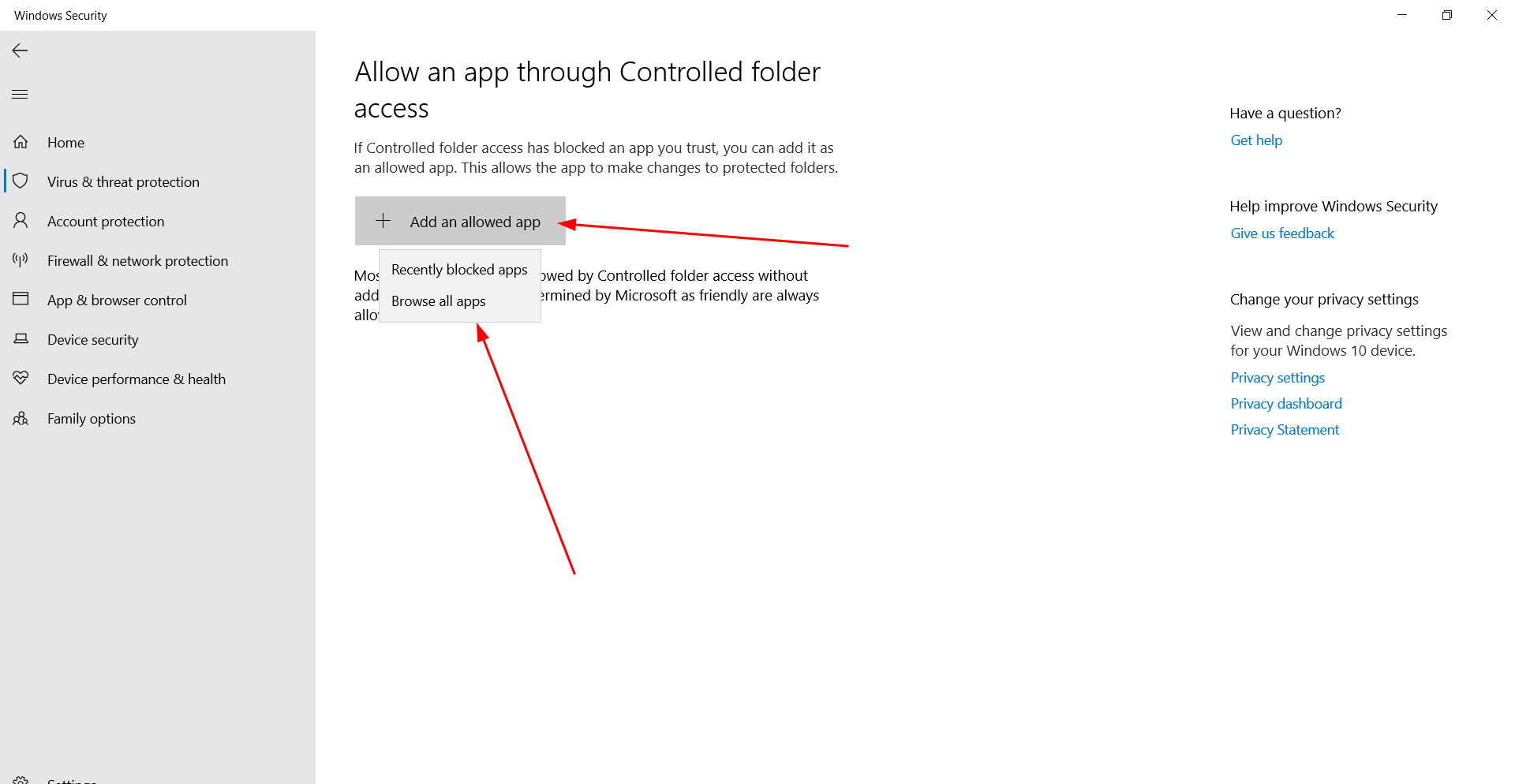
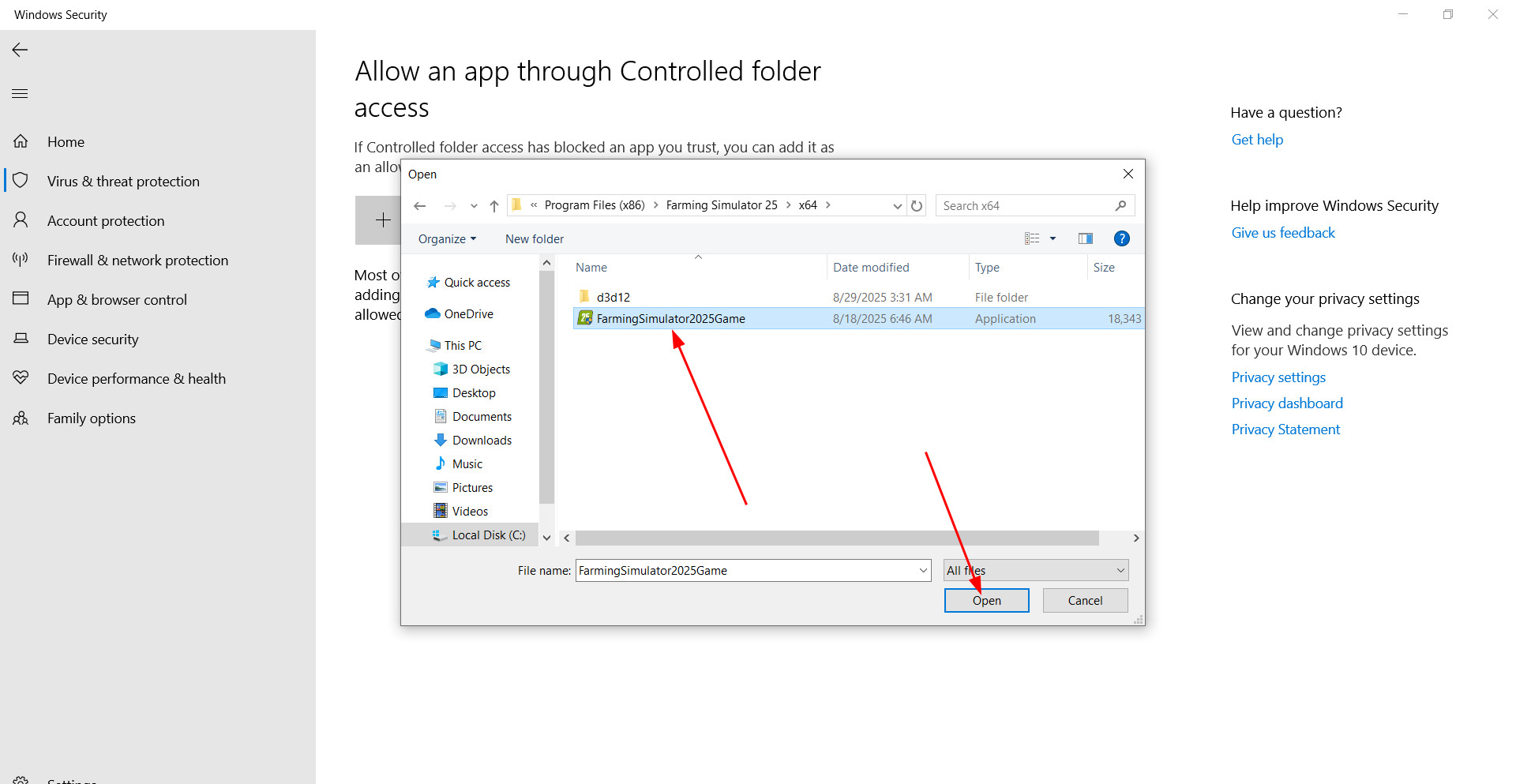
There is the «Allow an app through Controlled folder access» button. Click it, confirm the action and go to the add-on menu.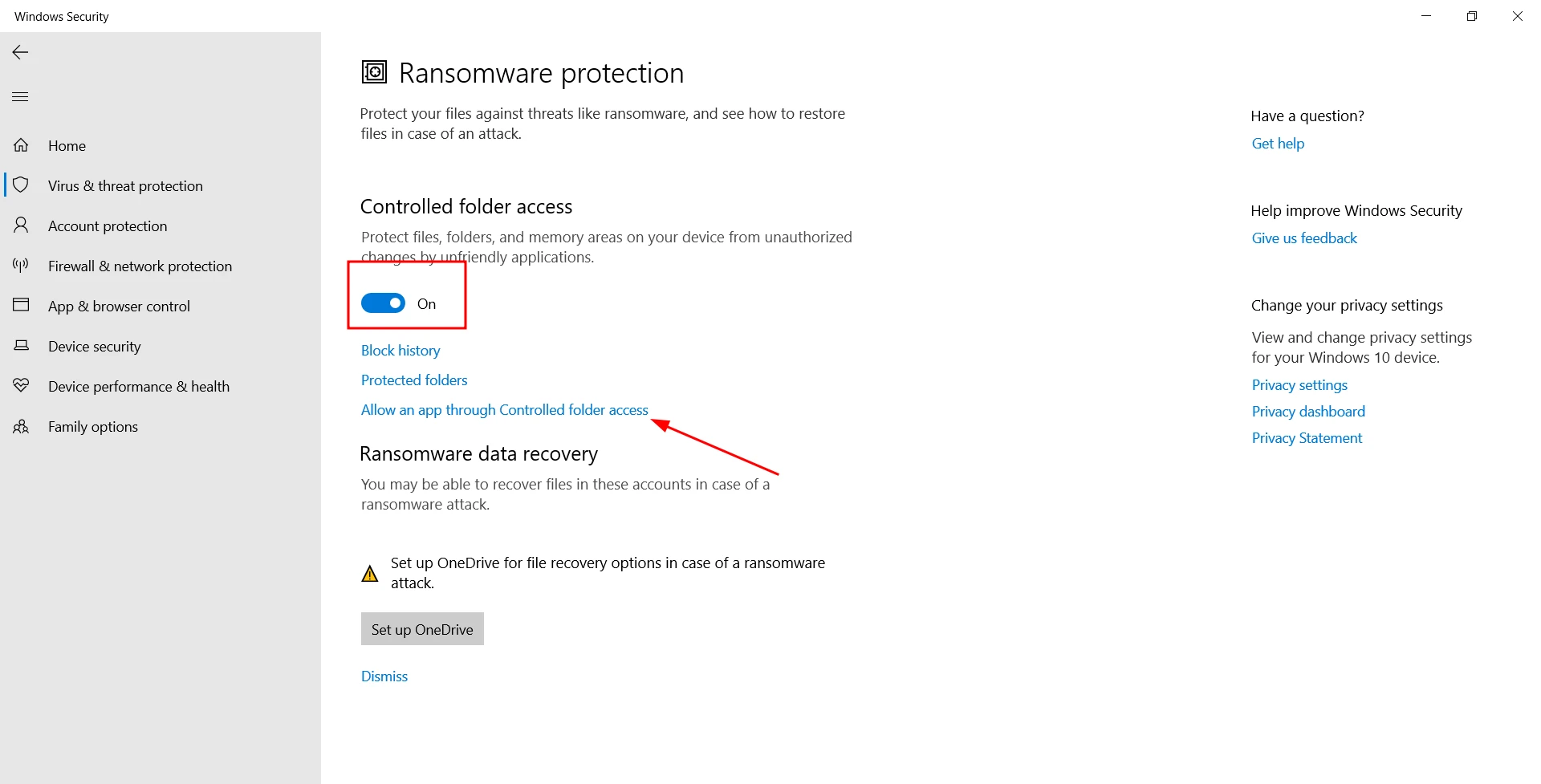
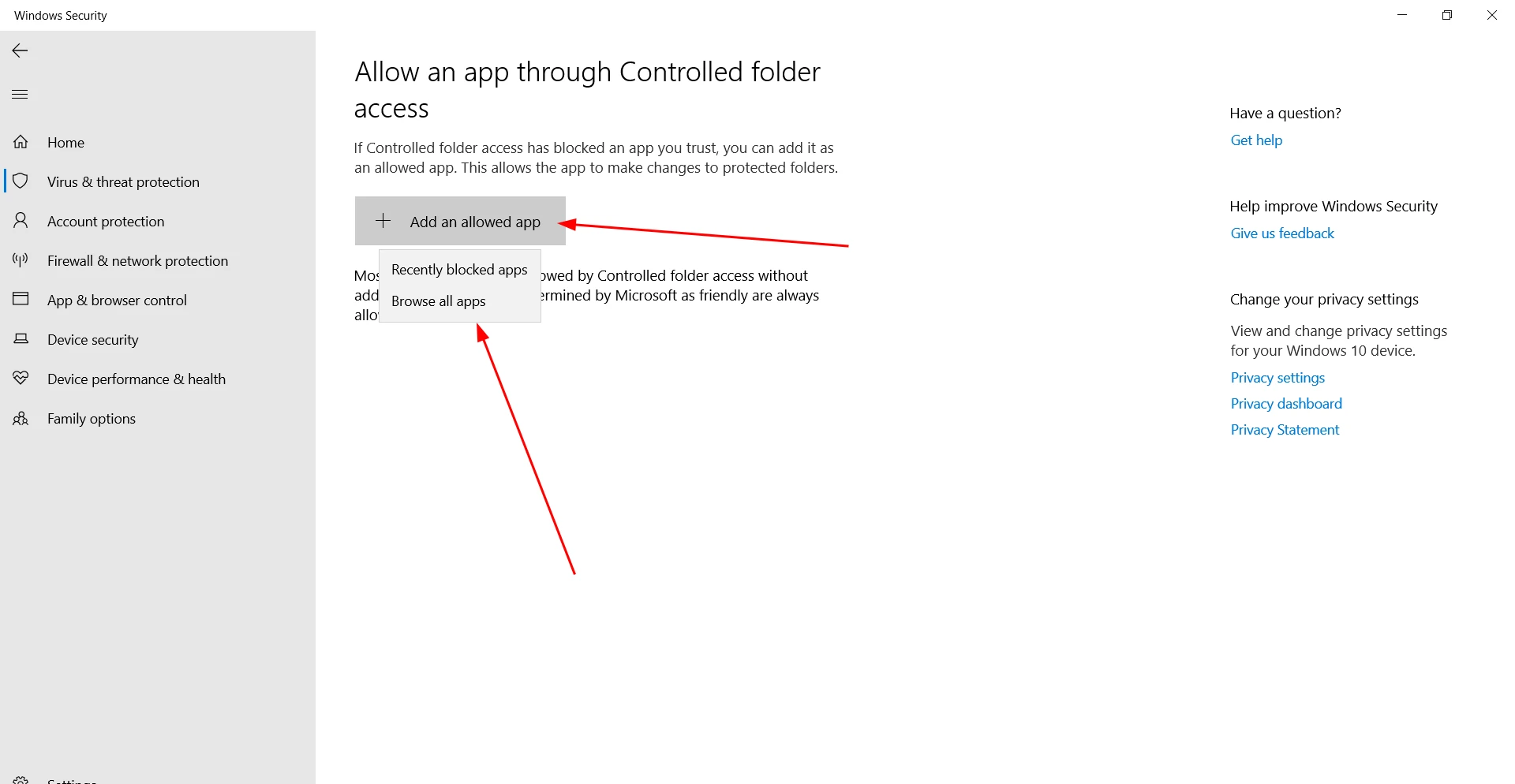
Manually enter the path to the executable files of Farming Simulator 25. Usually they are located in the folder C:Program Files (x86) >> Steam >> steamapps >> common >> Farming Simulator 25.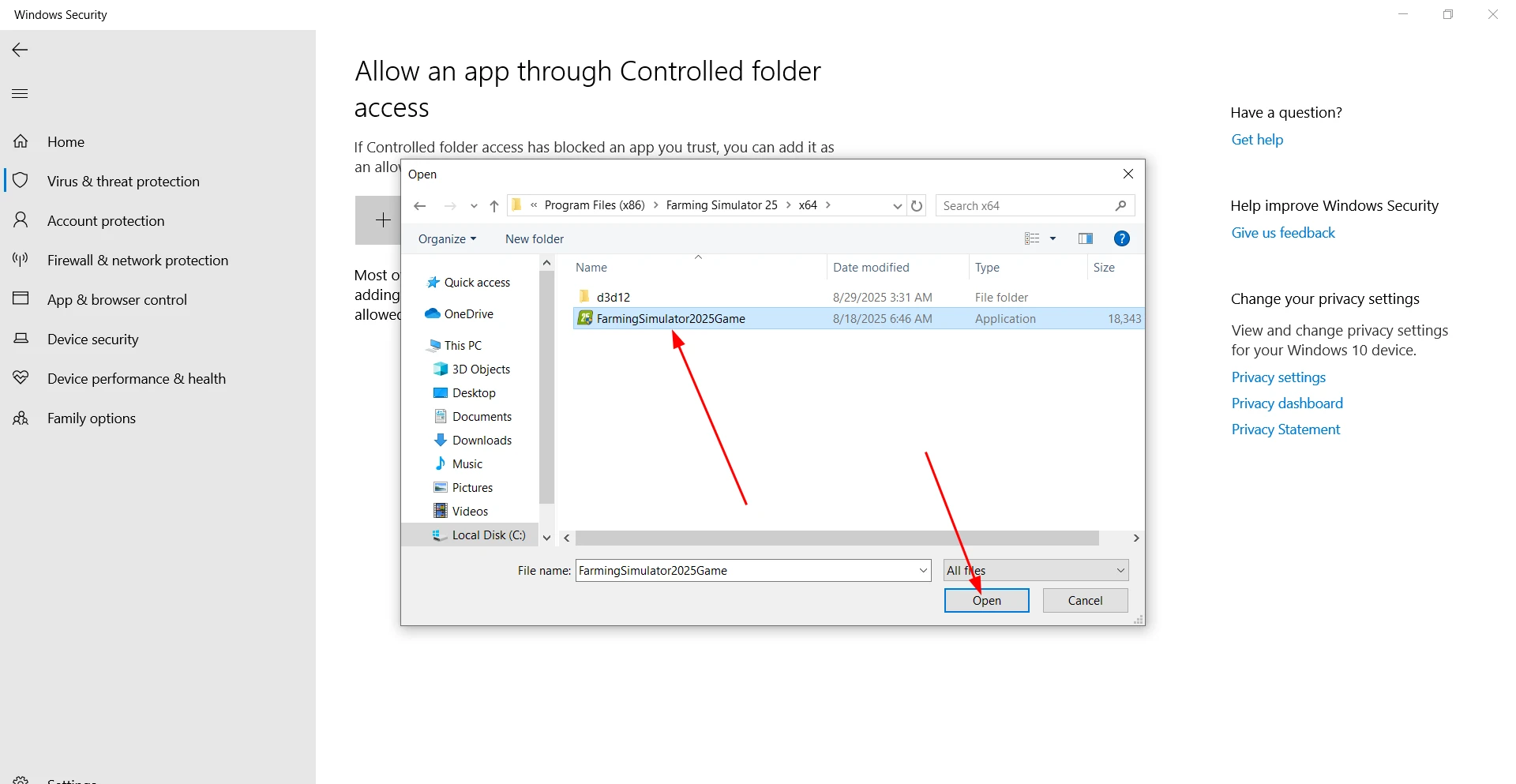
In this directory you need to select the main exe file of the game and then look at the x64 folder and add another exe file (FarmingSimulator25Game.exe).
Farming Simulator 25 will no longer be blocked by the built-in protection.
Firewall and third-party antivirus settings
Even if the Windows defender allows the game, you should add it to the firewall exceptions to avoid network blockages.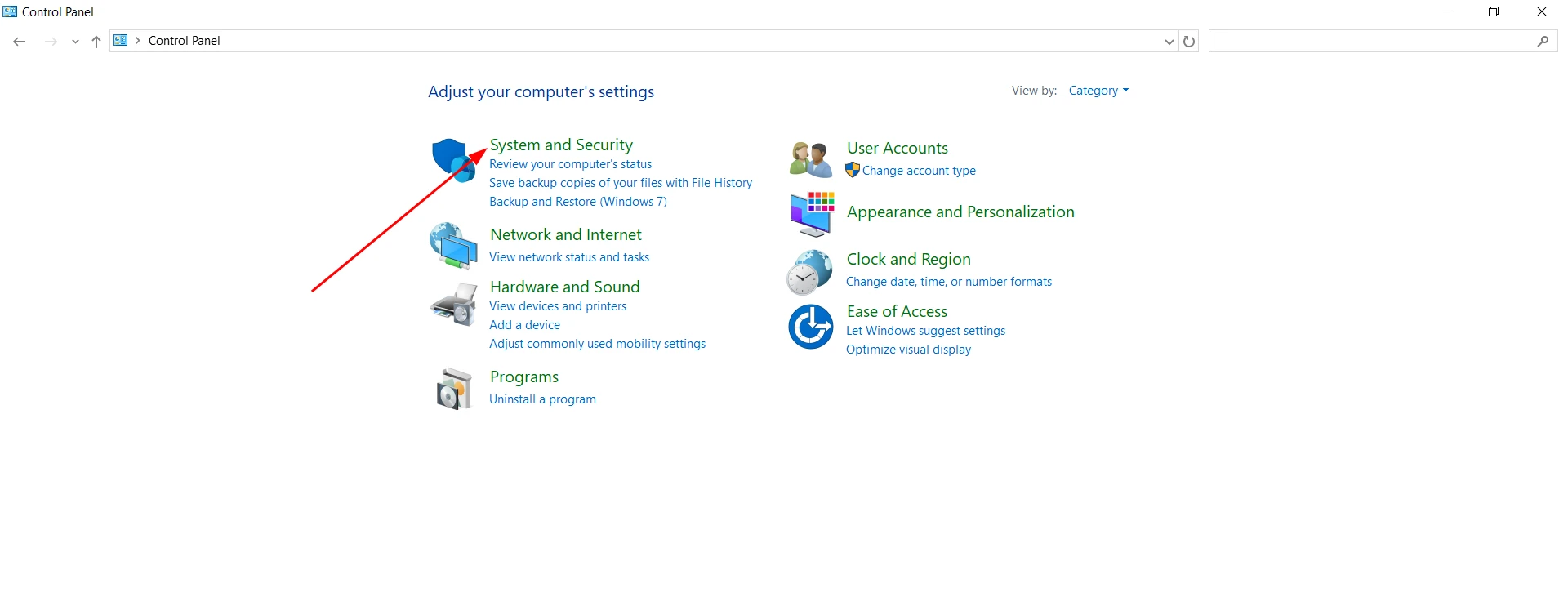
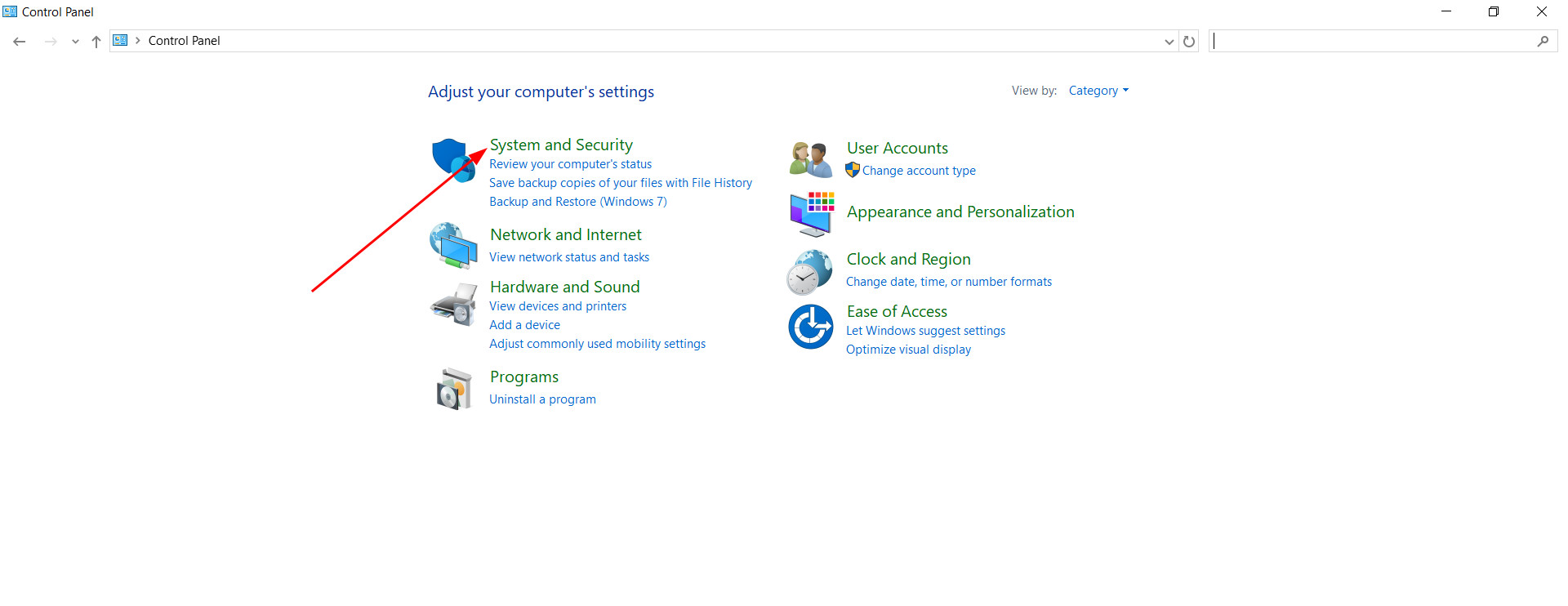
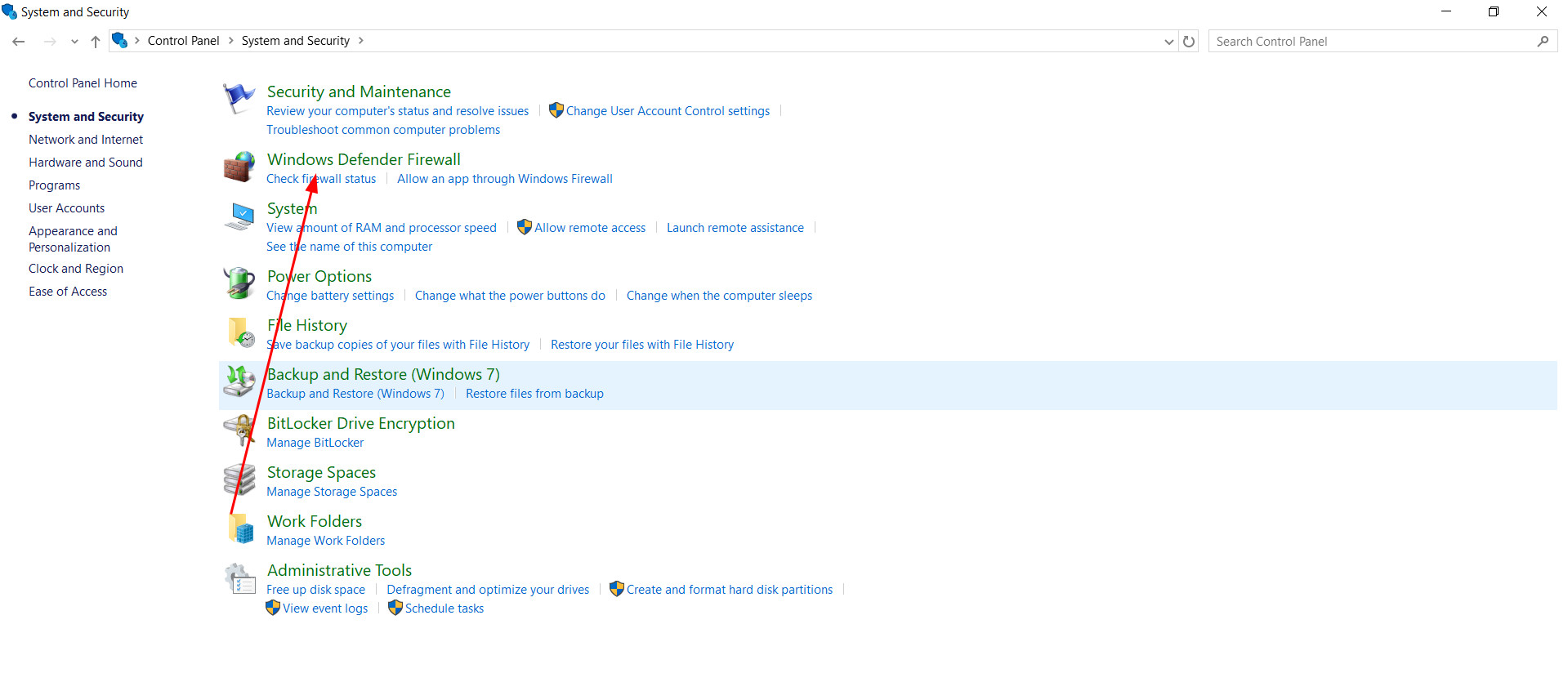
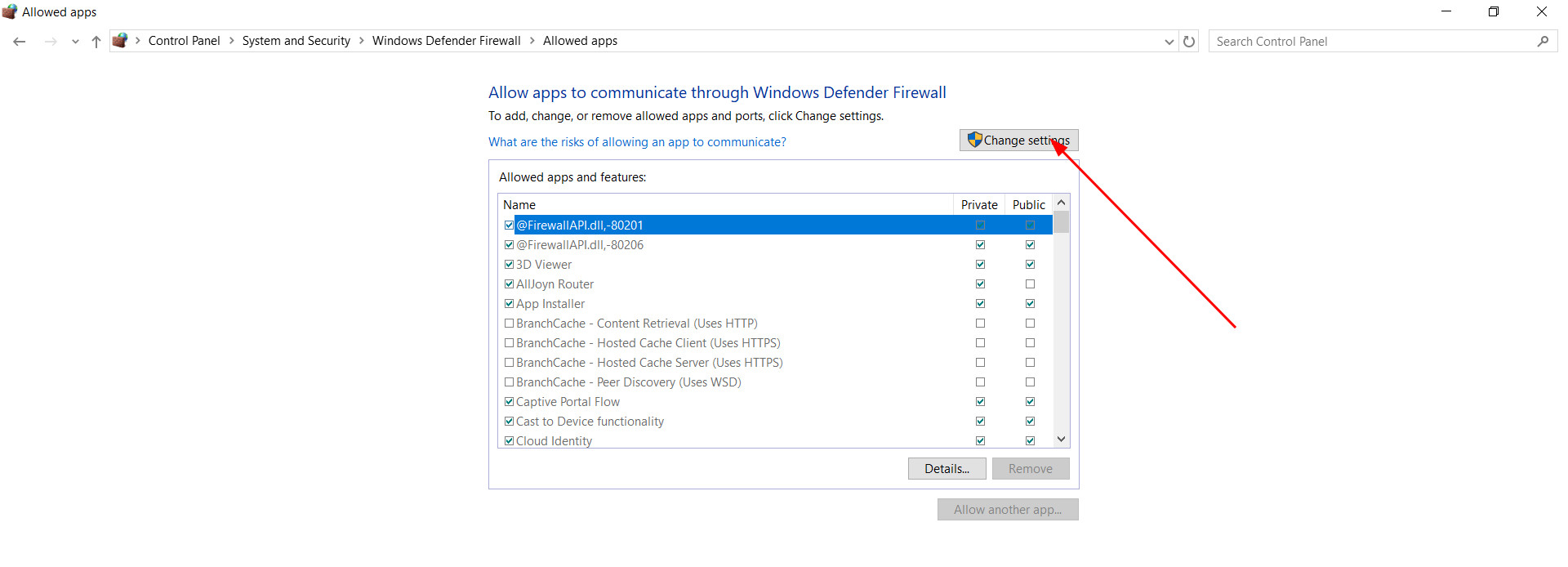
To do this, open «Control Panel» through the Windows search, go to the section «System and security», and then to «Firewall Windows Defender».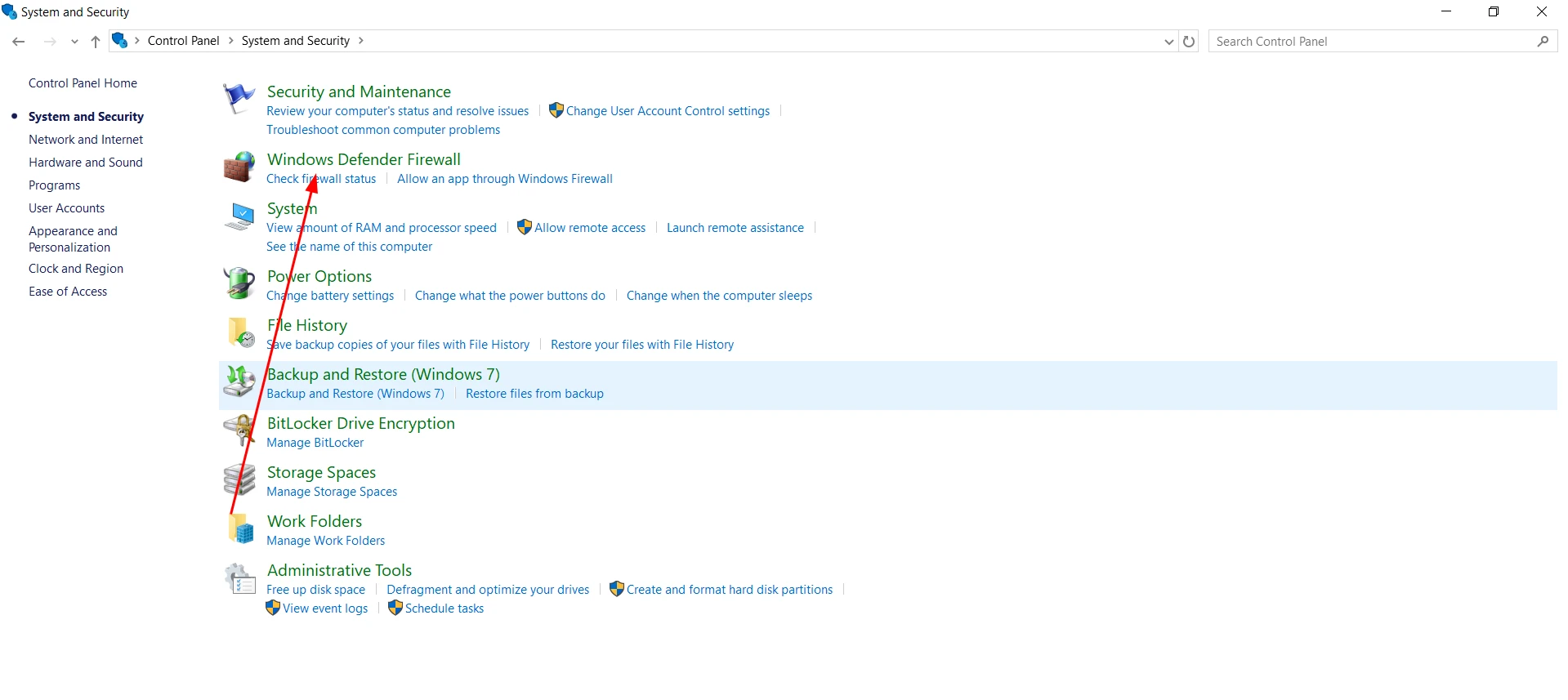
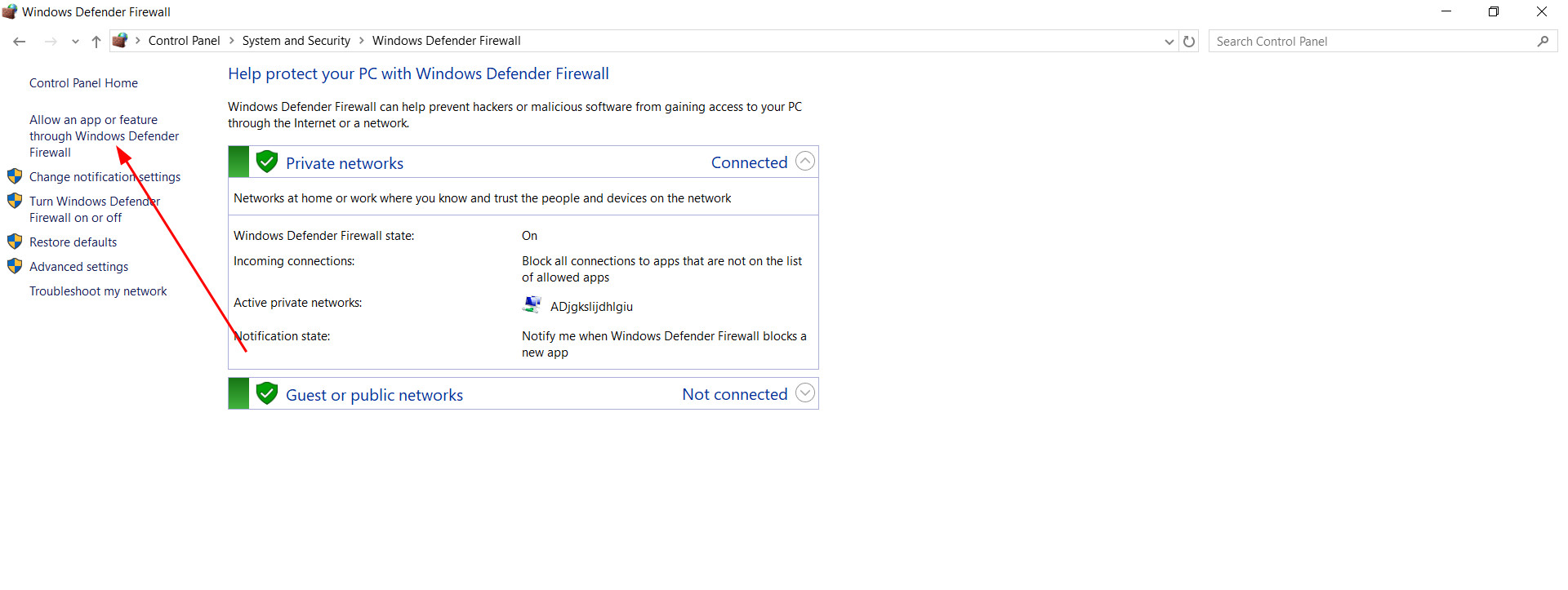
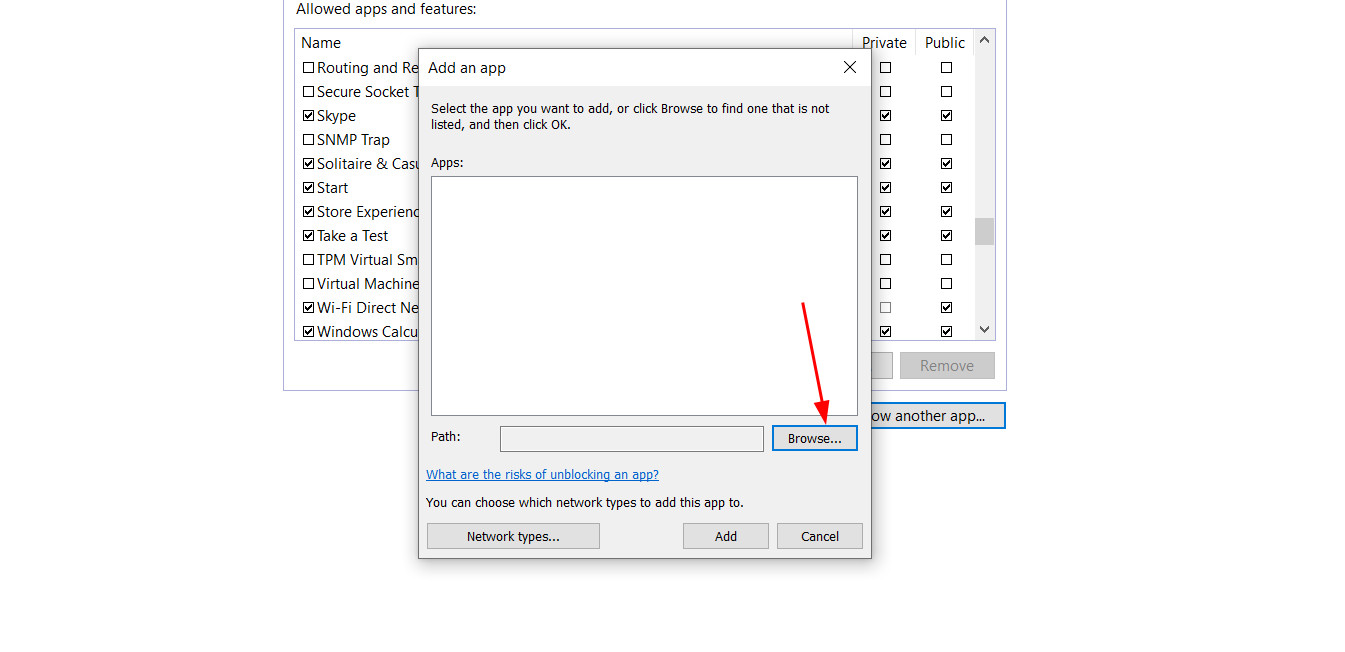
There we select «Allow an app or feature through Windows Defender Firewall», press «Change Settings» and add Farming Simulator 25 to the list.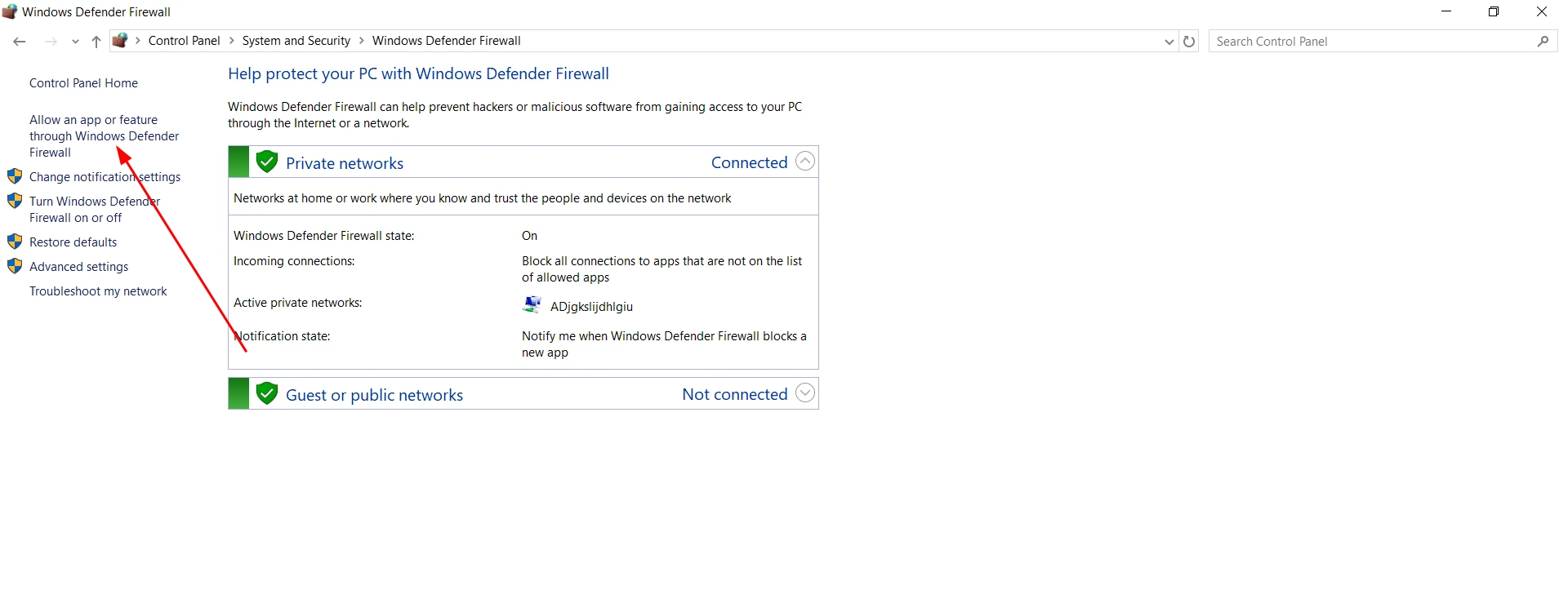
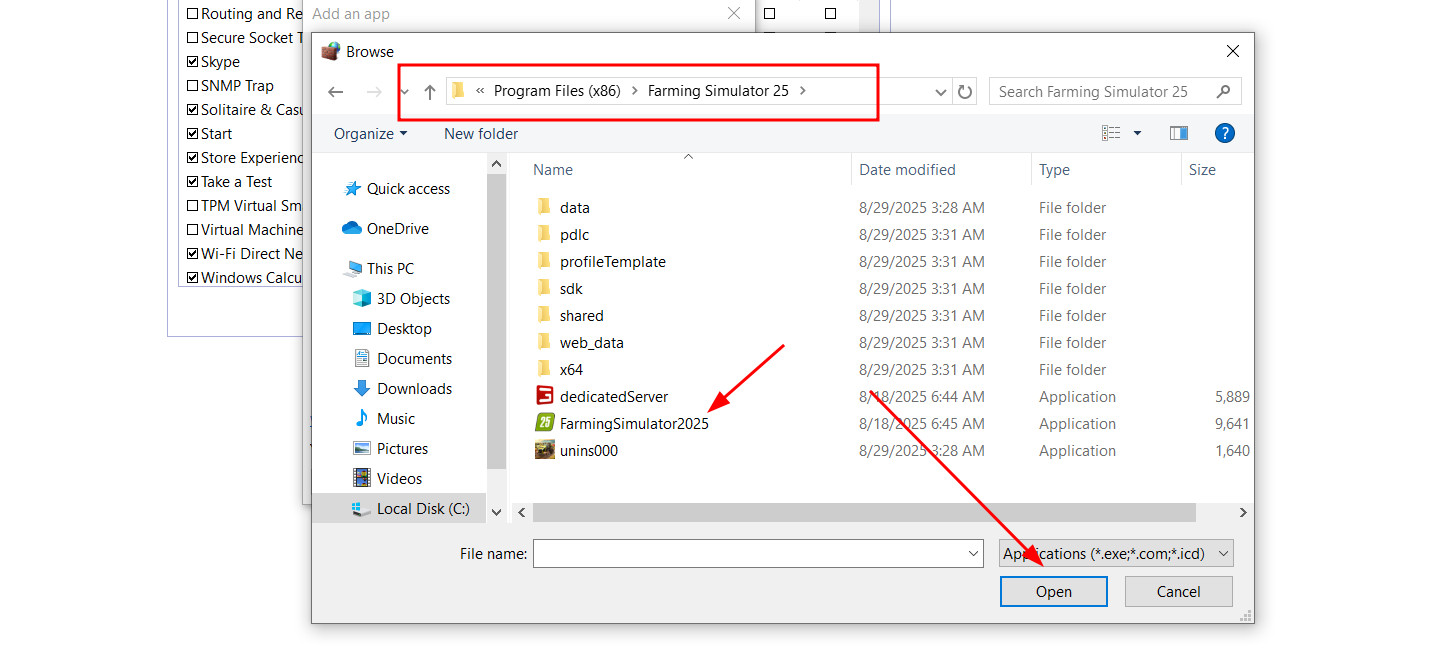
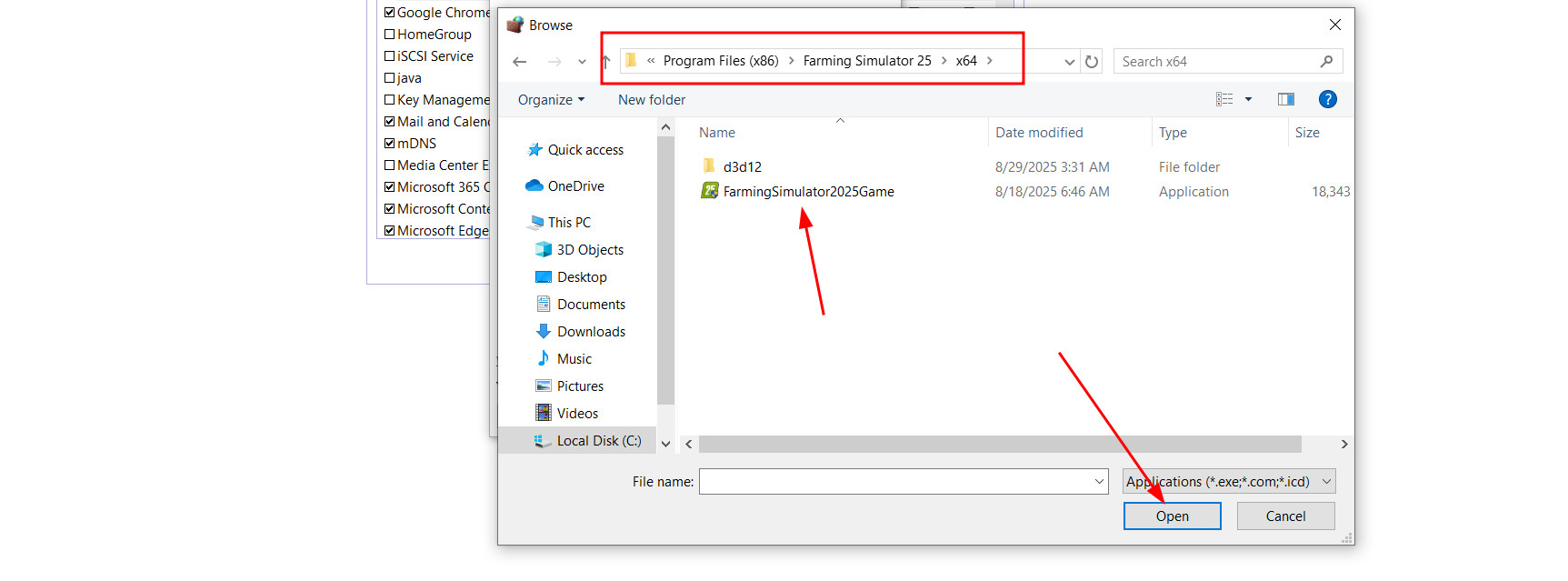
Here too, you need to select both exe files (from the main folder and from x64) so that the game can run without interruptions both offline and online.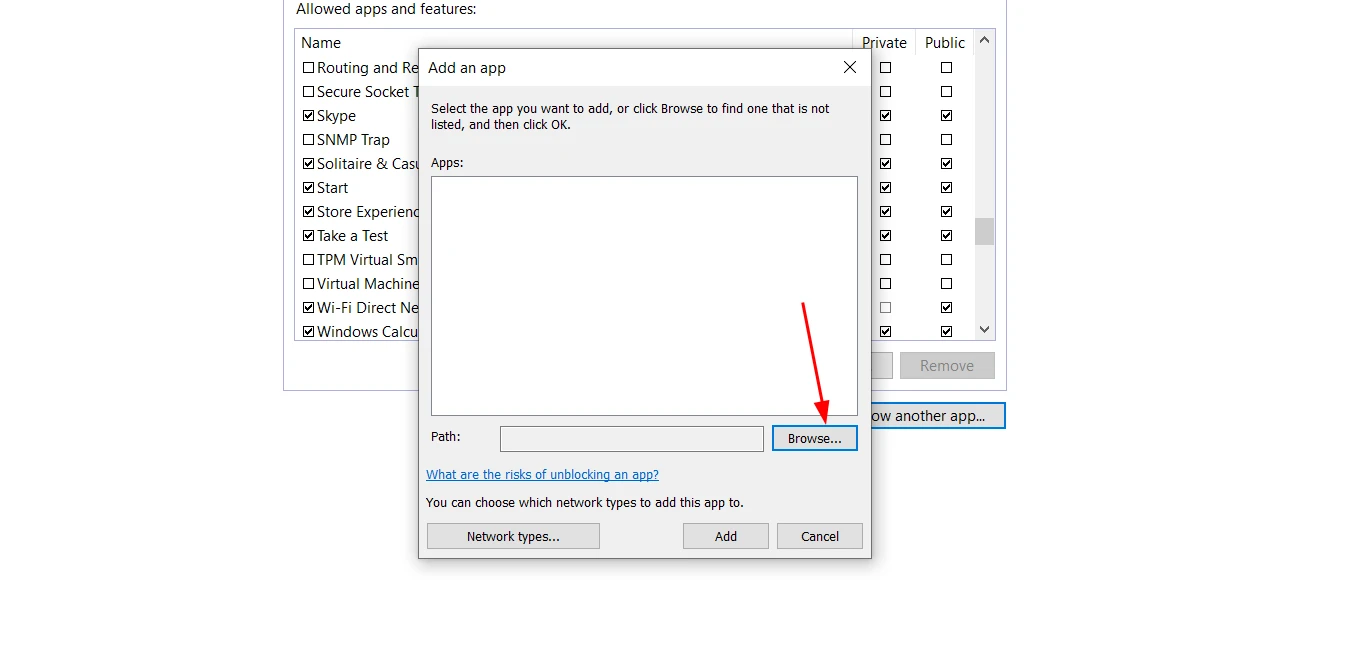
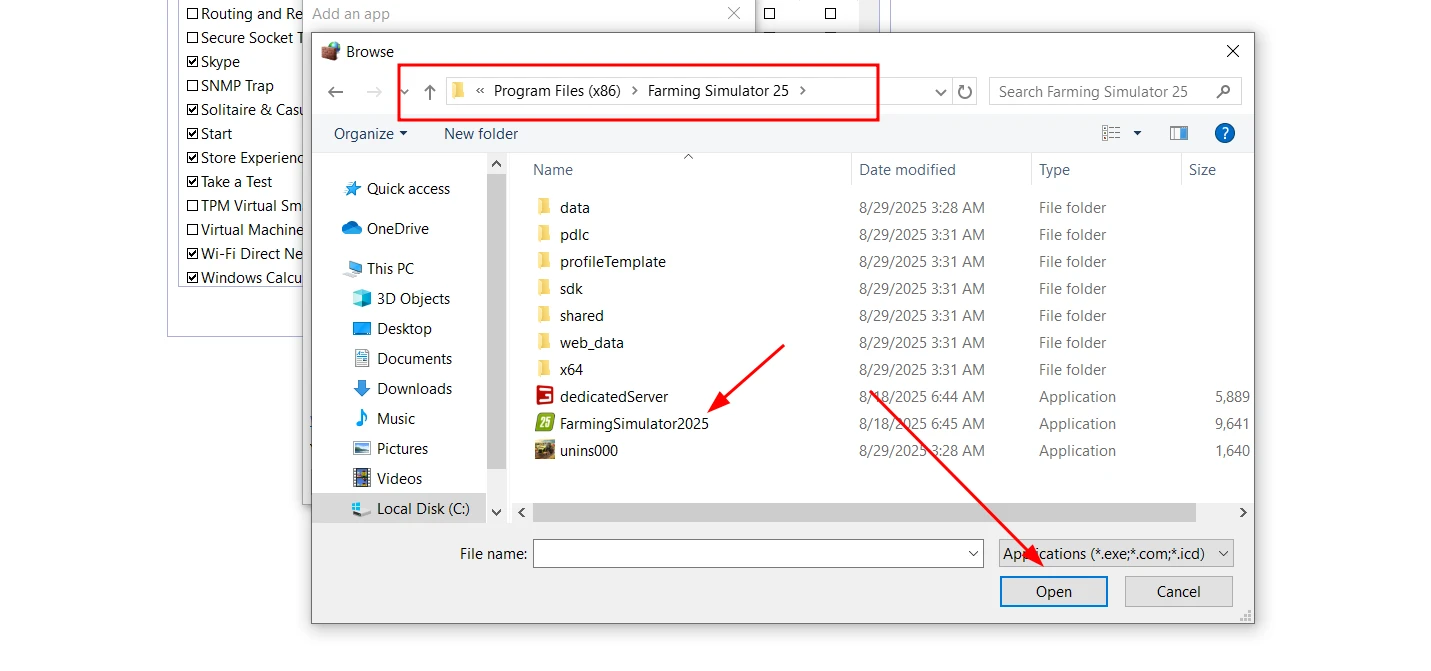
If you encounter an error when adding the FarmingSimulator25Game.exe file from the x64 folder at the address shown in the screenshot below, don't panic.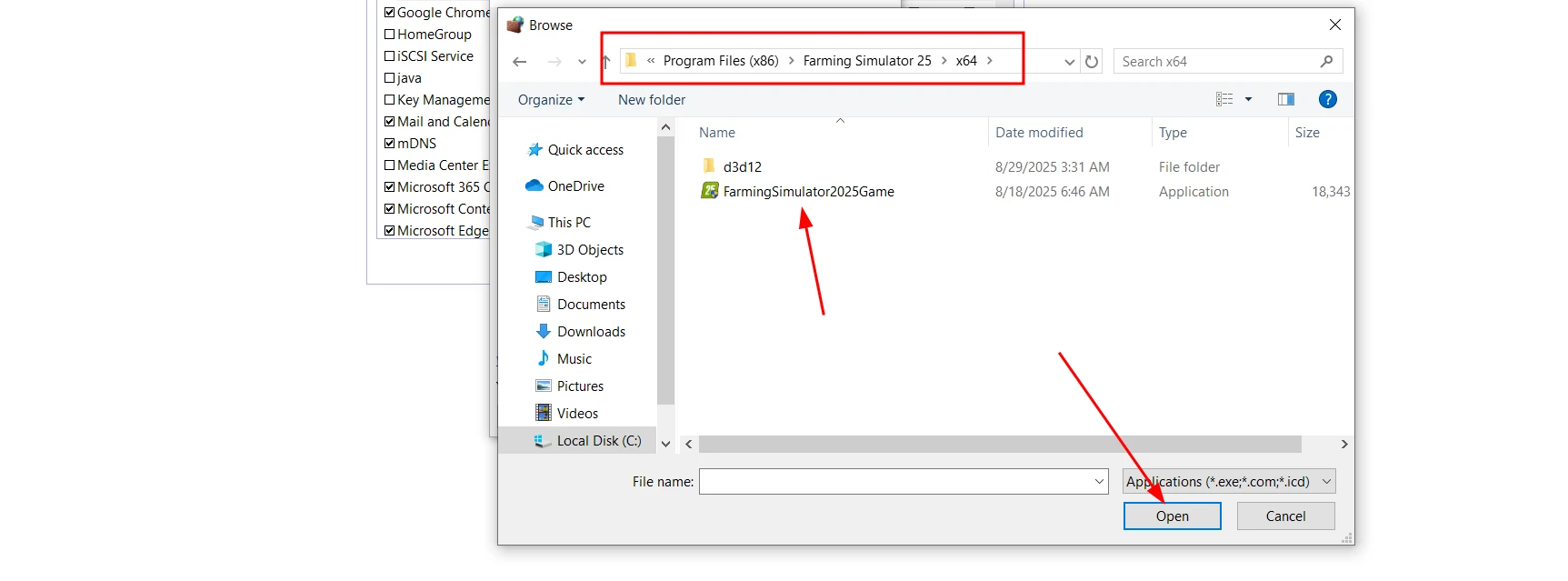
The error is normal, and the file will still be added to the list.
If you are using a third-party antivirus such as Avast, Norton, McAfee or Bitdefender, the steps will be similar: open the antivirus settings, find the exception section and add Farming Simulator 25 files to it. After this, the program will stop blocking the game and the «Can’t Read Profile Path» error will disappear.
Hinzugefügt von