How to Use GPS (Steering Assist) for Efficient Farming in FS25
-lg_modland.jpg)
The FS25 has a powerful field automation system that can be used to your advantage. GPS or Steering Assist is a powerful tool that allows you to accurately guide your equipment across the field without having to manually adjust the direction.
This system is useful for sowing, harvesting, baling, using forage trailers, and more. Let's take a closer look at how this system works.
GPS activation: basic settings
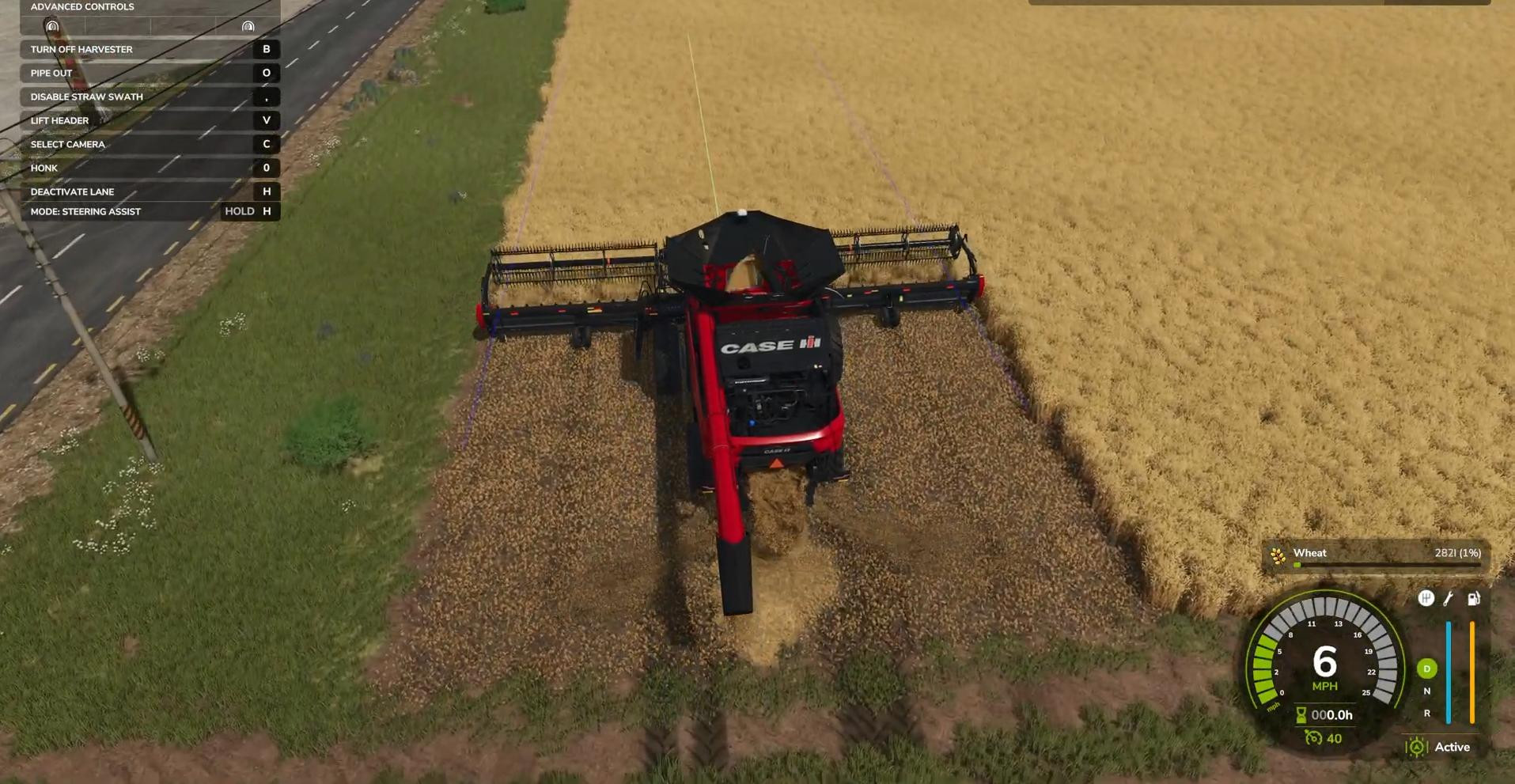
To turn on GPS, you need to be in the machine and hold down the H key (or the corresponding button on the console) to open the assistant menu.
Next, select Steering Assist mode instead of AI Worker and confirm your selection. Only then will you be able to work in GPS mode.
The machine must be close enough to the field for the navigation system to recognize the area. If the tractor or combine is far from the field, the GPS may not be able to see the land to be worked.
Setting the working width and offsets
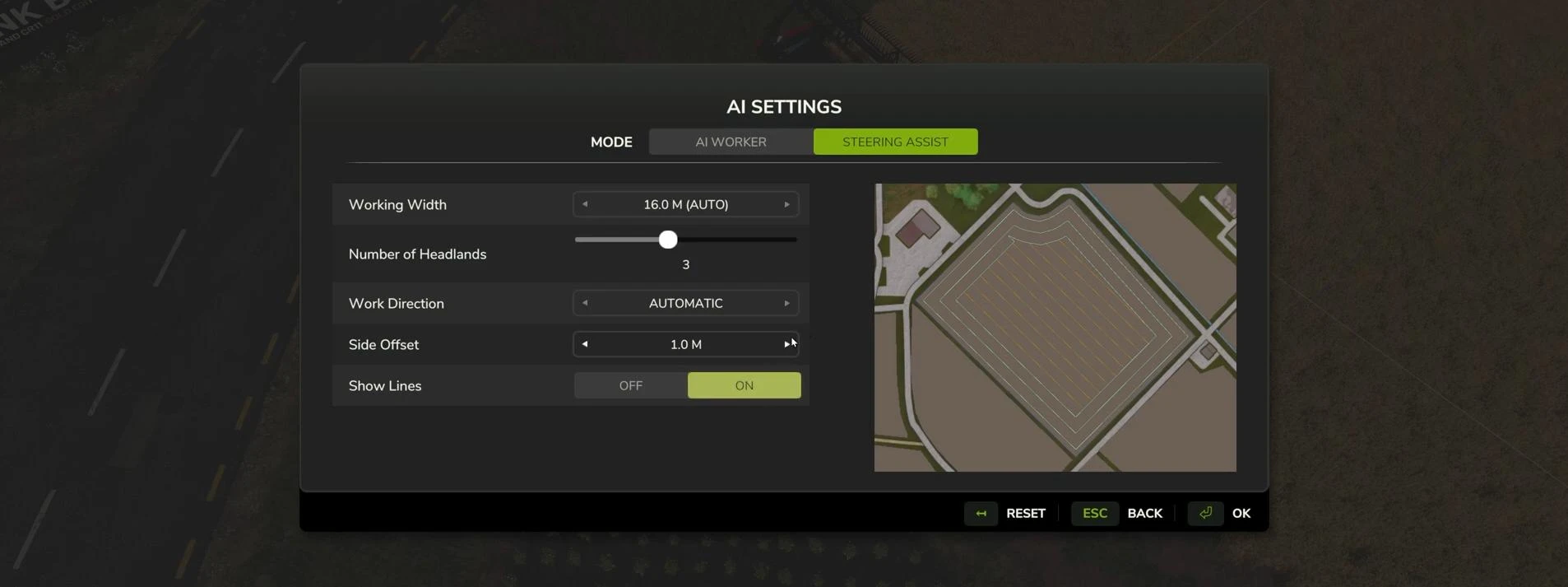
Once the GPS has identified the field, you can start configuring it.
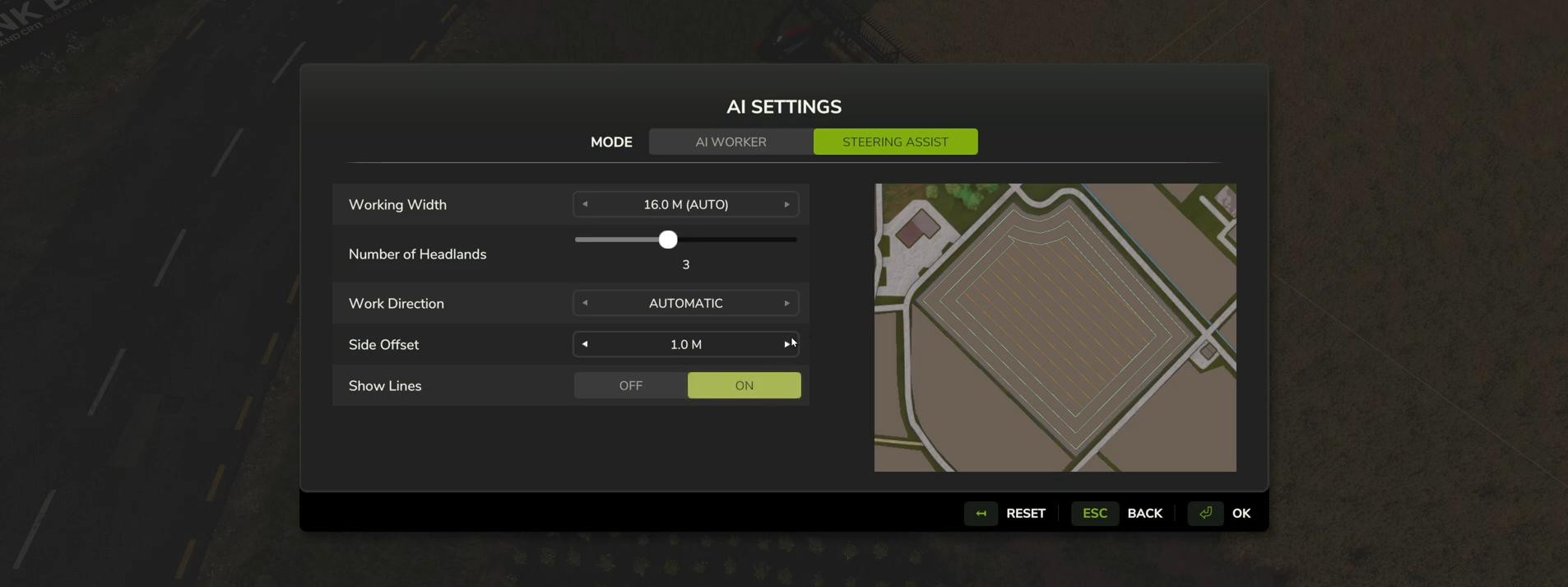
In the GPS configuration interface, you can set:
- Working Width — specify the working width of your equipment. For example, if you have just harvested with a 16-meter-wide harvester, enter this value to harvest the entire strip.
- Headlands — the number of circles at the edges of the field before the GPS starts straight-line processing. This is convenient so that the equipment does not hit trees or buildings at the edge of the field.
- Work Direction. Select the processing direction — automatic or manually specified angle (e.g., 0°, 90°, 45°, etc.).
- Show Lines — turns on or off the display of GPS guide lines on the field.
- Offset — you can manually shift the working line to the left or right if you need to adjust the route.
You can also enable/disable visual route lines. This does not affect the operation, but helps you visually control the course.
Line guidance: how it works
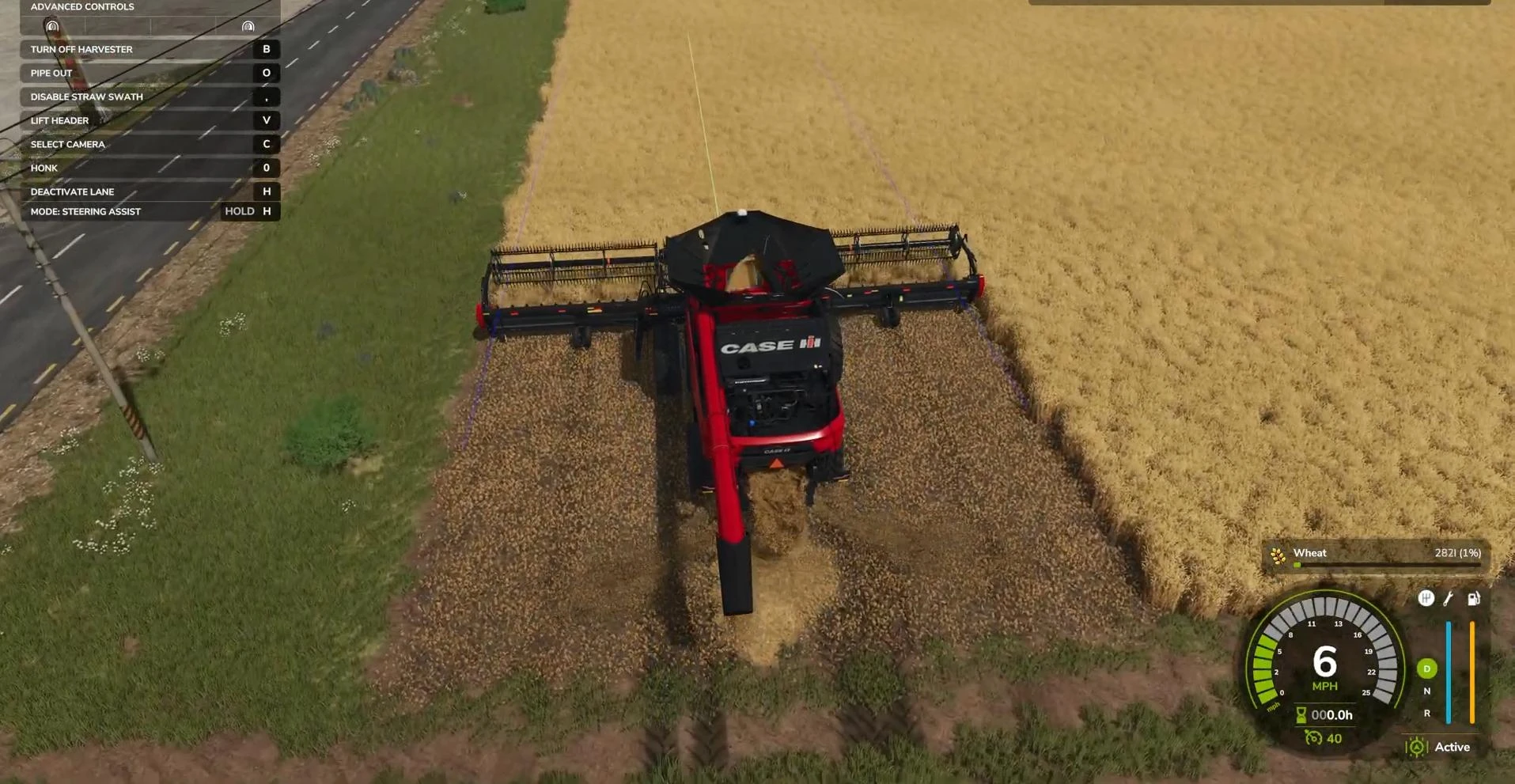
Once you have configured the settings, simply press H to activate the line and enable cruise control (usually key 3 on a PC).
After that, the machine will move precisely along the set route, and all you have to do is turn the equipment on and off (harvester, baler, trailer, etc.).
If you accidentally deviate from the route, for example, by turning the steering wheel or starting to reverse, the system will exit GPS mode.
To return, simply press H again, and the machine will automatically correct its course, even on curved lines and turns.
Using GPS for swath collection and baling
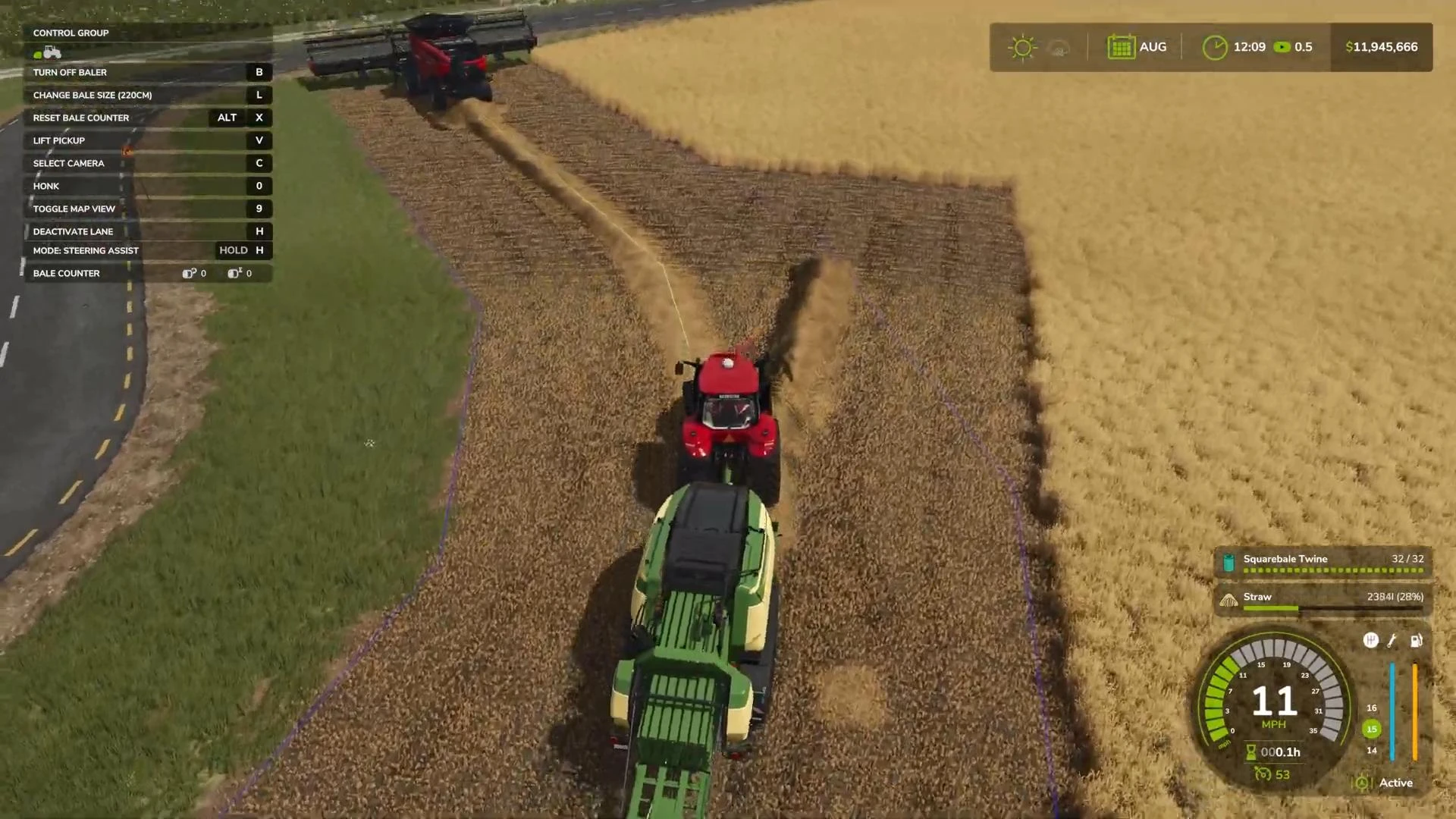
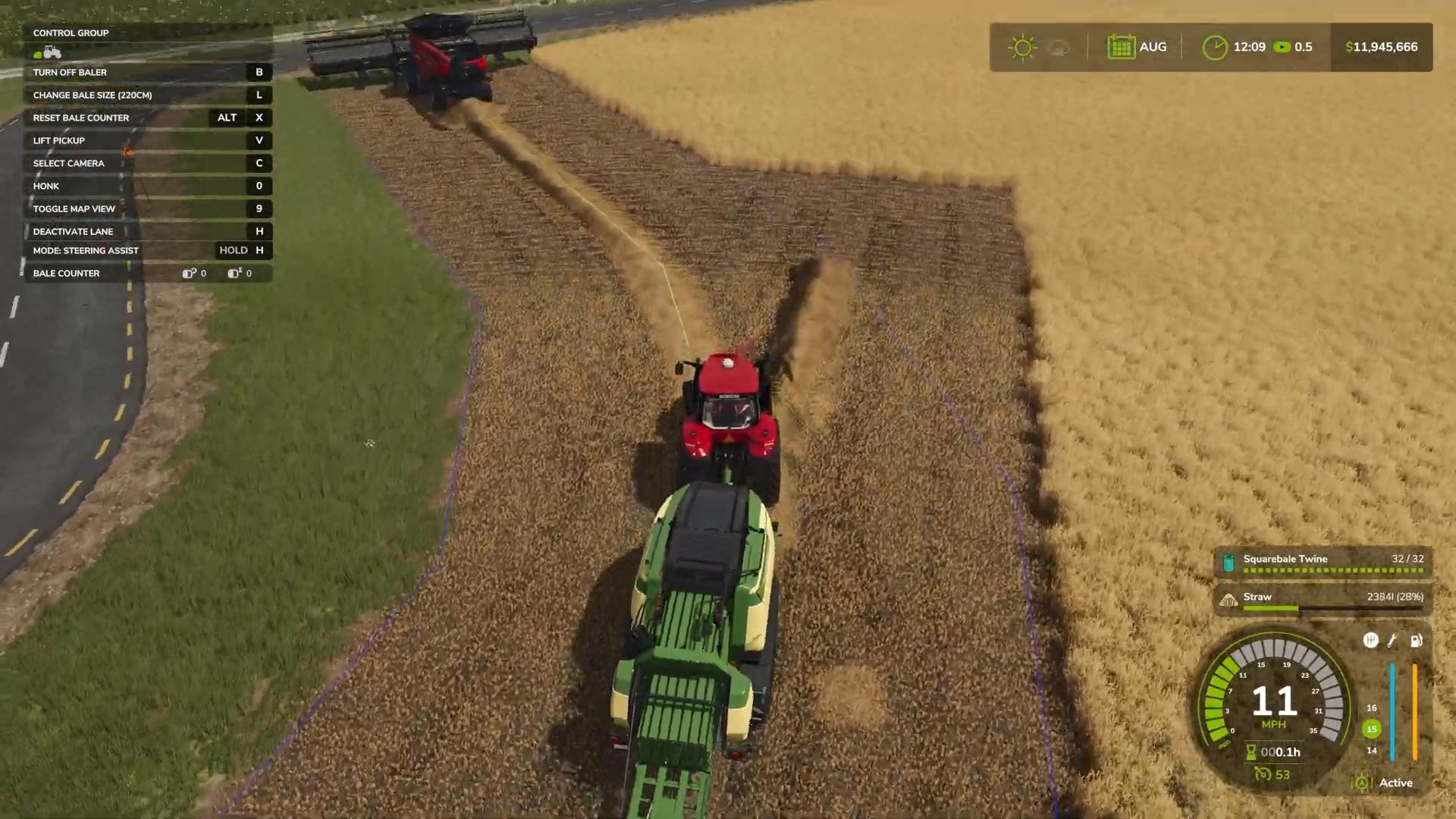
If you have harvested your crop leaving swaths, GPS will help you guide your machine accurately along these strips.
Set the same width as the harvester that harvested the crop and activate GPS as described above. As a result, the baler or trailer will move exactly in the center of the swath, minimizing losses.
Important: if the turn is too sharp, the system may reset the route. In this case, it is worth reducing the speed in advance or manually adjusting the turning angle.
After a couple of starts, you will quickly get the hang of it and be able to confidently use GPS for any task.
Videos
Hinzugefügt von