Season Setting in FS25: Detailed instructions
 (1)-lg_modland.jpg)
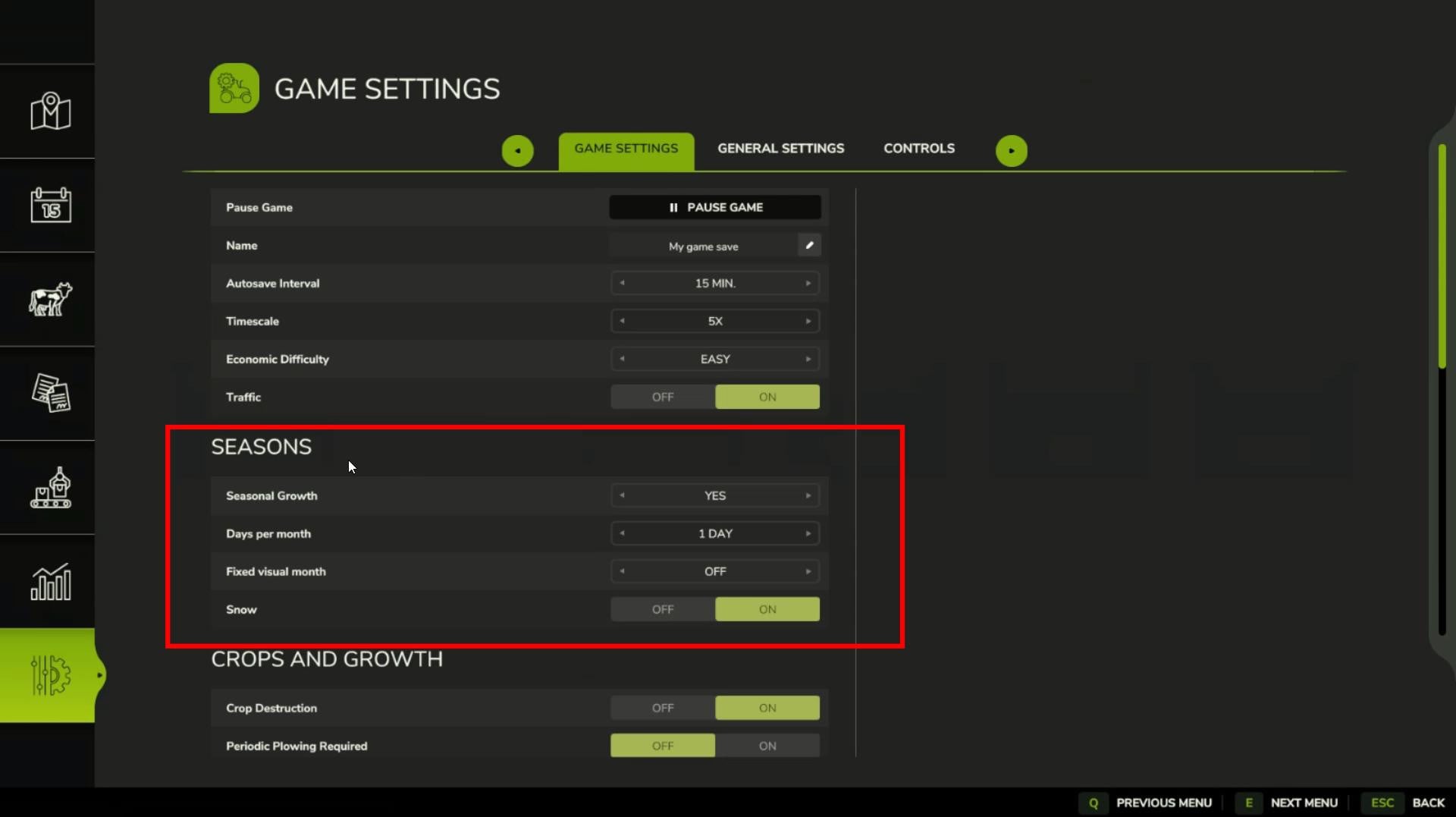
Seasons in FS25 have undergone some changes and are better than in the previous version of the game. They add more realism and, as a result, make the game more exciting.
However, not everyone likes them, so let's find out how to enable or disable seasons in Farming Simulator 25.
Disabling seasons is done through the settings menu, where you can also customize them in more detail. Let's take a step-by-step look at all the possibilities of managing the seasons in the game.
Start the game and open the settings
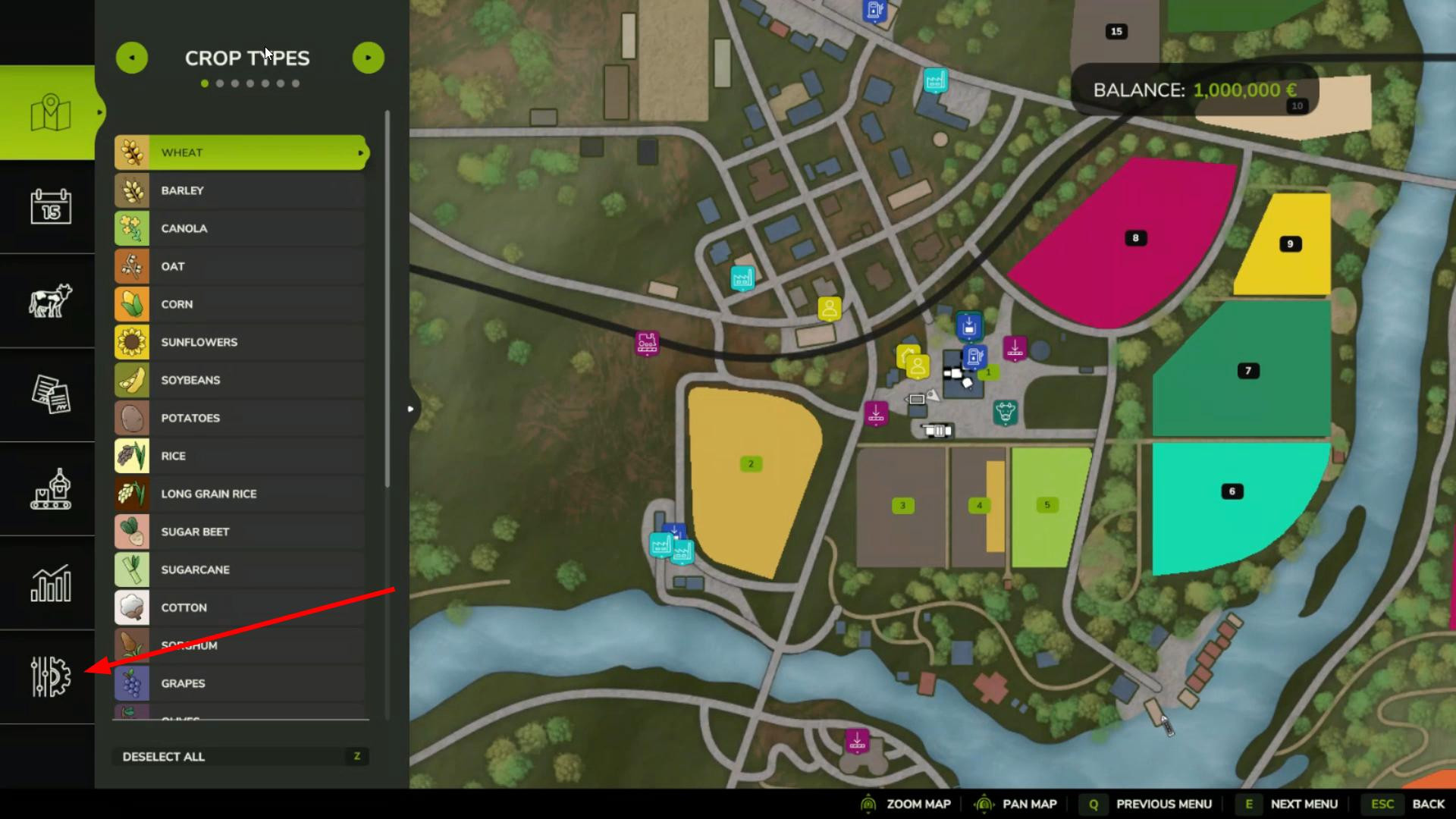
1. First step - start the game and load the map. Then press the ESC key (on consoles use the corresponding button). The main menu of the game will open.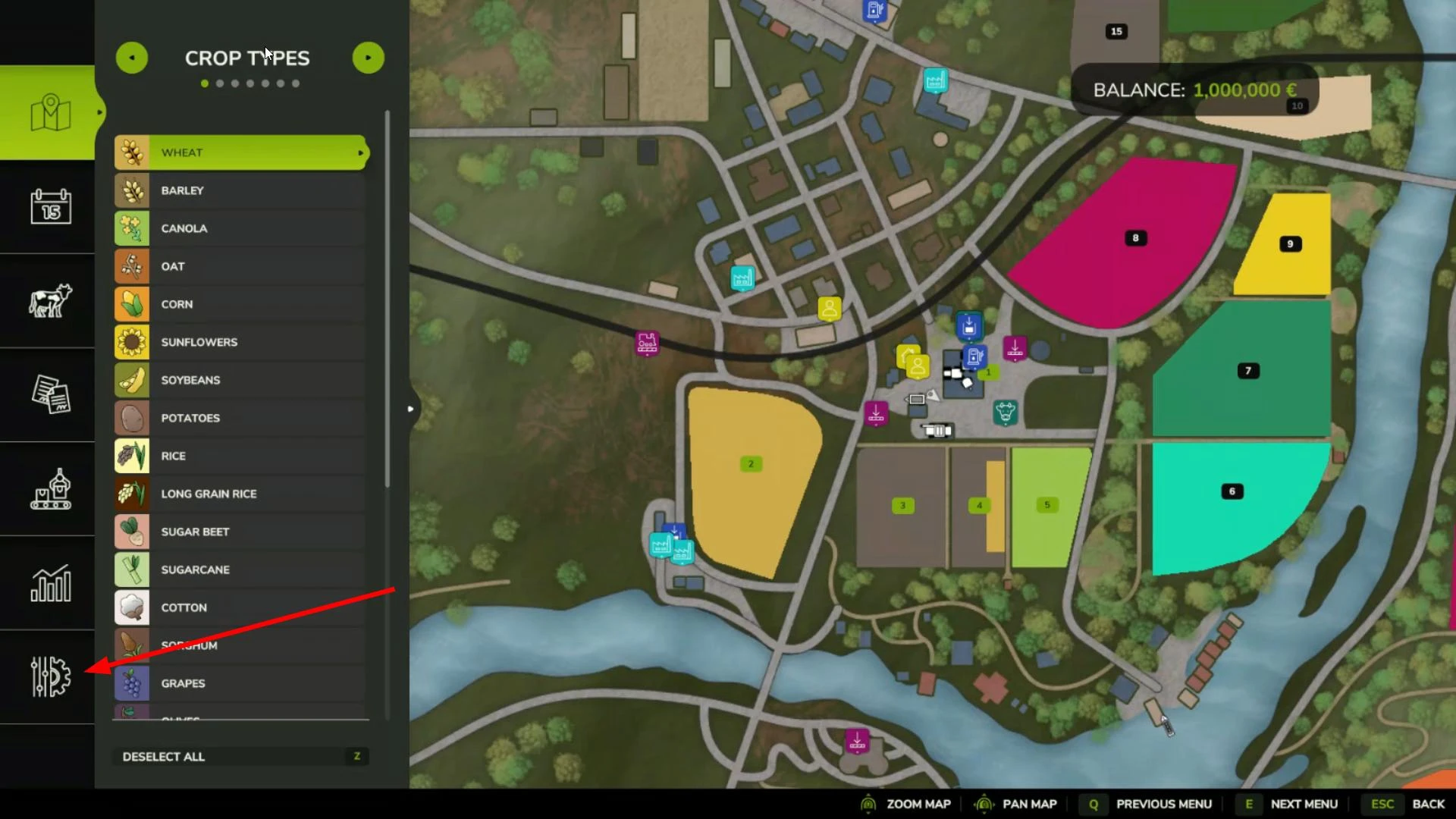
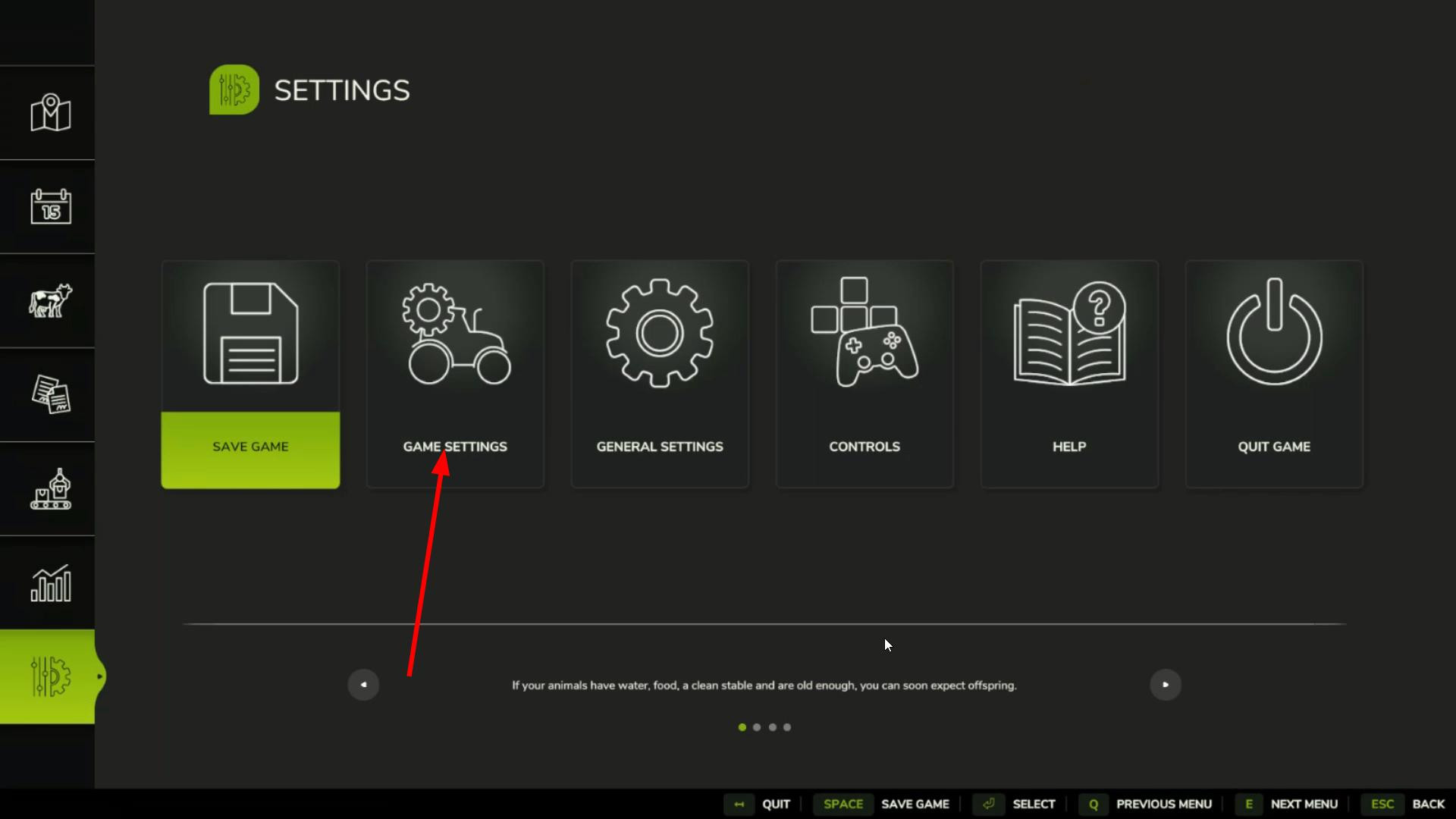
2. In the menu, go to the Game Settings section. To do this, select the lowest icon in the menu on the left.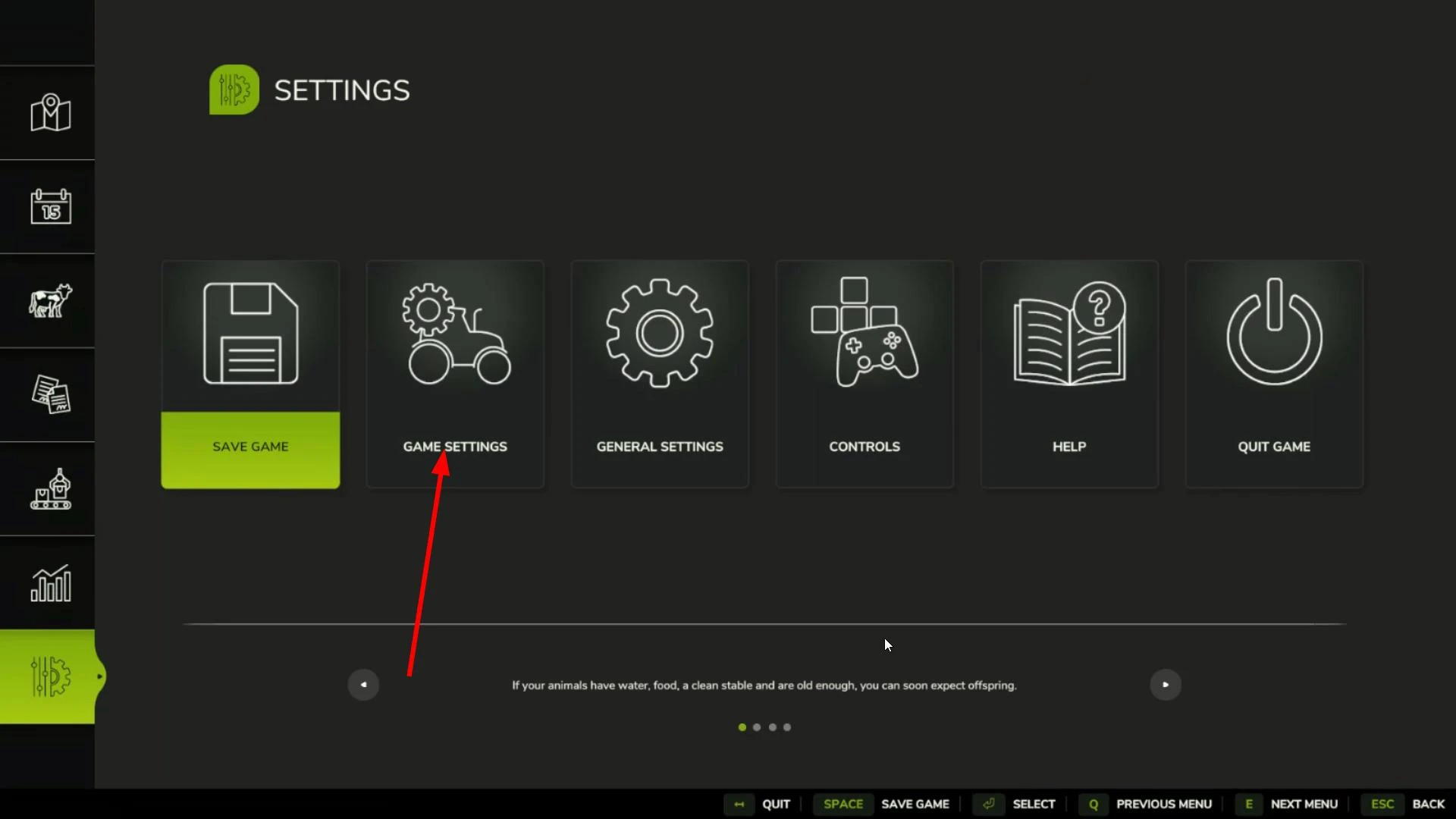
3. In the Game Settings section, find the Seasons item. This is where the seasons are managed.
How to disable seasons
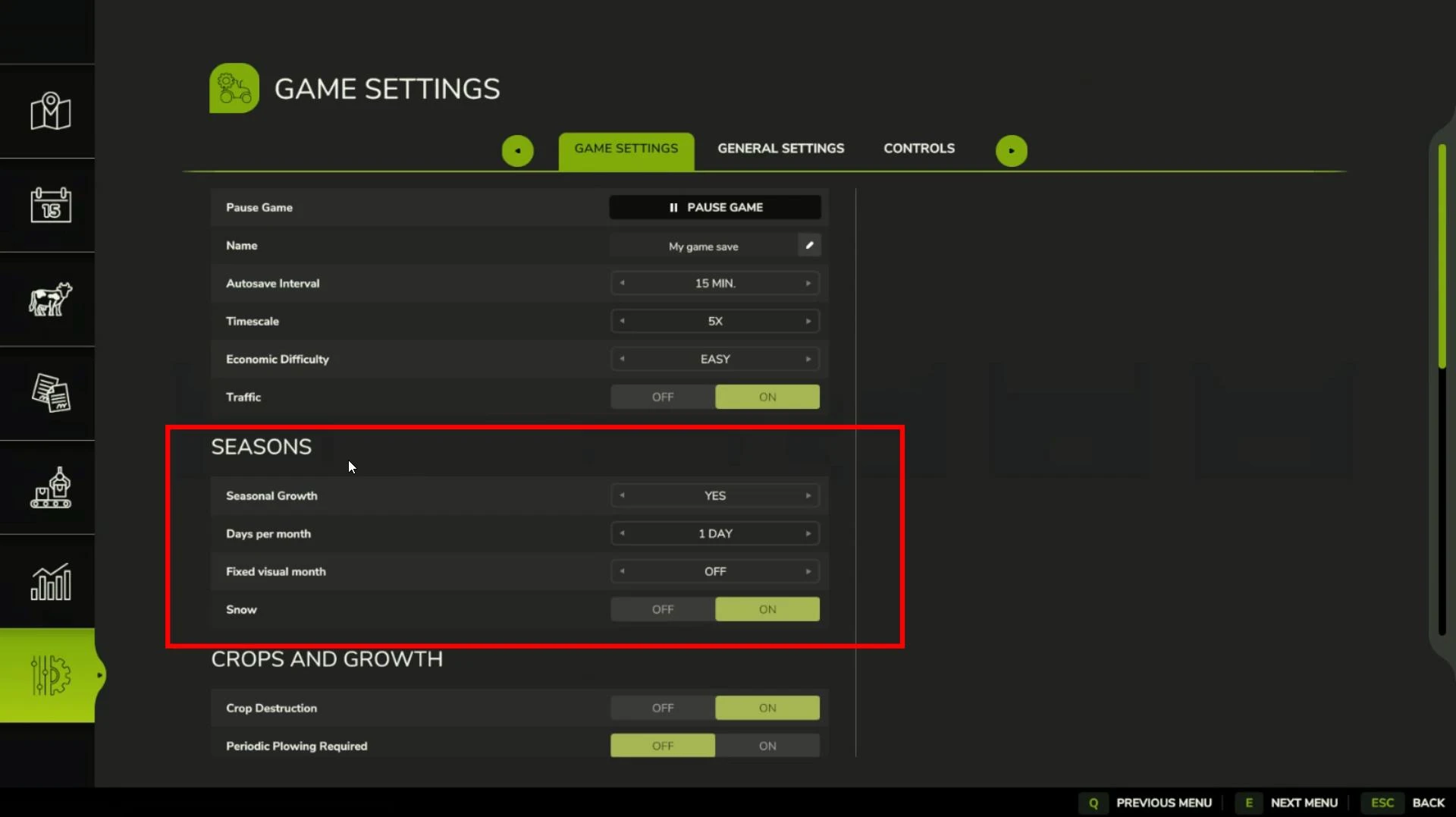
Seasonal Growth. This setting is responsible for enabling or disabling seasons in FS25. By default, seasons are enabled. To disable the seasonal calendar, toggle the slider to No.
Important: If you already have crops planted, the changes will only take effect after the current crop growth cycle is complete.
Days Per Month. Here you can customize how many game days a month will last. The changes will take effect after the end of the current season.
Fixed Visual Month. This option determines whether the game will display the same month all the time. If you want the months to change dynamically, disable this setting.
Snow. This function activates snowfall in Farming Simulator 25. If you enable this setting, snow will accumulate and can be removed with special equipment or a regular shovel.
That's it! Now you know how to customize or disable the seasons feature. We hope this material was useful to you. If so, don't forget to leave your feedback!
Hinzugefügt von