Overview of the Price Menu in Farming Simulator 25
 (1) (1)-lg_modland.jpg)
Every farmer in Farming Simulator 25 sooner or later faces the following questions: When to sell crops to maximize profit? Which products bring the most income? How to determine the best price on the market? That's why there is a price menu in the game, but it's not always easy for a beginner to understand it.
This guide will help you understand how the pricing system works, how to find the best prices for agricultural goods, as well as how to track the cost of equipment, finances and statistics of the farm.
How the price menu works
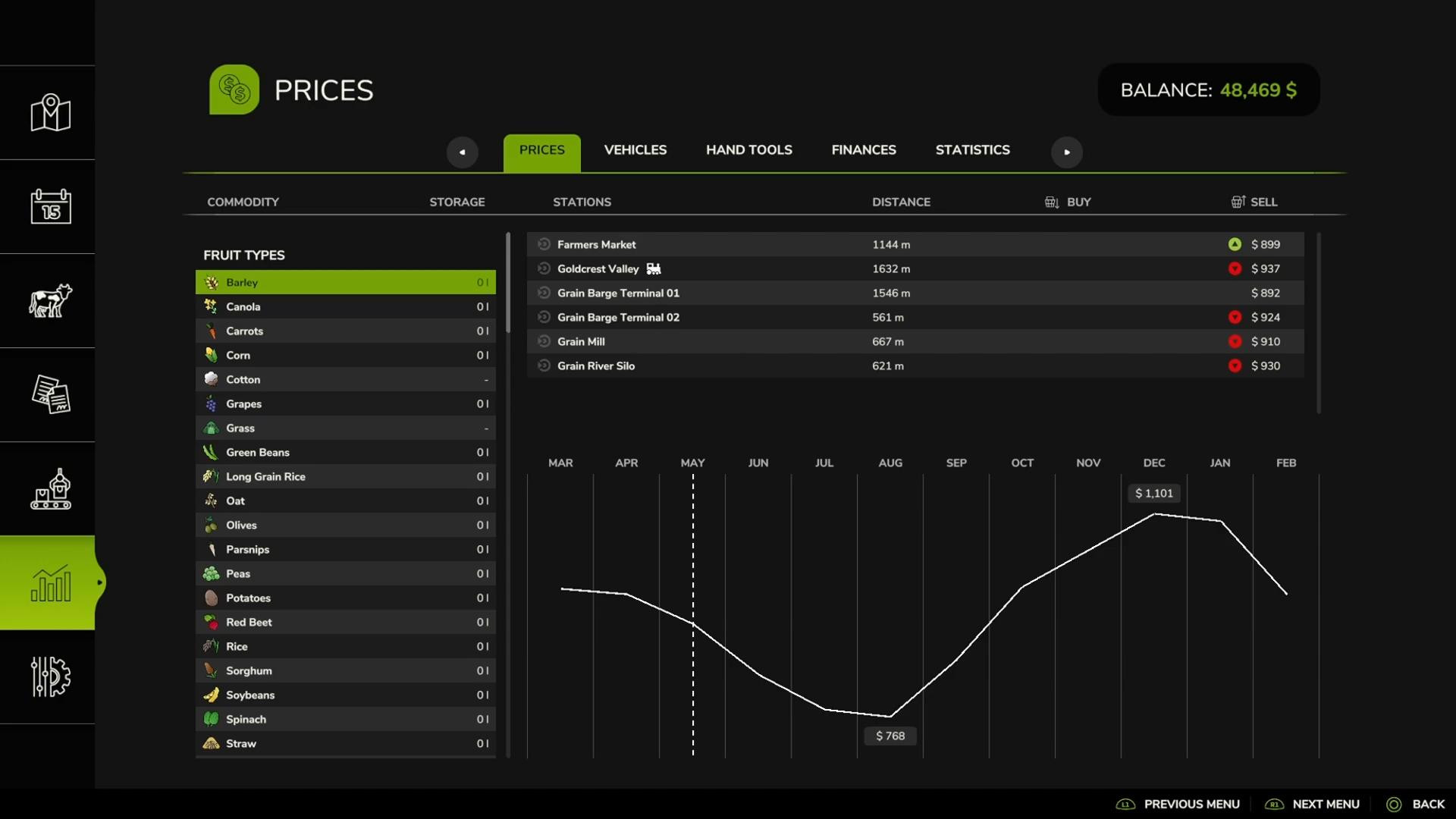
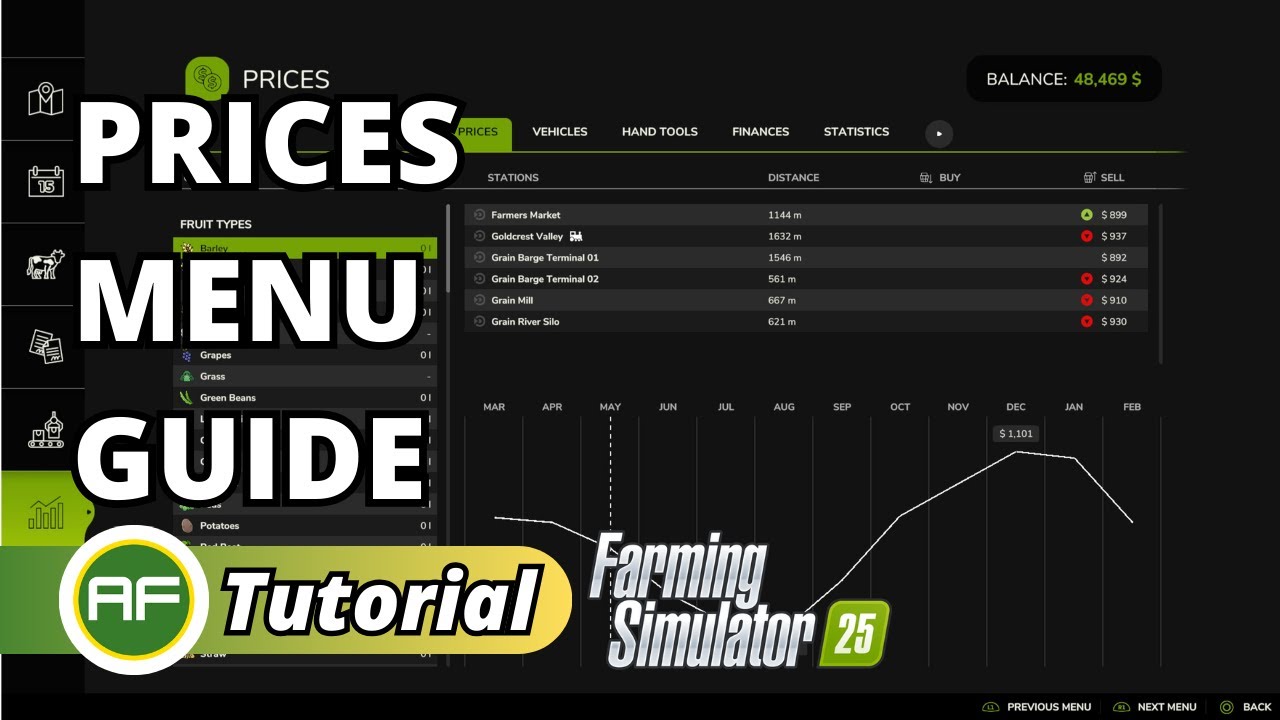
The price menu can be accessed in the game interface, where it is represented by several tabs. The first of them is the main price menu, which contains data about all the goods available in the game.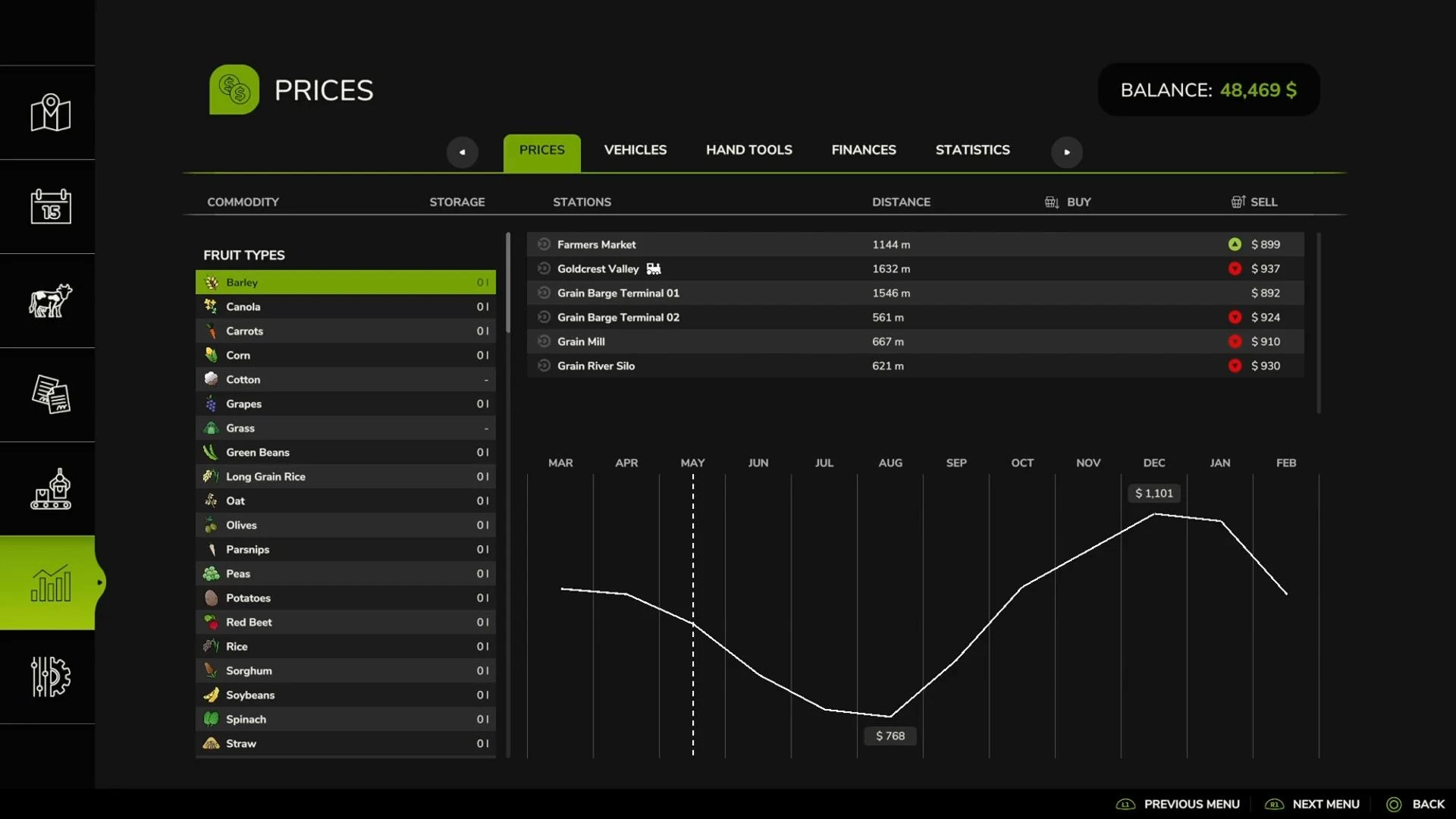
The list is divided into two parts:
1. Crops (e.g. wheat, corn, canola) come first and are sorted alphabetically.
2. Manufactured goods (bread, oil, cloth, wooden pallets) go in the second half of the list, also in alphabetical order.
In each of these sections you can see:
The minimum and maximum price for a particular period (for example, wheat might cost $768 in August and $1,111 in December).
Price dynamics, which helps you understand when to sell a particular product.
A list of pickup points where you can sell the product and the current prices at each market.
If you choose clothing, for example, you can see that its price can range from $9,839 in September to $32,799 in May. This means that selling it in May will yield a much higher profit.
How to choose the best selling point
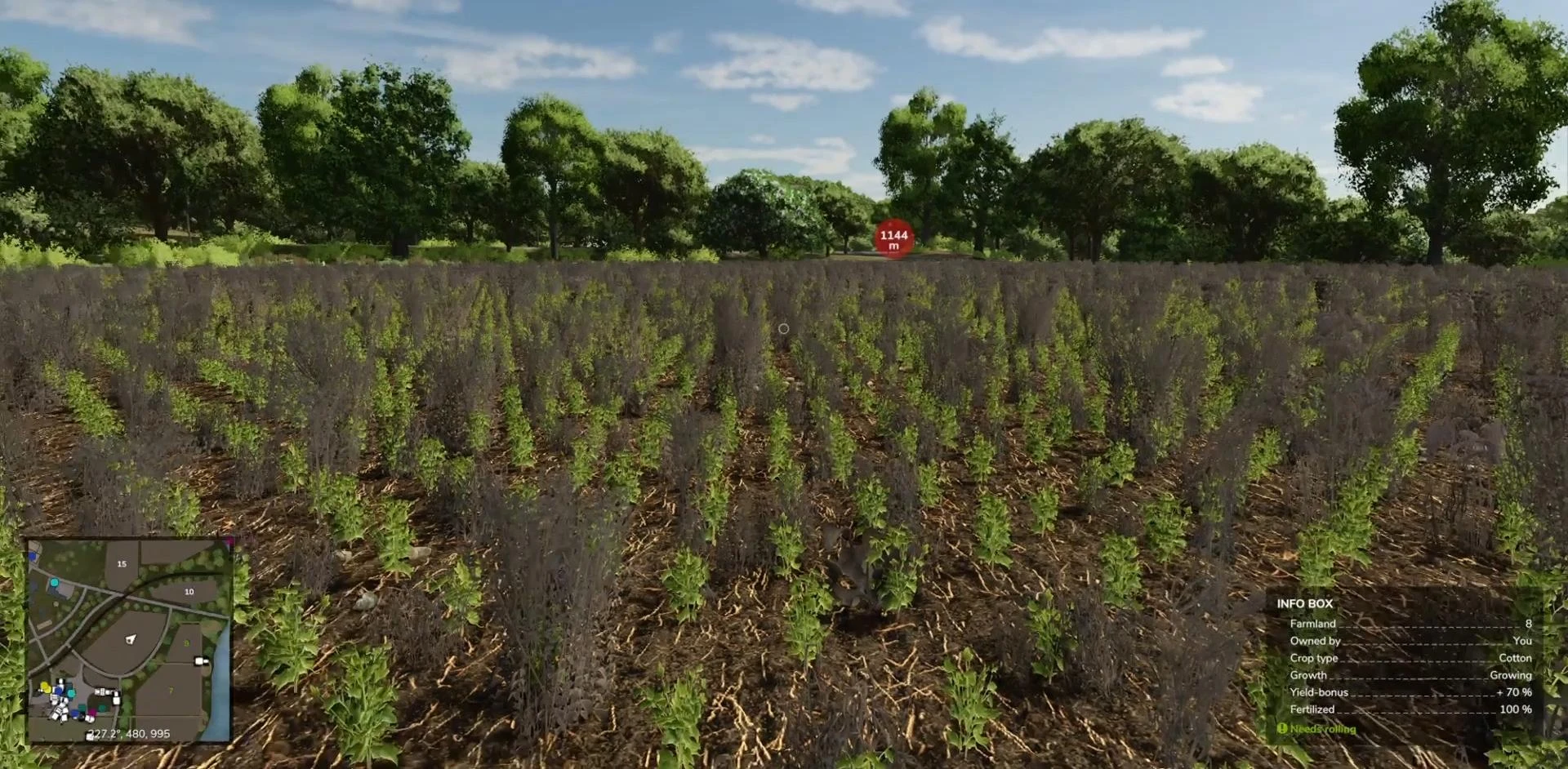
Sometimes the same item can be sold in different places, but the price will be different everywhere. To choose the best location, you can switch between outlets in the price menu and compare prices.
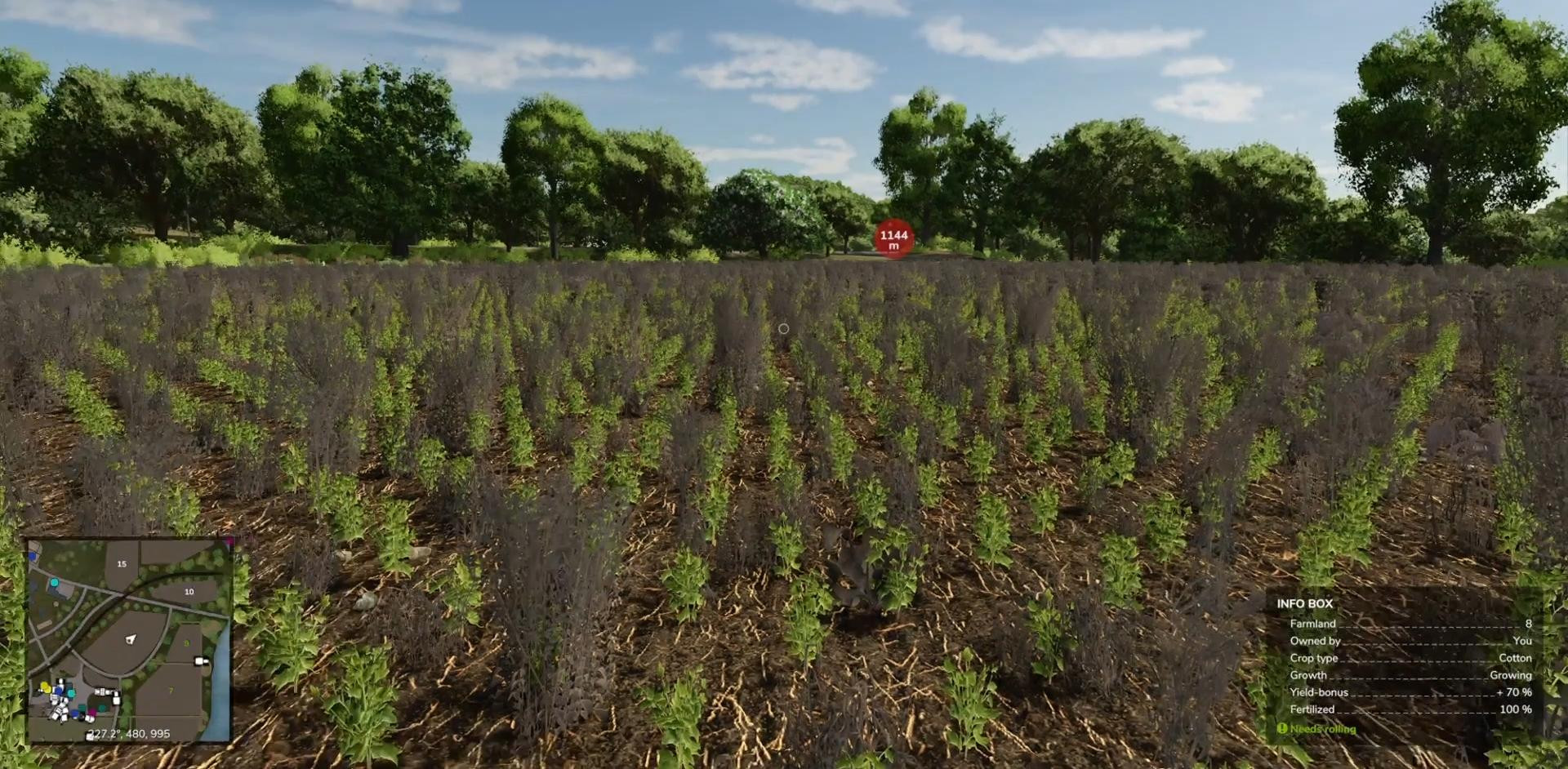
If you want to quickly find a specific point of sale, you can use the “Mark a place” function. A red flashing marker with the distance to the point of sale will then appear on the map.
This marker is also displayed in the extended game map. If you open the map, you can see that the selected item is marked with a purple icon near the box, which makes navigation much easier.
Additional menu tabs
In addition to prices, there are several useful tabs in this section of the game that will help you manage your farm:
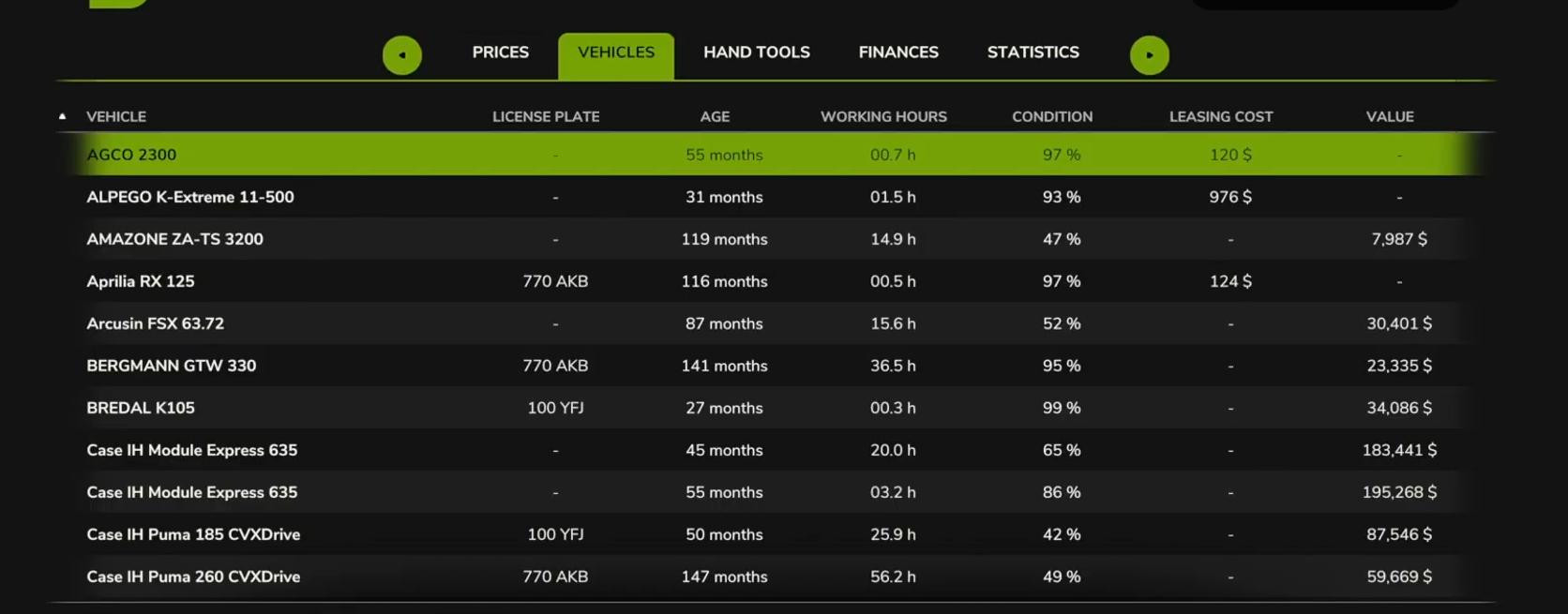
1. Vehicles
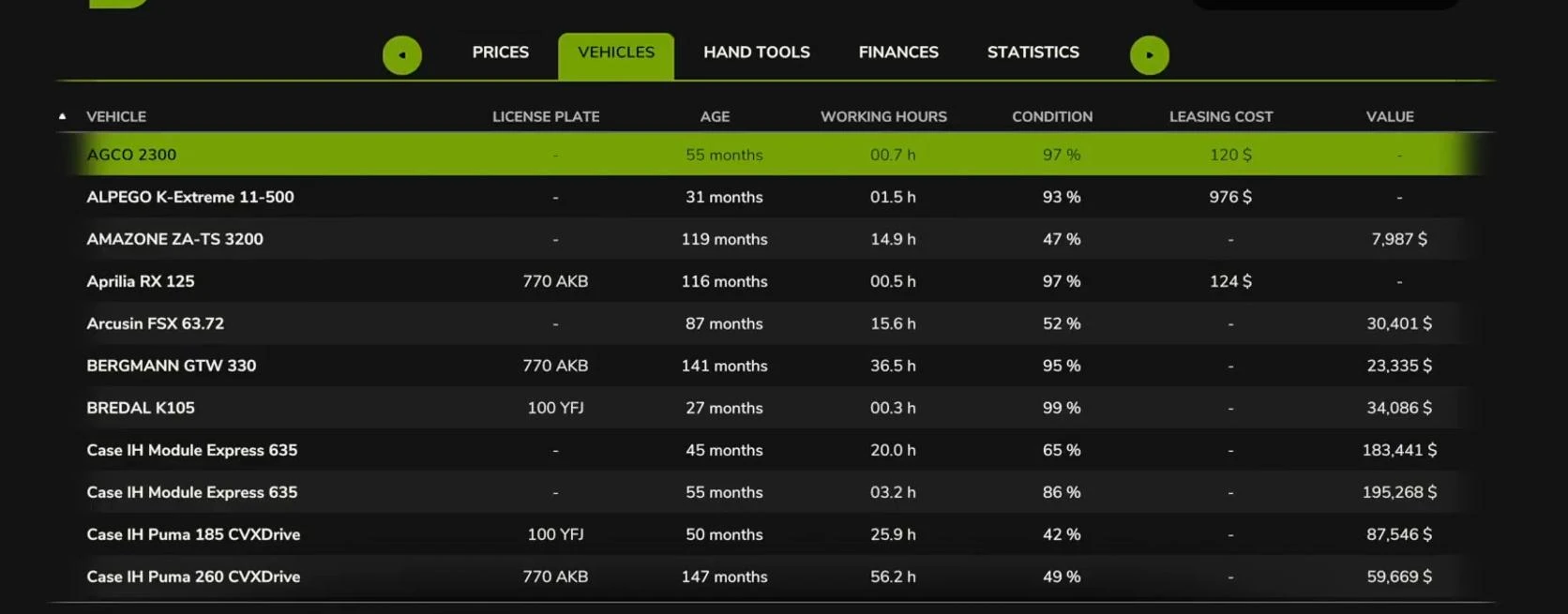
This tab shows all owned vehicles as well as rented vehicles. Here you can see:
The age of the vehicles
Mileage and operating time
Current value
Residual value at sale
If it is difficult to find the right machine, you can select it from the list, which makes it much easier to find a machine on a large farm.
2. Hand tools
This section contains information on tools such as chainsaws, marking paint, and other small tools.
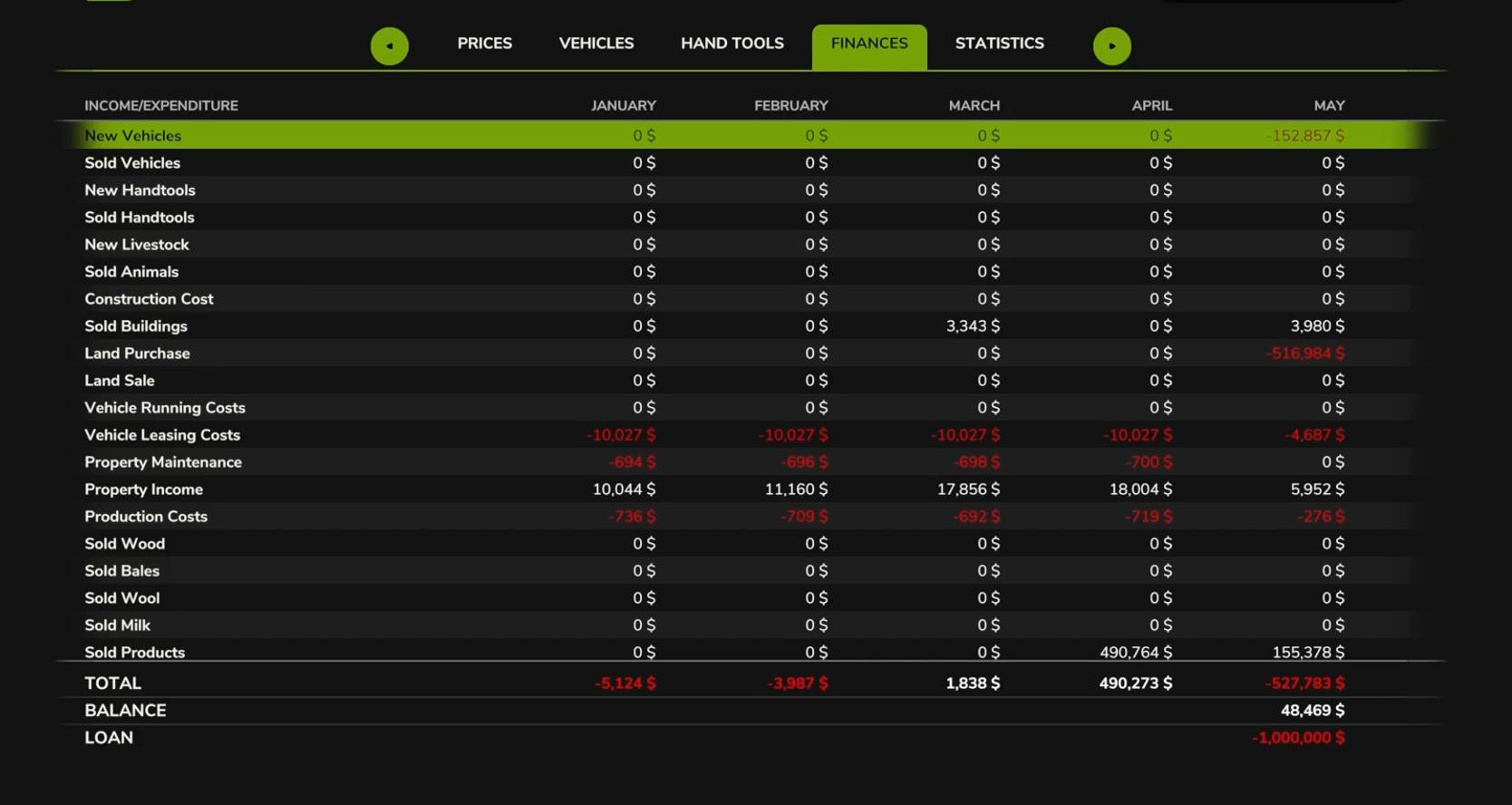
3. Finances
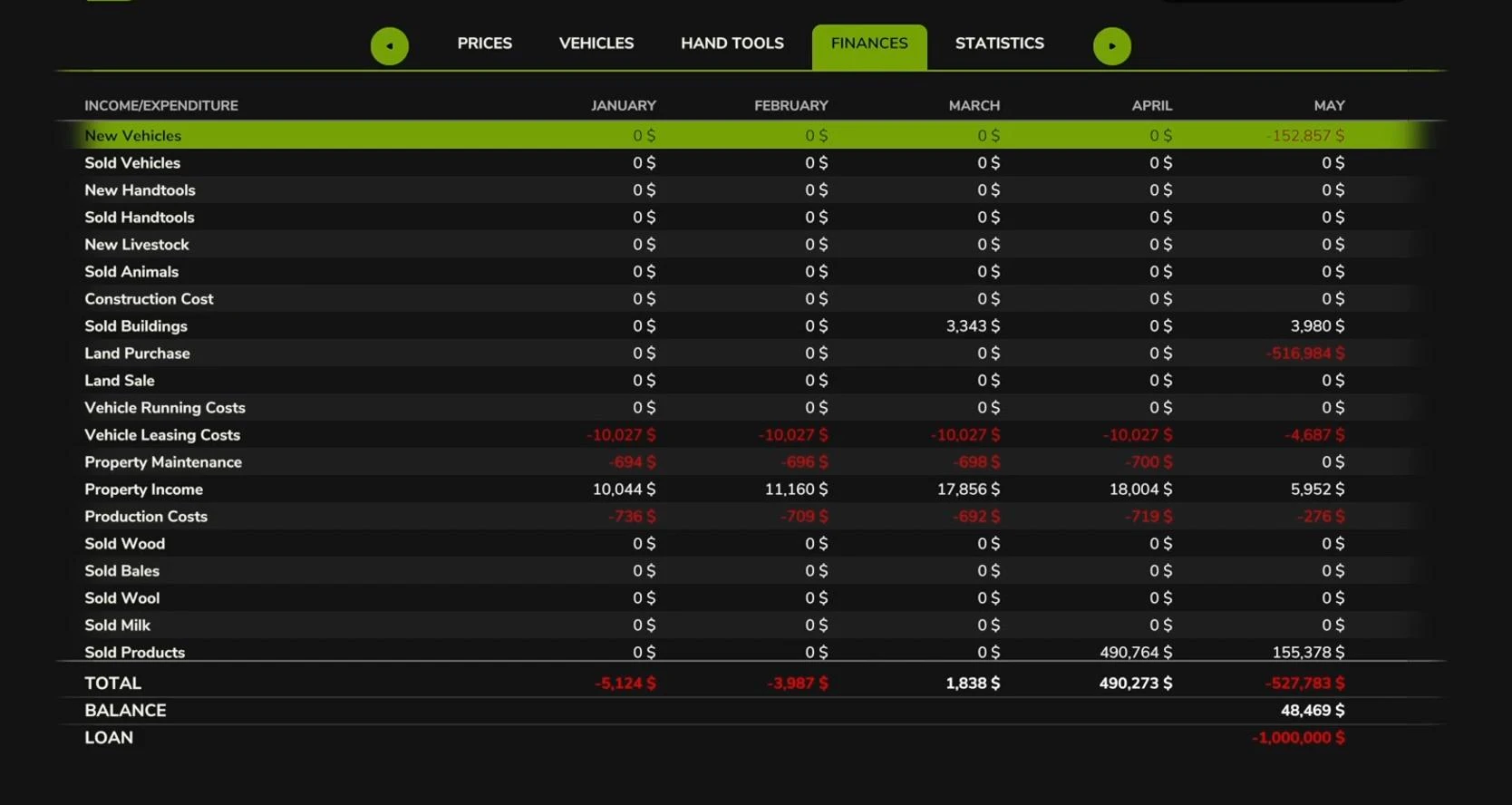
The finance section helps you control your income and expenses. Here you can see:
The costs of buying machinery, buildings, and land
Monthly costs for renting equipment
Income from the sale of products
Current balance sheet and profit
It is especially helpful to track your loan amount and interest payments if you decide to take out a loan to expand your farm.
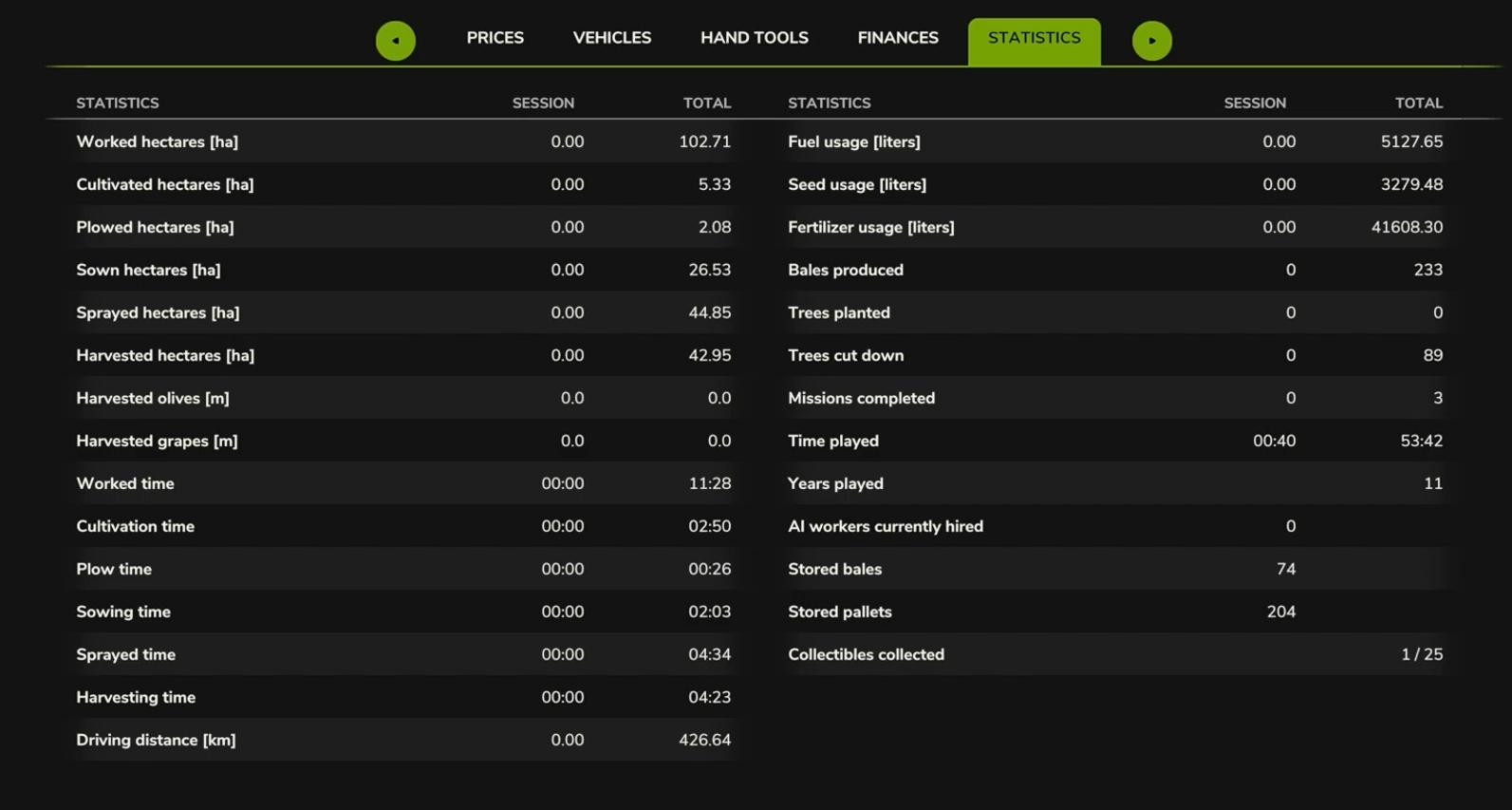
4. Statistics
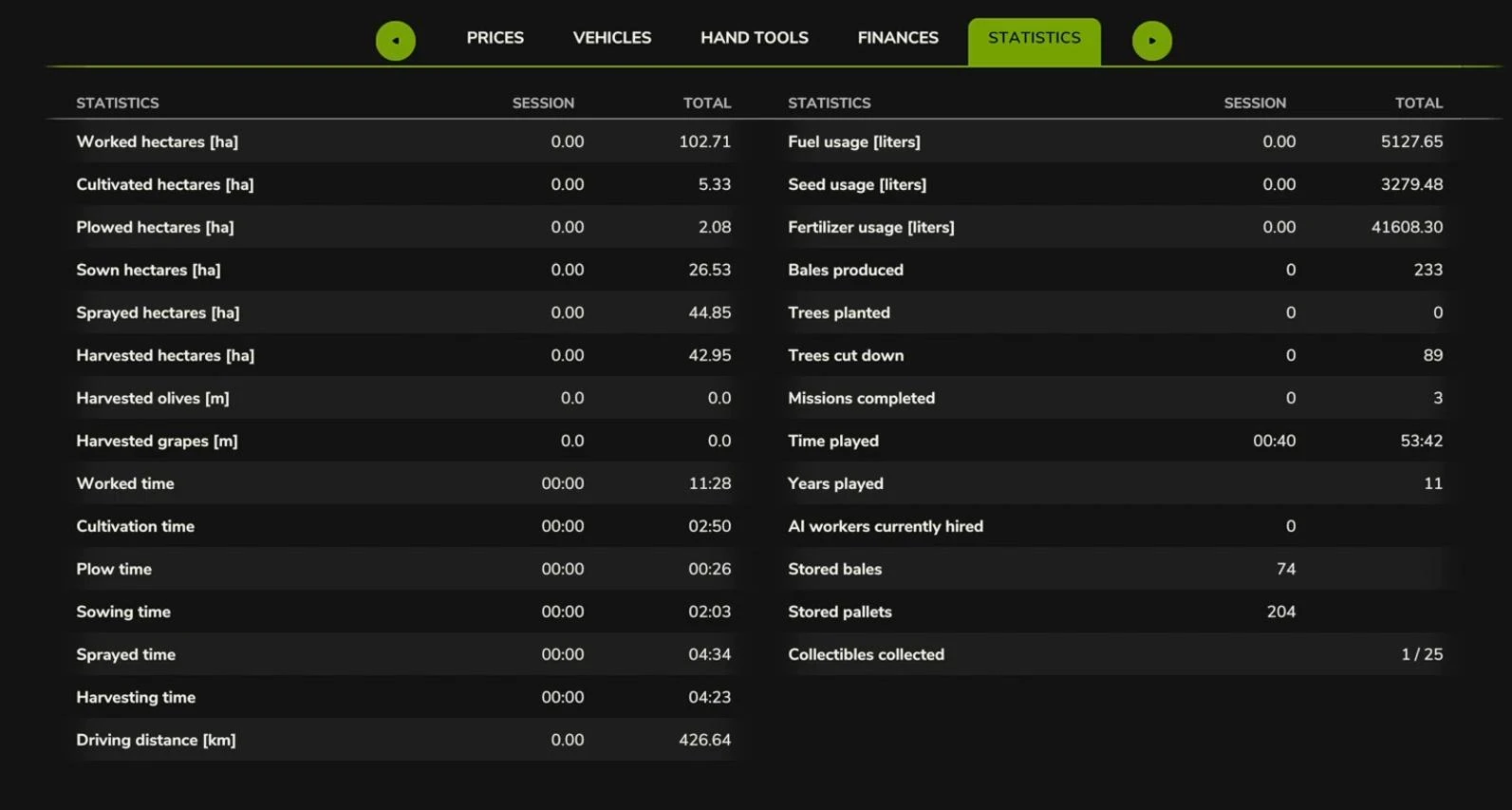
This tab gives detailed information about your progress in the game:
How much land has been cultivated
Total playing time
Number of crops harvested
Distance traveled by vehicle
Number of collectibles collected
For those who want to go through the game 100%, this section will be very useful.
The price menu is a powerful tool in FS25 that allows you not only to find the best prices for your products, but also to manage your finances, equipment and statistics. To earn the maximum amount of money, it is not superfluous to take into account seasonal price fluctuations, follow the dynamics and sell goods at the right time. This knowledge will allow you not to lose profits on unfavorable deals!
Videos
Hinzugefügt von