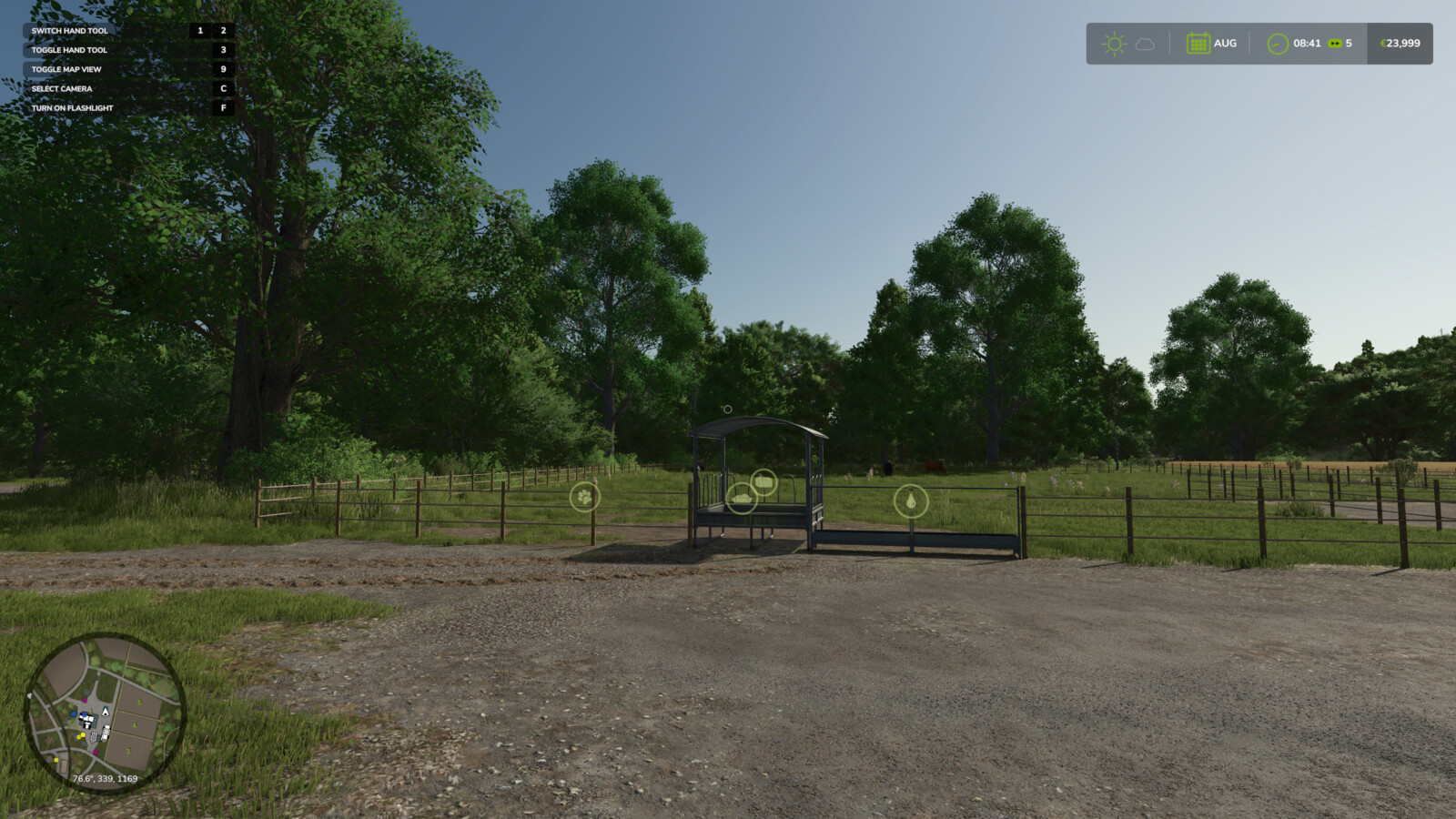
Toggle Trigger Icons & HUD 1.0

0/5,
0
Stimmen
Description:
Two handy hotkeys for clean screenshots and more immersion:
- Right CTRL + #: Toggles the trigger icons (e.g. at selling points, factories, shops). Uses the same setting as the in-game options menu, so the state always stays in sync and is saved normally.
- Right CTRL + +: Toggles the entire HUD (displays, minimap, help text, etc.).
Both keys are freely rebindable under Controls in the settings menu.
Credits:
KöllaKind
Two handy hotkeys for clean screenshots and more immersion:
- Right CTRL + #: Toggles the trigger icons (e.g. at selling points, factories, shops). Uses the same setting as the in-game options menu, so the state always stays in sync and is saved normally.
- Right CTRL + +: Toggles the entire HUD (displays, minimap, help text, etc.).
Both keys are freely rebindable under Controls in the settings menu.
Credits:
KöllaKind
Direct Download Links
Version: 1.0Aktualisiert: vor 2 Monaten
Gesamtgröße: 85.97 KB FS25_ToggleTriggerMarkerandHud_modland.zip direct herunterladen · 85.97 KB · hinzugefügt vor 2 Monaten
Über Mod
| Neueste Version | 1.0 |
| Spiel | FS25 |
| Kategorie | Spielverlauf |
| Herunterladen | 33 |
| Erstellt | vor 2 Monaten |
Das könnte Sie auch interessieren »





0 Kommentare
Es sind noch keine Kommentare vorhanden. Seien Sie der Erste, der kommentiert!