How to Become a Cop in GTA 5 (single-player mode)
-lg_modland.jpg)
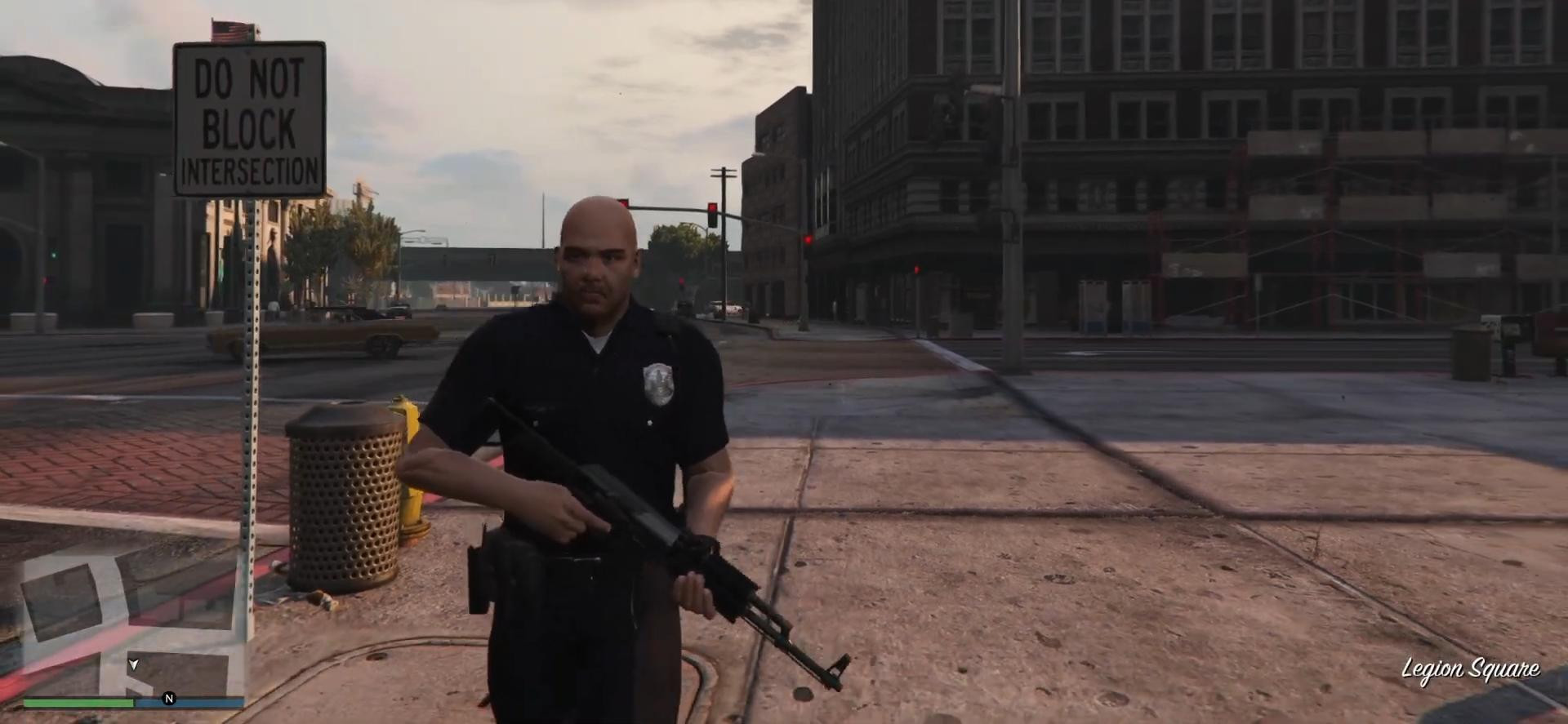
This is a simple guide that will show you how to play as a police officer in GTA 5 using Director Mode. This is an unofficial method, but it works perfectly in single player.
Follow the instructions below, it's actually very simple! Also at the very bottom of the page there is a detailed video guide on how to become a cop in GTA 5.
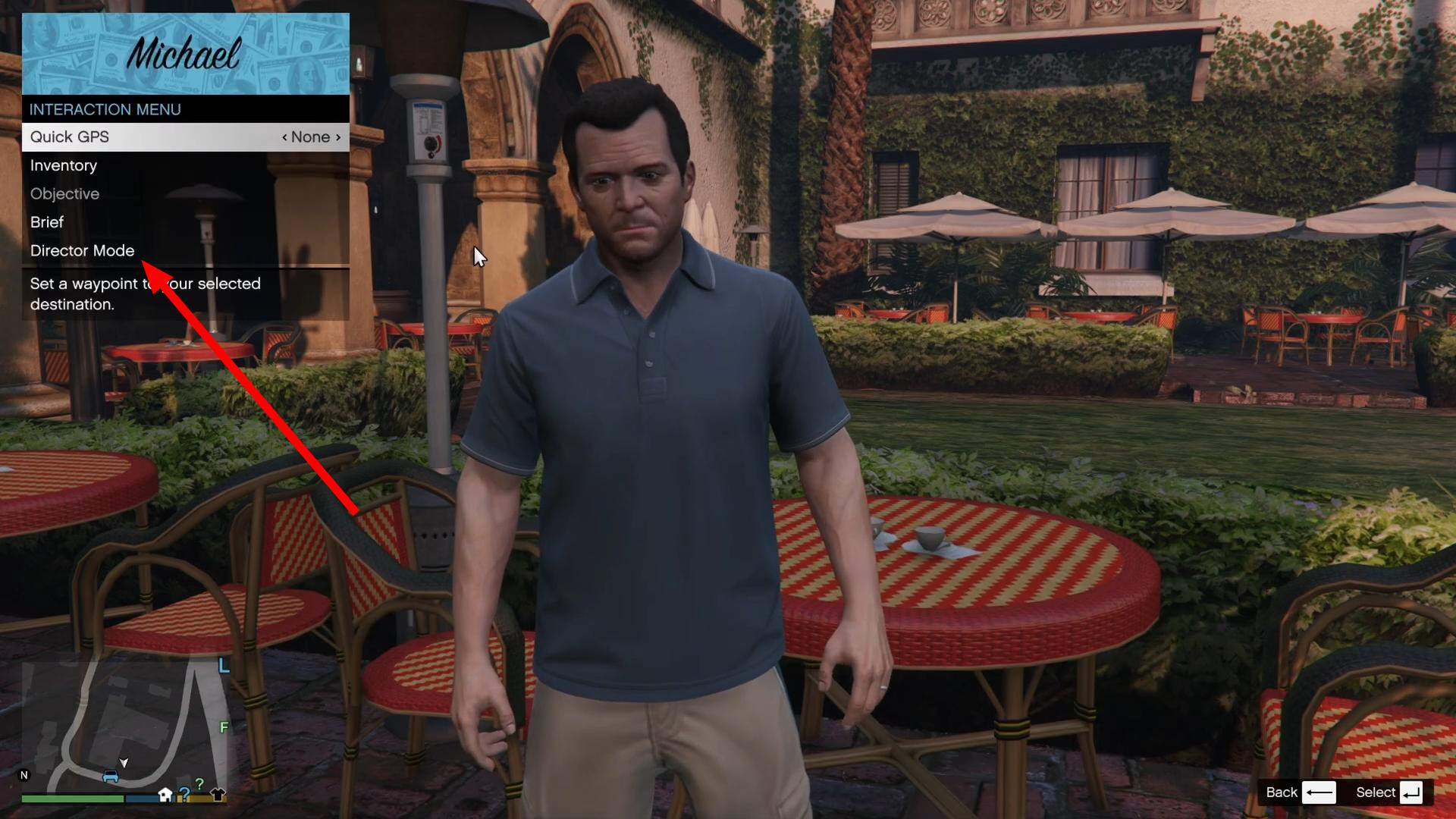
Step 1: Opening the interaction menu
First, open the interaction menu.
- On PC, press the M key
- On PlayStation, press the touchpad
- On Xbox, press the View button
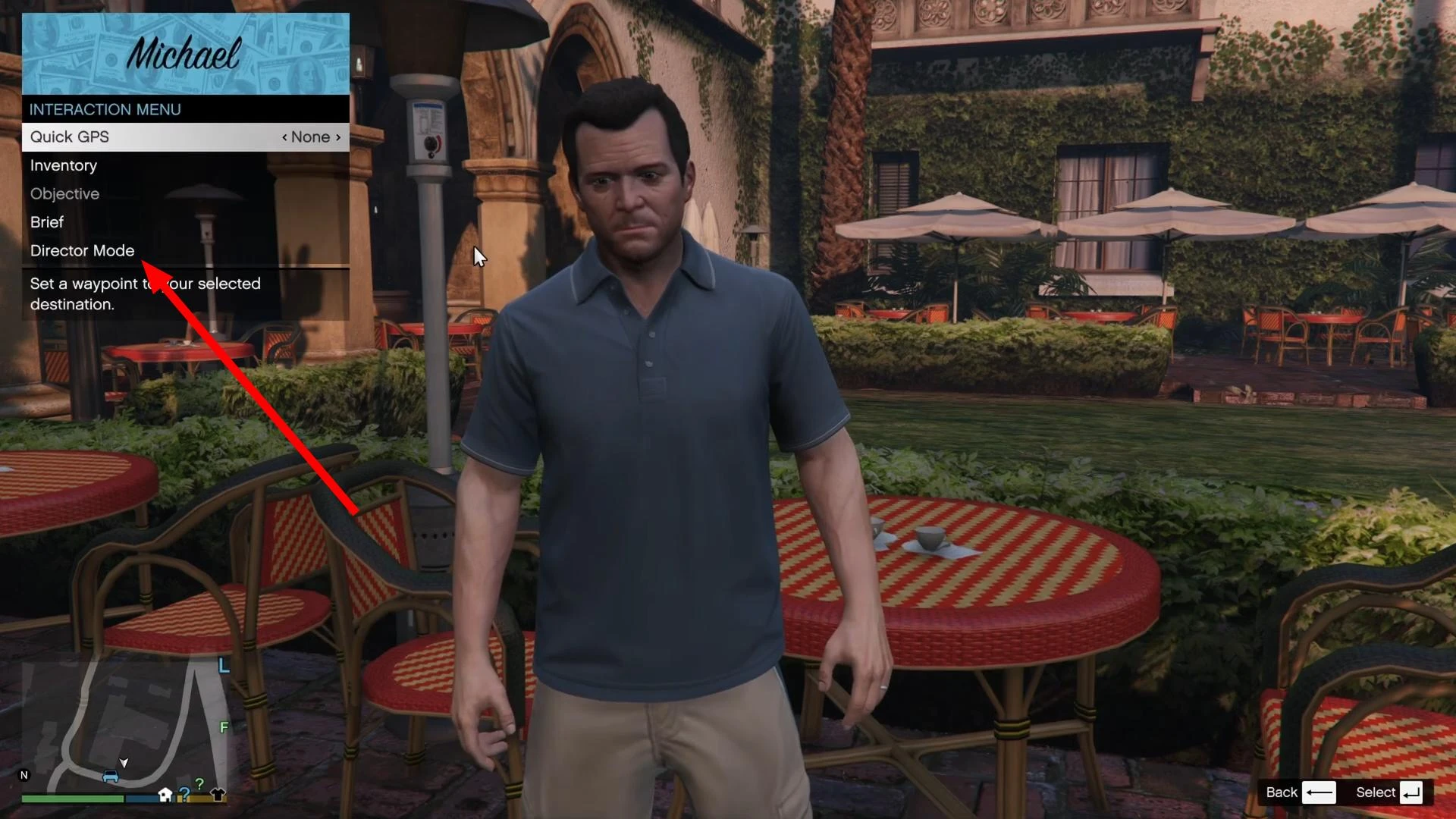
The menu will then appear. Scroll down and select the "Director Mode" option. Confirm your entry by pressing Enter or A/X on the gamepad.
Step 2: Selecting an Actor
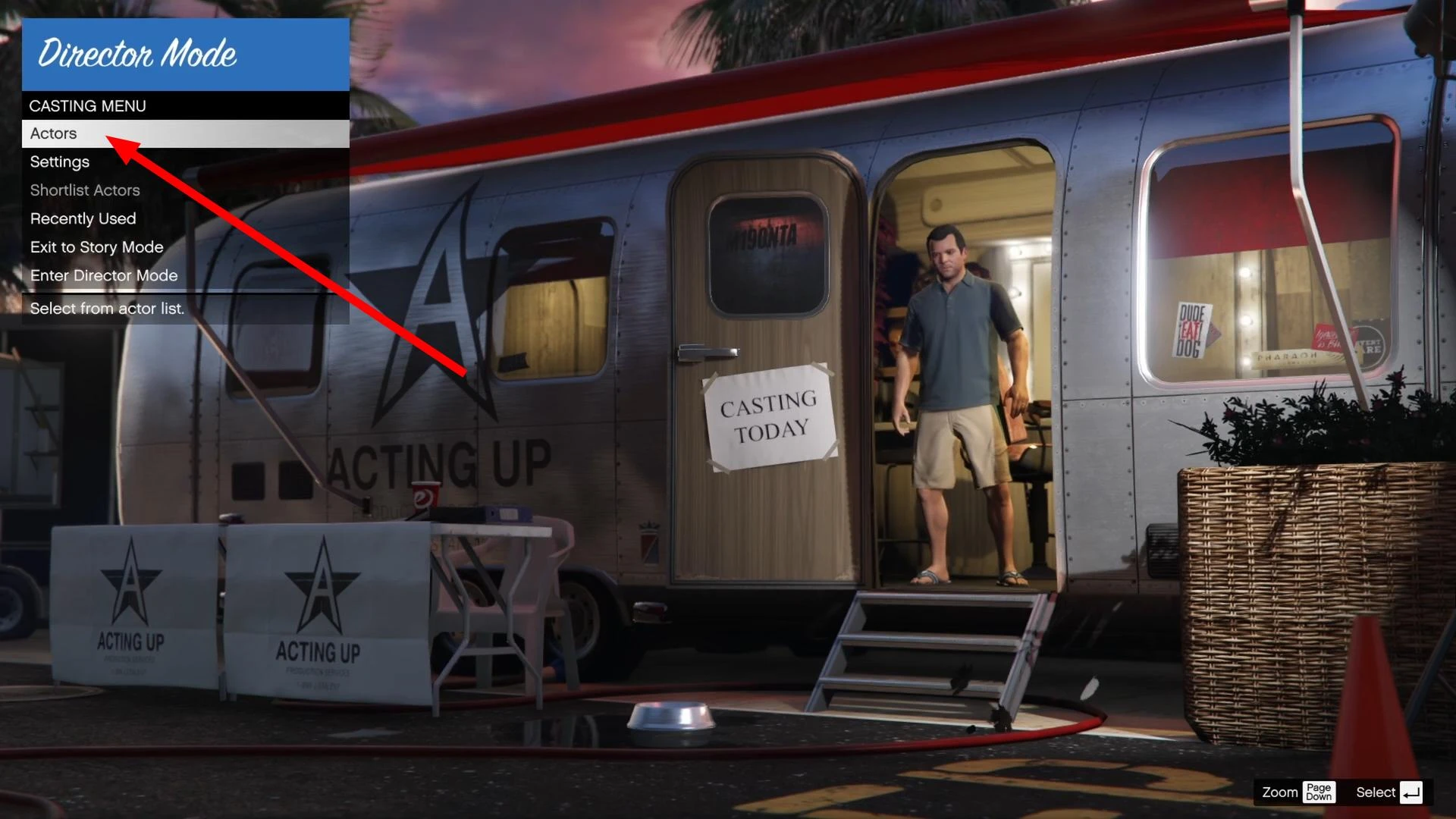
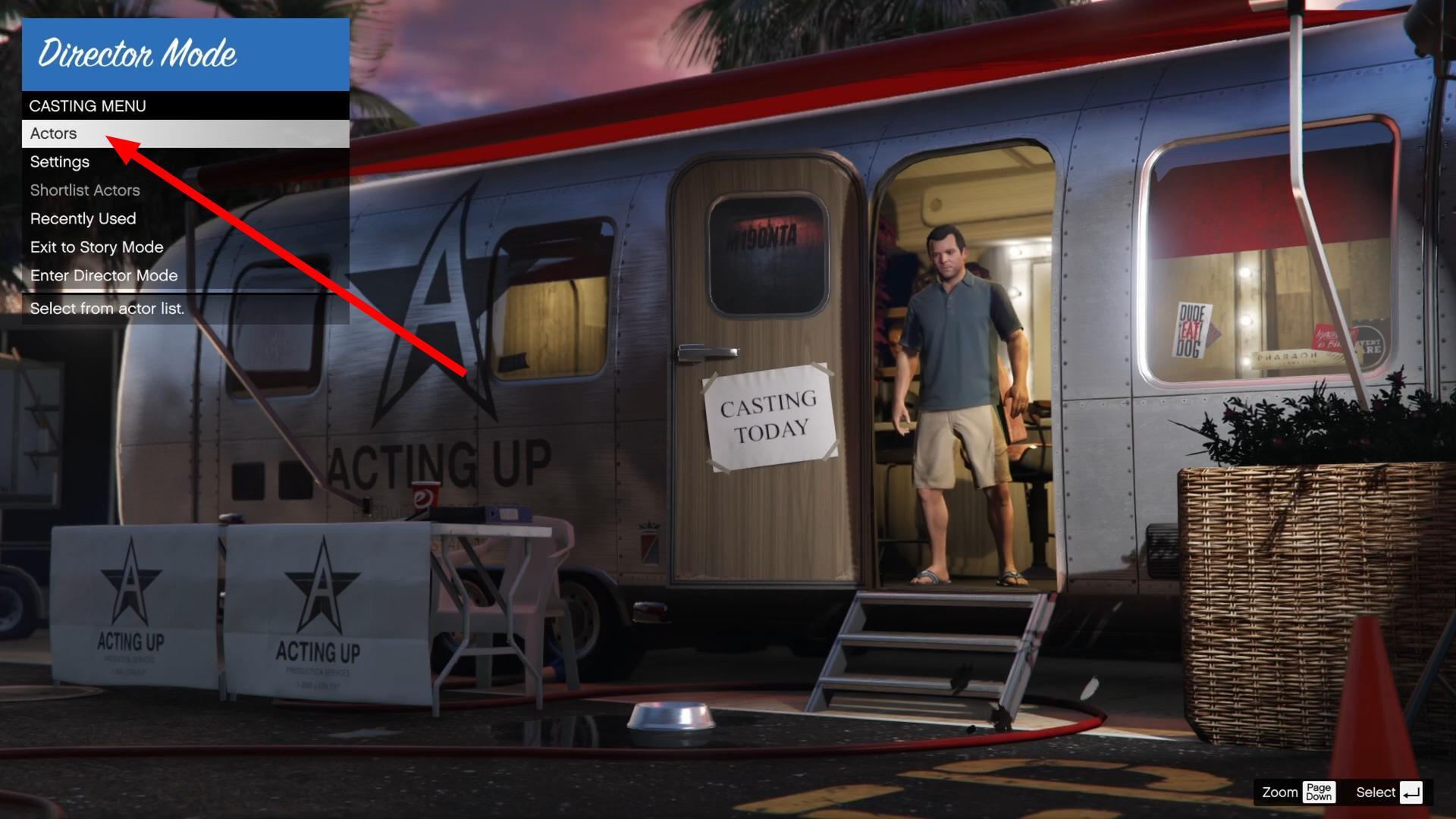
You will find yourself in the casting trailer - this is the character selection menu. Here you can choose who you want to play as.
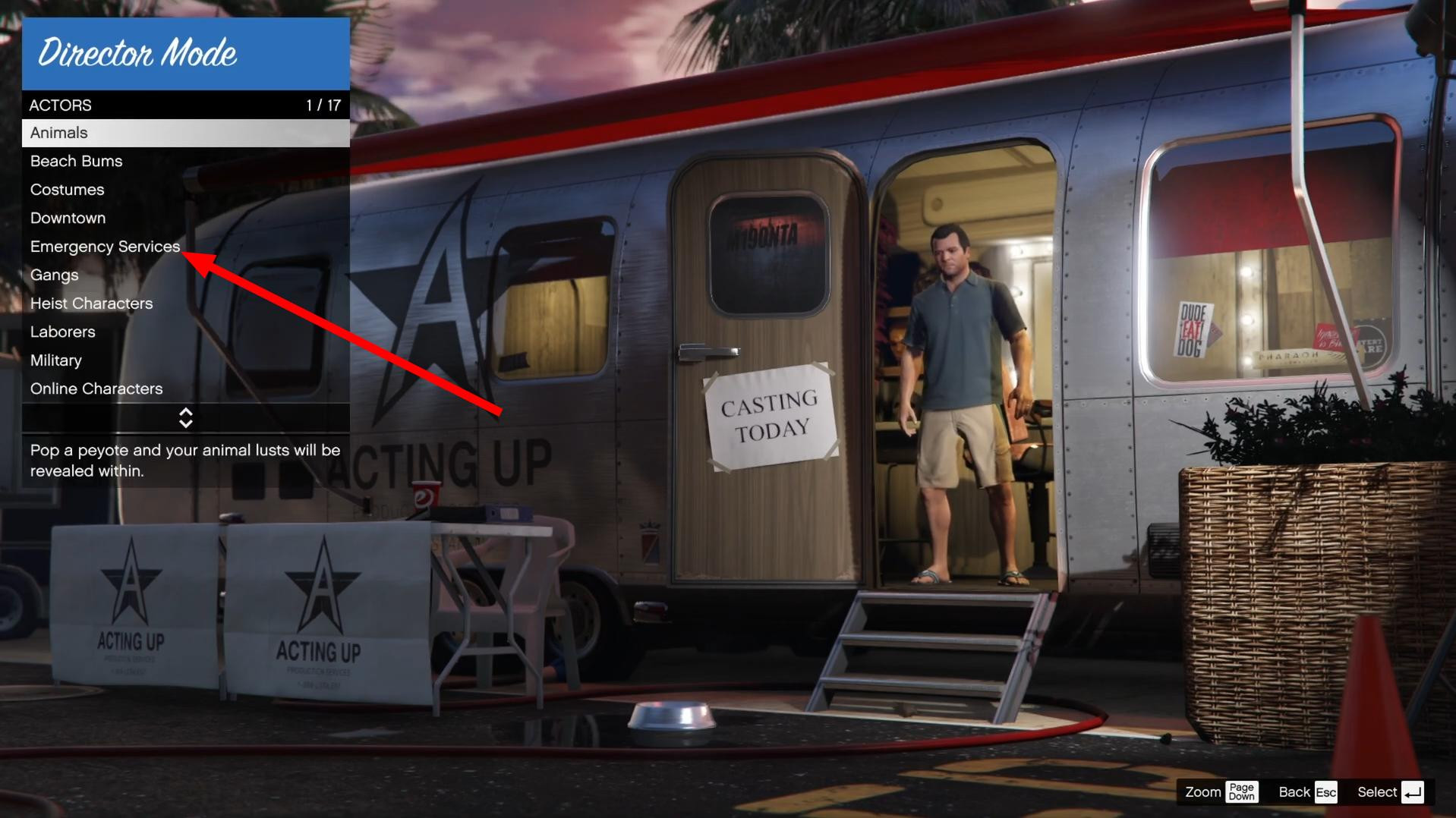
Press Enter and go to the “Emergency Services” section.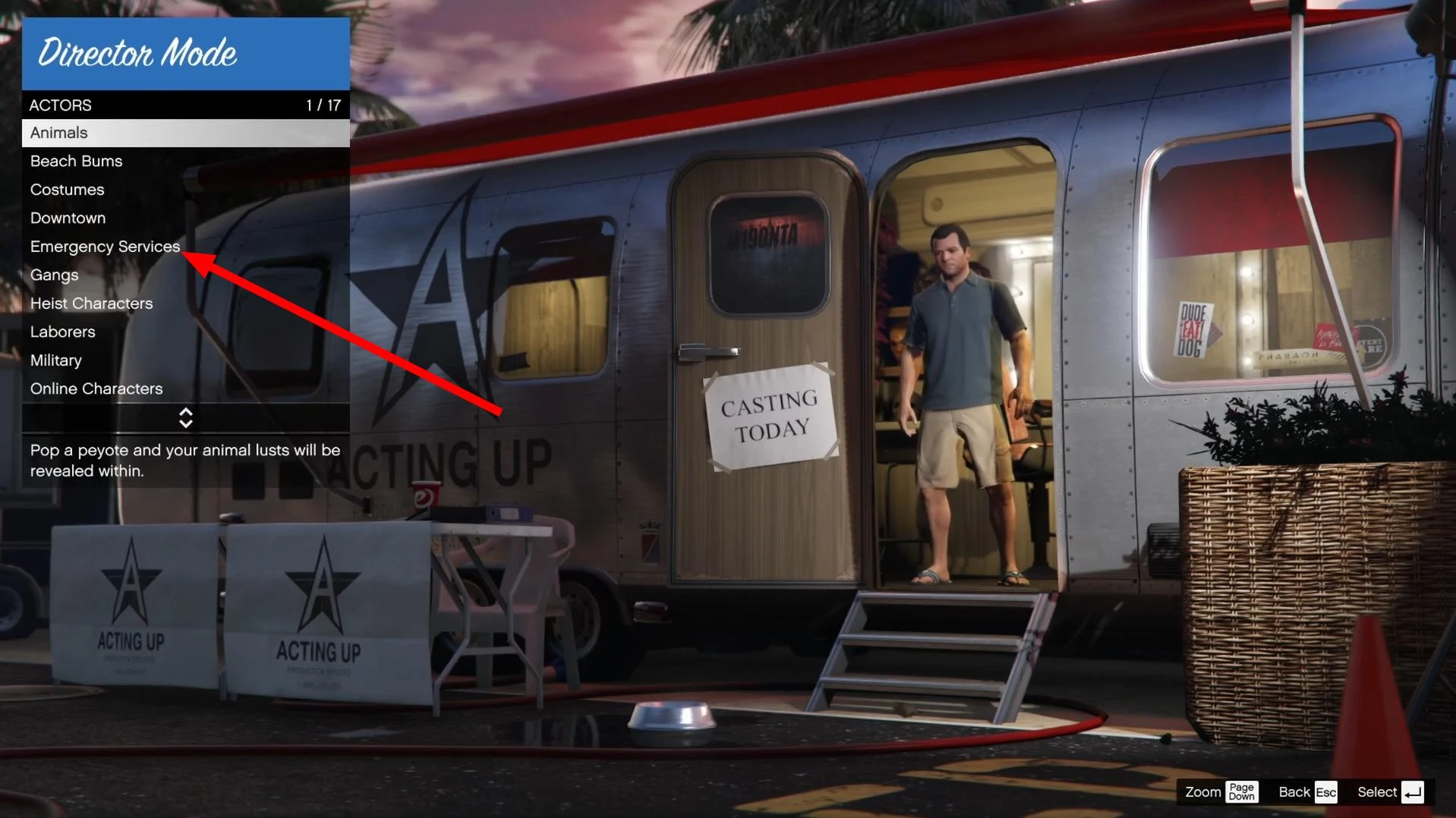
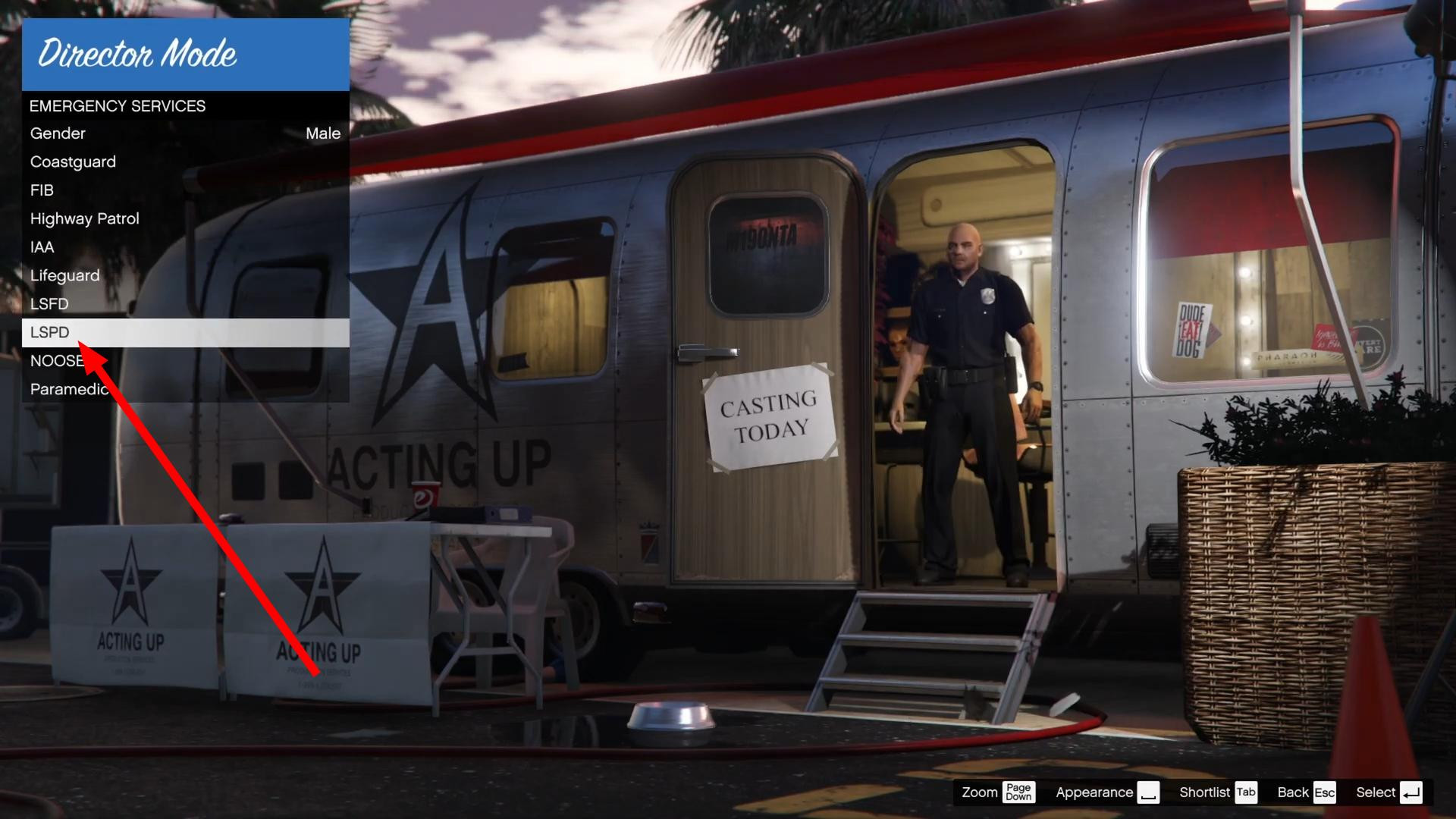
Here, select LSPD, which is a police officer from Los Santos.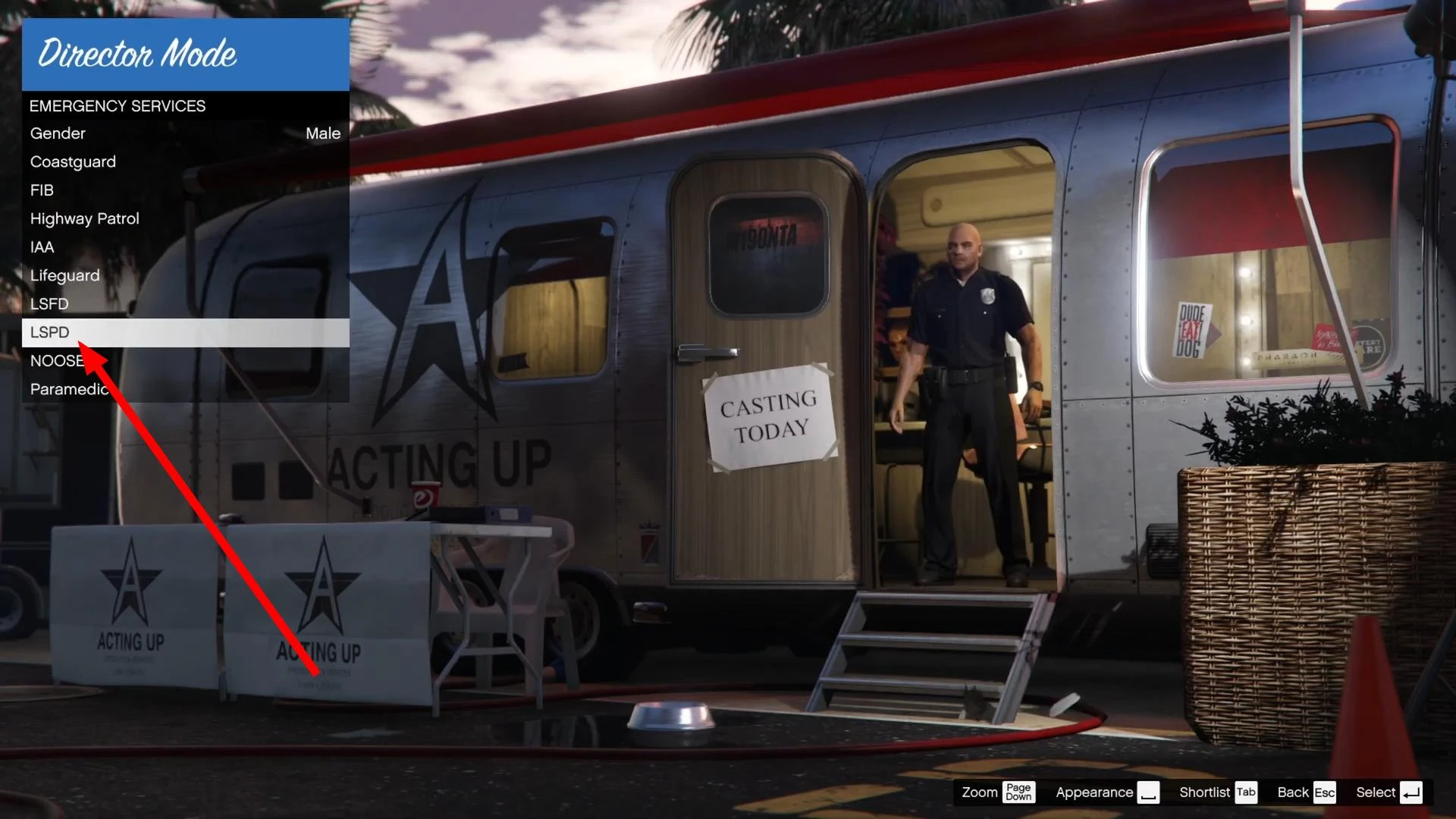
Once selected, confirm and you will be immediately loaded into the game in the form of a cop.
Step 3: Play as a police officer
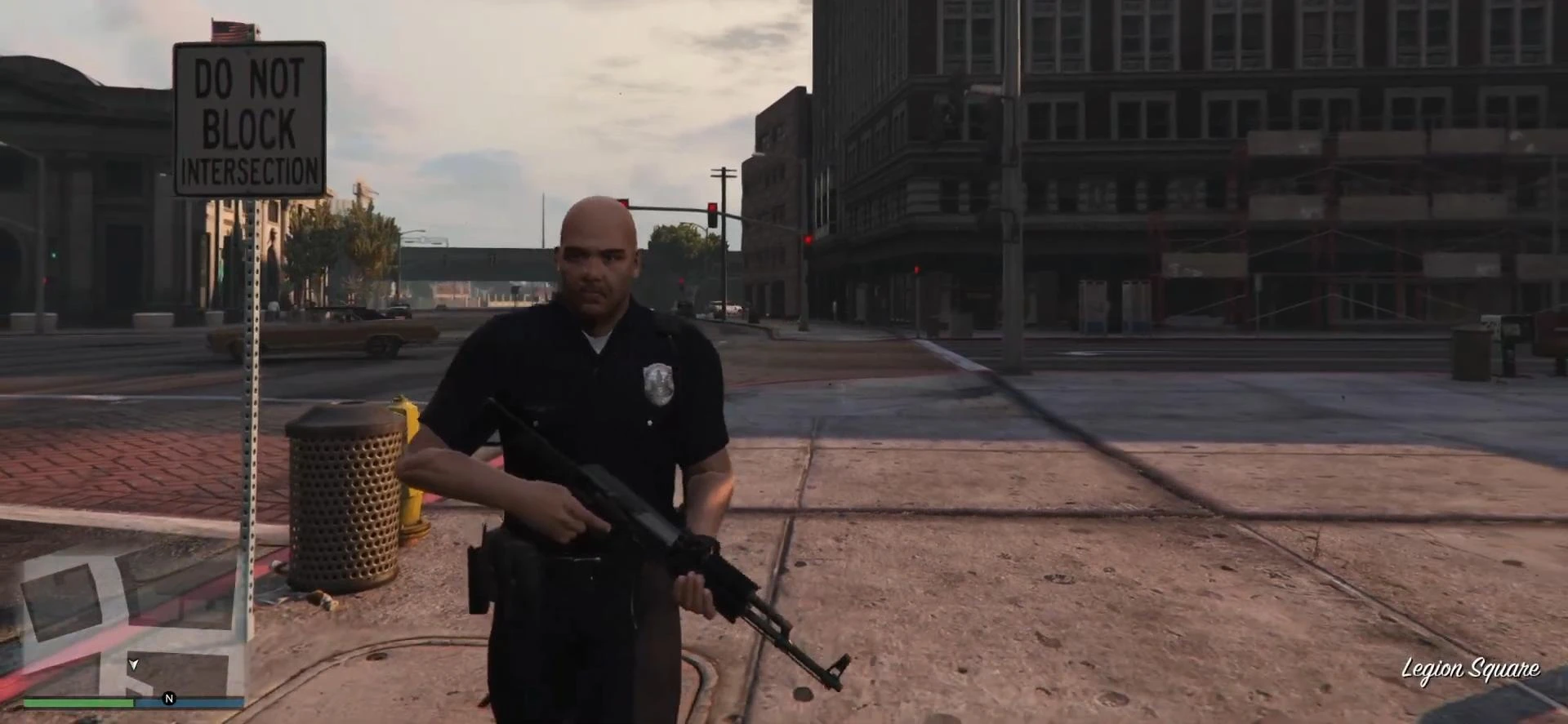
You are now a real officer. You can drive around the city, use police cars, respond to crimes, or just run your own patrols.
It's not a full-fledged police job with missions, but for creating scenes, videos or just for atmosphere, it's great. You can also change the settings (time of day, weather, wanted level) in the interaction menu.
Added by










