What to do if GTA 5 won't start: error 0xc000007b
-lg_modland.jpg)
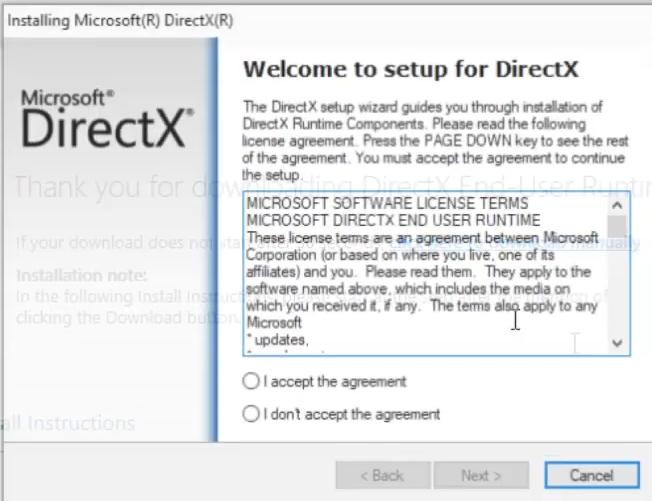
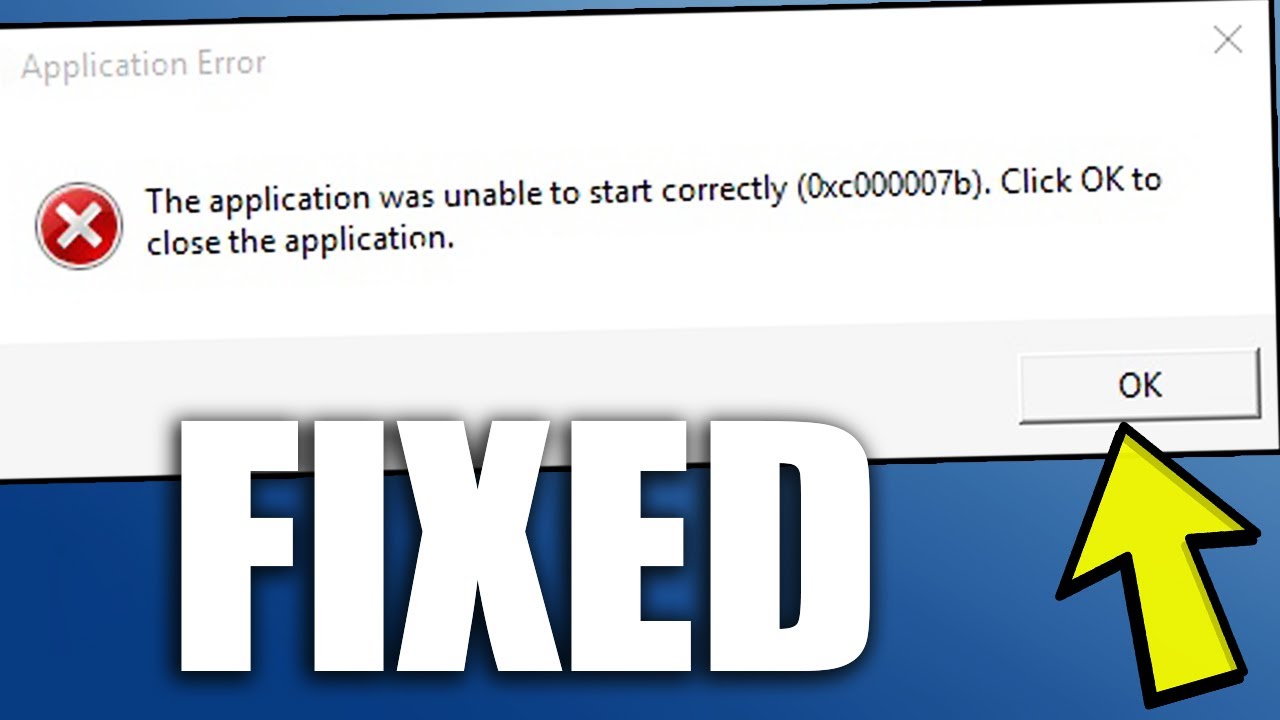
Error "GTA5.exe Application Error. The application was unable to start correctly (0xc000007b)" is one of the most common problems when running GTA 5.
It can occur due to corrupted system files, missing DLL libraries, problems with DirectX, Visual C++ Redistributables or . NET Framework. The following are tested error resolution methods.
1. Configure compatibility and run as administrator
An error can often be sensed due to incompatibility and because you are trying to launch the game on behalf of a normal user.
In this case, try the following steps:
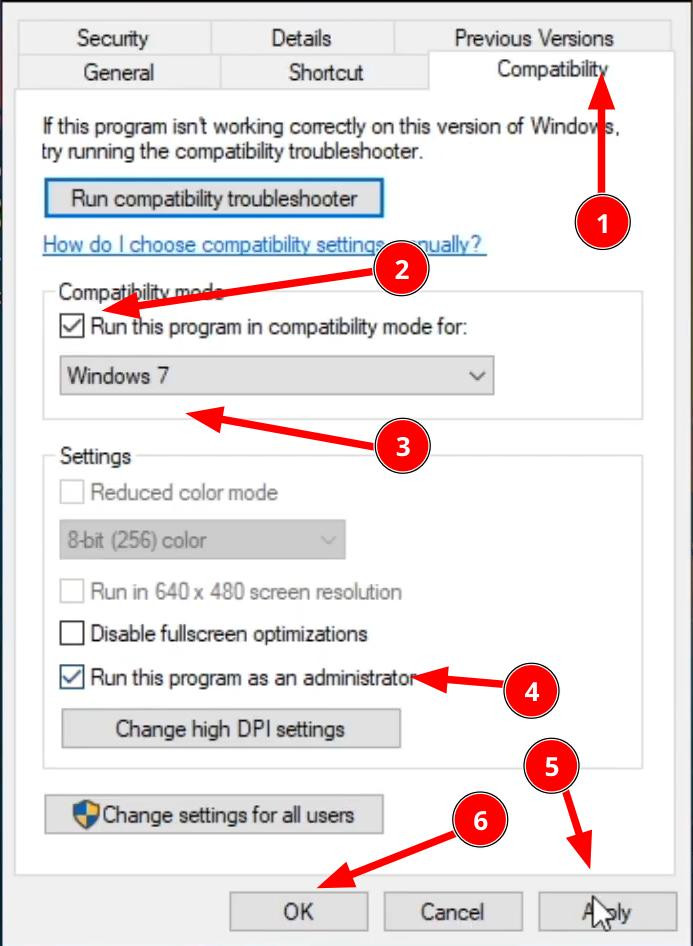
1. Right-click the GTA 5 launch icon to open the menu and select Properties.
2. In the new window that opens, go to the «Compatibility» tab. There find the item "Run this program in compatibility mode for:" and from the drop-down list below set it to be "Windows 7".
3. On the same tab, set the check mark to «Run this program as an administrator».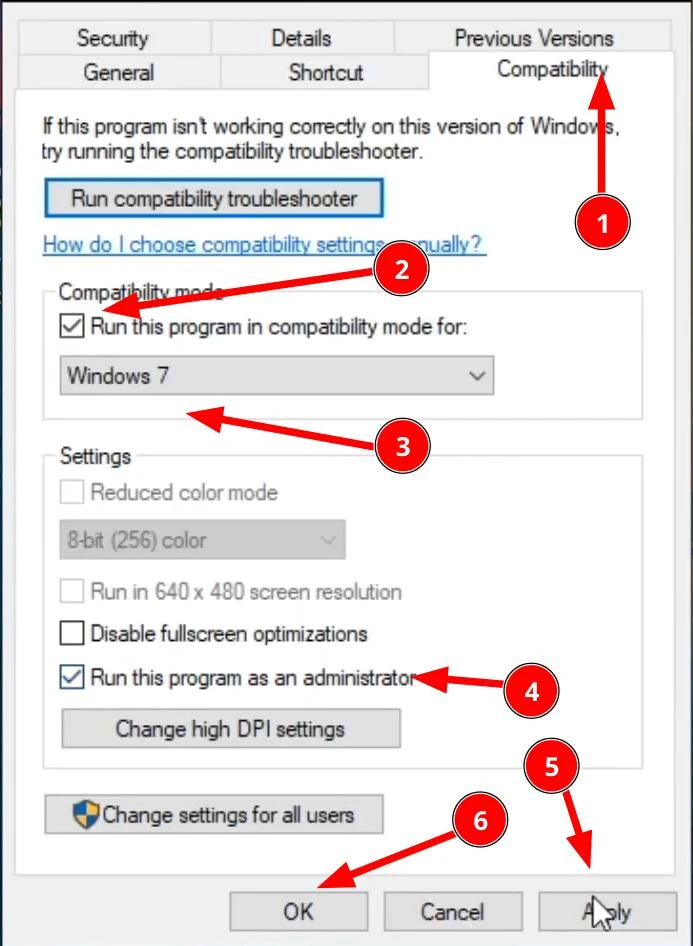
4. Done. Now save the changes with the OK button and try to start the game.
2. Update . NET Framework
If the first version did not help, many users on the network write that they are helped by updating the component . NET Framework. Its presence is mandatory for the normal work of GTA 5, but sometimes there can be failures in the operation of this library, which subsequently leads to game crashes.
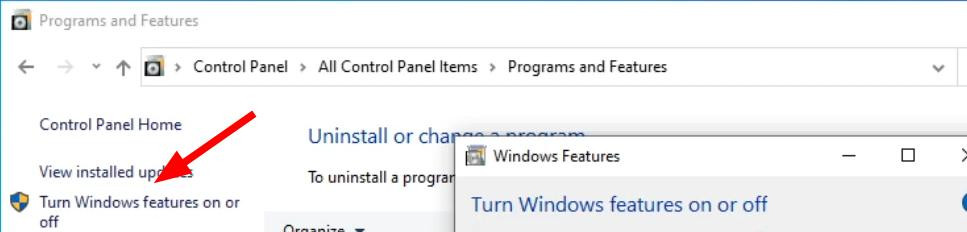
To enable this option, open the control panel.
And go to the menu "Programs and components".
On the right click "Turn Windows features on or off".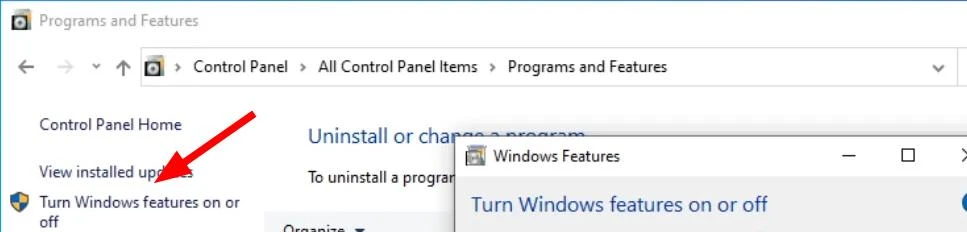
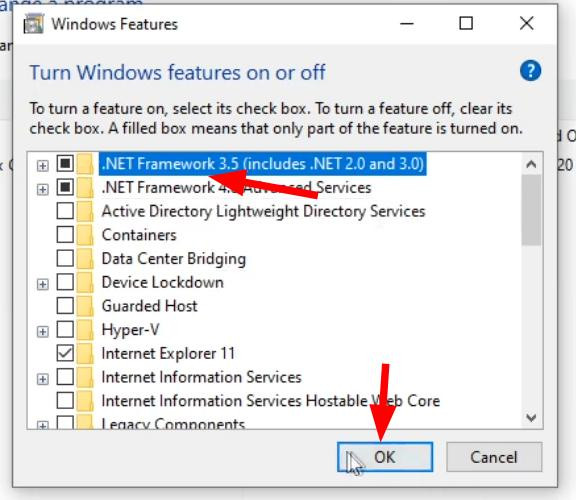
The program will find all components of Windows. You will see that the first item ". NET Framework 3.5 (incudes .NET 2.0 and 3.0)" is not activated. Activate it and click OK.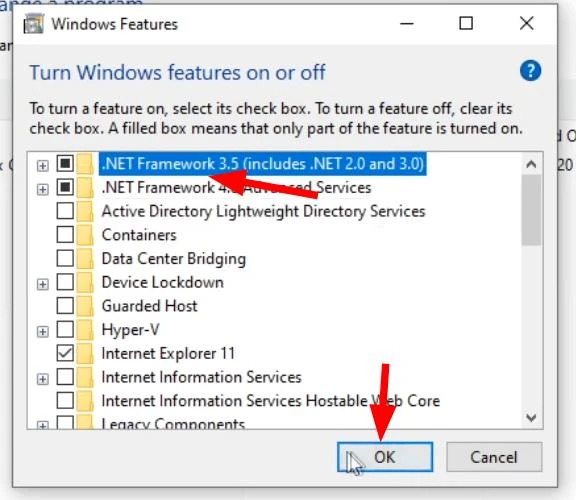
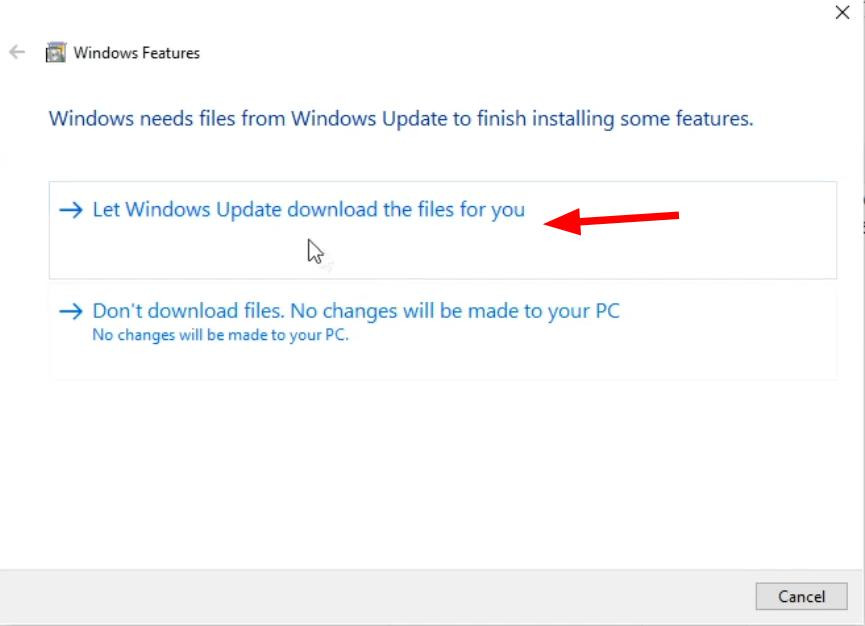
In the following menu select "Let Windows Update download the files for you". The program will download all necessary files, wait until it does so.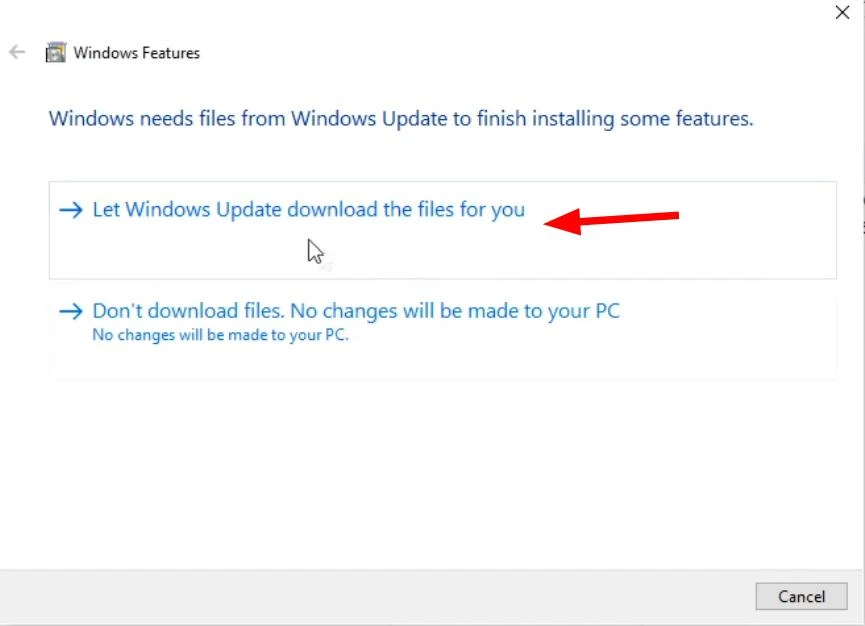
At the end of the procedure you can close all windows and try to run GTA 5. If this was the cause of the error, then the game should start.
3. Reinstalling Microsoft Visual C++ Redistributables
.NET Framework is not the only component needed to run Grand Theft Auto V.Visual C++ Redistributables must also be installed for the game. Sometimes this library may break and this can also cause a 0xc000007b error. Or it might not be installed at all.
To check if Visual C++ is installed on your computer, open the Programs and components control panel again and in the search enter «Visual C++». If the component is missing, you will need to install it (in case there is one but the game does not run, first remove it and follow the next instructions).
It can be downloaded from the official Microsoft website. Download the installer and install the program by following the instructions of the installer. When finished, try to start the game again.
4. Installing or updating DirectX
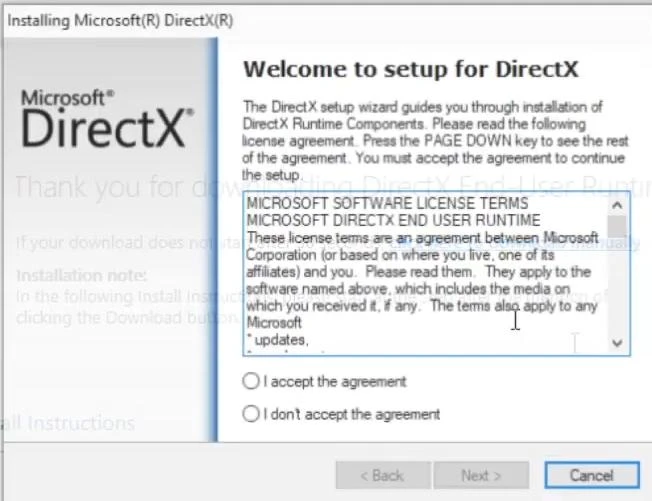
Almost all Windows games require installed DirectX software. Most PC games don’t work without it, and GTA is no exception.
The solution is very simple. Just go to the official website of Microsoft. The minimum requirements are DX10, but it is desirable to use a newer version - 11.
Download the installer and install the software following its instructions, it is quite simple, so to describe the process itself does not make sense.
When the component is installed, do not forget to restart the computer and only then try to start the game again.
5. Updating DLL files
Another reason why GTA V issues error 0xc000007b may be the corruption of important DLL files like Xinput1_3.dll. Fortunately, this problem can also be solved.
There are sites where you can download these necessary files. Enter in Google search - download Xinput1_3.dll. It is advisable to download files from a verified source, such as DLL-files.com, in order not to catch the virus.
When the file is downloaded, it should be unzipped and placed at: This PC > Local Disc (C:) > Windows > SysWOW64. Remember that you must extract the file from the archive before copying it using WinRar, 7Z or any other archiver. When copying, the system may require you to be an administrator.
Important: All actions of this method you do at your own risk. The method involves replacing system files, so unexpected situations may arise - Windows will stop working or you infect the system with a virus (if you download a file from an unverified source).
6. System update
If none of the above tips helped you solve the problem, you can try to upgrade your Windows. It helps many in fixing the bug.
Go to the Update and Security Settings in the Windows Update Center and check if there are any current system updates. If they exist, please confirm their download and installation. Upon completion restart the system and see if the bug has disappeared in GTA 5.
Videos
Added by










