How to Enable Aim Assist in GTA 5 Online: Step by Step Guide
-lg_modland.jpg)
In this guide you will learn how to enable aim assist in GTA 5 Online.
This mode facilitates aiming in the game. But only if you play on gamepad, on keyboard and mouse it does not work.
In addition, you can not change this parameter directly in GTA Online, you need to do everything through the story mode.
Step 1: Go to the story mode
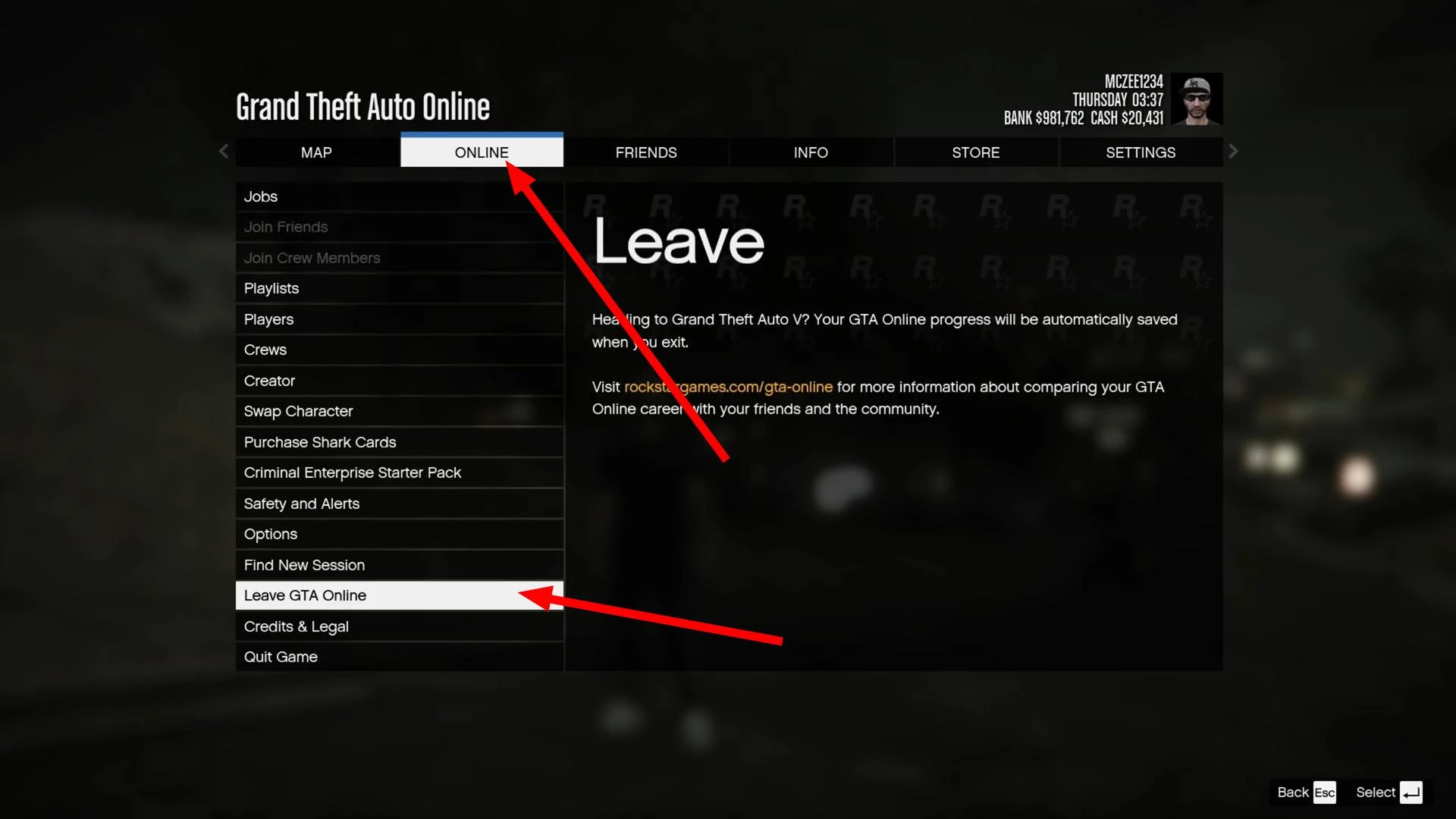
If you are currently in GTA Online, press Escape, go to the “Online” section and select “Leave GTA Online”. The game will take you back to the single-player game (story mode), where you can freely change the aiming settings.
Step 2: Customizing Targeting
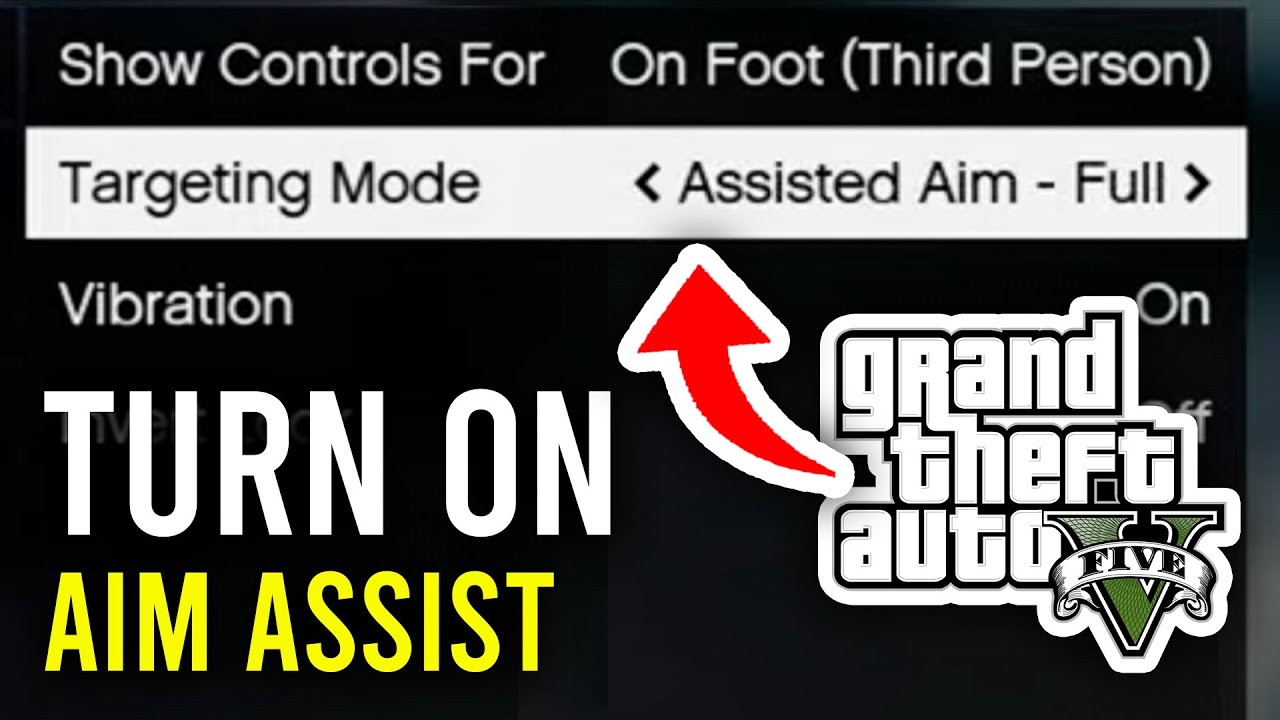
While in story mode, press Escape again, then go to Settings → Gamepad. Here find the “Targeting Mode” parameter - it is responsible for auto-targeting.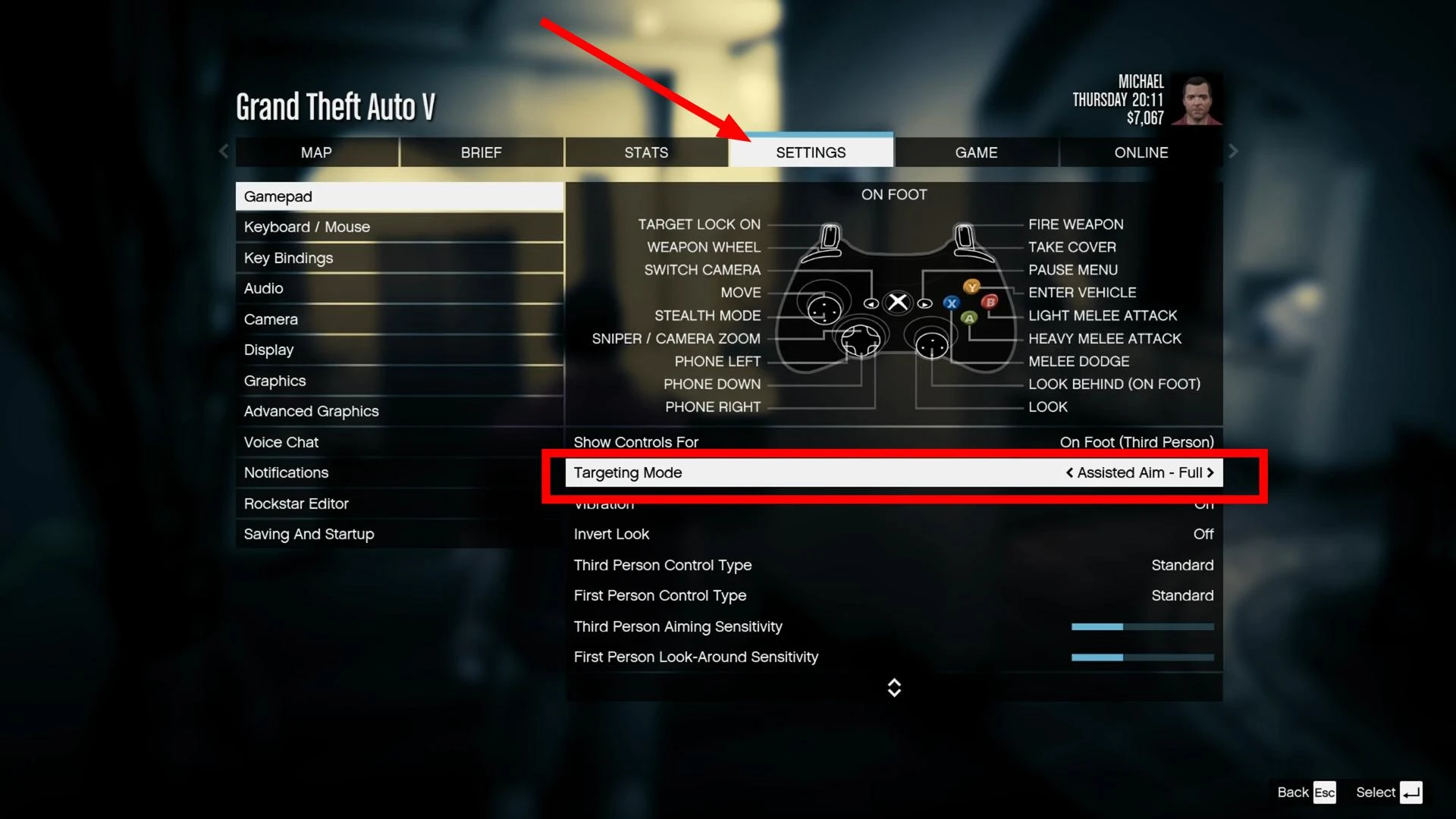
It is best to use the Assisted Aim - Full mode. It enables full auto-targeting, when when aiming the sight is automatically fixed on the enemy. There is also Assisted Aim - Partial, where auto-targeting is weaker. Choose the option you want and exit the settings.
Step 3: Return to GTA Online
Now go back online. To do this, open the pause menu, go to the “Online” section and select “Play GTA Online”. Then the desired mode, for example, “Invite Only” or “Public Session”.
Once loaded, open Settings → Gamepad and make sure that “Assisted Aim” is indicated next to “Targeting Mode”. This means that auto-targeting has been successfully enabled.
But note that auto-targeting works only on the gamepad. If you use keyboard and mouse, this mode will not be active.
If you enable aim assist, the game will show a warning that you will get into sessions only with players who have the same aiming mode enabled. The developers tried to balance the game, so they did it this way.
Videos
Added by