![RaidenSLO MODPACK v 4.0 [9.22.0.1]](https://li1.modland.net/world-of-tanks/modpacks/thumbnail/raidenslo-modpack-v4-[9.22.0.1]_ModLandNet.jpg)
![ANTI STREAM-SNIPER MOD (only server) 1.4.0.1 [1.4.0.1]](https://li1.modland.net/world-of-tanks/user-interfaces/thumbnail/anti-stream-sniper-mod-only-server-1.4.0.1-[1.4.0.1]_ModLandNet.jpg)
-lg_modland.jpg)
-lg_modland.jpg)
-lg_modland.jpg)
-lg_modland.jpg)
-lg_modland.jpg)
-lg_modland.jpg)
-lg_modland.jpg)
-lg_modland.jpg)
-lg_modland.jpg)
-lg_modland.jpg)
1/5,
1
votes
Updates
💎 LUXURY Version : https://www.patreon.com/posts/luxury-3d-skin-136793434
Compatible with the latest game update ✅
Need help? Visit the mod skin 3D installation help centre here: https://mods.darkola.fr/help-support-mods-darkola/
Necessary information :
This mod was created by DARKOLA. Any unauthorized copying, republication, or modification of the content is prohibited . Please contact the creator for any modifications.
All elements created from the mods belong to their respective owners. Most of the elements used in the mods come from Wargaming (World of Tanks) and Lesta (Mir Tankov).
Videos
![IS-7 Racing Pattern Skin 1.4 [1.4.0.1]](https://li1.modland.net/world-of-tanks/skins/thumbnail/is-7-racing-pattern-skin-1.4-[1.4.0.1]_ModLandNet.jpg)
![RACING PATTERN STRIPES SKIN FOR UDES 1.4 [1.4.0.1]](https://li1.modland.net/world-of-tanks/skins/thumbnail/racing-pattern-stripes-skin-for-udes-1.4-[1.4.0.1]_ModLandNet.jpg)
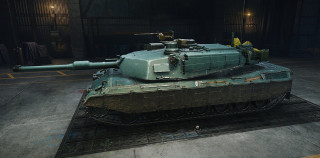
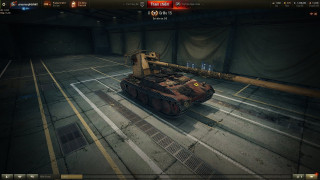
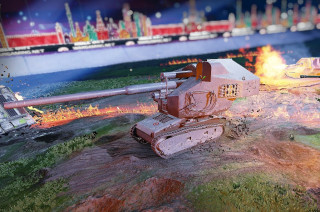
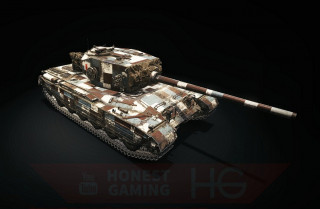
@DARKOLA
I’m working on a custom project for the M4A1 Sherman — I want to create dynamic 3D styles (Summer, Winter, and Desert "Rat" versions) with historically inspired 3D equipment (sandbags, nets, fuel cans, etc.). I’ve already finished the visual concepts, but I’ve hit a brick wall with the technical part.
The main issue is the import process. I’m trying to use Simi4’s Tank Viewer, but it’s completely failing to handle the current game files.
Here is what’s happening:
Blender 3.6 LTS: The addon fails to enable with a Python error: ImportError: cannot import name 'Self' from 'typing'.
Blender 4.2 / 5.1: Even when the addon is active, it doesn't "see" or load any models from the game folders, or it simply ignores .primitive_processed, .visual_processed, and .model files.
Could you please give me a step-by-step guide on how you currently import tanks into Blender?
Do I need to decompile the _processed files using a specific tool (like BWXML or similar) before importing?
Which specific Blender version and addon version are considered "stable" for the current WoT build?
Is there a way to get the mesh with its original skeleton/bones intact so the turret and tracks are positioned correctly?
Thanks in advance!
How can create such 3D styles?
@Trofim using various software such as: Blender, FBX Converter, Texporter, VS Code, XML, and a lot of time