Hangar 2.0 Refined 1.2.4


0/5,
0
votes
Updates
latest
Version
1.2.4
1 day ago
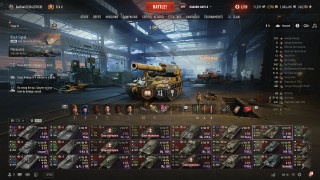
- Layout: Default (game), Mirrored (menu right, missions left) or Refined (tab ribbon, missions left, parameters right; default).
- Mode selector: in the tab ribbon or left/right of the Battle button.
- Small screens: left column and right panel stay below the ribbon; panel buttons scale.
- WoT Plus button: show / hide / only with an active subscription.
- Option to wrap Premium shop and WoT Plus texts to two lines.
- Left crew panel removed.
- Refresh log off by default; clean-up on every re-injection.
- Default layout matches the game exactly.
- On/off switch only in the Mod Menu header.
- Mode selector: in the tab ribbon or left/right of the Battle button.
- Small screens: left column and right panel stay below the ribbon; panel buttons scale.
- WoT Plus button: show / hide / only with an active subscription.
- Option to wrap Premium shop and WoT Plus texts to two lines.
- Left crew panel removed.
- Refresh log off by default; clean-up on every re-injection.
- Default layout matches the game exactly.
- On/off switch only in the Mod Menu header.
Description
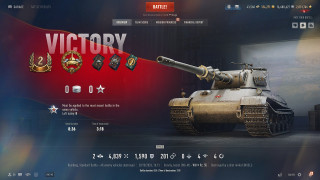
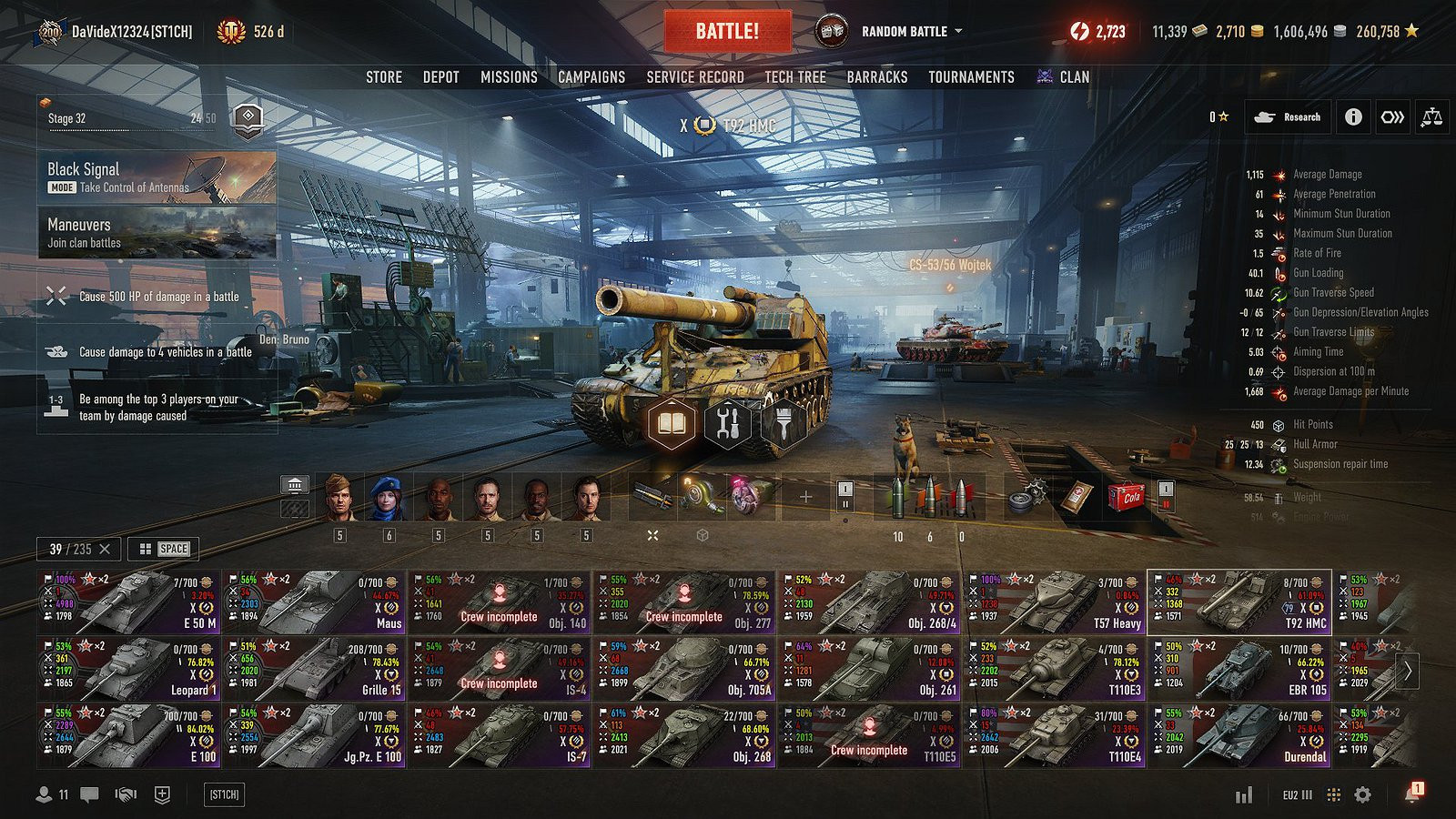
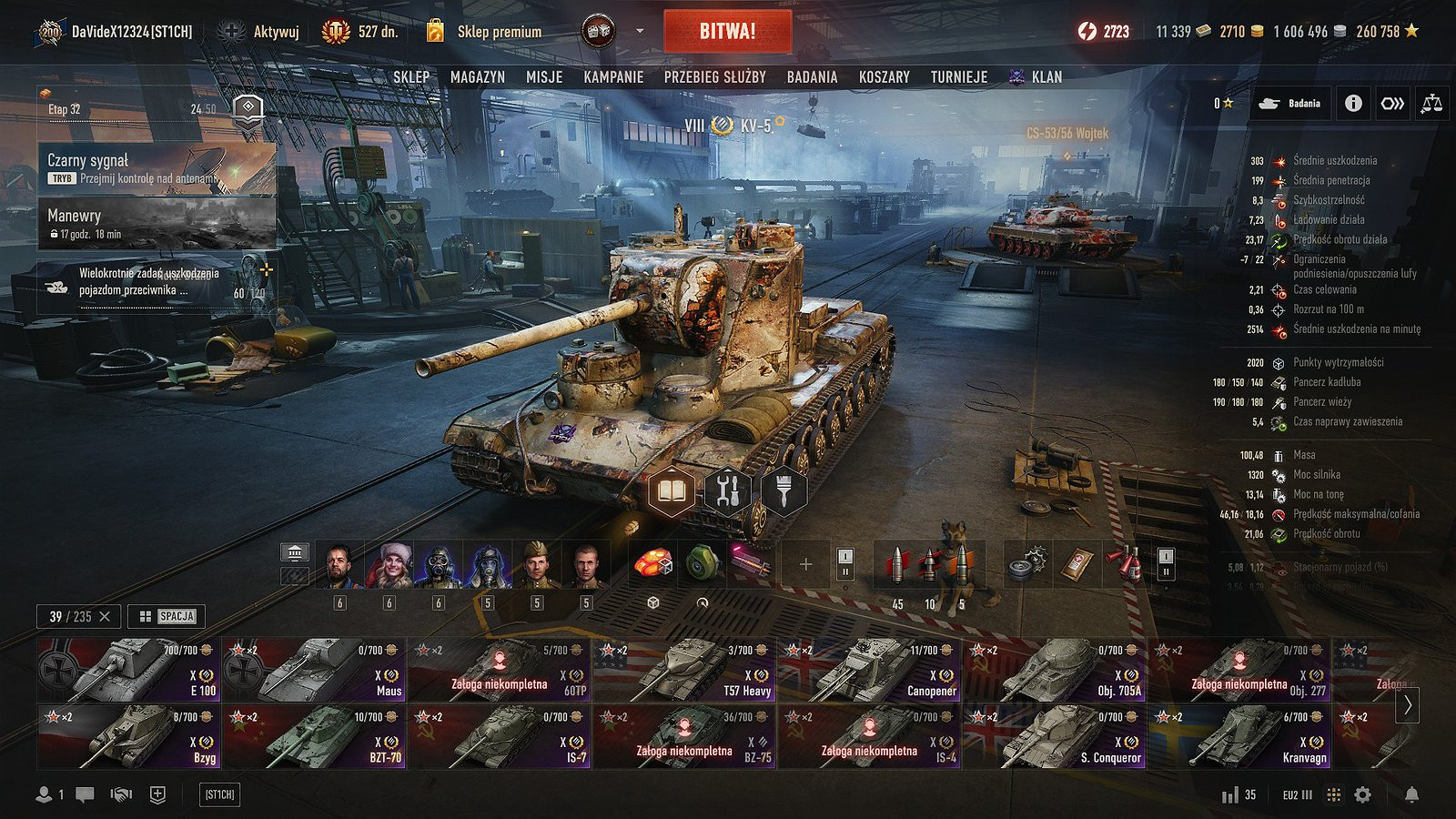
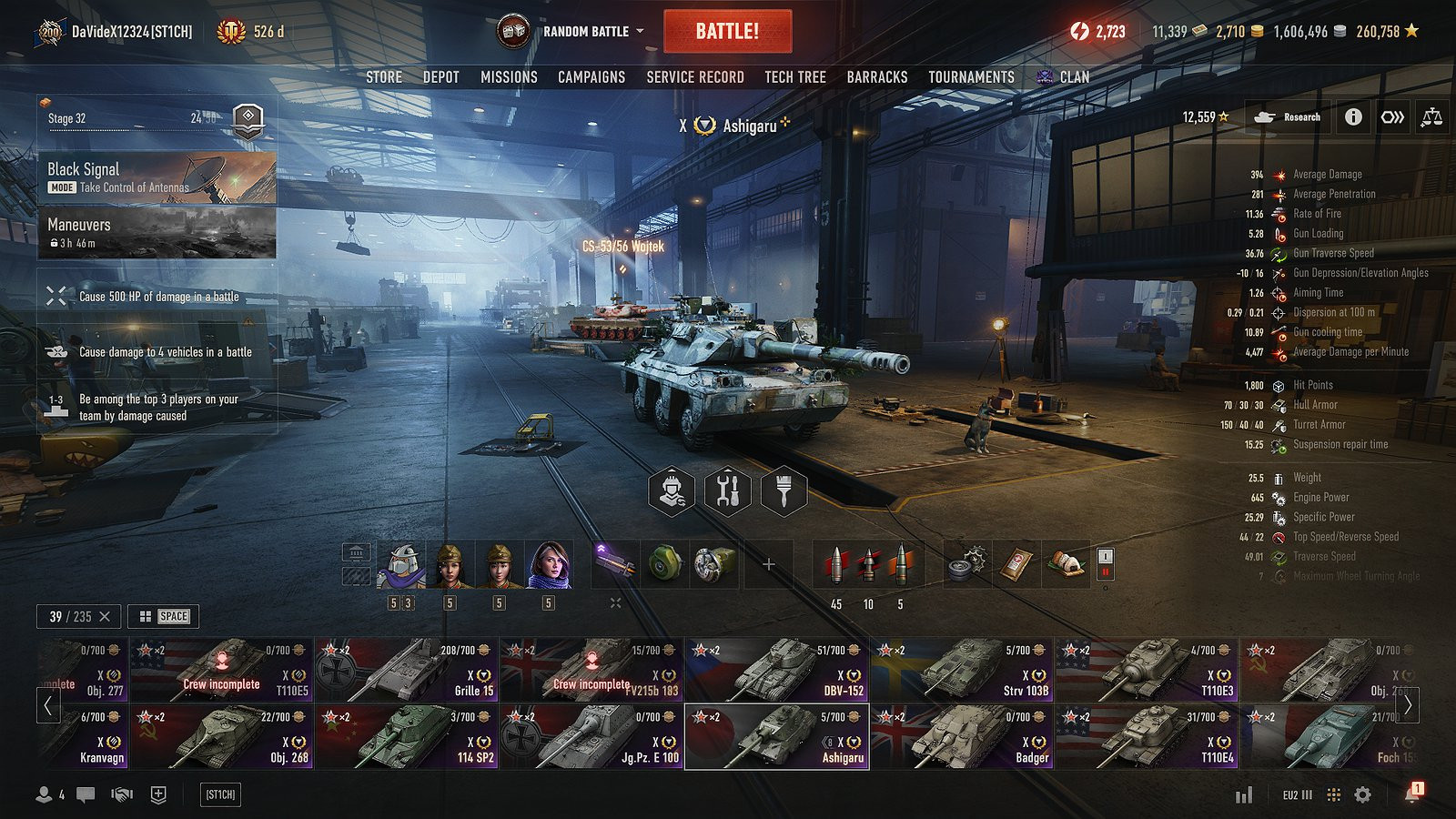
A tidier 2.x garage, laid out the way many players remember it from 1.x, while keeping the look of the new Gameface UI.
Features
- Tab ribbon on top: Store, Depot, Missions, Research, Barracks... in one horizontal row under the top bar, instead of the vertical menu on the left.
- Missions and event widgets moved to the left edge.
- Vehicle parameters on the right: firepower, armor, mobility, camouflage and spotting, always visible without opening the space menu.
- Two looks for vehicle parameters to choose from (space menu or crew screen style).
- Optional percentage bonuses from equipment, skills and consumables (soft stats), and an option to show everything in one list.
- Battle mode selector next to the Battle button (left or right of it), or kept in the tab ribbon.
- Crew on the left like in 1.x, or kept in the loadout bar.
- Vehicle status (crew incomplete, needs repair...) under the vehicle name instead of on the tab ribbon.
- Optional dark background behind the top bar.
Everything can be switched on and off separately in the in-game mod settings. The native elements are only moved and restyled, nothing is removed from the game. Works in the Random battles garage and in the mode garages (Onslaught, Frontline, Black Signal and others).
Installation Instructions
Requirements: OpenWG Gameface (net.openwg.gameface).
Optional: Aslain Mod Menu or ModsSettingsAPI (izeberg) for the in-game settings; without them the mod runs with default settings.
Works well with Carousel 2.0 Refined (more carousel rows, statistics on the vehicle cards etc).
Credits
DaVideX12324
A tidier 2.x garage, laid out the way many players remember it from 1.x, while keeping the look of the new Gameface UI.
Features
- Tab ribbon on top: Store, Depot, Missions, Research, Barracks... in one horizontal row under the top bar, instead of the vertical menu on the left.
- Missions and event widgets moved to the left edge.
- Vehicle parameters on the right: firepower, armor, mobility, camouflage and spotting, always visible without opening the space menu.
- Two looks for vehicle parameters to choose from (space menu or crew screen style).
- Optional percentage bonuses from equipment, skills and consumables (soft stats), and an option to show everything in one list.
- Battle mode selector next to the Battle button (left or right of it), or kept in the tab ribbon.
- Crew on the left like in 1.x, or kept in the loadout bar.
- Vehicle status (crew incomplete, needs repair...) under the vehicle name instead of on the tab ribbon.
- Optional dark background behind the top bar.
Everything can be switched on and off separately in the in-game mod settings. The native elements are only moved and restyled, nothing is removed from the game. Works in the Random battles garage and in the mode garages (Onslaught, Frontline, Black Signal and others).
Installation Instructions
Requirements: OpenWG Gameface (net.openwg.gameface).
Optional: Aslain Mod Menu or ModsSettingsAPI (izeberg) for the in-game settings; without them the mod runs with default settings.
Works well with Carousel 2.0 Refined (more carousel rows, statistics on the vehicle cards etc).
Credits
DaVideX12324
Direct Download Links
About Mod
| Latest Version | 1.2.4 |
| Game | WoT |
| Category | User Interfaces |
| Downloads | 11 |
| Created | 3 days ago |
| Last Updated | 1 day ago |
Download Latest Version
Version: 1.2.4Updated: 1 day ago
Total Size: 134.15 KB davidexhangar_refined_124_modland.wotmod direct download · 134.15 KB · added 1 day ago
You Might Also Like »

0 Comments
There are no comments. Be first to comment!