EVO-HUD | Essential telemetry overlays for AC EVO 0.1.0

0/5,
0
votes
Changelog
v0.1.0 — first public release.
Description
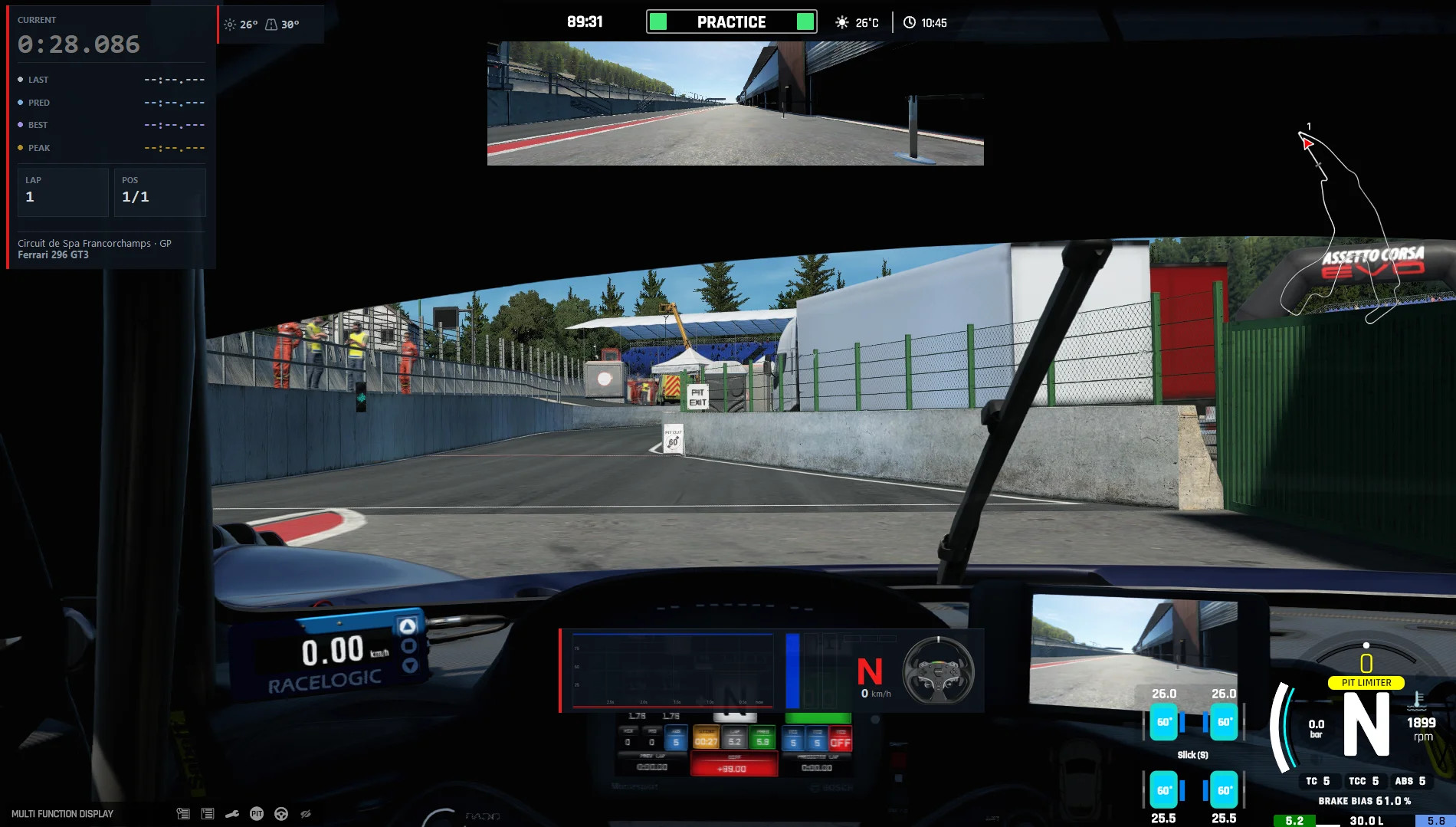
EVO-HUD provides clean overlays while driving in Assetto Corsa EVO. It focuses on the telemetry that works well to keep the screen uncluttered.
Features
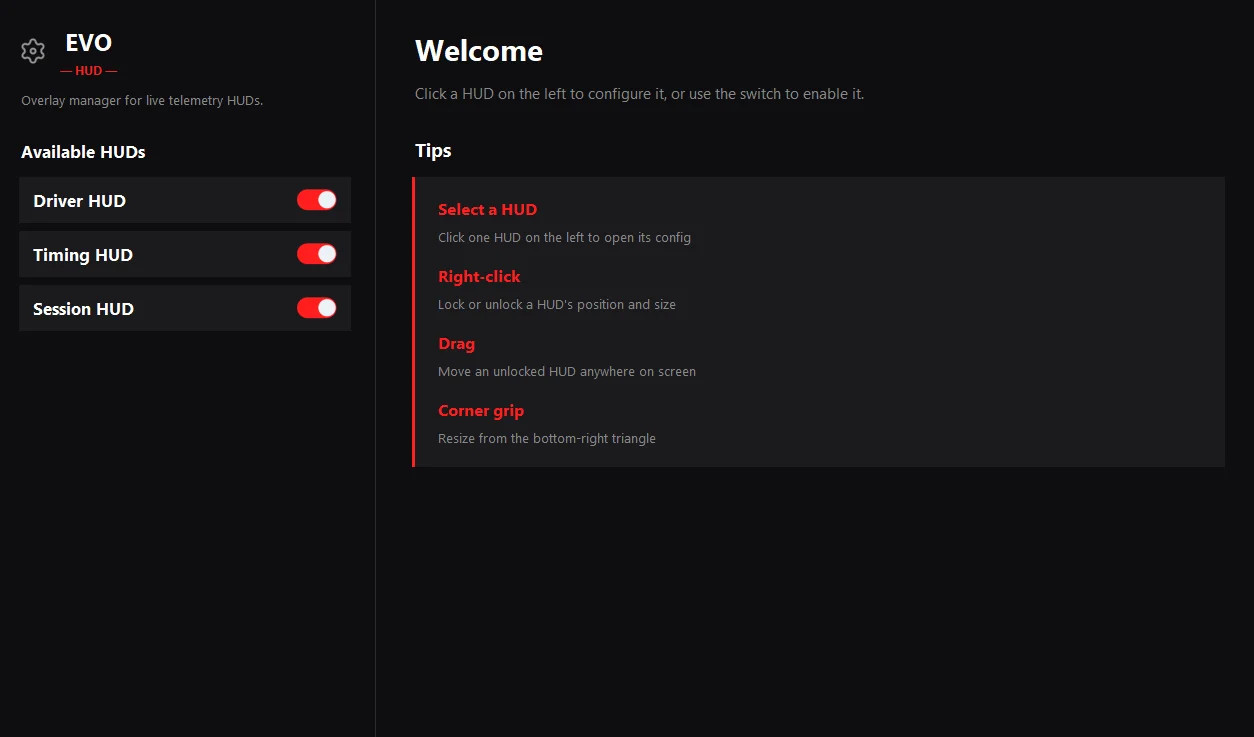
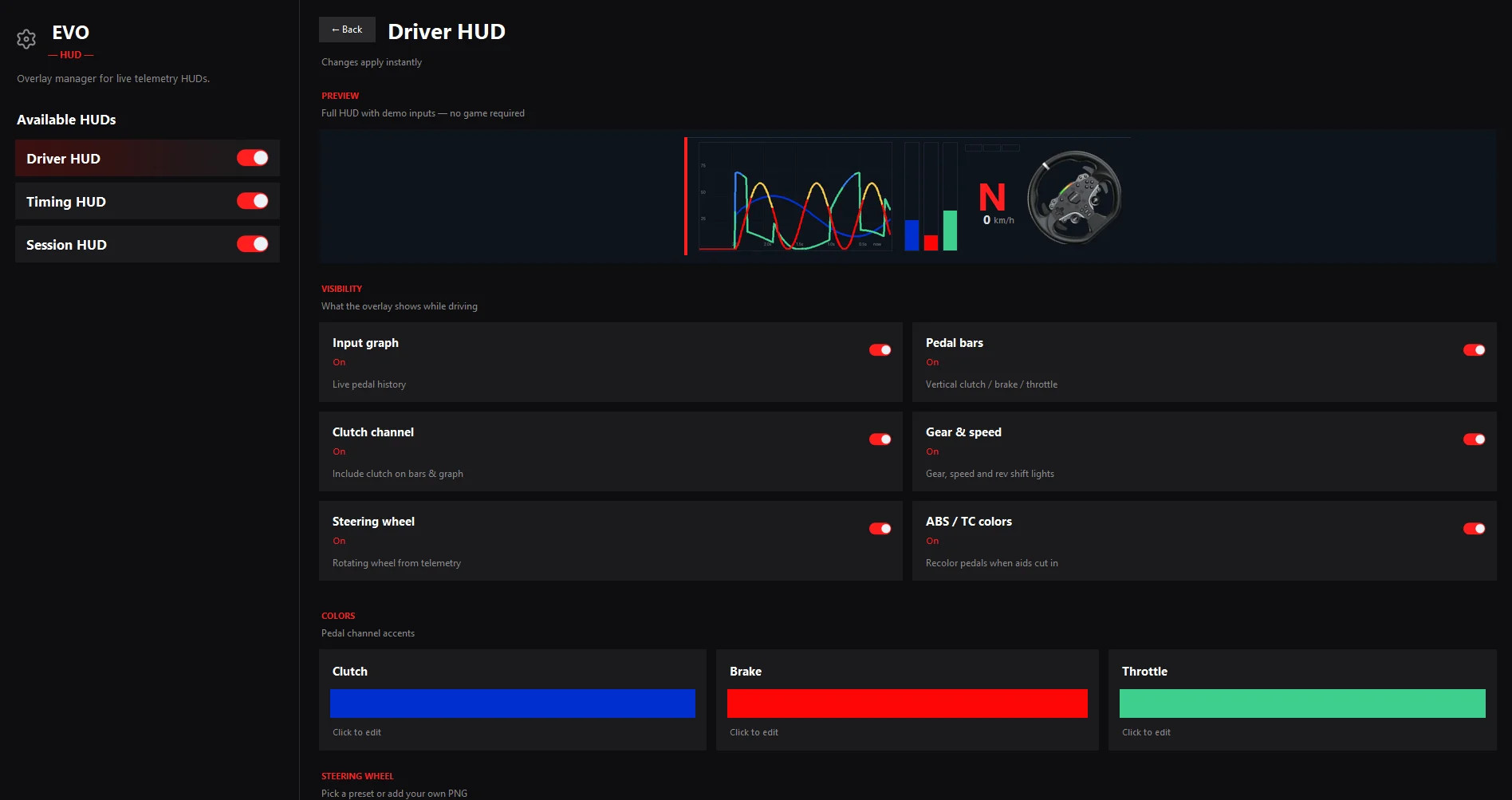
- Driver HUD: clutch, brake, and throttle bars, a live input graph, and a steering wheel
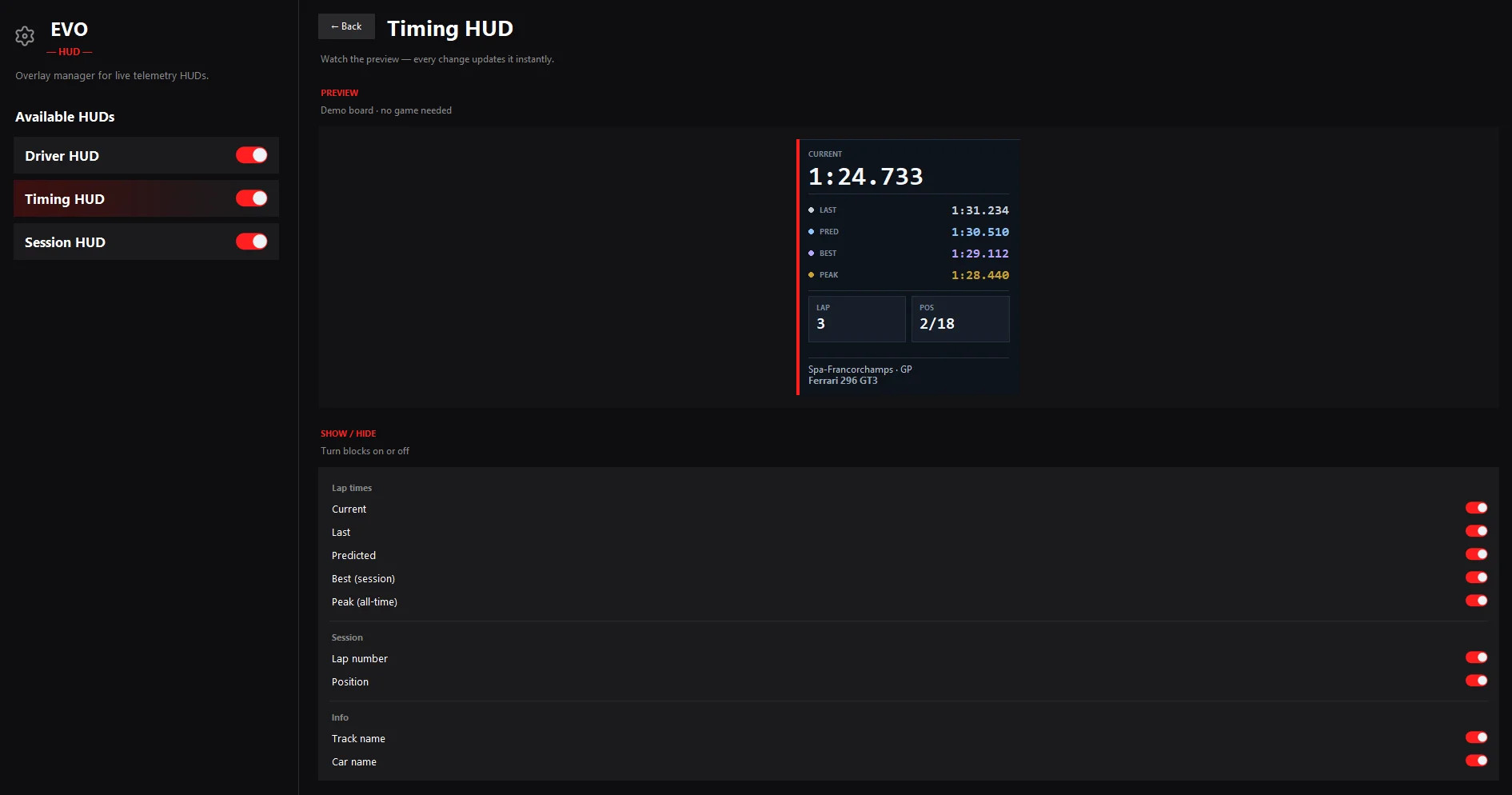
- Timing HUD: current lap, last lap, predicted time, session best, and all-time peak for that track and car
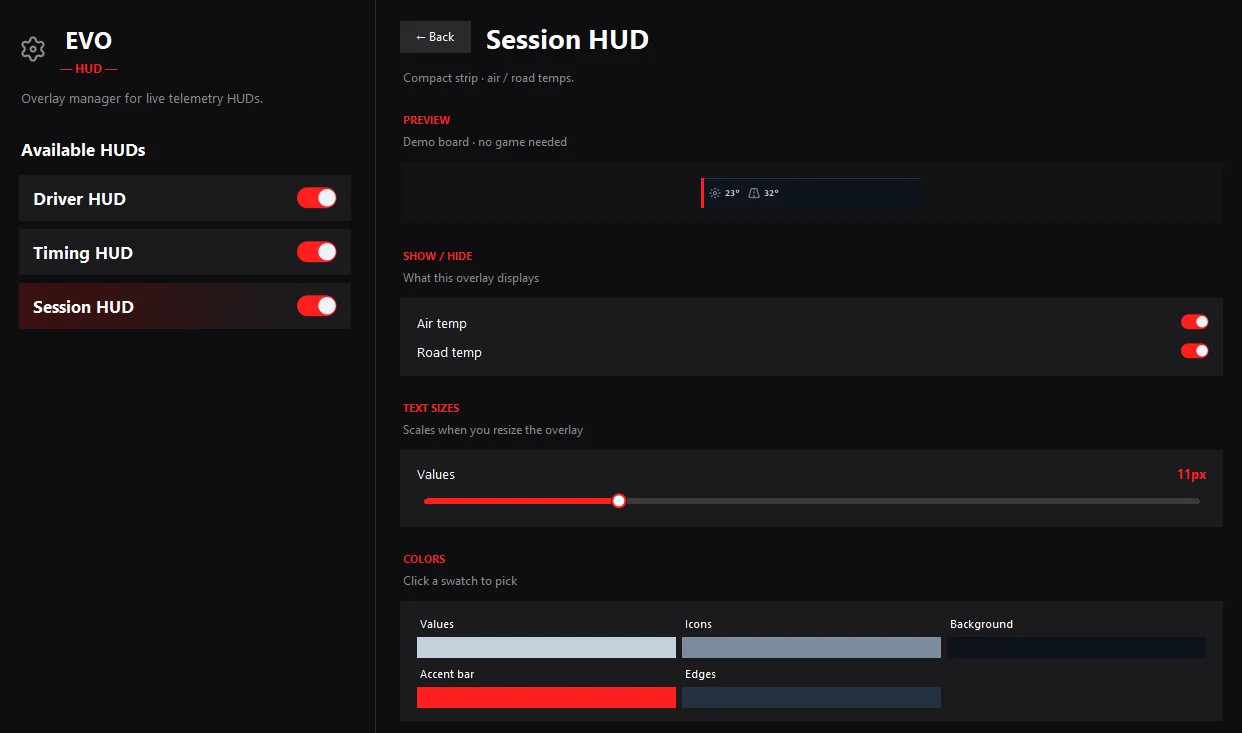
- Session HUD: air and road temperature
- Customization: move and resize overlays, tweak colors and opacity, and lock them via right-click
- Hotkey: F9 by default to hide/show everything
Installation Instructions
1. Download the zip
2. Extract it anywhere
3. Run EVO-HUD.exe
4. Launch Assetto Corsa EVO and turn on the HUDs you want
Settings save automatically in %APPDATA%\EVO HUD. Windows only, fully portable, no installer needed.
Credits
M0ntar
v0.1.0 — first public release.
Description
EVO-HUD provides clean overlays while driving in Assetto Corsa EVO. It focuses on the telemetry that works well to keep the screen uncluttered.
Features
- Driver HUD: clutch, brake, and throttle bars, a live input graph, and a steering wheel
- Timing HUD: current lap, last lap, predicted time, session best, and all-time peak for that track and car
- Session HUD: air and road temperature
- Customization: move and resize overlays, tweak colors and opacity, and lock them via right-click
- Hotkey: F9 by default to hide/show everything
Installation Instructions
1. Download the zip
2. Extract it anywhere
3. Run EVO-HUD.exe
4. Launch Assetto Corsa EVO and turn on the HUDs you want
Settings save automatically in %APPDATA%\EVO HUD. Windows only, fully portable, no installer needed.
Credits
M0ntar
Direct Download Links
Version: 0.1.0Updated: 2 weeks ago
Total Size: 17.11 MB EVO-HUD-010-windows-portable_modland.zip direct download · 17.11 MB · added 2 weeks ago
You Might Also Like »

0 Comments
There are no comments. Be first to comment!