Driving Assists in Assetto Corsa EVO Explained: Which to Use as a Beginner
If you are new to Assetto Corsa EVO, the assists menu can look confusing. This guide explains every option in plain words and shows which ones to keep on while you learn.
Where to find the assists
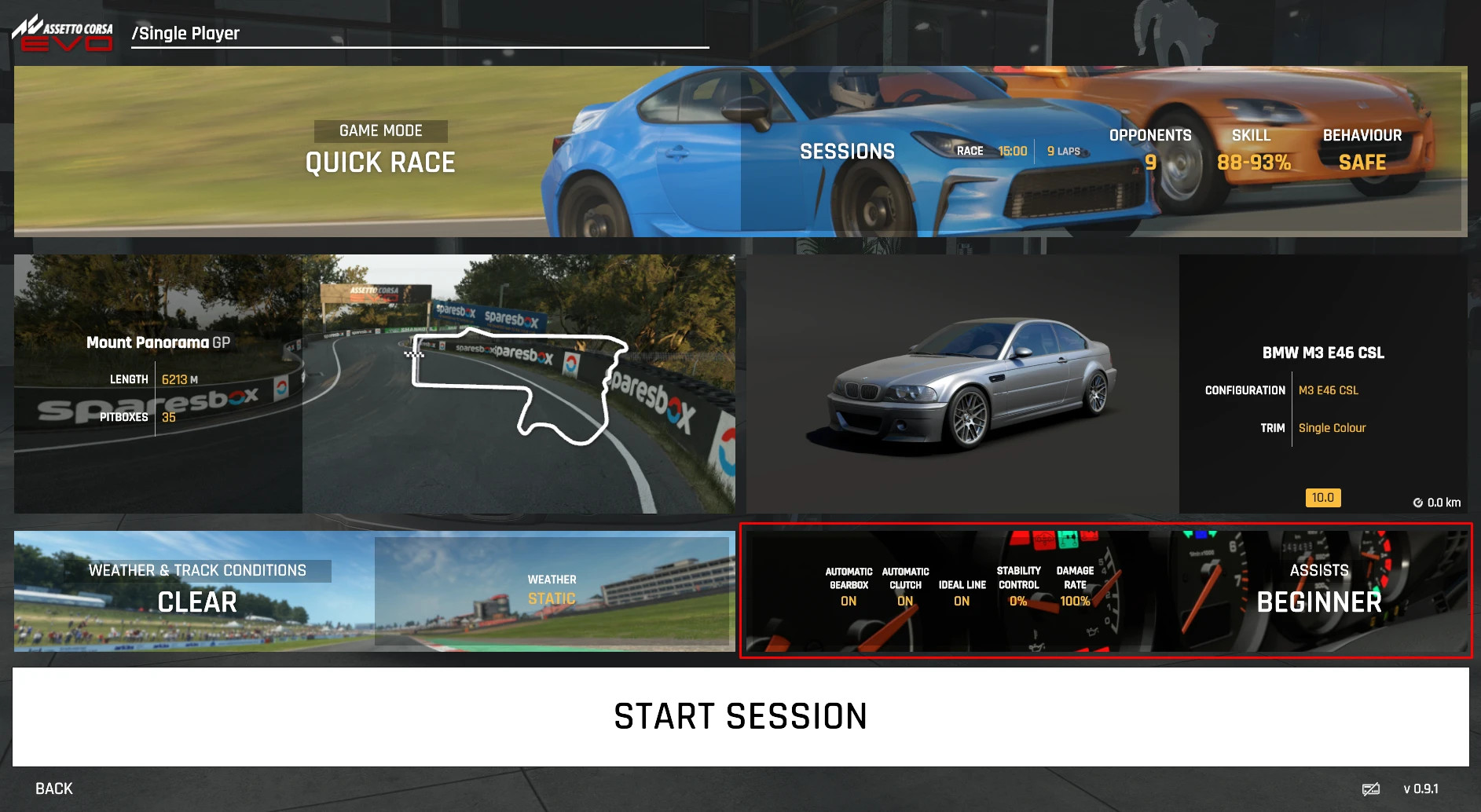
Open Single Player and pick your game mode, track and car. On the main screen you will see an Assists tile in the bottom right corner. Click it to open the assists menu.
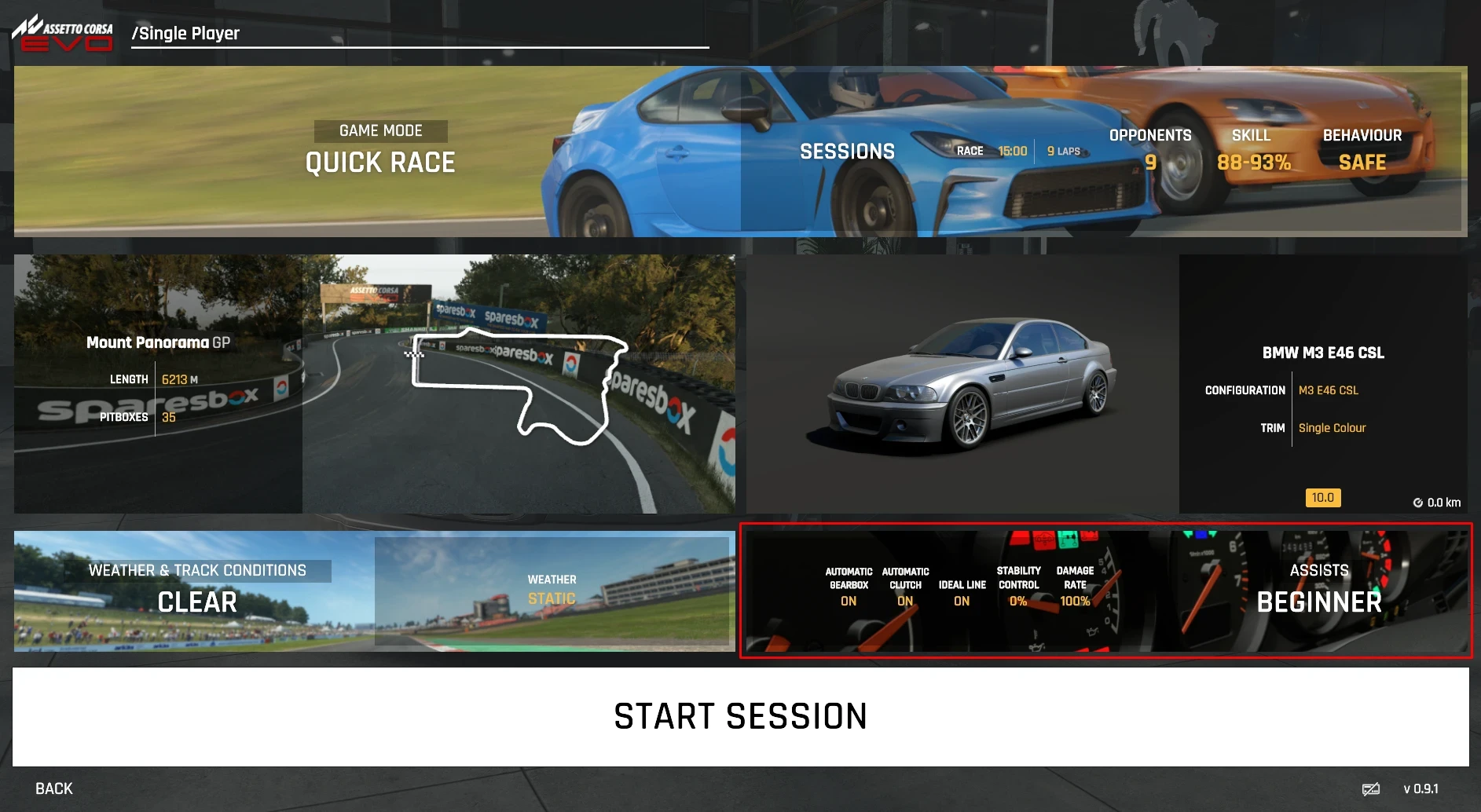
Presets
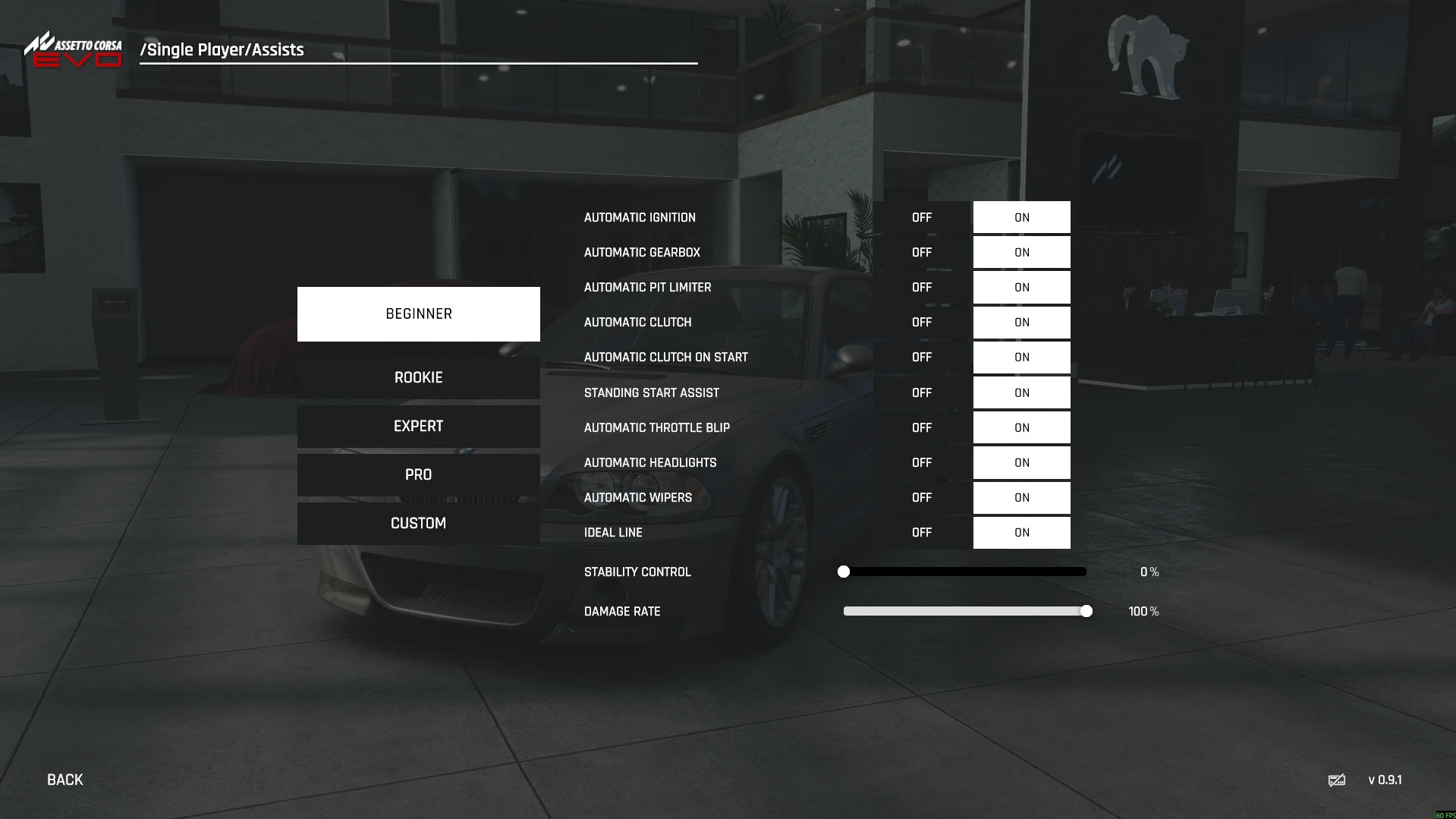
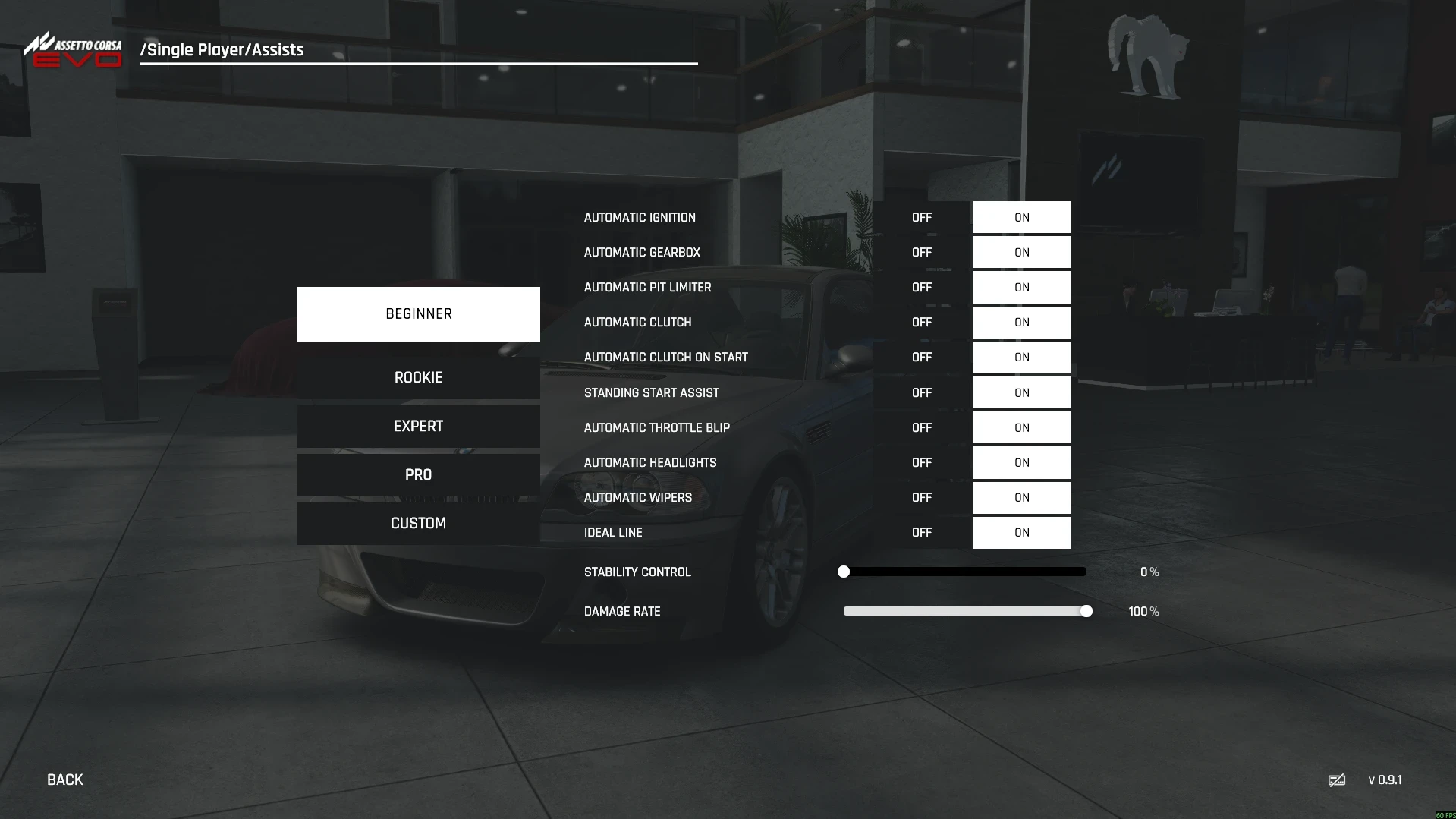
On the left side you can choose a preset: Beginner, Rookie, Expert, Pro or Custom. Beginner turns on all the help, and Pro turns most of it off. If you change any option by hand, the preset switches to Custom. A preset is the quickest way to start, and you can adjust single options afterwards.
What each option does
Automatic Ignition starts the engine for you.
Automatic Gearbox shifts gears for you. Good for learning tracks. Switch to manual later, because shifting yourself is faster.
Automatic Pit Limiter turns the speed limiter on and off in the pit lane, so you do not get a penalty.
Automatic Clutch works the clutch when you change gears. Keep it on unless you have a clutch pedal.
Automatic Clutch on Start does the same when you pull away from standstill.
Standing Start Assist helps you launch without wheelspin at the start of a race.
Automatic Throttle Blip gives the engine a small rev boost when you downshift, so the car stays smooth under braking.
Automatic Headlights and Automatic Wipers switch lights and wipers on by themselves in the dark and in rain.
Ideal Line shows the racing line on the track. It is the fastest way to learn a new track and where to brake.
Stability Control is a slider from 0 to 100%. Higher values mean more help against spinning and sliding. Lower it as you get more comfortable.
Damage Rate sets how much damage the car takes in crashes, from 0 to 100%. Lower it if you do not want one mistake to ruin the race.
Recommended settings for beginners
Gamepad or keyboard: start with the Beginner preset. Keep Ideal Line and Automatic Gearbox on.
Wheel and pedals: use Rookie or Custom. Keep Ideal Line on for new tracks and try manual shifting when you feel ready.
When to turn assists off
Change one thing at a time, so you can feel what changed:
- Turn off Ideal Line once you know the braking points of the track.
- Lower Stability Control step by step.
- Switch to the manual gearbox and the manual clutch last.
If you start spinning after changing something, put it back for a few more sessions.
ABS and Traction Control
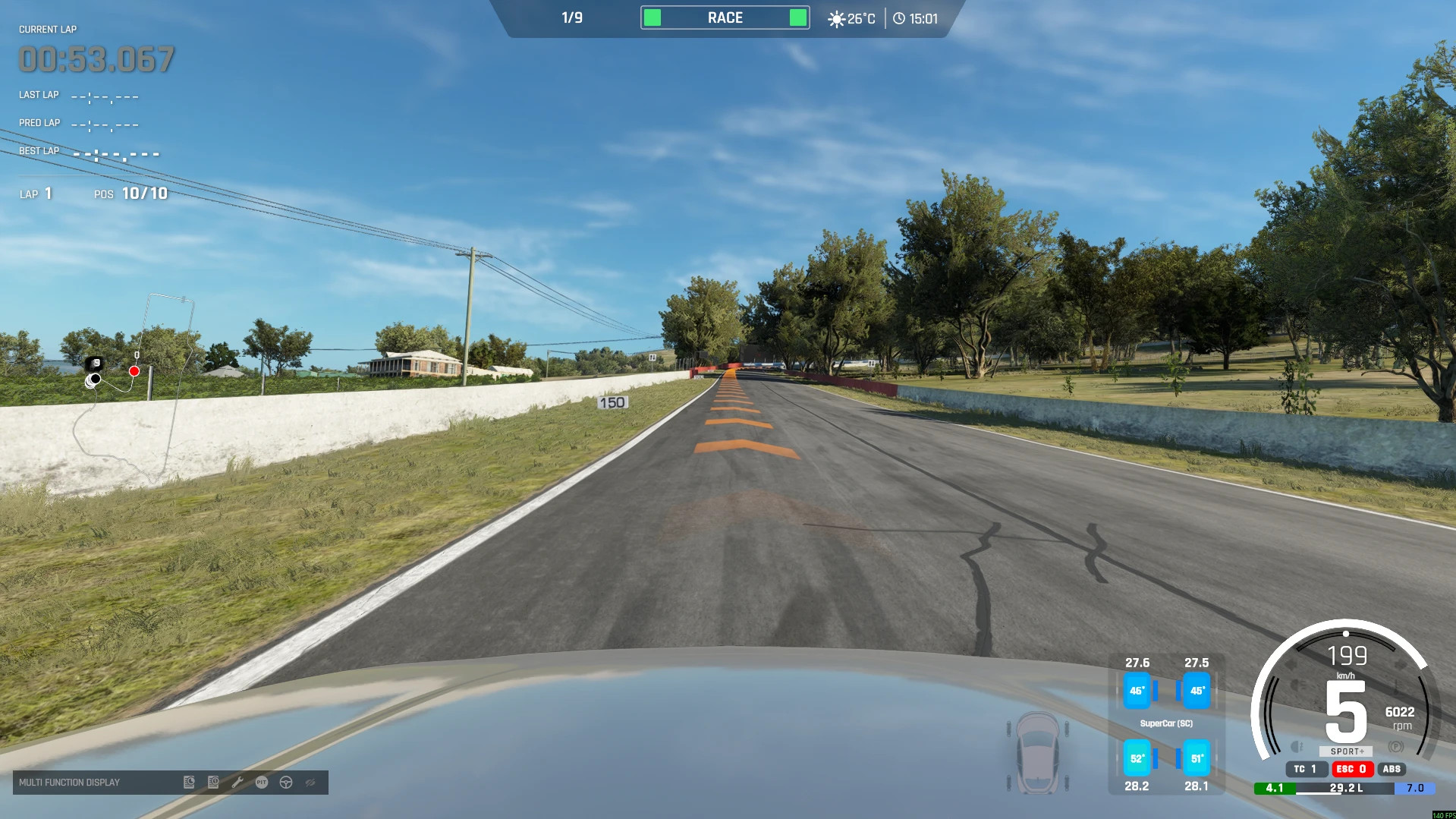
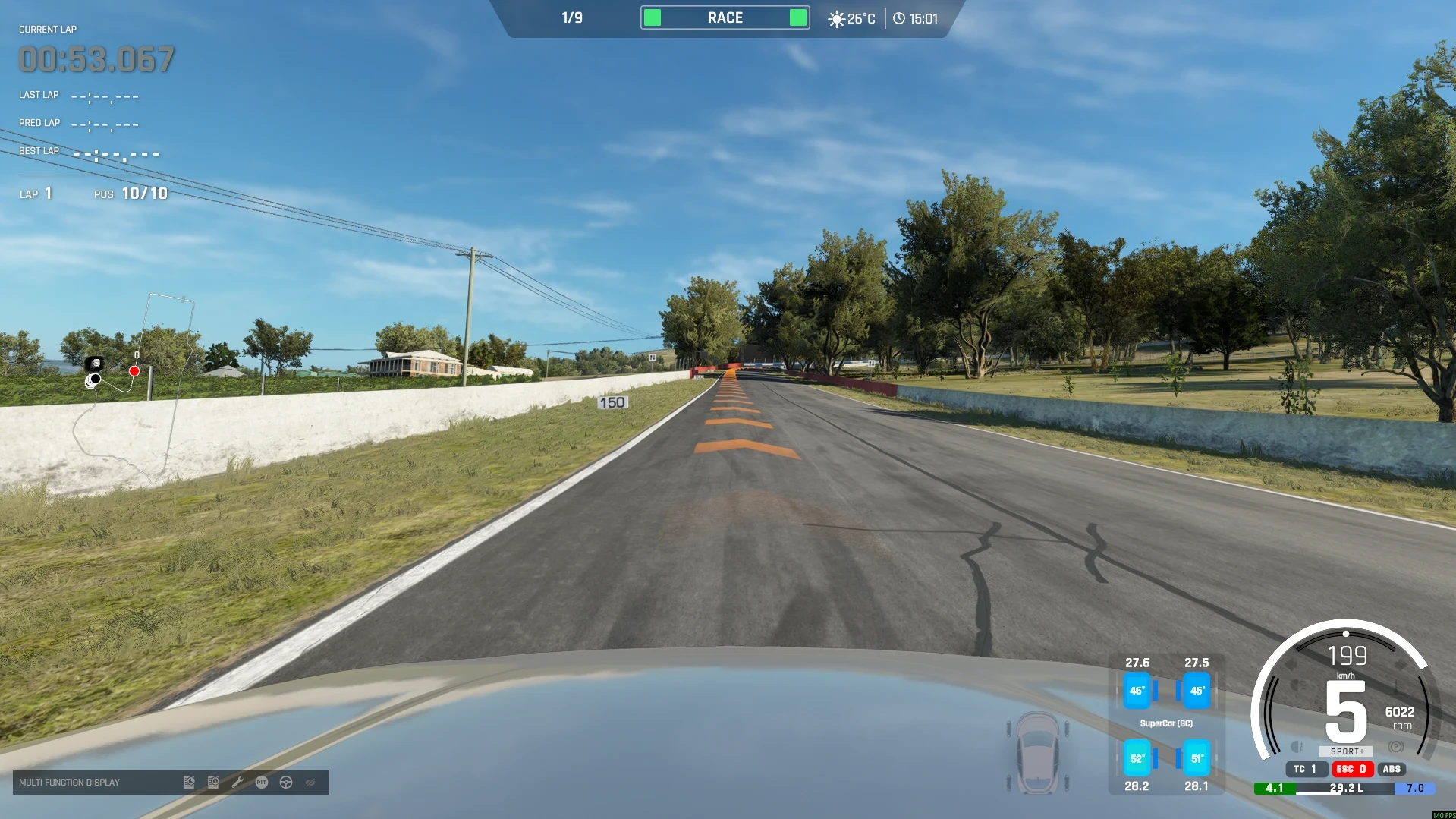
These two are not in the assists menu. During a race you can see their levels in the bottom right corner of the screen (TC, ESC and ABS). They are part of the car itself and some cars let you change their level while driving.
Added by