Gamepad Setup for Assetto Corsa Evo on PC!
 (1)-lg_modland.jpg)
Many people believe that Assetto Corsa Evo is most comfortable to play with a steering wheel. However, this does not mean that gamepad owners will lose out. A controller can be a great alternative. But the setup can seem complicated for beginners. And these instructions may be useful to you if you want to play AC Evo on a gamepad.
Gamepad setup in Steam
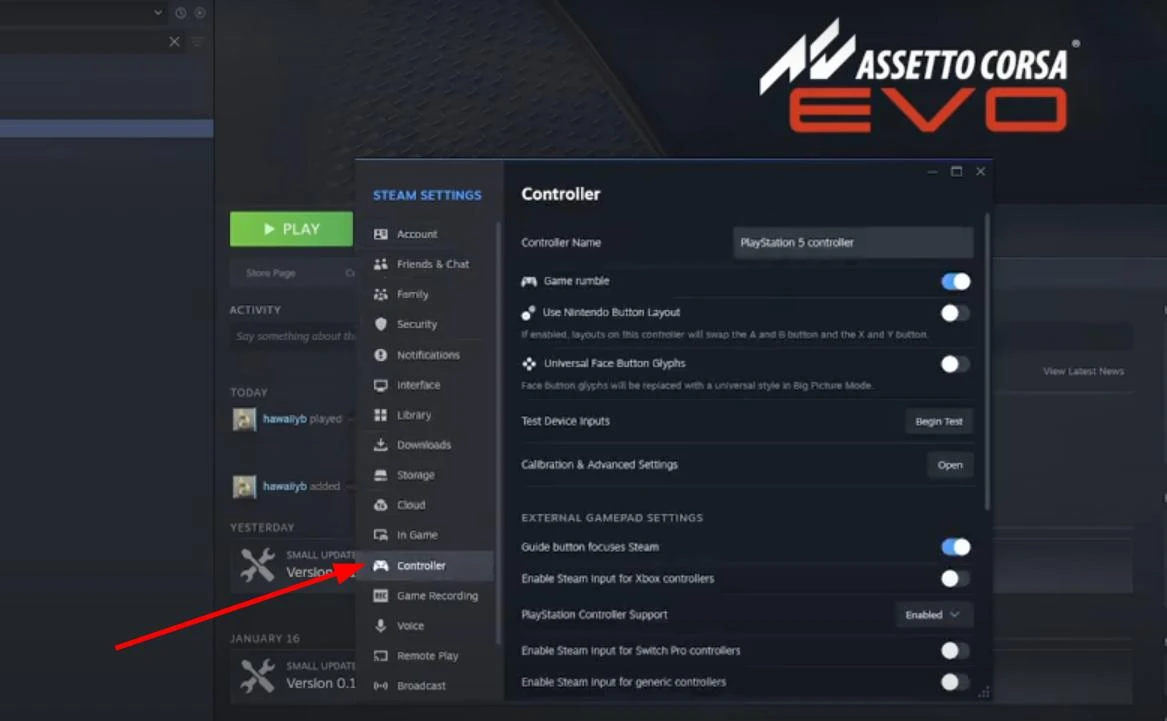
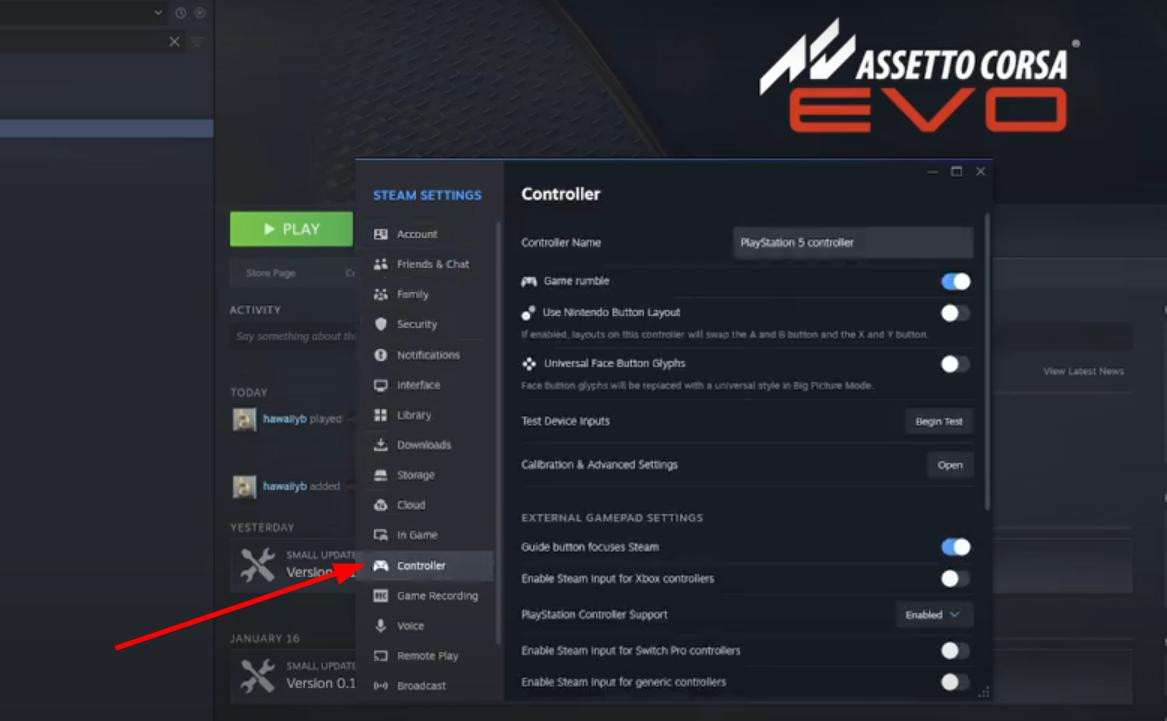
Before you launch Assetto Corsa Evo, make sure that Steam correctly recognizes your controller. To do this, open the Steam client and in the top left corner click on the “Steam” tab, then select “Settings”. In the window that appears, find the “Controller” section on the left side of the screen.
A list of connected controllers will appear at the top of the screen. If the gamepad is properly connected via USB or Bluetooth, it should appear in the list of available devices.
-
Then find the section. “External gamepad settings”. In it you can set compatibility with specific devices.
-
For Xbox-controller enable the appropriate option to Steam correctly recognize it.
-
For owners of PlayStation gamepads, you need to click on the drop-down menu and select “Enabled”.
If you use a Switch Pro Controller or universal gamepad, then in the same section you can enable the appropriate compatibility.
Once the desired settings are activated, close the settings window.
Customizing the controller in the game
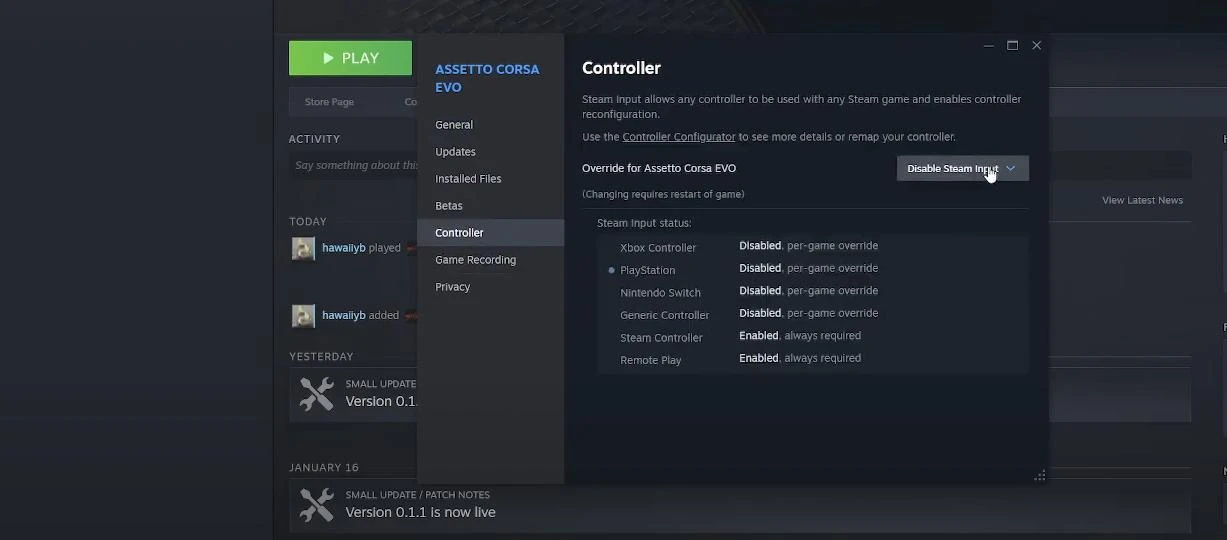
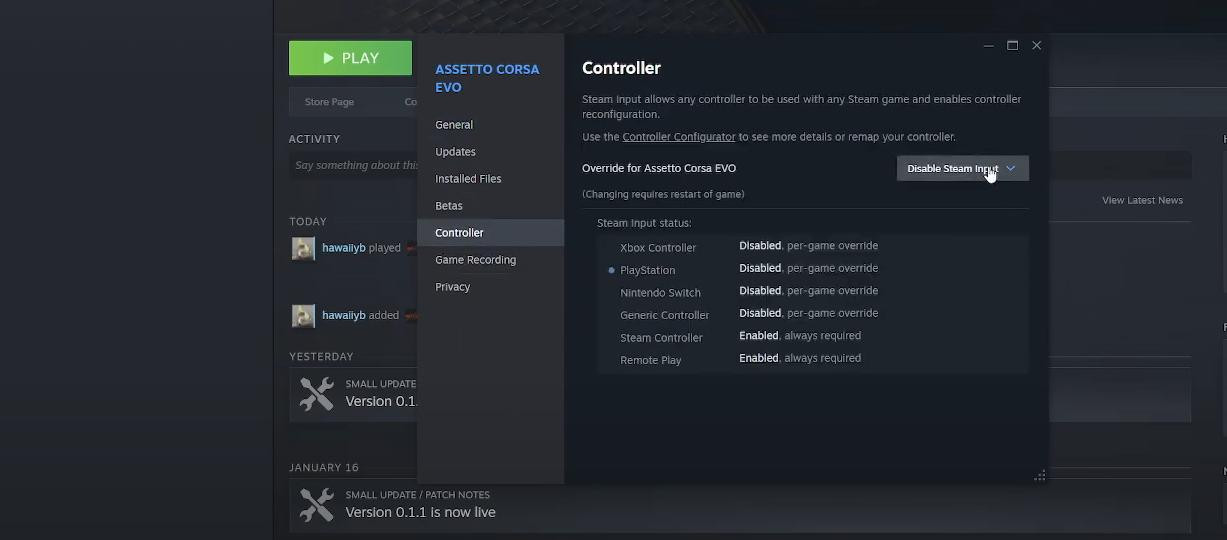
Now you can start customizing the gamepad in the game itself. To do this, open the Steam library and find Assetto Corsa Evo in the list. Click the settings icon (the gear icon). Then select “Properties” and go to the “Controller” section.
Here, a drop-down menu will be available where you can select several options for how the controller works:
-
“Use default settings” - allows Steam to automatically pick the right configurations. In most cases, you can stop at selecting this option.
-
“Enable Steam Input” - if the game does not see the gamepad, enabling this option can solve the problem. Information about your controller with the status “Enabled” will be visible in the list.
After making changes, close the window and launch the game.
Fine-tuning the controls
Assetto Corsa Evo provides various settings for adjusting the sensitivity and smoothness of gamepad controls. To get maximum comfort from the game, pay attention to the following parameters:
-
Stick Blind Zones - reduce them to achieve more precise control.
-
Linearity of response - adjusts how sharply the machine will respond to the tilt of the sticks. If the control seems too sharp, increase this value.
-
Trigger sensitivity - responsible for the smoothness of the throttle and brake. It is best to set a moderate value to avoid sudden acceleration or wheel lock.
Be sure to test the controls in a free race to make sure everything works the way you want it to.
Videos
Added by