How to Enable Online Mode in Assetto Corsa Evo?
 (1)-lg_modland.jpg)
Assetto Corsa features online play, where you can have online races and compete against real opponents. However, to access all this, you need to enable the online mode.
Many people who are launching the game for the first time may be surprised that the game runs in offline mode when first launched. Therefore, multiplayer mode will not be available.
In the lower right corner of the main menu you can see the corresponding inscription that the network functions are disabled. To activate them, you need to follow a few simple steps.
How to enable the online mode?
To configure the network mode in the game is quite simple. Follow the further instructions.
To activate the online mode in AC Evo, perform the following steps:
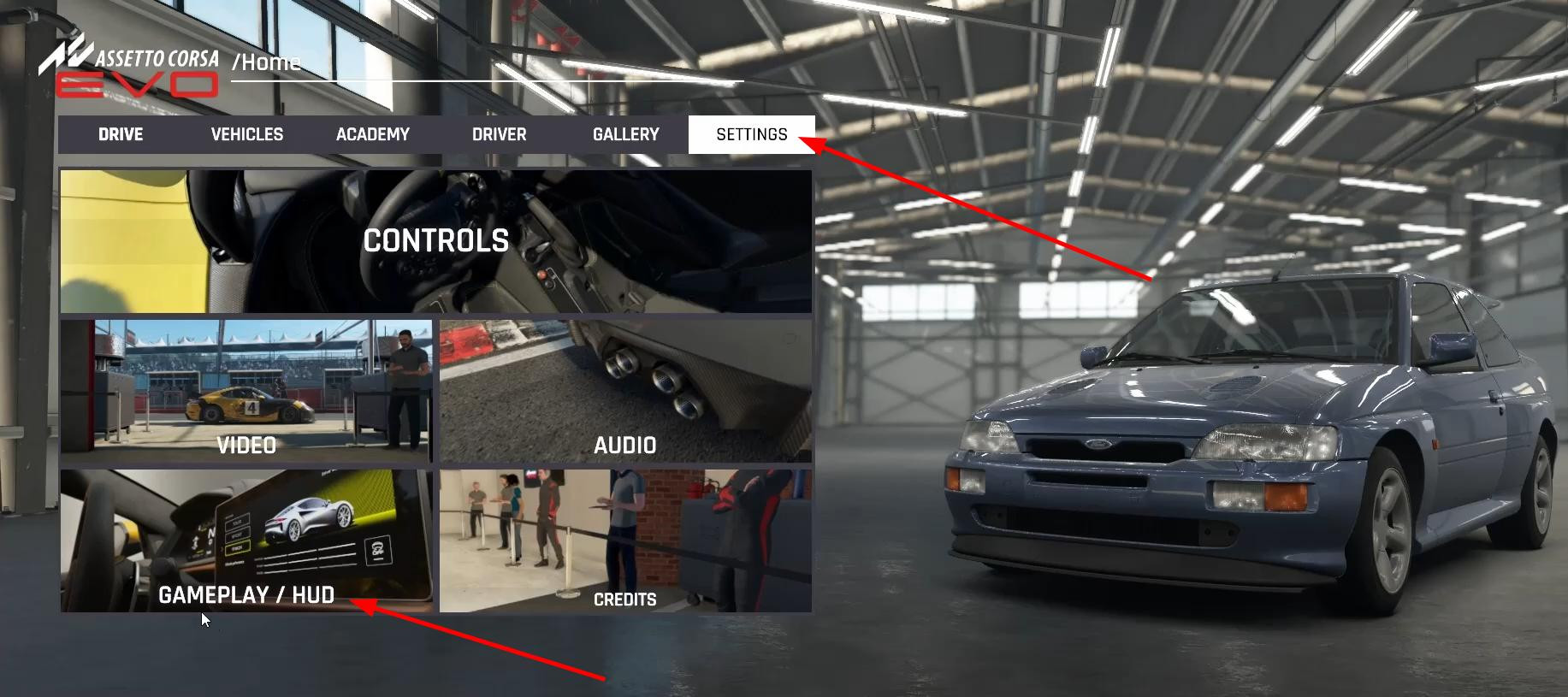
1. Go to the game settings. In the main menu, find the gear icon and open the settings.
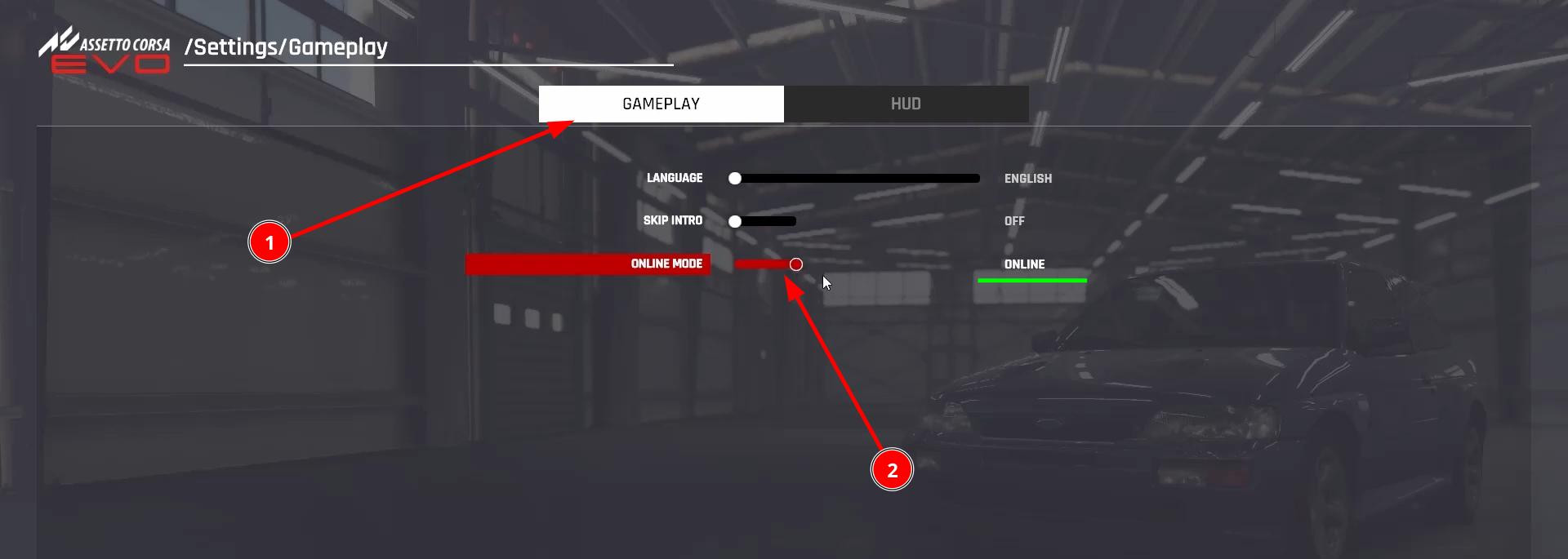
2. Go to the Gameplay tab. Here you will find the key settings that affect the gameplay.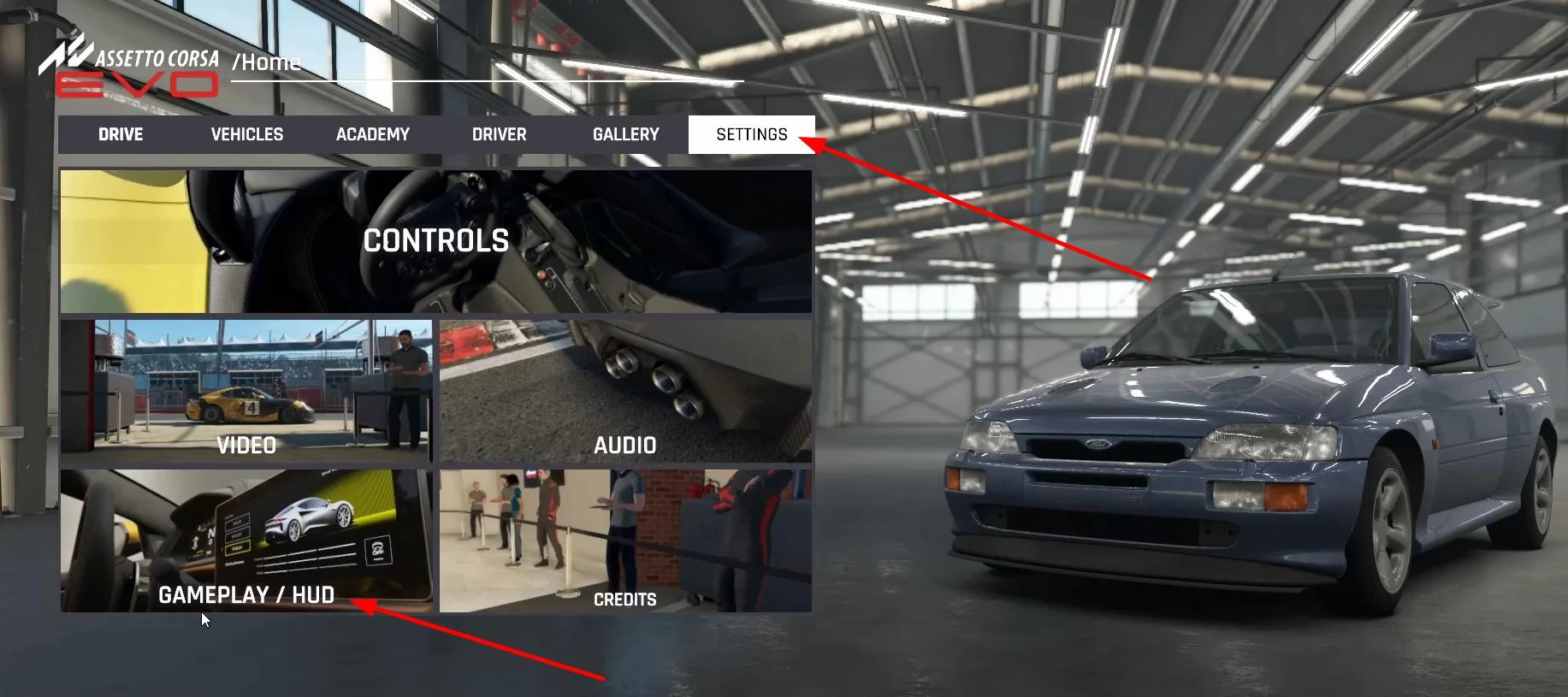
3. Find the “Online Mode” item. By default, it is disabled, and network functions are not available.
4. Switch the mode to the “Enabled” state. This will activate the ability to play online.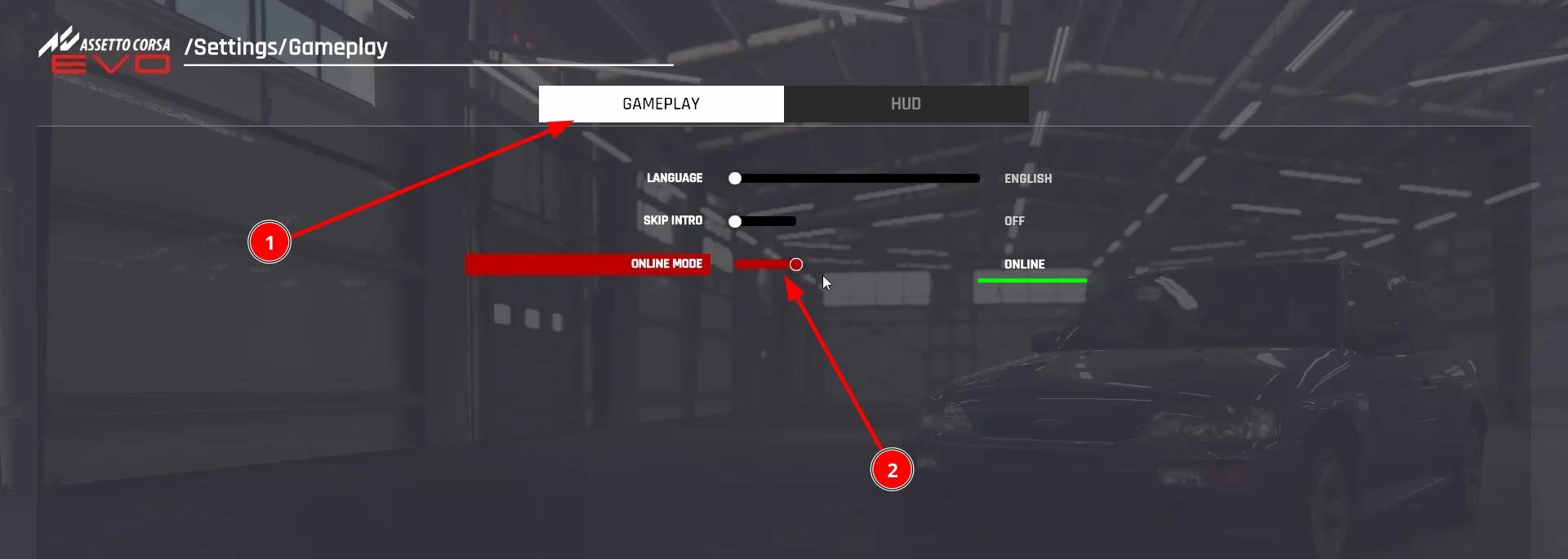
5. Click the “Apply” button to save the changes.
After that, the status in the lower right corner of the main menu will change to “Online”, and the game will offer to take an introductory test for driving skills.
Once the online mode is activated, special events, multiplayer races and Driving Academy mode are available.
Videos


Added by