How to Use Animations in Cars in Assetto Corsa Evo
 (1)-lg_modland.jpg)
 (1)-lg_modland.jpg)


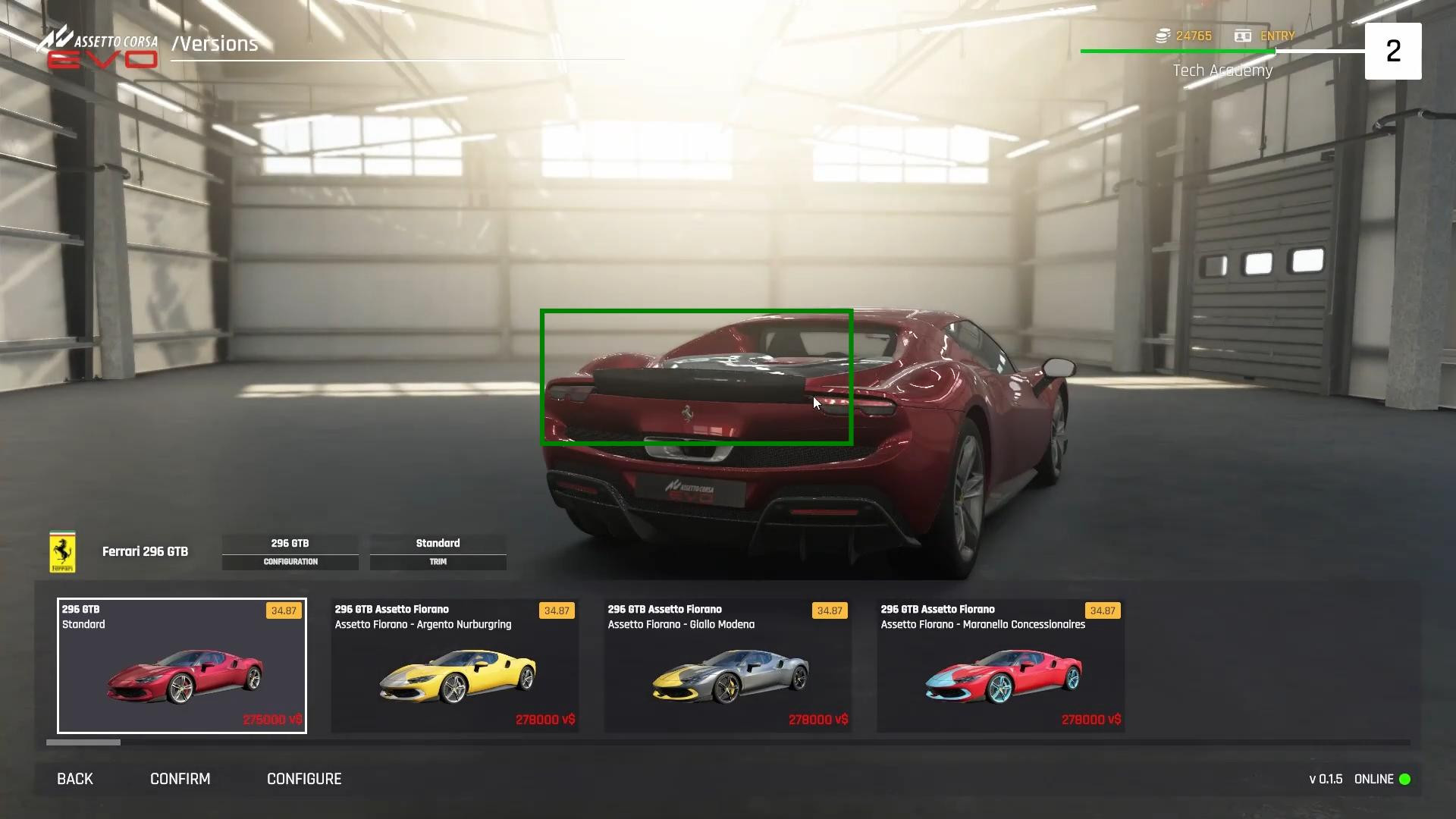
In Assetto Corsa Evo, some cars have special animations that can be activated manually. It could be opening the roof, extending the spoiler or other visual effects that add realism. Therefore, let's try to do this.
Setting up the controls for the car animations
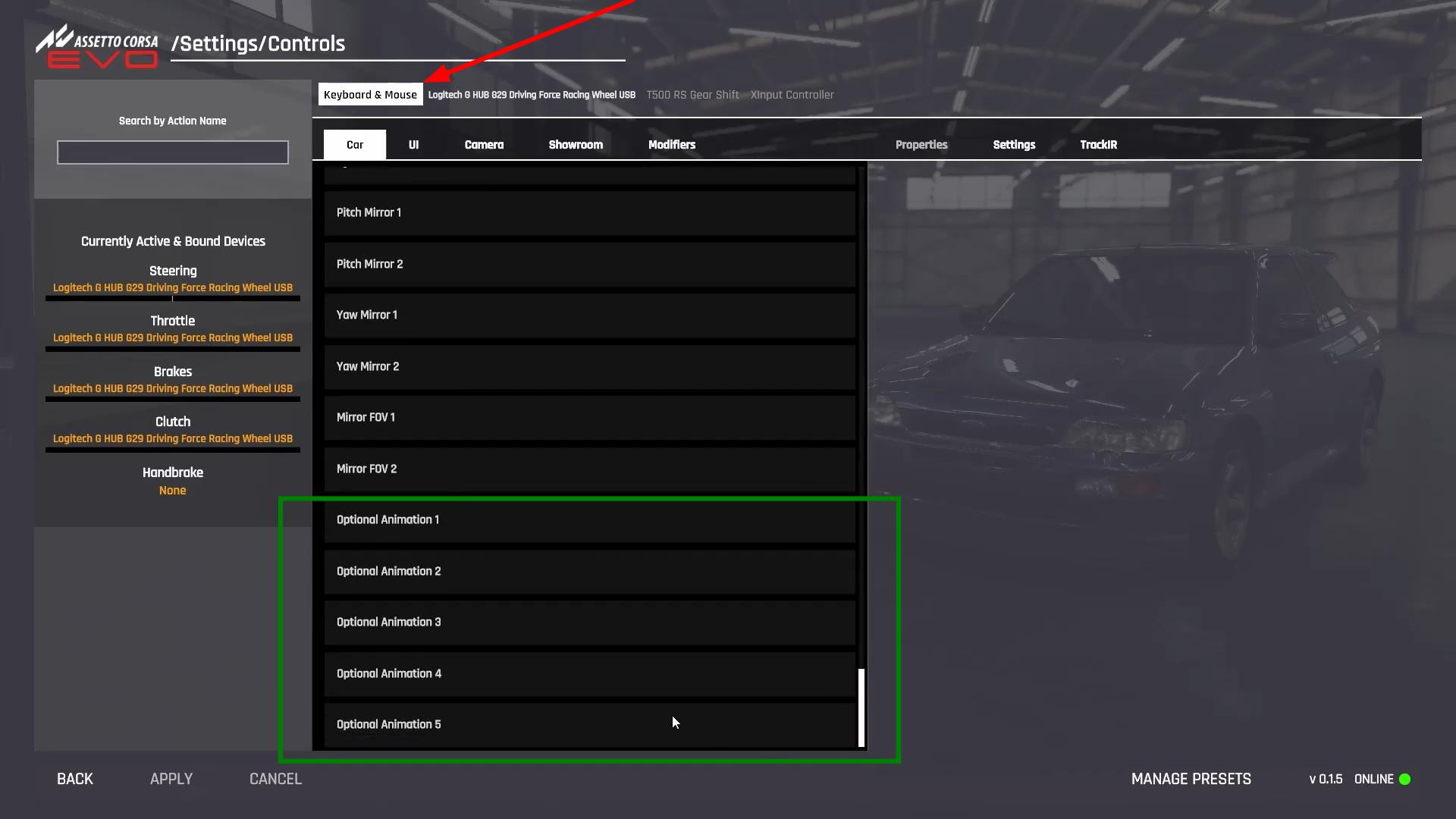
Before you can enable animations, you need to bind keys to them. Open “Settings”, go to the “Controls” section and select the device used - keyboard, steering wheel or gamepad. If the control is performed from the keyboard, make sure that it is selected at the top of the screen.
After that, scroll down the list and find the section responsible for car animations. Assetto Corsa Evo currently has up to five animations available, but most of the time the car only has one.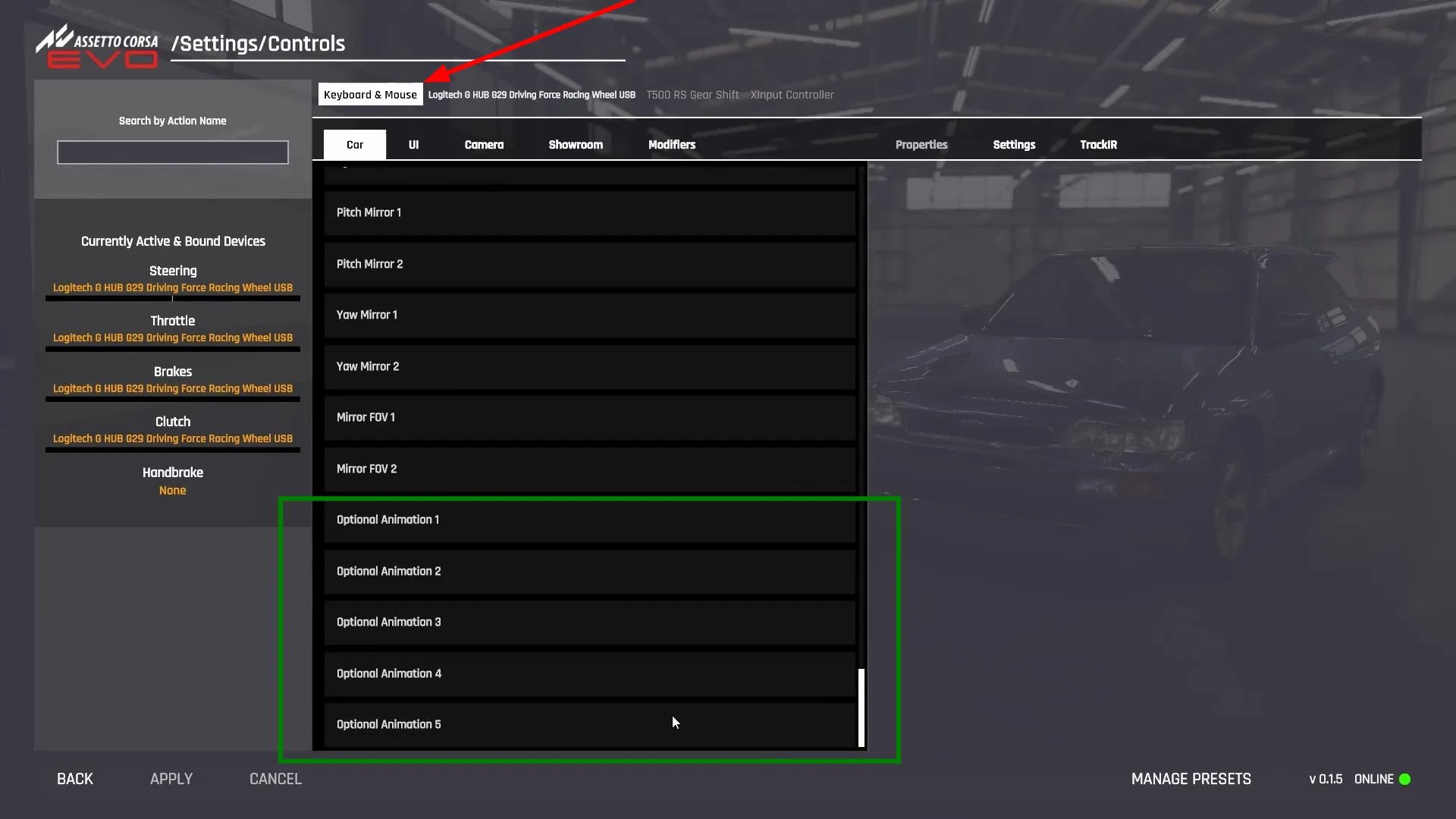
Choose the first available command and assign a convenient key to it. For example, you can use the keys on the additional numeric keypad (Numpad) or any other button that is easy to press during the game.
If you want, you can link the control to all available animations at once, but usually one key is enough, as most cars support only one function. After assigning a key, don't forget to press “Apply”, otherwise the settings won't be saved.
Applying animations in different cars
After customizing the controls, you can go to any game mode and check the animations on different cars. Select a car, load the track and press the key assigned in the previous step. If this model has animations, they will be activated immediately.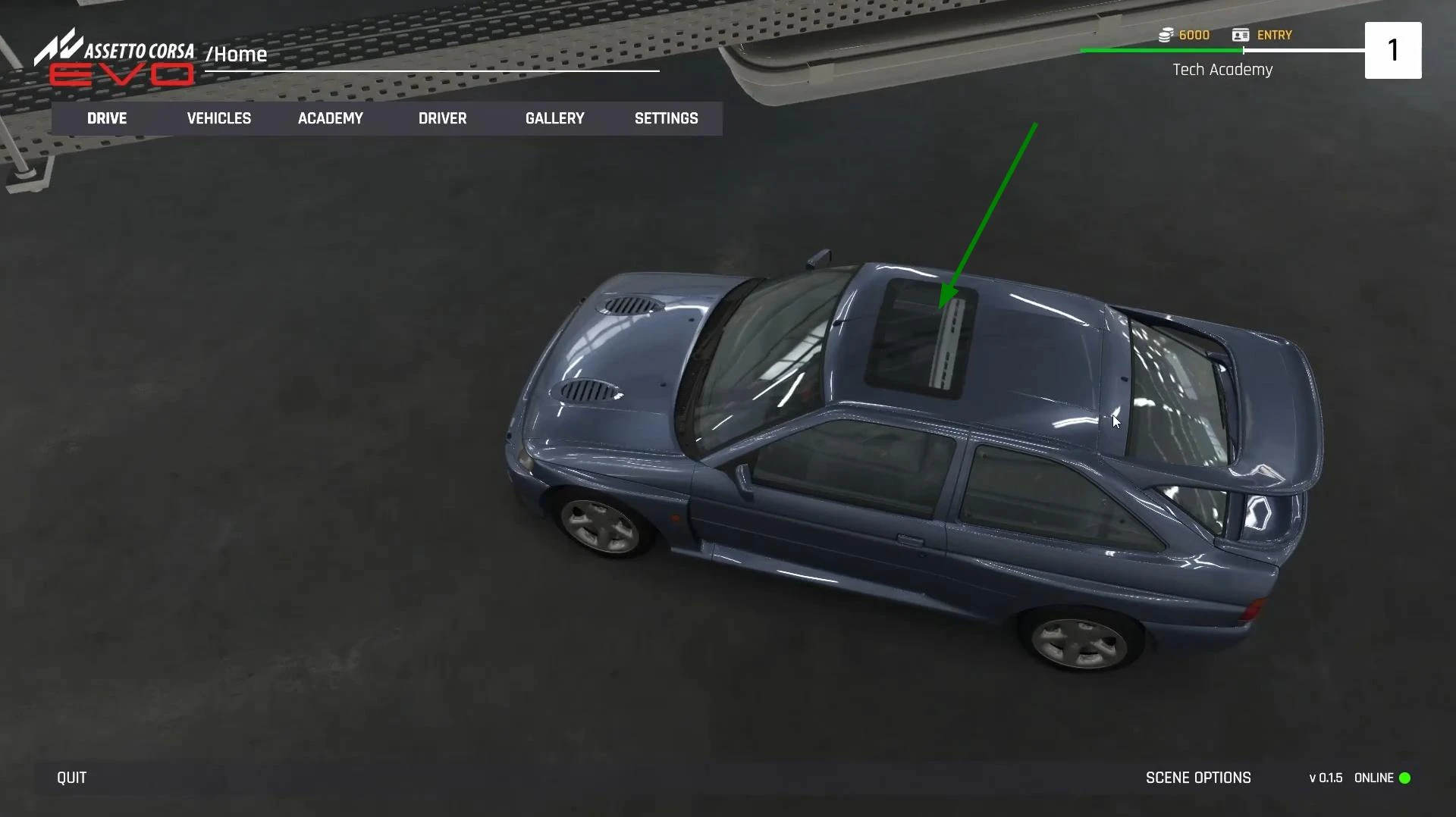
As an example, we can take a Ferrari with a retractable spoiler. When the bound key is pressed, the spoiler will change position. This can also affect aerodynamics!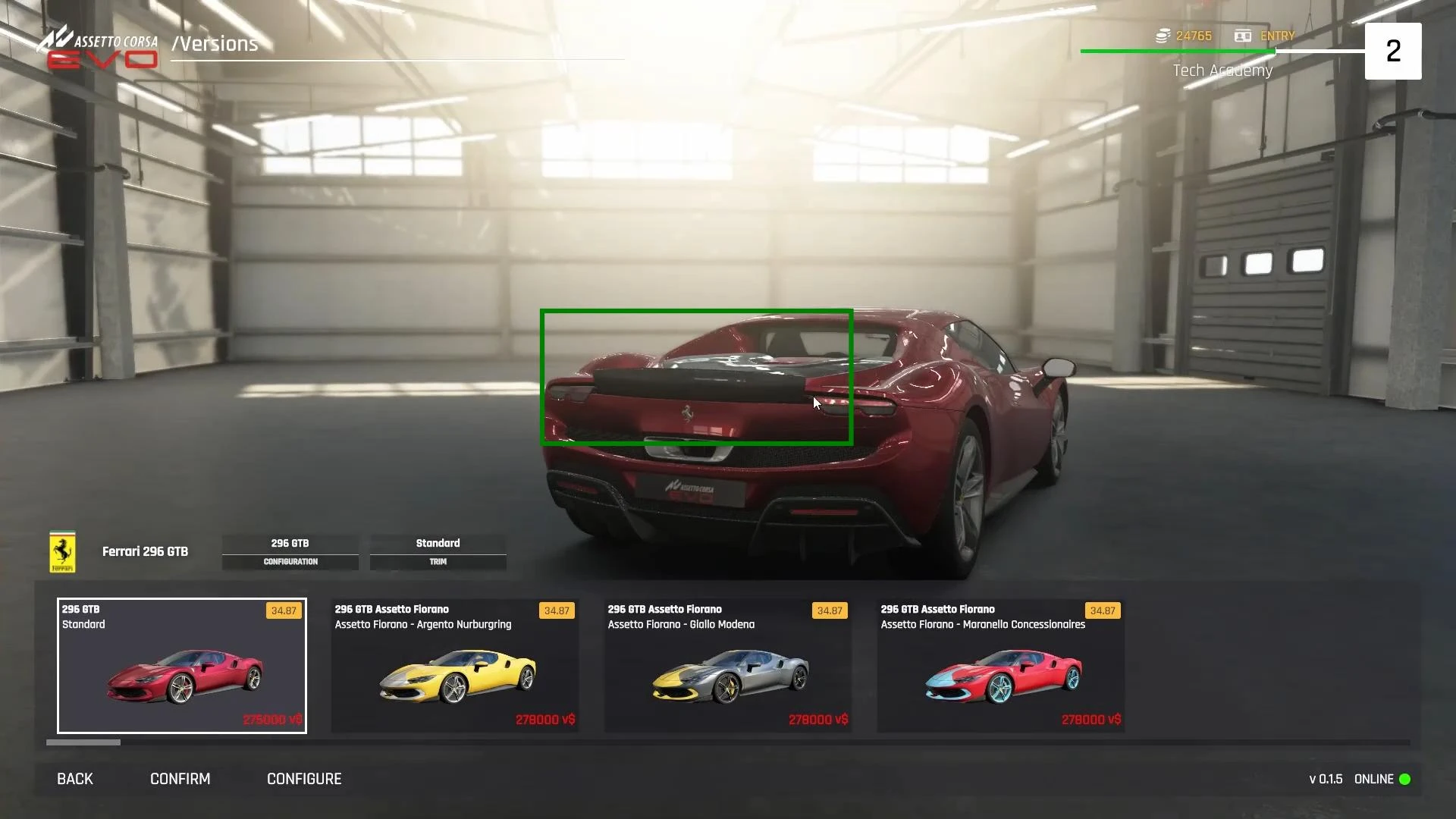
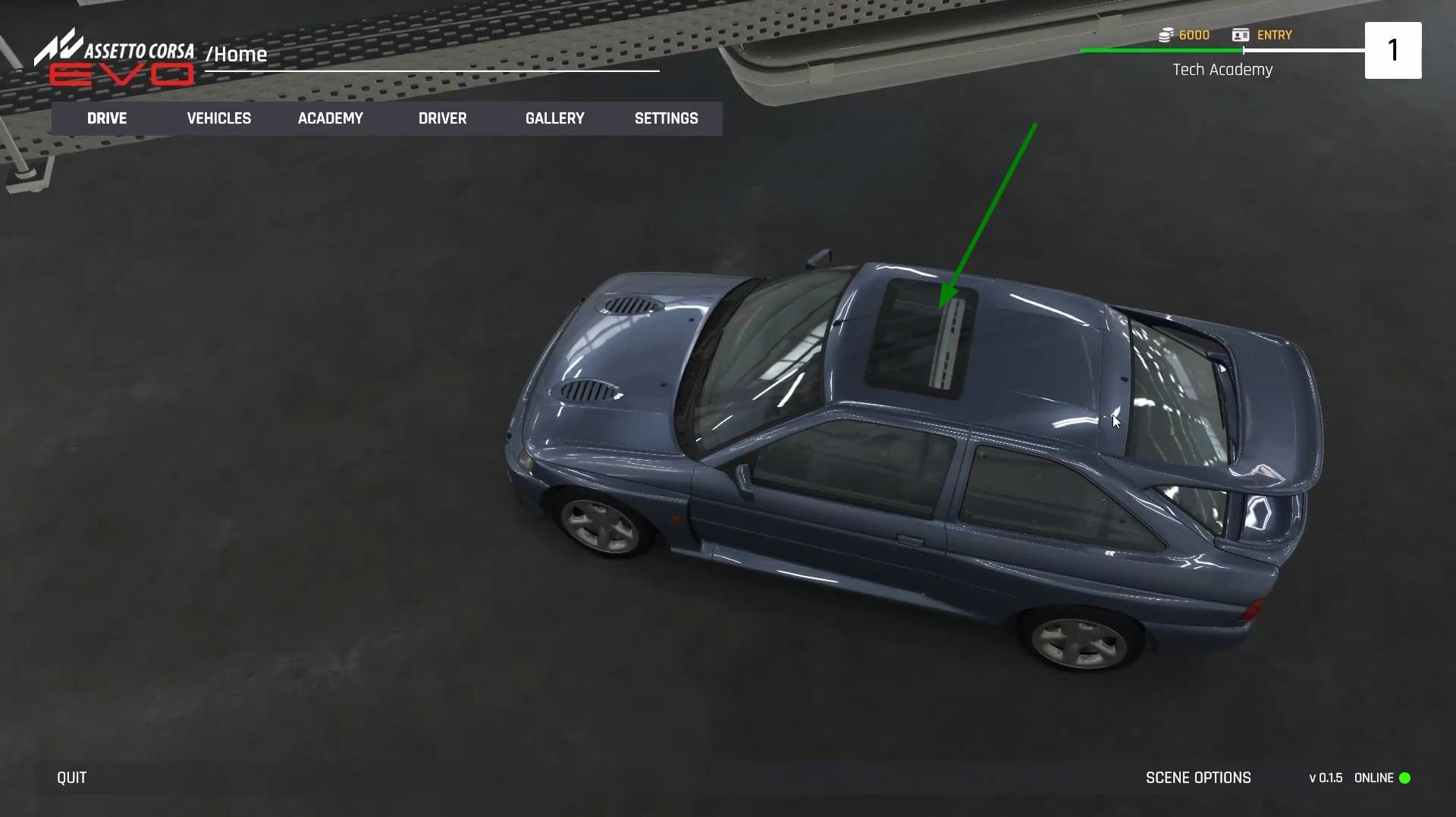
Another example is cars with an opening roof. If the car has this feature, pressing a key will activate the animation and the roof will fold or raise depending on the current state.
It should be taken into account that not all cars in Assetto Corsa Evo support animations, so if nothing happens after pressing the key, it means that this model does not have them.
Videos

Added by