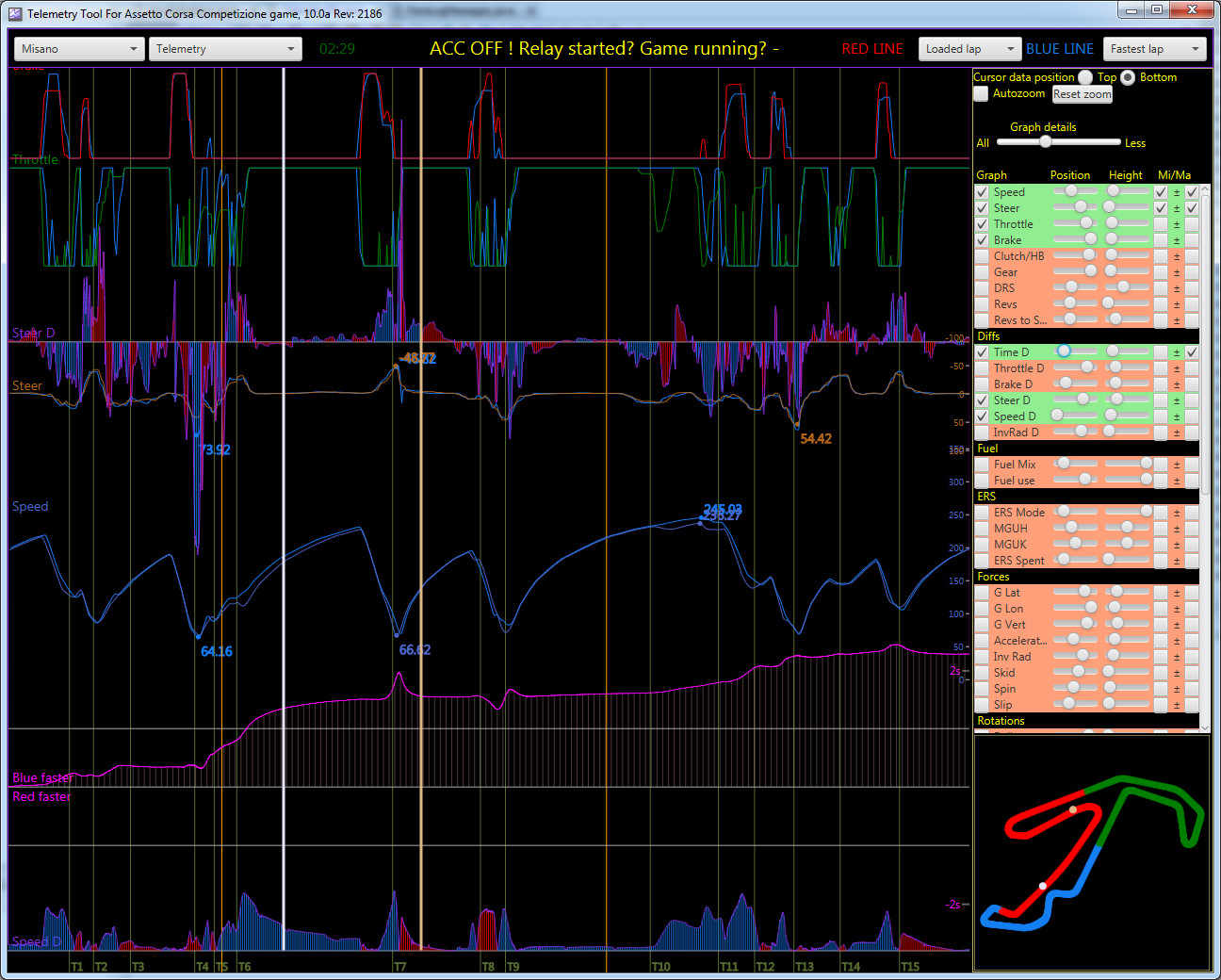
Telemetry Tool for AC 15.03

1/5,
1
votes
This program combines shared memory data and UDP data to display information about your own automobile. This is mostly to help you become a better driver. Because the AC does not offer data on other vehicles during races, the capabilities of this AC utility are rather restricted.
PC data
For the PC version, data is acquired via the SHMEM- to- UDP relay (ac_sharedmemory_relay.exe), which reads shared memory and transfers it over UDP. This allows you to run Telemetry on a separate machine than where you run AC.
Consoles
To get UDP data from consoles, setup the program to connect to the correct IP address. You may configure this in the Settings --> AC Settings dialog. If the settings are right, the tool will continue to connect to the AC running on the console, and you will get data. The UDP feed is quite restricted, since there is no mechanism to detect track, therefore you must adjust the track using the Telemetry tool each time you change track.
Installation
With PCs, installation is straightforward. Simply unzip the package. Then launch the tool using runWin_AC.bat (which launches both the AC_Relay and the Telemetry tools), start AC, and drive to get the data.
Install help and further data.
For more thorough information, please see the ReadMe.txt and my YouTube videos at https://www.youtube.com/channel/UCOM1A2tjQHkR55VrQmQDe6A/
New track maps
There are trackmaps for all of the tracks in the game, as well as several modifications that I've driven. If you're utilizing other modes, you may simply generate track maps for them. Check the AC help for information on how to make trackmaps.
Credits:
Iko Rein
PC data
For the PC version, data is acquired via the SHMEM- to- UDP relay (ac_sharedmemory_relay.exe), which reads shared memory and transfers it over UDP. This allows you to run Telemetry on a separate machine than where you run AC.
Consoles
To get UDP data from consoles, setup the program to connect to the correct IP address. You may configure this in the Settings --> AC Settings dialog. If the settings are right, the tool will continue to connect to the AC running on the console, and you will get data. The UDP feed is quite restricted, since there is no mechanism to detect track, therefore you must adjust the track using the Telemetry tool each time you change track.
Installation
With PCs, installation is straightforward. Simply unzip the package. Then launch the tool using runWin_AC.bat (which launches both the AC_Relay and the Telemetry tools), start AC, and drive to get the data.
Install help and further data.
For more thorough information, please see the ReadMe.txt and my YouTube videos at https://www.youtube.com/channel/UCOM1A2tjQHkR55VrQmQDe6A/
New track maps
There are trackmaps for all of the tracks in the game, as well as several modifications that I've driven. If you're utilizing other modes, you may simply generate track maps for them. Check the AC help for information on how to make trackmaps.
Credits:
Iko Rein
Direct Download Links
Version: 15.03Updated: 1 year ago
Total Size: 645.1 MB Telemetry_v15_03_with_JRE_modland.zip direct download · 645.1 MB · added 1 year ago
You Might Also Like »





_modland.webp)




0 Comments
There are no comments. Be first to comment!