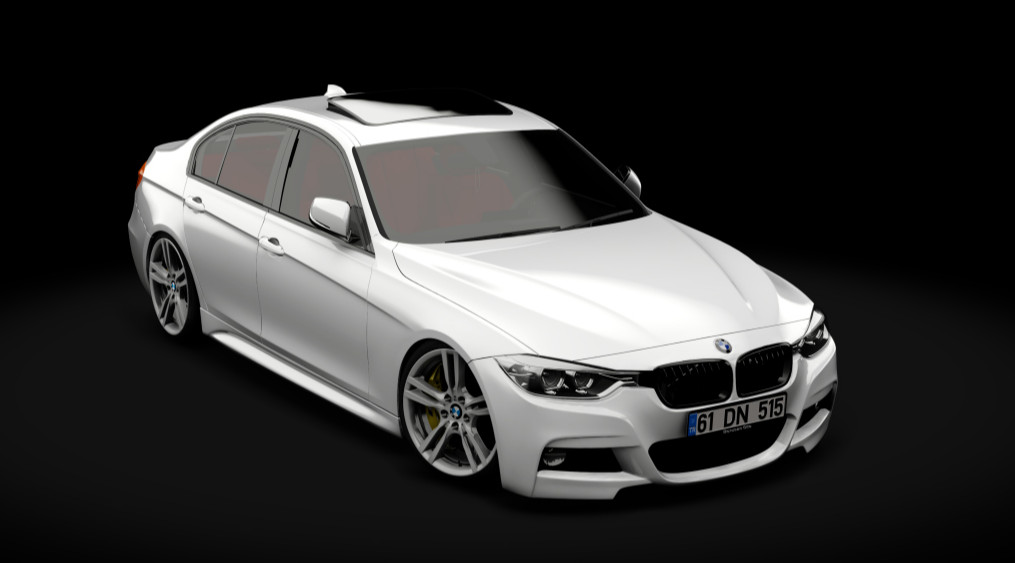
BMW 320D F30 1.0

3/5,
6
votes
Power/Torque Curve
Extras
Extra A: Interior light
Extra B: Rim change
Extra C: Fogs
When you turn on your headlights, your high beams come on. To control the high beams, select Assetto Corsa from the top left of the Content Manager settings section. Then go to the Controls section and select the patch section from the right of the screen. On the ground, on the right side of the screen, it says High/Low Beams, you can assign that key to the key you want and use it as a selector.
Extra A: Interior light
Extra B: Rim change
Extra C: Fogs
When you turn on your headlights, your high beams come on. To control the high beams, select Assetto Corsa from the top left of the Content Manager settings section. Then go to the Controls section and select the patch section from the right of the screen. On the ground, on the right side of the screen, it says High/Low Beams, you can assign that key to the key you want and use it as a selector.
External Download Links:
Specifications
| Power | 239 whp |
| Torque | 463 Nm |
| Weight | 1630 kg |
| Top Speed | 250 km/h |
| Acceleration | 4.3s 0-100 |
| Power Ratio | 6.82 kg/hp |
You Might Also Like »

_modland.webp)

0 Comments
There are no comments. Be first to comment!