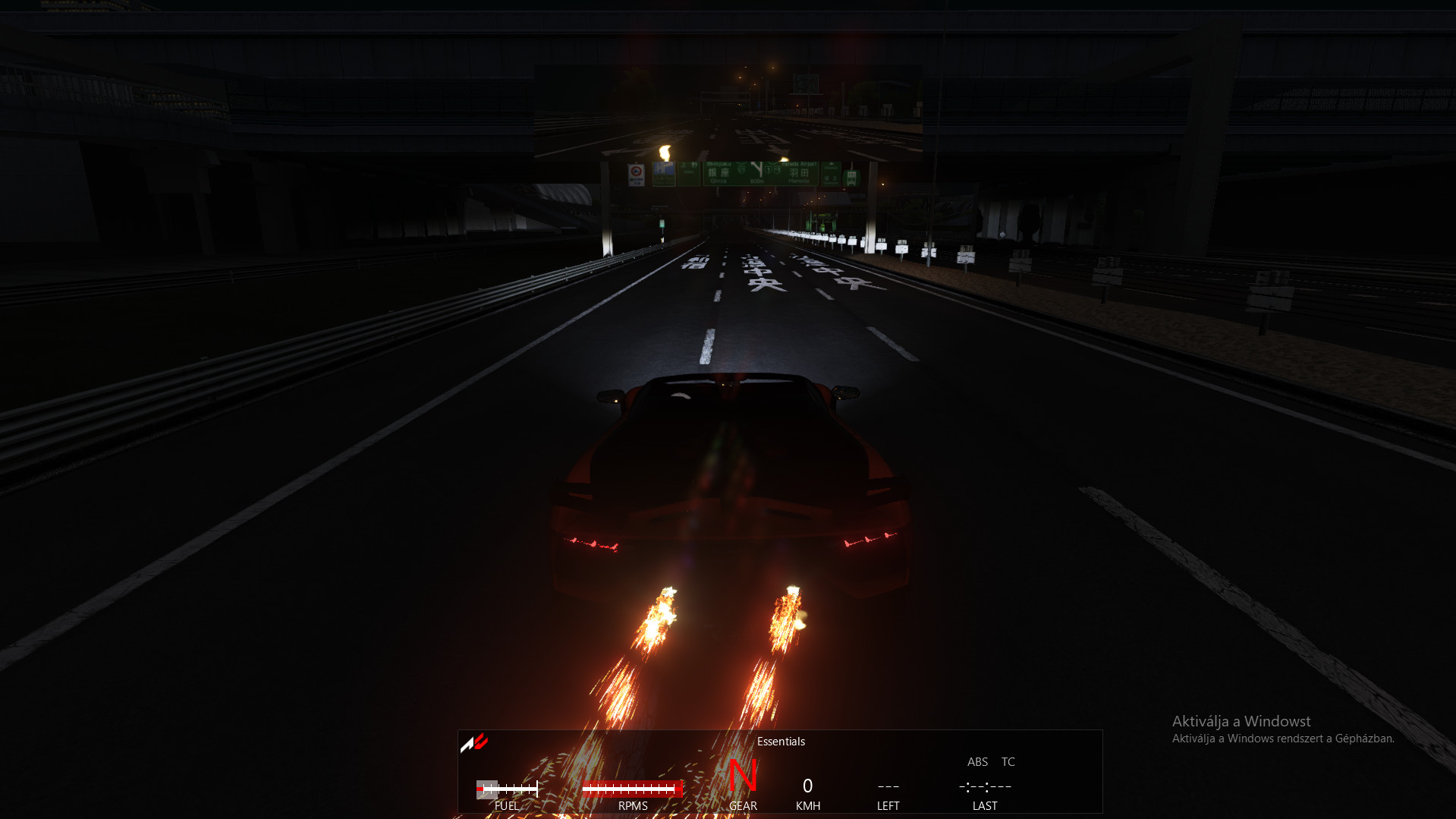
Exhaust flames (mostly for svj but works with all cars) 1.0

5/5,
1
votes
How to change backfire (exhaust flames) in Assetto Corsa using Content Manager
- Open Content Manager
- Go to the “Content” tab
- Find the car you want to modify
- Right-click on the car
- Click “Open in Explorer” (or “Open car folder”)
- Inside the car folder:
- Go to the “extension” folder
- If it doesn’t exist, create one
- Inside extension, locate or create:
- ext_config.ini
- Open ext_config.ini and find the section related to flames:
-
Usually something like:
[EXHAUST FLAMES]
-
- Now take your modded backfire / exhaust flames file (the one you downloaded)
- Paste or replace the flame-related values/files into:
- the extension folder
- or directly modify the ext_config.ini with your new flame settings
- Save everything
- Launch the game and test
Extra tip:
If your mod comes with a full ext_config.ini, just replace the existing one in the extension folder.
Direct Download Links
Version: 1.0Updated: 4 months ago
Total Size: 942 B Svj exhaust flame_modland.zip direct download · 471 B · added 4 months ago Svj exhaust flame_modland.zip direct download · 471 B · added 4 months ago
You Might Also Like »


_modland.jpg)
0 Comments
There are no comments. Be first to comment!