Advanced Automated Performance Testing 1.1.0

![Ford Mustang Mach-E [PACK]](https://temp2.modland.net/i/6aa50a7184eaa/0_modland.webp)
![BMW X6 G06/F96 [PACK]](https://temp2.modland.net/i/6a8ff76445a04/0_modland.webp)


5/5,
1
votes
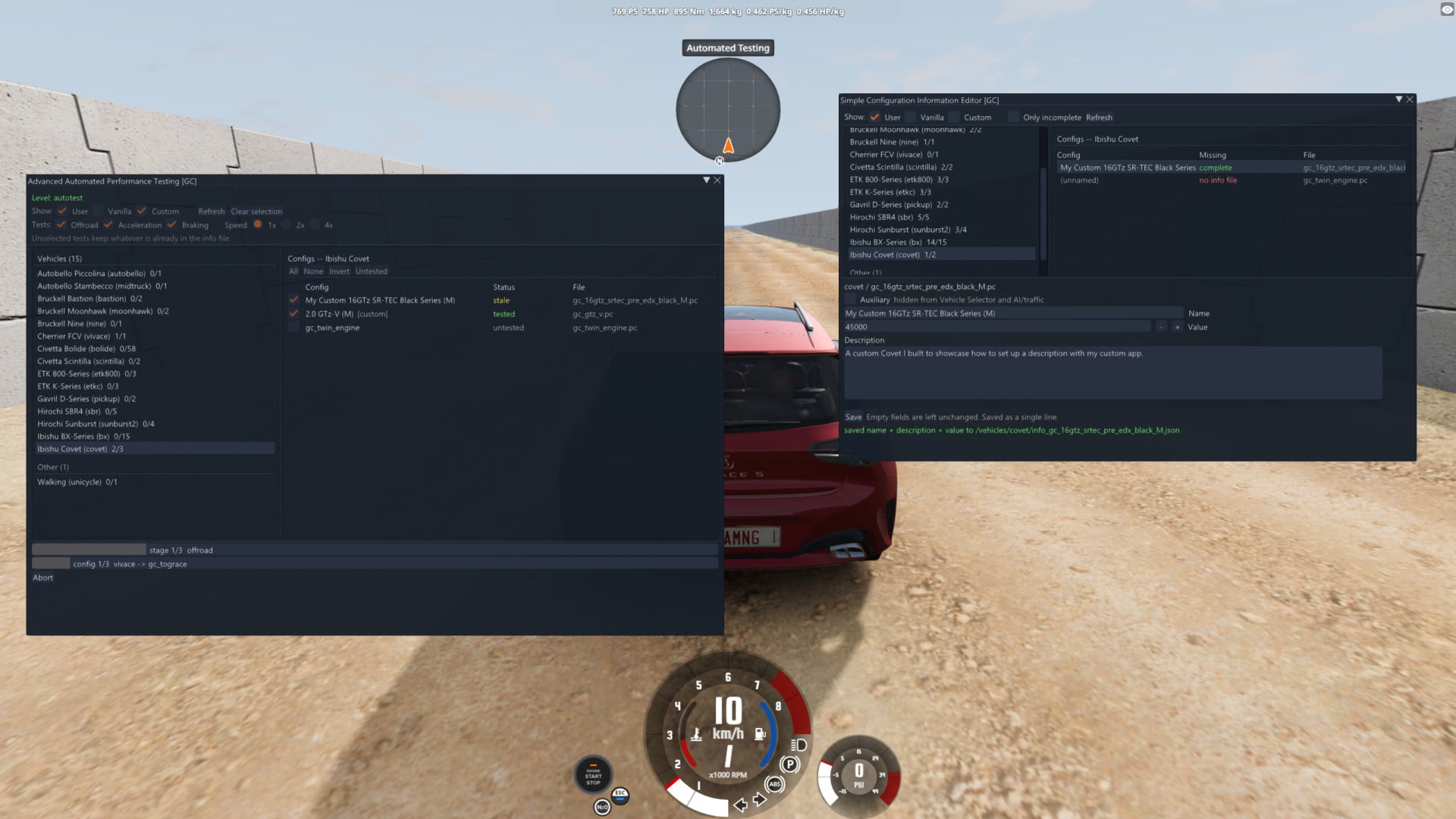
Advanced Automated Performance Testing allows you to test the performance of every config you own directly from inside the game. While vanilla BeamNG Automatic performance testing can measure 0-100, top speed, braking distance, and off-road scores, it usually requires being run via cmd. This tool provides a proper in-game UI with multiple new options.
Features
- Keybind access – load the Automated Testing map, click a button, and start testing.
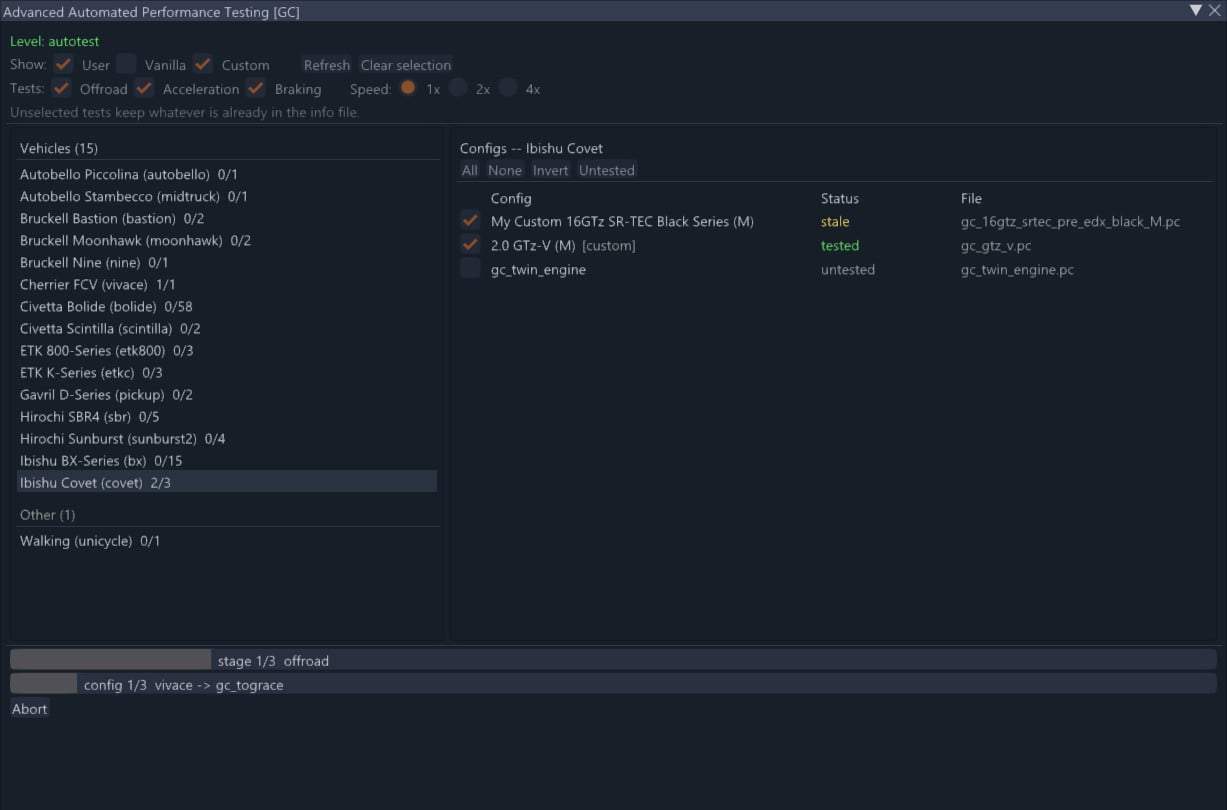
- Batch testing – select any mix of configs across different vehicles to run in one batch.
- Outdated info tracking – the menu shows which configs need updating based on the .pc file's timestamp.
- Selective testing – choose which of the three tests to conduct or skip.
- Speed multipliers – 2x and 4x game speed options for large batches (experimental).
- Filtering – filter by vanilla, custom, and user configs.
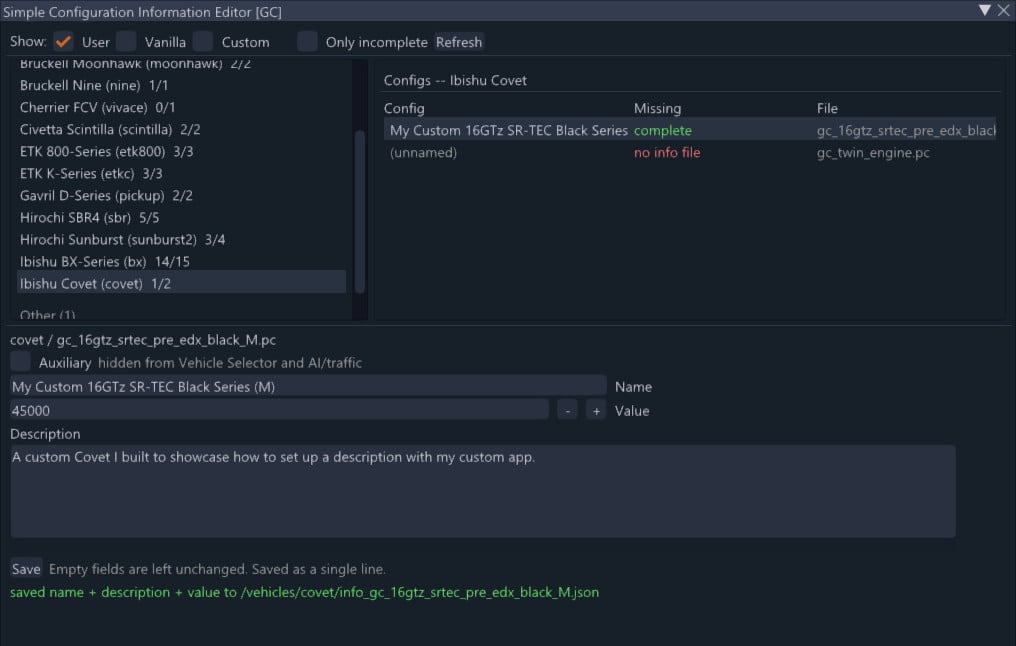
- Companion app: Simple Configuration Information Editor – edit the name, description, and value of your config without leaving the game.
- Auxiliary checkbox – remove configs from the Vehicle Selector in a non-invasive way.
Notes and known issues
- Performance tests only work on the Automated Testing map. The config editor works on any map.
- Results are saved to your user folder to avoid overwriting game files.
- Some configs may not complete every test (e.g., a truck that cannot reach 100 km/h will not produce braking figures).
- 1x speed is recommended; 2x is fine for quick testing, 4x is prone to errors.
- Vehicles without an engine or wheels are skipped.
Installation Instructions
- Bind both actions in Options > Controls > Debug (no default keys).
- Load the Automated Testing map (turn Include Aux Content on if it is hidden).
- Press your assigned key and choose the configs you want to test from the menu.
- Select the tests to run and press Run.
- Optionally, use the Configuration Information Editor to fill in names, descriptions, and prices.
Credits
The measurement logic is BeamNG's own, from the game's internal test tooling. This mod rebuilds the system and updates several parts. All credit for the test itself goes to the BeamNG team.
Credits: ghost_cauli
Features
- Keybind access – load the Automated Testing map, click a button, and start testing.
- Batch testing – select any mix of configs across different vehicles to run in one batch.
- Outdated info tracking – the menu shows which configs need updating based on the .pc file's timestamp.
- Selective testing – choose which of the three tests to conduct or skip.
- Speed multipliers – 2x and 4x game speed options for large batches (experimental).
- Filtering – filter by vanilla, custom, and user configs.
- Companion app: Simple Configuration Information Editor – edit the name, description, and value of your config without leaving the game.
- Auxiliary checkbox – remove configs from the Vehicle Selector in a non-invasive way.
Notes and known issues
- Performance tests only work on the Automated Testing map. The config editor works on any map.
- Results are saved to your user folder to avoid overwriting game files.
- Some configs may not complete every test (e.g., a truck that cannot reach 100 km/h will not produce braking figures).
- 1x speed is recommended; 2x is fine for quick testing, 4x is prone to errors.
- Vehicles without an engine or wheels are skipped.
Installation Instructions
- Bind both actions in Options > Controls > Debug (no default keys).
- Load the Automated Testing map (turn Include Aux Content on if it is hidden).
- Press your assigned key and choose the configs you want to test from the menu.
- Select the tests to run and press Run.
- Optionally, use the Configuration Information Editor to fill in names, descriptions, and prices.
Credits
The measurement logic is BeamNG's own, from the game's internal test tooling. This mod rebuilds the system and updates several parts. All credit for the test itself goes to the BeamNG team.
Credits: ghost_cauli
Direct Download Links
About Mod
| Latest Version | 1.1.0 |
| Game | BeamNG.drive |
| Category | Other |
| Game Version | 0.39.x |
| Downloads | 46 |
| Created | 5 days ago |
You Might Also Like »


![Mack Anthem / Pinnacle [PACK]](https://temp2.modland.net/i/6aa50a7184eaa/6ab9344368d3b/0_modland.webp)

0 Comments
There are no comments. Be first to comment!