Car Carrier BeamDoc Mod 0.1

![Ford Mustang Mach-E [PACK]](https://temp2.modland.net/i/6aa50a7184eaa/0_modland.webp)
![BMW X6 G06/F96 [PACK]](https://temp2.modland.net/i/6a8ff76445a04/0_modland.webp)


3/5,
4
votes
Description
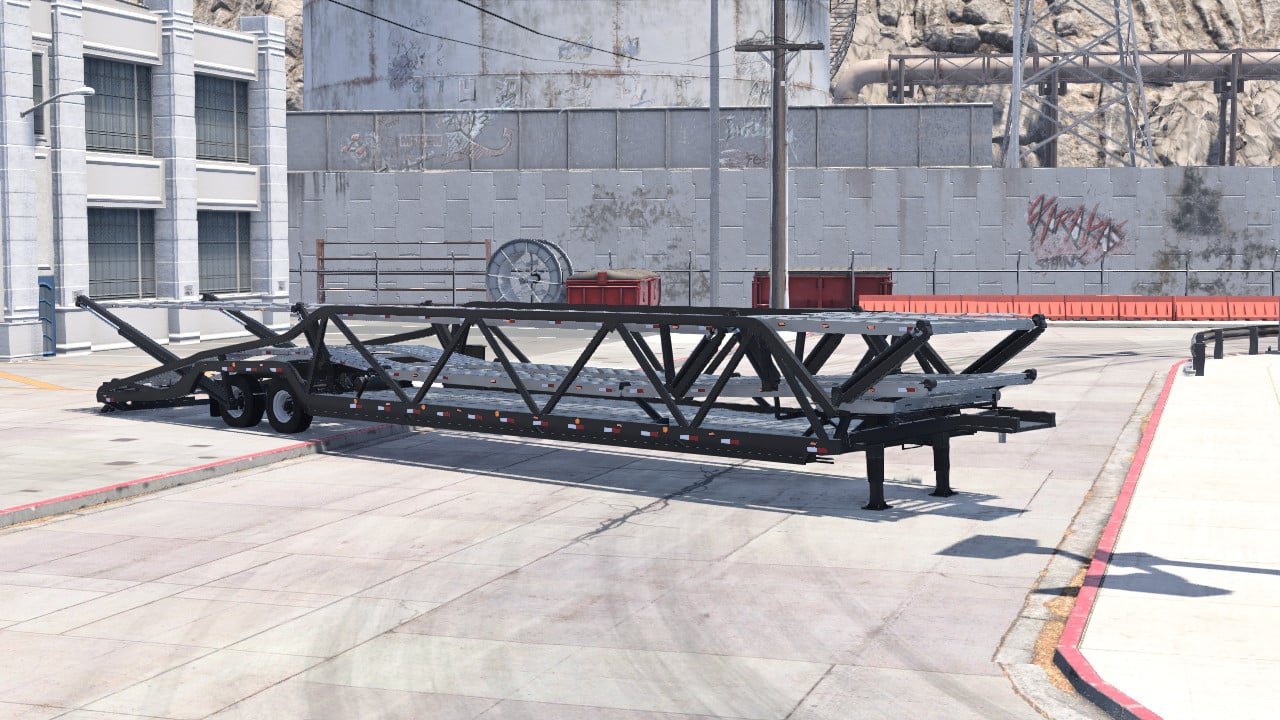
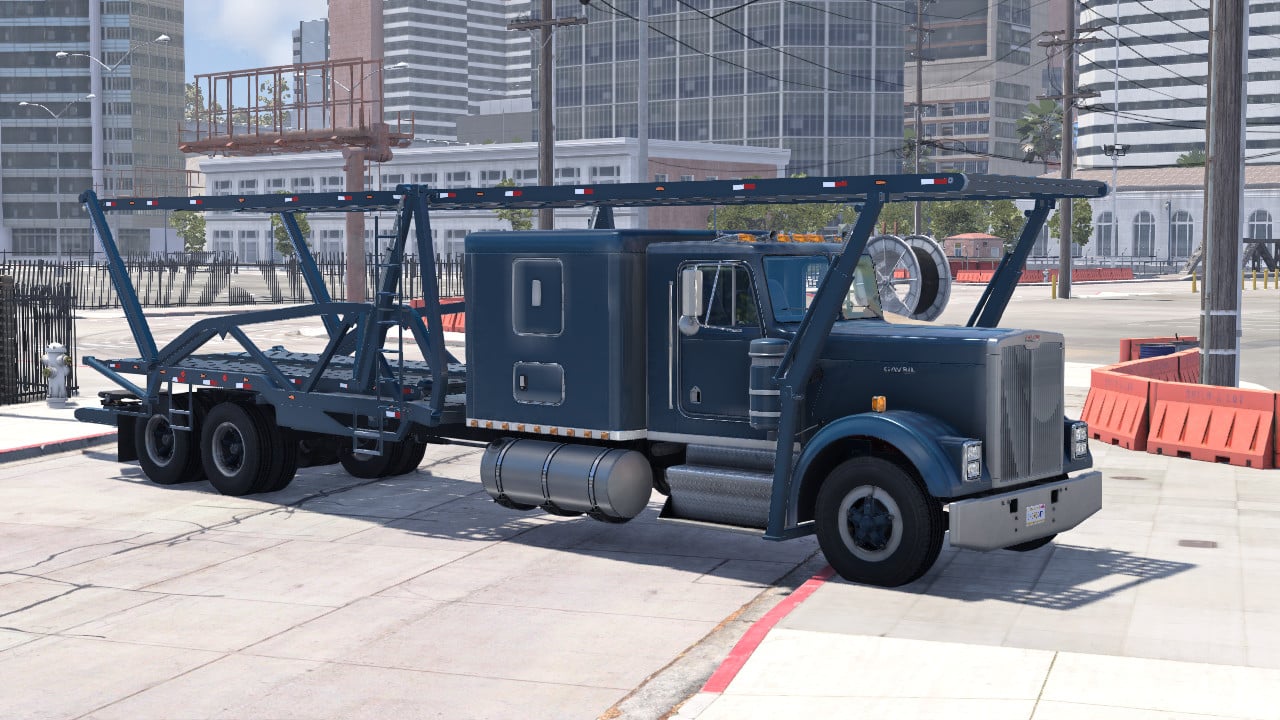
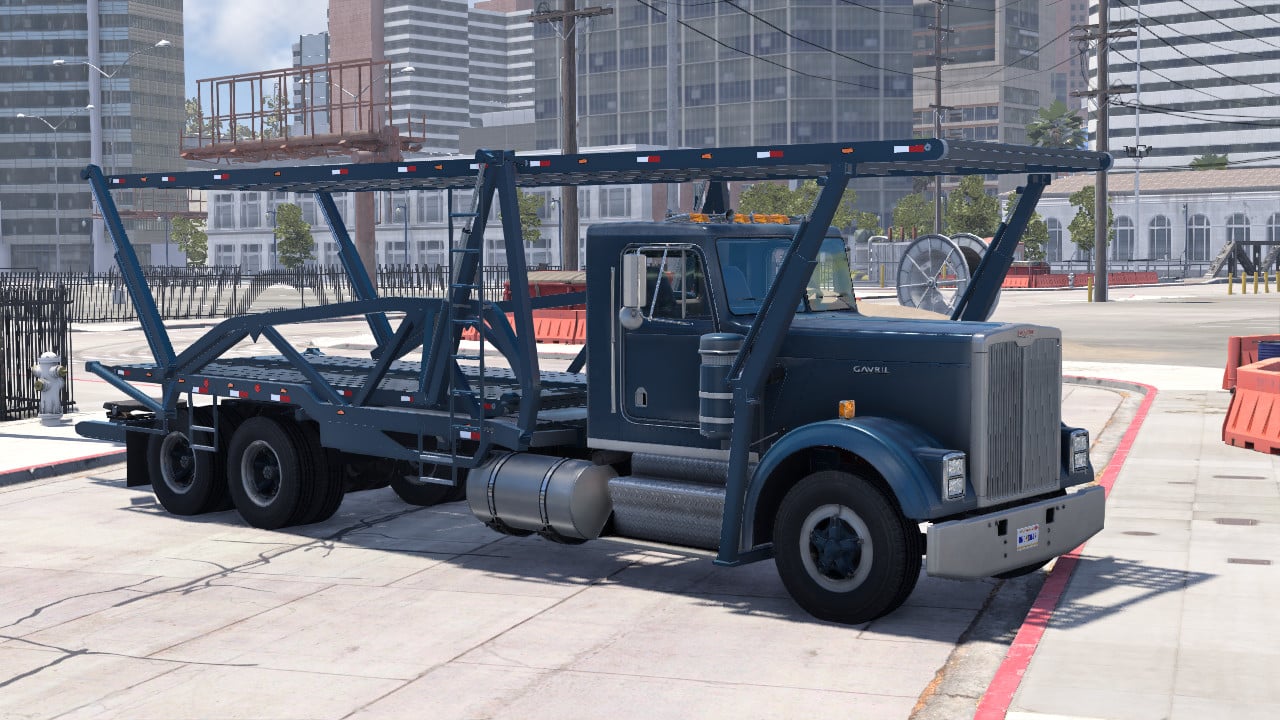
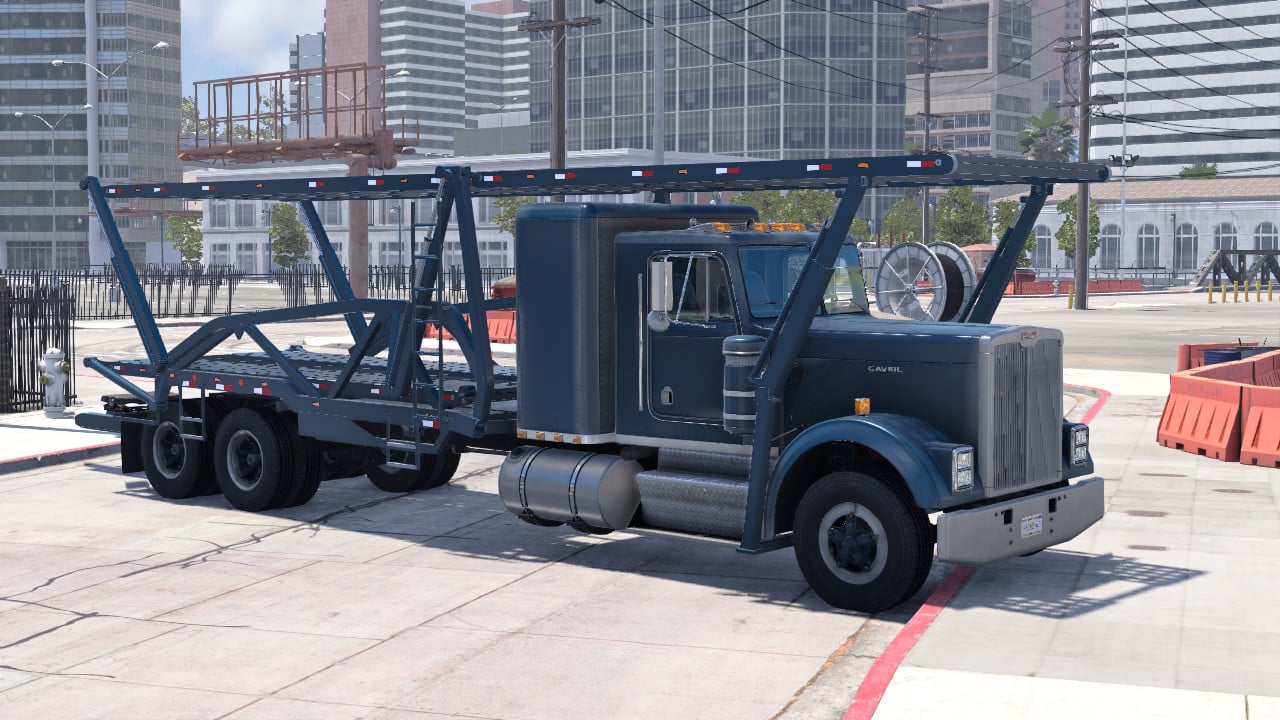
A matching car transport trailer and T-Series carrier upfit with adjustable decks, exterior hydraulic controls, retractable loading ramps and cargo straps.
Features
- Six trailer deck sections and three truck platforms.
- T-Series configurations for day cab, compact sleeper and large low-roof sleeper.
- Separate front/rear hydraulic controls where supported by each platform.
- Front transfer bridges, rear loading ramps and retractable landing gear.
- Exterior control boxes and a Car carrier controls vehicle-specific menu.
- Cargo Strap and Release controls.
- Paintable frames and decks, including matte/satin black and silver finishes.
- Working stock-style lighting with brighter amber side markers.
Finding the vehicles
Select Car Transport Trailer in the vehicle selector. For the truck, open T-Series and select one of the Car Carrier configurations. The matching T-Series Car Carrier Upfit parts are also available in the parts selector.
Controls
Hold a deck direction to move it; release to stop. Front and rear ends have separate controls where available, and several controls can move together. Bridges and ramps use separate Extend and Retract commands. On their exterior buttons, left-click extends and right-click retracts. Use Stop All to stop hydraulic movement. Landing gear is hold-to-move.
Controls are also available through Car carrier controls in the vehicle menu; keyboard bindings can be assigned under Controls > Vehicle Specific.
Park and align the truck and trailer before loading. Position the decks and transfer bridges for the car being loaded, then use Strap loaded cars once the cars are on the decks. Use Release car straps before unloading. Stow the bridges, ramps and landing gear before driving.
Colors
Trailer: Color 1 changes the frame/body; Color 2 changes the decks/ramps.
Truck: Color 1 is the truck paint; Color 2 changes the upfit frame; Color 3 changes its decks/ramps.
Installation Instructions
Install the ZIP as a normal BeamNG mod. Disable earlier versions of this carrier to prevent duplicate part IDs. This package includes both the trailer and truck upfit. Its referenced parts and textures resolve to the included files and stock BeamNG content; no other transporter mod is required.
Credits
Carrier design and controls: Beam Doctor / Axle.
Stock vehicle, mechanical, lighting and material assets: BeamNG GmbH.
Metal030 surface normal/roughness maps: ambientCG.
A matching car transport trailer and T-Series carrier upfit with adjustable decks, exterior hydraulic controls, retractable loading ramps and cargo straps.
Features
- Six trailer deck sections and three truck platforms.
- T-Series configurations for day cab, compact sleeper and large low-roof sleeper.
- Separate front/rear hydraulic controls where supported by each platform.
- Front transfer bridges, rear loading ramps and retractable landing gear.
- Exterior control boxes and a Car carrier controls vehicle-specific menu.
- Cargo Strap and Release controls.
- Paintable frames and decks, including matte/satin black and silver finishes.
- Working stock-style lighting with brighter amber side markers.
Finding the vehicles
Select Car Transport Trailer in the vehicle selector. For the truck, open T-Series and select one of the Car Carrier configurations. The matching T-Series Car Carrier Upfit parts are also available in the parts selector.
Controls
Hold a deck direction to move it; release to stop. Front and rear ends have separate controls where available, and several controls can move together. Bridges and ramps use separate Extend and Retract commands. On their exterior buttons, left-click extends and right-click retracts. Use Stop All to stop hydraulic movement. Landing gear is hold-to-move.
Controls are also available through Car carrier controls in the vehicle menu; keyboard bindings can be assigned under Controls > Vehicle Specific.
Park and align the truck and trailer before loading. Position the decks and transfer bridges for the car being loaded, then use Strap loaded cars once the cars are on the decks. Use Release car straps before unloading. Stow the bridges, ramps and landing gear before driving.
Colors
Trailer: Color 1 changes the frame/body; Color 2 changes the decks/ramps.
Truck: Color 1 is the truck paint; Color 2 changes the upfit frame; Color 3 changes its decks/ramps.
Installation Instructions
Install the ZIP as a normal BeamNG mod. Disable earlier versions of this carrier to prevent duplicate part IDs. This package includes both the trailer and truck upfit. Its referenced parts and textures resolve to the included files and stock BeamNG content; no other transporter mod is required.
Credits
Carrier design and controls: Beam Doctor / Axle.
Stock vehicle, mechanical, lighting and material assets: BeamNG GmbH.
Metal030 surface normal/roughness maps: ambientCG.
Direct Download Links
About Mod
| Latest Version | 0.1 |
| Game | BeamNG.drive |
| Category | Other |
| Game Version | 0.39.x |
| Downloads | 690 |
| Created | 1 day ago |
![Ford Mustang Mach-E [PACK]](https://temp2.modland.net/i/6aa50a7184eaa/0_modland.jpg)
![BMW X6 G06/F96 [PACK]](https://temp2.modland.net/i/6a8ff76445a04/0_modland.jpg)





how the **** can i put the trailer on the truck im struggling
@13rs6 when you hop in your truck press (L) on your keyboard and like glowing thing show up on both your trucks hitch and the trailers reciver it glows on whatever your connection points are if your truck doest have one use a diff one