
![Ford Bronco [PACK]](https://temp2.modland.net/i/6abb8bc6ce51c/0_modland.jpg)



3/5,
3
votes
Changelog
V2.3 BATA
- Contact dirt
- Real wheel spray: each tyre throws droplets of whatever you're driving on - mud, dirt, sand or snow - that fly off the tread and splat where they land.
- Mud splashes: dropping into a hole or landing in mud throws a splash up the side of the car
- Droplet marks: a little spray leaves separate splats that build up into a full coat.
- Water line: driving
Description
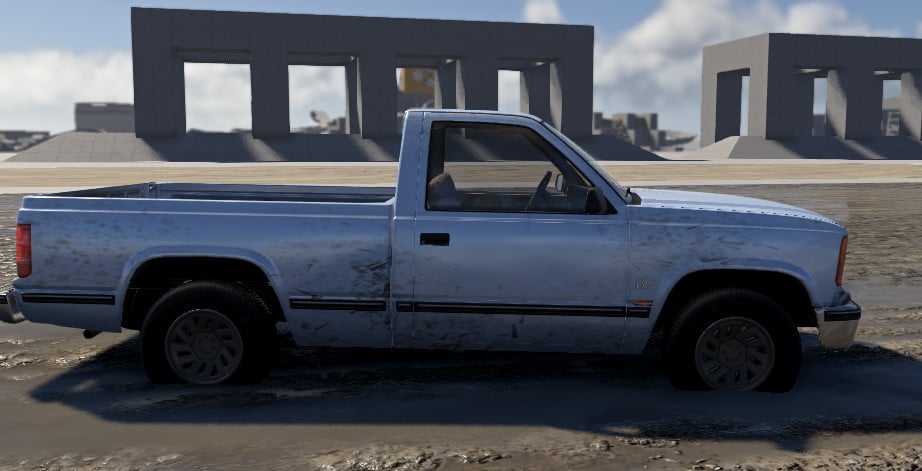
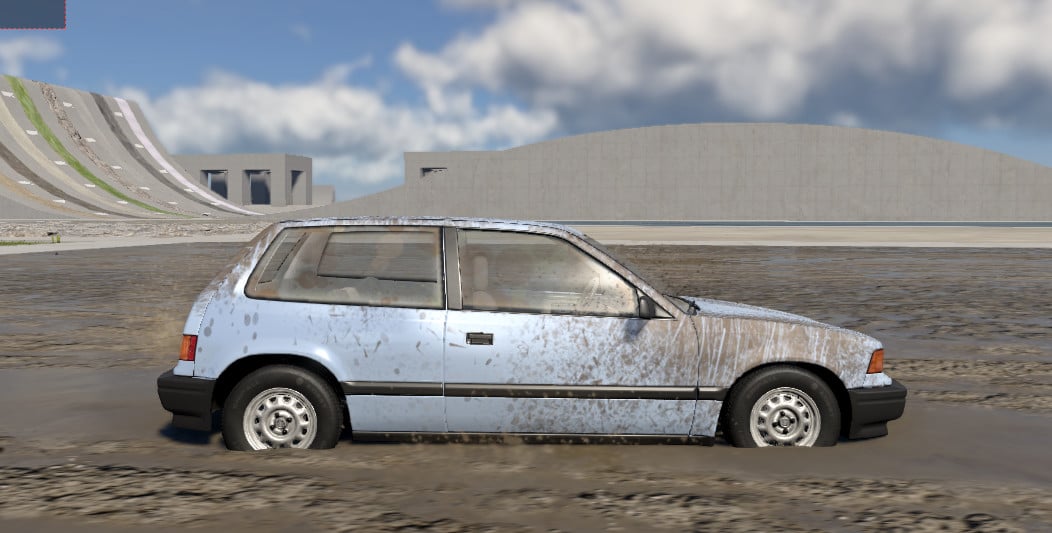
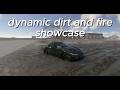
Your car gets dirty where it actually would, and stays that way until you wash it.
Features
- Drive on dirt, gravel, sand, mud or snow and your car gets dirty
- Each tyre throws real spray off the tread that flies off and splats where it lands
- Hit a hole or land in mud and a splash goes up the side of the car
- Rub a muddy bank or crash into the dirt and those panels get covered
- The dirt is the colour of the ground: red outback dirt, grey gravel, dark mud, white snow
- Wet mud dries out to pale dust as you drive
- Water washes it off, but only the part that goes under
- Dirty paint goes dull instead of shiny, and the windows get water spots and grime
- Works on all cars (including modded ones)
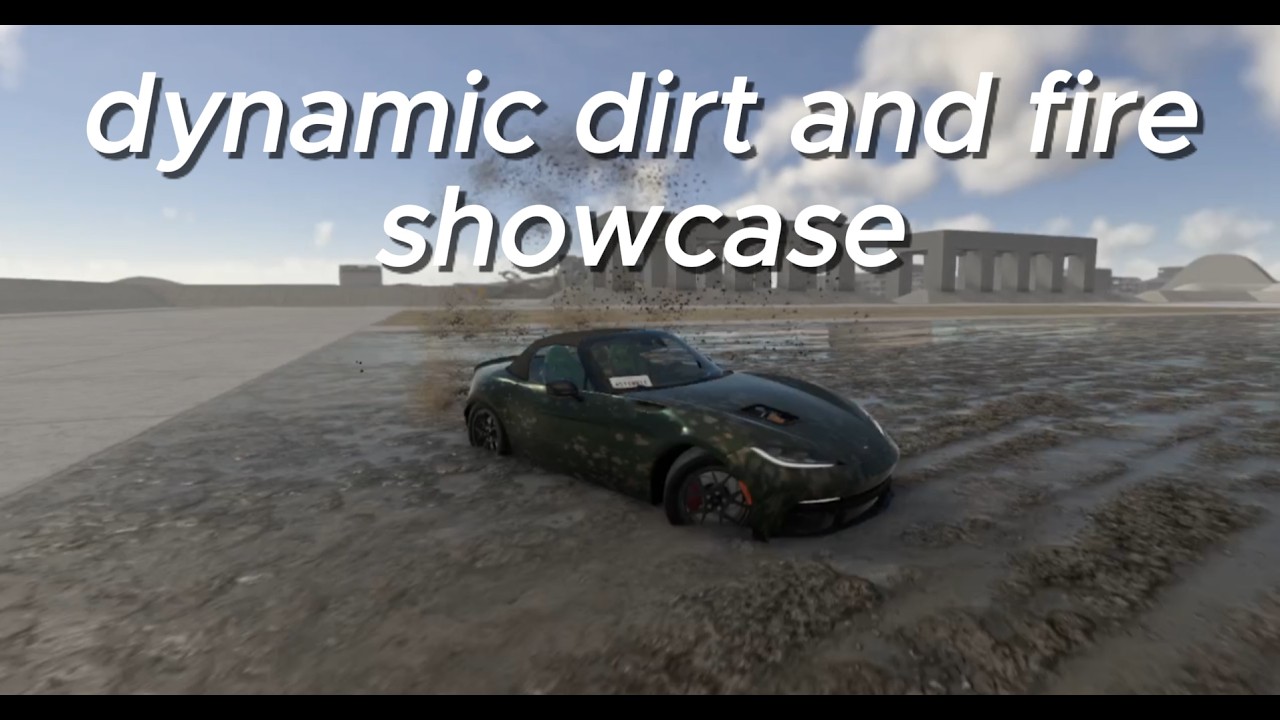
- Works with Ignition (dynamic fire): run both and the car shows dirt and burns together
- Settings panel with presets (Sealed road, Normal, Outback, Bog), sliders for how fast it gets dirty, spray, dust, splash and drying, a darker/lighter slider, and buttons to wash the car or get it filthy instantly
Opening the Settings Panel
- It opens by itself. Start driving and the "Grime - Dynamic Dirt" panel pops up. You don't need to add anything from the apps menu.
- Click the little triangle on its title bar to fold it up. Drag the title bar to move it and drag a corner to resize it.
- If you closed it with the X, press ~ to open the console, type dynamicDirt.toggleHud() and press Enter.
- No dirt showing? The car has to be wearing the "Grime - Dirt" paint design. Press "Apply the dirt paint design" in the panel to put it on.
- For modded cars: press "Learn the current vehicle now" in the panel and the dirt paint goes on from the next map load.
Credits
astiwhyte
V2.3 BATA
- Contact dirt
- Real wheel spray: each tyre throws droplets of whatever you're driving on - mud, dirt, sand or snow - that fly off the tread and splat where they land.
- Mud splashes: dropping into a hole or landing in mud throws a splash up the side of the car
- Droplet marks: a little spray leaves separate splats that build up into a full coat.
- Water line: driving
Description
Your car gets dirty where it actually would, and stays that way until you wash it.
Features
- Drive on dirt, gravel, sand, mud or snow and your car gets dirty
- Each tyre throws real spray off the tread that flies off and splats where it lands
- Hit a hole or land in mud and a splash goes up the side of the car
- Rub a muddy bank or crash into the dirt and those panels get covered
- The dirt is the colour of the ground: red outback dirt, grey gravel, dark mud, white snow
- Wet mud dries out to pale dust as you drive
- Water washes it off, but only the part that goes under
- Dirty paint goes dull instead of shiny, and the windows get water spots and grime
- Works on all cars (including modded ones)
- Works with Ignition (dynamic fire): run both and the car shows dirt and burns together
- Settings panel with presets (Sealed road, Normal, Outback, Bog), sliders for how fast it gets dirty, spray, dust, splash and drying, a darker/lighter slider, and buttons to wash the car or get it filthy instantly
Opening the Settings Panel
- It opens by itself. Start driving and the "Grime - Dynamic Dirt" panel pops up. You don't need to add anything from the apps menu.
- Click the little triangle on its title bar to fold it up. Drag the title bar to move it and drag a corner to resize it.
- If you closed it with the X, press ~ to open the console, type dynamicDirt.toggleHud() and press Enter.
- No dirt showing? The car has to be wearing the "Grime - Dirt" paint design. Press "Apply the dirt paint design" in the panel to put it on.
- For modded cars: press "Learn the current vehicle now" in the panel and the dirt paint goes on from the next map load.
Credits
astiwhyte
Videos
Direct Download Links
latest
initial
Version
2.3
· BeamNG.drive
0.39.x
2 days ago
Game Versions:
0.39.x
whytey_grime_dynamic_dirt_modland.zip
direct download
· 2.39 MB
· added 2 days ago
This File is Scanned by Antivirus and is Safe.
More Details
About Mod
| Latest Version | 2.3 |
| Game | BeamNG.drive |
| Category | Other |
| Game Version | 0.39.x |
| Downloads | 835 |
| Created | 2 days ago |
| Last Virus Scan |
0/93
More Details |
You Might Also Like »
![Mack Anthem / Pinnacle [PACK]](https://temp2.modland.net/i/6aa50a7184eaa/6ab9344368d3b/0_modland.jpg)
0 Comments
There are no comments. Be first to comment!