Hydraulic Press 1000t (+ XL giant version) 1.0

![Ford Bronco [PACK]](https://temp2.modland.net/i/6abb8bc6ce51c/0_modland.webp)

0/5,
0
votes
Description
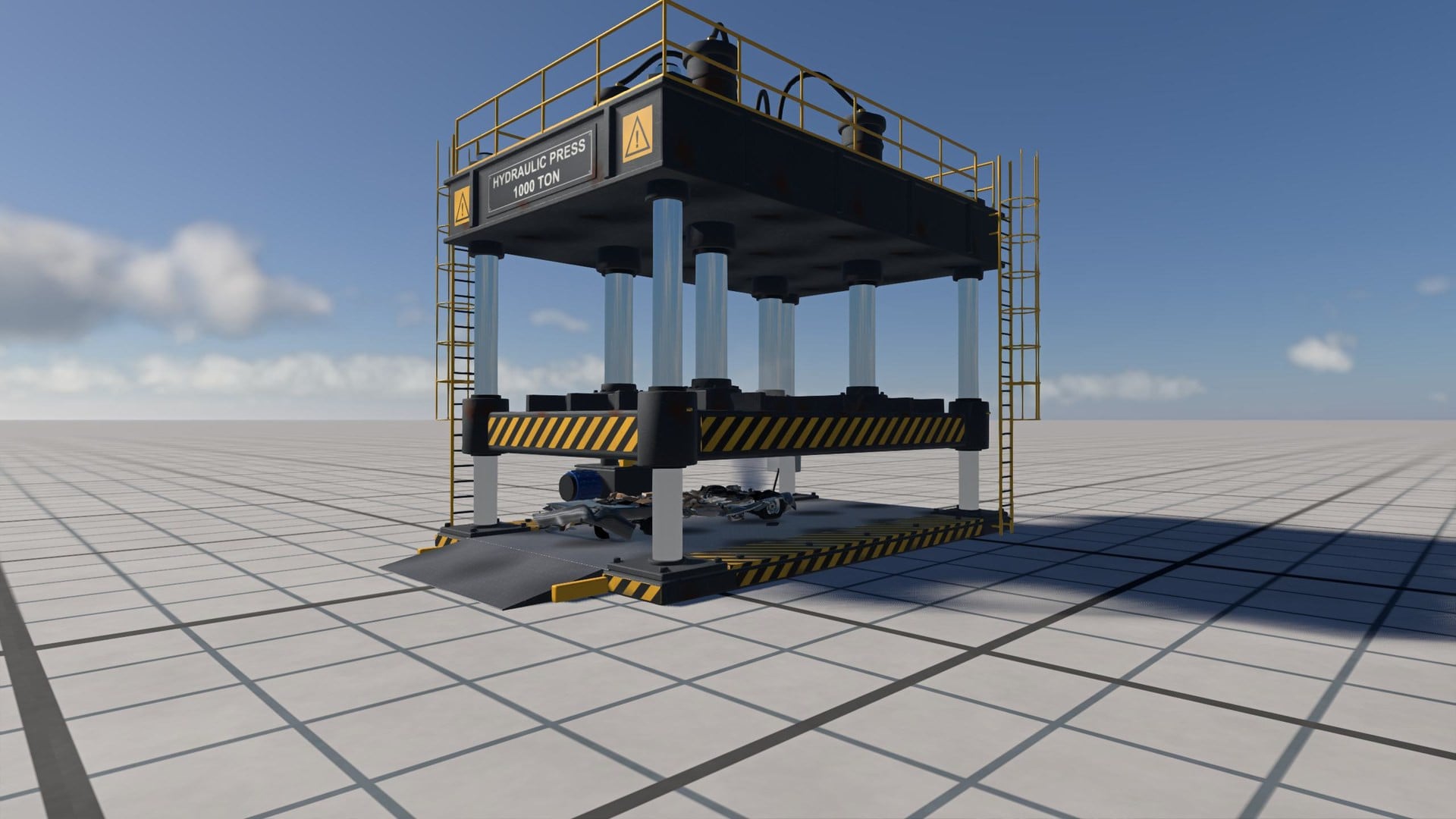
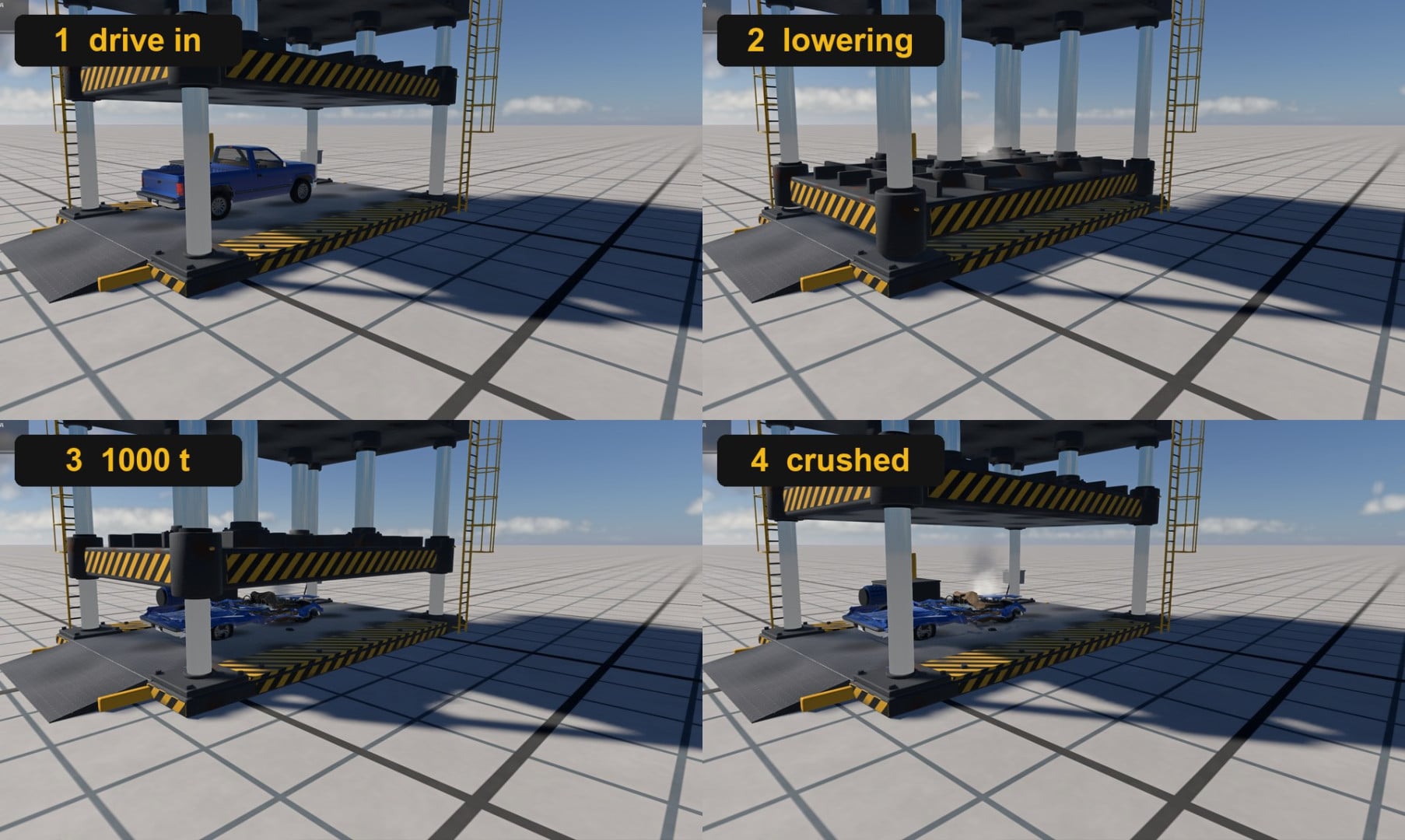
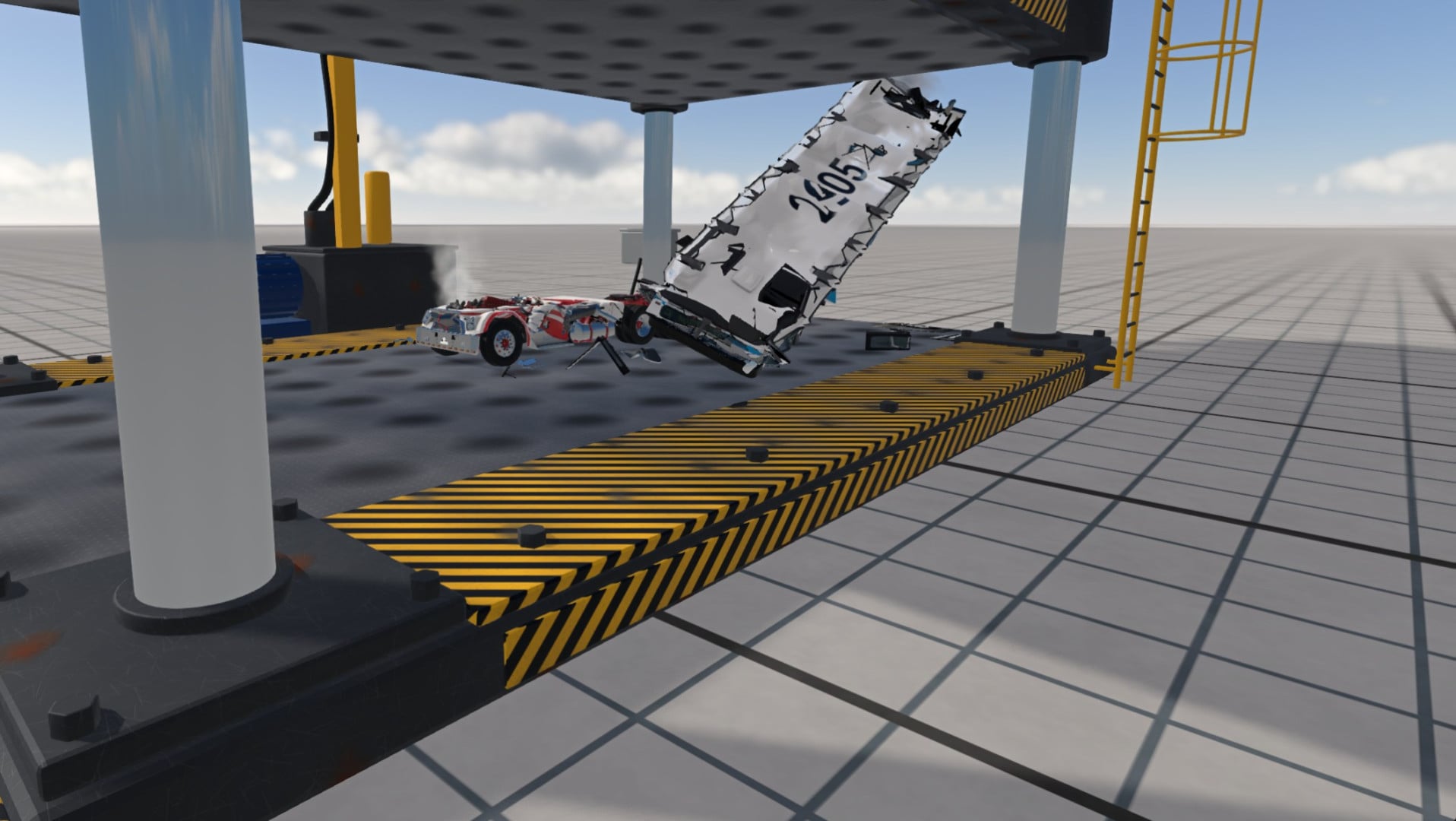
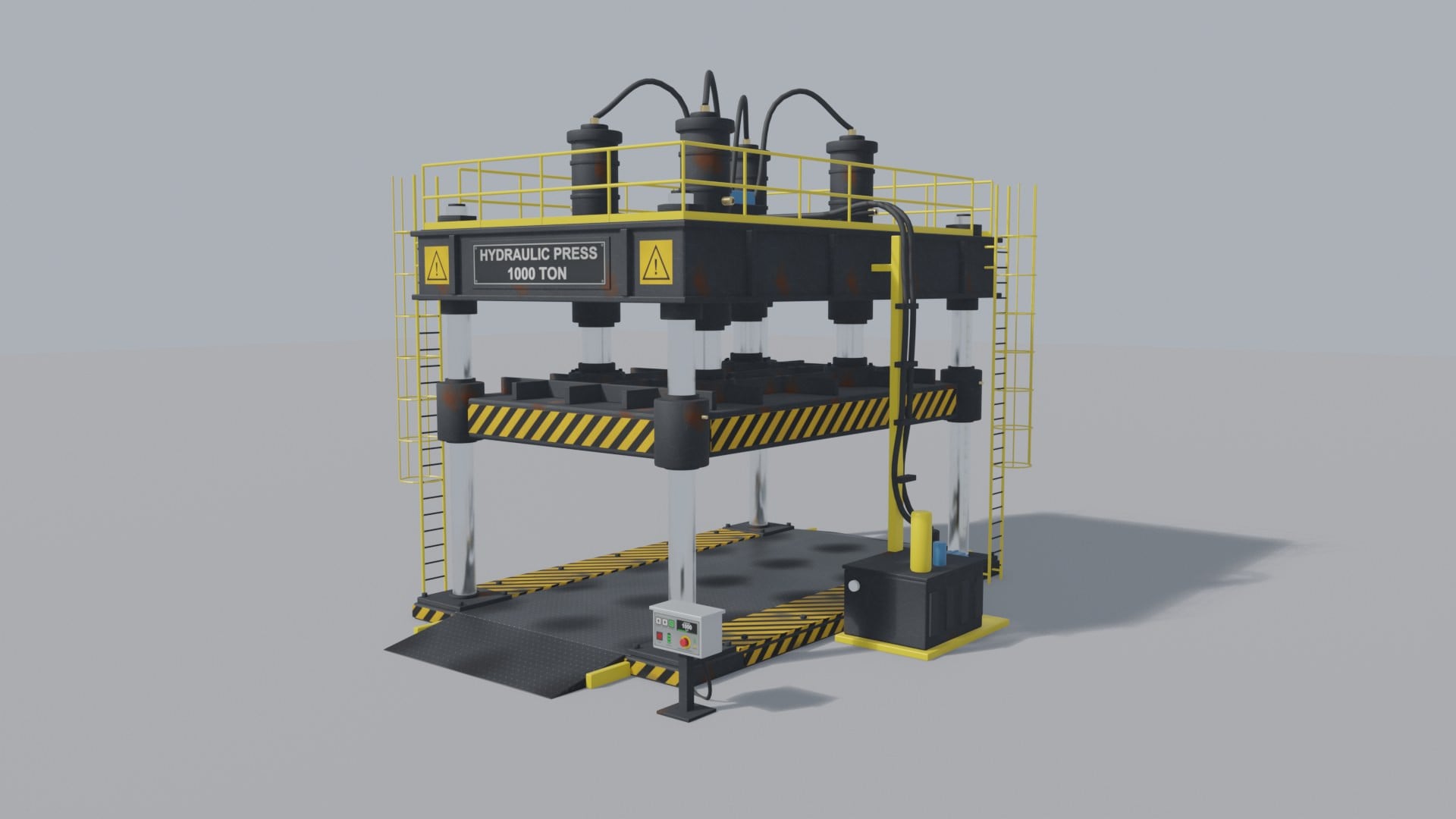
A huge four-column hydraulic press that actually crushes whatever you drive onto it - from a compact car to a semi truck.
Features
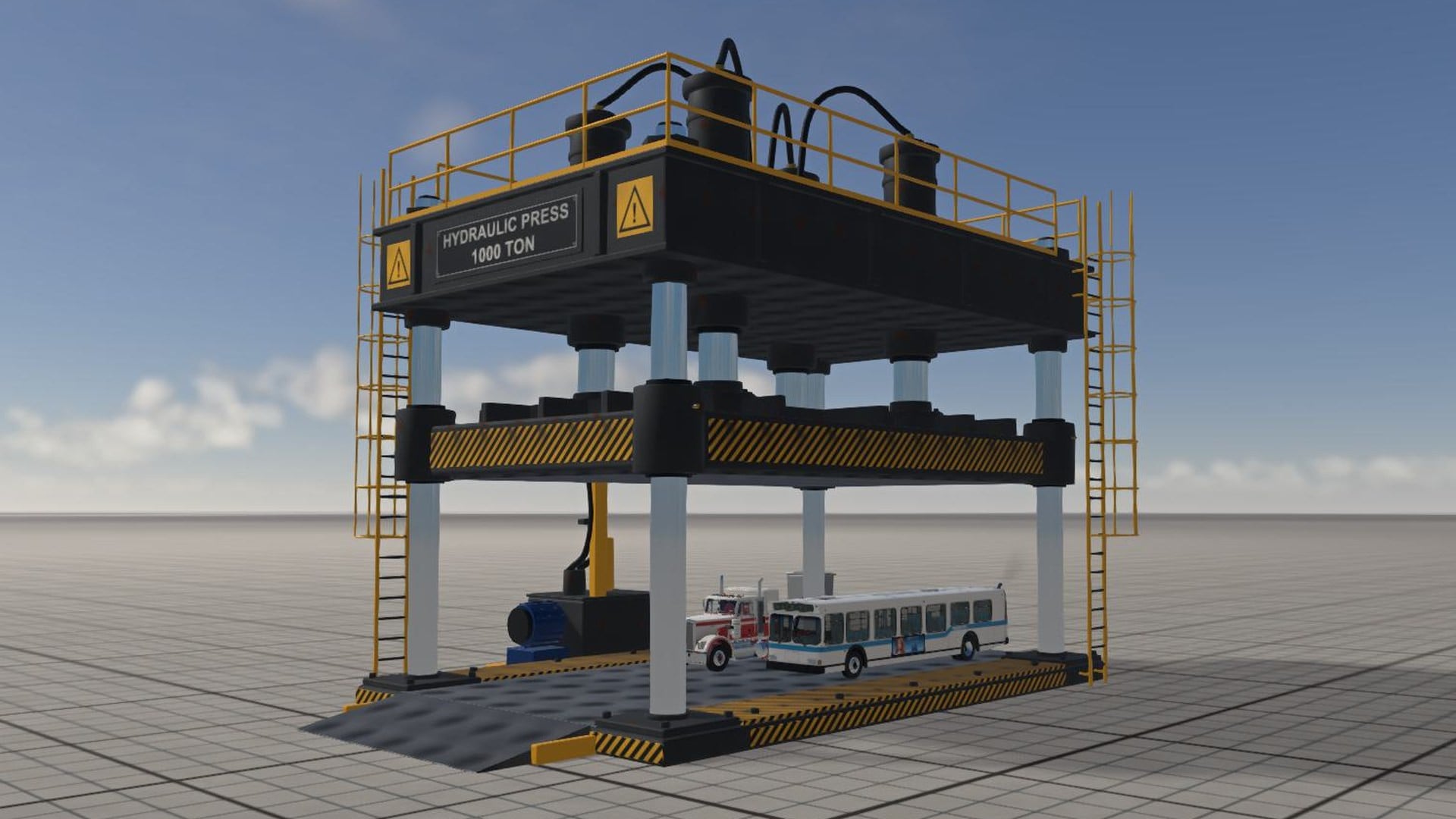
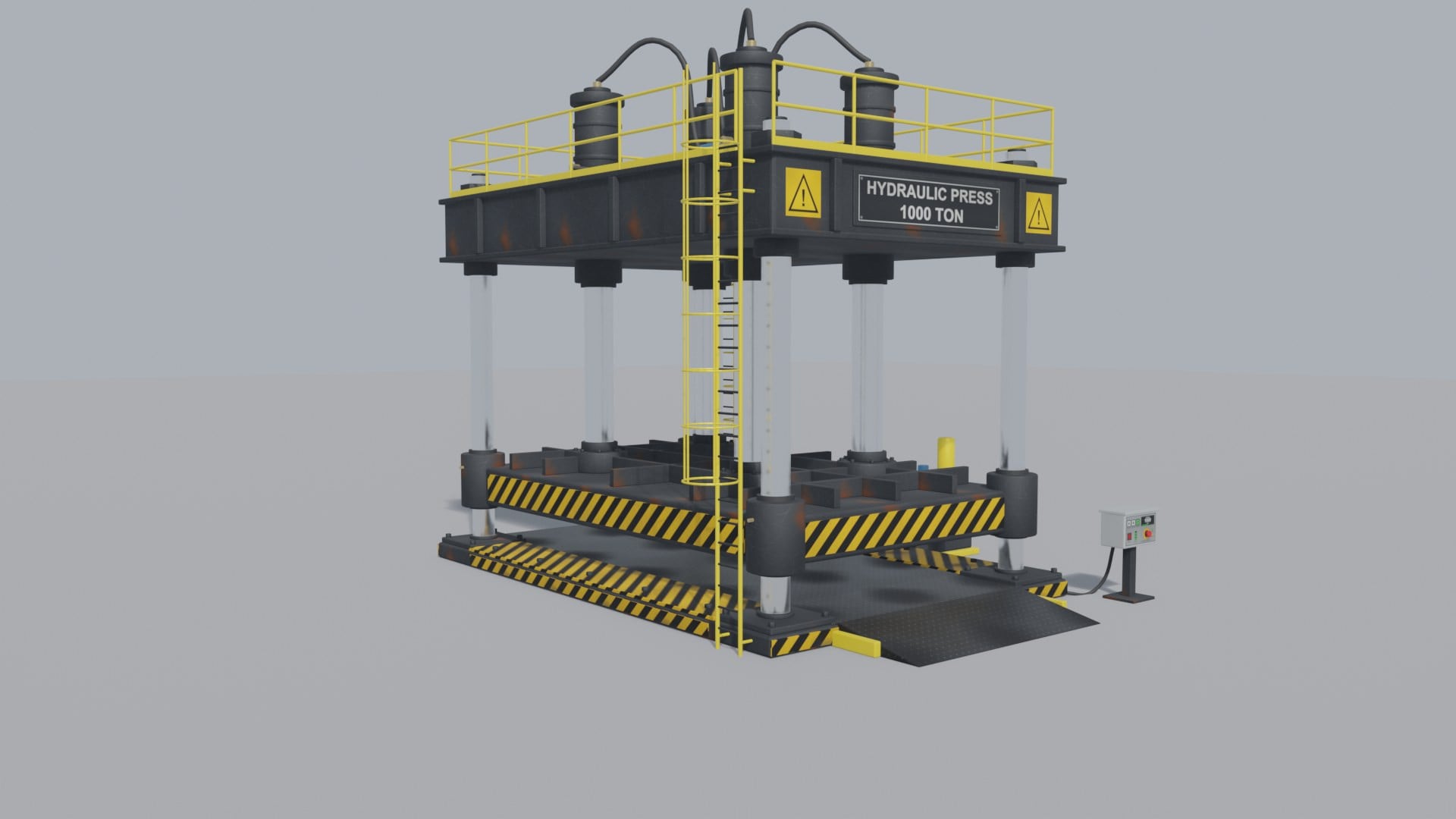
- Modelled from scratch: four chrome guide columns, crown with four main cylinders and hoses, a moving 80 t ram with guide sleeves, steel bed with entry ramps on both ends, ladders with safety cages, top railing, hydraulic power unit and a control desk.
- Real soft-body physics: the ram is a node/beam platen guided on the columns and driven by four hydraulic cylinders. The frame stays fixed where you spawn it.
- Force limit: the cylinders stop pushing at 1000 t (adjustable in Tuning), so the ram stalls realistically on a stiff truck frame.
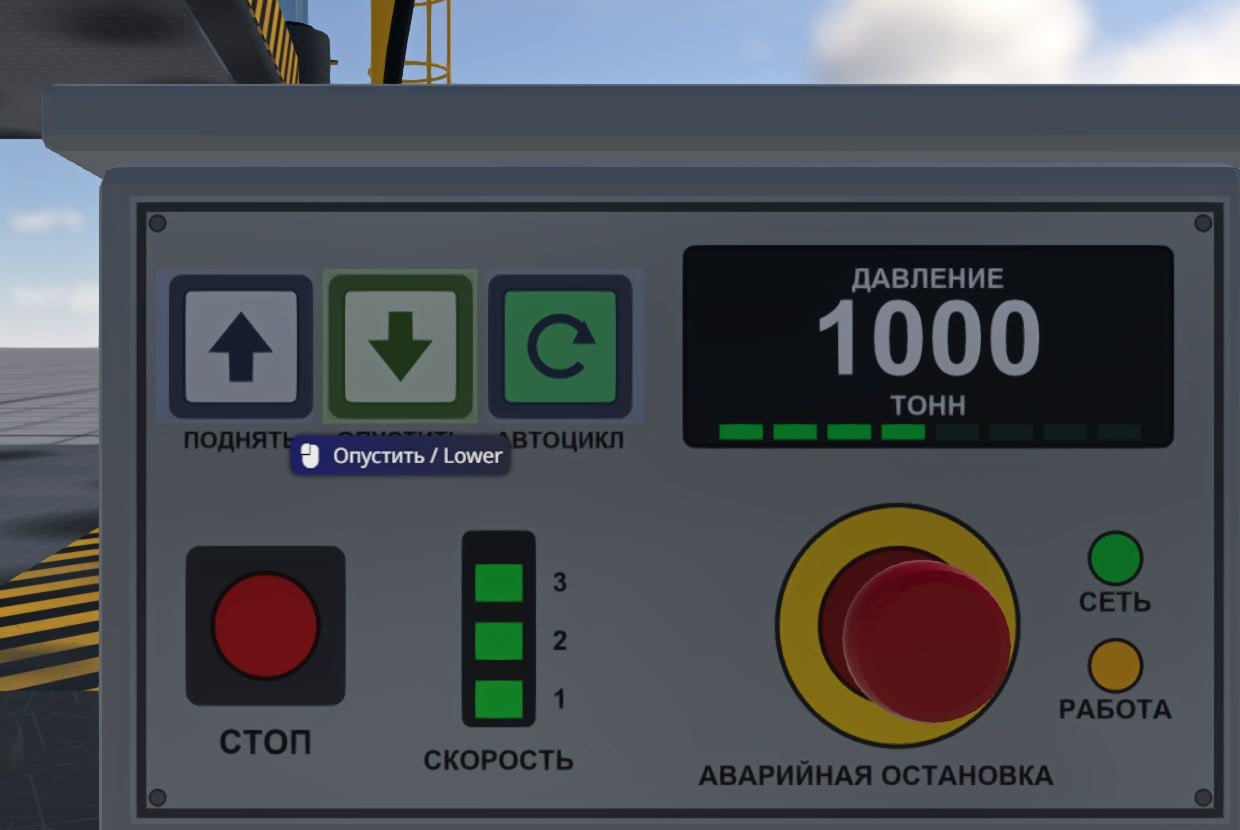
- Clickable control panel - works just like doors / hood / trunk on the stock cars.
- Keyboard control when the press is your active vehicle.
- Live read-out of ram stroke, force and peak force on screen while the press works.
- Two sizes: 1000 t (standard) and XL - the same press scaled 2.5x for the biggest vehicles in the game.
Two configurations
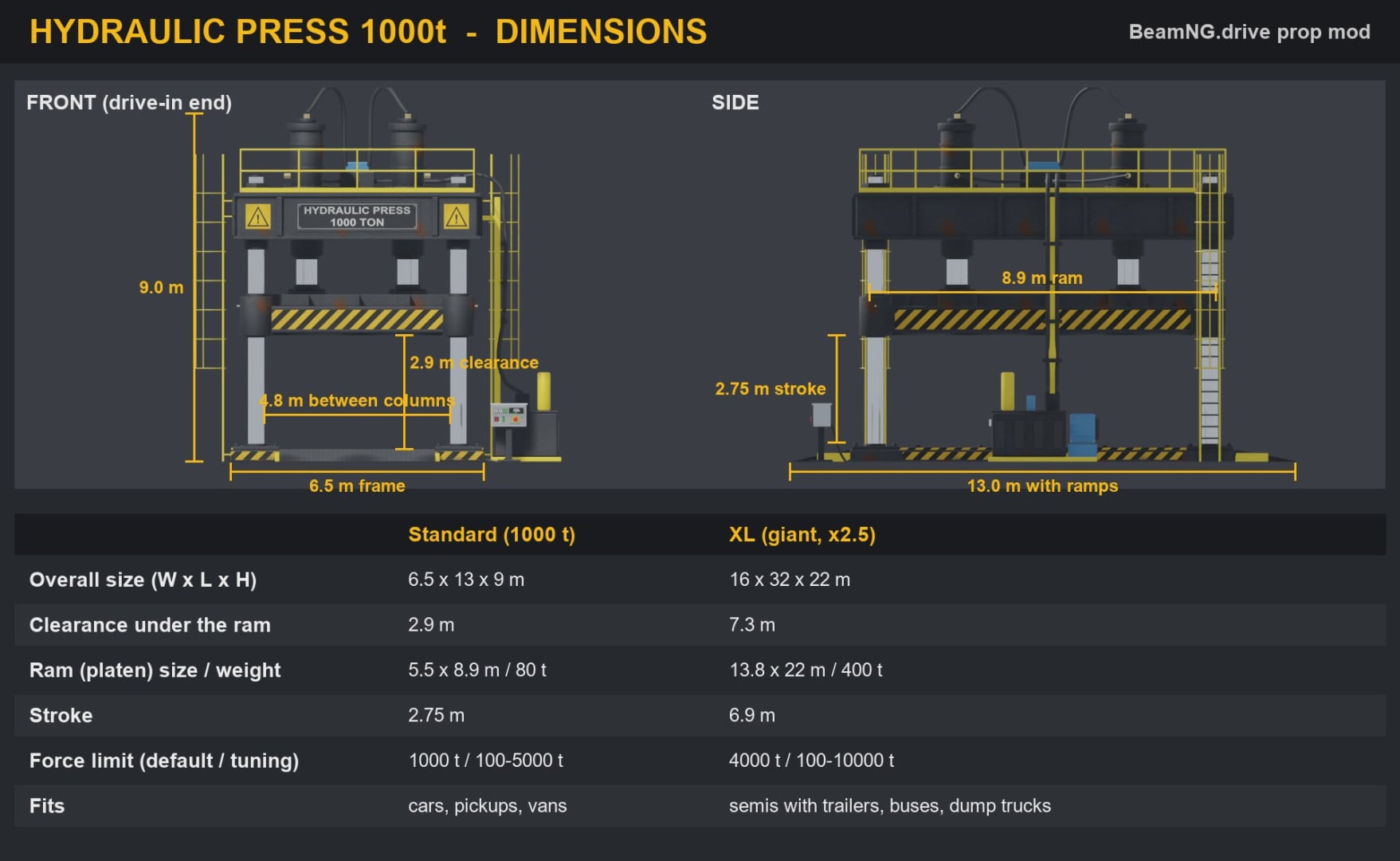
1000 t (standard) - 6.5 x 13 x 9 m, 2.9 m clearance under the ram, 5.5 x 8.9 m ram (80 t), 2.75 m stroke, 1000 t force (Tuning 100-5000 t). Fits cars, pickups and vans.
XL (giant, 2.5x) - 16 x 32 x 22 m, 7.3 m clearance, 13.8 x 22 m ram (400 t), 6.9 m stroke, 4000 t force (Tuning 100-10000 t). Fits semis with trailers, buses and dump trucks - several at once.
How to use
Vehicle selector -> type Prop -> Hydraulic Press -> choose 1000 t or XL. The size can also be switched in the parts menu (slot "Press size").
Switch to a car (or spawn one) and drive it onto the bed over a ramp - you can enter from either end.
Operate the press with the control panel or the keyboard.
Tuning: Vehicle config -> Tuning -> "Max press force".
Control panel (mouse) - walk to the desk next to the press or fly there with the free camera, aim at a button and left-click:
- RAISE / LOWER - move the ram (click again to stop)
- AUTO CYCLE (green) - press down to the bottom or the force limit, hold 1.5 s, return up
- STOP - stop
- SPEED - cycle speed 1 / 2 / 3
- EMERGENCY STOP (red mushroom) - freeze the ram where it is
Keyboard (when the press is your active vehicle)
- Arrow Down (hold) - lower the ram
- Arrow Up (hold) - raise the ram
- Arrow Right - auto crush cycle
- Arrow Left - stop
- Numpad 0 - change speed
Keys can be rebound in Options -> Controls (actions named "Hydraulic press: ...").
Tips / known limitations
- The press is fixed where it is spawned. Spawn it on flat ground with free space around.
- If the panel buttons do not highlight, make sure the game window is focused and you are close enough.
- Very stiff vehicles can stop the ram before the bottom - that is the force limit working. Raise it in Tuning if you want more.
- The pressure display on the panel is static artwork; the live numbers are shown in the on-screen message.
- Single player. Tested on BeamNG.drive 0.39.4.
Installation Instructions
Put hydraulic_press.zip (do not unzip) into
%LOCALAPPDATA%\BeamNG\BeamNG.drive\current\mods\
and start the game.
Credits
Made with the help of an AI agent: Claude (Anthropic) in Claude Code with the Universal Modder plugin and Blender MCP. The 3D model was built in Blender, textures are procedural, the JBeam and Lua were written from scratch.
kubok758
Direct Download Links
latest
initial
Version
1.0
· BeamNG.drive
0.39.x
4 days ago
Game Versions:
0.39.x
hydraulic_press_modland.zip
direct download
· 4.17 MB
· added 4 days ago
This File is Scanned by Antivirus and is Safe.
More Details
About Mod
| Latest Version | 1.0 |
| Game | BeamNG.drive |
| Category | Other |
| Game Version | 0.39.x |
| Downloads | 729 |
| Created | 4 days ago |
| Last Virus Scan |
0/93
More Details |
You Might Also Like »

![Ford Bronco [PACK]](https://temp2.modland.net/i/6abb8bc6ce51c/0_modland.jpg)



![Mack Anthem / Pinnacle [PACK]](https://temp2.modland.net/i/6aa50a7184eaa/6ab9344368d3b/0_modland.jpg)
0 Comments
There are no comments. Be first to comment!