AED-X (Advanced Enviorment Destruction) BETA 1.0.0




![Mack Anthem / Pinnacle [PACK]](https://temp2.modland.net/i/6aa50a7184eaa/6ab9344368d3b/0_modland.jpg)

0/5,
0
votes
Description
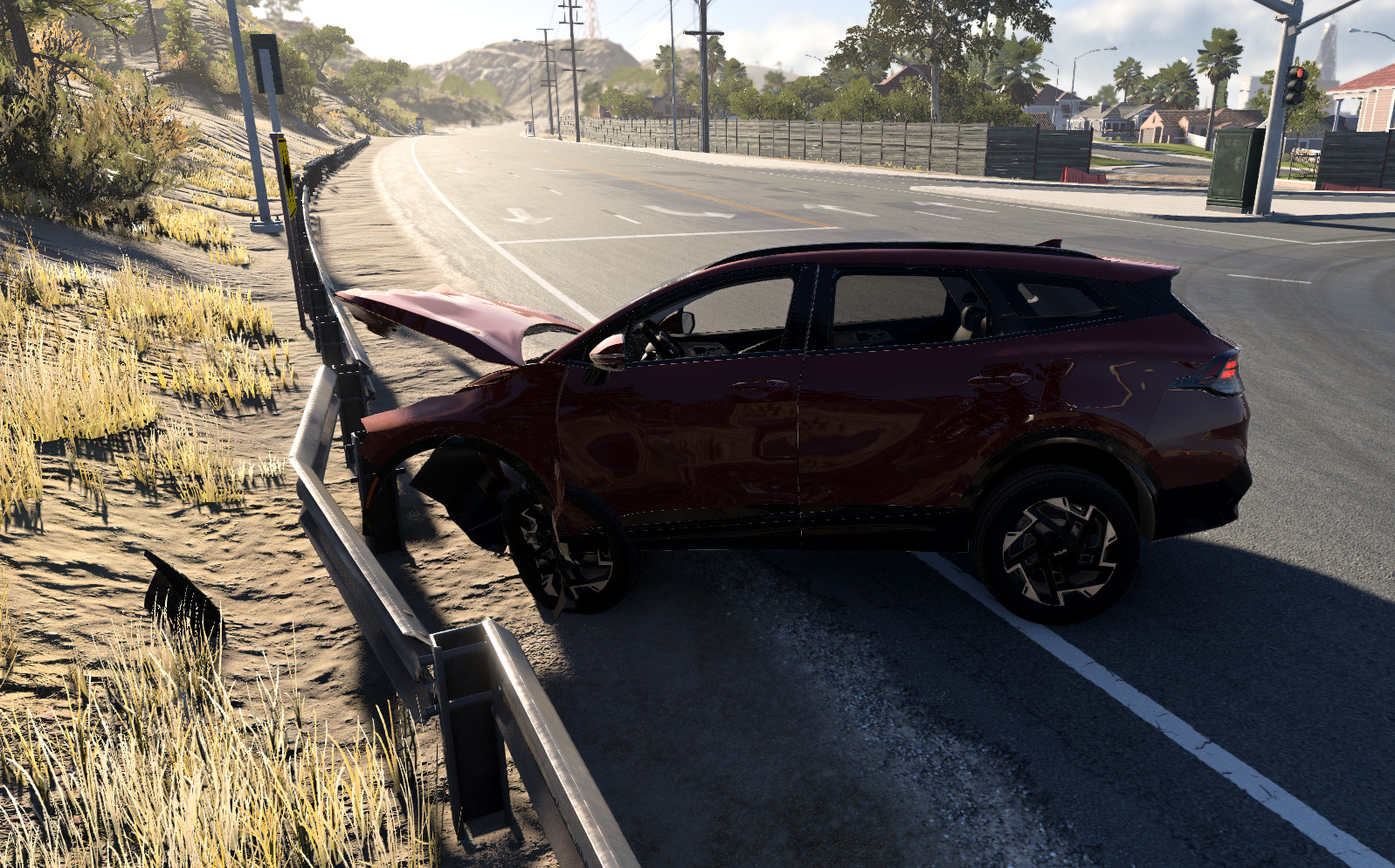
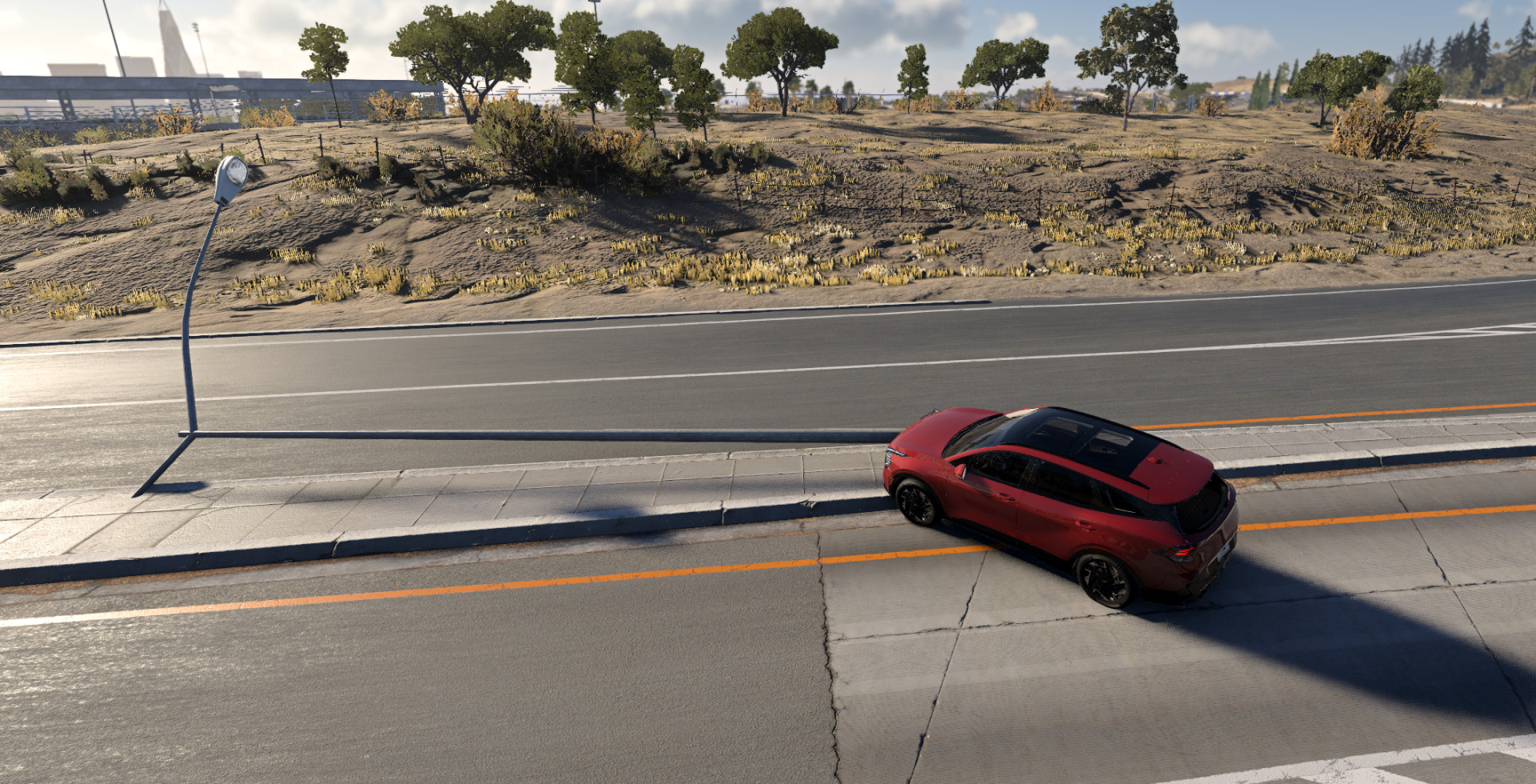
Advanced Environment Destruction X is a BeamNG.drive mod that makes the environment feel a lot less static. Instead of smashing into streetlights, signs, guardrails, and other roadside objects that feel glued to the map, AED-X allows supported objects to react to crashes, bend, move, take damage, and eventually break.
Features
- Makes normally static parts of the environment react to crashes
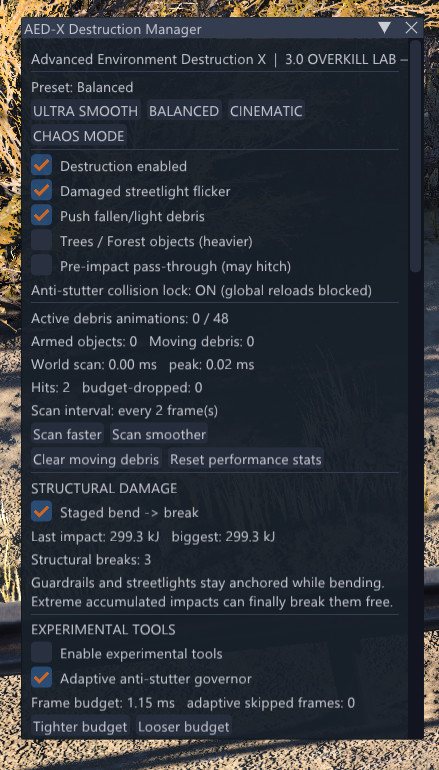
- Guardrails and streetlights use a staged damage system (bend before breaking)
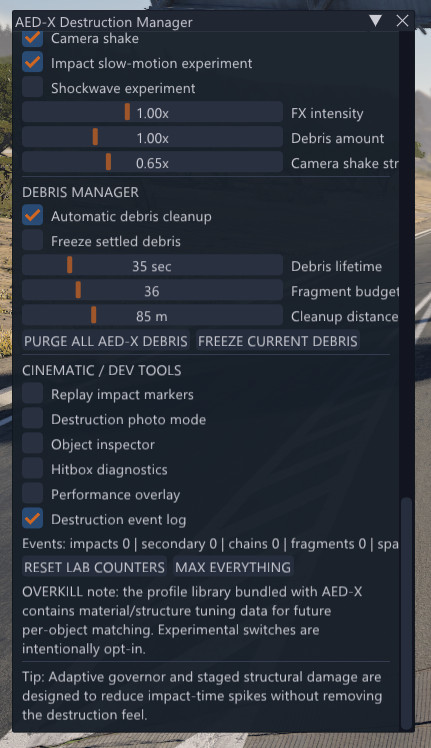
- Built-in Destruction Manager to adjust aggression, structural strength, and debris in real time
- Adaptive anti-stutter system designed to reduce lag spikes
- Multiple performance and destruction presets
- Material-specific destruction settings
- OVERKILL version includes a large set of experimental destruction, debris, material, visual, audio, and debugging options
Installation Instructions
1. Go to Options -> Controls -> Search "AED" and assign the keybind to any key you want.
2. Set up your preset (or use one provided).
3. Smash into some stuff!
Credits
Rift
A user (For supporting the base code that was modified to create this UI tool)
Advanced Environment Destruction X is a BeamNG.drive mod that makes the environment feel a lot less static. Instead of smashing into streetlights, signs, guardrails, and other roadside objects that feel glued to the map, AED-X allows supported objects to react to crashes, bend, move, take damage, and eventually break.
Features
- Makes normally static parts of the environment react to crashes
- Guardrails and streetlights use a staged damage system (bend before breaking)
- Built-in Destruction Manager to adjust aggression, structural strength, and debris in real time
- Adaptive anti-stutter system designed to reduce lag spikes
- Multiple performance and destruction presets
- Material-specific destruction settings
- OVERKILL version includes a large set of experimental destruction, debris, material, visual, audio, and debugging options
Installation Instructions
1. Go to Options -> Controls -> Search "AED" and assign the keybind to any key you want.
2. Set up your preset (or use one provided).
3. Smash into some stuff!
Credits
Rift
A user (For supporting the base code that was modified to create this UI tool)
Direct Download Links
About Mod
| Latest Version | 1.0.0 |
| Game | BeamNG.drive |
| Category | Other |
| Game Version | 0.39.x |
| Tags | UI |
| Downloads | 170 |
| Created | 1 day ago |


![Mack Anthem / Pinnacle [PACK]](https://temp2.modland.net/i/6aa50a7184eaa/6ab9344368d3b/0_modland.webp)




Is this real?
@sashair But lmk what i should add/delete, since you def have skill in the UI department! (also btw i also use the imGui menu as well!
@sashair Yah! I spent a lot of time working on this so check it out!
I LOVE YOU THX FOR FREE
@Shade ur welcome