BeamNG.drive mod report generator (This is not a game mode) beta

![Ford Bronco [PACK]](https://temp2.modland.net/i/6abb8bc6ce51c/0_modland.webp)



BeamNG Mod Risk Report — Technical Implementation Details (Open Source)
Overview
This document explains the internal architecture, execution flow, and technical implementation of the BeamNG Mod Risk Report script.
This script is written entirely in Python 3 and is designed to run locally on the user's machine. It performs static analysis of BeamNG.drive mod archives (.zip) and generates a detailed TXT report.
The script does not execute any mod code. It only inspects archive structure and metadata.
Execution model
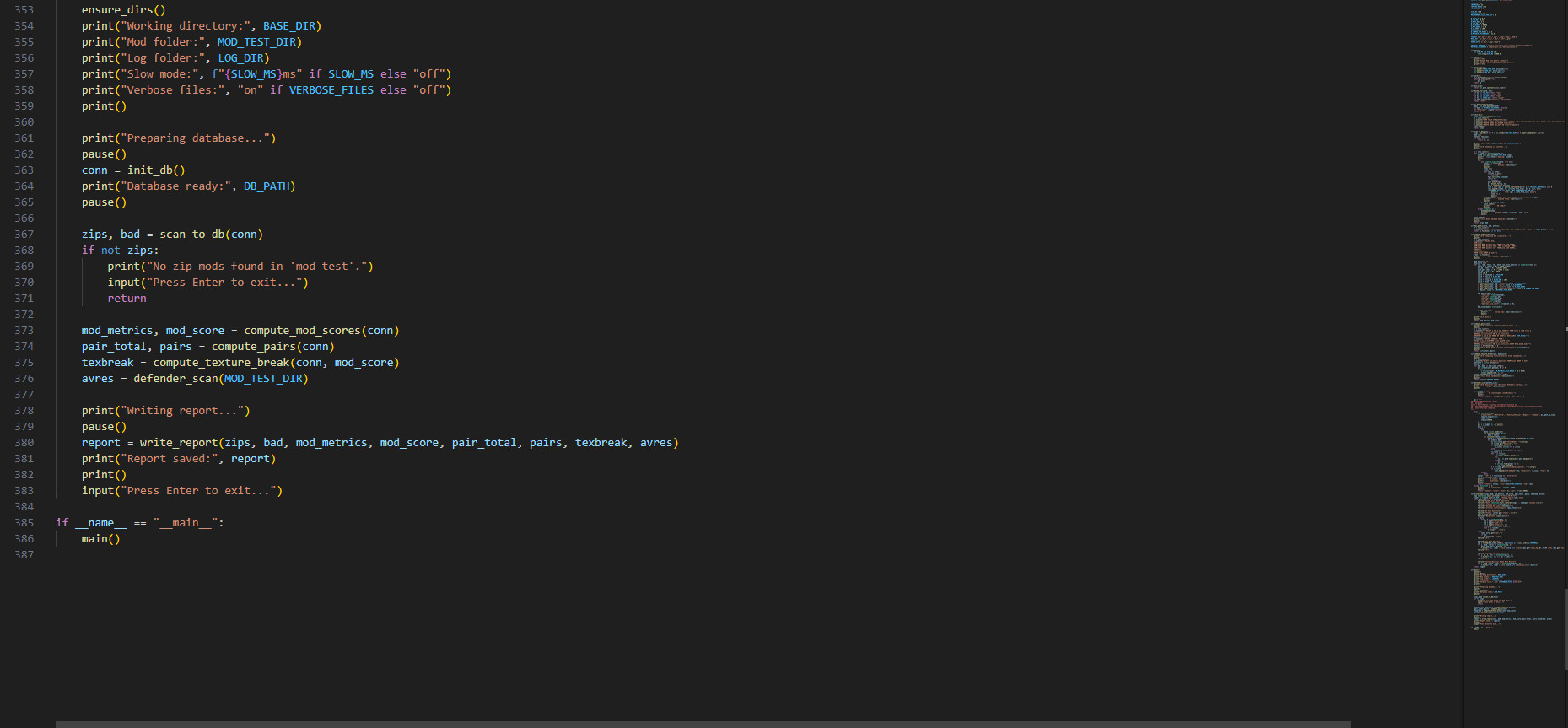
The script executes in a linear sequence of clearly defined phases:
-
Environment initialization
-
Folder preparation
-
Database initialization
-
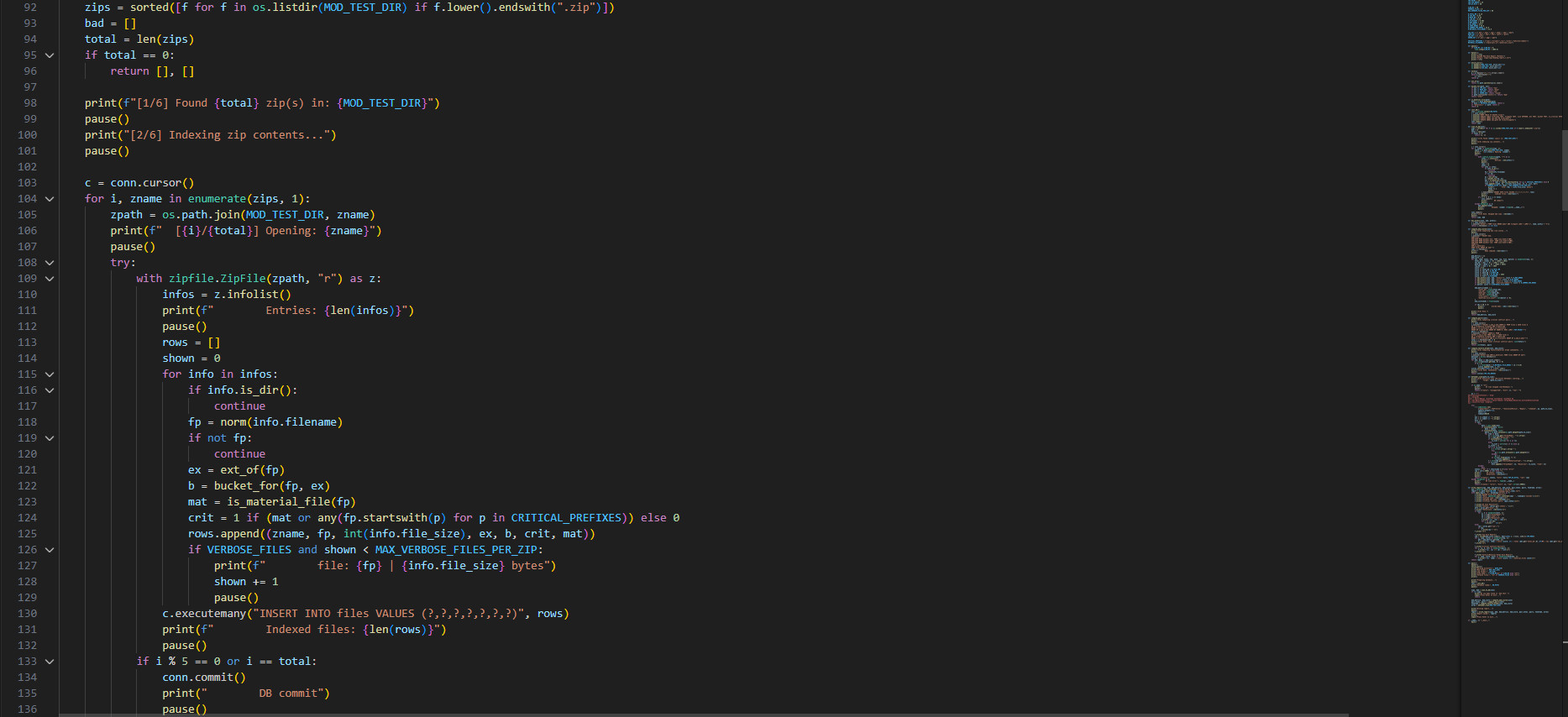
Archive indexing
-
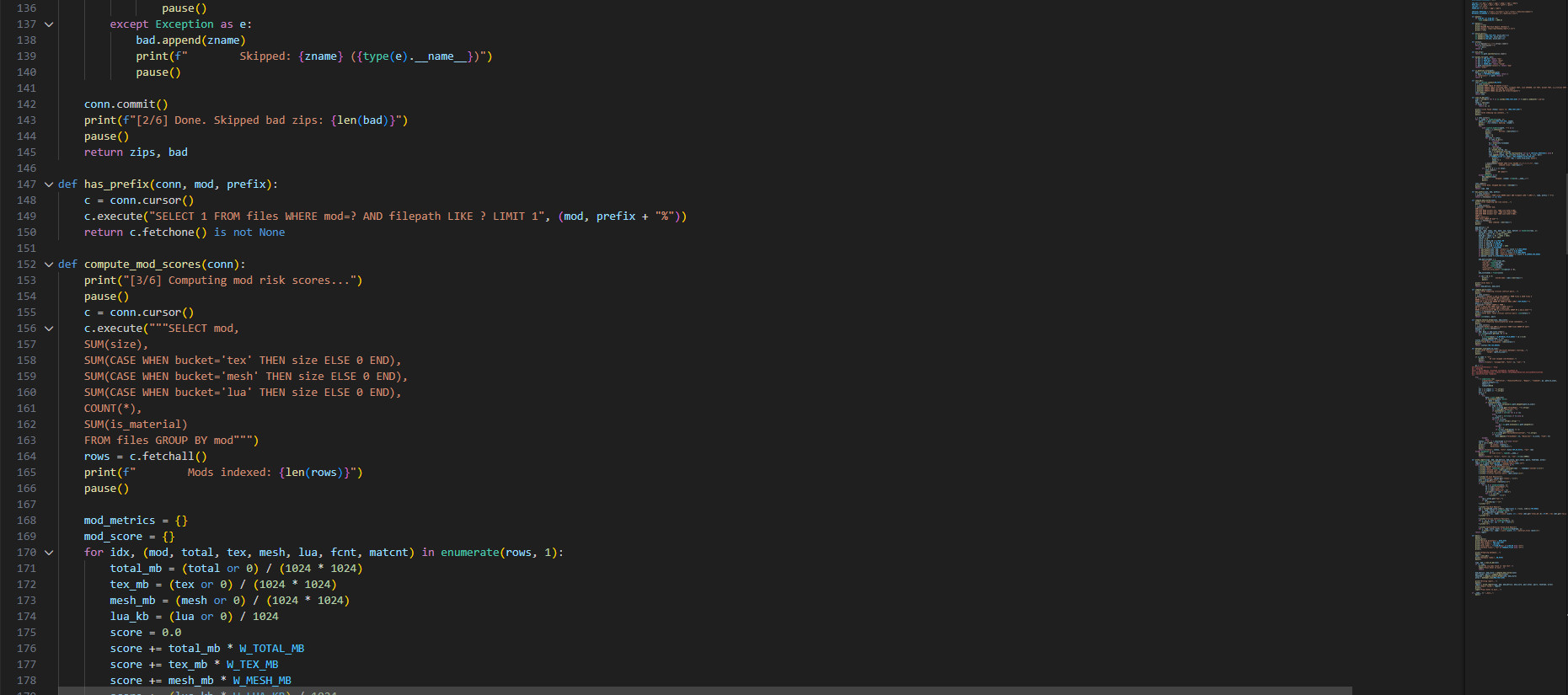
Risk score computation
-
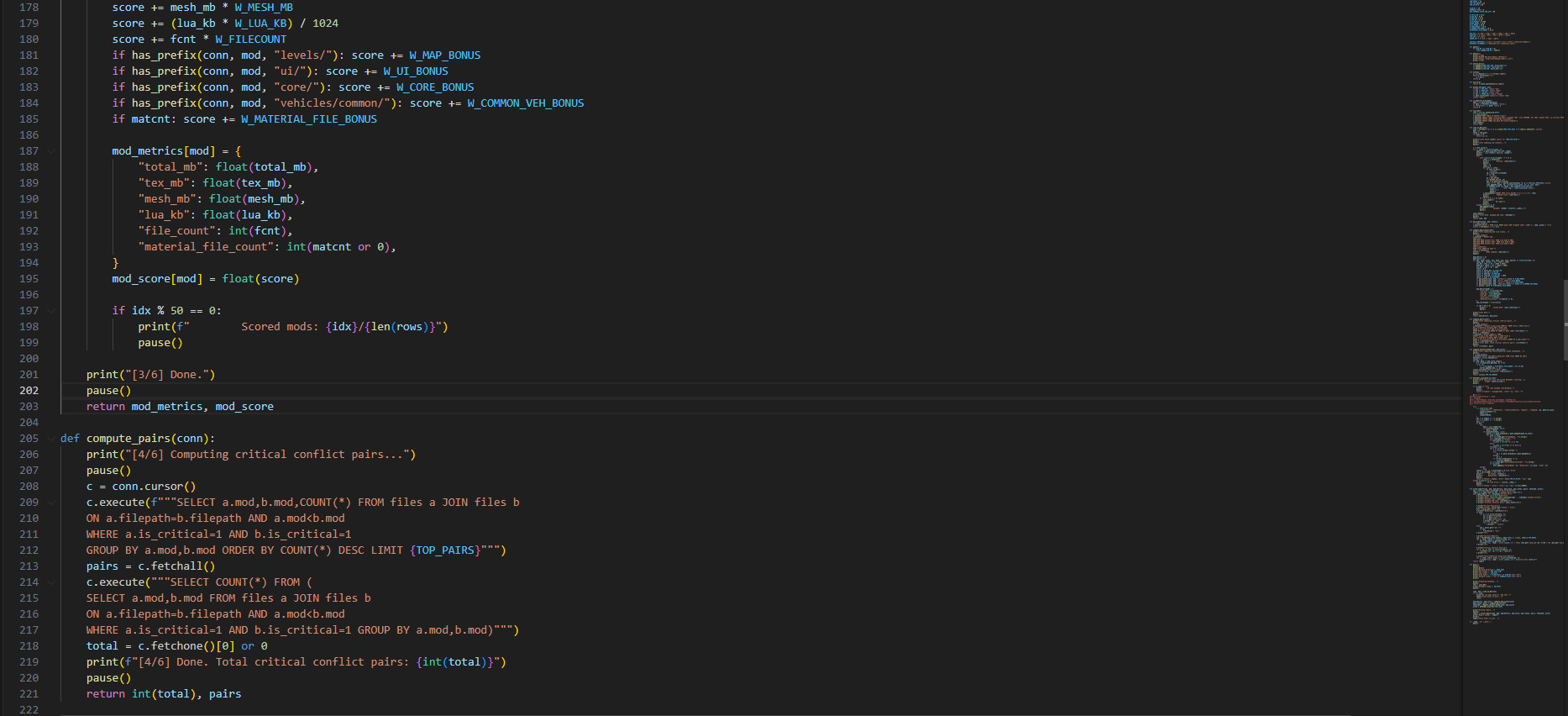
Conflict detection
-
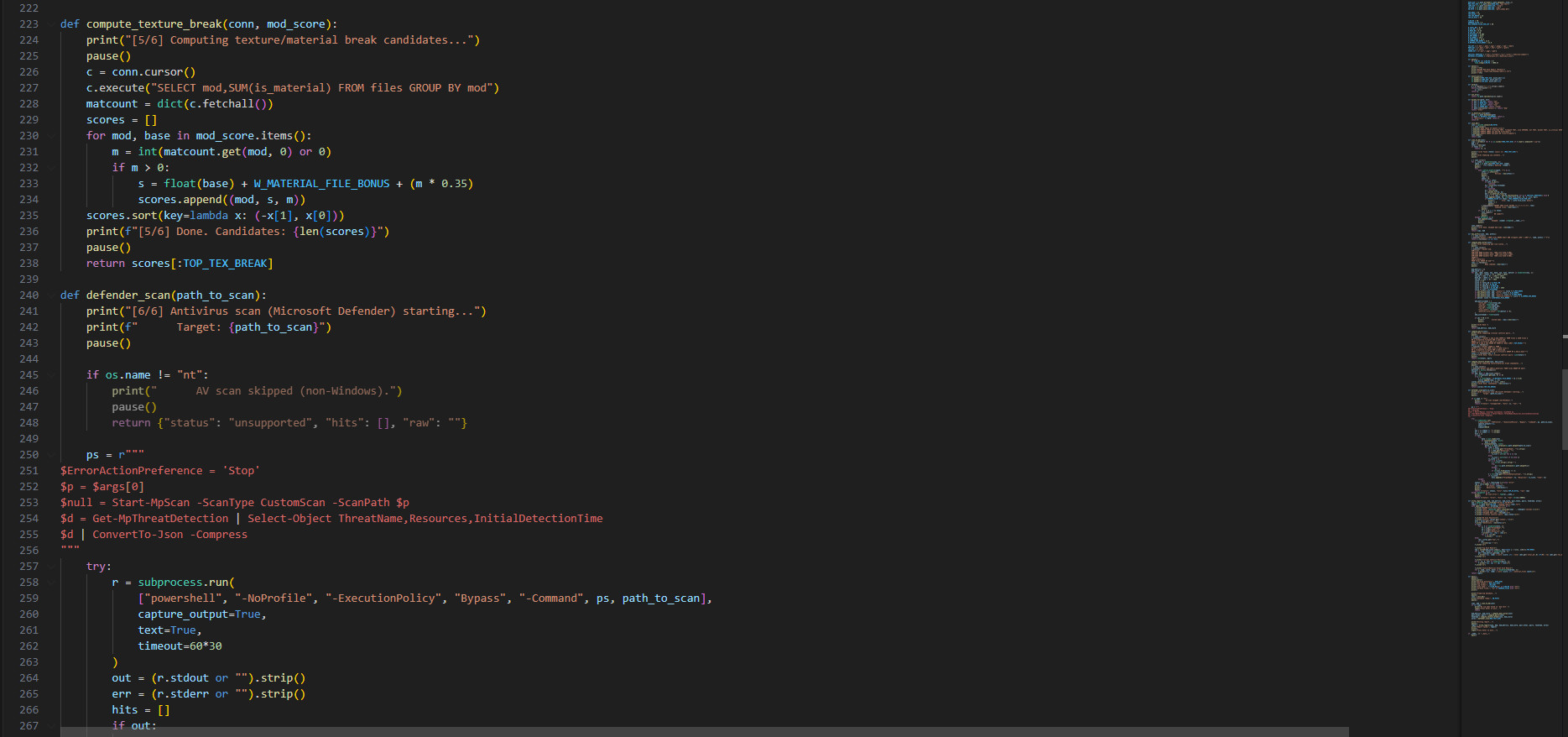
Material risk detection
-
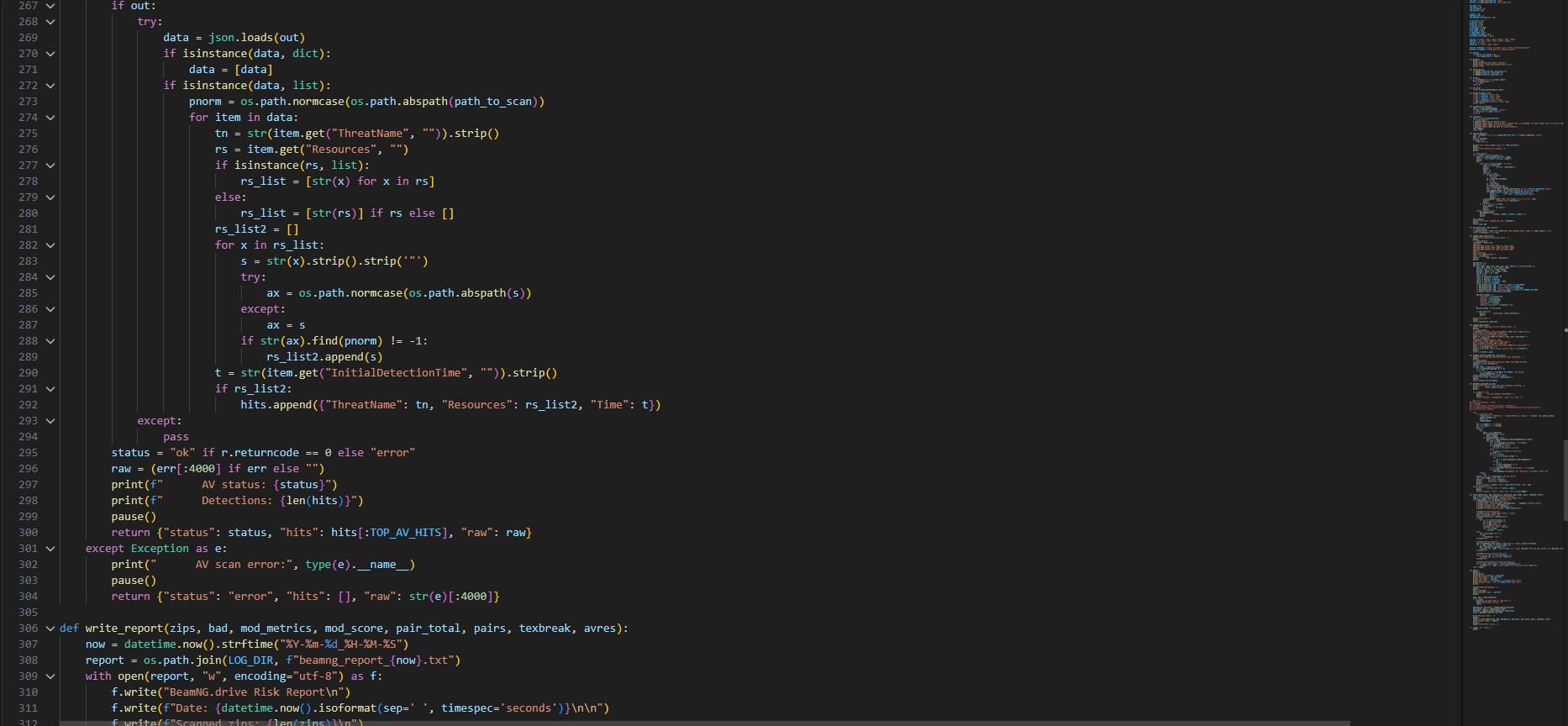
Antivirus scan (Windows only)
-
Report generation
Each phase is deterministic and reproducible.
Folder structure logic
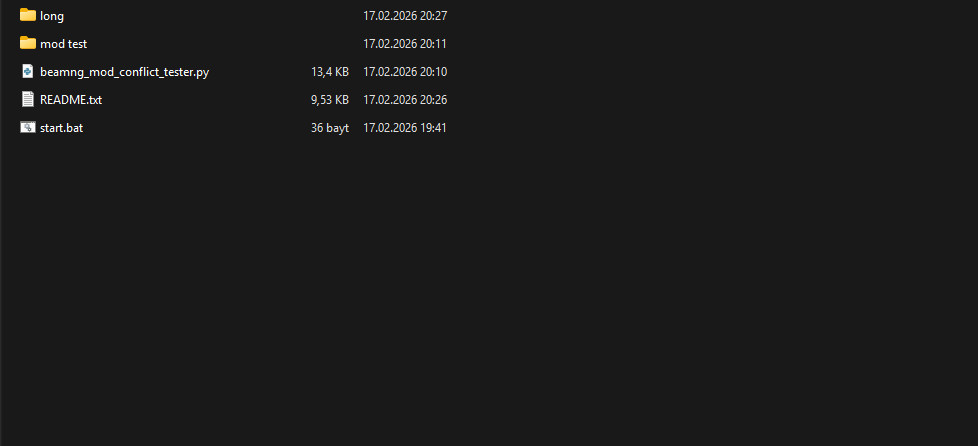
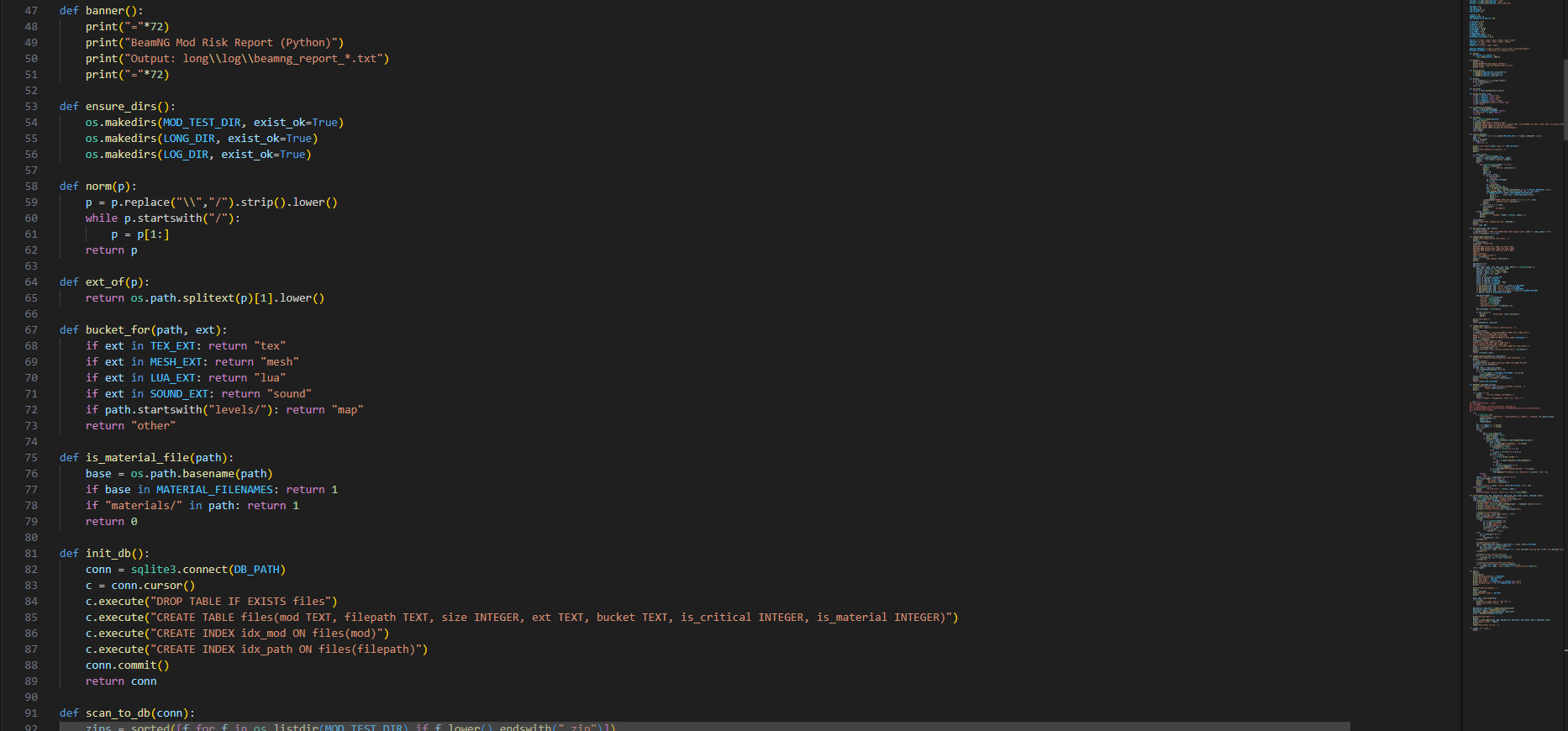
The script automatically creates and uses the following folders:
(mod test) long/ log/ beamng_report_TIMESTAMP.txtPurpose:
-
mod test
Input folder containing BeamNG mod ZIP files. -
long/log
Output folder containing generated reports. -
perf_index.db
Temporary SQLite database used internally during analysis.
The script ensures these folders exist before continuing.
Archive indexing phase
Each ZIP file inside mod test is opened using Python’s standard library:
zipfile.ZipFile()Important behavior:
-
The script does NOT extract ZIP files.
-
It only reads ZIP metadata entries.
For each ZIP entry, the script records:
-
mod name (ZIP filename)
-
internal file path
-
file size in bytes
-
file extension
-
classification bucket
-
critical override flag
-
material definition flag
These values are stored in a local SQLite database.
SQLite database purpose
SQLite is used to:
-
handle large numbers of mods efficiently
-
avoid excessive memory usage
-
allow fast conflict detection queries
Database location:
long/perf_index.dbThis database is recreated each run.
No external database is used.
No network communication occurs.
File classification system
Each file inside a ZIP archive is categorized based on extension and path.
Examples:
Texture files:
.dds .png .jpg .jpeg .tga .bmpMesh files:
.dae .fbx .obj .gltf .glbScript files:
.luaMaterial definition files:
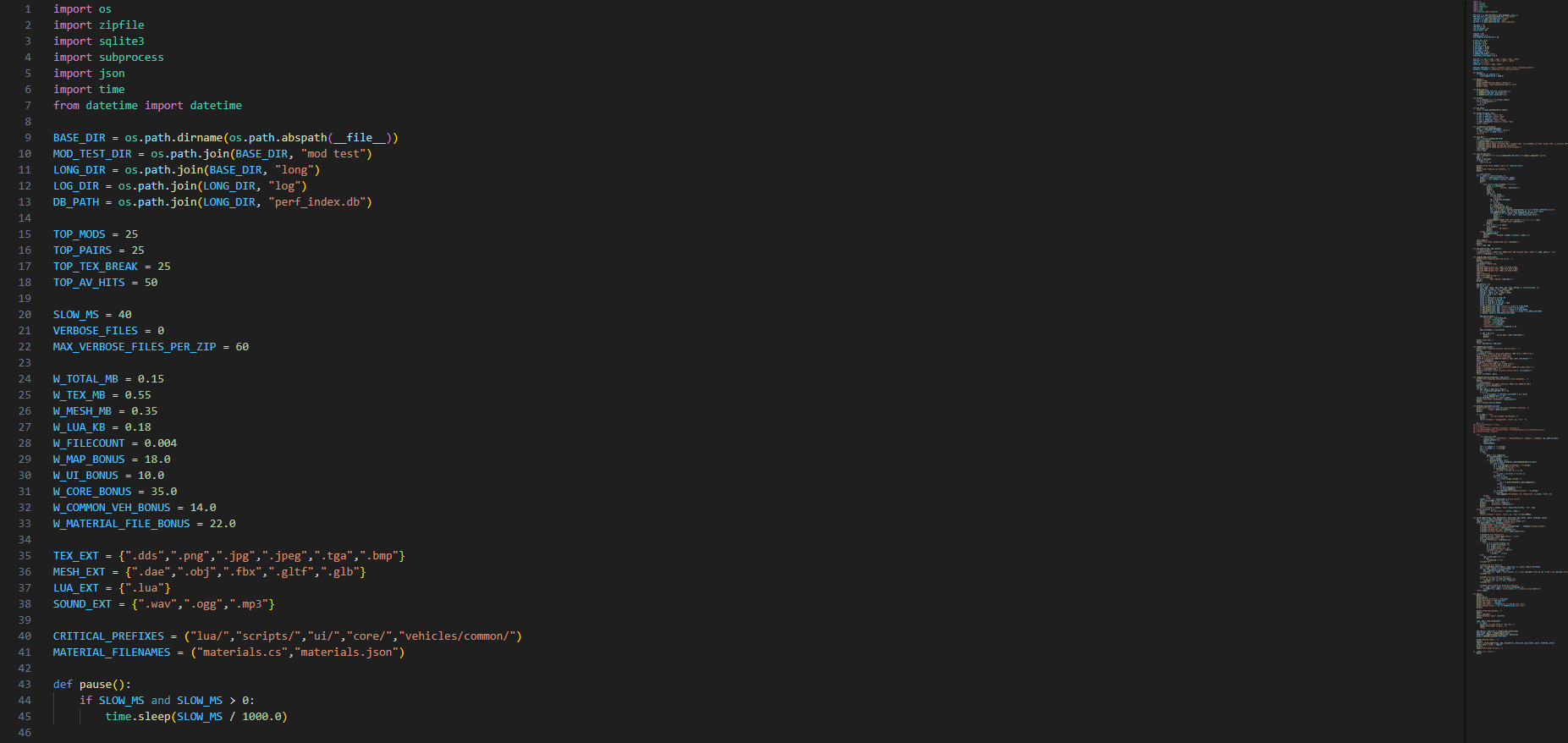
materials.cs materials.json materials/*Critical override paths:
core/ ui/ lua/ scripts/ vehicles/common/These paths are known high-risk override locations in BeamNG.drive.
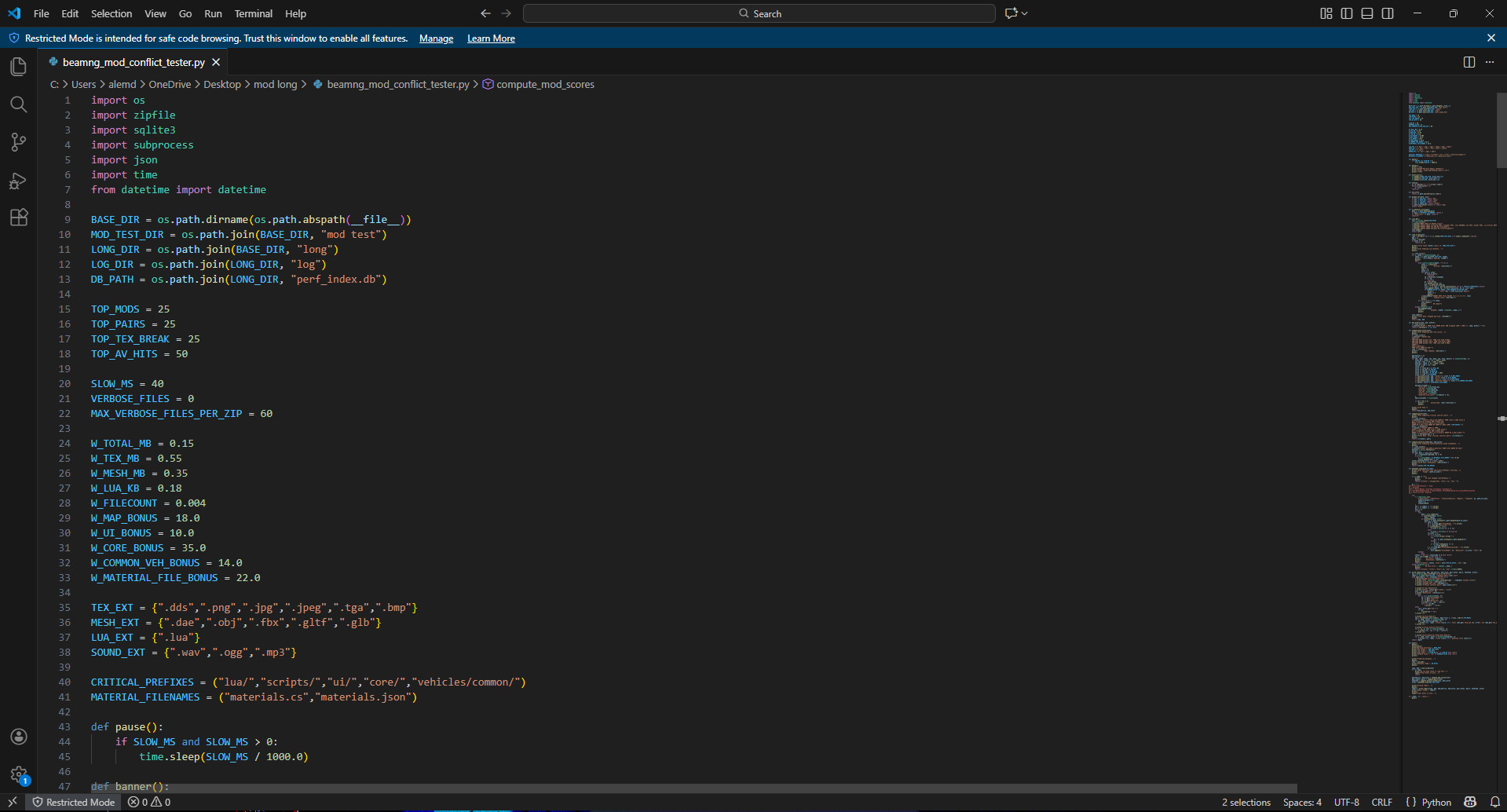
Risk scoring algorithm
Each mod receives a numerical score.
Score is calculated using weighted heuristics:
Signal inputs include:
-
Total archive size
-
Texture size
-
Mesh size
-
Lua/script size
-
Total file count
-
Material definitions present
-
Presence in override-sensitive directories
Higher scores indicate higher likelihood of:
-
performance impact
-
instability
-
visual issues
-
conflict risk
This score is a heuristic indicator, not a definitive classification.
Conflict detection algorithm
Conflict detection uses SQLite queries to find file path collisions.
Two mods are considered in conflict if:
modA/filepath == modB/filepathAND the file resides in a critical override location.
Example:
core/vehicleManager.luaIf two mods include this path, one will override the other.
This can cause:
-
script malfunction
-
unexpected behavior
-
instability
The script lists these mod pairs in the report.
Material risk detection logic
Material definition files control texture assignments and shaders.
Conflicts in these files often cause:
-
missing textures
-
incorrect textures
-
broken reflections
-
visual artifacts
The script flags mods containing material definitions and assigns additional risk weight.
Antivirus integration logic (Windows only)
Antivirus scanning is performed using Microsoft Defender.
This is executed via PowerShell command invocation:
Start-MpScan -ScanType CustomScan -ScanPath <folder>Threat detection results are retrieved using:
Get-MpThreatDetectionOnly entries referencing the scanned folder are included in the report.
The script does not modify antivirus configuration.
The script does not disable antivirus protections.
It only initiates a scan and reads detection logs.
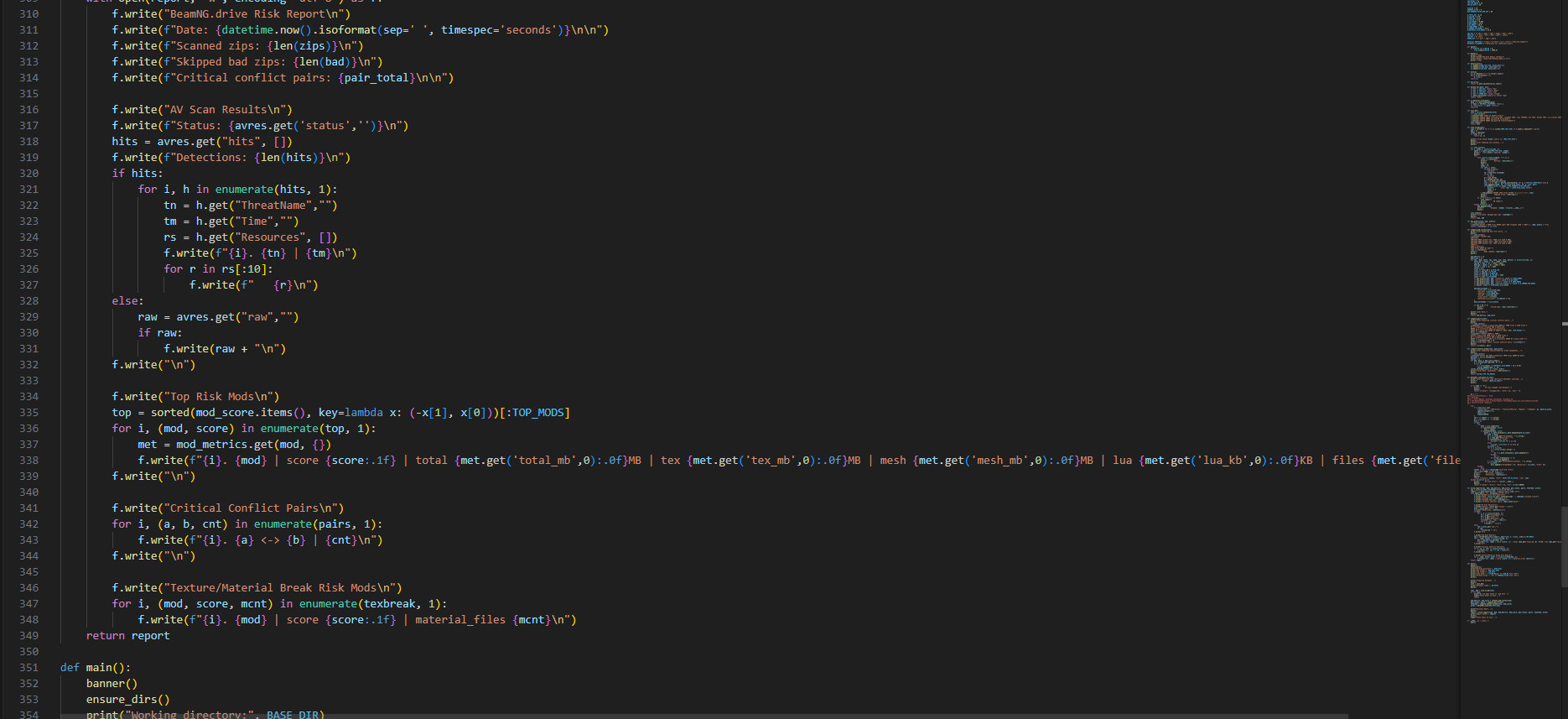
Report generation system
The final TXT report is generated using Python file I/O:
open(report_path, "w", encoding="utf-8")The report includes:
-
scan summary
-
antivirus results
-
ranked mod risk scores
-
conflict pairs
-
texture/material risk mods
Reports are timestamped to prevent overwriting.
Security model
This script operates entirely locally.
It does not:
-
connect to external servers
-
transmit data
-
download files
-
execute mod code
-
modify mod archives
It performs read-only inspection of ZIP metadata.
Cross-platform behavior
Fully supported platforms:
Windows
Linux
macOS
Antivirus scan feature is available only on Windows due to Microsoft Defender integration.
Core analysis works identically on all platforms.
Dependencies
Only Python standard library modules are used:
os zipfile sqlite3 subprocess json time datetime pathlibNo external libraries are required.
No pip installation required.
Transparency and reproducibility
Because this tool is fully open source:
-
All logic is visible
-
All operations are inspectable
-
All outputs are deterministic
-
Anyone can verify functionality
This ensures maximum transparency and trust.
Summary
This script is a deterministic, read-only, open-source analysis tool designed to inspect BeamNG mod archives and generate a clear diagnostic report.
It provides insight into:
-
performance risk
-
conflict risk
-
material risk
-
antivirus detections
All analysis is performed locally.
No external systems are involved.
GitHub: https://github.com/radmela5461/BeamNG.drive-mod-report-generator-This-is-not-a-game-mode-
External Download Links:
- Modsfire.com - mod long.zip [9.44 KB]
About Mod
| Latest Version | beta |
| Game | BeamNG.drive |
| Category | Other |
| Game Version | 0.38.x |
| Downloads | 39 |
| Forum Thread | Visit forum thread |
| Created | 8 months ago |
![Ford Bronco [PACK]](https://temp2.modland.net/i/6abb8bc6ce51c/0_modland.jpg)






![Mack Anthem / Pinnacle [PACK]](https://temp2.modland.net/i/6aa50a7184eaa/6ab9344368d3b/0_modland.jpg)


Oh oh OH oh Oh oH NoOoooOOOoOo This may be a viral infection to your computer! Do not run this on your PC as it may collect your data or modify system and personal files. BeamNG already has a mod conflict checker baked into the mods menu and if you are worried about getting a virus in a mod try virus scanners to find them. Do not run random scripts or executables on your computer unless it is from an official trusted source.
I know BeamNG.drive has its own mod bug reporter, this generates a simpler report where the higher the score, the more problematic the mod is.