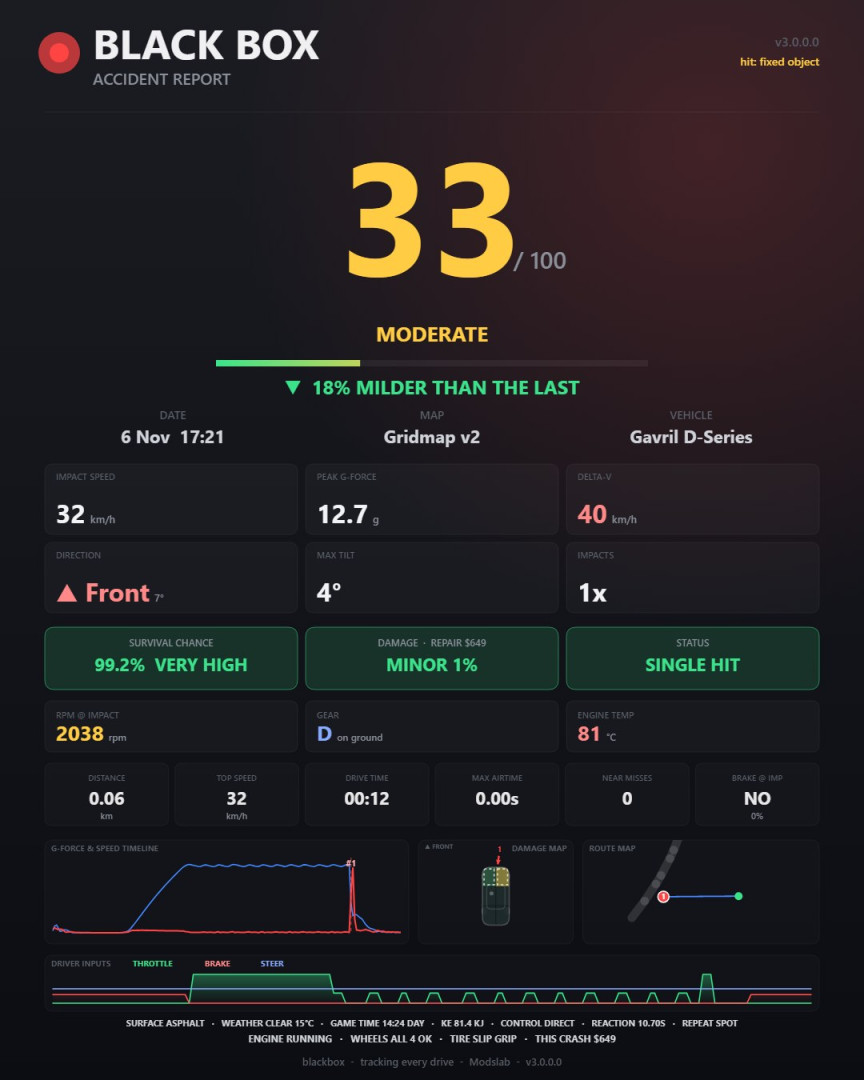
Black Box 3.0

Changelog
Black Box 3.0 is out. It’s rebuilt for BeamNG.drive 0.40, and the crash detector, the storage and the report are all new.
Crash detection
-
New detector that needs both real damage and a real change of speed. Light scrapes and taps don’t count as crashes anymore, but slow hits do. Before, anything under about 18 km/h never gave a report
-
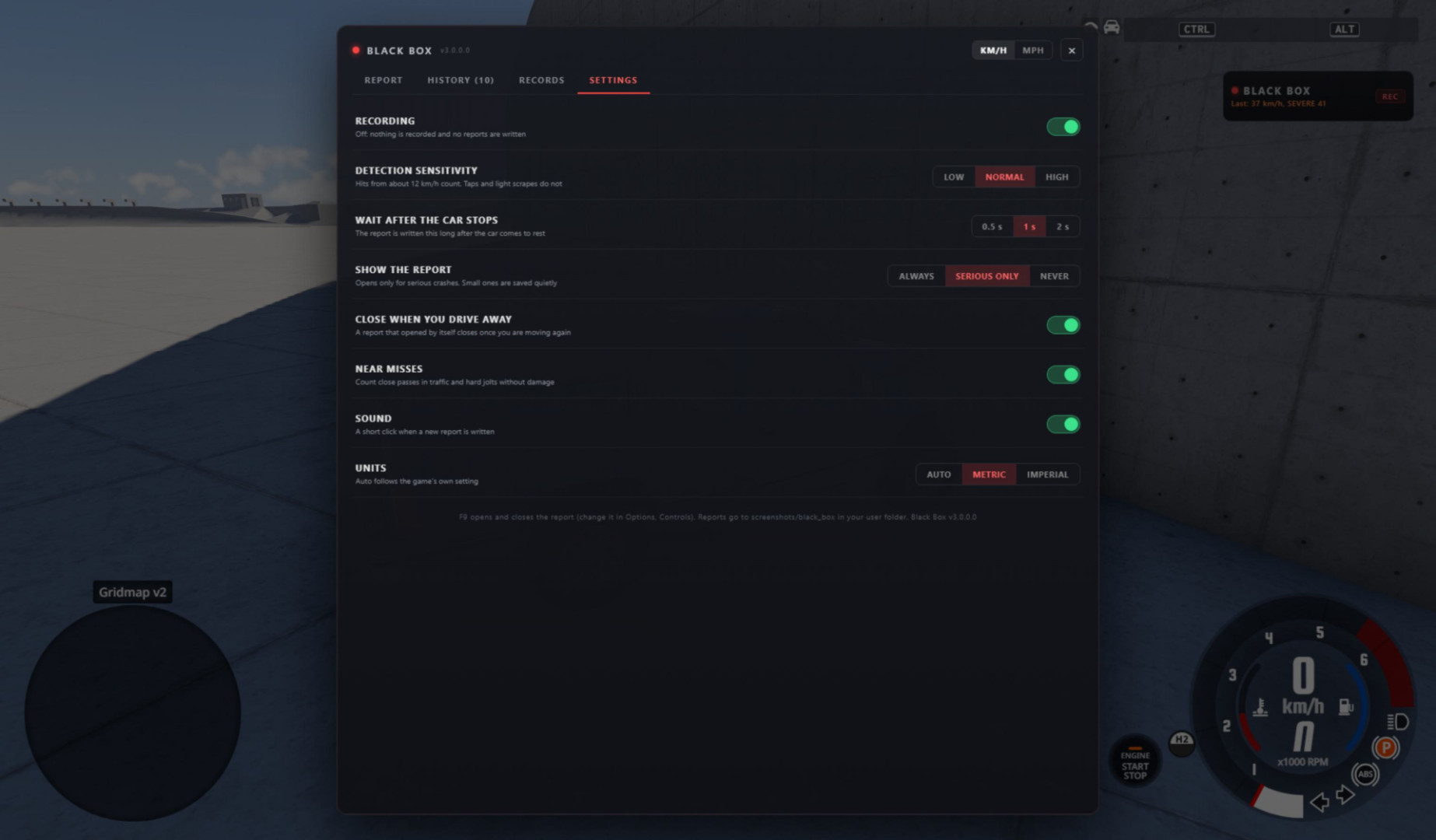
Normal sensitivity counts hits from about 12 km/h. Low only counts hard hits from about 25 km/h, and High counts light taps from about 6 km/h
-
Every hit is counted once. A crash with several hits shows each of them in the impact chain
-
A car lying on its roof gives one report until it’s back on its wheels
-
Pressing R right after a crash doesn’t lose it anymore, the crash gets saved first
-
Peak G doesn’t depend on your frame rate anymore
-
The report is written once the car stops (you can change the wait time), 10 seconds after the last hit if you keep driving, or 25 seconds after the first hit at most
The report
-
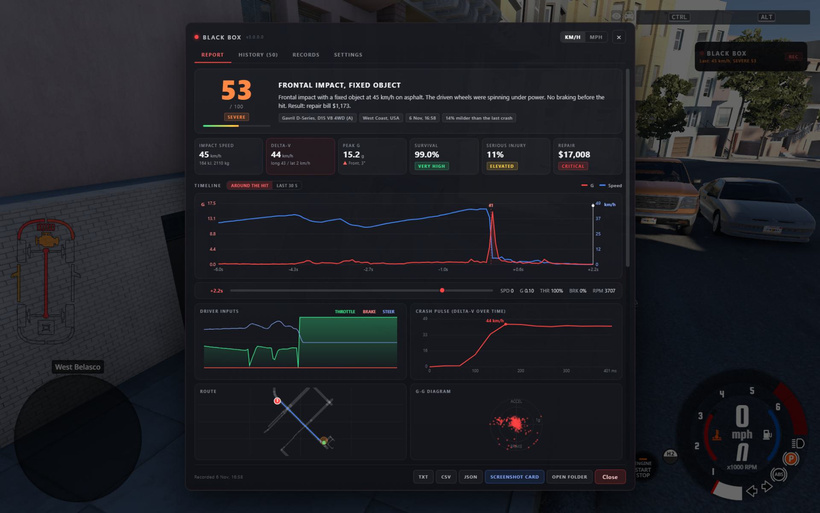
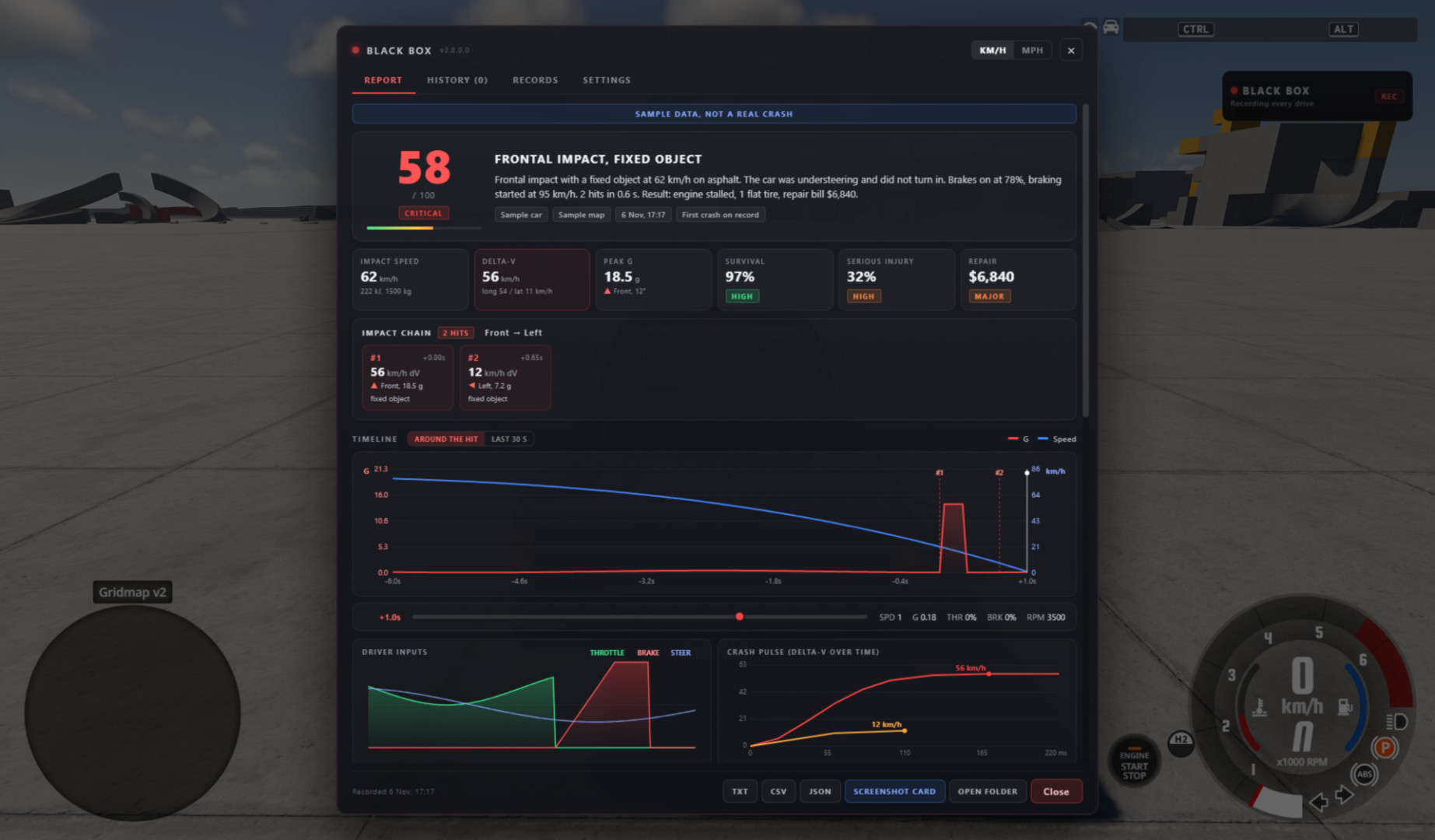
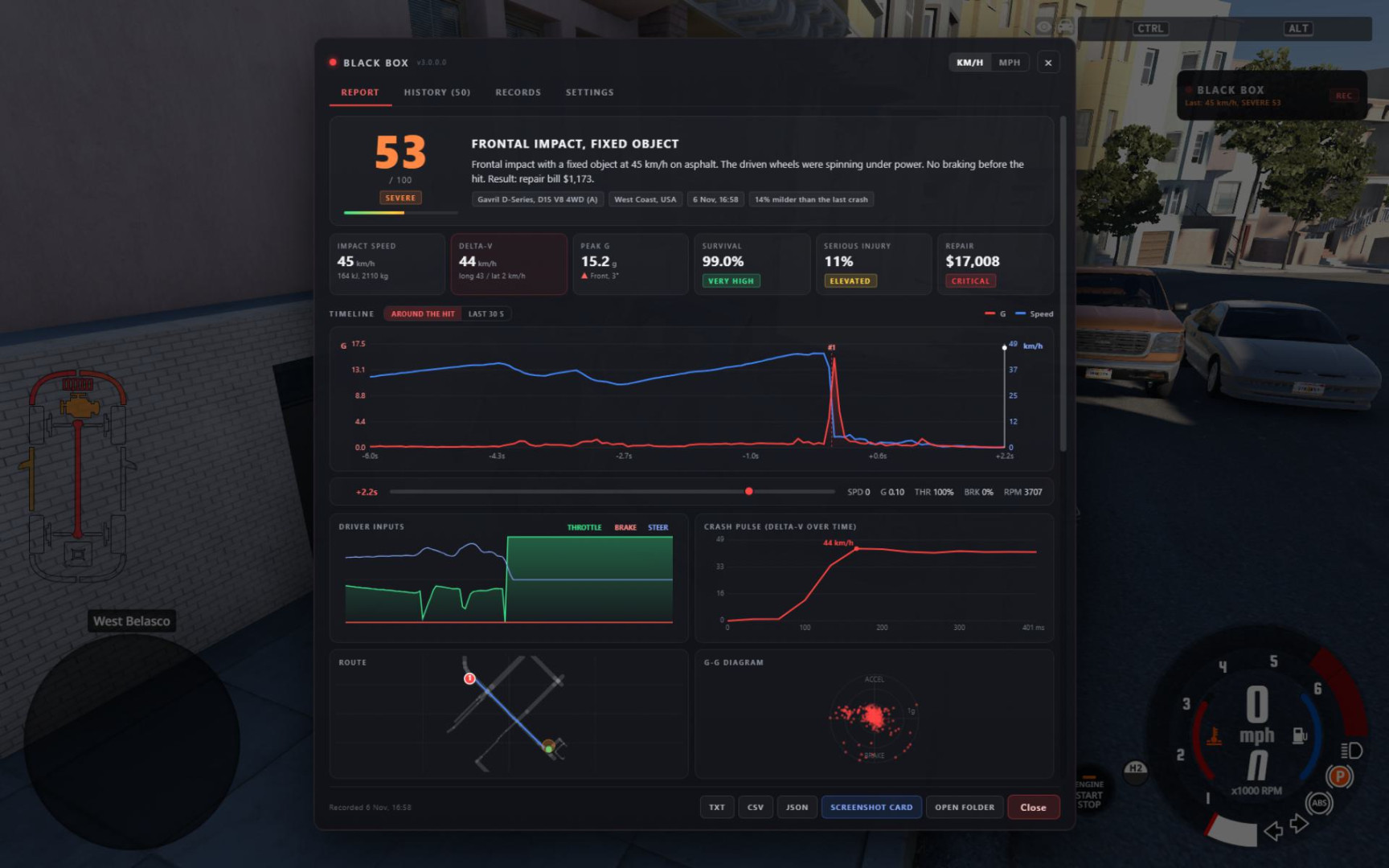
The crash described in plain words: what you hit, from which side, how fast, whether you braked and what it cost
-
What you hit: the other vehicle by name, a fixed object, the ground or water
-
Six key numbers: impact speed, delta-V, peak G, survival chance, serious injury risk and the repair bill
-
Timeline around the hit with zoom (around the hit or the last 30 seconds) and a scrubber
-
New crash pulse chart that shows how the change of speed builds up during the hit
-
Your route drawn on the map’s real roads, plus the G-G diagram
-
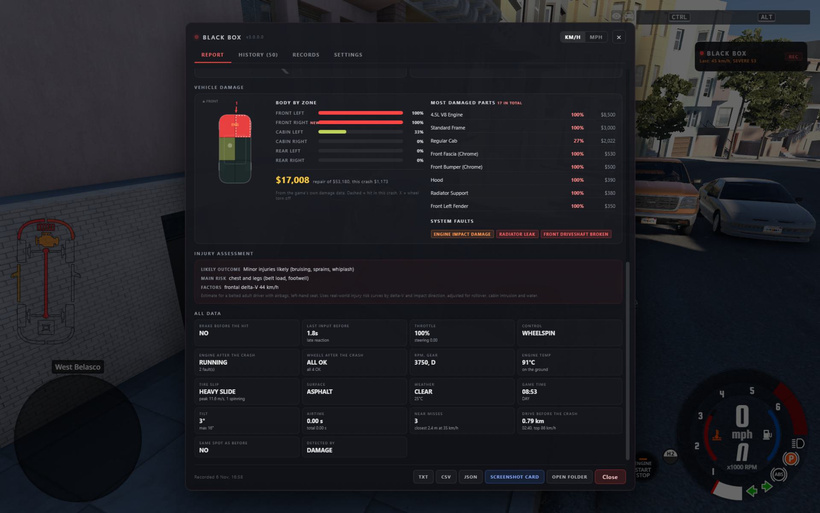
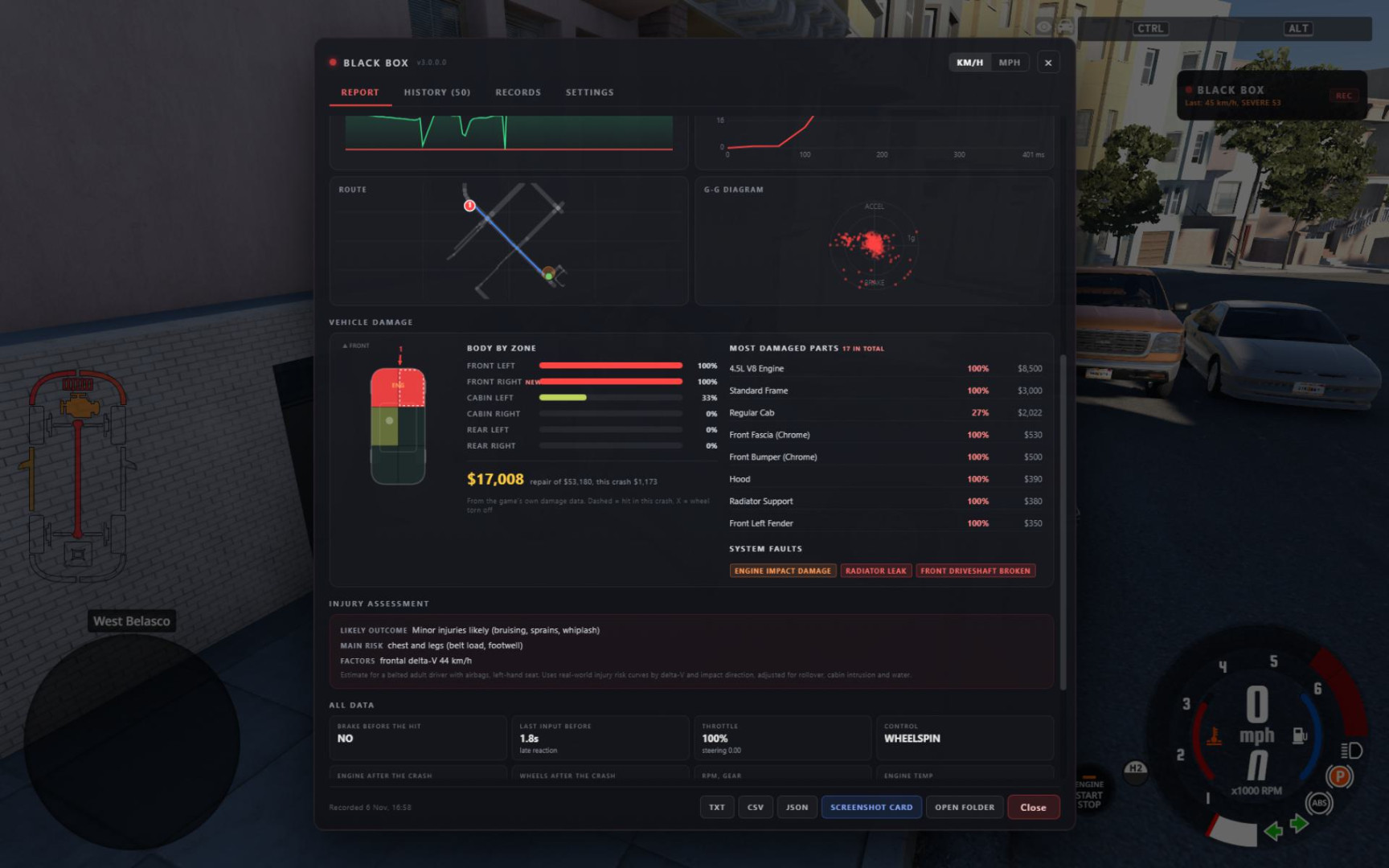
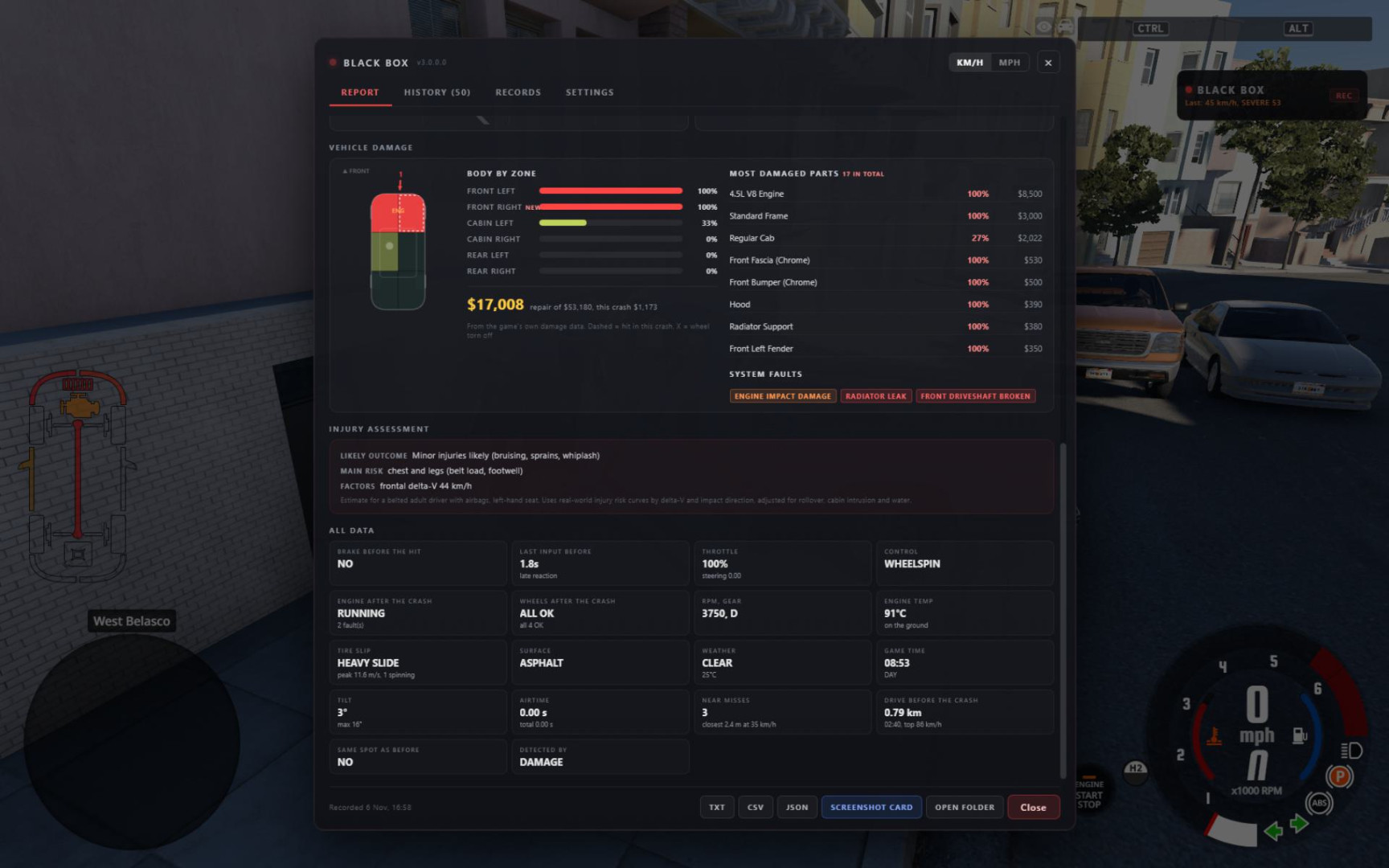
Vehicle damage: top-down damage map, damaged parts with prices, repair bill and system faults. The engine shows RUNNING, STALLED, DESTROYED or OFF (electric cars don’t show as stalled anymore)
-
Rain is detected correctly on 0.40
-
The injury estimate knows which side the driver sits on, right-hand drive cars included
-
Map and vehicle names are readable now, and the report date is the time of the crash
-
The first report you see is a clearly marked sample, not fake data made to look like a crash
History and records
-
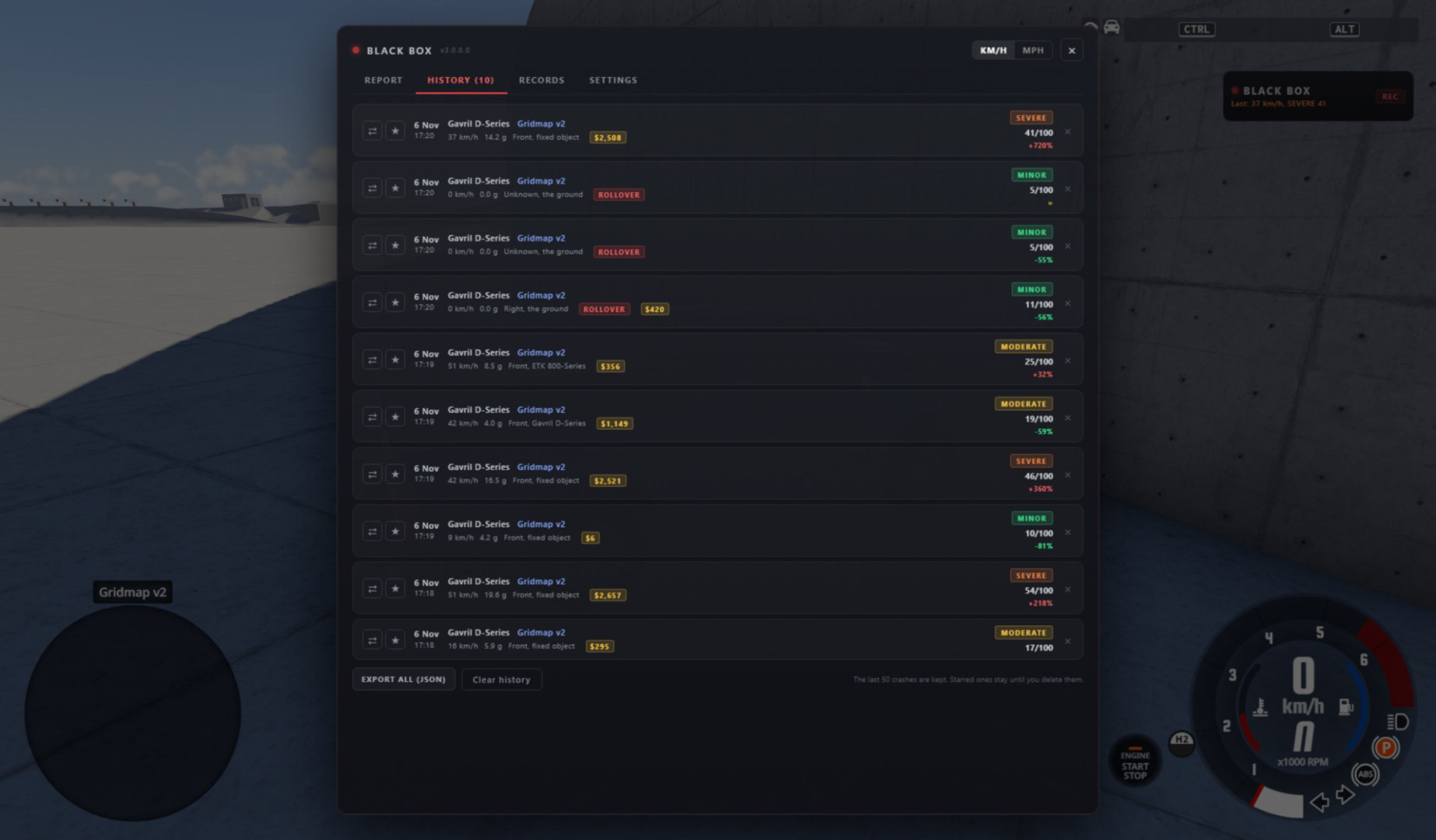
Your last 50 crashes with full timelines. Star a crash to keep it, delete the ones you don’t need
-
Compare two crashes side by side. Close works now, and the comparison stays open after switching units
-
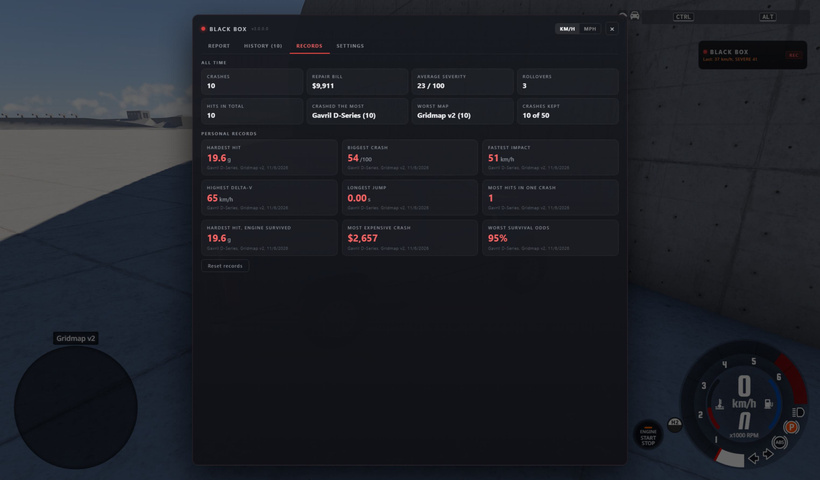
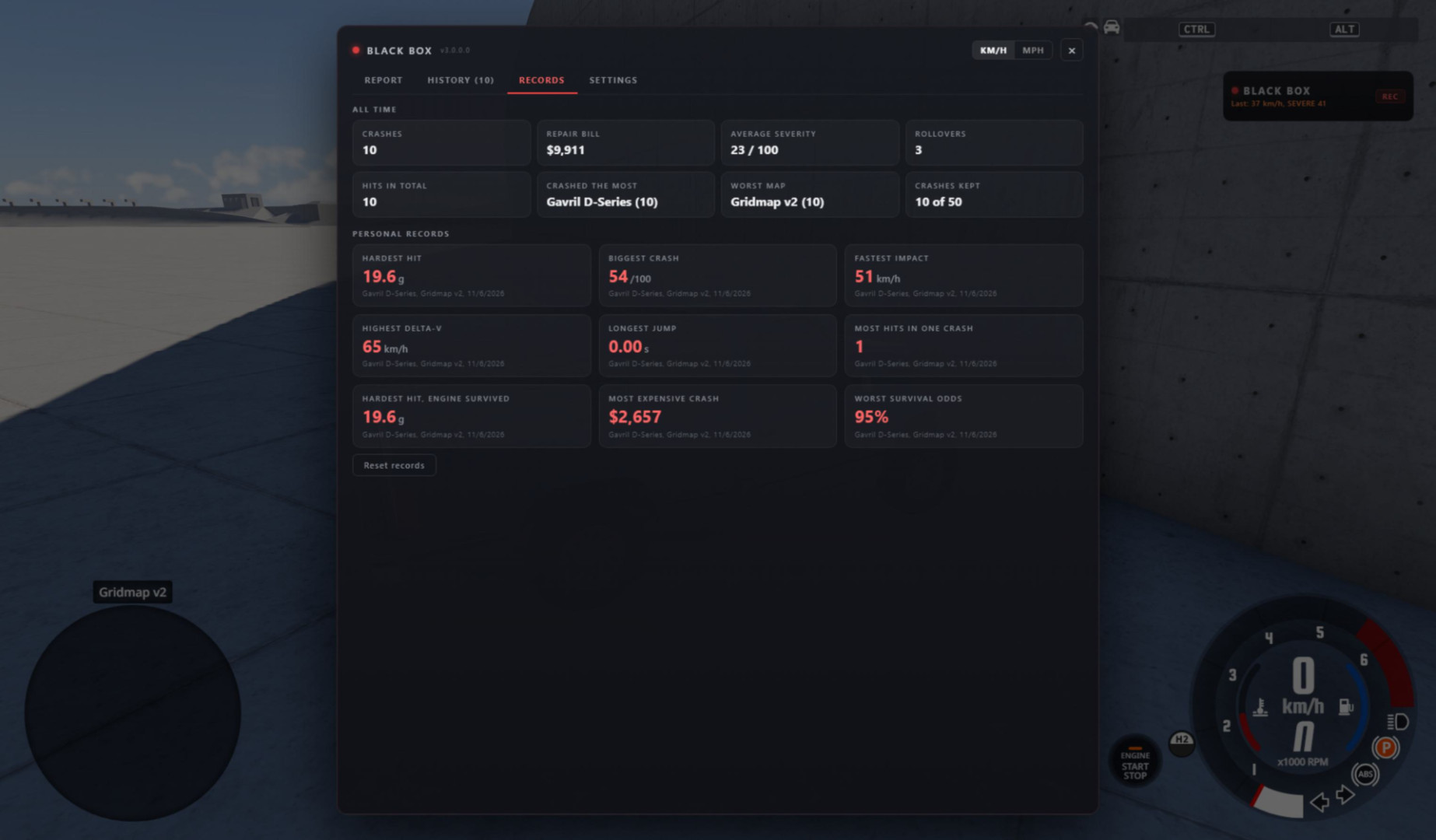
Records and lifetime stats: crashes, total repair bill, average severity, rollovers, the car you crashed the most and your worst map
-
History, records and settings are now stored in the game’s settings folder, so a game update won’t wipe them. Exports and screenshot cards go to screenshots/black_box
Everyday use
-
F9 opens and closes the report (Options > Controls > Gameplay)
-
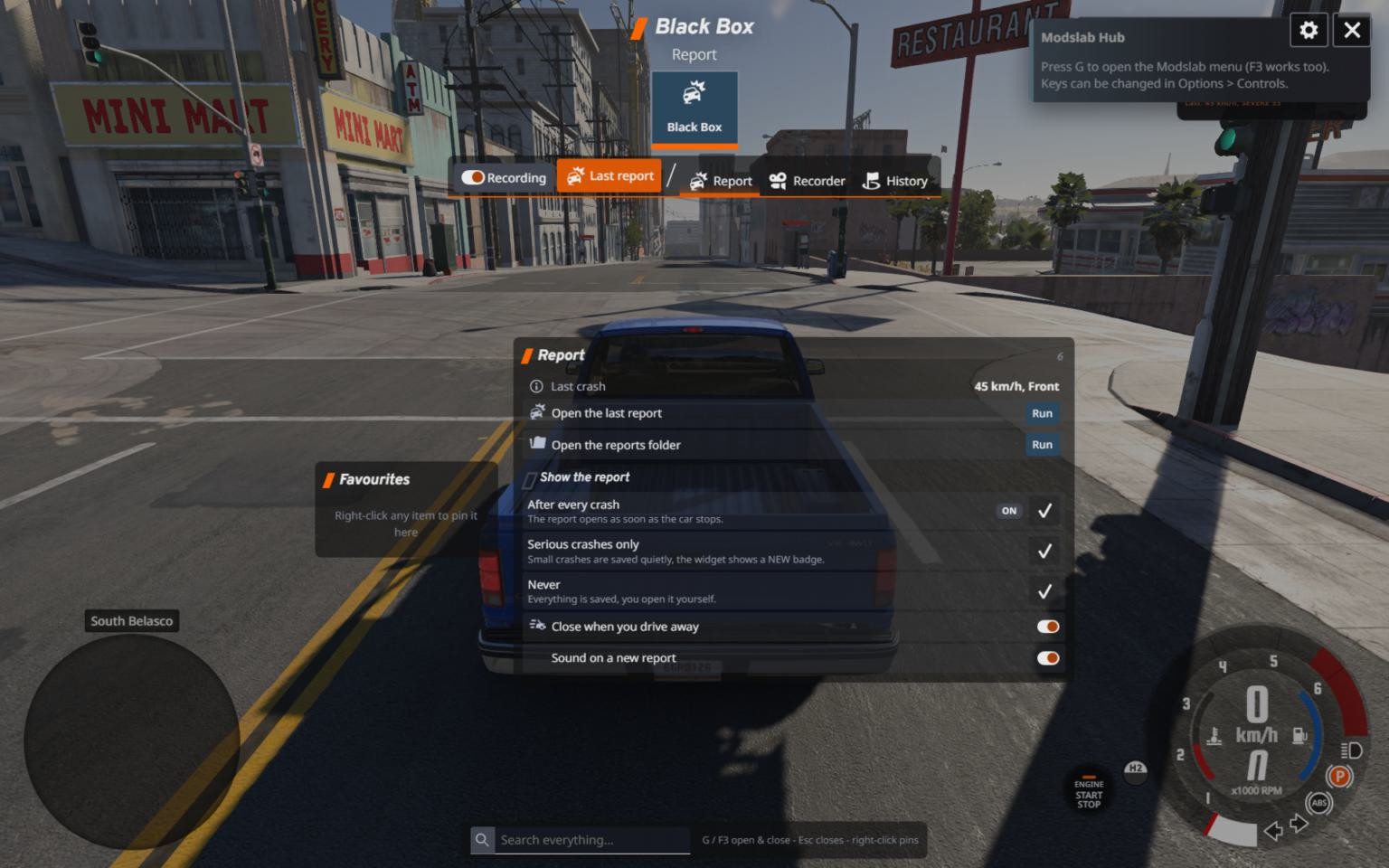
Choose when the report opens: after every crash, only after serious ones, or never. If it doesn’t open, the widget shows a NEW badge
-
A report that opened by itself closes when you drive away (you can turn this off)
-
Compact widget with your last crash. It adds itself to your UI layout the first time
-
Real near misses in traffic
-
A short sound when a new report is ready (you can turn this off)
-
Black Box has its own tab in the Modslab Hub menu (optional)
-
Fixed: the report and the save message could get stuck on 0.40
- Reworked survival-chance estimate to be based on delta-V (real-world injury predictor) instead of peak G, so ratings are realistic
- Added Settings tab: detection sensitivity (Low/Normal/High), stop delay before report (0.5/1.0/2.0s), near-miss logging toggle, auto-open toggle, crash sound toggle; all saved locally and applied live
- Added Damage Map: top-down car diagram with front/rear/left/right/roof zones lit by impact directions, plus per-zone intensity bars
- Added auto-open toggle so reports only pop up on demand when disabled, with a "N NEW" badge on the widget for pending reports
- Reports now open only after the vehicle has come to a complete stop for at least one second
- Added G-G diagram (longitudinal vs lateral acceleration scatter)
- Added timeline scrub slider with live speed/G/throttle/brake/RPM readout
- Added crash comparison: pin two crashes in history to see a side-by-side metric diff
- Added crash heatmap: previous crash sites of the current map shown on the route map
- Added Records tab tracking personal bests (hardest hit, biggest crash, fastest impact, longest jump, most impacts, highest delta-V, survived)
- Added Export All button to save the full crash history as one JSON file
- Added crash sound alert on impact (toggleable)
- Added surface type, weather and time-of-day to reports
- Added repeat-location detection (flags crashes within 20m of a previous one)
- Added kinetic-energy readout, control-loss classification (oversteer/understeer/aquaplaning/etc.), precise impact angle, reaction-time and driver-input telemetry
- Added post-crash state (engine alive, flat tires), tire-slip and brake-start-speed readouts
- Added airtime tracker, near-miss logging and standalone rollover detection
- Added g_long and g_lat columns to CSV export
- Fixed traffic and AI vehicles being logged; only the player's active vehicle is tracked now
- Fixed reports triggering while on foot / walking mode
- Fixed vehicle name in history showing the player car for traffic crashes
- Fixed damage percentage always reading near 100%; damage tiers recalibrated to BeamNG's real scale
- Fixed large exports and reports failing to save by sending them in chunks
- Fixed detection settings resetting when switching vehicles
- Fixed private/internal fields leaking into exported JSON
- Fixed a fatal Lua load error caused by exceeding the LuaJIT upvalue limit
- Fixed the crash report card layout and cramped/overlapping data
- Fixed UI app preview not appearing in the Apps list
- The report now appears only if the vehicle has been at 0 km/h for 1 second. This means the window will no longer pop up while driving and block your view.
- Slightly improved the survival chance calculation system, but this system will continue to be refined further.
Full (previously paid) version from Patreon, now for free!
- Lots of new data
- Added GPS-menu with crash locations, new graphics, etc
- Improved data collection (such as chance of survival, etc)


- The menu now displays GPS with tracking of the traveled route and collision points;
- Added a graph showing torque, braking, and other data;
- Added a button that opens the folder with screenshots and reports;
- Fixed a bug where reports were created after collisions between traffic vehicles. Now only the player's current vehicle is taken into account;
- Fixed a bug where a collision report opened when the player exited the vehicle.


- Added history of recent collisions;
- Added the ability to save crash reports in different formats;
- Added a screenshot system. You can take a beautiful screenshot and receive a photo report from your Black Box. An example can be seen in the screenshots.
All files are saved to:
\Users\Username\AppData\Local\BeamNG\BeamNG.drive\current\blackbox_reports


About Mod
| Latest Version | 3.0 |
| Game | BeamNG.drive |
| Category | Other |
| Game Version | 0.40.x |
| Downloads | 1613 |
| Created | 6 months ago |
| Last Updated | 6 days ago |