Bounce Music (whys this dealer) 1.0

0/5,
0
votes
Description
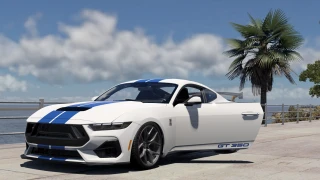
Adds a music track to the game's vehicle bounce effect. Press one button and your car bounces and your music kicks in together. Press it again and both stop.
Features
- Custom music support: Add your own tracks to the bounce effect.
- Customizable settings: Adjust the bounce speed (BPM) and volume via a config file.
- Easy toggle: Start and stop the effect with a single keybind or console command.
No music included; you add your own after downloading.
Installation Instructions
1. Download the zip — don't extract it. Just open it directly with 7-Zip or WinRAR.
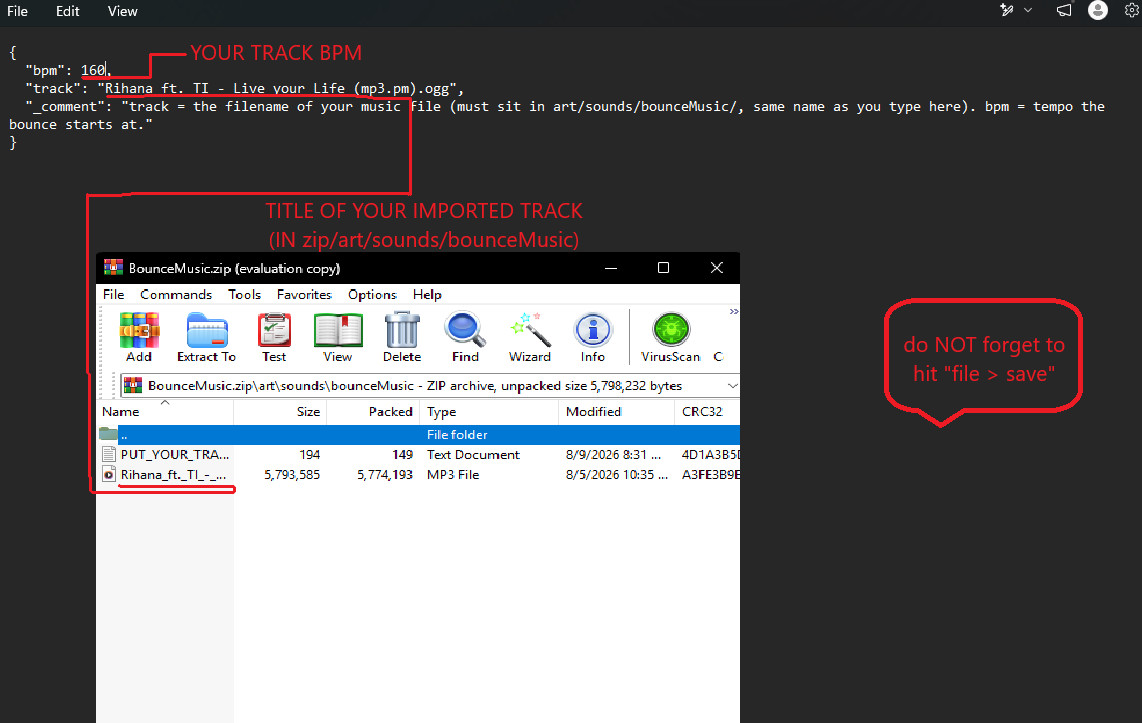
2. Inside the zip, navigate to art/sounds/bounceMusic/ and drag your music file in. Both .ogg and .mp3 work fine.
3. Still inside the zip, open settings/bounceMusic_config.json and update:
- "track" — type your music file's exact filename here.
- "bpm" — controls how fast the bounce is (suggested to use your imported track's bpm for best results).
- "volume" — 1.0 is default; if it sounds a little quiet, try 1.5 or 2.0.
4. Drop the finished zip into your BeamNG mods folder and enable it in the Mods menu.
How to use it:
- Easiest: Options → Controls → search "Toggle Bounce + Music" → bind it to any key.
- Or console (press ~): extensions.util_bounceMusic.toggle()
Adds a music track to the game's vehicle bounce effect. Press one button and your car bounces and your music kicks in together. Press it again and both stop.
Features
- Custom music support: Add your own tracks to the bounce effect.
- Customizable settings: Adjust the bounce speed (BPM) and volume via a config file.
- Easy toggle: Start and stop the effect with a single keybind or console command.
No music included; you add your own after downloading.
Installation Instructions
1. Download the zip — don't extract it. Just open it directly with 7-Zip or WinRAR.
2. Inside the zip, navigate to art/sounds/bounceMusic/ and drag your music file in. Both .ogg and .mp3 work fine.
3. Still inside the zip, open settings/bounceMusic_config.json and update:
- "track" — type your music file's exact filename here.
- "bpm" — controls how fast the bounce is (suggested to use your imported track's bpm for best results).
- "volume" — 1.0 is default; if it sounds a little quiet, try 1.5 or 2.0.
4. Drop the finished zip into your BeamNG mods folder and enable it in the Mods menu.
How to use it:
- Easiest: Options → Controls → search "Toggle Bounce + Music" → bind it to any key.
- Or console (press ~): extensions.util_bounceMusic.toggle()
Direct Download Links
About Mod
| Latest Version | 1.0 |
| Game | BeamNG.drive |
| Category | Other |
| Game Version | 0.39.x |
| Tags | Gameplay |
| Downloads | 183 |
| Created | 1 month ago |
![Mack Anthem / Pinnacle [PACK]](https://temp2.modland.net/i/6aa50a7184eaa/6ab9344368d3b/0_modland.webp)

cant edit the json......