BR Class 220/221 Voyager 1.0

![Ford Bronco [PACK]](https://temp2.modland.net/i/6abb8bc6ce51c/0_modland.jpg)
5/5,
8
votes
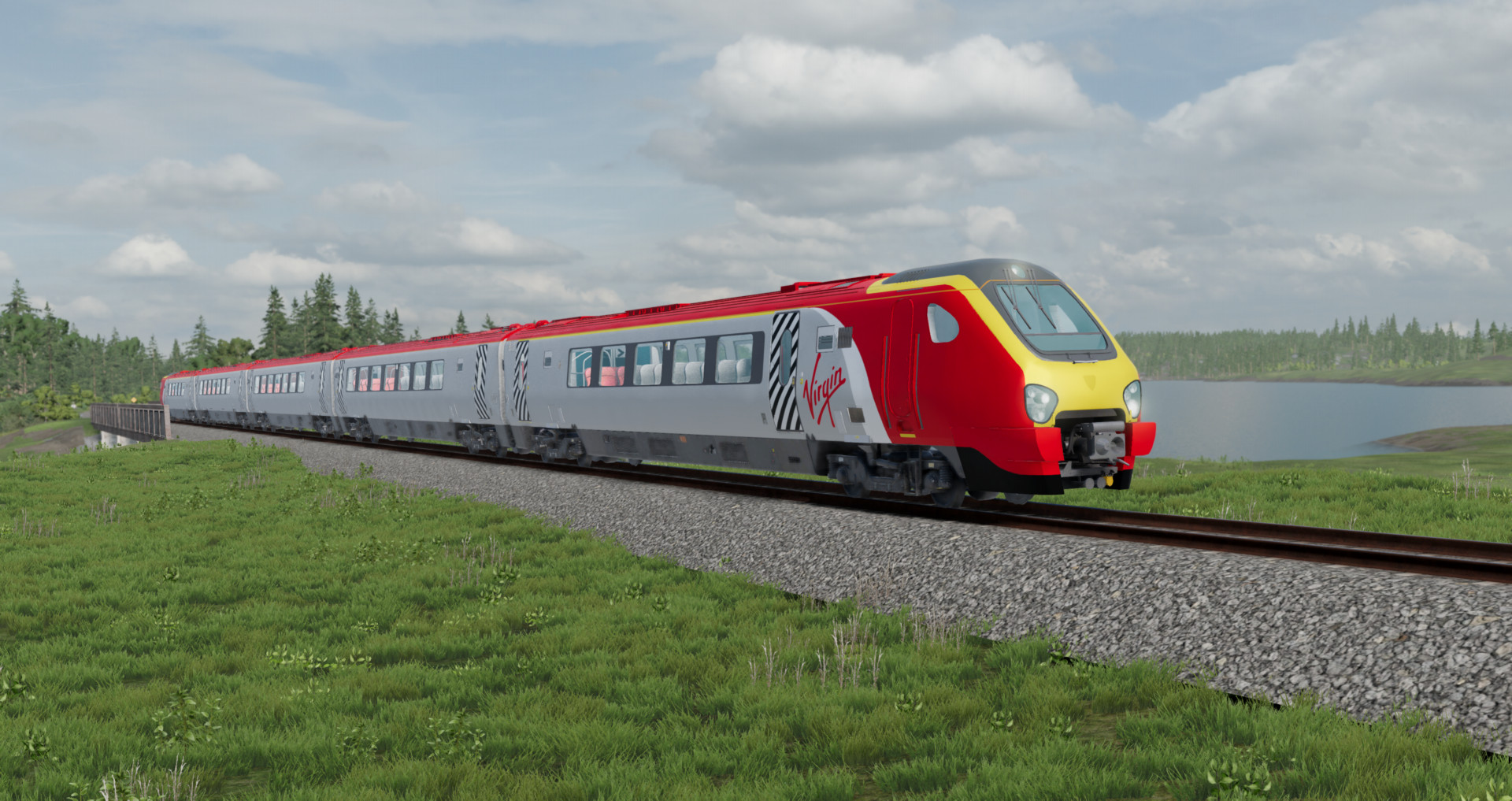
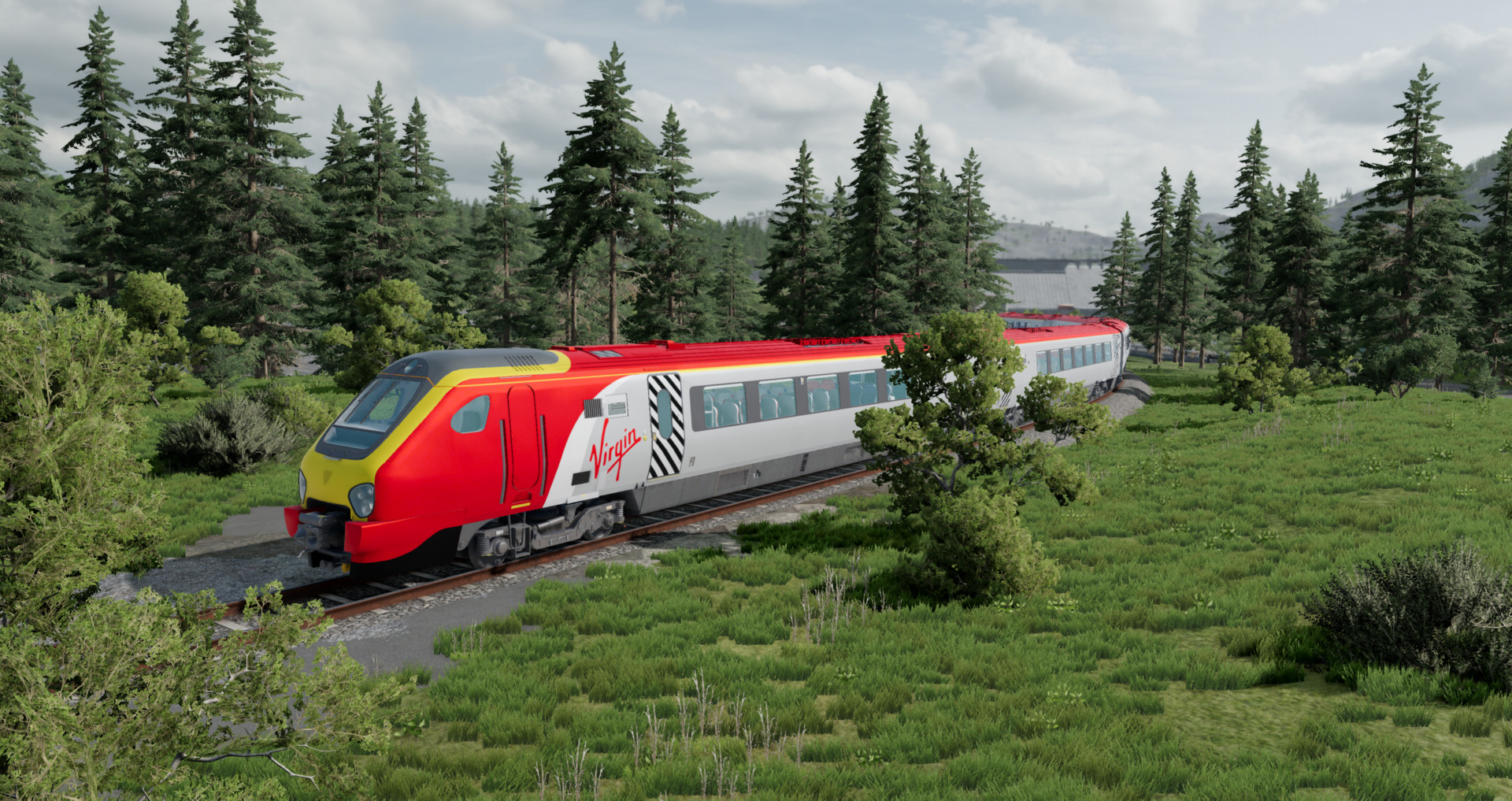
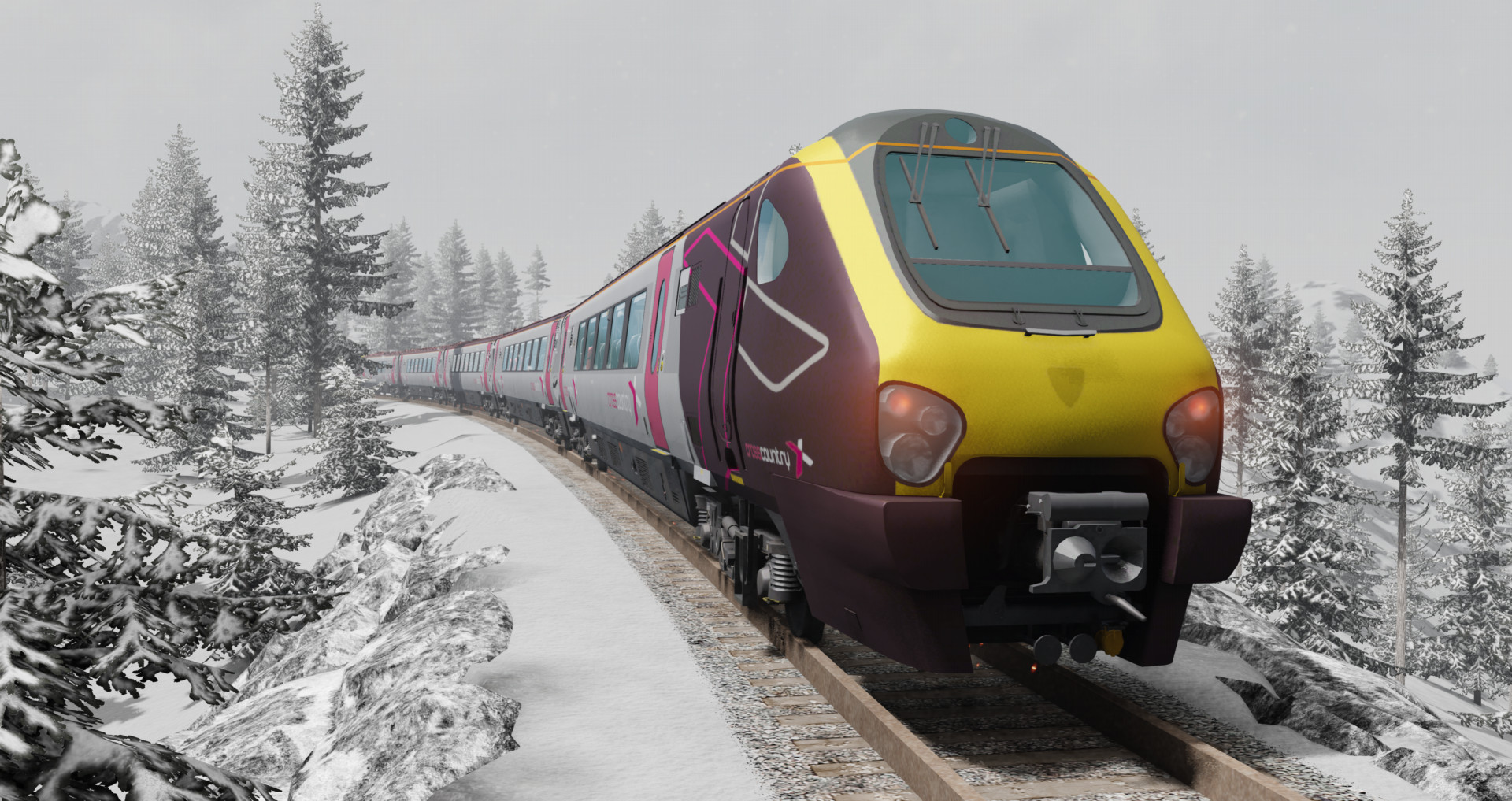
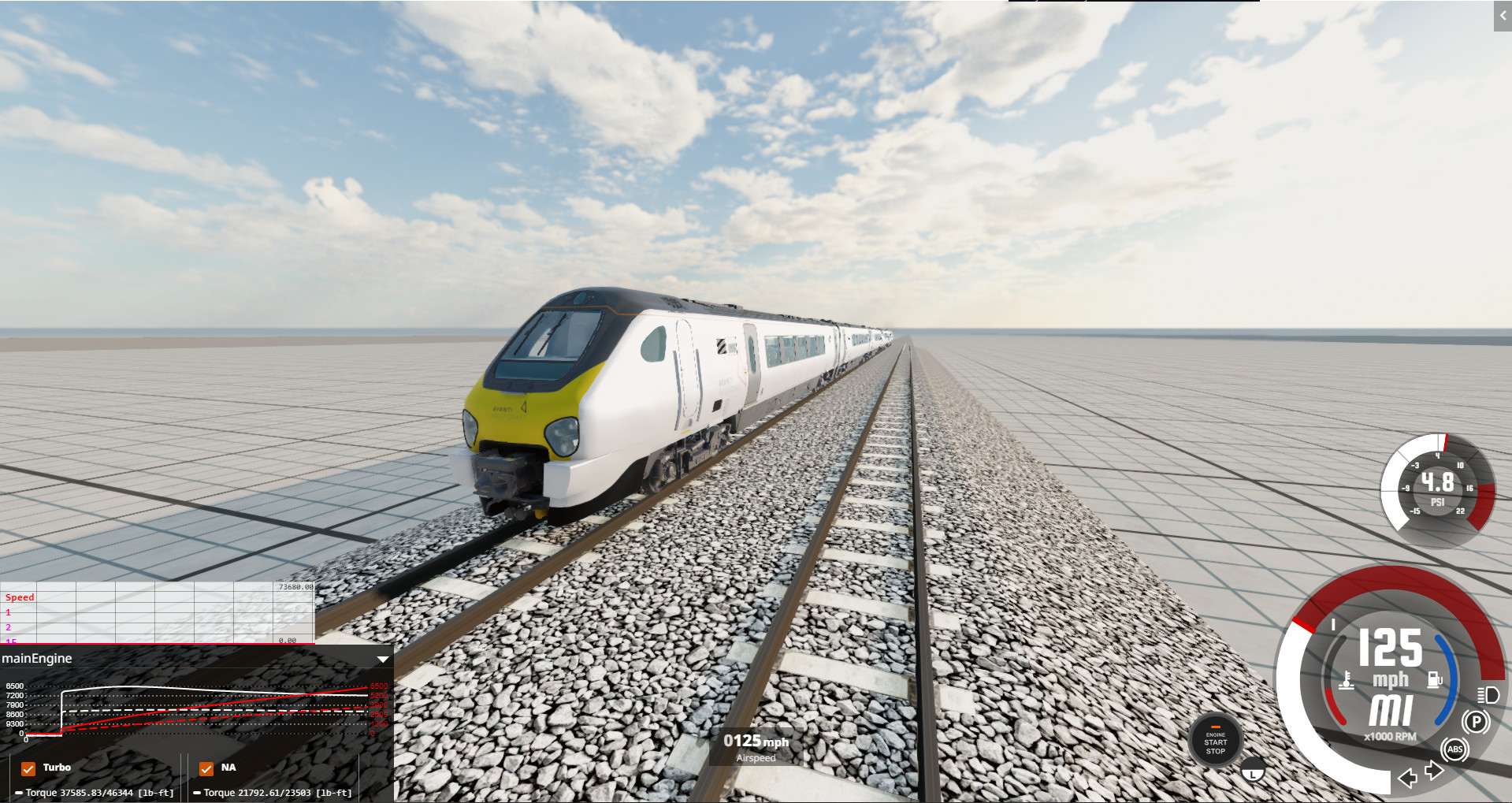
British Rail Class 220/221 Voyager For Beamng Drive (version 0.36.4)
The mod comes with the carriage, to install just drop the downloaded mod into the Mods folder
Mod features:
- 28 configurations (7 for carriage), 7 liveries;
- Configs marked with Front Engine are the main trains that should be placed at the beginning of the train;
- Configs marked with Rear Engine are the rear trains that should be placed at at the end of the train (they differ in the type of couplers).
- Working lights, new smooth lights fading;
- Correctly placed exhaust;
- Drives well;
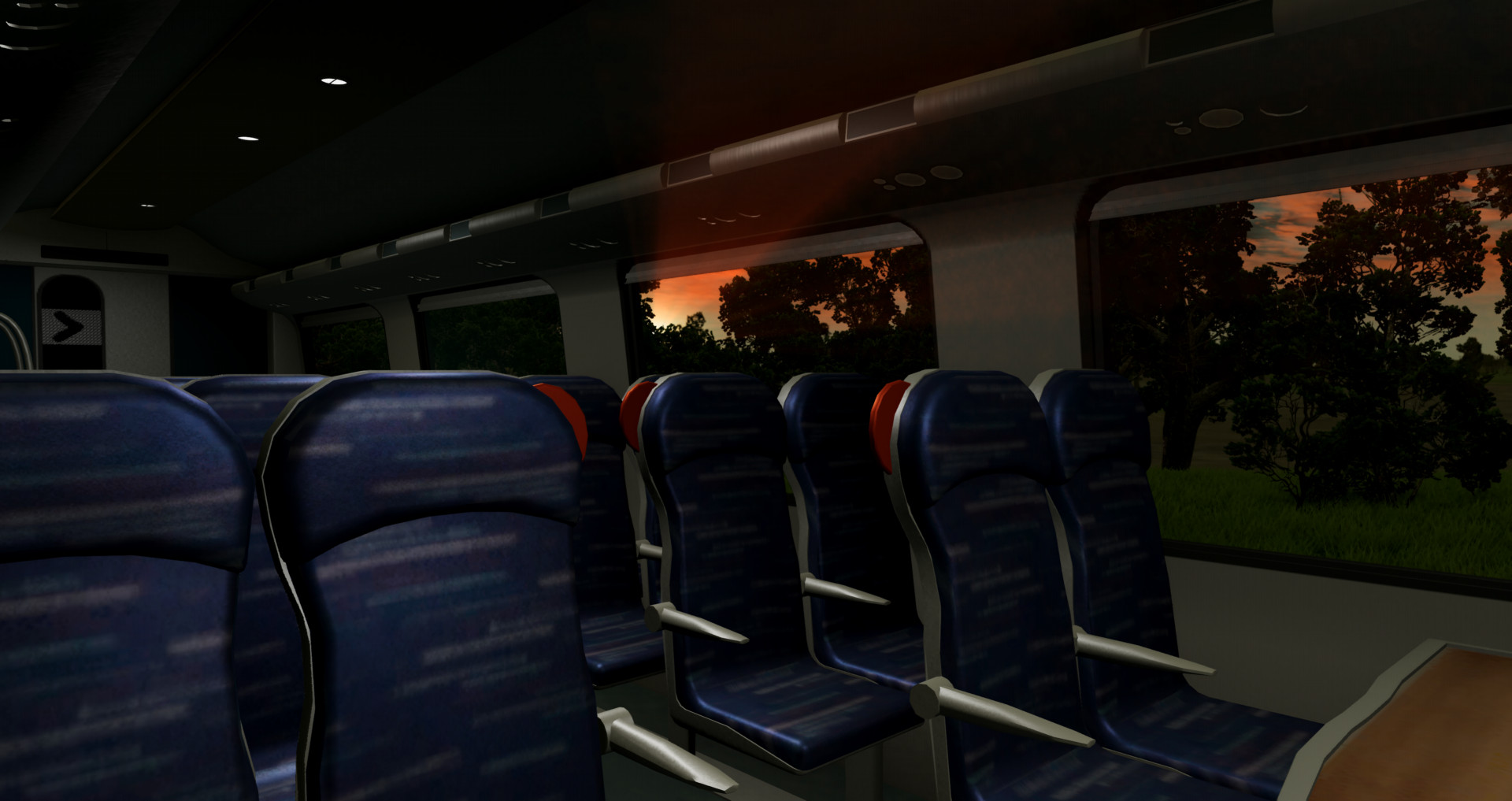
- The carriage have seats with collision, you can walk around the carriage in walking mode;
- A train of 5 carriages accelerates up to 125 Miles per hour (200 KM/H).
- First and second class variations.
- Interior lights does not illuminate the rails below.
Controls for BR Class 220/221:
headlights working same as normal cars on N (Low beam - front lights, High beam - rear lights)
- H - Horn.
- T - Acceleration (also hold W).
- G - Deceleration (press S).
- Alt + A - Change direction.
- Y - Cab light.
- U - Interior light.
Car control:
- Y - Interior lights.
- C - Switch camera to passenger view.
Assembling the train:
1. Select BR Class 220/221 marked with Front Engine and place it at the beginning of the train.
2. Spawn the carriage and place it on the rails using the editor (F11).
3. Duplicate the cars with Shift pressed, move them in the direction you need.
4. Place BR Class 220/221 marked Rear Engine at the end of the train and rotate it.
5. Switch to the front engine train and press L. (You can drag the carriages using Node Grabber)
6. Make sure the cars are not stuck in the rails by lifting them.
7. Switch to the first attached carriage, Press Shift + L, if the carriages doesnt drive up to the train, you can move it by its frame using Node Grabber (on Ctrl).
8. If the rear engine doesnt couple, press Shift + L on the last carriage, and drive rear engine train closer to the carriages and release the brakes
Important:
If the train does not move:
- Raise it above the rails in the editor (F11).
- Press pause (J) and release the brakes (arrow down and P / space bar).
- Shift to M1.
Known issues:
- Doors cant be opened.
- Interior lights turning on manually in each carriage.
- Bad collision of the passenger compartment of the main train.
Have fun!
The mod comes with the carriage, to install just drop the downloaded mod into the Mods folder
Mod features:
- 28 configurations (7 for carriage), 7 liveries;
- Configs marked with Front Engine are the main trains that should be placed at the beginning of the train;
- Configs marked with Rear Engine are the rear trains that should be placed at at the end of the train (they differ in the type of couplers).
- Working lights, new smooth lights fading;
- Correctly placed exhaust;
- Drives well;
- The carriage have seats with collision, you can walk around the carriage in walking mode;
- A train of 5 carriages accelerates up to 125 Miles per hour (200 KM/H).
- First and second class variations.
- Interior lights does not illuminate the rails below.
Controls for BR Class 220/221:
headlights working same as normal cars on N (Low beam - front lights, High beam - rear lights)
- H - Horn.
- T - Acceleration (also hold W).
- G - Deceleration (press S).
- Alt + A - Change direction.
- Y - Cab light.
- U - Interior light.
Car control:
- Y - Interior lights.
- C - Switch camera to passenger view.
Assembling the train:
1. Select BR Class 220/221 marked with Front Engine and place it at the beginning of the train.
2. Spawn the carriage and place it on the rails using the editor (F11).
3. Duplicate the cars with Shift pressed, move them in the direction you need.
4. Place BR Class 220/221 marked Rear Engine at the end of the train and rotate it.
5. Switch to the front engine train and press L. (You can drag the carriages using Node Grabber)
6. Make sure the cars are not stuck in the rails by lifting them.
7. Switch to the first attached carriage, Press Shift + L, if the carriages doesnt drive up to the train, you can move it by its frame using Node Grabber (on Ctrl).
8. If the rear engine doesnt couple, press Shift + L on the last carriage, and drive rear engine train closer to the carriages and release the brakes
Important:
If the train does not move:
- Raise it above the rails in the editor (F11).
- Press pause (J) and release the brakes (arrow down and P / space bar).
- Shift to M1.
Known issues:
- Doors cant be opened.
- Interior lights turning on manually in each carriage.
- Bad collision of the passenger compartment of the main train.
Have fun!
External Download Links:
- Modsfire.com - brclass221_zlodikan.zip [112.52 MB]
- Sharemods.com - brclass221_zlodikan.zip [112.5 MB]
Direct Download Links
latest
initial
Version
1.0
· BeamNG.drive
0.36.x
1 year ago
Game Versions:
0.36.x
brclass221_zlodikan_modland.zip
direct download
· 112.52 MB
· added 1 year ago
This File is Scanned by Antivirus and is Safe.
More Details
About Mod
| Latest Version | 1.0 |
| Game | BeamNG.drive |
| Category | Other |
| Game Version | 0.36.x |
| Downloads | 3019 |
| Created | 1 year ago |
| Last Virus Scan |
0/98
More Details |
![Mack Anthem / Pinnacle [PACK]](https://temp2.modland.net/i/6aa50a7184eaa/6ab9344368d3b/0_modland.jpg)
looks great and works so well! can you please do mods for australian locomotives/carriages in the future, too
can u make a class 390
Please can you do a TGV or a ICE 3/Velaro D please? Would be great to go 320kmh around the map in that!!
@Zlodikan hi there beamng is coming to ps5 and you can get mods on it but only from the beamng mod blah blah area and i really wanna get this supervoyager mod so can you release it on the beamng web well bye
@Zlodikan Ok it will be the Velaro D that Eurostar/ICE uses or the Class 406? If possible the E320 would be nice since I can drive at 320km/h
@RandomTrainGuy Yeah i have plans to remaster my ice3/siemens velaro mod right now im making russian emu ED4M
I can't couple locos even with Shift + L
@john
@john
may i ask if there may be a dutch train some day?, i love these train mods
What is the name of the map in 1st and 2nd image?
@FlippedPigeon River Highway
Can I ask you how to turn off the sparks in BMG Drive?
Zlod's back with heat 🔥 (10/10 again, been recommending your stuff to my friends)
finnaly bro a new train mod.Where u been so long...
@Domi yes i got demotivated from doing mods but now i plan to comeback to modding with new mods new train mod chme3 already in works
hello! does anyone know the maps in pic 3 and 4?
@Zlodikan thanks!
@noone123 3 sultan peak snow 4 maseukowice train station
could you do the european siemens desiro please?
never seen a british loco in beamng before, nice job! i love this thing