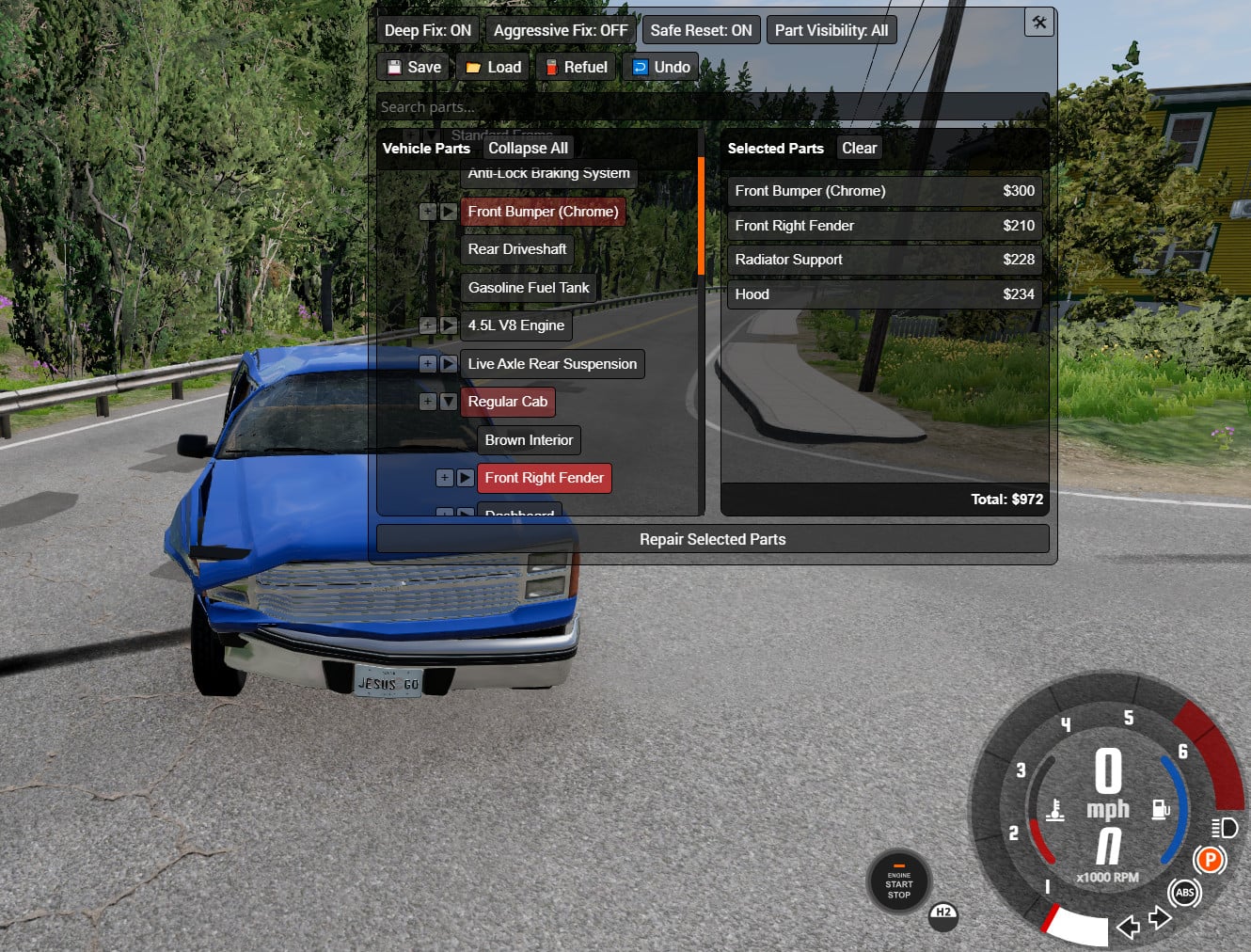
Individual Part Repair Menu v4.271

Latest Update
Individual Part Repair Menu
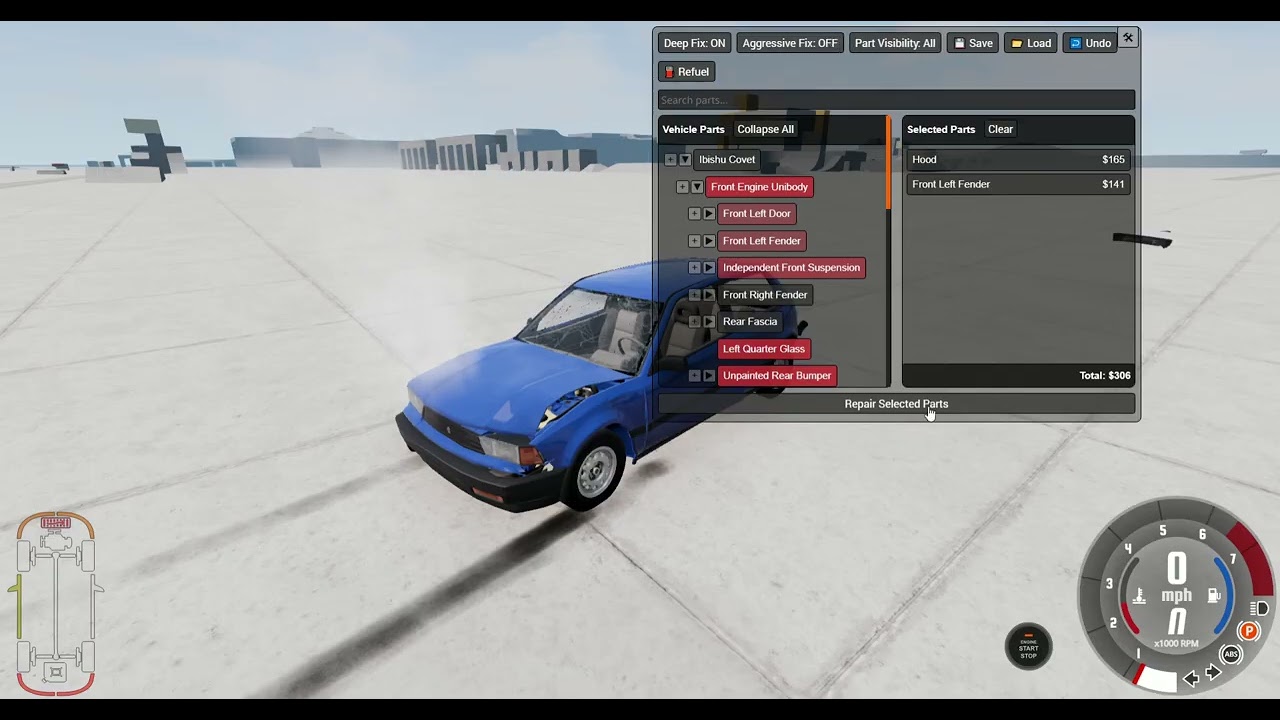
Adds a new UI app that allows for the selective repair of individual vehicle parts and features a custom save/load system for damage states per vehicle configuration.
Description:
This mod introduces a "Individual Part Repair Menu" app for targeted part repair and a beamstate system that saves damage per vehicle config, allowing damage to persist across different maps and game sessions.
Usage & Features:
-
V3 Update: Adds partial Career Mode support. Repairing parts charges the player 60% of the part's value, with costs refunded if the "Undo" button is used.
-
Save files are stored by configuration name, allowing multiple saves per vehicle, and are typically under 1 MB each.
Important Tips:
-
Use the Deep repair option when fixing wheels or suspension to avoid issues.
-
The Aggressive Fix option can force-realign part nodes but may break other components.
-
To preserve damage while changing parts, save the state before and load after.
-
Repairs on a bent frame may cause misalignment; frame repair with Deep disabled is only for minor damage.
-
Saves are stored in the user directory's vehicles folder.
Notes:
-
Full damage persistence for Career Mode is not included in this version.
-
Tuning parts works similarly, though some variables may require a repair to apply changes.
External Download Links:
- Modsfire.com - IndividualPartRepair.zip [5.99 MB]
Videos
About Mod
| Latest Version | v4.271 |
| Game | BeamNG.drive |
| Category | Other |
| Game Version | 0.39.x |
| Downloads | 6308 |
| Forum Thread | Visit forum thread |
| Created | 8 months ago |
| Last Updated | 3 weeks ago |
![Ford Mustang Mach-E [PACK]](https://temp2.modland.net/i/6aa50a7184eaa/0_modland.jpg)
![BMW X6 G06/F96 [PACK]](https://temp2.modland.net/i/6a8ff76445a04/0_modland.jpg)


leak royalrenderings mustang s650
This is in the stock mod repo
does it work for mods?
I don't see the icon. Do I need to press a button? I'm only enabling this mode within the game, but it still doesn't show up. Could it be because of the game version?
@Caswellto wdym needed to position the menu in UI apps
@Caswellto ty dude now i know how
@Caswellto Okay, I solved the problem. It turns out I needed to position the menu in UI Apps.